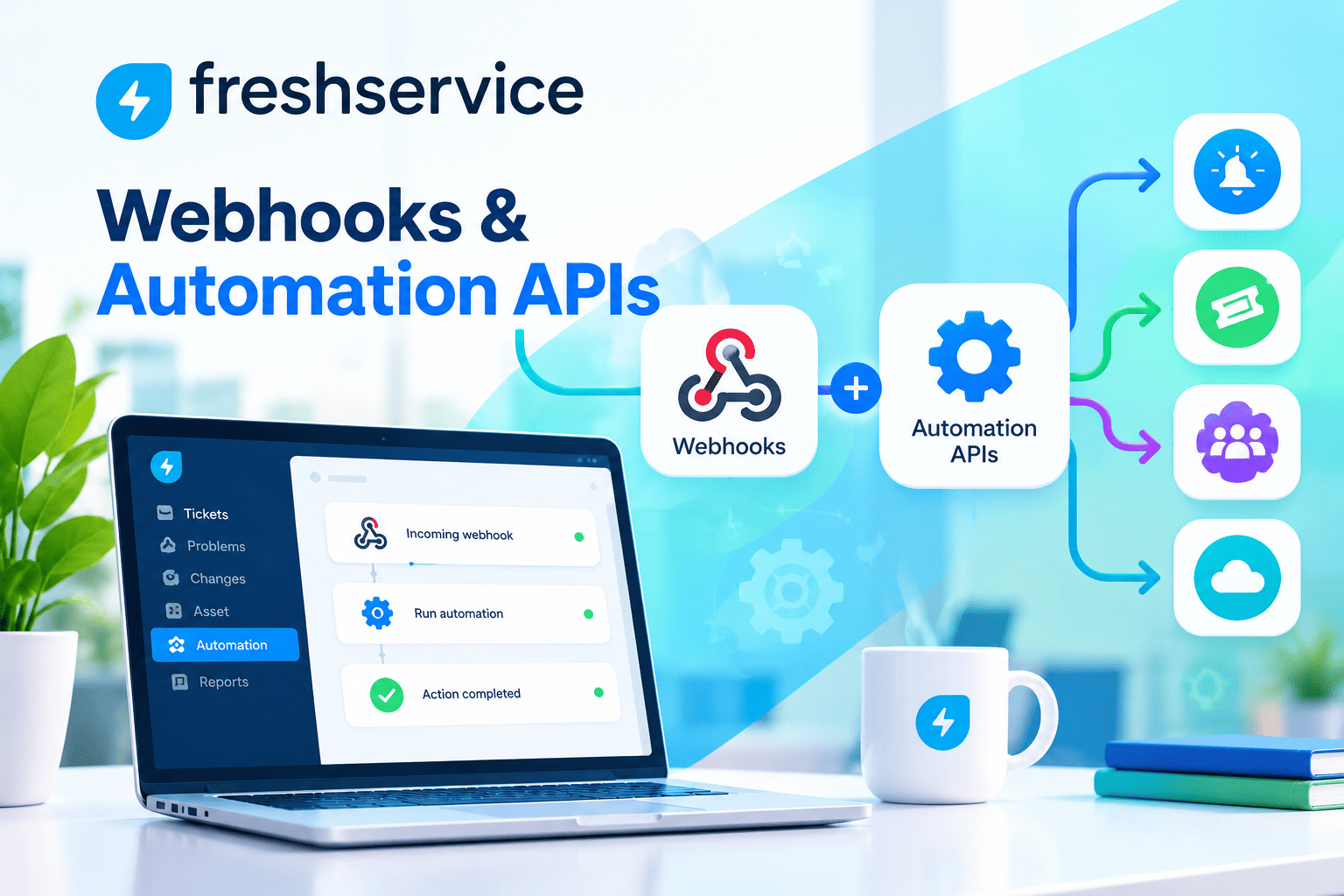
Implementing ITSM in Small and Medium-Sized Businesses

In today’s digital landscape, small and medium-sized businesses face mounting pressure to deliver seamless IT services while managing limited resources. Consequently, many organizations are turning to IT Service Management (ITSM) frameworks to streamline operations, enhance service delivery, and improve customer satisfaction. However, implementing ITSM can seem daunting for businesses without dedicated IT departments or extensive budgets. This article explores practical strategies for successfully implementing ITSM in SMBs, examining essential tools, best practices, and real-world solutions that can transform your IT operations.
Table of Contents
- Quick Summary
- What is the Role of ITSM in Business?
- Which ITSM Software Solutions Best Serve Small and Medium-Sized Businesses?
- How Do Freshservice, ManageEngine, and Zendesk Compare for SMB ITSM Implementation?
- What Are the Essential Steps for Implementing ITSM in Your SMB?
- How Can SMBs Overcome Common ITSM Implementation Challenges?
- What Metrics Should SMBs Track to Measure ITSM Success?
- Why Should SMBs Consider Professional ITSM Implementation Support?
- Summing up
- Frequently Asked Questions
- Benefits of Cooperation with Solution for Guru
Quick Summary
Implementing IT Service Management in small and medium-sized businesses requires careful planning, the right tools, and a strategic approach. This comprehensive guide examines how SMBs can successfully adopt ITSM frameworks to improve service delivery, reduce costs, and enhance operational efficiency. Moreover, we explore three leading ITSM platforms—Freshservice, ManageEngine, and Zendesk—comparing their features, pricing, and suitability for different business needs. Additionally, we provide actionable implementation strategies, discuss common challenges, and explain how partnering with experienced providers like Solution for Guru can accelerate your ITSM journey while maximizing return on investment.
What is the Role of ITSM in Business?
IT Service Management serves as the backbone of modern business operations, providing structured frameworks for delivering, managing, and improving IT services. For small and medium-sized businesses, ITSM plays several critical roles that directly impact organizational success.
Firstly, ITSM establishes standardized processes for handling IT requests, incidents, and changes. This standardization ensures consistency in service delivery, regardless of which team member handles a particular request. Furthermore, it creates a documented knowledge base that prevents information silos and reduces dependency on individual employees.
Secondly, ITSM frameworks help SMBs optimize resource allocation. By implementing ticket management systems, businesses can prioritize issues based on urgency and impact, ensuring that critical problems receive immediate attention while routine requests follow appropriate workflows. Consequently, IT teams become more efficient, handling higher volumes of requests without proportional increases in staff.
Additionally, ITSM provides visibility into IT operations through comprehensive reporting and analytics. Business leaders can identify recurring issues, track resolution times, and measure service quality against established benchmarks. This data-driven approach enables informed decision-making about technology investments and process improvements.
Moreover, ITSM enhances customer and employee satisfaction by establishing clear communication channels and service level agreements. Users know where to submit requests, can track progress transparently, and receive timely updates throughout the resolution process. This transparency builds trust and reduces frustration associated with IT issues.
From a financial perspective, ITSM helps SMBs control costs through better asset management, change control, and problem management. Organizations can track hardware and software inventory, manage licenses effectively, and prevent unnecessary purchases. Similarly, structured change management processes reduce the risk of failed implementations that could result in downtime or productivity losses.
ITSM also strengthens security and compliance postures. By implementing formal access management, incident response procedures, and audit trails, businesses can better protect sensitive data and demonstrate compliance with industry regulations. This becomes increasingly important as cyber threats evolve and regulatory requirements become more stringent.
Finally, ITSM frameworks scale with business growth. The processes and tools implemented today can accommodate increased service volumes, additional users, and expanded IT infrastructure without requiring complete overhauls. This scalability makes ITSM particularly valuable for growing SMBs that need flexible solutions supporting both current operations and future expansion.
Which ITSM Software Solutions Best Serve Small and Medium-Sized Businesses?
Selecting the right ITSM software represents a crucial decision for SMBs, as it establishes the foundation for service delivery processes. Three platforms stand out for their SMB-friendly features, pricing models, and implementation approaches: Freshservice, ManageEngine, and Zendesk.
Freshservice: Cloud-Native Simplicity for Modern SMBs
Freshservice delivers a comprehensive, cloud-based ITSM solution designed specifically with ease of use in mind. The platform’s intuitive interface requires minimal training, allowing SMBs to achieve rapid deployment and user adoption. Freshservice includes incident management, problem management, change management, asset management, and a self-service portal, covering essential ITSM functions within a single platform.
The software’s automation capabilities prove particularly valuable for resource-constrained SMBs. Freshservice can automatically categorize tickets, assign them to appropriate agents based on predefined rules, and trigger workflows that guide issues through resolution processes. These automations reduce manual workload while ensuring consistent handling of common scenarios.
Furthermore, Freshservice offers robust integration capabilities with popular business tools including Slack, Microsoft Teams, Jira, and various monitoring solutions. This interoperability ensures that ITSM processes connect seamlessly with existing workflows rather than operating in isolation. The platform’s API enables custom integrations for businesses with specific requirements.
Freshservice’s pricing model scales with business size, offering tiered plans that align with different organizational needs and budgets. The entry-level plans provide core ITSM functionality suitable for smaller teams, while enterprise plans add advanced features like AI-powered automation, custom reporting, and enhanced security controls.
ManageEngine ServiceDesk Plus: Comprehensive Features with Flexible Deployment

ManageEngine ServiceDesk Plus presents a feature-rich ITSM platform available in both cloud and on-premises deployment options. This flexibility appeals to SMBs with specific data sovereignty requirements or those preferring to maintain infrastructure control. The platform delivers extensive functionality across incident management, problem management, change management, asset management, and knowledge management.
ManageEngine distinguishes itself through comprehensive asset management capabilities. The software provides automated discovery tools that identify and catalog IT assets across networks, including hardware specifications, software installations, and license details. This visibility helps SMBs maintain accurate inventories and optimize software license utilization, potentially generating significant cost savings.
The platform’s customization options enable businesses to tailor workflows, forms, and reports to match specific operational requirements. Additionally, ManageEngine includes built-in ITIL process templates that provide structured starting points, accelerating implementation while ensuring best practice alignment. Organizations can adopt these templates as-is or modify them to reflect unique business needs.
ManageEngine’s reporting and analytics capabilities deliver deep insights into IT operations. The platform includes dozens of pre-built reports covering service desk performance, asset utilization, change success rates, and more. Custom report builders enable businesses to create specific visualizations addressing unique analytical requirements.
Pricing for ManageEngine ServiceDesk Plus varies based on technician count and deployment model, with subscription options for cloud deployments and perpetual licensing available for on-premises installations. This pricing flexibility accommodates different budget structures and purchasing preferences common among SMBs.
Zendesk: Unified Customer and Employee Service Platform

Zendesk approaches ITSM from a broader service management perspective, offering a unified platform that handles both external customer support and internal IT service delivery. This convergence benefits SMBs seeking to standardize service processes across departments while minimizing platform proliferation.
The Zendesk Suite combines ticketing, knowledge management, workflow automation, and reporting within a cohesive interface. IT teams can leverage the same powerful ticketing engine that supports customer service operations, ensuring consistency in how requests are tracked and resolved. The platform’s omnichannel capabilities enable users to submit requests via email, web portals, chat, or mobile applications, providing flexibility that accommodates diverse user preferences.
Zendesk’s strength in knowledge management supports effective self-service capabilities. The platform enables creation of comprehensive knowledge bases with articles, FAQs, and troubleshooting guides that empower users to resolve common issues independently. AI-powered search helps users quickly find relevant information, reducing ticket volumes and accelerating issue resolution.
Moreover, Zendesk’s marketplace offers hundreds of integrations and applications that extend platform functionality. SMBs can connect Zendesk with communication tools, monitoring solutions, project management systems, and business applications, creating integrated workflows that span organizational boundaries.
The platform’s analytics provide visibility into service performance, agent productivity, and user satisfaction. Customizable dashboards enable stakeholders to monitor key metrics in real-time, while scheduled reports deliver insights to leadership teams. These analytics support data-driven improvement initiatives that continually enhance service quality.
Zendesk pricing follows a per-agent model with multiple tiers offering progressively advanced features. The platform’s scalability ensures that businesses can start with basic functionality and expand capabilities as requirements evolve, avoiding the need for platform migrations as organizations grow.
How Do Freshservice, ManageEngine, and Zendesk Compare for SMB ITSM Implementation?
Understanding the comparative strengths of Freshservice, ManageEngine, and Zendesk helps SMBs select the platform that best aligns with their specific requirements, budget constraints, and strategic objectives.
| Feature | |  |  |
|---|---|---|---|
| Deployment Options | Cloud only | Cloud and on-premises | Cloud only |
| Starting Price Range | $19-29/agent/month | $10-25/technician/month | $19-55/agent/month |
| Implementation Complexity | Low – Quick setup | Medium – More configuration | Low – Intuitive interface |
| Incident Management | Comprehensive with AI | Comprehensive with automation | Comprehensive with omnichannel |
| Asset Management | Good – Basic discovery | Excellent – Advanced discovery | Basic – Requires integrations |
| Change Management | Integrated workflow | ITIL-aligned processes | Basic workflow |
| Knowledge Management | Integrated KB | Integrated KB | Advanced KB with AI search |
| Self-Service Portal | Modern, customizable | Functional, customizable | Highly customizable |
| Mobile Applications | iOS and Android | iOS and Android | iOS and Android |
| Automation Capabilities | AI-powered workflows | Rule-based automation | Workflow automation |
| Reporting & Analytics | Built-in dashboards | Extensive pre-built reports | Customizable analytics |
| Integration Ecosystem | 1000+ integrations | 200+ integrations | 1000+ apps/integrations |
| ITIL Compliance | ITIL-ready | Strong ITIL alignment | Service management focus |
| Best Suited For | SMBs seeking modern, cloud-native ITSM | SMBs needing comprehensive features and deployment flexibility | SMBs wanting unified internal and external service management |
Detailed Platform Comparison Analysis
When evaluating these platforms, SMBs should consider several key dimensions beyond basic feature comparison.
Ease of Implementation and User Adoption
Freshservice and Zendesk prioritize user experience with modern, intuitive interfaces that minimize training requirements. Both platforms enable rapid deployment, with basic configurations achievable within days rather than weeks. Conversely, ManageEngine offers greater configuration depth, which provides customization benefits but may extend implementation timelines and require more technical expertise.
Total Cost of Ownership
Beyond subscription fees, SMBs must consider implementation costs, training expenses, ongoing administration, and integration development. Freshservice and Zendesk’s simplicity typically reduces these hidden costs, while ManageEngine’s flexibility may require additional investment in customization but could deliver better long-term value for organizations with complex requirements.
Scalability and Future Requirements
All three platforms scale effectively as organizations grow, but they scale differently. Freshservice and Zendesk add features through tiered pricing that increases as needs expand. ManageEngine provides more comprehensive functionality at entry levels but may require moving between editions as requirements become more sophisticated. Organizations should evaluate whether they prefer purchasing only needed capabilities initially or investing in broader functionality upfront.
Integration Requirements
Businesses heavily invested in specific technology ecosystems should prioritize platforms offering native integrations with their existing tools. Freshservice and Zendesk provide extensive marketplace options, while ManageEngine focuses on deeper integrations with complementary ManageEngine products. Custom integration development capabilities matter for organizations with unique requirements not addressed by pre-built connectors.
Support and Community Resources
The availability of documentation, training resources, community forums, and vendor support varies across platforms. Zendesk benefits from a large user community and extensive documentation accumulated over years in the service management space. Freshservice offers comprehensive support resources and responsive customer service. ManageEngine provides detailed documentation and certification programs for technical professionals seeking deep platform expertise.
What Are the Essential Steps for Implementing ITSM in Your SMB?

Successfully implementing ITSM in small and medium-sized businesses requires systematic planning, stakeholder engagement, and phased execution. Following these essential steps increases the likelihood of achieving implementation objectives while minimizing disruption to ongoing operations.
Step 1: Assess Current IT Service Delivery Processes
Before selecting tools or defining new processes, organizations must understand their current state. This assessment involves documenting existing workflows, identifying pain points, and gathering requirements from IT staff and service users. Key questions include how requests are currently submitted, tracked, and resolved; where bottlenecks occur; what information is captured; and how performance is measured.
Additionally, this assessment should identify which ITIL processes are most critical for the organization. Not every business needs comprehensive implementation of all ITSM processes immediately. Focusing on high-value processes like incident management, service request fulfillment, and knowledge management often delivers the most significant initial impact.
Step 2: Define Service Management Objectives and Success Metrics
Clear objectives guide implementation decisions and provide benchmarks for measuring success. Objectives might include reducing average incident resolution time by specific percentages, increasing first-contact resolution rates, improving user satisfaction scores, or decreasing IT operational costs. These objectives should be specific, measurable, achievable, relevant, and time-bound.
Furthermore, organizations should establish baseline metrics before implementation begins. Understanding current performance levels enables accurate measurement of improvement and demonstrates ITSM value to organizational leadership and stakeholders.
Step 3: Select the Appropriate ITSM Platform
Armed with requirements from the assessment phase and clear objectives, businesses can evaluate ITSM platforms against specific criteria. The comparison table provided earlier offers a starting point, but organizations should conduct demonstrations, trial periods, and reference checks with similar businesses. Key evaluation factors include feature alignment with requirements, pricing structure, ease of use, vendor stability, integration capabilities, and support quality.
Platforms like Freshservice, ManageEngine, and Zendesk each offer trial periods that allow hands-on evaluation within actual business contexts, providing insights beyond vendor marketing materials.
Step 4: Design Service Management Processes
With a platform selected, organizations should design specific service management processes that leverage platform capabilities while reflecting organizational culture and requirements. This design phase involves defining service catalog structures, creating ticket categorization taxonomies, establishing priority matrices, designing escalation procedures, and mapping approval workflows.
Process design should balance standardization with flexibility. While consistency improves efficiency, overly rigid processes frustrate users and reduce adoption. Designing processes with appropriate exception handling and escalation paths accommodates edge cases without undermining overall structure.
Step 5: Configure the ITSM Platform
Platform configuration translates process designs into implemented workflows, forms, automation rules, and user interfaces. This phase includes setting up service catalogs, creating request forms, configuring automation workflows, establishing user roles and permissions, designing portal interfaces, and building knowledge base structures.
Configuration should proceed iteratively, implementing core functionality first before adding complexity. Testing each configuration element ensures it functions as intended before moving forward. Moreover, documenting configuration decisions creates valuable reference materials for future administrators and facilitates troubleshooting when issues arise.
Step 6: Migrate Data and Integrate Systems
Depending on whether the organization previously used any IT service management tools, data migration may be necessary. This might include historical ticket data, asset information, user records, and knowledge base content. Clean, accurate data migration establishes a solid foundation, while poor-quality data perpetuates existing problems.
System integrations connect the ITSM platform with other business applications, enabling automated data exchange and unified workflows. Common integrations include directory services for user authentication, monitoring tools for automated incident creation, communication platforms for notifications, and asset management systems for inventory synchronization.
Step 7: Develop Training Materials and Conduct User Training
User adoption determines ITSM implementation success more than any technical factor. Comprehensive training ensures IT staff understand how to use the platform effectively while educating end users about self-service capabilities and request submission procedures. Training should address different user roles with appropriate depth and focus.
Effective training materials include quick reference guides, video tutorials, live training sessions, and sandbox environments where users can practice without affecting production systems. Additionally, creating champions within user departments who receive advanced training and provide peer support accelerates adoption and reduces resistance to change.
Step 8: Execute Phased Rollout
Rather than activating all functionality simultaneously across the entire organization, phased rollouts reduce risk and enable learning. A typical approach begins with a pilot group—perhaps the IT department itself or a single business unit—using the system for a defined period. This pilot phase reveals unforeseen issues, validates configurations, and generates feedback for refinement.
Following successful pilot completion, rollout expands to additional user groups in stages. Each expansion phase incorporates lessons learned from previous stages, progressively improving implementation quality. Furthermore, phased approaches distribute training requirements over time, making them more manageable for resource-constrained SMBs.
Step 9: Monitor Performance and Gather Feedback
Immediately after rollout, organizations should actively monitor system usage, performance metrics, and user feedback. Early identification of issues enables rapid correction before they become entrenched problems. Regular feedback collection through surveys, focus groups, and direct communication helps identify improvement opportunities and demonstrates responsiveness to user concerns.
Performance monitoring should track the success metrics defined in Step 2, comparing actual results against objectives. These measurements demonstrate ITSM value to leadership and justify continued investment in service management capabilities.
Step 10: Continuously Improve Processes
ITSM implementation is not a one-time project but an ongoing journey of improvement. Regular process reviews identify optimization opportunities based on actual usage patterns, changing business requirements, and new platform capabilities. Organizations should establish governance structures that enable controlled evolution of service management processes while maintaining stability and consistency.
Continuous improvement might involve refining automation rules, expanding knowledge base content, adjusting priority matrices based on business impact analysis, or implementing additional ITSM processes as organizational maturity increases. This iterative approach ensures that ITSM continues delivering value as business contexts change.
How Can SMBs Overcome Common ITSM Implementation Challenges?
Despite careful planning, SMBs frequently encounter obstacles during ITSM implementation. Understanding common challenges and proven mitigation strategies increases the likelihood of successful outcomes.
Challenge 1: Limited Resources and Budget Constraints
Small and medium-sized businesses often lack dedicated project teams, extensive budgets, and specialized ITSM expertise. This resource scarcity can delay implementations, force compromises on functionality, or result in poorly configured systems.
Mitigation Strategies: Prioritize highest-value processes for initial implementation rather than attempting comprehensive deployment. Leverage cloud-based solutions like Freshservice and Zendesk that require minimal infrastructure investment. Consider partnering with experienced implementation consultants who provide expertise without long-term employment commitments. Additionally, take advantage of vendor-provided templates and best practices rather than designing everything from scratch.
Challenge 2: Resistance to Change from Staff and Users
People naturally resist changes to familiar workflows, particularly when they perceive new processes as adding complexity without clear benefits. IT staff may worry about increased workload, while end users might prefer informal communication channels over formal ticketing systems.
Mitigation Strategies: Involve stakeholders early in planning processes, soliciting input and addressing concerns proactively. Clearly communicate the benefits ITSM delivers to different user groups, emphasizing improvements like faster resolution times, better communication, and self-service capabilities. Identify and empower change champions who advocate for new processes within their peer groups. Moreover, ensure the system is genuinely easier to use than previous approaches, as superior user experience naturally accelerates adoption.
Challenge 3: Inadequate Process Definition
Implementing ITSM tools without clear process definitions results in automated chaos—poorly defined processes executing faster but still producing unsatisfactory outcomes. Organizations sometimes assume that purchasing software automatically improves service delivery without addressing underlying process issues.
Mitigation Strategies: Invest time in process design before configuring platforms. Start with industry-standard frameworks like ITIL, adapting them to organizational contexts rather than inventing processes from scratch. Document processes clearly with flowcharts, responsibility matrices, and written procedures. Test processes on paper before implementing them in software, identifying logical flaws and improvement opportunities early. Platforms like ManageEngine provide ITIL-aligned templates that offer solid starting points for process development.
Challenge 4: Poor Data Quality and Migration Issues
Inaccurate, incomplete, or inconsistent data undermines ITSM effectiveness. Asset management fails when device inventories contain errors, knowledge management disappoints when articles are outdated or incorrect, and reporting misleads when historical data is unreliable.
Mitigation Strategies: Conduct data quality audits before migration, identifying and correcting issues in source systems. Establish data governance policies defining ownership, quality standards, and maintenance procedures. Implement automated data validation rules within the ITSM platform that prevent entry of obviously incorrect information. Start fresh rather than migrating poor-quality historical data when necessary—sometimes a clean beginning proves more valuable than preserving flawed history.
Challenge 5: Integration Complexity
Connecting ITSM platforms with existing business systems often proves more complicated than anticipated. API limitations, incompatible data formats, authentication challenges, and performance issues can delay implementations or force manual workarounds.
Mitigation Strategies: Prioritize integrations based on value and feasibility, implementing high-impact, straightforward connections first. Leverage pre-built integrations available in platform marketplaces rather than developing custom solutions when possible. Allocate realistic timelines for integration development, avoiding aggressive schedules that force compromises on quality. Consider iPaaS (integration Platform as a Service) solutions that simplify connections between multiple systems. Additionally, ensure that integration requirements are clearly understood during platform selection, choosing solutions that offer native connectivity with your existing technology stack.
Challenge 6: Measuring and Demonstrating Value
ITSM initiatives require ongoing investment, and leadership expects demonstrable returns. However, many benefits—like improved user satisfaction or reduced service disruptions—can be difficult to quantify. Without clear value demonstration, organizations risk losing support for continued ITSM investment.
Mitigation Strategies: Establish baseline metrics before implementation begins, enabling accurate before-and-after comparisons. Track both quantitative metrics like resolution times, ticket volumes, and cost per ticket, and qualitative measures like user satisfaction scores and employee feedback. Regularly communicate achievements to leadership through concise reports highlighting business impact. Calculate return on investment by comparing ITSM costs against measured benefits like reduced downtime, improved productivity, and prevented incidents. Moreover, collect and share success stories illustrating how ITSM solved specific business problems.
What Metrics Should SMBs Track to Measure ITSM Success?

Effective ITSM measurement provides visibility into service performance, guides improvement initiatives, and demonstrates value to organizational leadership. SMBs should establish balanced scorecards tracking operational efficiency, service quality, user satisfaction, and business impact.
Operational Efficiency Metrics
Mean Time to Resolution (MTTR) measures the average time required to completely resolve incidents from initial report to closure. This metric indicates service desk efficiency and identifies trends over time. However, organizations must be cautious not to create incentives that prioritize speed over quality, leading to premature ticket closure or incomplete resolutions.
First Contact Resolution Rate tracks the percentage of incidents resolved during initial contact without escalation or follow-up. Higher rates indicate effective knowledge management, skilled staff, and appropriate empowerment. This metric particularly correlates with user satisfaction, as people prefer immediate solutions over prolonged resolution processes.
Ticket Volume and Trends monitoring total ticket volumes and analyzing trends over time reveals whether service quality is improving or deteriorating. Declining incident volumes might indicate effective problem management eliminating root causes, successful self-service adoption, or improved system stability. Conversely, increasing volumes might signal emerging issues requiring attention.
Backlog Size and Age tracking the number of open tickets and how long they’ve been open prevents issues from languishing without resolution. Aging backlogs frustrate users and indicate capacity constraints or process bottlenecks requiring attention.
Service Quality Metrics
Service Level Agreement (SLA) Compliance measures the percentage of tickets resolved within agreed-upon timeframes. High compliance rates demonstrate reliable service delivery and appropriate resource allocation. SLA tracking should differentiate between priority levels, ensuring critical issues receive appropriate urgency while routine requests follow reasonable timelines.
Incident Recurrence Rate identifies problems that repeatedly affect users despite previous resolutions. High recurrence rates suggest inadequate problem management, incomplete fixes, or failure to address root causes. This metric guides problem management priorities and justifies investment in permanent solutions.
Change Success Rate tracks the percentage of changes implemented without causing incidents or requiring rollback. High success rates indicate effective change management processes, thorough testing, and appropriate risk assessment. Conversely, frequent change failures suggest processes requiring refinement.
Knowledge Base Effectiveness measures how frequently knowledge articles are accessed, how often they successfully resolve issues, and user ratings of article helpfulness. Effective knowledge management reduces ticket volumes, accelerates resolution times, and empowers users through self-service.
User Satisfaction Metrics
Customer Satisfaction Score (CSAT) typically collected through post-resolution surveys asking users to rate their satisfaction with service delivery. This metric provides direct feedback on service quality from the user perspective. However, response rates are often low, so organizations should track both satisfaction scores and response rates.
Net Promoter Score (NPS) measures user willingness to recommend IT services to colleagues, indicating overall satisfaction and loyalty. While less commonly used for internal IT services than external customer-facing services, NPS provides valuable insight into user perceptions.
User Feedback Themes analyzing qualitative feedback from surveys, conversations, and feedback channels identifies specific strengths and improvement opportunities that quantitative metrics might miss. This analysis reveals whether users are frustrated by slow responses, unclear communication, incomplete resolutions, or other specific issues.
Business Impact Metrics
IT Service Availability tracks the percentage of time that critical systems remain accessible and functional. High availability directly correlates with business productivity and revenue generation. Organizations should establish availability targets based on business requirements and measure actual performance against those targets.
Cost Per Ticket calculating total IT service management costs divided by ticket volume provides insight into operational efficiency. Declining costs per ticket might indicate improving efficiency through automation, better knowledge management, or effective problem management reducing overall volumes.
Time Saved Through Automation quantifying time savings from automated workflows, self-service adoption, and process improvements demonstrates ITSM value in concrete terms. This might include calculating hours previously spent on manual ticket routing, password resets, or routine request fulfillment now handled automatically.
Business Value Delivered tracking projects completed, services implemented, and improvements delivered demonstrates IT’s contribution to organizational objectives beyond operational support. This metric helps position IT as a strategic enabler rather than merely a cost center.
Metric Implementation Best Practices
Organizations should establish baseline measurements before ITSM implementation, enabling accurate assessment of improvements. Dashboards should visualize key metrics, making performance visible to stakeholders and enabling quick identification of concerning trends. Moreover, metrics should drive action—regularly reviewing performance data and implementing improvements based on insights ensures that measurement activities deliver tangible value rather than becoming empty exercises.
Platforms like Freshservice, ManageEngine, and Zendesk include built-in reporting capabilities that simplify metric tracking, offering pre-configured dashboards and customizable reports that align with industry best practices.
Why Should SMBs Consider Professional ITSM Implementation Support?
While many small and medium-sized businesses successfully implement ITSM independently, partnering with experienced consultants often accelerates time-to-value, improves implementation quality, and reduces risk. Professional support proves particularly valuable for organizations lacking internal ITSM expertise or those facing resource constraints that limit available attention for implementation activities.
Expertise and Best Practices
ITSM consultants bring specialized knowledge accumulated across numerous implementations spanning various industries, company sizes, and technical environments. This experience enables them to recommend proven approaches tailored to specific organizational contexts rather than generic solutions. They understand common pitfalls and how to avoid them, reducing trial-and-error learning that extends implementation timelines and frustrates stakeholders.
Furthermore, consultants remain current with evolving ITSM practices, platform capabilities, and industry trends. This knowledge ensures implementations leverage the latest features and techniques rather than outdated approaches. Organizations benefit from this continuous learning without investing in dedicated training and certification for internal staff.
Accelerated Implementation
Professional consultants dedicate focused attention to implementation activities, avoiding the competing priorities that often delay internal initiatives. Their specialized skills enable faster configuration, integration development, and process design than teams learning as they go. Consequently, organizations realize ITSM benefits sooner, achieving earlier returns on investment.
Additionally, consultants’ experience enables realistic project planning with accurate time estimates and appropriate resource allocation. This planning prevents unexpected delays and budget overruns that plague implementations based on overly optimistic assumptions.
Objective Perspective
External consultants provide objective viewpoints unconstrained by internal politics, existing assumptions, or historical baggage. They can recommend changes that internal staff might hesitate to suggest, challenge ineffective practices diplomatically, and facilitate difficult conversations about process improvements. This objectivity proves particularly valuable when organizations face disagreements about implementation approaches or conflicting stakeholder priorities.
Risk Mitigation
Experienced consultants identify potential risks early, implementing mitigation strategies before issues materialize. Their familiarity with common failure modes enables proactive prevention rather than reactive problem-solving. This risk management protects implementation investments and prevents costly mistakes that could undermine stakeholder confidence.
Moreover, consultants provide knowledge transfer that builds internal capabilities. Rather than creating dependency, effective consulting engagements develop organizational competencies that sustain ITSM operations long after consultants disengage. This includes documentation, training, and mentoring that empowers internal teams.
Cost-Effectiveness
While consulting services represent additional expenses, they often prove more cost-effective than alternatives. Avoiding extended implementation timelines, preventing configuration mistakes requiring rework, and achieving higher-quality outcomes that don’t require subsequent remediation frequently outweigh consulting fees. Additionally, consultants provide temporary capacity augmentation without long-term employment commitments, offering flexibility that permanent hires cannot match.
Organizations should evaluate consulting partners based on relevant experience, client references, methodology alignment, and cultural fit. The right partnership transforms ITSM implementation from a daunting challenge into a manageable initiative delivering predictable results.
Summing up
Implementing IT Service Management in small and medium-sized businesses represents a strategic investment that fundamentally transforms how organizations deliver IT services, support users, and enable business objectives. Throughout this article, we’ve explored the multifaceted journey from understanding ITSM’s role through selecting appropriate platforms, executing implementation, and measuring success.
The role of ITSM extends far beyond simple help desk ticketing. It establishes standardized processes that ensure consistent service delivery, provides visibility into IT operations through comprehensive analytics, optimizes resource allocation through intelligent prioritization and automation, and scales seamlessly as businesses grow. For SMBs operating with constrained resources and limited IT staff, these benefits prove particularly valuable, enabling small teams to deliver enterprise-grade service quality.
Platform selection significantly influences implementation success, and solutions like Freshservice, ManageEngine, and Zendesk each offer distinct advantages tailored to different organizational needs. Freshservice delivers cloud-native simplicity with modern automation capabilities, ideal for businesses prioritizing ease of use and rapid deployment. ManageEngine provides comprehensive functionality with flexible deployment options, serving organizations requiring extensive customization or on-premises control. Zendesk offers unified service management across internal IT and external customer support, perfect for businesses seeking platform consolidation and consistency.
Ultimately, successful ITSM implementation requires commitment to ongoing evolution rather than treating it as a one-time project. As business requirements change, technology evolves, and organizational maturity increases, ITSM processes and tools must adapt accordingly. Organizations embracing continuous improvement mindsets realize sustained value from their ITSM investments, progressively enhancing service quality and operational efficiency.
Frequently Asked Questions
Implementation timelines vary significantly based on organizational size, scope, resource availability, and existing process maturity. For focused implementations covering core processes like incident management and service request fulfillment, SMBs can often achieve basic functionality within 4-8 weeks. This includes platform configuration, basic customization, data migration, and initial training. More comprehensive implementations incorporating asset management, change management, problem management, and extensive integrations typically require 3-6 months.
Phased approaches prove most effective, with initial deployments covering essential functionality followed by iterative expansions adding capabilities over time. Cloud-based platforms like Freshservice and Zendesk generally enable faster implementation than on-premises solutions requiring infrastructure provisioning, though ManageEngine offers both deployment models to accommodate different preferences.
ITSM implementation costs comprise multiple components including software licensing, implementation services, training, integration development, and ongoing support. Software licensing for platforms like Freshservice, ManageEngine, and Zendesk typically ranges from $10-55 per agent/technician monthly depending on selected tier and functionality. For a small IT team of 3-5 technicians serving 100-200 users, annual software costs might range from $2,000-10,000.
Implementation services vary based on scope and whether organizations use internal resources, vendor professional services, or independent consultants. Basic implementations might require minimal external assistance, with costs under $5,000, while comprehensive deployments with extensive customization and integration could cost $15,000-50,000 or more. Training expenses depend on user count and depth but typically represent 10-20% of total implementation costs.
Benefits of Cooperation with Solution for Guru
Navigating ITSM implementation complexities becomes significantly more manageable when partnering with experienced professionals who understand both technical requirements and business contexts. Solution for Guru specializes in helping small and medium-sized businesses successfully implement and optimize IT Service Management solutions, delivering results that exceed internal-only implementation outcomes.

Solution for Guru implementations emphasize knowledge transfer that builds sustainable internal capabilities. Rather than creating consultant dependency, their engagements develop organizational competencies enabling ongoing ITSM operations, optimization, and evolution. This includes comprehensive documentation, hands-on training, mentoring, and transition planning that smoothly transfers responsibility to internal teams.
Their training goes beyond basic platform operation to cover underlying service management principles, best practices, and strategic thinking that enables continuous improvement. Organizations completing Solution for Guru engagements possess not just implemented systems but enhanced capabilities for managing IT services effectively long-term.
Recommended:
- ITSM Change Management
- ITSM Integration: Streamlining IT Service Management for Modern Enterprises
- ITSM Problem Management
- What Are ITSM Ticketing Tools?
- ITSM Jobs: Your Guide to a Thriving Career in IT Service Management
- Why are ITSM Best Practices essential?
- What is an IT Management Service Provider?
- Comprehensive Guide to ITSM Tools: Features, Benefits, and Top Solutions
- What is IT Service Management (ITSM)?