How Does Remote Access Software Transform DevOps and IT Operations?
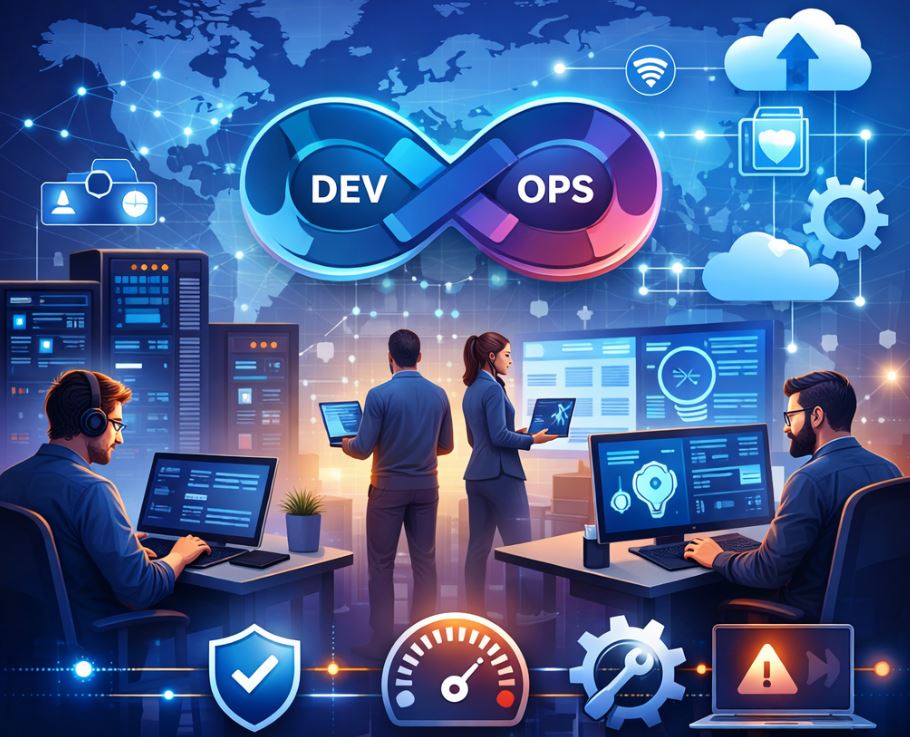
In today’s fast-paced digital landscape, DevOps teams and IT operations professionals face the constant challenge of managing infrastructure, troubleshooting issues, and maintaining system reliability across distributed environments. Remote access software has emerged as an indispensable tool that bridges geographical gaps, enables real-time collaboration, and streamlines workflows. Consequently, organizations that leverage robust remote access solutions can dramatically improve their operational efficiency, reduce downtime, and empower their teams to work from anywhere in the world.
Table of Contents
- Quick Summary
- What Is Remote Access Software and Why Does It Matter?
- How Do Leading Platforms Address Remote Access Needs?
- Which Platform Offers the Best Features for Your Organization?
- How Does Remote Access Software Enhance DevOps Workflows?
- What Security Considerations Should You Prioritize?
- How Can Remote Access Tools Improve Incident Response?
- What Role Does Remote Access Play in Continuous Integration?
- How Do These Solutions Support Multi-Cloud Environments?
- What Are the Cost Benefits of Implementing Remote Access?
- Summing up
- Frequently Asked Questions
- Why Partner with Solution for Guru?
Quick Summary
Remote access software has become a cornerstone technology for modern DevOps and IT operations teams. This comprehensive guide explores how remote access solutions enable seamless system management, enhance collaboration, and streamline troubleshooting processes. We examine three leading platforms — ManageEngine, Zendesk, and Zoho — that provide comprehensive remote access capabilities tailored for enterprise environments. Furthermore, this article delves into security best practices, integration strategies, and the measurable benefits these tools deliver across distributed teams and infrastructure.
What Is Remote Access Software and Why Does It Matter?
Remote access software represents a category of applications that enable users to connect to and control computers, servers, or network devices from distant locations. Unlike traditional on-premises management approaches, remote access tools leverage internet connectivity to establish secure connections between administrators and target systems, regardless of physical distance.
In the context of DevOps and IT operations, remote access software serves multiple critical functions. First and foremost, it allows system administrators to perform maintenance tasks, deploy updates, and troubleshoot issues without being physically present at data centers or office locations. Additionally, these tools facilitate collaboration among distributed teams, enabling engineers in different time zones to work together on complex problems in real-time.
The importance of remote access software has grown exponentially in recent years, particularly as organizations embrace hybrid work models and cloud-based infrastructure. Traditional approaches that relied on VPN connections and jump servers have proven insufficient for modern requirements. Instead, contemporary remote access solutions offer features such as session recording, multi-factor authentication, role-based access controls, and seamless integration with existing IT management platforms.
Moreover, remote access software addresses several fundamental challenges in DevOps workflows. It eliminates the need for emergency travel to data centers during critical incidents, reduces mean time to resolution (MTTR) for system issues, and enables 24/7 operations without requiring physical presence. Furthermore, these tools provide audit trails and compliance documentation, which are essential for organizations operating in regulated industries.
The evolution of remote access technology has also introduced capabilities beyond simple desktop sharing. Modern platforms incorporate features like automated remediation, scripting support, file transfer capabilities, and integration with monitoring and alerting systems. Consequently, DevOps teams can build comprehensive workflows that combine remote access with other operational tasks, creating more efficient and responsive IT environments.
How Do Leading Platforms Address Remote Access Needs?
ManageEngine Remote Access Solutions

ManageEngine offers a comprehensive suite of IT management tools that includes robust remote access capabilities designed specifically for enterprise DevOps and IT operations environments. Their remote access solutions integrate seamlessly with their broader IT service management platform, creating a unified ecosystem for managing infrastructure and supporting end users.
The ManageEngine approach emphasizes centralized control and visibility. Their remote access functionality is embedded within products like ManageEngine Remote Access Plus and ServiceDesk Plus, allowing administrators to initiate remote sessions directly from trouble tickets or asset management interfaces. This integration eliminates context switching and accelerates response times during critical incidents.
From a DevOps perspective, ManageEngine provides several valuable features. Their platform supports unattended access to servers and workstations, enabling automated maintenance windows and scheduled tasks. Additionally, the solution includes powerful scripting capabilities that allow teams to execute commands across multiple systems simultaneously, which is particularly useful for configuration management and deployment activities.
Security remains a paramount concern in ManageEngine’s design philosophy. The platform implements end-to-end encryption for all remote sessions, supports two-factor authentication, and provides granular permission controls that align with the principle of least privilege. Furthermore, comprehensive session recording and audit logging ensure compliance with regulatory requirements and provide valuable forensic data when investigating security incidents.
ManageEngine’s remote access tools also excel in heterogeneous environments. The platform supports connections to Windows, Mac, Linux, and various server operating systems, making it suitable for organizations with diverse technology stacks. Moreover, their mobile applications enable technicians to troubleshoot issues from smartphones and tablets, extending operational capabilities beyond traditional workstations.
Zendesk Remote Access Integration
Zendesk primarily focuses on customer service and support ticketing, but their platform has evolved to incorporate remote access capabilities that benefit DevOps and IT operations teams. Through integrations and native features, Zendesk enables support teams to seamlessly transition from ticket-based communication to hands-on remote troubleshooting.
The Zendesk approach centers on contextual remote access. When support agents identify issues that require direct system intervention, they can initiate remote sessions without leaving the Zendesk interface. This contextual workflow maintains ticket continuity and ensures that all troubleshooting activities are properly documented within the service management system.
For DevOps teams supporting internal infrastructure or external customer-facing applications, Zendesk provides valuable workflow automation. The platform’s API and integration framework allow teams to build custom workflows that combine remote access with other operational tasks. For instance, when monitoring systems detect performance degradation, automated workflows can create Zendesk tickets and simultaneously establish remote sessions for immediate investigation.
Zendesk’s strength lies in its user experience and collaboration features. The platform facilitates communication between support agents, DevOps engineers, and end users throughout the troubleshooting process. Real-time chat, screen sharing, and collaborative troubleshooting capabilities ensure that knowledge is shared effectively across teams, reducing dependency on individual experts.
Furthermore, Zendesk emphasizes analytics and reporting. The platform tracks remote access session metrics, resolution times, and common issues, providing insights that help organizations optimize their support processes. These analytics enable DevOps teams to identify recurring problems, prioritize automation opportunities, and measure the impact of their efforts on overall system reliability.
Zoho Remote Access Capabilities

Zoho offers remote access functionality through Zoho Assist, a dedicated remote support and access solution that integrates with the broader Zoho ecosystem. This platform caters to organizations seeking affordable yet powerful remote access capabilities for DevOps and IT operations activities.
Zoho’s remote access solution distinguishes itself through its simplicity and accessibility. The platform requires minimal setup and provides intuitive interfaces that reduce training requirements for new team members. Despite its straightforward design, Zoho Assist includes enterprise-grade features such as unattended access, file transfer, remote printing, and multi-monitor support.
In DevOps contexts, Zoho Assist serves as an effective tool for both planned maintenance and emergency response. The platform’s scheduling features allow teams to coordinate access windows with stakeholders, while its instant remote support capability enables rapid response to unexpected issues. Additionally, Zoho’s mobile applications ensure that on-call engineers can respond to incidents regardless of their location or available devices.
Integration represents another key strength of Zoho’s offering. The platform connects seamlessly with other Zoho products like Zoho Desk for ticketing, Zoho Analytics for reporting, and Zoho Projects for workflow management. Moreover, Zoho provides APIs and webhooks that enable custom integrations with third-party tools commonly used in DevOps pipelines, such as monitoring platforms, configuration management systems, and communication tools.
Zoho also prioritizes security and compliance. The platform implements TLS 1.2 encryption, two-factor authentication, and IP whitelisting to protect remote sessions. Furthermore, detailed audit logs capture all access activities, providing the documentation necessary for compliance with standards like SOC 2, GDPR, and HIPAA.
Which Platform Offers the Best Features for Your Organization?
| Feature Category |  |  |  |
|---|---|---|---|
| Primary Focus | Comprehensive IT management with integrated remote access | Customer support with remote assistance capabilities | Dedicated remote access with business suite integration |
| Unattended Access | Advanced with scheduling and automation | Available through integrations | Native support with excellent scheduling |
| Cross-Platform Support | Windows, Mac, Linux, servers, mobile | Primarily desktop browsers and mobile apps | Windows, Mac, Linux, Chrome OS, mobile |
| Session Recording | Comprehensive with long-term storage | Available with compliance add-ons | Standard feature with configurable retention |
| Scripting & Automation | Extensive scripting engine for bulk operations | Limited native scripting, relies on API | Good scripting support with workflow automation |
| Multi-Factor Authentication | Built-in with multiple methods | Enterprise tier feature | Standard across all tiers |
| Integration Ecosystem | Deep integration with ManageEngine suite | Extensive marketplace with 1000+ apps | Strong integration within Zoho ecosystem |
| Pricing Model | Per technician, tiered based on features | Per agent, based on support tier | Per technician, competitive pricing |
| Best For | Large enterprises needing comprehensive ITSM | Organizations prioritizing customer support workflows | SMBs and mid-market seeking cost-effective solutions |
| Mobile Capabilities | Full-featured mobile apps for iOS and Android | Mobile-optimized web interface and apps | Native apps with core functionality |
| Reporting & Analytics | Advanced reporting with customizable dashboards | Strong analytics tied to ticket metrics | Good reporting with Zoho Analytics integration |
| Compliance Features | Extensive compliance certifications and features | GDPR, SOC 2 compliant with audit trails | Multiple compliance certifications available |
How Does Remote Access Software Enhance DevOps Workflows?
Remote access software fundamentally transforms how DevOps teams approach infrastructure management and application deployment. By eliminating geographical constraints, these tools enable continuous operations and support the always-on expectations of modern digital services.
One of the primary ways remote access enhances DevOps workflows is through accelerated troubleshooting. When production issues arise, engineers can immediately connect to affected systems to gather diagnostic information, analyze logs, and implement remediation steps. This rapid response capability significantly reduces downtime and minimizes the business impact of technical problems. Moreover, remote access tools enable engineers to investigate issues in production environments without the risks associated with deploying diagnostic tools or modifying configurations through automated systems.
Configuration management represents another area where remote access software delivers substantial value. While infrastructure-as-code practices and configuration management tools like Ansible, Puppet, and Chef automate many routine tasks, there are situations where manual intervention remains necessary. Remote access tools allow DevOps engineers to validate configurations, troubleshoot automation failures, and perform one-time administrative tasks that don’t warrant full automation. Additionally, these tools provide a safety net when automated deployments encounter unexpected issues, enabling quick rollbacks or adjustments.
Collaboration stands as a cornerstone benefit of remote access software in DevOps contexts. Modern remote access platforms include features like screen sharing, co-browsing, and real-time communication that facilitate knowledge transfer and collaborative problem-solving. When complex issues arise, multiple engineers can simultaneously access systems, discuss observations, and coordinate remediation efforts. This collaborative approach accelerates resolution times and helps distribute knowledge across teams, reducing dependency on individual experts.
Remote access tools role
Remote access tools also play a crucial role in supporting hybrid and multi-cloud architectures. As organizations distribute workloads across on-premises data centers, public cloud providers, and edge locations, remote access software provides a consistent management interface across these diverse environments. Rather than learning different access methods for each platform, DevOps teams can use familiar remote access tools to manage infrastructure regardless of where it resides. Furthermore, many ManageEngine, Zendesk, and Zoho remote access solutions integrate with cloud management platforms, creating unified workflows that span traditional and cloud-native infrastructure.
Training and onboarding benefit significantly from remote access capabilities. Senior engineers can provide hands-on guidance to junior team members by observing their work, offering real-time feedback, and demonstrating best practices through shared sessions. This mentorship approach accelerates skill development and helps maintain consistency in operational procedures. Additionally, remote access tools facilitate knowledge documentation by recording sessions that can serve as training materials for future team members.
What Security Considerations Should You Prioritize?

Security represents perhaps the most critical aspect of implementing remote access software in DevOps and IT operations environments. Given that these tools provide direct access to sensitive systems and data, organizations must implement comprehensive security measures to prevent unauthorized access and detect potential breaches.
Authentication mechanisms form the first line of defense in remote access security. Basic username and password combinations prove insufficient for protecting critical infrastructure. Instead, organizations should mandate multi-factor authentication (MFA) for all remote access sessions. Platforms like ManageEngine, Zendesk, and Zoho support various MFA methods including SMS codes, authenticator apps, and hardware tokens. Furthermore, organizations should implement certificate-based authentication for automated systems and service accounts that require remote access capabilities.
The role of network security controls
Network security controls complement authentication measures by restricting which locations can initiate remote access sessions. IP whitelisting ensures that connections only originate from approved networks, such as corporate VPNs or trusted data centers. Additionally, organizations should implement network segmentation that isolates remote access gateways from production systems, requiring explicit permission grants for accessing specific resources. This defense-in-depth approach ensures that even if remote access credentials are compromised, attackers face additional barriers to accessing sensitive systems.
Encryption protects data transmitted during remote access sessions from interception and eavesdropping. All reputable remote access platforms implement strong encryption protocols like TLS 1.2 or higher for session data. However, organizations should verify encryption settings and disable older protocols that may contain known vulnerabilities. Moreover, end-to-end encryption ensures that even the remote access provider cannot decrypt session data, providing additional protection for highly sensitive environments.
Access controls and privilege management
Access controls and privilege management ensure that users can only access systems appropriate for their roles. Rather than granting broad remote access permissions, organizations should implement role-based access control (RBAC) that limits connections based on job function and business need. The principle of least privilege dictates that users should receive the minimum access necessary to perform their duties. Additionally, just-in-time (JIT) access provisioning can further enhance security by granting elevated permissions only when needed and automatically revoking them after a specified time period.
Audit logging and monitoring
Audit logging and monitoring provide visibility into remote access activities and enable detection of suspicious behavior. Comprehensive logs should capture connection attempts, session durations, systems accessed, and actions performed during remote sessions. Furthermore, organizations should implement real-time alerting for anomalous activities, such as access attempts from unusual locations, connections to highly sensitive systems, or unusual session durations. Security information and event management (SIEM) systems can aggregate remote access logs with other security data to provide holistic threat detection capabilities.
Session recording
Session recording offers both security and compliance benefits by creating permanent records of remote access activities. When suspicious activity is detected, security teams can review recorded sessions to understand exactly what occurred and assess potential impact. Moreover, session recordings provide valuable evidence for regulatory audits and can help resolve disputes about actions taken during remote sessions. However, organizations must balance the benefits of session recording with privacy considerations and storage costs, implementing policies that dictate which sessions are recorded and how long recordings are retained.
Regular security assessments
Regular security assessments ensure that remote access configurations remain effective against evolving threats. Organizations should conduct periodic reviews of access permissions, removing accounts for departed employees and adjusting roles for those whose responsibilities have changed. Additionally, vulnerability scanning and penetration testing should include remote access systems to identify potential weaknesses before attackers can exploit them. Finally, incident response plans should specifically address scenarios involving compromised remote access credentials or systems, ensuring that teams can quickly contain and remediate such incidents.
How Can Remote Access Tools Improve Incident Response?
Incident response represents one of the most time-sensitive activities in IT operations, where every minute of downtime can translate to significant business impact. Remote access tools fundamentally transform incident response capabilities by enabling immediate access to affected systems regardless of where team members are located.
The most obvious benefit of remote access during incidents is the elimination of travel time. When critical production systems experience outages or performance degradation, engineers can connect instantly from their current location rather than traveling to data centers or offices. This instant access can reduce initial response times from hours to minutes, dramatically decreasing overall downtime. Moreover, during major incidents that require coordination across multiple specialists, remote access enables the entire response team to work simultaneously regardless of their geographical distribution.
Diagnostic capabilities improve significantly when engineers can directly interact with affected systems. While monitoring tools and log aggregation platforms provide valuable data, they cannot capture every detail about system state. Remote access allows engineers to run additional diagnostic commands, examine configuration files, review detailed logs, and check system resources in real-time. This comprehensive access often reveals subtle issues that automated monitoring might miss, accelerating root cause identification.
Coordination and communication during incident response benefit from the collaborative features built into modern remote access platforms. Rather than attempting to describe system state through chat messages or phone calls, engineers can share screens and guide colleagues through troubleshooting procedures. This visual communication reduces misunderstandings and enables more efficient knowledge transfer, particularly when less experienced team members are learning from senior engineers during live incidents.
Optimization of incident workflows and remote access platforms
Platforms like ManageEngine, Zendesk, and Zoho offer integration capabilities that streamline incident workflows. For example, when monitoring systems detect anomalies and create incident tickets, integrated remote access tools allow engineers to launch troubleshooting sessions directly from the ticket interface. This seamless transition from detection to remediation eliminates delays associated with locating connection information and establishing remote sessions manually.
Post-incident analysis and documentation improve when remote access sessions are recorded. Session recordings provide detailed accounts of exactly what actions were taken during incident response, which is invaluable for post-mortem reviews. Teams can analyze recordings to identify what worked well, what could be improved, and whether any actions inadvertently worsened the situation. Furthermore, these recordings serve as training materials for future incidents, helping teams build institutional knowledge about effective troubleshooting techniques.
Remote access tools also support proactive incident prevention through regular maintenance and health checks. Engineers can use remote access to perform routine system maintenance during planned maintenance windows, apply security patches, rotate credentials, and verify backup integrity without disrupting business hours. This proactive approach reduces the likelihood of incidents occurring and ensures systems remain in optimal condition.
What Role Does Remote Access Play in Continuous Integration?
Continuous Integration and Continuous Deployment (CI/CD) pipelines form the backbone of modern DevOps practices, automating the process of building, testing, and deploying software. While these pipelines are designed for automation, remote access software plays several important supporting roles that ensure reliability and enable human intervention when necessary.
Build agent management represents one area where remote access tools provide significant value. CI/CD systems rely on build agents—dedicated machines that execute compilation, testing, and deployment tasks. These agents require regular maintenance including operating system updates, tool installations, and configuration adjustments. Remote access software enables DevOps engineers to perform these maintenance tasks efficiently without requiring physical access to build infrastructure. Furthermore, when build agents encounter issues that prevent successful pipeline execution, remote access allows engineers to quickly diagnose and resolve problems, minimizing disruption to development workflows.
Troubleshooting
Troubleshooting failed builds and deployments often requires direct access to build artifacts, logs, and system state. While most CI/CD platforms provide web interfaces for reviewing build output, complex failures sometimes require deeper investigation. Remote access tools enable engineers to examine build environments in detail, reproduce issues locally, and test potential solutions before implementing them in production pipelines. This hands-on troubleshooting capability accelerates problem resolution and helps maintain high pipeline reliability.
Configuration management
Configuration management for CI/CD infrastructure benefits from remote access capabilities. Although infrastructure-as-code practices automate much of the configuration process, there are situations where manual intervention is necessary or more efficient. Remote access tools allow engineers to verify that configuration management tools have applied changes correctly, troubleshoot automation failures, and perform one-time configuration tasks that don’t warrant full automation. Additionally, remote access provides a valuable fallback mechanism when automated configuration systems encounter unexpected issues.
Security testing and validation within CI/CD pipelines sometimes require manual intervention or specialized tools that aren’t easily automated. Remote access enables security engineers to perform detailed assessments of applications before they reach production, running specialized scanning tools, conducting manual code reviews, and validating that security controls are properly implemented. This human oversight complements automated security testing and helps catch issues that automated tools might miss.
Integration with remote access platforms
Integration with platforms like ManageEngine, Zendesk, and Zoho enables sophisticated workflows that combine remote access with CI/CD activities. For instance, when deployment pipelines encounter critical failures, automated systems can create incident tickets and simultaneously establish remote access sessions for immediate investigation. This integration reduces response times and ensures that deployment issues are addressed promptly, minimizing the duration of service disruptions.
Training and knowledge sharing around CI/CD practices benefit from remote access capabilities. Senior engineers can guide junior team members through complex deployment scenarios, demonstrating best practices and helping them understand how various pipeline components interact. Screen sharing and collaborative troubleshooting sessions accelerate learning and help teams build consistent operational procedures. Moreover, recorded remote access sessions can serve as training materials for onboarding new team members or documenting complex procedures.
How Do These Solutions Support Multi-Cloud Environments?
Multi-cloud strategies have become increasingly popular as organizations seek to avoid vendor lock-in, optimize costs, and leverage specialized services from different cloud providers. However, managing infrastructure across AWS, Azure, Google Cloud, and on-premises data centers introduces significant complexity. Remote access software helps address these challenges by providing consistent management interfaces across diverse environments.
Unified access represents perhaps the most significant benefit remote access tools provide in multi-cloud contexts. Rather than learning different connection methods, authentication systems, and management interfaces for each cloud provider, DevOps teams can use familiar remote access tools to manage infrastructure regardless of where it resides. This consistency reduces cognitive load, minimizes training requirements, and decreases the likelihood of configuration errors that can occur when switching between different management paradigms.
The role of remote access platforms
Cloud-native services from providers like AWS Systems Manager, Azure Bastion, and Google Cloud Identity-Aware Proxy offer remote access capabilities, but they’re limited to their respective platforms. In contrast, solutions from ManageEngine, Zendesk, and Zoho work across multiple clouds and on-premises infrastructure. This platform-agnostic approach simplifies operations and enables teams to develop standardized procedures that apply universally rather than maintaining separate processes for each environment.
Security and compliance benefit from centralized remote access management across multi-cloud environments. Rather than configuring access controls, audit logging, and monitoring separately in each cloud provider, organizations can implement these controls once in their remote access platform. This centralization ensures consistent security policies, simplifies compliance reporting, and reduces the risk of configuration drift between environments. Moreover, centralized audit logs provide comprehensive visibility into access activities across all infrastructure, which is essential for security monitoring and forensic investigations.
Cost optimization
Cost optimization becomes more manageable when remote access tools provide visibility across multiple clouds. Engineers can use remote access to compare resource utilization, identify overprovisioned instances, and validate that cost optimization measures are working as intended. Additionally, remote access enables teams to perform detailed analysis of application performance across different cloud providers, informing decisions about workload placement and helping organizations maximize the value they receive from each cloud platform.
Disaster recovery
Disaster recovery and business continuity planning improve when remote access tools support rapid failover between cloud providers. If one cloud region experiences an outage, engineers can quickly establish remote connections to alternative regions or providers to restore services. Furthermore, remote access enables teams to test disaster recovery procedures regularly, ensuring that failover mechanisms work correctly and that team members understand the recovery process.
Integration capabilities
Integration capabilities allow remote access tools to work alongside cloud-native management services rather than replacing them. For instance, remote access platforms can integrate with cloud provider APIs to automatically discover instances, retrieve connection information, and synchronize access permissions. These integrations combine the benefits of cloud-native services with the consistency and additional capabilities that dedicated remote access platforms provide.
What Are the Cost Benefits of Implementing Remote Access?

The financial impact of remote access software extends far beyond the direct subscription or licensing costs. When organizations properly implement remote access tools, they realize substantial savings across multiple operational areas while simultaneously improving service quality and team productivity.
Travel cost reduction represents one of the most immediate and measurable benefits of remote access implementation. Before widespread adoption of remote access tools, many organizations regularly incurred expenses related to emergency travel to data centers or customer sites. These expenses included airfare, hotels, ground transportation, and meals, easily totaling thousands of dollars per incident. Remote access eliminates most of this travel by enabling engineers to resolve issues remotely, typically resulting in annual savings that far exceed the cost of remote access software licenses.
Downtime costs decrease significantly when remote access enables faster incident response. Industry research consistently shows that downtime can cost organizations thousands to millions of dollars per hour, depending on the business and affected systems. By reducing the time required to initiate troubleshooting from hours to minutes, remote access directly minimizes downtime duration and associated costs. Furthermore, the ability to involve multiple specialists simultaneously during major incidents accelerates resolution and reduces overall business impact.
Productivity improvements across IT and DevOps teams deliver substantial economic value. Remote access tools eliminate time wasted on travel, reduce context switching between different management interfaces, and enable more efficient collaboration. Engineers can respond to more incidents, complete more projects, and spend less time on logistical overhead. These productivity gains effectively increase team capacity without requiring additional headcount, allowing organizations to accomplish more with existing resources.
The role of remote access platforms
Tools consolidation becomes possible when comprehensive remote access platforms include features that replace standalone solutions. For example, ManageEngine offers integrated IT service management, asset management, and remote access in a single platform, potentially eliminating the need for separate tools. Similarly, Zendesk combines support ticketing with remote assistance, consolidating functionality that might otherwise require multiple products. This consolidation reduces total licensing costs, simplifies vendor management, and decreases integration complexity.
Training and onboarding costs decline when remote access facilitates knowledge transfer and mentorship. Rather than requiring expensive in-person training sessions or extended onboarding periods, organizations can leverage remote access for virtual training, enabling senior engineers to guide junior team members remotely. This approach reduces travel costs associated with training, accelerates skill development, and ensures consistent training quality regardless of geographic location.
Risk mitigation provides indirect but substantial financial benefits. The security features, audit logging, and compliance capabilities built into modern remote access platforms help organizations avoid security breaches, regulatory fines, and associated remediation costs. While these avoided costs are difficult to quantify precisely, the potential savings from preventing even a single significant security incident can justify remote access investments many times over.
Return on investment (ROI) calculations for remote access software typically show positive returns within the first year of implementation. Organizations should consider direct costs like licensing fees and implementation services alongside indirect benefits including reduced downtime, eliminated travel expenses, and improved productivity. Most organizations find that even conservative ROI calculations demonstrate substantial value, particularly when they account for the increasing operational complexity and distributed nature of modern IT infrastructure.
Summing up
Remote access software has evolved from a convenience feature into an essential component of modern DevOps and IT operations strategies. As organizations continue embracing cloud computing, distributed teams, and always-on digital services, the capabilities provided by remote access tools become increasingly critical for maintaining competitive advantage and operational excellence.
Throughout this comprehensive exploration, we’ve examined how platforms like ManageEngine, Zendesk, and Zoho address the diverse remote access needs of enterprise environments. Each platform brings unique strengths to the table—ManageEngine excels in comprehensive ITSM integration, Zendesk prioritizes customer-facing support workflows, and Zoho offers cost-effective solutions with excellent cross-platform support. existing technology stack, and operational priorities when selecting among these solutions.
Integration represents another key consideration for successful remote access implementation. The most effective deployments connect remote access tools with existing workflows, ticketing systems, monitoring platforms, and automation frameworks. This integration creates seamless experiences for engineers and support staff, eliminating friction that can reduce adoption and effectiveness.
Looking forward, remote access technology will continue evolving to meet emerging challenges. Artificial intelligence and machine learning capabilities are beginning to augment remote access platforms with features like predictive diagnostics, automated remediation, and intelligent routing. These advancements promise to further enhance the value that remote access tools provide, making DevOps and IT operations teams even more efficient and effective.
Finally, successful remote access implementation requires more than simply purchasing software licenses. Organizations must invest in proper configuration, security hardening, user training, and ongoing optimization. Partnering with experienced solution providers and consultants can accelerate this process, helping organizations avoid common pitfalls and achieve maximum value from their remote access investments. With the right approach, remote access software becomes a force multiplier that empowers DevOps and IT operations teams to deliver exceptional results in an increasingly digital world.
Frequently Asked Questions
Implementing remote access software requires a multi-layered security approach to protect your infrastructure from unauthorized access and potential breaches. First and foremost, mandate multi-factor authentication (MFA) for all users accessing remote access systems. MFA adds a critical additional verification step beyond passwords, dramatically reducing the risk of credential-based attacks. Choose MFA methods appropriate for your security requirements, ranging from SMS codes for basic protection to hardware tokens or biometric authentication for high-security environments.
Network-level controls form the second essential layer. Implement IP whitelisting to restrict remote access connections to known, trusted networks. Configure your firewalls to block remote access traffic from unauthorized sources, and consider implementing a zero-trust network architecture that requires verification for every connection attempt regardless of origin. Additionally, deploy intrusion detection and prevention systems (IDS/IPS) to monitor remote access traffic for suspicious patterns and automatically block potential attacks.
Modern remote access platforms are specifically designed to integrate with the broader DevOps ecosystem, recognizing that standalone tools create friction and reduce adoption. ManageEngine, Zendesk, and Zoho all offer extensive integration capabilities through APIs, webhooks, and pre-built connectors that enable seamless workflows with existing tools.
Integration with ticketing and incident management systems represents one of the most valuable connections. When monitoring tools detect issues and create tickets in systems like Jira, ServiceNow, or native ticketing platforms, integrated remote access enables engineers to launch troubleshooting sessions directly from ticket interfaces. This seamless transition eliminates context switching and ensures all troubleshooting activities are properly documented within your incident management system.
Why Partner with Solution for Guru?
Implementing remote access software successfully requires more than simply purchasing licenses and installing software. Organizations need strategic guidance, technical expertise, and ongoing support to maximize the value these tools provide. Solution for Guru specializes in helping organizations navigate the complex landscape of DevOps tools and IT operations software, bringing deep expertise in platforms like ManageEngine, Zendesk, and Zoho.

Besides, Solution for Guru brings a commitment to long-term partnership rather than transactional engagements. They invest in understanding your organization’s strategic direction, anticipating future needs, and proactively recommending improvements. This partnership approach ensures that your remote access implementation evolves alongside your business, continuing to deliver value as your organization grows and changes.
Organizations seeking to implement or optimize remote access software for DevOps and IT operations will find that partnering with Solution for Guru accelerates success, reduces risks, and maximizes return on investment. Their combination of technical expertise, implementation experience, and commitment to client success makes them an invaluable partner in building robust, secure, and efficient remote access capabilities that empower your teams to deliver exceptional results.
Recommended:
- What Is Windows Remote Access and How Can It Transform Your Business Operations?
- How Remote Access Software Is Reshaping Modern Professions?
- How Are Modern Careers Being Transformed by Remote Access Technology?
- What Are Remote Access Tools and How Do They Transform Business Operations?
- What is Desktop Remote Access and How Does It Work?
- How Can Organizations Implement Robust Remote Access Security?
- What Is Remote Access Software and How Does It Enable Modern IT Support?
- What Is Remote Access and How Does It Transform Modern Work?