Remote Access in Action: Professions That Can’t Work Without It
In today’s interconnected digital landscape, remote access has transformed from a luxury into an absolute necessity for countless professionals worldwide. As organizations continue to embrace flexible work arrangements and global collaboration, the ability to securely access systems, files, and networks from anywhere has become the backbone of modern productivity. From IT professionals troubleshooting critical systems at midnight to healthcare providers accessing patient records across facilities, remote access technology enables professionals to deliver exceptional service regardless of physical location.
Table of Contents
- Quick Summary
- What Is Remote Access and How Does Remote Access Software Work?
- Which Remote Access Platforms Are Leading the Market?
- How Do These Remote Access Platforms Compare?
- Why Can’t IT Professionals Work Without Remote Access?
- How Does Remote Access Transform Healthcare Delivery?
- Why Is Remote Access Essential for Customer Support Teams?
- How Do Finance Professionals Rely on Remote Access?
- What Role Does Remote Access Play in Modern Education?
- How Do Creative Professionals Use Remote Access?
- Why Can’t Legal Professionals Function Without Remote Access?
- Summing up
- Frequently Asked Questions
- Benefits of Cooperation with Solution for Guru
Quick Summary
Remote access technology has become indispensable across numerous professions, enabling secure connectivity to systems and data from any location. This comprehensive article explores how professionals in IT, healthcare, customer support, finance, education, creative industries, and legal sectors depend on remote access solutions for daily operations. Furthermore, we examine leading platforms including ManageEngine, ZOHO, and Zendesk, comparing their features and capabilities. Whether you’re troubleshooting network issues, consulting with patients remotely, or accessing confidential client files, remote access software provides the flexibility and security modern professionals require to excel in their roles.
What Is Remote Access and How Does Remote Access Software Work?
Remote access refers to the technology that enables users to connect to computers, networks, or systems from a different physical location. Essentially, it creates a virtual bridge between the user’s current device and the target system, allowing them to interact with files, applications, and resources as if they were physically present at the remote location. This technology has revolutionized how businesses operate, breaking down geographical barriers and enabling unprecedented flexibility in work arrangements.
What Are the Core Components of Remote Access Technology?
At its foundation, remote access software operates through several critical components working in harmony. First, there’s the client application installed on the user’s device, which initiates the connection request. Second, the host software runs on the remote computer or server, waiting to accept incoming connections. Third, a secure communication protocol establishes the connection between these two endpoints, typically using encrypted channels to protect data transmission. Additionally, authentication mechanisms verify user credentials before granting access, ensuring only authorized individuals can connect to sensitive systems.
Moreover, remote access solutions employ various connection methods depending on the use case. Virtual Private Networks (VPNs) create encrypted tunnels through public networks, allowing users to access entire organizational networks securely. Remote Desktop Protocol (RDP) enables users to view and control a remote computer’s desktop environment. Meanwhile, cloud-based solutions provide browser-accessible platforms that require no traditional software installation, offering greater flexibility and easier maintenance.
Why Has Remote Access Become Mission-Critical for Modern Businesses?
The importance of remote access has grown exponentially in recent years, driven by several converging factors. Globalization has created distributed teams spanning multiple time zones and continents, necessitating reliable methods for accessing centralized resources. Additionally, the rise of mobile workforces and flexible work arrangements demands technology that supports productivity from any location. Natural disasters, health crises, and other unexpected disruptions have further highlighted the critical need for business continuity solutions that don’t depend on physical office access.
Furthermore, remote access technology delivers substantial cost benefits by reducing infrastructure requirements and enabling organizations to tap into global talent pools without geographical constraints. It also accelerates response times for critical issues, allowing IT professionals and support staff to address problems immediately rather than waiting for physical access. Consequently, businesses that leverage robust remote access solutions gain competitive advantages through increased agility, reduced downtime, and enhanced employee satisfaction.
Which Remote Access Platforms Are Leading the Market?
ManageEngine Remote Access Solutions

ManageEngine offers comprehensive remote access capabilities through its unified endpoint management and service desk solutions. Specifically designed for IT administrators and managed service providers, ManageEngine’s remote access tools integrate seamlessly with broader IT management functions. The platform enables technicians to remotely control desktops, servers, and mobile devices while maintaining detailed audit trails of all sessions.
One of ManageEngine’s standout features is its ability to provide secure, unattended access to systems, which proves invaluable for after-hours maintenance and emergency troubleshooting. The solution supports multiple concurrent sessions, allowing IT teams to manage numerous endpoints simultaneously. Additionally, ManageEngine incorporates advanced security features including role-based access controls, two-factor authentication, and session recording capabilities that help organizations maintain compliance with regulatory requirements.
The platform excels in enterprise environments where IT teams need to manage thousands of endpoints across diverse operating systems. Its integration with ManageEngine’s broader IT service management suite enables streamlined workflows, automatically creating tickets for remote sessions and linking them to incident records. Moreover, the solution provides comprehensive reporting and analytics, giving IT leaders visibility into remote access patterns, technician productivity, and potential security concerns.
ZOHO Remote Access Capabilities

ZOHO delivers remote access functionality through its cloud-based platform, offering an accessible solution for businesses of all sizes. What distinguishes ZOHO is its emphasis on simplicity and cross-platform compatibility, supporting connections between Windows, Mac, Linux, iOS, and Android devices. The platform’s browser-based interface eliminates complex installation procedures, allowing users to establish remote connections quickly through their web browsers.
ZOHO’s remote access solution particularly shines in customer support scenarios, where technicians need to quickly connect to end-user devices to resolve issues. The platform features file transfer capabilities, screen sharing, and voice chat functionality, creating a comprehensive support experience. Furthermore, ZOHO integrates seamlessly with its broader ecosystem of business applications, including CRM, help desk, and project management tools, enabling organizations to create unified workflows across departments.
Security remains a top priority in ZOHO’s design, with end-to-end encryption protecting all remote sessions and data transfers. The platform implements granular permission controls, allowing administrators to define precisely which users can access specific systems and what actions they can perform during sessions. Additionally, ZOHO provides detailed session logs and activity monitoring, ensuring organizations maintain visibility and control over remote access activities while meeting compliance obligations.
Zendesk Remote Support Features
Zendesk approaches remote access from a customer service perspective, integrating remote support capabilities directly into its renowned customer experience platform. This integration enables support agents to seamlessly transition from chat or phone conversations to remote desktop sessions without requiring customers to install additional software. The streamlined approach significantly reduces resolution times and improves customer satisfaction scores.
The platform’s strength lies in its contextual awareness, automatically linking remote access sessions to support tickets and customer records. This creates a complete history of interactions, enabling agents to understand the full context of issues before initiating remote connections. Moreover, Zendesk’s remote access features include screen sharing, file transfer, and diagnostic tools that help agents quickly identify and resolve technical problems while maintaining excellent customer communication throughout the process.
Zendesk emphasizes user-friendly experiences for both agents and customers, with intuitive interfaces that minimize training requirements. The platform supports both attended and unattended remote access scenarios, adapting to different support needs. Additionally, comprehensive analytics provide insights into support efficiency, identifying opportunities to improve first-contact resolution rates and reduce average handling times. The solution’s scalability makes it equally suitable for small support teams and large enterprise contact centers handling thousands of daily interactions.
How Do These Remote Access Platforms Compare?
| Feature |  |  |  |
|---|---|---|---|
| Primary Use Case | Enterprise IT management | Cross-platform remote access | Customer support integration |
| Deployment Model | On-premise & Cloud | Cloud-based | Cloud-based |
| Platform Support | Windows, Mac, Linux, Mobile | All major platforms | All major platforms |
| Unattended Access | Yes | Yes | Limited |
| Integration Capabilities | ITSM suite integration | Broad business app ecosystem | Customer experience platform |
| Multi-Session Support | Extensive | Good | Moderate |
| Security Features | Advanced (2FA, session recording) | Comprehensive encryption | Enterprise-grade security |
| Best For | IT departments, MSPs | Small to large businesses | Support teams, help desks |
| Pricing Model | Per technician/device | Per user subscription | Per agent pricing |
| Reporting & Analytics | Comprehensive | Good | Customer-focused metrics |
When evaluating these platforms, organizations should consider their specific requirements and existing technology ecosystems. ManageEngine excels in environments where comprehensive IT management capabilities are paramount, offering deep integration with infrastructure monitoring and service desk functions. Conversely, ZOHO provides exceptional value for organizations seeking straightforward, affordable remote access across diverse platforms without extensive IT management needs.
Meanwhile, Zendesk stands out for businesses prioritizing customer experience, where remote access represents one component of a broader support strategy. The platform’s tight integration with customer service workflows creates seamless experiences that enhance satisfaction while maintaining operational efficiency. Ultimately, the choice between these solutions depends on factors including organizational size, technical expertise, budget constraints, and strategic priorities regarding IT management versus customer support focus.
Why Can’t IT Professionals Work Without Remote Access?
How Does Remote Access Enable Rapid Incident Response?
IT professionals face constant pressure to maintain system uptime and resolve issues quickly, making remote access an indispensable tool in their arsenal. When critical servers fail or networks experience disruptions, every minute of downtime translates to lost productivity and revenue. Remote access eliminates the time wasted traveling to physical locations, enabling immediate response regardless of where problems occur. This capability proves especially crucial for organizations with distributed infrastructure across multiple sites or cloud environments.
Furthermore, modern IT environments operate around the clock, with issues arising at any hour. Remote access empowers on-call technicians to address emergencies from home without rushing to the office in the middle of the night. Platforms like ManageEngine provide unattended access capabilities that allow technicians to connect to servers and workstations even when end users aren’t present, facilitating after-hours maintenance and emergency repairs without disrupting business operations.
What Role Does Remote Access Play in Proactive System Management?
Beyond reactive troubleshooting, remote access enables IT teams to implement proactive maintenance strategies that prevent problems before they impact users. Technicians can remotely deploy software updates, install security patches, and perform system optimization tasks across entire device fleets without physically touching each machine. This approach dramatically reduces the time and resources required for routine maintenance while ensuring consistent configuration across the organization.
Additionally, remote access facilitates comprehensive monitoring and diagnostics, allowing IT professionals to identify potential issues through real-time system analysis. They can examine log files, check resource utilization, and run diagnostic tools on remote systems to detect anomalies that might indicate impending failures. Solutions like ZOHO integrate these monitoring capabilities with remote access functionality, creating unified platforms for both surveillance and intervention.
How Does Remote Access Support Distributed IT Infrastructure?
Modern organizations increasingly rely on hybrid IT environments combining on-premise infrastructure, cloud services, and edge computing resources distributed across geographical locations. Managing such complex ecosystems would be virtually impossible without robust remote access capabilities. IT professionals need to seamlessly navigate between different environments, accessing local servers in branch offices, cloud instances in various regions, and containerized applications running in distributed clusters.
Remote access tools provide the unified interface necessary to manage this complexity, offering single-pane-of-glass visibility across diverse infrastructure components. This consolidation reduces context-switching overhead and enables more efficient troubleshooting workflows. Moreover, the security features embedded in platforms like Zendesk ensure that access to distributed resources remains controlled and auditable, meeting compliance requirements across different regulatory jurisdictions.
How Does Remote Access Transform Healthcare Delivery?
Why Is Remote Access Critical for Electronic Health Records?
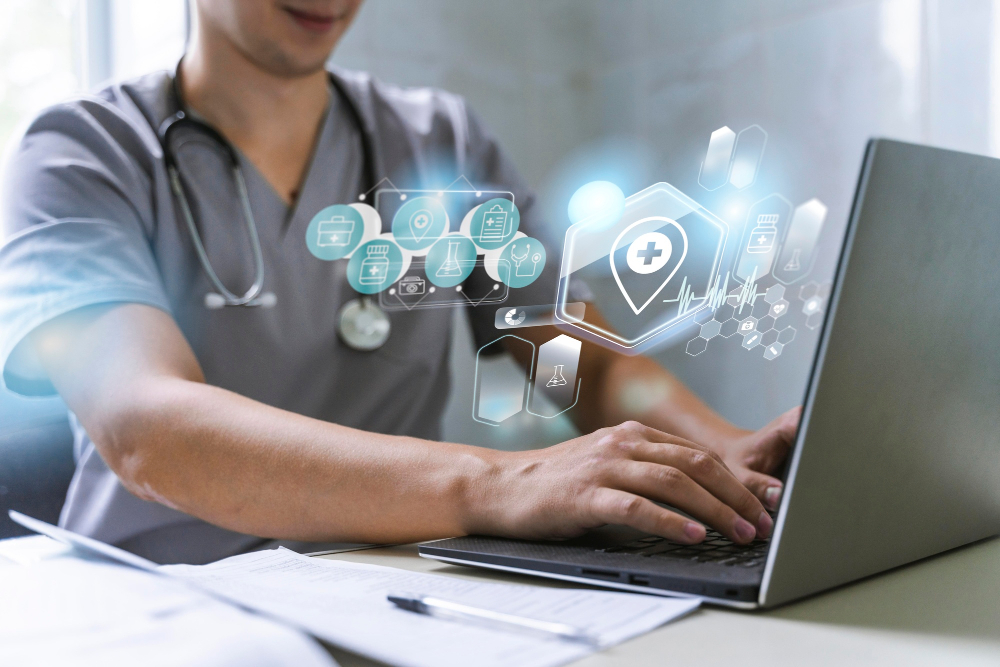
Healthcare professionals increasingly depend on remote access to deliver quality patient care in our digital age. Electronic Health Records (EHR) systems centralize patient information, creating comprehensive medical histories accessible to authorized providers. However, this centralization only delivers value when clinicians can access records regardless of their location. Remote access enables physicians to review patient charts from home while on call, access test results between facilities, and consult on cases from remote locations.
This capability proves especially valuable in emergency situations where immediate access to patient history can be life-saving. A physician consulted about a patient in the emergency room can remotely access that patient’s allergy information, medication list, and previous procedures, enabling informed treatment decisions within minutes. Furthermore, remote access supports care coordination across multiple providers and facilities, ensuring everyone involved in a patient’s treatment has access to current, accurate information.
How Does Telemedicine Depend on Remote Access Technology?
The explosive growth of telemedicine has made remote access absolutely essential for modern healthcare delivery. Virtual consultations require secure connections between patients and providers, with seamless access to medical records, diagnostic images, and clinical decision support tools. Platforms incorporating remote access capabilities enable physicians to conduct comprehensive virtual appointments that rival in-person visits in diagnostic accuracy and patient satisfaction.
Beyond video consultations, remote access allows specialists to review diagnostic images and test results for patients located hundreds of miles away, democratizing access to expert opinions. Rural healthcare facilities can leverage remote access to connect with urban medical centers, enabling second opinions and collaborative treatment planning. Additionally, remote monitoring of chronic conditions relies on healthcare providers accessing patient data collected by home medical devices, identifying concerning trends before they escalate into emergencies.
What Security Considerations Make Healthcare Remote Access Unique?
Healthcare organizations face stringent regulatory requirements around patient data protection, making security paramount in remote access implementations. HIPAA compliance in the United States and similar regulations globally mandate strict controls over who can access patient information and comprehensive audit trails of all access events. Remote access solutions serving healthcare must implement end-to-end encryption, multi-factor authentication, and role-based access controls that limit users to only the information necessary for their roles.
Moreover, healthcare remote access platforms must balance security with usability, ensuring that protective measures don’t impede clinical workflows during critical moments. A physician treating a patient in acute distress cannot afford to spend minutes navigating complex authentication procedures. Solutions like ManageEngine and ZOHO address this challenge through intelligent authentication that adapts security requirements based on context, location, and risk assessment, maintaining both protection and accessibility.
Why Is Remote Access Essential for Customer Support Teams?
How Does Remote Access Accelerate Problem Resolution?
Customer support teams face the perpetual challenge of resolving technical issues quickly while maintaining high satisfaction levels. Traditional support methods relying solely on phone or email guidance often result in lengthy interactions as agents attempt to diagnose problems through customer descriptions. Remote access revolutionizes this process by allowing support agents to directly observe issues on customer systems, eliminating miscommunication and accelerating diagnosis.
When agents can see exactly what customers see, they identify problems instantly rather than spending minutes gathering information through questions. This visual context enables more accurate troubleshooting and reduces the back-and-forth communication that frustrates both customers and agents. Furthermore, agents can take control of customer systems to implement fixes directly, transforming lengthy explanation sessions into swift resolutions that often take just minutes.
What Makes Remote Access Invaluable for Technical Support?
Technical support for software products and complex systems absolutely requires remote access capabilities to function effectively. When customers encounter errors, performance issues, or configuration problems, support agents need to examine system states, review log files, and test various scenarios to identify root causes. Without remote access, agents must rely on customers to perform these diagnostic steps, which often fails due to technical complexity or user inexperience.
Platforms like Zendesk integrate remote access seamlessly into support workflows, automatically linking sessions to support tickets and customer profiles. This integration ensures that agents have complete context before initiating remote connections, including previous interactions, known issues, and customer-specific configurations. Additionally, the ability to transfer files remotely enables agents to deploy patches, deliver configuration files, or collect diagnostic data without requiring customers to navigate complex procedures.
How Does Remote Access Improve Customer Satisfaction Metrics?
The impact of remote access on customer satisfaction extends beyond faster resolution times. Customers appreciate the efficiency and professionalism demonstrated when support agents can directly address their issues rather than providing general troubleshooting advice. This hands-on approach builds confidence in the support organization and increases customer loyalty, as users know they can receive effective assistance when problems arise.
Moreover, remote access enables first-contact resolution for issues that would otherwise require escalation or multiple interactions. When agents can immediately access systems to investigate and resolve problems, customer satisfaction scores improve significantly. Solutions incorporating remote access also support better training outcomes, as new agents can shadow experienced colleagues remotely, observing expert troubleshooting techniques in real-world scenarios. This capability, available through platforms like ZOHO, accelerates agent development and maintains consistent service quality across the support team.
How Do Finance Professionals Rely on Remote Access?
Why Can’t Financial Analysis Function Without Remote Data Access?
Finance professionals work with vast amounts of sensitive data stored in various systems, from accounting software to business intelligence platforms. The nature of financial work demands access to real-time information for accurate analysis, forecasting, and decision-making. Remote access enables financial analysts to review reports, update models, and analyze trends from any location, ensuring that market opportunities and risks receive immediate attention regardless of physical office constraints.
During critical periods such as quarter-end closes, mergers and acquisitions, or regulatory filings, finance teams often work extended hours from multiple locations. Remote access ensures uninterrupted access to financial systems during these high-pressure situations, allowing teams to collaborate effectively while maintaining data security. Additionally, senior financial executives traveling for business can monitor key metrics and approve transactions remotely, preventing bottlenecks that might otherwise delay important decisions.
How Does Remote Access Support Financial Compliance and Auditing?
Regulatory compliance represents a significant concern for financial organizations, with requirements varying across jurisdictions and industries. Remote access platforms supporting finance teams must provide comprehensive audit trails documenting who accessed which information and when. These logs prove essential during regulatory examinations and internal audits, demonstrating that proper controls govern financial data access.
Furthermore, external auditors increasingly rely on remote access to client systems as they conduct financial statement audits. Rather than requiring physical presence at client locations for weeks, auditors can remotely access financial records, sampling transactions and testing controls from their own offices. This approach reduces disruption to client operations while maintaining audit quality. Platforms like ManageEngine support these scenarios through granular access controls and session recording capabilities that satisfy stringent audit requirements.
What Role Does Remote Access Play in Financial Reporting?
Financial reporting processes involve collecting data from multiple sources, consolidating information across business units, and preparing comprehensive reports for stakeholders. These activities require coordinated efforts from finance teams potentially distributed across different offices or even countries. Remote access facilitates this collaboration by ensuring all team members can access centralized financial systems to input data, review consolidations, and verify accuracy.
Additionally, executives and board members need timely access to financial reports to make informed strategic decisions. Remote access enables secure distribution of sensitive financial information to authorized stakeholders regardless of their location. Whether reviewing monthly performance summaries during travel or accessing detailed analysis from home offices, decision-makers receive the information they need when they need it, accelerating organizational responsiveness to financial trends and market conditions.
What Role Does Remote Access Play in Modern Education?

How Has Remote Access Transformed Educational IT Infrastructure?
Educational institutions manage complex IT environments supporting thousands of students, faculty, and staff across campus networks and learning management systems. Remote access has become fundamental to maintaining these environments, enabling IT staff to manage computer labs, classroom technology, and administrative systems without physical presence in every building. This capability proves particularly valuable for institutions with multiple campuses or facilities spread across large geographical areas.
School IT administrators use remote access to deploy software updates during off-hours, troubleshoot classroom technology before classes begin, and maintain computer lab systems without disrupting student access. Platforms like ZOHO enable these teams to efficiently manage hundreds or thousands of endpoints from central locations, significantly reducing the time and staffing required for routine maintenance tasks.
Why Do Educators Need Remote Access to Teaching Resources?
Modern educators rely heavily on digital resources including lesson plans, multimedia content, assessment tools, and student records. Remote access ensures teachers can prepare lessons from home, access student work for grading during evenings or weekends, and respond to parent communications from any location. This flexibility has become especially important as education increasingly embraces hybrid models combining in-person and online instruction.
Furthermore, remote access supports professional development and collaboration among educators. Teachers can share resources stored on school servers, access professional learning platforms, and participate in virtual planning sessions with colleagues. During unexpected school closures due to weather or emergencies, remote access enables seamless transitions to distance learning by allowing teachers to access all their normal teaching materials and student information systems from home.
How Do Students Benefit from Remote Access to Educational Resources?
Students increasingly require remote access to complete assignments, conduct research, and collaborate on group projects. Many educational institutions provide specialized software for courses in fields like engineering, design, and data science that students may not have on personal devices. Remote access to campus computer labs allows students to use these applications from home, eliminating the need to physically visit campus for every assignment requiring specialized tools.
Additionally, remote access to library resources, academic databases, and digital course materials ensures students can study effectively regardless of their location or schedule. This accessibility particularly benefits non-traditional students balancing education with work and family responsibilities, as well as students with disabilities who may face challenges with campus transportation. Solutions enabling secure remote access democratize educational opportunities by removing barriers related to time and location, ultimately contributing to improved academic outcomes and student retention.
How Do Creative Professionals Use Remote Access?
Why Is Remote Access Essential for Video Production and Editing?
Creative professionals working in video production, animation, and visual effects manage enormous files that often exceed hundreds of gigabytes for a single project. These massive files typically reside on high-performance workstations or dedicated storage systems in production facilities. Remote access allows editors and artists to connect to these powerful systems from home or client locations, maintaining productivity without the delays associated with transferring huge files across networks.
Moreover, production workflows frequently involve collaboration among team members in different locations. Directors might review edited sequences remotely, providing feedback in real-time while colorists simultaneously make adjustments. Remote access to rendering farms enables artists to submit complex 3D animations for overnight processing and check results the next morning from anywhere. Platforms like ManageEngine support these demanding workflows through high-performance remote desktop protocols optimized for graphics-intensive applications.
How Does Remote Access Support Graphic Design and Photography?
Graphic designers and photographers similarly depend on remote access to powerful workstations running resource-intensive creative software like Adobe Creative Suite. While many creative professionals work on laptops, certain tasks require the processing power and screen real estate available only on desktop workstations. Remote access bridges this gap, allowing designers to work on initial concepts using portable devices while accessing desktop systems for final production work requiring maximum performance.
Client collaboration represents another critical use case for remote access in creative fields. Designers can share screens with clients during presentations, making real-time adjustments based on feedback without scheduling in-person meetings. This interactive approach streamlines approval processes and ensures client vision translates accurately into final deliverables. Furthermore, remote access to asset management systems ensures creative teams can access brand libraries, stock photography, and previous project files regardless of their current location, maintaining consistency across all creative output.
What Makes Remote Access Valuable for Music Production and Audio Engineering?
Music producers and audio engineers work with sophisticated digital audio workstations (DAWs) and extensive libraries of virtual instruments and sound samples. Professional recording studios invest heavily in specialized hardware and acoustically treated environments that cannot be replicated in home setups. Remote access allows audio professionals to utilize studio resources from remote locations, accessing processing power, plugin libraries, and recording equipment without physical presence.
Additionally, remote collaboration has become standard in modern music production, with artists, producers, and session musicians frequently located in different cities or countries. Remote access to project files stored on studio servers enables seamless collaboration, allowing multiple contributors to work on the same production during different time slots. Solutions like ZOHO facilitate these workflows while maintaining the audio fidelity and low latency essential for professional music production.
Why Can’t Legal Professionals Function Without Remote Access?
How Does Remote Access Support Legal Case Management?
Legal professionals handle vast amounts of confidential documentation across numerous cases simultaneously. Modern law firms utilize case management systems that centralize client information, legal documents, court filings, and communication histories. Remote access to these systems has become indispensable, enabling attorneys to prepare for court appearances from home, review case files while traveling, and respond to urgent client matters outside normal office hours.
Trial preparation particularly demonstrates the value of remote access for legal teams. Attorneys working late nights or weekends can access deposition transcripts, evidence databases, and legal research platforms from any location. This flexibility proves essential during the intense periods leading up to trials when legal teams must review thousands of pages of documents and prepare complex arguments under tight deadlines. Moreover, remote access enables consultation with co-counsel or expert witnesses regardless of geographical separation, facilitating collaboration on complex litigation matters.
Why Is Secure Remote Access Critical for Attorney-Client Confidentiality?
The legal profession operates under strict confidentiality requirements governing attorney-client communications and sensitive case information. Remote access solutions serving legal professionals must implement robust security measures including end-to-end encryption, multi-factor authentication, and comprehensive audit logging. These protections ensure that confidential information remains secure whether attorneys access files from courthouse waiting rooms, client offices, or home offices.
Furthermore, remote access platforms must support compliance with data retention and discovery requirements that govern legal practice. When litigation occurs, law firms must be able to produce complete records of document access and modifications. Platforms like Zendesk and ManageEngine provide the detailed logging necessary to satisfy these requirements while maintaining the confidentiality essential to legal practice.
How Does Remote Access Enable Legal Research and Collaboration?
Legal research involves accessing extensive databases of case law, statutes, regulations, and legal commentary. Subscription-based research platforms represent significant investments for law firms, and remote access ensures attorneys can leverage these resources regardless of location. Whether drafting motions late at night or researching legal issues while out of the office, attorneys need seamless access to research tools to provide competent representation.
Collaboration among legal teams increasingly occurs across multiple offices and jurisdictions. Large law firms with offices in different cities rely on remote access to shared document repositories, enabling attorneys to work on the same matters regardless of their physical location. Junior attorneys can access documents prepared by senior partners for review and learning, while paralegals in one office can support attorneys in another. This flexibility maximizes resource utilization and ensures clients benefit from the full expertise of the firm regardless of which office they work with directly.
Summing up
Throughout this comprehensive exploration, we have demonstrated that remote access technology has evolved from a convenient option into an absolute necessity across diverse professional fields. From IT professionals maintaining critical infrastructure to healthcare providers delivering telemedicine services, from customer support teams resolving technical issues to creative professionals collaborating on complex projects, remote access enables productivity and service delivery that would be impossible through traditional, location-dependent methods.
The platforms we examined—ManageEngine, ZOHO, and Zendesk—each bring unique strengths to the remote access landscape. ManageEngine excels in comprehensive IT management scenarios where enterprises require robust control over thousands of endpoints and deep integration with infrastructure monitoring capabilities. ZOHO offers accessible, cross-platform solutions that balance functionality with ease of use, making remote access practical for organizations of all sizes. Meanwhile, Zendesk revolutionizes customer support by seamlessly integrating remote access into broader customer experience workflows, enabling support teams to resolve issues with unprecedented efficiency.
Looking forward, the importance of remote access will only continue to grow as organizations embrace hybrid work models, global collaboration becomes the norm, and digital transformation initiatives accelerate across industries. The COVID-19 pandemic permanently altered expectations around work flexibility, with both employers and employees recognizing that productivity no longer requires physical presence in traditional office environments.
Ultimately, successful remote access implementations require careful platform selection aligned with specific organizational needs, use cases, and existing technology ecosystems. IT-centric organizations benefit from ManageEngine’s comprehensive management capabilities, while customer-focused businesses find value in Zendesk’s support-optimized approach. Organizations seeking versatile, straightforward solutions across diverse use cases should consider ZOHO’s balanced offering. Regardless of platform choice, the underlying truth remains constant: remote access has become as fundamental to modern professional work as email and internet connectivity, enabling the flexibility, collaboration, and responsiveness that define successful organizations in our digital age.
Frequently Asked Questions
Organizations should prioritize several critical security measures when implementing remote access solutions. First and foremost, multi-factor authentication (MFA) adds an essential layer of protection beyond passwords, significantly reducing the risk of unauthorized access even if credentials are compromised. Additionally, end-to-end encryption ensures that data transmitted during remote sessions remains protected from interception. Role-based access controls limit users to only the systems and information necessary for their roles, minimizing potential damage from compromised accounts. Furthermore, comprehensive session logging and monitoring enable organizations to detect suspicious activities and maintain audit trails for compliance purposes. Solutions like ManageEngine, ZOHO, and Zendesk incorporate these security features to varying degrees, allowing organizations to select platforms aligned with their specific risk profiles and regulatory requirements.
Measuring the return on investment (ROI) of remote access implementations involves both quantitative and qualitative metrics. Quantitatively, organizations can track reduced travel expenses as employees and IT staff no longer need to commute to offices or travel between facilities to access systems. Similarly, decreased downtime resulting from faster incident response translates directly to productivity gains and revenue protection. Support teams can measure improvements in first-contact resolution rates and average handling times, both of which reduce operational costs while improving customer satisfaction. From a qualitative perspective, employee satisfaction typically improves with greater work flexibility, potentially reducing turnover costs and enhancing recruitment efforts. Additionally, business continuity improvements become apparent during unexpected disruptions, when organizations with robust remote access capabilities maintain operations while competitors struggle. Platforms like ManageEngine and ZOHO often include analytics dashboards that help organizations quantify these benefits through usage statistics, performance metrics, and comparative analysis over time.
Benefits of Cooperation with Solution for Guru
Navigating the complex landscape of remote access solutions requires expertise, strategic planning, and deep understanding of both technology capabilities and business requirements. This is where partnering with Solution for Guru delivers transformative value for your organization.
Solution for Guru brings extensive experience implementing and optimizing remote access platforms across diverse industries and organizational sizes. Their consultants understand the nuances distinguishing platforms like ManageEngine, ZOHO, and Zendesk, enabling them to recommend solutions perfectly aligned with your specific use cases, existing infrastructure, and strategic objectives. Rather than navigating vendor marketing claims and technical specifications independently, you benefit from unbiased expertise focused exclusively on achieving your business outcomes.

Moreover, Solution for Guru provides end-to-end support throughout your remote access journey, from initial assessment and platform selection through implementation, training, and ongoing optimization. Their team handles the technical complexities of integration with your existing systems, ensures security configurations meet your compliance requirements, and develops training programs that drive user adoption. This comprehensive approach minimizes implementation risks while accelerating time-to-value, allowing your organization to realize remote access benefits quickly without diverting internal resources from core business activities.
Recommended:
- What Is Windows Remote Access and How Can It Transform Your Business Operations?
- How Remote Access Software Is Reshaping Modern Professions?
- How Are Modern Careers Being Transformed by Remote Access Technology?
- What Are Remote Access Tools and How Do They Transform Business Operations?
- What is Desktop Remote Access and How Does It Work?
- How Can Organizations Implement Robust Remote Access Security?
- What Is Remote Access Software and How Does It Enable Modern IT Support?
- What Is Remote Access and How Does It Transform Modern Work?