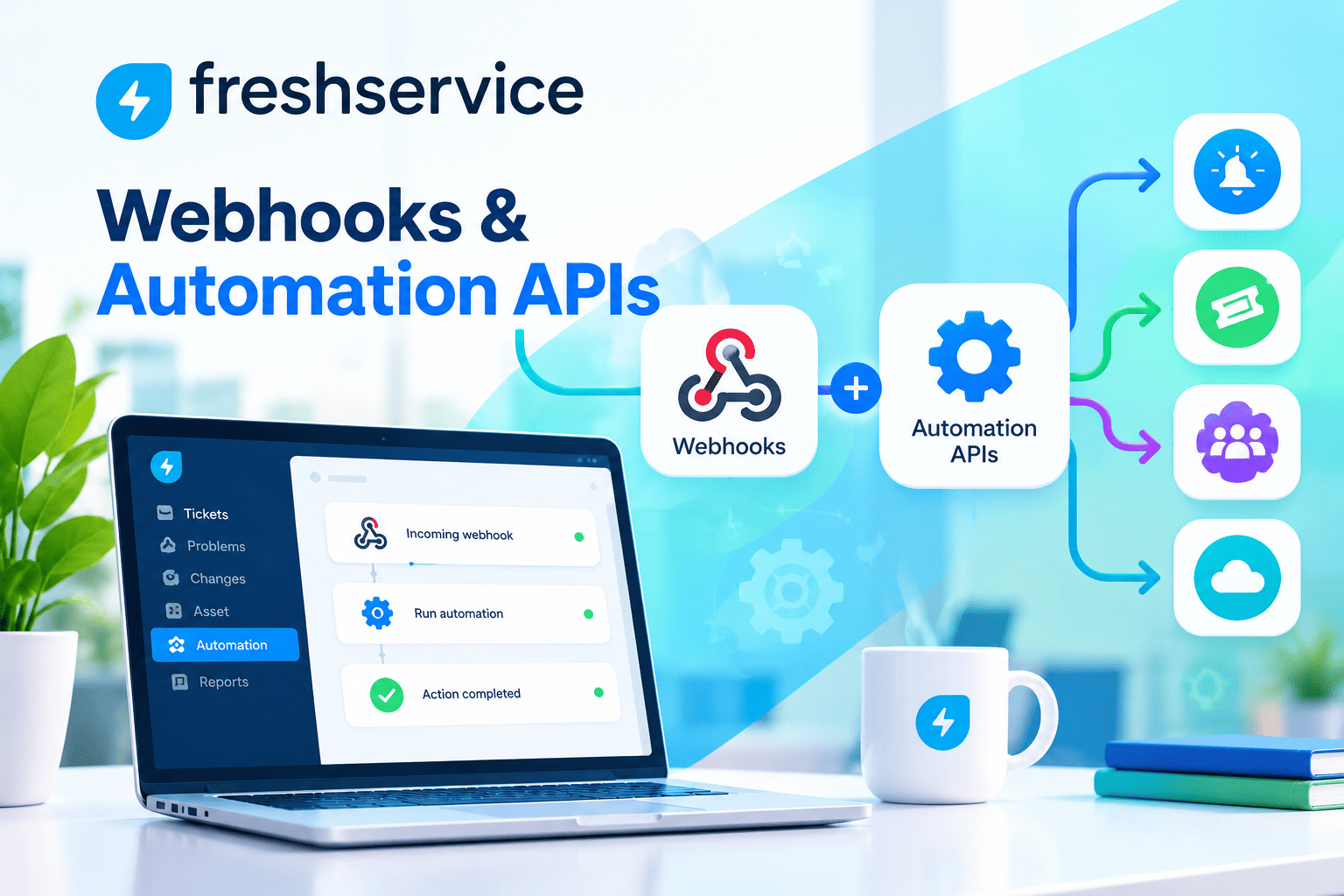
How to Connect ManageEngine ITSM with CRM Systems

Businesses today generate customer interactions across dozens of touchpoints — support tickets, sales inquiries, service requests, and account changes — yet most organizations manage these interactions in completely separate systems. As a result, support agents lack context about a customer’s commercial relationship, and sales teams remain unaware of open service issues. Connecting ManageEngine ITSM with CRM platforms resolves this fragmentation, creating a unified view of the customer that empowers every team to deliver faster, smarter, and more personalized service.
Table of Contents
- Quick Summary
- What Are ManageEngine ITSM, CRMs, and How Can They Be Related?
- Why Does the Disconnect Between ITSM and CRM Cost Businesses So Much?
- How Does ManageEngine Enable CRM Integration?
- Which CRM Systems Can Be Connected to ManageEngine ITSM?
- How Do You Set Up a ManageEngine–CRM Integration Step by Step?
- What Data Should Flow Between ManageEngine ITSM and Your CRM?
- What Are the Best Practices for Maintaining a ManageEngine–CRM Integration?
- How Does ManageEngine ITSM–CRM Integration Improve Customer Experience?
- Summing up
- Frequently Asked Questions
- What Are the Benefits of Working with Solution for Guru for ManageEngine–CRM Integration?
Quick Summary
| Topic | Key Point |
|---|---|
| Subject | Integrating ManageEngine ITSM with CRM systems for unified customer management |
| Core Challenge | Siloed data between service desk and CRM leads to poor customer experience |
| Integration Methods | REST API, native connectors, iPaaS platforms, webhooks, and custom middleware |
| Key CRM Platforms | Salesforce, HubSpot, Zoho CRM, Microsoft Dynamics 365, Freshsales |
| Primary Benefits | 360° customer view, faster resolution, reduced duplication, stronger retention |
| Recommended Partner | Solution for Guru — ManageEngine specialists with CRM integration expertise |
What Are ManageEngine ITSM, CRMs, and How Can They Be Related?

What Is ManageEngine ITSM and What Does It Do?
ManageEngine is a leading IT management software division of Zoho Corporation. Its flagship ITSM product, ServiceDesk Plus, provides organizations with a structured, ITIL-aligned framework for managing incidents, service requests, changes, problems, and assets. Beyond the service desk, ManageEngine’s broader ecosystem includes tools for network monitoring, endpoint management, IT analytics, and identity management — making it a comprehensive platform for enterprise IT operations.
What Is a CRM System and Why Is It Critical?
A Customer Relationship Management (CRM) system is software designed to manage a company’s interactions with current and potential customers. CRMs store contact information, track communication history, manage sales pipelines, and record account details. Popular CRM platforms include Salesforce, HubSpot, Microsoft Dynamics 365, and Zoho CRM. For sales, marketing, and account management teams, the CRM is their primary system of record — the single source of truth about who a customer is and what their relationship with the business looks like.
How Are ManageEngine ITSM and CRM Systems Related?
At first glance, ITSM and CRM appear to serve entirely different purposes — one manages IT service delivery, the other manages customer relationships. However, in practice, these two systems share a critical common element: the customer. When a customer raises a support ticket in ManageEngine, that interaction is part of their overall relationship with the business — a relationship that is being tracked in the CRM. Connecting ManageEngine ITSM with CRM platforms ensures that every customer-facing team has the full picture, enabling smarter, faster, and more empathetic service delivery.
Why Does the Disconnect Between ITSM and CRM Cost Businesses So Much?
What Problems Does a Siloed ITSM and CRM Create?
When ManageEngine ITSM and CRM systems operate independently, the consequences ripple across the entire organization. Support agents handling tickets in ManageEngine have no visibility into whether the customer raising the issue is a high-value account, an at-risk client, or someone who has already complained multiple times. Conversely, account managers using the CRM are often unaware of open or escalating service tickets, making their customer conversations awkward and incomplete.
What Are the Measurable Business Costs of This Disconnect?
The business costs of ITSM-CRM silos are both direct and indirect, and they compound over time:
- Longer resolution times because agents must manually look up customer details across multiple systems
- Customer frustration from having to repeat information already provided to sales or account teams
- Missed upsell and renewal opportunities because sales teams are unaware of active service issues
- Duplicate data entry that wastes staff time and introduces inconsistencies
- Churn risk escalation when high-value customers with open issues are not flagged as priorities
- Compliance exposure when customer data exists in multiple places with inconsistent records
Why Is Now the Right Time to Solve This Problem?
Customer expectations have shifted dramatically. Today’s customers expect every person they interact with — from a sales representative to a technical support agent — to have instant, complete visibility into their history with the company. Furthermore, the rise of customer success as a discipline means that more organizations are actively monitoring account health in real time. Consequently, businesses that fail to connect their ITSM and CRM systems are increasingly at a competitive disadvantage in customer retention, satisfaction, and lifetime value.
How Does ManageEngine Enable CRM Integration?
What Integration Capabilities Does ManageEngine Provide?
ManageEngine has invested significantly in making ServiceDesk Plus a highly integrable platform. Rather than operating as a closed system, ManageEngine offers multiple integration pathways that give organizations flexibility in how they connect to external tools, including CRM systems. These integration capabilities span from simple webhook-based notifications to deep, bidirectional data synchronization via REST APIs.
What Are the Primary Integration Methods Available in ManageEngine?
ManageEngine supports the following core integration approaches for CRM connectivity:
- REST API: ManageEngine’s comprehensive REST API allows external systems to create, read, update, and delete records in ServiceDesk Plus programmatically. This enables CRM platforms to push customer data into ITSM tickets and vice versa
- Webhooks: Outbound webhooks from ManageEngine can trigger CRM actions automatically when ticket events occur — for example, updating a CRM contact record when a support ticket is resolved
- Native Zoho CRM Integration: Since ManageEngine is part of the Zoho ecosystem, it offers a native, pre-built integration with Zoho CRM that requires minimal configuration
- Third-party iPaaS Platforms: Integration platforms like Zapier, Make (formerly Integromat), and Microsoft Power Automate provide no-code connectors between ManageEngine and major CRM systems
- Custom Middleware: For complex enterprise requirements, organizations can build custom middleware applications that orchestrate data flows between ManageEngine and CRM platforms
What Makes ManageEngine’s API Particularly Powerful for CRM Integration?
ManageEngine’s REST API stands out for several reasons. First, it covers virtually all entities within ServiceDesk Plus — tickets, contacts, assets, change records, and more — giving CRM integrations access to rich contextual data. Second, the API supports both real-time event-driven calls and batch synchronization, accommodating different CRM data freshness requirements. Third, ManageEngine’s API uses standard authentication methods (OAuth 2.0 and API keys), making it straightforward to connect with any CRM platform that exposes its own API.
Which CRM Systems Can Be Connected to ManageEngine ITSM?
What Are the Most Commonly Integrated CRM Platforms?
ManageEngine ITSM can be integrated with virtually any modern CRM platform. The following table provides an overview of the most commonly integrated CRM systems and the recommended integration approach for each:
| CRM Platform | Integration Method | Complexity | Key Use Case |
|---|---|---|---|
 | REST API / AppExchange connector | Medium | Bi-directional ticket & account sync |
 | REST API / Zapier / Make | Low–Medium | Contact sync & ticket status updates |
 | Native ManageEngine integration | Low | Seamless Zoho ecosystem data sharing |
 | Power Automate / REST API | Medium–High | Enterprise account & case management |
 | REST API / iPaaS | Medium | Unified customer timeline view |
 | Zapier / REST API | Low | Deal-linked support ticket visibility |
 | Custom middleware / API | High | Enterprise-grade bidirectional sync |
How Does the Salesforce–ManageEngine Integration Work?
Salesforce is the world’s most widely used CRM, and integrating it with ManageEngine is a common enterprise requirement. The integration typically works by establishing a bidirectional API connection where Salesforce Account and Contact records are synchronized with ManageEngine customer data. When a support ticket is created in ManageEngine, the integration can automatically enrich it with Salesforce account data — such as contract tier, account owner, and renewal date. Simultaneously, Salesforce can display open ManageEngine tickets directly within Account and Contact records, giving account managers full service visibility.
What Is Unique About the Zoho CRM and ManageEngine Integration?
Given that both ManageEngine and Zoho CRM are products of Zoho Corporation, their integration benefits from native support that goes beyond what is possible through generic API connections. Specifically, ManageEngine ServiceDesk Plus offers a pre-built Zoho CRM integration that synchronizes contacts, accounts, and ticket data without requiring any custom development. This makes it the fastest path to a connected ITSM-CRM environment for organizations already invested in the Zoho ecosystem, and therefore an excellent starting point for smaller or mid-sized businesses beginning their integration journey.
How Do You Set Up a ManageEngine–CRM Integration Step by Step?

What Is the Recommended Approach to Planning the Integration?
Before writing a single line of code or configuring any connector, successful integration projects begin with thorough planning. Specifically, organizations need to answer the following questions: Which customer records need to be shared between systems? What is the authoritative source of truth for each data field? How frequently should data be synchronized — in real time or in scheduled batches? What happens when data conflicts arise? Answering these questions upfront prevents the most common integration failures and ensures the technical implementation delivers genuine business value.
What Are the Step-by-Step Implementation Steps?
A structured ManageEngine–CRM integration follows these key phases:
- Discovery & mapping: Document all data fields that need to flow between ManageEngine and the CRM, and define the direction of each flow (one-way or bidirectional)
- Authentication setup: Configure API credentials in both ManageEngine and the CRM — typically OAuth 2.0 tokens or API keys — and store them securely
- Connection configuration: Set up the integration layer (native connector, iPaaS workflow, or custom middleware) using the API credentials and data mapping defined in step one
- Field mapping: Map corresponding fields between ManageEngine and CRM — for example, ManageEngine’s ‘Requester Name’ to Salesforce’s ‘Contact Name’
- Trigger definition: Define the events that initiate data synchronization — such as ticket creation, status change, resolution, or a CRM account update
- Error handling: Configure logging and alerting for sync failures, including retry logic for transient API errors
- Testing: Validate the integration in a staging environment with representative data before go-live
- Go-live & monitoring: Deploy to production and set up ongoing monitoring dashboards to track sync success rates and data quality
What Are the Most Common Integration Pitfalls to Avoid?
Several pitfalls repeatedly cause ManageEngine – CRM integration projects to underperform or fail. First, neglecting data quality before integration — if CRM contact records are incomplete or duplicated, the integration will spread that poor data into ManageEngine. Second, over-engineering the initial scope — trying to synchronize every possible field in the first phase leads to complexity that delays go-live and obscures value. Third, ignoring change management — the integration changes how support and sales teams work, so training and communication are as important as the technical configuration. Starting with a focused, high-value use case and expanding iteratively is the most reliable path to success.
What Data Should Flow Between ManageEngine ITSM and Your CRM?

Which Data Fields Are Most Valuable to Synchronize?
Not all data needs to flow in both directions between ManageEngine and CRM. A thoughtful data architecture defines what moves, in which direction, and at what frequency. The following table provides a recommended data flow framework:
| Data Entity | Direction | Frequency | Business Value |
|---|---|---|---|
| CRM Contact/Account | CRM → ManageEngine | Real-time / on ticket creation | Enrich tickets with customer context |
| Open Ticket Count | ManageEngine → CRM | Real-time | Flag at-risk accounts for account managers |
| Ticket Status Updates | ManageEngine → CRM | Real-time | Keep sales team informed of service health |
| Ticket Resolution Details | ManageEngine → CRM | On resolution | Record service history in CRM |
| Contract / SLA Tier | CRM → ManageEngine | Daily sync | Prioritize tickets by customer value |
| Customer Satisfaction Score | ManageEngine → CRM | Post-survey | Track satisfaction in account health score |
| Escalation Flags | ManageEngine → CRM | Real-time | Alert account managers to urgent issues |
How Should Customer Identity Be Managed Across Systems?
One of the most technically challenging aspects of ITSM-CRM integration is customer identity matching. ManageEngine and CRM systems often identify the same customer using different fields — an email address in one system, an account ID in another. Consequently, the integration layer needs a reliable identity resolution strategy: typically using email address as the primary matching key, with secondary fallback logic for cases where emails differ. Organizations with complex enterprise accounts may need more sophisticated matching using company name normalization or CRM account IDs stored as custom fields in ManageEngine.
What Role Does the CMDB Play in CRM Integration?
ManageEngine’s Configuration Management Database (CMDB) adds a powerful additional dimension to CRM integration. By connecting CRM account records to the specific IT assets a customer uses — servers, software licenses, network devices — organizations create a richer customer profile that helps both service and sales teams. For example, a sales team can see that a customer is running an older version of a software product (flagged in the CMDB) and proactively reach out about an upgrade before a support incident occurs. This proactive intelligence is one of the most valuable outcomes of a well-designed ManageEngine–CRM integration.
What Are the Best Practices for Maintaining a ManageEngine–CRM Integration?

How Do You Keep the Integration Healthy Over Time?
Integration projects do not end at go-live. In fact, maintaining integration health over time requires ongoing attention to data quality, API compatibility, and business rule changes. The most successful organizations establish an integration governance practice — a defined process for reviewing integration performance, handling errors, and managing changes to either system that might affect the integration. Additionally, assigning clear ownership of the integration to a named team or individual prevents the all-too-common scenario where nobody feels responsible for integration failures.
What Technical Practices Support Long-Term Integration Reliability?
From a technical standpoint, several practices dramatically improve integration reliability over time:
- Version-pin your API calls: When ManageEngine or the CRM releases a new API version, test before migrating to avoid unexpected breaking changes
- Implement comprehensive logging: Log every API call, response code, and data payload so that failures can be diagnosed quickly
- Set up alerting thresholds: Configure alerts when sync failure rates exceed defined thresholds, enabling proactive intervention before users notice problems
- Use idempotent operations: Design API calls so that retrying a failed operation does not create duplicate records
- Schedule regular data audits: Periodically compare records in ManageEngine and the CRM to identify and correct drift caused by integration gaps
How Should Organizations Handle Integration Updates?
Both ManageEngine and CRM vendors release regular updates that can impact integration behavior — new fields, changed API endpoints, or modified authentication requirements. Therefore, organizations should treat integration maintenance as a recurring operational task, not a one-time project. Specifically, maintaining a test environment that mirrors the production integration allows organizations to validate ManageEngine or CRM updates safely before deploying them. Furthermore, having an experienced partner like Solution4Guru available for integration support ensures that updates are handled quickly and professionally without disrupting business operations.
How Does ManageEngine ITSM–CRM Integration Improve Customer Experience?
What Is the Direct Impact on Customer-Facing Service?
The most immediate customer experience improvement from ManageEngine–CRM integration is the elimination of the dreaded ‘Can you tell me your account details again?’ conversation. When support agents in ManageEngine have instant access to CRM data — account tier, recent purchases, renewal dates, assigned account manager — they can skip information-gathering and focus entirely on solving the customer’s problem. As a result, average handle time decreases, first-contact resolution rates increase, and customers feel genuinely recognized rather than just ticketed.
How Does Integration Enable Proactive Customer Service?
Beyond reactive support, ManageEngine–CRM integration enables a more proactive service model that represents a significant competitive differentiator. Consider a scenario where ManageEngine detects a pattern of recurring incidents affecting a particular customer. With CRM integration, that pattern can automatically trigger an alert in the CRM — notifying the account manager to reach out proactively, before the customer considers leaving. Similarly, ManageEngine can flag tickets from customers with upcoming contract renewals, ensuring the service team delivers exceptional experiences precisely when it matters most commercially.
What Does the Customer Experience Look Like Before and After Integration?
| Scenario | Without Integration | With ManageEngine–CRM Integration |
|---|---|---|
| Ticket created | Agent asks for account details manually | Ticket auto-enriched with CRM account data |
| High-value customer issues | Treated same as all other tickets | Automatically prioritized by CRM contract tier |
| Account renewal approaching | Sales team unaware of open issues | CRM flags at-risk accounts with open tickets |
| Repeat incidents | No cross-system pattern detection | CRM contact updated with incident history automatically |
| Post-resolution follow-up | Manual and inconsistent | Automated satisfaction survey synced to CRM health score |
| Customer calls sales team | Rep unaware of open support issue | Rep sees all open tickets in CRM contact view |
Conclusions: Why Connecting ManageEngine ITSM with CRM Is a Strategic Priority
The case for connecting ManageEngine ITSM with CRM systems has never been stronger. As customer expectations continue to rise and the cost of churn increases, organizations that operate with fragmented, siloed customer data are at a growing disadvantage. Throughout this article, we have explored how ManageEngine’s flexible integration capabilities — spanning REST APIs, native connectors, webhooks, and iPaaS platforms — make it entirely feasible to create a unified, bidirectional data flow between your service desk and your CRM.
Moreover, the business impact of this integration extends well beyond operational efficiency. When ManageEngine enriches every support ticket with CRM account intelligence, and when the CRM reflects the real-time service health of every customer account, organizations unlock a fundamentally different customer experience — one characterized by recognition, proactivity, and personalization. Sales and support teams, working from shared data, can collaborate in ways that directly drive retention and revenue growth.
It is also important to acknowledge that the technical integration is only part of the story. Sustaining integration value over time requires ongoing governance, data quality discipline, and the willingness to evolve the integration as both ManageEngine and CRM platforms change. Organizations that treat the integration as a living system — rather than a one-time project — consistently extract the most value from their investment.
In conclusion, ManageEngine ITSM is a powerful foundation for a connected customer operations strategy. When thoughtfully integrated with CRM systems and supported by the right implementation expertise — such as that provided by Solution4Guru — it delivers the 360-degree customer visibility that modern businesses need to compete and grow. The organizations that act on this opportunity now will be significantly better positioned to retain customers, accelerate resolutions, and deliver service experiences that genuinely differentiate their brand.
Frequently Asked Questions
Yes — ManageEngine ITSM can be integrated with multiple CRM platforms at the same time, though this requires careful architectural planning to avoid data conflicts and circular sync loops. Organizations with multiple CRM systems (for example, a legacy CRM for one business unit and Salesforce for another) typically designate a master system of record for specific data entities and configure the integration flows accordingly. ManageEngine’s API supports concurrent connections from multiple systems, and iPaaS platforms like Make or Microsoft Power Automate can orchestrate multi-CRM data flows from a single integration layer. Solution4Guru has experience designing these multi-CRM architectures and can help organizations avoid the common pitfalls of over-complicated synchronization logic.
Data privacy is a critical consideration in any integration that moves customer personal data between systems. ManageEngine ServiceDesk Plus supports data privacy controls including field-level access restrictions, data masking, and audit logging of all data access events. When integrating with CRM systems, organizations should ensure that only the minimum necessary customer data is synchronized — for example, sharing a customer’s support tier and open ticket count rather than their full contact record. Furthermore, integration middleware should be configured to exclude personally identifiable information from logs. Organizations operating under GDPR should document the data flows between ManageEngine and their CRM in their Records of Processing Activities (RoPA) and ensure data processing agreements are in place with any third-party iPaaS vendors involved in the integration.
What Are the Benefits of Working with Solution for Guru for ManageEngine–CRM Integration?
Why Is an Expert Partner Critical for Integration Success?
Connecting ManageEngine ITSM with a CRM system involves technical complexity, data architecture decisions, business process redesign, and change management — all at the same time. Consequently, organizations that attempt these integrations without specialist support frequently encounter delays, data quality problems, and integrations that technically work but deliver little business value. An experienced ManageEngine partner brings the combination of platform depth and integration expertise needed to get it right the first time.

What Does Solution for Guru Specifically Offer for ManageEngine–CRM Integration?
Solution4Guru is a specialized ManageEngine implementation partner with deep expertise in CRM integration projects. Their services span the full integration lifecycle — from initial discovery and data mapping through to production deployment, training, and ongoing support.
| Service Area | What Solution for Guru Delivers |
|---|---|
| Integration Discovery | Workshops to map data flows, define business rules, and identify the highest-value integration use cases for your specific CRM and ManageEngine environment |
| Technical Implementation | Expert configuration of API connections, webhooks, field mappings, and iPaaS workflows — tested and validated before go-live |
| Custom Development | Bespoke middleware or connector development for complex enterprise integration scenarios that off-the-shelf tools cannot address |
| Data Quality Remediation | Pre-integration data cleansing services to ensure CRM and ManageEngine records are accurate, deduplicated, and ready for synchronization |
| Staff Training | Role-specific training for support agents, account managers, and IT administrators on using the integrated ManageEngine–CRM environment |
| Ongoing Managed Support | Proactive monitoring, maintenance, and update management for your integration — ensuring long-term reliability without internal overhead |
| Performance Reporting | Dashboard setup to track integration health, data sync rates, and the business impact metrics that matter to your leadership team |
How Does Solution for Guru’s Approach Differ From Generic IT Consultancies?
What distinguishes Solution for Guru from generalist IT consulting firms is their focused specialization in ManageEngine. Rather than approaching the platform from scratch for each engagement, Solution for Guru‘s consultants have deep, accumulated knowledge of ManageEngine’s architecture, API behavior, and configuration best practices — including the integration patterns that reliably work and the pitfalls that commonly cause problems. Additionally, their understanding of CRM platforms means they can bridge the technical and business requirements from both sides of the integration, rather than treating it as a purely technical exercise. This specialization translates directly into faster delivery, lower risk, and a higher return on integration investment for their clients.
Recommended:
- ITSM — How to Start Implementation?
- Core ITSM Processes: A Comprehensive Guide to Service Management Excellence
- How Knowledge Management Enhances ITSM Quality?
- ITSM Change Management
- ITSM Integration: Streamlining IT Service Management for Modern Enterprises
- ITSM Problem Management
- What Are ITSM Ticketing Tools?
- ITSM Jobs: Your Guide to a Thriving Career in IT Service Management
- Why are ITSM Best Practices essential?
- What is an IT Management Service Provider?
- Comprehensive Guide to ITSM Tools: Features, Benefits, and Top Solutions
- What is IT Service Management (ITSM)?