Offline Tracking: How Do Devices Store Data Without Connectivity?
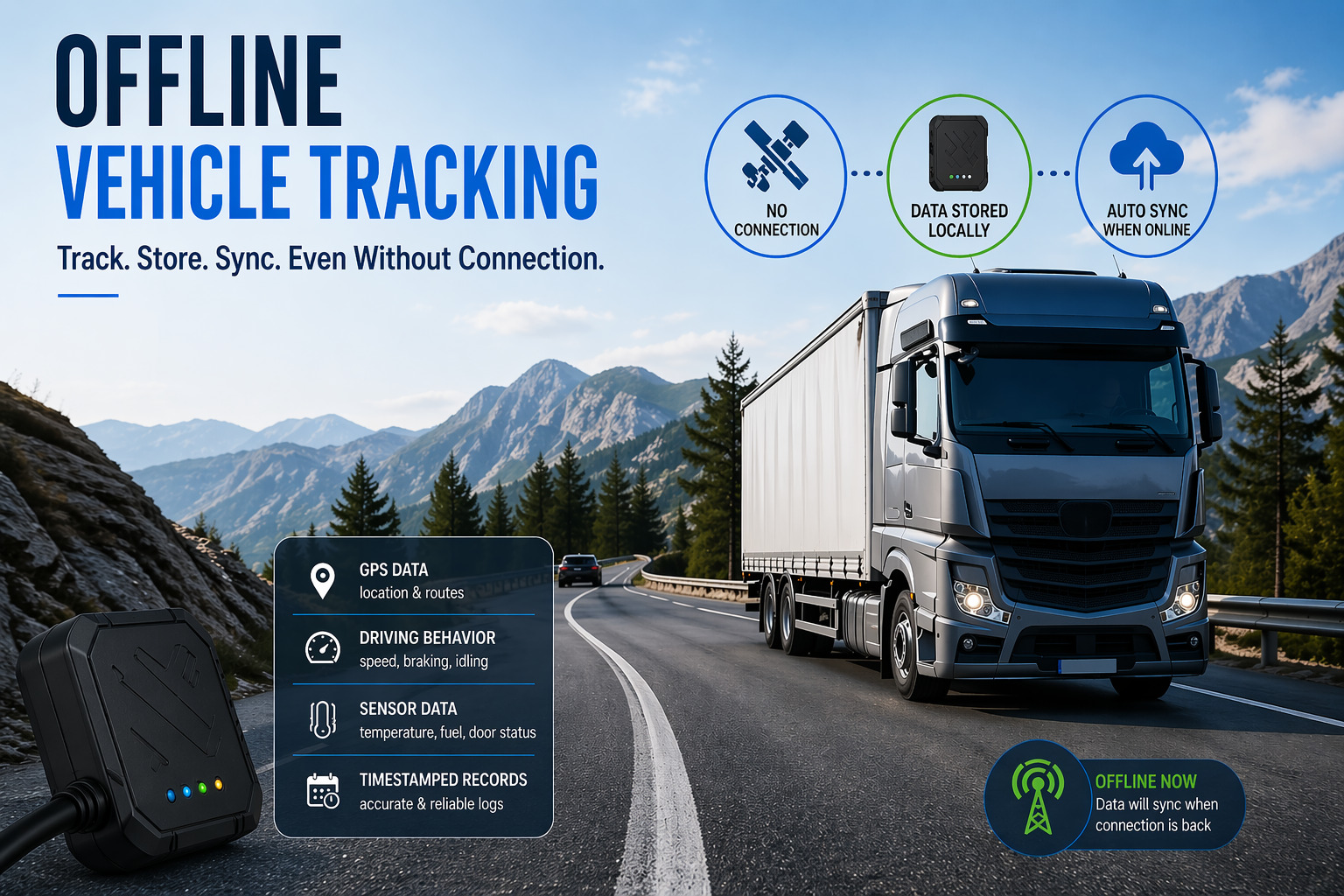
Modern fleet management increasingly depends on real-time GPS and cellular data — but what happens when a vehicle drives through a tunnel, enters a remote rural area, or crosses a region with no cell signal? The answer lies in offline tracking technology: the ability of a device to continue recording, storing, and later transmitting location and operational data even when connectivity drops to zero. Understanding how this works — and which platforms do it best — is essential for any business that depends on vehicle data integrity.
Table of contents
Quick Summary
In this article, you will discover:
- How offline data storage works inside GPS tracking devices
- Why connectivity gaps do not have to mean data gaps
- How Azuga, Verizon Connect, and Motive handle offline scenarios
- A side-by-side comparison of the three platforms
- How Solution for Guru helps you choose and implement the right tracking system
How Are Azuga, Verizon Connect, and Motive Related to Offline Tracking?
Before diving into the technical mechanics, it helps to understand why these three platforms appear throughout this article. Azuga, Verizon Connect, and Motive represent three of the most widely adopted fleet management and GPS tracking platforms on the market today. Each company has invested heavily in offline tracking capabilities — because their customers, ranging from construction companies to national logistics carriers, cannot afford to lose data simply because a truck drives through a dead zone.
Azuga focuses on driver safety scoring, compliance, and real-time GPS, with local data buffering to handle connectivity gaps. Verizon Connect leverages its parent company’s vast cellular network infrastructure to minimize dead zones, while its devices store data locally when gaps occur. Motive — formerly KeepTruckin — built its reputation in trucking compliance (ELD), where uninterrupted data logging is a federal regulatory requirement, making its offline capabilities particularly robust.
What Exactly Is Offline Tracking and Why Does It Matter?
Offline tracking refers to the ability of a GPS or telematics device to continue capturing, logging, and storing data — location coordinates, speed, engine diagnostics, driver hours — without an active internet or cellular connection. Once connectivity resumes, the device automatically uploads the stored data to the cloud platform, filling in any gaps in the timeline.
This capability matters enormously for several practical reasons. First, vehicles routinely travel through areas with poor or no cell coverage: mountain passes, underground parking, rural highways, and industrial facilities with signal-blocking structures. Second, in industries governed by regulations such as the FMCSA’s Electronic Logging Device (ELD) mandate in the United States, any gap in hours-of-service data can trigger compliance violations. Third, from a fleet operations standpoint, missing data leads to incomplete reports, inaccurate mileage logs, and unreliable driver behavior analytics.
Furthermore, offline tracking protects businesses from the financial and legal consequences of data loss. Insurance claims, accident investigations, and customer delivery disputes all rely on accurate, timestamped records. A tracking system that stops recording when connectivity drops is, in practical terms, unreliable — regardless of how sophisticated its online features may be.
How Does GPS Data Storage Work Without an Internet Connection?
What Hardware Components Enable Offline Data Logging?
At the heart of every offline-capable tracking device sits a combination of specific hardware components working in concert. The GPS receiver continuously acquires satellite signals — a process entirely independent of cellular connectivity — and calculates the device’s precise position, speed, heading, and altitude. This data flows into an onboard microcontroller, which processes and formats it before writing it to local flash memory storage.
Modern telematics devices typically contain between 8 MB and 512 MB of onboard flash memory, which translates to anywhere from several days to multiple weeks of continuous location logging, depending on the polling frequency. Devices that sample location every second require significantly more storage than those that record every 30 seconds. Additionally, many devices include an accelerometer and gyroscope, enabling them to log sudden braking, sharp cornering, and harsh acceleration events even without GPS — a capability particularly useful inside parking structures where satellite signals weaken.
The cellular modem — whether 4G LTE or the newer LTE-M and NB-IoT variants designed for IoT devices — handles the upload function. Crucially, the modem and the logging subsystem operate independently. When the modem loses signal, the logging subsystem continues writing to flash memory without interruption. Platforms like Motive equip their AI dashcams with additional local storage for video clips, enabling offline video buffering alongside location data.
How Do Devices Synchronize Stored Data Once Connectivity Returns?
The synchronization process — often called store-and-forward — activates automatically as soon as the device detects a restored cellular connection. The device reads the locally stored data records in chronological order and transmits them to the cloud backend, each record carrying its original timestamp. This approach preserves the complete timeline of events, meaning the platform receives an accurate picture of what happened during the offline period, not just a gap followed by a new position.
Azuga‘s devices, for instance, implement a queuing mechanism that prioritizes recent data while also uploading older buffered records in the background. This ensures that fleet managers viewing the live dashboard see current vehicle positions immediately upon reconnection, while historical gap-filling happens seamlessly in parallel. Verizon Connect similarly employs a tiered upload strategy, transmitting compressed data packets that maximize bandwidth efficiency when reconnecting after extended offline periods.
Motive takes a particularly sophisticated approach for its ELD-compliant logging. Because federal regulations require that hours-of-service records be complete and tamper-evident, Motive’s firmware writes each log entry with a cryptographic signature before storing it locally. When the device reconnects and uploads these records, the platform verifies the signatures — confirming that the data originated from the device and has not been altered during the offline period. This combination of offline logging and cryptographic integrity verification makes Motive one of the most compliance-ready platforms available.
What Role Does Geofencing Play in Offline Environments?

Geofencing — the definition of virtual geographic boundaries that trigger alerts when a vehicle enters or exits — presents an interesting challenge in offline scenarios. Traditional cloud-based geofencing relies on the server to detect boundary crossings, which requires real-time data transmission. Consequently, standard geofencing produces no alerts during connectivity gaps.
However, several advanced platforms have introduced edge-computed geofencing, where the geofence boundaries are downloaded to the device itself and evaluated locally by the onboard processor. When the vehicle crosses a boundary, the device logs a geofence event with a timestamp. This event uploads to the cloud as part of the store-and-forward process once connectivity returns. While managers receive the alert after the fact rather than in real time, they still get complete and accurate records of every boundary crossing — a significant improvement over no record at all.
Verizon Connect offers this capability through its Reveal platform, which pushes geofence definitions to compatible hardware units. Azuga supports a similar feature on its newer OBD-II plug-in trackers. Motive, given its focus on long-haul trucking where rural dead zones are common, has invested particularly in this area to ensure compliance-related location events — such as crossing state lines — are always captured accurately.
How Does Offline Tracking Handle Driver Behavior and Engine Data?
Location coordinates represent only a portion of the data modern telematics systems collect. Engine diagnostics accessed through the OBD-II or J1939 port — fault codes, fuel consumption, RPM, engine temperature — stream continuously and benefit equally from local buffering during connectivity loss. Driver behavior metrics such as hard braking events (typically defined as deceleration exceeding 7-8 mph per second), rapid acceleration, and speeding violations all carry timestamps that must remain accurate for coaching and liability purposes.
Azuga‘s platform excels in this area, buffering complete OBD-II data streams locally and uploading them as structured records that feed directly into its driver safety scoring algorithm. This means a driver’s safety score remains accurate even if they spend hours in a no-signal area, because all behavior events during that period upload retroactively with correct timestamps.
Motive‘s AI dashcam adds another layer by storing video clips locally on an SD card when it detects triggering events — sudden braking, collision detection, drowsiness alerts. These video clips sync to the cloud once connectivity returns, giving fleet managers not just data points but visual evidence of what occurred during the offline period. This combination of sensor-logged events and locally stored video represents the current state of the art in offline telematics.
How Do Azuga, Verizon Connect, and Motive Compare on Offline Tracking Features?
The table below provides a structured comparison of how each platform handles the core elements of offline data storage and synchronization.
| Feature |  |  |  |
|---|---|---|---|
| Offline Data Buffering | Yes — OBD-II + GPS data buffered locally | Yes — compressed store-and-forward | Yes — full telematics + video buffering |
| Local Storage Capacity | Up to 72 hours of continuous data | Varies by hardware model (24–72 hrs) | Extended log + SD card for video |
| Automatic Sync on Reconnect | Yes — prioritized queue | Yes — tiered upload strategy | Yes — with cryptographic verification |
| ELD Compliance (FMCSA) | Yes — FMCSA-registered ELD | Yes — ELD compliant | Yes — industry-leading ELD compliance |
| Edge Geofencing | Yes — on newer OBD trackers | Yes — via Reveal platform | Limited — cloud-primary approach |
| Driver Behavior Logging Offline | Full OBD-II events buffered | Core events buffered | Full events + AI dashcam video |
| Network Coverage | AT&T / Verizon LTE network | Verizon nationwide LTE network | Multi-carrier LTE (AT&T/Verizon/T-Mobile) |
| Best Suited For | SMBs, safety-focused fleets | Large enterprises, mixed fleets | Trucking, long-haul, compliance-heavy |
| Data Integrity Verification | Standard logging | Standard logging | Cryptographic signature verification |
What Are the Specific Offline Capabilities of Each Platform?
How Does Azuga Manage Data When Connectivity Drops?
Azuga builds its offline capability around plug-and-play OBD-II hardware that requires minimal setup. The device draws power directly from the vehicle’s OBD-II port, meaning it remains active even when the driver parks and steps away. Consequently, the device continues logging engine-on events, idle time, and any fault codes that arise — all stored locally until the vehicle moves into coverage.
For small and medium-sized fleets, this simplicity carries real value. Fleet managers do not need to install complex wiring harnesses or manage separate hardware for different vehicle types. Azuga’s cloud platform, upon receiving buffered data, retrospectively updates trip reports, fuel efficiency calculations, and driver safety scores — presenting a seamless historical record. The platform’s driver coaching tools thereby retain their effectiveness even for drivers who regularly pass through dead zones.
Additionally, Azuga integrates with its mobile app, which enables drivers to log pre-trip and post-trip inspection data even without connectivity. The app stores inspection records locally and syncs them once a data connection becomes available, ensuring that Department of Transportation (DOT) inspection compliance records remain complete regardless of where the driver conducts the check.
How Does Verizon Connect Address Offline Data Storage?

Verizon Connect benefits from a structural advantage that competitors cannot easily replicate: its parent company, Verizon Communications, operates one of the largest and most reliable cellular networks in the United States. As a result, Verizon Connect customers experience fewer connectivity gaps in the first place — which represents a form of offline resilience achieved through superior coverage rather than exclusively through on-device storage.
Nevertheless, Verizon Connect’s hardware devices do implement local data buffering for situations where even Verizon’s network cannot reach — deep rural areas, underground facilities, and mountainous terrain. The Reveal platform’s store-and-forward mechanism compresses data records before transmission, which speeds up the sync process after extended offline periods and reduces data costs for customers on metered cellular plans.
For enterprise fleets operating across diverse environments — urban delivery routes, suburban service territories, and rural infrastructure work — Verizon Connect’s combination of broad network coverage and device-level buffering provides a comprehensive solution. The platform’s asset tracking hardware, designed for non-powered assets like trailers and equipment, uses battery-powered devices with particularly efficient offline storage to extend operational life between charges.
How Does Motive Excel in Offline and Compliance Scenarios?

Motive built its business in the commercial trucking sector, where uninterrupted data logging is not merely a convenience but a federal legal requirement under the FMCSA’s ELD mandate. Long-haul truck drivers routinely traverse stretches of rural interstate highway with minimal cellular coverage, making robust offline capability a core product requirement from day one.
Motive’s ELD firmware implements what the company calls continuous logging — the device writes hours-of-service data to local storage every second, regardless of connectivity status. Drivers can view their current HOS status, remaining driving time, and duty status on the ELD screen or the connected mobile app, all calculated locally without any server connection. This offline HOS display satisfies regulatory requirements that mandate drivers have access to their records at all times, including during roadside inspections.
Beyond compliance, Motive‘s AI dashcam significantly raises the bar for offline incident documentation. When the dashcam’s AI detects a triggering event — forward collision warning, lane departure, drowsiness detection — it saves the preceding and following video footage to a local SD card. Fleet managers receive these clips after sync, complete with GPS coordinates, speed data, and the specific AI-detected event type. This means that even a collision occurring in a complete dead zone produces a documented, timestamped video record — a capability with obvious value for insurance claims and accident investigations.
What Best Practices Should Fleet Managers Follow to Maximize Offline Tracking Reliability?

How Should Businesses Configure Devices for Maximum Offline Performance?
Several configuration choices significantly affect how well a telematics device performs during connectivity gaps. First and foremost, polling frequency — how often the device samples and stores a GPS position — directly determines storage consumption and the granularity of the offline record. A 30-second polling interval typically provides sufficient detail for fleet management purposes while conserving storage for extended offline periods.
Fleet managers should also verify that their chosen hardware supports the appropriate cellular technologies for their operating regions. Devices using LTE-M (also called Cat-M1) rather than standard 4G LTE maintain connectivity in a wider range of environments because LTE-M signals penetrate buildings and terrain more effectively, reducing the frequency of offline periods in the first place. Furthermore, managers should confirm that firmware updates are current — hardware manufacturers regularly release improvements to offline buffering and synchronization logic.
- Set GPS polling frequency appropriate to operational needs (30s for general fleets, 10s for high-value assets)
- Choose LTE-M capable hardware for operations in rural or challenging environments
- Enable edge geofencing on compatible devices to capture boundary events even during dead zones
- Verify firmware is current — offline performance often improves with updates
- Test offline behavior before deployment by simulating a dead zone and confirming data uploads correctly
- Review storage utilization reports to confirm devices are not approaching capacity
How Can Businesses Verify the Completeness of Offline Data After Sync?
After devices sync following an offline period, fleet managers should actively verify that the uploaded data is complete and logically consistent. Most platforms display a visual trip timeline, and any remaining gaps in that timeline indicate a potential issue — either the device ran out of local storage, suffered a hardware fault, or the synchronization process encountered an error.
Azuga‘s platform flags trips that contain any data gaps, enabling managers to investigate before finalizing reports. Verizon Connect‘s Reveal dashboard similarly highlights intervals where expected tracking data is absent. Motive‘s compliance-focused interface includes specific audit tools that identify any hours-of-service records that could not be fully reconciled after sync — a particularly important feature for drivers approaching their regulatory limits.
Additionally, businesses should establish a routine of cross-referencing telematics data with other operational records — fuel receipts, driver logs, dispatch records — especially for vehicles that frequently travel through known dead zones. This cross-referencing process not only catches data gaps but also validates the accuracy of the offline-recorded data itself.
What Conclusions Can We Draw About Offline Tracking Technology?
Offline tracking has evolved from a niche feature into a fundamental requirement for any serious fleet management platform. As businesses operate vehicles across increasingly diverse environments — from urban cores to remote rural territories — the reliability of telematics data directly depends on how effectively devices handle connectivity gaps.
Azuga delivers a strong offline solution for small and mid-sized fleets that prioritize ease of deployment and driver safety scoring. Its OBD-II plug-in hardware, continuous local buffering, and seamless retroactive data sync make it a practical choice for businesses that want robust tracking without complex installation requirements. Furthermore, Azuga’s mobile app offline inspection logging ensures compliance records remain complete across all operational conditions.
Verizon Connect approaches offline reliability from two complementary directions: minimizing dead zones through its parent network’s extensive coverage, and implementing store-and-forward buffering where gaps do occur. For large enterprise fleets operating across diverse geographic territories, this dual approach delivers consistently high data completeness rates. The platform’s tiered upload strategy also makes reconnection after extended offline periods efficient and cost-effective.
Motive stands out as the most technically sophisticated option for compliance-intensive operations, particularly commercial trucking. Its cryptographically verified offline logging, continuous ELD data recording, and AI dashcam video buffering combine to produce the most complete offline data record of the three platforms. Businesses subject to FMCSA regulations or those that require tamper-evident data for legal and insurance purposes will find Motive’s offline capabilities particularly compelling.
Ultimately, the best choice among these platforms depends on fleet size, operational geography, regulatory requirements, and budget. All three deliver genuine offline tracking capability — the differences lie in depth, sophistication, and the specific use cases each platform handles most effectively.
Frequently Asked Questions About Offline Vehicle Tracking
When a device’s local flash memory fills completely, the device must make a decision about how to handle new incoming data. Most modern telematics devices implement a circular buffer — the oldest stored records get overwritten by new ones once storage capacity is reached. This means that in an extremely extended offline period (typically exceeding the device’s rated buffer duration of 24–72 hours depending on the hardware), the oldest data gets permanently lost. To mitigate this risk, fleet managers should select hardware with sufficient storage for their typical dead zone durations, configure appropriate polling intervals that balance granularity with storage efficiency, and receive alerts when vehicles enter known areas of extended poor coverage.
This question concerns many trucking operators, and the answer depends critically on which platform and hardware they use. The FMCSA’s ELD technical specifications (49 CFR Part 395) require that an ELD record hours-of-service data continuously regardless of connectivity status, and that the device display current HOS information to the driver and to enforcement officers at roadside inspections — again, regardless of whether the device currently has a cellular connection.
Motive’s ELD design explicitly addresses these requirements: the device stores and displays HOS data locally, drivers can present their electronic log from the device screen or a connected mobile device without any internet connection, and all offline-recorded data carries the required timestamps and event codes. Azuga and Verizon Connect similarly offer FMCSA-registered ELD solutions that meet these offline display and logging requirements.
How Can Solution for Guru Help You Implement the Right Offline Tracking System?
Selecting a fleet tracking platform involves considerably more than comparing feature tables. The practical realities of integration — connecting telematics data with existing dispatch software, accounting systems, maintenance platforms, and driver management tools — determine whether a chosen platform delivers real operational value or creates new administrative burdens.
Solution for Guru specializes in exactly this implementation and optimization work. The company brings deep expertise in fleet technology consulting, helping businesses evaluate platforms like Azuga, Verizon Connect, and Motive against their specific operational requirements — rather than relying on vendor marketing materials alone.
Working with Solution for Guru, fleet operators gain access to independent, vendor-neutral analysis that identifies which platform’s offline capabilities align with their actual dead zone patterns, regulatory obligations, and data retention requirements. The team conducts pilot deployments, analyzes data completeness metrics from offline periods, and validates that chosen hardware performs as expected in real operational environments before full-fleet rollout.

Beyond platform selection, Solution for Guru assists with API integrations that connect telematics data — including retroactively synced offline records — with ERP, dispatch, and reporting systems. This integration work ensures that offline-buffered data flows automatically into operational workflows rather than sitting in a tracking platform in isolation. For businesses in regulated industries, the team also supports compliance documentation, helping demonstrate to auditors that offline logging meets applicable regulatory standards.
In summary, partnering with Solution for Guru transforms offline tracking from a technical feature into a concrete business asset — complete data, compliant records, and integrated workflows that function reliably whether vehicles drive through downtown Manhattan or the most remote stretch of rural highway.
Recommended
- Real-Time Tracking vs Passive Tracking: What Are the Key Differences?
- How Vehicle Tracking Systems Reduce Commercial Auto Insurance Costs
- How Does GPS Tracking Work: Satellites, Signals, and Software?
- Can GPS Trackers Be Hacked? Security Risks Explained
- 4G vs 5G GPS Trackers: What’s Changing?
- AI in Fleet Tracking: How Are Predictive Maintenance and Analytics Transforming Fleet Operations?
- Tracking Requirements for Commercial Vehicles in the U.S.
- How Vehicle Maintenance Tracking Software Reduces Costs and Extends Fleet Lifespan?
- Top Benefits of GPS Vehicle Tracking Fleet Management Solutions for Modern Businesses
- Vehicle Tracking Online
- Business Vehicle Tracking: Boosting Efficiency and Accountability on the Road