Cloud-Based vs On-Premises Remote Access Solutions: Pros and Cons
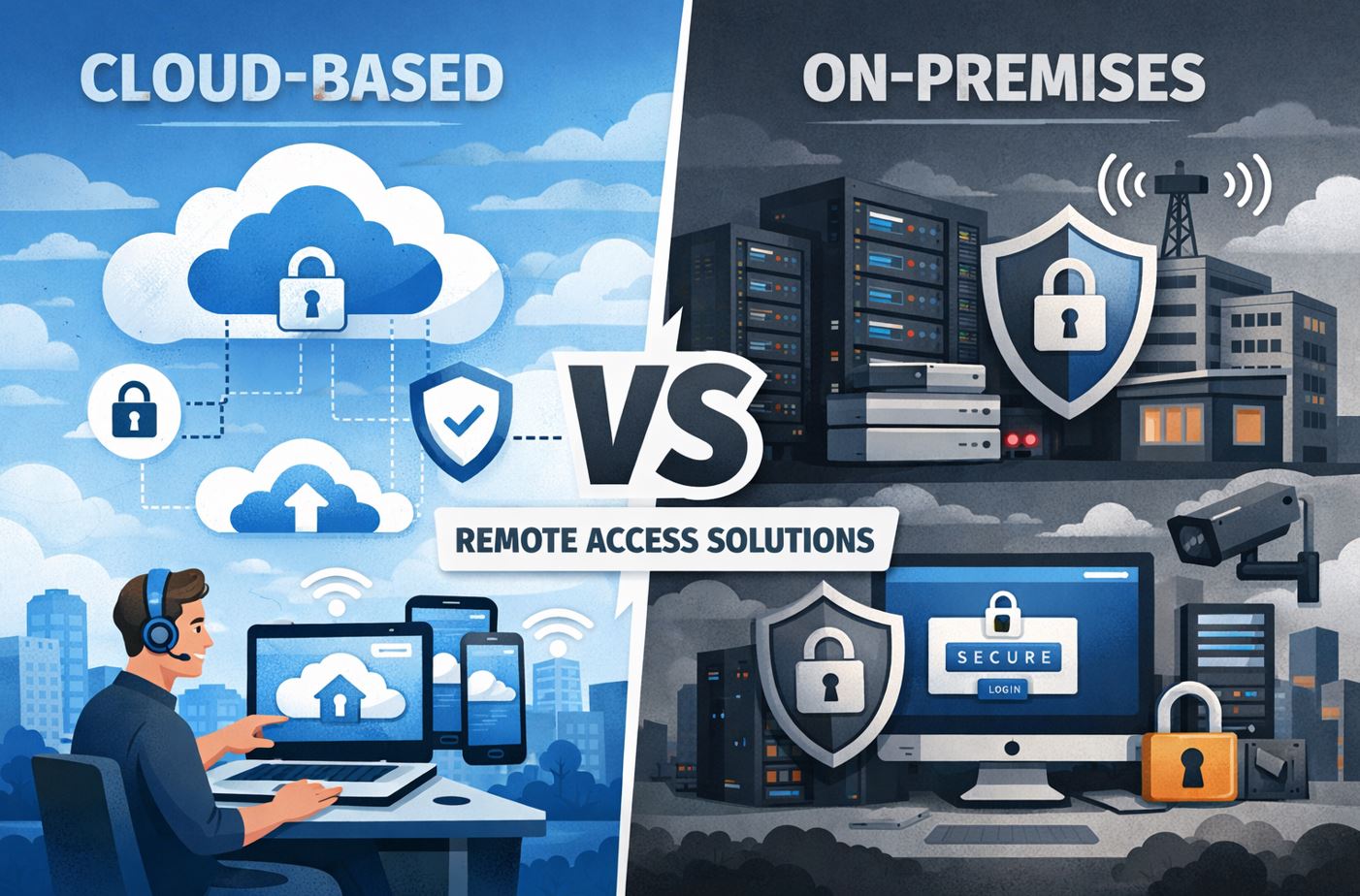
In today’s increasingly digital workplace, remote access solutions have become essential infrastructure for businesses of all sizes. Organizations face a critical decision: should they adopt cloud-based remote access platforms or maintain on-premises solutions? This choice significantly impacts security, scalability, costs, and overall operational efficiency. Understanding the advantages and limitations of each approach is crucial for making an informed decision that aligns with your business needs and long-term strategy.
Table of Contents
- Quick Summary: Which Remote Access Solution Is Right for You?
- What Is the Key Difference Between Cloud-Based and On-Premises Remote Access Solutions?
- How Do ManageEngine, Zendesk, and Zoho Address Remote Access Needs?
- What Are the Main Advantages of Cloud-Based Remote Access Solutions?
- Why Do Companies Choose On-Premises Remote Access Solutions?
- What Are the Drawbacks of On-Premises Remote Access Infrastructure?
- How Do Security Considerations Differ Between These Approaches?
- What Are the Cost Implications of Each Solution Type?
- Which Industries Benefit Most from Each Approach?
- How Do You Decide Between Cloud and On-Premises Solutions?
- Summing up
- Frequently Asked Questions
- Benefits of Cooperation with Solution for Guru Company
Quick Summary: Which Remote Access Solution Is Right for You?
Choosing between cloud-based and on-premises remote access solutions depends on several factors unique to your organization. Here’s a quick overview to guide your decision-making process:
Choose Cloud-Based Solutions If:
- You need rapid deployment and scalability
- Your workforce is geographically distributed
- You prefer predictable, operational expenditure models
- Your IT team is limited or focuses on strategic initiatives
- You require automatic updates and minimal maintenance
- Your organization operates with moderate to standard compliance requirements
Choose On-Premises Solutions If:
- You operate in highly regulated industries with strict data sovereignty requirements
- Your organization has substantial existing infrastructure investments
- You require complete control over security configurations
- You have specialized integration needs with legacy systems
- Your budget allows for significant capital expenditure
- You possess a robust IT team capable of managing complex infrastructure
Furthermore, many organizations are discovering that hybrid approaches—combining both cloud and on-premises elements—offer the flexibility to address diverse requirements across different departments or use cases. This strategic middle ground allows companies to leverage the benefits of both models while mitigating their respective limitations.
What Is the Key Difference Between Cloud-Based and On-Premises Remote Access Solutions?
Remote access solutions enable users to connect to organizational networks, applications, and data from any location. The fundamental distinction between cloud-based and on-premises approaches lies in where the infrastructure resides and who manages it.
Cloud-based remote access solutions operate on infrastructure hosted and maintained by third-party service providers. These platforms deliver remote access capabilities through the internet, eliminating the need for organizations to invest in physical hardware or maintain complex server environments. Users connect through web browsers or lightweight client applications, accessing resources that are hosted in distributed data centers around the world.
On-premises remote access solutions, conversely, require organizations to deploy, configure, and maintain their own hardware and software infrastructure within their physical facilities. This approach gives companies direct control over every aspect of their remote access environment, from server configurations to security protocols. However, it also places the burden of maintenance, updates, and scalability squarely on the organization’s IT team.
The choice between these approaches fundamentally shapes how organizations manage remote work, support distributed teams, and provide access to critical business systems. Moreover, this decision influences budget allocation, security strategies, and the ability to respond to changing business requirements.
How Do ManageEngine, Zendesk, and Zoho Address Remote Access Needs?
Three prominent platforms—ManageEngine, Zendesk, and Zoho—offer comprehensive remote access capabilities, each with distinct approaches and strengths.
ManageEngine Remote Access Solutions

ManageEngine provides enterprise-grade remote access through its Remote Access Plus solution, designed specifically for IT support teams and help desk operations. This platform enables technicians to remotely access and control endpoints across Windows, Mac, and Linux systems without requiring end-user intervention.
The solution offers both cloud-hosted and on-premises deployment options, giving organizations flexibility based on their infrastructure preferences and compliance requirements. ManageEngine’s remote access capabilities include unattended access for managing servers and workstations, file transfer functionality, remote desktop sharing, and comprehensive audit trails for compliance documentation.
Additionally, ManageEngine integrates seamlessly with their broader IT management ecosystem, including ServiceDesk Plus and Desktop Central, creating a unified platform for managing remote support tickets, patch management, and endpoint security. This integration is particularly valuable for organizations seeking to consolidate their IT operations within a single vendor ecosystem.
Zendesk Remote Support Capabilities
While Zendesk is primarily recognized as a customer service platform, it incorporates remote access functionality through its Support suite and integrations with specialized remote desktop tools. Zendesk’s approach to remote access focuses on customer support scenarios where agents need to view or control customer devices to resolve technical issues.
The platform operates exclusively as a cloud-based solution, emphasizing ease of use and rapid deployment. Support agents can initiate remote sessions directly from within the Zendesk interface, maintaining context with the customer’s support ticket history. This streamlined workflow reduces resolution times and improves customer satisfaction by eliminating the need to switch between multiple applications.
Furthermore, Zendesk’s remote access capabilities extend through marketplace integrations with specialized tools like TeamViewer, LogMeIn, and BeyondTrust. These integrations enable organizations to leverage Zendesk’s robust ticketing and workflow management while utilizing best-in-class remote access technologies. The cloud-native architecture ensures that support teams can assist customers from anywhere, making it ideal for distributed support organizations.
Zoho Remote Access Platform

Zoho offers remote access through Zoho Assist, a cloud-based remote support and access solution designed for both attended and unattended scenarios. This platform serves IT support teams, managed service providers, and help desk operations requiring reliable remote connectivity.
Zoho Assist distinguishes itself through its integration with the broader Zoho ecosystem, including Zoho Desk for ticketing, Zoho CRM for customer management, and Zoho Analytics for reporting. This interconnected approach allows organizations already invested in Zoho’s suite to maintain consistency across their business operations while adding robust remote access capabilities.
The platform supports multiple connection types, including screen sharing for collaborative sessions, remote desktop control for troubleshooting, and unattended access for managing servers and workstations. Moreover, Zoho Assist includes features specifically designed for compliance-conscious organizations, such as session recording, detailed audit logs, and role-based access controls. The cloud architecture ensures that support professionals can establish connections quickly without complex VPN configurations or firewall modifications.
Platform Comparison Table
| Feature |  |  |  |
|---|---|---|---|
| Deployment Options | Cloud and On-Premises | Cloud Only | Cloud Only |
| Primary Use Case | IT Management & Support | Customer Service Support | Remote Support & Access |
| Unattended Access | Yes | Via Integrations | Yes |
| Platform Support | Windows, Mac, Linux, Mobile | Cross-platform via integrations | Windows, Mac, Linux, Mobile |
| Session Recording | Yes | Depends on integration | Yes |
| File Transfer | Yes | Limited | Yes |
| Multi-Monitor Support | Yes | Depends on integration | Yes |
| Ticketing Integration | Native (ServiceDesk Plus) | Native | Native (Zoho Desk) |
| Mobile Access | Yes | Yes | Yes |
| Pricing Model | Per-technician licensing | Per-agent subscription | Per-technician subscription |
| Compliance Features | Extensive audit trails | Basic with integrations | Comprehensive logging |
| API Availability | Yes | Yes | Yes |
| Customization Level | High | Medium | High |
What Are the Main Advantages of Cloud-Based Remote Access Solutions?
Cloud-based remote access platforms have gained significant traction across industries due to their numerous operational and strategic benefits. These advantages address many of the challenges organizations face in today’s rapidly evolving business environment.
Rapid Deployment and Implementation
Cloud-based solutions eliminate lengthy procurement and installation cycles. Organizations can typically activate accounts and begin using remote access capabilities within hours rather than weeks or months. This rapid deployment is particularly crucial when responding to unexpected circumstances, such as the sudden shift to remote work that many companies experienced during global disruptions.
The streamlined setup process requires minimal technical expertise, as service providers handle infrastructure configuration, security protocols, and initial system optimization. Consequently, IT teams can focus on user onboarding and policy development rather than wrestling with complex server configurations and network architectures.
Scalability and Flexibility
Cloud platforms excel in their ability to scale resources dynamically based on organizational needs. As your workforce grows or contracts, you can easily add or remove user licenses without purchasing additional hardware or restructuring your infrastructure. This elasticity proves invaluable during seasonal fluctuations, mergers and acquisitions, or rapid business expansion.
Additionally, cloud-based solutions provide geographic flexibility, allowing organizations to support distributed teams across multiple locations without deploying infrastructure in each office. Remote workers in different countries can access the same resources with consistent performance, facilitated by the provider’s globally distributed data centers.
Predictable Cost Structure
The subscription-based pricing model of cloud solutions transforms remote access from a capital expenditure into a predictable operational expense. Organizations pay monthly or annually based on usage, eliminating large upfront investments in hardware, software licenses, and infrastructure. This financial predictability simplifies budgeting and improves cash flow management.
Moreover, the total cost of ownership decreases significantly because organizations avoid expenses related to hardware maintenance, facility cooling, power consumption, and system administrator salaries dedicated solely to infrastructure management. The service provider absorbs these costs and distributes them across their entire customer base.
Automatic Updates and Maintenance
Cloud service providers continuously update their platforms with security patches, feature enhancements, and performance improvements without requiring action from customer IT teams. These automatic updates ensure that organizations always operate on the most current and secure version of the software, reducing vulnerabilities and improving functionality.
This hands-off maintenance approach frees IT professionals to focus on strategic initiatives rather than routine system administration tasks. Furthermore, updates occur seamlessly without service disruptions, as providers implement changes across redundant infrastructure that maintains continuous availability.
Disaster Recovery and Business Continuity
Cloud-based remote access inherently provides robust disaster recovery capabilities. Service providers maintain multiple redundant data centers with real-time data replication, ensuring that organizational access remains available even if an entire data center experiences an outage. This redundancy would be prohibitively expensive for most organizations to replicate in on-premises environments.
Consequently, cloud solutions significantly reduce recovery time objectives (RTO) and recovery point objectives (RPO), enabling businesses to maintain operations during natural disasters, facility failures, or other disruptions. Remote workers can continue accessing critical systems regardless of local circumstances affecting physical offices.
Enhanced Collaboration Capabilities
Modern cloud-based remote access platforms integrate sophisticated collaboration tools, including screen sharing, multi-user sessions, video conferencing, and real-time document editing. These features transform remote access from a simple connectivity solution into a comprehensive platform for distributed teamwork.
Platforms like ManageEngine, Zendesk, and Zoho embed these collaborative features directly into their remote access workflows, enabling support teams to work together on complex issues or train new personnel through observation and interaction.
Why Do Companies Choose On-Premises Remote Access Solutions?

On-premises remote access infrastructure remains the preferred choice for many organizations, particularly those with specific security, compliance, or operational requirements. Understanding these advantages helps contextualize when on-premises deployment delivers superior value.
Complete Control Over Infrastructure
On-premises solutions provide organizations with total authority over every aspect of their remote access environment. IT teams can configure security policies, access controls, network architecture, and system settings precisely according to organizational requirements without limitations imposed by service providers. This granular control proves essential for companies with unique operational needs or strict security mandates.
Moreover, organizations maintain direct oversight of hardware selection, allowing them to optimize performance for specific use cases, integrate with existing infrastructure seamlessly, and implement proprietary security measures that differentiate their approach from standardized cloud offerings.
Enhanced Security and Data Privacy
Maintaining remote access infrastructure within organizational facilities ensures that sensitive data never leaves company-controlled environments. This direct custody of information provides peace of mind for security-conscious organizations and simplifies compliance with regulations requiring specific data handling procedures.
Additionally, on-premises deployment eliminates concerns about multi-tenant environments where organizational data resides on shared infrastructure with other companies. Security teams can implement zero-trust architectures, custom encryption protocols, and specialized monitoring tools without negotiating with external providers or accepting standardized security configurations.
Regulatory Compliance Advantages
Certain regulatory frameworks explicitly require or strongly favor on-premises data storage and processing. Industries such as defense contracting, national security, healthcare in specific jurisdictions, and financial services often operate under mandates that make cloud deployment challenging or impossible. On-premises solutions simplify compliance by ensuring complete data sovereignty and audit trail transparency.
Furthermore, organizations can implement controls that satisfy even the most stringent regulatory requirements without depending on third-party attestations or certifications. Compliance auditors can directly inspect infrastructure, review configurations, and verify security measures, streamlining the audit process.
Optimized Performance for Specific Workloads
On-premises infrastructure can be designed and optimized for the organization’s specific performance requirements. Companies with applications requiring extremely low latency, high bandwidth, or specialized hardware configurations can architect their remote access environment accordingly. This optimization potential proves valuable for organizations running resource-intensive applications or supporting high-performance computing workloads.
Additionally, on-premises solutions eliminate the performance variability associated with shared cloud infrastructure and internet connectivity, providing consistent experience regardless of external factors. Organizations can guarantee service levels based on their own infrastructure capacity rather than relying on third-party SLAs.
Long-Term Cost Efficiency
While on-premises solutions require substantial upfront capital investment, they may prove more cost-effective over extended periods for organizations with stable, predictable remote access requirements. Once infrastructure is deployed, ongoing operational costs primarily consist of maintenance, utilities, and administrative salaries, which can be lower than perpetual subscription fees for large user populations.
Moreover, organizations retain asset value in their infrastructure investments and can depreciate these expenses according to standard accounting practices. For companies with existing data center facilities and IT staff, incremental costs of adding remote access capabilities may be relatively modest.
What Are the Drawbacks of On-Premises Remote Access Infrastructure?
Despite compelling advantages in specific scenarios, on-premises remote access solutions carry significant limitations that organizations must carefully weigh against their benefits. These drawbacks often drive companies toward cloud alternatives or hybrid approaches.
Substantial Capital Investment Requirements
Implementing on-premises remote access infrastructure demands considerable upfront expenditure for hardware, software licenses, networking equipment, and facility preparation. Organizations must purchase servers, storage systems, backup infrastructure, and networking components before providing any remote access capability. This capital intensity creates significant financial barriers, particularly for smaller organizations or those with limited budgets.
Furthermore, these investments carry risk because technological obsolescence can diminish asset value before organizations fully depreciate their infrastructure. Rapidly evolving security threats and performance requirements may necessitate costly upgrades or replacements before the end of expected equipment lifecycles.
Complex Deployment and Configuration
Establishing on-premises remote access requires extensive technical expertise and substantial time investment. IT teams must architect network infrastructure, configure security protocols, integrate with existing systems, and thoroughly test all components before deployment. This complexity extends implementation timelines from weeks to months, delaying the realization of business value.
Additionally, organizations must coordinate multiple vendors, integrate disparate technologies, and troubleshoot compatibility issues that inevitably arise during deployment. These challenges consume IT resources that could otherwise address strategic initiatives or operational improvements.
Ongoing Maintenance Burden
On-premises infrastructure requires continuous maintenance, including security patching, software updates, hardware monitoring, capacity management, and troubleshooting. Organizations must dedicate IT personnel to these routine tasks, diverting resources from higher-value activities. Unlike cloud solutions where providers handle maintenance automatically, on-premises deployments place full responsibility on organizational IT teams.
Moreover, maintenance activities often require service windows that disrupt remote access availability, forcing organizations to schedule downtime during off-hours and coordinate with distributed user populations across time zones. These disruptions impact productivity and complicate operational planning.
Disaster Recovery Complexity
Implementing robust disaster recovery for on-premises remote access infrastructure requires duplicating investments across geographically distributed facilities. Organizations must maintain redundant servers, storage systems, and network connectivity at backup sites, effectively doubling infrastructure costs. Without this redundancy, organizations face prolonged outages following disasters affecting their primary data center.
Additionally, orchestrating failover between primary and backup sites introduces technical complexity that must be tested regularly to ensure reliability during actual disaster scenarios. Many organizations lack resources to implement and maintain truly resilient disaster recovery capabilities, accepting elevated business continuity risk.
Limited Geographic Reach
On-premises solutions provide optimal performance for users near the physical infrastructure location but may deliver poor experience for geographically distributed workforces. Organizations with international operations must either deploy infrastructure in multiple regions (multiplying costs and complexity) or accept performance degradation for remote users connecting across long distances.
Furthermore, supporting users in regions with restrictive network policies or limited connectivity to organizational data centers proves challenging with on-premises approaches. Cloud providers’ globally distributed infrastructure inherently addresses these geographic challenges more effectively.
Security Responsibility and Expertise Requirements
While on-premises deployment provides control over security, it also places complete responsibility for security implementation on the organization. Companies must possess expertise in security architecture, threat monitoring, incident response, and vulnerability management. Many organizations lack the specialized skills required to match the security capabilities of major cloud providers, potentially creating elevated risk despite maintaining direct control.
Additionally, emerging threats and evolving attack techniques require continuous security updates and vigilance that strain organizational resources. Cloud providers employ dedicated security teams and invest heavily in threat intelligence that individual organizations cannot replicate cost-effectively.
How Do Security Considerations Differ Between These Approaches?

Security represents a paramount concern when evaluating remote access solutions, as these systems provide gateways into organizational networks and sensitive data. The security implications of cloud-based versus on-premises approaches differ significantly across multiple dimensions.
Security Responsibility Models
Cloud-based remote access operates under a shared responsibility model where the service provider manages infrastructure security while organizations handle application-layer security, user access controls, and data protection. Reputable providers like those delivering ManageEngine, Zendesk, and Zoho platforms invest substantially in security infrastructure, employ specialized security professionals, and maintain certifications including SOC 2, ISO 27001, and industry-specific standards.
Conversely, on-premises solutions place total security responsibility on the organization, from physical facility security through network architecture to application-layer controls. This comprehensive ownership provides complete control but requires corresponding expertise and resources to implement effectively.
Authentication and Access Control
Both approaches support modern authentication mechanisms including multi-factor authentication (MFA), single sign-on (SSO), and conditional access policies. Cloud platforms typically integrate more seamlessly with identity providers and often include these capabilities as standard features. Providers continuously update authentication technologies to address emerging threats without requiring organizational action.
On-premises solutions provide more granular control over authentication policies but require organizations to implement, maintain, and update these systems independently. Organizations can enforce specific authentication requirements aligned with their risk tolerance, but must invest in specialized identity and access management infrastructure.
Data Encryption and Privacy
Cloud providers implement encryption both for data in transit and data at rest, using industry-standard protocols and regularly updating cryptographic approaches. However, encryption keys may be managed by the provider (though customer-managed keys are increasingly available), creating potential concerns for organizations with stringent data protection requirements.
On-premises deployments enable organizations to implement custom encryption solutions, maintain exclusive control over encryption keys, and enforce specific key management policies. This control proves valuable for organizations handling classified information or operating under regulatory frameworks requiring specific encryption approaches.
Compliance and Audit Capabilities
Major cloud providers maintain extensive compliance certifications and undergo regular third-party audits, simplifying compliance for organizations operating under common regulatory frameworks. Providers typically offer detailed compliance documentation, audit reports, and compliance management tools that reduce organizational compliance burden.
On-premises solutions require organizations to establish and maintain compliance programs independently, including documentation, audit trails, and evidence collection. While this approach provides complete control over compliance approaches, it demands substantial expertise and ongoing effort to satisfy regulatory requirements.
Incident Response and Monitoring
Cloud platforms include sophisticated monitoring tools, automated anomaly detection, and dedicated security operations centers that continuously monitor for threats. Providers respond to security incidents rapidly, often implementing fixes before customers become aware of vulnerabilities. This proactive security management provides substantial value, particularly for organizations lacking dedicated security teams.
On-premises infrastructure requires organizations to implement monitoring systems, analyze security logs, investigate anomalies, and respond to incidents independently. While organizations maintain complete visibility into security events, they must possess expertise to interpret findings and coordinate effective responses.
What Are the Cost Implications of Each Solution Type?
Financial considerations significantly influence the choice between cloud-based and on-premises remote access solutions. Understanding the comprehensive cost implications requires examining both obvious and hidden expenses associated with each approach.
Initial Investment Requirements
Cloud-based solutions require minimal upfront investment, typically consisting only of subscription fees, implementation consulting, and user training. Organizations can activate services within their existing budget cycles without capital expenditure approvals or multi-year financial commitments. This low barrier to entry enables rapid adoption and simplified financial planning.
On-premises infrastructure demands substantial capital investment including server hardware ($10,000-$100,000+), networking equipment ($5,000-$50,000+), software licenses ($5,000-$50,000+), and facility modifications ($5,000-$50,000+). Organizations must also factor in implementation services, which can range from $20,000 to $200,000+ depending on complexity. These upfront costs create significant financial barriers that require capital budget allocation and executive approval.
Ongoing Operational Costs
Cloud subscription models convert remote access into predictable monthly or annual operational expenses. Typical costs range from $15-$150 per user per month depending on feature requirements and user volume. While these recurring fees accumulate over time, they include infrastructure maintenance, security updates, and support services that would otherwise require dedicated resources.
On-premises solutions incur ongoing costs including facility expenses (power, cooling), hardware maintenance contracts (15-20% of hardware cost annually), software maintenance fees (15-25% of license cost annually), and IT personnel salaries (potentially $100,000-$200,000+ annually for dedicated infrastructure management). These operational costs often receive less scrutiny than initial capital investments but significantly impact total cost of ownership.
Personnel and Expertise Costs
Cloud platforms reduce personnel requirements because providers handle infrastructure management, security updates, and system maintenance. Organizations need staff to manage user access and application-layer configurations but avoid expenses for specialized infrastructure expertise. This staff efficiency enables IT teams to focus on strategic initiatives rather than routine maintenance.
On-premises deployment requires dedicated personnel with specialized skills in system administration, security, networking, and infrastructure management. Organizations must either maintain these capabilities internally (requiring competitive salaries to attract skilled professionals) or engage external consultants for ongoing support ($100-$300+ per hour). Finding and retaining qualified personnel proves increasingly challenging as the industry shifts toward cloud technologies.
Disaster Recovery and Redundancy Costs
Cloud providers include geographic redundancy and disaster recovery capabilities in their standard service offerings. Organizations benefit from enterprise-grade business continuity without additional investment, as providers distribute costs across their customer base. This built-in resilience would be prohibitively expensive for most organizations to replicate independently.
Implementing comparable disaster recovery for on-premises infrastructure requires duplicating investments at geographically separated sites, establishing network connectivity between locations, configuring failover mechanisms, and maintaining synchronization. These requirements effectively double infrastructure costs while adding operational complexity.
Total Cost of Ownership Comparison
Evaluating total cost of ownership over five years reveals important distinctions between approaches:
Cloud-Based TCO (100 users, 5 years):
- Subscriptions: $90,000-$450,000
- Implementation: $10,000-$50,000
- Training: $5,000-$15,000
- Management (reduced IT time): $50,000-$100,000
- Total: $155,000-$615,000
On-Premises TCO (100 users, 5 years):
- Hardware: $50,000-$150,000
- Software licenses: $25,000-$75,000
- Implementation: $50,000-$200,000
- Facility costs: $25,000-$75,000
- Maintenance contracts: $40,000-$120,000
- IT personnel: $250,000-$500,000
- Disaster recovery: $50,000-$200,000
- Total: $490,000-$1,320,000
These calculations demonstrate that cloud solutions typically offer lower total cost of ownership, particularly for small to medium-sized deployments. However, very large deployments (1,000+ users) with long time horizons (10+ years) may find on-premises solutions more cost-effective due to economies of scale and asset depreciation.
Platforms like ManageEngine offer both deployment options, allowing organizations to optimize costs based on their specific circumstances. Meanwhile, cloud-exclusive platforms like Zendesk and Zoho prioritize predictable subscription economics and lower total cost of ownership through operational efficiency.
Which Industries Benefit Most from Each Approach?
Different industries have distinct requirements that make them naturally suited to either cloud-based or on-premises remote access solutions. Understanding these industry-specific considerations helps organizations align their technology choices with sector best practices and regulatory expectations.
Industries Favoring Cloud-Based Solutions
Technology and Software Development: Fast-moving technology companies benefit immensely from cloud-based remote access solutions that support distributed development teams, rapid scaling, and seamless collaboration across global offices. These organizations prioritize agility and innovation over infrastructure control, making cloud platforms ideal. Solutions like Zendesk support their customer service operations while Zoho provides comprehensive remote support capabilities.
Professional Services: Consulting firms, accounting practices, and legal services organizations operate with geographically dispersed professionals who require reliable remote access to centralized resources. Cloud solutions eliminate the need for VPN complexities while providing secure access to client information and collaborative tools. The predictable subscription costs align well with billable-hours business models common in professional services.
Education: Educational institutions increasingly adopt cloud-based remote access to support distance learning, faculty collaboration, and administrative functions. Cloud platforms accommodate fluctuating demand as enrollment changes and provide students with consistent access regardless of location. Budget constraints in education sectors favor operational expense models over capital investments.
E-commerce and Retail: Retail organizations require flexible remote access solutions that scale during peak shopping seasons and support distributed operations across multiple locations. Cloud platforms enable rapid expansion into new markets without infrastructure deployment delays. Additionally, integration with cloud-based point-of-sale and inventory management systems creates cohesive technology ecosystems.
Media and Entertainment: Content creation companies benefit from cloud remote access that enables creative professionals to collaborate on large media files from any location. The high bandwidth requirements and need for specialized software integrations are well-supported by modern cloud platforms with optimized performance.
Industries Favoring On-Premises Solutions
Defense and National Security: Government defense organizations typically require on-premises infrastructure due to classified information handling requirements, air-gapped networks, and specific security protocols mandated by regulations. Complete data sovereignty and zero external dependencies are non-negotiable in these sectors. ManageEngine serves these requirements through its on-premises deployment options.
Financial Services: Banks, investment firms, and insurance companies often prefer on-premises remote access due to stringent regulatory requirements, high-value transaction processing, and extensive legacy system integration needs. While cloud adoption is increasing in finance, core systems and sensitive operations frequently remain on-premises. Real-time trading platforms require the ultra-low latency that optimized on-premises infrastructure provides.
Healthcare Providers: Hospitals and healthcare systems handle extremely sensitive patient information subject to strict privacy regulations like HIPAA. Many healthcare organizations maintain on-premises infrastructure to ensure complete control over protected health information (PHI) and maintain compliance with local data residency requirements. Integration with specialized medical equipment and proprietary healthcare information systems also favors on-premises deployment.
Manufacturing: Industrial manufacturers rely on remote access to control systems, SCADA networks, and proprietary production equipment that cannot connect to external networks for security and operational reasons. On-premises solutions enable secure remote management of manufacturing processes without exposing industrial control systems to internet-based threats. Legacy equipment with decades-long lifecycles integrates more readily with on-premises infrastructure.
Energy and Utilities: Power generation facilities, water treatment plants, and utility providers require isolated networks for critical infrastructure protection. Remote access to operational technology must remain segregated from external networks, necessitating on-premises solutions. Regulatory frameworks governing critical infrastructure often mandate specific security controls achievable through on-premises deployment.
Industries Adopting Hybrid Approaches
Healthcare Systems (Administrative Functions): While maintaining on-premises infrastructure for clinical systems, healthcare organizations increasingly adopt cloud-based remote access for administrative functions, scheduling, and non-clinical support operations. This hybrid approach balances security requirements with operational efficiency.
Financial Services (Customer Support): Financial institutions maintain on-premises infrastructure for core banking systems while leveraging cloud-based platforms like Zendesk or Zoho for customer service remote support. This segregation protects sensitive financial data while providing flexible support capabilities.
Government Agencies (Public Services): Government organizations often deploy hybrid models with on-premises solutions for classified or sensitive systems and cloud-based access for public-facing services and general administrative functions. This tiered approach optimizes security and efficiency based on information sensitivity.
How Do You Decide Between Cloud and On-Premises Solutions?

Choosing the appropriate remote access approach requires systematic evaluation of organizational needs, constraints, and strategic objectives. The following framework guides decision-making through critical considerations.
Assessment of Regulatory Requirements
Begin by thoroughly evaluating regulatory obligations specific to your industry and geographic operations. Determine whether regulations mandate specific data residency, encryption standards, audit capabilities, or security controls. Organizations in highly regulated sectors should engage legal and compliance teams early in the decision process.
If regulations explicitly require on-premises deployment or prohibit certain cloud configurations, this constraint may determine your approach. However, many regulatory frameworks accommodate cloud deployment with appropriate safeguards, so avoid assuming cloud solutions are automatically disqualified without thorough investigation.
Evaluation of Existing Infrastructure
Assess current technology investments, data center capabilities, and IT expertise within your organization. Companies with substantial existing infrastructure, dedicated IT teams, and mature operations may find incremental on-premises remote access deployment more economical. Conversely, organizations lacking infrastructure or specialized expertise benefit significantly from cloud adoption.
Additionally, evaluate integration requirements with existing systems. Legacy applications, proprietary databases, and specialized equipment may integrate more readily with on-premises solutions, while modern cloud-native applications naturally align with cloud-based remote access platforms.
Analysis of User Distribution and Requirements
Consider where your users are located and how they work. Geographically concentrated user populations may operate effectively with on-premises infrastructure, while globally distributed teams benefit from cloud platforms with worldwide data center presence. Remote-first organizations almost universally favor cloud solutions due to their inherent support for distributed access.
Furthermore, assess bandwidth requirements, latency sensitivity, and application types that users access remotely. Applications requiring extremely low latency or very high bandwidth may perform better with optimized on-premises infrastructure, while standard business applications work well over cloud platforms.
Financial Considerations and Budget Structure
Examine your organization’s financial position, budget allocation processes, and cost preferences. Companies with capital available for infrastructure investment and preference for asset ownership may favor on-premises deployment. Organizations prioritizing operational flexibility, cash flow preservation, or operating under tight capital constraints typically prefer cloud subscription models.
Calculate total cost of ownership for both approaches over realistic timeframes (5-10 years), including all associated costs such as personnel, maintenance, facilities, and disaster recovery. Ensure comparisons account for hidden costs that often receive insufficient attention during initial evaluations.
Risk Tolerance and Business Continuity Needs
Evaluate your organization’s risk tolerance regarding service availability, data loss, and disaster recovery. Organizations requiring guaranteed uptime and rapid recovery from disasters should prioritize solutions offering robust redundancy—typically cloud platforms with built-in geographic distribution. Companies accepting higher risk levels in exchange for cost savings or control may find on-premises solutions acceptable with appropriate backup strategies.
Scalability Requirements and Growth Projections
Project future growth in user populations, geographic expansion, and remote access demands. Organizations anticipating significant growth or unpredictable scaling requirements benefit from cloud elasticity. Companies with stable, predictable user populations may achieve cost efficiency with appropriately sized on-premises infrastructure.
Decision Matrix
Create a weighted decision matrix evaluating key criteria:
| Criteria | Weight | Cloud Score (1-10) | On-Premises Score (1-10) | Weighted Cloud | Weighted On-Prem |
|---|---|---|---|---|---|
| Regulatory Compliance | 25% | 7 | 9 | 1.75 | 2.25 |
| Initial Cost | 15% | 9 | 3 | 1.35 | 0.45 |
| Scalability | 20% | 10 | 5 | 2.00 | 1.00 |
| Security Control | 20% | 6 | 10 | 1.20 | 2.00 |
| Maintenance Burden | 10% | 10 | 4 | 1.00 | 0.40 |
| Performance | 10% | 7 | 9 | 0.70 | 0.90 |
| Total | 100% | 8.00 | 7.00 |
Customize this matrix with criteria relevant to your specific situation and weight them according to organizational priorities. This structured approach prevents emotional decision-making and ensures comprehensive evaluation.
Platforms like ManageEngine that offer both deployment options provide flexibility to choose based on this analysis, while specialized platforms like Zendesk and Zoho commit to cloud-first strategies that simplify decisions for organizations comfortable with that approach.
Summing up
The choice between cloud-based and on-premises remote access solutions fundamentally shapes organizational agility, security posture, cost structure, and operational efficiency. Neither approach universally dominates across all scenarios; instead, each offers distinct advantages that align with different organizational contexts and priorities.
Cloud-based solutions excel in delivering rapid deployment, effortless scalability, predictable costs, and reduced operational burden. These platforms prove ideal for organizations prioritizing agility, supporting distributed workforces, or lacking extensive IT infrastructure expertise. The continuous innovation, automatic updates, and built-in redundancy provided by reputable cloud platforms like ManageEngine cloud offerings, Zendesk, and Zoho deliver enterprise-grade capabilities without enterprise-scale IT investments.
On-premises infrastructure remains compelling for organizations requiring complete control over security configurations, operating under strict regulatory mandates, or maintaining substantial legacy system investments. The direct oversight, customization potential, and data sovereignty provided by on-premises deployment justify the higher costs and complexity for specific use cases, particularly in highly regulated industries like defense, healthcare, and financial services.
Increasingly, organizations discover that hybrid approaches combining both models deliver optimal outcomes. This strategy enables companies to maintain sensitive operations on-premises while leveraging cloud capabilities for less-critical functions, geographic expansion, or user populations with different requirements. Platforms like ManageEngine that support both deployment models facilitate these hybrid architectures.
Ultimately, successful remote access strategies align technology choices with business objectives, enable workforce productivity regardless of location, protect sensitive information through appropriate security measures, and position organizations to adapt as requirements evolve. Whether pursued through cloud platforms, on-premises infrastructure, or hybrid combinations, thoughtful remote access implementation delivers competitive advantages in our increasingly distributed business environment.
Frequently Asked Questions
Yes, organizations can successfully transition from on-premises to cloud remote access with minimal disruption through careful planning and phased migration approaches. The key is implementing parallel operations where both systems run simultaneously during the transition period. Begin by migrating low-risk user groups or non-critical applications to validate the cloud platform’s functionality and performance. Gradually expand the migration scope while maintaining the on-premises infrastructure as a fallback option until the cloud solution proves stable and reliable.
Most cloud providers, including those offering ManageEngine, Zendesk, and Zoho platforms, provide migration assistance, documentation, and professional services to facilitate smooth transitions. The migration process typically spans several weeks to months depending on complexity, user population, and integration requirements.
Performance characteristics vary significantly based on multiple factors including network connectivity, infrastructure configuration, geographic distribution, and application requirements. On-premises solutions can deliver extremely low latency and high bandwidth for users located near the infrastructure, making them ideal for applications requiring real-time responsiveness or large data transfers. Organizations can optimize on-premises infrastructure specifically for their workload profiles, potentially achieving superior performance for specialized use cases.
Cloud-based remote access typically introduces slightly higher latency due to internet routing and geographic distance to data centers. However, major cloud providers operate globally distributed infrastructure that minimizes latency for most users. Modern cloud platforms implement performance optimization technologies including content delivery networks, intelligent routing, and edge computing that deliver excellent performance for standard business applications.
Benefits of Cooperation with Solution for Guru Company
Implementing remote access solutions—whether cloud-based, on-premises, or hybrid—represents a significant undertaking that benefits tremendously from experienced guidance. Solution for Guru provides comprehensive consulting and implementation services that help organizations navigate the complexities of remote access technology selection and deployment.

Successful remote access implementations require that internal IT teams understand platform capabilities, administrative procedures, and troubleshooting approaches. Solution for Guru provides comprehensive training programs that build organizational competence and reduce dependence on external support. This knowledge transfer empowers organizations to manage their remote access solutions confidently and efficiently.
Organizations considering remote access implementations benefit significantly from engaging experienced partners like Solution for Guru who bring technical expertise, implementation experience, and strategic guidance to this critical technology decision. Visit www.solution4guru.com to learn how their consulting services can accelerate your remote access initiatives while minimizing risks and optimizing outcomes.
Recommended:
- What Is Windows Remote Access and How Can It Transform Your Business Operations?
- How Remote Access Software Is Reshaping Modern Professions?
- How Are Modern Careers Being Transformed by Remote Access Technology?
- What Are Remote Access Tools and How Do They Transform Business Operations?
- What is Desktop Remote Access and How Does It Work?
- How Can Organizations Implement Robust Remote Access Security?
- What Is Remote Access Software and How Does It Enable Modern IT Support?
- What Is Remote Access and How Does It Transform Modern Work?