Creating Repurposed Content Pipelines With Riverside’s AI: How Do You Turn One Recording Into a Month of Content?

Every content team faces the same paradox: audiences demand fresh, high-quality content across more channels than ever before, yet recording and producing original material from scratch remains time-consuming and expensive. Podcasters spend hours in the studio only to publish one episode. Marketers film a webinar and then let 90% of its value sit unused on a server. Educators record lectures that never reach anyone beyond the enrolled class.
The answer to this paradox is not producing more — it is producing smarter. Repurposing content transforms a single long-form recording into a full ecosystem of blogs, social clips, newsletters, and webinars, multiplying reach without multiplying effort. Today, AI makes this transformation faster and more accessible than ever before. Riverside stands at the forefront of this shift, combining professional-grade recording with powerful AI workflows that automate the most labor-intensive parts of content repurposing.
Table of contents
Quick Summary
- Riverside is an AI-powered recording and content repurposing platform that captures studio-quality audio and video remotely.
- Its AI workflows automatically generate transcripts, short clips, blog posts, and social captions from a single recording.
- Content repurposing with Riverside can reduce post-production time by up to 70%, according to platform data.
- One long-form recording can yield a blog post, 5–10 short video clips, a newsletter, social captions, and a webinar highlight reel.
What Is Riverside and How Does Its AI Transform Content Creation?

Riverside is a browser-based recording platform built specifically for podcasters, video creators, marketers, and media teams who need professional output without a professional studio. Unlike consumer tools that compress audio and video in real time, Riverside records each participant’s track locally at full quality — up to 4K video and 48kHz uncompressed audio — then uploads the lossless files automatically. You can explore the full platform at Riverside AI Content Editing Software.
What truly differentiates Riverside from traditional recording tools, however, is what happens after you stop recording. Riverside’s AI engine immediately goes to work: it generates a full transcript, identifies the most engaging moments, creates short-form clips optimized for social media, and produces text-based content that teams can publish directly or lightly edit. This transforms Riverside from a recording tool into a complete content production system.
How Does Riverside’s AI Recording Engine Work?
Riverside achieves its studio-quality output through a combination of local recording technology and AI-enhanced processing. During a session, each participant’s browser records audio and video directly to their local device, eliminating the quality degradation that plagues tools relying entirely on internet bandwidth. The platform then uploads these high-fidelity tracks to Riverside’s cloud for processing.
Once uploaded, Riverside’s AI applies automatic audio enhancement — removing background noise, balancing levels, and applying equalization — without requiring any manual editing expertise from the creator. Furthermore, the AI performs speaker identification, separating each participant into individual tracks that editors can adjust independently. This separation is critical for content repurposing because it allows teams to extract quotes from specific speakers or create speaker-focused clips for different audiences.
What Content Formats Can Riverside’s AI Automatically Generate?
This is where Riverside’s value proposition becomes truly compelling for content teams. Rather than requiring separate tools for transcription, video editing, and copywriting, Riverside consolidates these functions into a single AI-powered workflow. After each recording, the platform can automatically produce the following content types:
- Full verbatim transcript with speaker labels and timestamps
- AI-generated summary and key takeaways in bullet-point format
- Short video clips (“Magic Clips”) identifying the most engaging 30–90 second moments
- Social media captions and descriptions tailored to each clip
- Blog post drafts based on the transcript content
- Audiogram-style clips combining waveform animations with audio excerpts
- Chapters and structured outlines for long-form video platforms like YouTube
Consequently, a single 60-minute podcast episode recorded in Riverside can realistically produce enough content to populate an entire month’s editorial calendar across multiple channels — all from one recording session.
How Do You Build an Effective Content Repurposing Pipeline With Riverside?
Understanding Riverside’s features is one thing — building a systematic, repeatable pipeline that consistently turns recordings into multi-channel content is another. The most successful content teams treat repurposing as a structured workflow rather than an ad-hoc afterthought. Riverside’s AI capabilities map directly onto each stage of this workflow.
What Does a Full Riverside Content Repurposing Pipeline Look Like?
| Stage | Action | Riverside AI Feature | Output |
| 1. Record | Capture long-form interview, podcast, or webinar | Local recording + AI noise removal | High-quality master file |
| 2. Transcribe | Convert speech to text automatically | AI Transcription (95%+ accuracy) | Full timestamped transcript |
| 3. Clip | Identify and extract highlight moments | Magic Clips AI | 5–10 short video clips |
| 4. Write | Generate written content from transcript | AI Blog Post Generator | Draft blog post / newsletter |
| 5. Caption | Add captions and social copy | Auto-captions + AI descriptions | Platform-ready social assets |
| 6. Distribute | Publish across channels | Direct integrations + exports | Multi-channel content live |
How Does the Magic Clips Feature Identify the Best Moments?
Riverside’s Magic Clips feature uses natural language processing (NLP) to analyze the transcript and identify segments that demonstrate high engagement potential. The AI evaluates several signals to make this determination: sentence completeness (prioritizing self-contained thoughts that make sense without context), emotional language density, question-and-answer structures that audiences find compelling, and moments where speakers emphasize key points through changes in pace or tone.
The result is a ranked list of clip recommendations, each with a suggested caption and platform-specific formatting options. Creators can then review these suggestions, make minor adjustments, and export clips in the correct aspect ratios for Instagram Reels, TikTok, YouTube Shorts, or LinkedIn — all within the Riverside interface. This eliminates the need for separate video editing software for short-form clip creation, which alone saves most content teams several hours per episode.
What Workflow Automation Does Riverside Support Beyond the Platform Itself?
Riverside extends its automation capabilities beyond its own interface through integrations with major productivity and distribution platforms. Teams can connect Riverside to Zapier or Make (formerly Integromat) to build custom automation sequences — for example, automatically uploading a new transcript to a content management system (CMS) the moment a recording finishes processing, or triggering a Slack notification to the editorial team when clips are ready for review.
Additionally, Riverside integrates natively with platforms including YouTube, Spotify, Apple Podcasts, Dropbox, and Google Drive. This means teams can configure a single post-recording automation that simultaneously sends the audio to podcast distributors, uploads the video to YouTube, and drops the transcript into the team’s shared content folder — without any manual file handling.
How Does Riverside’s AI Turn a Recording Into a Published Blog Post?
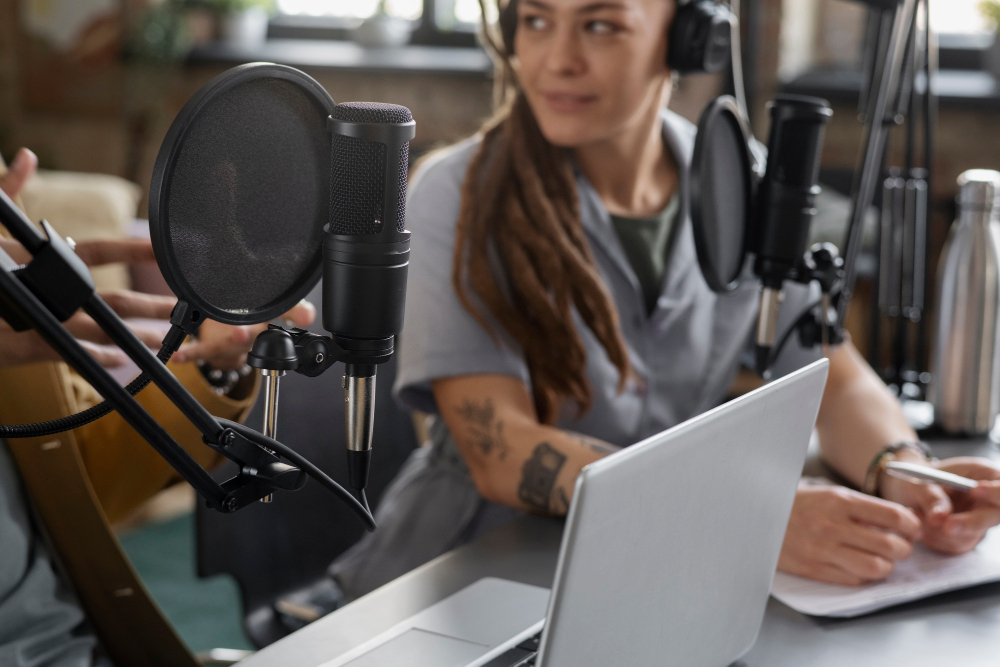
Blog content remains one of the most valuable outputs of any content repurposing strategy. Well-structured blog posts drive search engine traffic, build topical authority, and serve audiences who prefer reading over watching or listening. Yet writing high-quality blog content consistently demands significant time — time that most content teams cannot spare alongside their core production responsibilities.
What Does Riverside’s Blog Generation Process Actually Produce?
When you activate Riverside’s AI writing features after a recording, the system analyzes the full transcript and restructures it into a coherent written format. Rather than simply reformatting a transcript verbatim — which would produce a difficult-to-read wall of conversational text — Riverside’s AI applies editorial judgment to identify the key themes, arguments, and insights from the conversation, then organizes these into a structured article with an introduction, body sections, and conclusion.
The generated draft includes suggested headings, natural paragraph breaks, and a summary of key takeaways. From there, a content writer or editor typically spends 30–60 minutes refining the draft: adding SEO optimization, tightening transitions, embedding links, and adjusting the tone for the target audience. According to HubSpot’s 2025 State of Marketing Report, AI-assisted content creation reduces average content production time by 54% without compromising performance metrics when human editors refine the output.
How Should Teams Optimize AI-Generated Blog Content for SEO?
AI-generated blog drafts from Riverside provide an excellent structural foundation, but search engine optimization (SEO) requires additional intentional steps. The most effective teams treat the AI output as a first draft that accelerates — rather than replaces — their SEO workflow. Key optimization steps include:
- Conduct keyword research before or immediately after recording using tools like Ahrefs, Semrush, or Google Search Console to identify the target search terms the blog should rank for.
- Map the AI-generated headings to keyword-rich alternatives that align with actual search queries your audience uses.
- Add internal links to related content on your website, which strengthens topical authority signals for search engines.
- Enrich the draft with specific data points, statistics, or expert quotes that the conversation may have referenced but not cited formally.
- Optimize meta titles and descriptions separately, as these critical SEO elements require deliberate crafting beyond what the AI draft provides.
- Review readability scores using tools like Hemingway Editor or Yoast SEO to ensure the content meets audience expectations for clarity.
Teams that follow this workflow consistently report that Riverside-generated blog posts reach publishable quality in under 90 minutes — compared to 4–6 hours for articles written entirely from scratch.
How Can Riverside’s AI Clips Maximize Social Media Reach?
Short-form video has become the dominant content format across virtually every major social platform. According to Sprout Social’s 2025 Social Media Content Strategy Report, short-form video generates 2.5 times more engagement than long-form video on social media, and 66% of consumers report watching short videos to learn about a product or service. For content teams, this creates enormous pressure to produce high-quality short clips at volume.
What Social Platforms Does Riverside Optimize Clips For?
Riverside’s export system addresses the technical requirements of each major platform automatically. Rather than manually resizing and reformatting videos for different channels, creators select their target platforms and Riverside handles the technical specifications:
| Platform | Aspect Ratio | Max Length | Riverside AI Optimization |
| Instagram Reels | 9:16 vertical | 90 seconds | Auto-captions, speaker framing |
| TikTok | 9:16 vertical | 60–180 seconds | Hook identification, trending pacing |
| YouTube Shorts | 9:16 vertical | 60 seconds | Thumbnail frame selection |
| LinkedIn Video | 1:1 or 16:9 | 3–10 minutes | Professional tone caption suggestions |
| Twitter / X | 16:9 or 1:1 | 2 minutes 20 seconds | Concise caption generation |
| Facebook Reels | 9:16 vertical | 60 seconds | Auto-captions for silent viewing |
How Does Auto-Captioning Increase Clip Performance?
Riverside automatically generates captions for every video export, and this feature delivers a measurable impact on performance. Research from Verizon Media found that 69% of people watch video with the sound off in public settings, meaning captions are not merely an accessibility feature — they are a core engagement driver. Riverside’s caption accuracy consistently exceeds 95% for standard English recordings, and the platform supports caption generation in over 100 languages, making it highly practical for global content teams.
Beyond basic transcription, Riverside’s caption styling tools allow teams to customize fonts, colors, animations, and positioning to match brand guidelines. The most engaging short-form content typically features dynamic, word-by-word caption animations — sometimes called “karaoke-style” captions — which Riverside generates automatically. This level of production polish previously required dedicated motion graphics software and significant editing expertise.
How Does Riverside Help Teams Repurpose Recordings Into Webinar Content?
Webinars occupy a unique position in the content ecosystem: they deliver high value to audiences through structured, educational presentations, yet they also generate enormous amounts of raw material that most organizations underutilize. A 60-minute webinar typically contains enough insights, case studies, and expert commentary to fuel multiple derivative content pieces — if teams have the right tools to extract and repackage that material.
What Makes Riverside Particularly Effective for Webinar Repurposing?
Riverside’s multi-track recording architecture makes it especially well-suited for webinar content. Because each speaker’s audio and video records separately, editors can create highlight reels that seamlessly blend the best moments from different sections of the presentation without quality loss. Furthermore, Riverside’s AI chapter generation automatically segments long webinar recordings into logical sections — introduction, key concepts, case studies, Q&A — which makes it dramatically easier for both editors and audiences to navigate the content.
Teams typically repurpose a single Riverside-recorded webinar into the following derivative formats: a full recording for on-demand access, a 3–5 minute highlight reel for promotional use, individual expert clips for speaker profiles, a blog post summarizing the key findings, a slide-by-slide written breakdown for LinkedIn articles, an email newsletter featuring the top three insights, and a series of social media quote cards from the most compelling moments. Riverside makes this entire transformation achievable within a standard working day for a single editor or content coordinator.
How Does Riverside’s Transcription Support Webinar Accessibility and SEO?
Beyond content repurposing, Riverside’s automatic transcription delivers two additional strategic benefits for webinar content. First, it makes webinars fully accessible to deaf and hard-of-hearing audiences, which aligns with WCAG 2.1 accessibility guidelines and increasingly with legal requirements in many jurisdictions. Second, publishing a transcript alongside a webinar recording dramatically improves its SEO value — search engines can index the full text of the transcript, enabling the webinar page to rank for the specific topics, terminology, and questions discussed during the session.
According to Moz’s research on video SEO, pages that include video transcripts receive significantly more organic search traffic than video-only pages, because transcripts extend the indexable content on the page and naturally incorporate long-tail keywords that the speakers use during natural conversation. This means every Riverside-recorded webinar becomes a durable, compounding SEO asset rather than a one-time traffic event.
What Return on Investment Does a Riverside Content Pipeline Deliver?

Investing in AI-powered content repurposing tools requires justification beyond the appeal of time savings. Decision-makers need concrete ROI data to evaluate whether platforms like Riverside justify their cost relative to traditional production workflows. Fortunately, the economics of content repurposing are compelling across virtually every content team size and budget level.
How Does Riverside Compare to Traditional Content Production Costs?
| Content Output | Traditional Production Time | Riverside AI-Assisted Time |
| Full transcript | 2–4 hours (manual) | 5–10 minutes (automated) |
| Blog post draft (1,000 words) | 4–6 hours | 30–60 min (AI draft + edit) |
| 5 short video clips | 3–5 hours (editing) | 20–30 min (Magic Clips) |
| Social captions (per clip) | 30–60 min per clip | Instant (AI-generated) |
| Webinar highlight reel (3 min) | 4–8 hours | 1–2 hours |
| Podcast episode show notes | 1–2 hours | 10–15 min (AI summary) |
| Total (all above) | 14.5–26 hours | 2–4.5 hours |
What Is the Actual Cost Saving for a Typical Content Team?
To make these figures concrete, consider a content team that produces two long-form recordings per month — a common cadence for podcasters, B2B marketers, and media brands. Using the time savings from the table above, a Riverside-powered workflow saves approximately 20–44 hours of production time per month. At an average content specialist rate of $35–$60 per hour, this represents a monthly saving of $700–$2,640 in labor costs alone — far exceeding Riverside’s subscription cost at any tier.
Beyond direct labor savings, the multiplication of content output creates compounding value. More published content means more SEO indexing opportunities, more social touchpoints, and more chances to reach new audiences without additional recording time. Research from Demand Metric indicates that content marketing generates three times as many leads per dollar spent as traditional outbound marketing. A content pipeline powered by Riverside amplifies this advantage by maximizing the output from every dollar invested in original content production.
Conclusion: Is Riverside’s AI the Future of Content Repurposing?
The content landscape rewards consistency, volume, and quality simultaneously — a combination that traditional production workflows struggle to deliver sustainably. Teams that continue producing content in silos, treating each blog post, social clip, and webinar as a separate production project, will inevitably fall behind competitors who have built efficient repurposing pipelines from their original recordings.
Riverside transforms this equation fundamentally. By capturing studio-quality recordings and immediately applying AI to generate transcripts, clips, blog drafts, captions, and show notes, Riverside compresses what once required days of post-production work into hours — or in many cases, minutes. The platform does not merely save time; it fundamentally changes what a small content team can achieve. A two-person podcast operation can now produce the content volume that previously required a full editorial department.
The key insight is that repurposing is not about cutting corners — it is about maximizing the value locked inside every recording. Every insightful conversation, expert interview, or educational presentation contains far more usable content than a single published episode can communicate. Riverside’s AI pipeline extracts this latent value systematically, converting it into blog posts that drive search traffic, clips that build social audiences, and webinar content that educates and converts prospects.
The question is no longer whether AI-powered content repurposing is viable — the evidence clearly demonstrates that it is. The real question is how quickly your organization will build the pipeline that makes it work for you.
Frequently Asked Questions
Riverside’s AI generates high-quality first drafts that dramatically accelerate the content creation process, but human editorial review remains important for most publishing contexts. The AI transcription exceeds 95% accuracy for standard English, which means a 60-minute recording might contain 30–50 minor transcription errors that require correction. The blog post drafts and social captions similarly require a human pass to adjust tone, add brand-specific language, incorporate SEO keywords, and verify factual accuracy of any claims made during the conversation. The most effective teams treat Riverside’s AI output as a professional first draft rather than a finished product — the AI handles the structural heavy lifting, and a human editor applies the final polish. This division of labor is where the dramatic time savings emerge: editors who once spent four to six hours writing a blog post from scratch now spend 30–60 minutes refining an AI-generated draft.
The output depends on the length and quality of the original recording, but a well-structured 60-minute interview or podcast episode typically generates the following assets through Riverside’s AI pipeline: one full-length audio or video episode, one complete transcript (3,000–7,000 words depending on speaking pace), five to ten short video clips for social media, one blog post draft of 800–1,500 words, one newsletter summary of 300–500 words, six to twelve social media captions, one set of chapter markers and show notes, and one highlight reel of three to five minutes suitable for promotional use. This means a single recording session can realistically fill two to four weeks of multi-channel publishing, depending on your distribution cadence.
Why Should You Work With Solution for Guru to Build Your Riverside Content Pipeline?
Adopting Riverside and building an effective AI-powered content repurposing pipeline requires more than simply subscribing to the platform. It demands workflow design, team training, integration setup, and ongoing optimization — all areas where many content teams lack dedicated expertise or bandwidth. This is precisely where partnering with a specialized implementation partner delivers transformative value.

Solution for Guru specializes in helping organizations implement, integrate, and optimize digital content tools, including Riverside-powered workflows. Their team combines deep platform expertise with practical content strategy knowledge, enabling clients to move from initial setup to fully operational pipelines faster and more reliably than going it alone. Here is what partnering with Solution for Guru specifically delivers:
- Custom Pipeline Design — Solution for Guru’s consultants map your specific content goals, team structure, and distribution channels to design a Riverside workflow that matches your exact operational reality rather than a generic template.
- Technical Integration Setup — The team configures Riverside’s integrations with your CMS, social scheduling tools, podcast distributor, and project management system — building the automation connections that eliminate manual file handling entirely.
- Team Onboarding and Training — Solution for Guru trains your content producers, editors, and marketing staff on Riverside’s AI features, ensuring every team member understands how to extract maximum value from each recording session.
- Scalability Planning — As your content program grows, Solution for Guru advises on scaling your Riverside infrastructure, whether that means adding team members, expanding into new content formats, or integrating additional AI tools into the pipeline.
Organizations that work with Solution for Guru typically launch their fully operational Riverside content pipeline within two to four weeks — compared to the two to three months that self-directed implementation often requires. This accelerated timeline means teams start generating multi-channel content from their recordings significantly sooner, producing measurable ROI from their Riverside investment within the first month of operation.
Recommended:
- Podcaster’s Guide to AI-Produced Show Notes & Episode Chapters
- Maximizing Engagement: How to Create Social Media Clips with Riverside’s AI
- How Riverside’s AI Tools Can Slash Editing Time for Podcasters
- When to Use Riverside and When to Use Complementary Tools (e.g., Descript, Premiere)?
- From Solo Podcaster to Global Audience with Riverside AI
- Riverside vs Traditional Editors (Premiere, Audacity, etc.) — Pros and Cons
- How AI Editing Tools Like Riverside Are Reshaping Content Production
- What is Riverside – AI Content Editing Software?