How Remote Access Software Is Reshaping Modern Professions?

The modern workplace has undergone a dramatic transformation over the past decade, with remote access software emerging as a cornerstone technology that enables professionals to work from virtually anywhere. As businesses increasingly embrace flexible work arrangements and global collaboration, remote access tools have become essential infrastructure rather than optional conveniences. This comprehensive exploration examines how these powerful technologies are fundamentally changing the way professionals across industries approach their work, communicate with colleagues, and deliver value to clients.
Table of Contents
- Quick Summary
- What Is Remote Access Software and Why Does It Matter?
- How Are Different Industries Adopting Remote Access Technologies?
- What Key Features Should Professionals Look for in Remote Access Solutions?
- How Is Remote Access Software Transforming IT and Technical Support?
- What Impact Does Remote Access Have on Healthcare Professionals?
- How Are Financial Services Leveraging Remote Access Tools?
- What Role Does Remote Access Play in Education and Training?
- How Do Creative Professionals Benefit from Remote Access Technology?
- How Do Specialized Platforms Integrate Remote Access Capabilities?
- What Does the Future Hold for Remote Access Technology?
- Summing up
- Frequently Asked Questions
Quick Summary
Remote access software has revolutionized modern work by enabling professionals to connect to computers, networks, and systems from any location. This technology facilitates remote troubleshooting, collaborative work, flexible scheduling, and global team coordination. Leading solutions like ManageEngine, ZOHO, and Zendesk offer comprehensive platforms that combine remote access capabilities with broader business management tools. Furthermore, the rise of remote work has created unprecedented opportunities for professionals to balance productivity with flexibility while maintaining security and efficiency. As organizations continue adapting to distributed workforces, remote access technology remains at the forefront of digital transformation strategies.
What Is Remote Access Software and Why Does It Matter?
Remote access software represents a category of applications that allow users to connect to and control computers, servers, or networks from distant locations. Essentially, these tools create a virtual bridge between a user’s device and a target system, enabling real-time interaction as if the user were physically present at the remote location. The technology operates through various protocols and connection methods, typically requiring internet connectivity and appropriate authentication credentials to establish secure sessions.
The significance of remote access software in today’s professional landscape cannot be overstated. As businesses have shifted toward hybrid and fully remote work models, the ability to access critical systems, files, and applications from anywhere has become fundamental to operational continuity. Professionals ranging from IT administrators to customer support specialists rely on these tools daily to perform their essential functions without geographical constraints.
Moreover, remote access technology has proven invaluable during unexpected disruptions. When physical office access becomes limited or impossible, organizations equipped with robust remote access infrastructure can maintain productivity levels and continue serving clients effectively. This resilience has transformed remote access from a convenience feature into a business continuity essential.
Leading Remote Access Solutions in the Market
Among the prominent players in the remote access software landscape, several platforms have distinguished themselves through comprehensive feature sets and reliable performance. ManageEngine offers enterprise-grade remote access capabilities integrated within its broader IT management suite, enabling organizations to combine remote connectivity with asset management, monitoring, and automation features. This integrated approach streamlines workflows for IT professionals who need both remote access and comprehensive system oversight.
Similarly, ZOHO provides remote access functionality as part of its extensive business software ecosystem. Organizations using ZOHO’s suite can seamlessly incorporate remote support capabilities alongside CRM, project management, and communication tools, creating a unified platform for distributed teams. This integration reduces the complexity of managing multiple disconnected systems while improving overall efficiency.
Zendesk approaches remote access from a customer service perspective, incorporating remote assistance features within its customer support platform. This enables support teams to quickly diagnose and resolve customer issues by directly accessing their systems when necessary, dramatically reducing resolution times and improving customer satisfaction. The seamless integration between ticketing, communication, and remote access creates a powerful workflow for support professionals.
Core Capabilities That Define Modern Remote Access Tools
Modern remote access software encompasses several fundamental capabilities that distinguish professional-grade solutions from basic screen-sharing tools. First and foremost, these platforms offer secure, encrypted connections that protect sensitive data during transmission. Security features typically include multi-factor authentication, session recording, and granular permission controls that allow administrators to define precisely what remote users can access and modify.
Additionally, high-quality remote access solutions provide cross-platform compatibility, enabling connections between different operating systems and device types. Professionals might need to access Windows servers from MacOS laptops, troubleshoot Linux systems from tablets, or support mobile devices from desktop workstations. Consequently, versatility across platforms has become a standard expectation rather than a premium feature.
Performance optimization represents another critical capability. Modern remote access tools employ sophisticated compression algorithms and adaptive protocols that maintain responsive connections even over limited bandwidth. This ensures that professionals can work effectively regardless of network conditions, whether they’re accessing systems from home offices with fiber connections or remote locations with cellular data.
How Are Different Industries Adopting Remote Access Technologies?
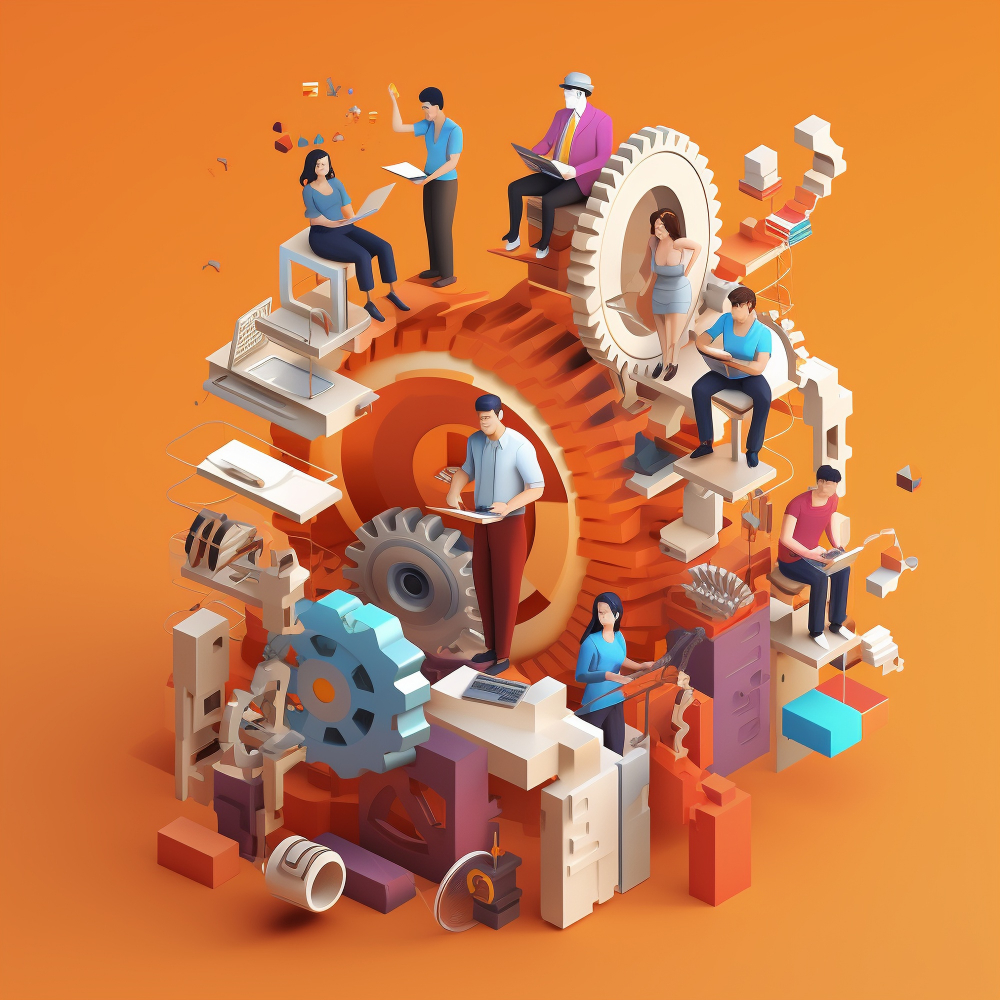
The adoption of remote access software has varied significantly across industries, with each sector adapting the technology to address specific operational needs and challenges. Understanding these industry-specific applications provides valuable insight into the versatile nature of remote access solutions and their transformative potential.
Technology and Software Development Sectors
Technology companies were among the earliest adopters of remote access tools, recognizing their value for distributed development teams and infrastructure management. Software developers regularly use remote access to work on powerful development servers, access testing environments, and collaborate on codebases stored on centralized systems. This approach allows companies to maintain expensive, specialized hardware in secure data centers while enabling developers to access these resources from cost-effective workstations.
Furthermore, DevOps teams leverage remote access extensively for server administration, deployment processes, and incident response. When critical issues arise, the ability to immediately access production systems from any location proves invaluable for minimizing downtime and maintaining service availability. Companies like ManageEngine have specifically tailored their remote access offerings to support these workflows, incorporating scripting capabilities and automation features that streamline routine administrative tasks.
Manufacturing and Industrial Operations
Interestingly, manufacturing has emerged as a significant adopter of remote access technology, though the applications differ markedly from office-based professions. Industrial facilities increasingly rely on remote access to monitor and control automated systems, troubleshoot equipment failures, and optimize production processes without requiring on-site presence. Specialized engineers can diagnose complex machinery issues from distant locations, directing local technicians through repair procedures or making remote adjustments to control systems.
This capability has proven particularly valuable for companies with multiple facilities or those serving international markets. Equipment manufacturers can provide remote support to clients worldwide, reducing the need for expensive on-site service calls while improving response times. Consequently, ZOHO and similar platforms have expanded their offerings to include features specifically designed for industrial applications, such as integration with SCADA systems and support for specialized industrial protocols.
Retail and E-commerce Operations
Retail organizations have embraced remote access technology to manage distributed point-of-sale systems, inventory management platforms, and e-commerce infrastructure. IT teams can remotely troubleshoot issues at retail locations without dispatching technicians, significantly reducing both downtime and support costs. During peak shopping periods, when system reliability becomes critical, remote access enables rapid response to technical issues that might otherwise result in lost sales.
Moreover, e-commerce businesses rely heavily on remote access for maintaining the complex technology stacks that power online shopping experiences. Development teams, database administrators, and security specialists need continuous access to production systems to deploy updates, optimize performance, and respond to security threats. Zendesk‘s remote access capabilities integrate seamlessly with customer support workflows, enabling support teams to assist customers with account issues, technical problems, or purchasing difficulties through guided remote sessions.
What Key Features Should Professionals Look for in Remote Access Solutions?
Selecting appropriate remote access software requires careful consideration of numerous features and capabilities that directly impact usability, security, and overall effectiveness. Professionals should evaluate potential solutions against specific criteria that align with their operational requirements and security standards.
Security and Compliance Features
Security stands as the paramount consideration when evaluating remote access solutions. Professional-grade platforms must offer end-to-end encryption for all data transmitted during remote sessions, protecting sensitive information from interception. Additionally, robust authentication mechanisms including multi-factor authentication, single sign-on integration, and biometric verification help ensure that only authorized users gain access to protected systems.
Compliance capabilities have become increasingly important as regulatory requirements around data protection have intensified. Organizations operating in regulated industries must select remote access tools that support compliance with standards such as GDPR, HIPAA, PCI-DSS, and SOC 2. Platforms like ManageEngine provide comprehensive audit logging and session recording features that enable organizations to demonstrate compliance during audits while maintaining accountability for remote access activities.
| Security Feature | Importance | Implementation Considerations |
| End-to-End Encryption | Critical | Verify encryption standards (AES-256 minimum) |
| Multi-Factor Authentication | Essential | Check compatibility with existing authentication systems |
| Session Recording | High | Ensure adequate storage for retention requirements |
| Granular Permissions | High | Assess flexibility of role-based access controls |
| Audit Logging | Critical | Confirm log retention and reporting capabilities |
Performance and Reliability Characteristics
The user experience during remote access sessions depends heavily on performance characteristics such as latency, responsiveness, and connection stability. Professionals working with graphically intensive applications require remote access solutions that can efficiently transmit high-quality video streams without excessive lag. Advanced protocols that dynamically adjust quality based on available bandwidth ensure usable connections across varying network conditions.
Reliability features such as automatic reconnection, session persistence, and connection failover mechanisms prevent frustrating interruptions that disrupt productivity. When network connections temporarily drop, sophisticated remote access tools seamlessly reestablish sessions without requiring users to restart their work. ZOHO‘s remote access implementation includes intelligent reconnection logic that maintains session state even through brief connectivity interruptions, minimizing frustration and productivity losses.
How Is Remote Access Software Transforming IT and Technical Support?
The IT support profession has perhaps experienced the most dramatic transformation due to remote access technology. Traditional support models requiring technicians to physically visit user locations or walk users through complex troubleshooting steps over the phone have given way to efficient remote assistance that resolves issues quickly and accurately.
Revolutionizing Help Desk Operations
Help desk teams equipped with remote access capabilities can diagnose and resolve technical issues significantly faster than traditional support methods allow. Rather than attempting to understand problems through user descriptions, which often lack technical precision, support technicians can directly observe issues, examine system configurations, and implement solutions in real-time. This direct access eliminates communication barriers and reduces the time required to resolve tickets.
Furthermore, remote access enables help desk professionals to support significantly larger user populations than would be possible with on-site support models. A single technician can potentially assist users across multiple locations, time zones, and continents without travel time or logistical constraints. ManageEngine‘s remote support capabilities include features specifically designed for help desk workflows, such as queuing systems, priority routing, and integration with ticketing platforms that streamline support operations.
Enabling Proactive IT Management
Beyond reactive problem-solving, remote access technology facilitates proactive IT management strategies that prevent issues before they impact users. IT teams can remotely monitor system health, perform preventive maintenance, deploy updates, and optimize configurations during off-hours without disrupting business operations. This proactive approach reduces downtime, improves system reliability, and enhances user satisfaction.
Moreover, remote access enables centralized management of distributed IT infrastructure. Organizations with multiple offices, retail locations, or remote workers can maintain consistent IT standards and security policies across their entire environment through centralized remote management. ZOHO‘s integrated approach combines remote access with comprehensive monitoring and management tools, creating a unified platform for maintaining complex, distributed IT environments.
Reducing Operational Costs
The financial benefits of remote access technology for IT operations prove substantial. Organizations can significantly reduce travel expenses, minimize equipment shipping costs, and optimize staffing levels by leveraging remote support capabilities. Additionally, faster problem resolution translates directly into reduced downtime costs and improved productivity across the organization.
The cost savings extend beyond direct expenses. Remote access capabilities enable organizations to consolidate IT support functions, potentially serving multiple locations or business units with smaller, more specialized teams. This consolidation improves expertise levels while reducing overhead costs associated with maintaining separate support organizations. Zendesk‘s customer-focused remote access tools demonstrate how specialized platforms can maximize efficiency within specific operational contexts, delivering targeted value that justifies investment.
What Impact Does Remote Access Have on Healthcare Professionals?

Healthcare represents a unique industry where remote access technology has created transformative possibilities while introducing complex regulatory and ethical considerations. Medical professionals increasingly rely on remote access capabilities to deliver care, collaborate with colleagues, and manage clinical systems, fundamentally changing how healthcare services are provided.
Enabling Telemedicine and Remote Consultations
Remote access technology forms the foundation of modern telemedicine platforms, enabling healthcare providers to examine patients, review medical records, and prescribe treatments without physical proximity. Specialists can consult on complex cases regardless of geographical distance, bringing expertise to underserved areas where specialized care might otherwise be unavailable. This capability has proven particularly valuable in rural communities and during public health emergencies that limit in-person interactions.
Consequently, healthcare organizations have invested heavily in secure remote access infrastructure that meets stringent HIPAA requirements while providing reliable connections for clinical workflows. Platforms must encrypt patient data, maintain comprehensive audit trails, and implement strict access controls that protect sensitive health information. ManageEngine offers healthcare-specific configurations that address these unique requirements, ensuring compliance while enabling efficient remote workflows.
Supporting Medical Device Management
Modern healthcare facilities rely on increasingly sophisticated medical devices and diagnostic equipment that require regular maintenance, calibration, and software updates. Remote access technology enables biomedical engineering teams to manage these devices efficiently, performing routine maintenance tasks and troubleshooting issues without physically visiting each device location. This remote management capability improves device uptime while reducing maintenance costs.
Furthermore, medical device manufacturers leverage remote access to provide technical support to healthcare facilities, diagnose equipment problems, and deploy software updates that introduce new features or address security vulnerabilities. This remote support model reduces service response times while ensuring that critical medical equipment remains operational and up-to-date. ZOHO‘s remote management capabilities can be adapted to healthcare equipment management workflows, providing secure connections for device administration while maintaining compliance with medical device regulations.
Facilitating Healthcare IT Operations
Healthcare IT departments face unique challenges managing complex electronic health record systems, clinical applications, and the diverse technology infrastructure required for modern medical facilities. Remote access tools enable IT professionals to maintain these critical systems efficiently, performing updates, troubleshooting issues, and ensuring continuous availability of systems that directly impact patient care.
Additionally, remote access capabilities support the growing trend toward centralized healthcare IT services that serve multiple facilities within healthcare networks. Organizations can consolidate technical expertise while providing responsive support to distributed locations, improving service quality while optimizing costs. Zendesk‘s integration capabilities make it well-suited for healthcare environments where remote access must coordinate with ticketing systems, communication platforms, and clinical workflows to deliver seamless support experiences.
How Are Financial Services Leveraging Remote Access Tools?
Financial services organizations operate under stringent regulatory requirements and face sophisticated security threats, making their adoption of remote access technology particularly interesting. These organizations have successfully implemented remote access solutions that balance operational efficiency with the robust security controls demanded by regulators and clients.
Securing Remote Banking Operations
Banking institutions have extensively deployed remote access technology to enable secure work-from-home arrangements for employees handling sensitive financial data and customer transactions. Remote access platforms designed for financial services incorporate enhanced security features including session isolation, prevention of data transfers to local devices, and watermarking that deters unauthorized screenshots or recordings. These controls help organizations maintain security standards while offering workplace flexibility.
Moreover, remote access enables banks to maintain business continuity during disruptions that prevent physical office access. When natural disasters, infrastructure failures, or public health emergencies occur, financial institutions equipped with robust remote access capabilities can continue serving customers without interruption. ManageEngine‘s enterprise-focused remote access solutions include security features specifically valued by financial services organizations, such as privileged session management and integration with security information and event management systems.
Supporting Trading and Investment Operations
Trading floors and investment management operations have traditionally required physical presence due to the need for specialized equipment, multiple displays, and secure network access. However, remote access technology has evolved to support even these demanding workflows, enabling traders and portfolio managers to work effectively from remote locations when necessary. High-performance remote access solutions deliver the low latency and visual quality required for real-time trading activities.
Furthermore, financial advisory firms leverage remote access to serve clients effectively regardless of location. Advisors can securely access client portfolios, financial planning tools, and market data while meeting with clients or working from remote offices. This flexibility improves client service while enabling firms to recruit talent from broader geographical areas. ZOHO‘s comprehensive business platform includes remote access capabilities that integrate with CRM and financial management tools, creating unified workflows for financial advisory operations.
What Role Does Remote Access Play in Education and Training?
Educational institutions and training organizations have discovered numerous applications for remote access technology that extend far beyond emergency remote learning implementations. These tools enable innovative instructional approaches, improve access to specialized resources, and create flexible learning environments that serve diverse student populations.
Enabling Remote Laboratory Access
Science, technology, engineering, and mathematics programs often require specialized laboratory equipment and computing resources that individual students cannot reasonably own. Remote access technology provides students with connections to powerful workstations, specialized software, and laboratory equipment from their personal devices, democratizing access to resources that would otherwise limit participation. Students can conduct experiments, run simulations, and develop projects using professional-grade tools regardless of their personal financial resources.
Moreover, remote laboratory access enables flexible scheduling that accommodates students balancing education with work or family responsibilities. Rather than requiring physical presence during specific laboratory hours, students can access resources during evenings, weekends, or other times that fit their schedules. ManageEngine‘s remote access capabilities support educational environments by providing secure, monitored connections that protect expensive equipment while enabling broad student access.
Supporting Faculty Collaboration and Research
Academic research increasingly involves collaboration between institutions, with researchers sharing data, computational resources, and specialized equipment across geographical boundaries. Remote access technology facilitates these collaborations by enabling researchers to access shared resources, contribute to joint projects, and analyze data regardless of physical location. This capability accelerates research progress while reducing the costs and environmental impact of travel.
Furthermore, faculty members use remote access to maintain productivity when traveling to conferences, conducting field research, or working from home. The ability to access campus systems, grade assignments, update course materials, and communicate with students from any location supports work-life balance while maintaining instructional quality. ZOHO‘s integrated platform supports educational workflows by combining remote access with communication, document management, and collaboration tools that streamline academic operations.
Expanding Professional Development Opportunities
Corporate training and professional development programs leverage remote access technology to deliver hands-on technical training efficiently. Trainees can access practice environments, complete lab exercises, and experiment with new technologies without requiring expensive local infrastructure. Training providers can serve larger audiences while reducing facility costs and logistical complexity.
Additionally, remote access enables experienced professionals to mentor and support less experienced colleagues regardless of location. Subject matter experts can demonstrate techniques, troubleshoot problems, and provide guidance through screen sharing and remote control capabilities that replicate the experience of side-by-side learning. Zendesk‘s remote assistance features support training workflows by enabling instructors to observe student work, provide real-time feedback, and intervene when students encounter difficulties.
How Do Creative Professionals Benefit from Remote Access Technology?
Creative industries including graphic design, video production, animation, and architecture have traditionally relied heavily on powerful workstations with specialized hardware that anchored professionals to specific physical locations. Remote access technology has disrupted this model, enabling creative professionals to work flexibly while accessing the computational resources their demanding applications require.
Accessing High-Performance Creative Workstations
Professional creative applications for video editing, 3D rendering, and computer-aided design require substantial computational power that portable devices cannot provide. Remote access solutions enable creative professionals to work from laptops or tablets while accessing powerful workstations equipped with high-end processors, dedicated graphics cards, and large amounts of memory. This approach combines portability with performance, allowing professionals to work from client sites, home offices, or while traveling.
Furthermore, creative studios can optimize hardware investments by sharing powerful workstations among team members who work different schedules or need high-performance resources intermittently. Rather than purchasing expensive equipment for every professional, organizations can maintain a pool of shared resources accessed remotely as needed. ManageEngine‘s remote access platform supports creative workflows by providing high-quality video streaming that preserves color accuracy and detail essential for professional creative work.
Facilitating Client Collaboration
Creative professionals frequently need to share work in progress with clients, receive feedback, and make revisions based on client input. Remote access technology enables real-time collaboration sessions where clients can observe work in progress, suggest changes, and approve final products without requiring in-person meetings. This remote collaboration capability accelerates project timelines while reducing scheduling challenges and travel requirements.
Moreover, remote access platforms enable creative professionals to demonstrate techniques, walk clients through design rationale, and make live adjustments during presentations. This interactive approach improves client communication while reducing the misunderstandings that sometimes arise from static presentations or written descriptions. ZOHO‘s remote collaboration features integrate with project management and communication tools, creating streamlined workflows that keep creative projects organized and on schedule.
Supporting Distributed Creative Teams
Large creative projects increasingly involve distributed teams with specialists in different geographical locations contributing their expertise. Remote access technology enables these distributed teams to work with centralized asset libraries, share project files, and collaborate on deliverables without the file versioning problems and duplication that plague less coordinated workflows. Team members can access current project versions, see each other’s work in progress, and coordinate their contributions efficiently.
Additionally, creative agencies serving international clients can leverage remote access to provide around-the-clock service, with team members in different time zones passing projects between shifts. This follow-the-sun model accelerates project completion while maintaining work-life balance for team members. Zendesk‘s remote access and collaboration features support creative team workflows by enabling both internal collaboration and client interaction through a unified platform.
How Do Specialized Platforms Integrate Remote Access Capabilities?
| Platform | Remote Access Features | Key Strengths | Ideal For |
|---|---|---|---|
 | Integrated remote control, file transfer, remote deployment, unattended access | Comprehensive ITSM suite, affordable pricing, extensive customization | Mid-sized organizations seeking all-in-one solutions |
 | Remote desktop access, screen sharing, session recording, mobile support | Ecosystem integration, user-friendly interface, scalable pricing | Organizations using multiple Zoho products |
 | Co-browsing, screen sharing, integrated messaging, workflow automation | Exceptional user experience, robust integrations, customer-centric design | Customer support teams prioritizing experience quality |
ManageEngine Remote Desktop Software

ManageEngine offers an extensive portfolio of IT management tools, with ServiceDesk Plus serving as its flagship ITSM solution. The platform distinguishes itself through deep integration of remote access capabilities via Remote Access Plus, which provides IT technicians with comprehensive control over endpoint devices regardless of location or network configuration.
The remote access functionality within ManageEngine enables technicians to troubleshoot issues, deploy software, transfer files, execute scripts, and perform system maintenance tasks without interrupting user workflows. Additionally, the platform supports both attended sessions (with user presence and permission) and unattended access (for maintenance during off-hours or on unmanned systems like servers and kiosks). This flexibility proves particularly valuable for organizations managing diverse device fleets across multiple locations.
Furthermore, ManageEngine’s remote access integrates seamlessly with its asset management and patch management modules, enabling technicians to access detailed hardware and software inventories during support sessions. This context dramatically improves troubleshooting efficiency by providing complete system visibility before establishing connections. The platform’s wake-on-LAN capability allows technicians to remotely power on sleeping systems, while its remote shutdown and restart functions facilitate maintenance operations without physical intervention.
Security represents a paramount consideration in ManageEngine’s remote access implementation. All sessions utilize SSL encryption to protect data in transit, while multi-factor authentication options ensure that only authorized personnel can establish connections. Session recording capabilities create comprehensive audit trails for compliance and quality assurance purposes, documenting every action taken during remote sessions. These security features make ManageEngine particularly suitable for organizations in regulated industries with stringent compliance requirements.
ZOHO: Integrated Ecosystem with Seamless Remote Support

ZOHO has built a comprehensive business software ecosystem that includes ZOHO Desk for customer support and ZOHO Assist for remote access. The strategic advantage of ZOHO’s approach lies in the deep integration between these applications, creating unified workflows that span support ticket management and hands-on technical intervention.
ZOHO Assist provides IT teams and customer support professionals with instant remote access capabilities embedded directly within support tickets. When a customer issue requires visual diagnosis or hands-on resolution, support agents can initiate remote sessions with a single click, generating session codes that customers enter to grant access. This streamlined process minimizes the friction typically associated with establishing remote connections, improving first-call resolution rates and customer satisfaction.
Moreover, ZOHO‘s remote access solution supports multiple connection types tailored to different support scenarios. Remote desktop access provides full control over customer systems for complex troubleshooting, while screen sharing enables collaborative problem-solving where agents guide customers through resolution steps. Voice chat and annotation tools enhance communication during sessions, ensuring clarity even when dealing with non-technical users. The platform’s mobile applications extend these capabilities to smartphones and tablets, enabling support teams to assist customers regardless of their own location or device.
Zendesk: Customer-Centric Support with Elegant Remote Capabilities
Zendesk has established itself as a premier customer support platform renowned for its exceptional user experience and customer-centric design philosophy. While historically focused on ticketing and knowledge management, Zendesk has expanded to incorporate remote assistance capabilities that align with its emphasis on seamless, frustration-free customer interactions.
Zendesk’s approach to remote access emphasizes co-browsing and screen sharing rather than full remote control, reflecting its customer service orientation. Co-browsing allows support agents to view customer web browser sessions in real-time, navigating alongside customers and highlighting specific elements to guide them through processes. This collaborative approach proves particularly effective for SaaS applications, e-commerce platforms, and web-based tools where customers need guidance rather than hands-off technical intervention.
Additionally, Zendesk integrates with specialized remote access providers through its robust marketplace, allowing organizations to connect best-of-breed remote tools while maintaining Zendesk as their central support hub. These integrations ensure that remote session data flows back into Zendesk tickets, maintaining comprehensive support histories and enabling analytics across all support channels. The platform’s workflow automation capabilities can trigger remote session invitations based on ticket attributes, proactively offering assistance when issues match patterns likely requiring visual diagnosis.
What Does the Future Hold for Remote Access Technology?
Remote access technology continues evolving rapidly, with emerging capabilities promising to further transform how professionals work and organizations operate. Understanding these trends helps professionals and organizations prepare for coming changes while making informed investment decisions about current implementations.
Artificial Intelligence Integration
Artificial intelligence is increasingly being integrated into remote access platforms, enabling capabilities such as intelligent routing that connects users with optimal servers based on location and load, predictive performance optimization that anticipates connectivity issues before they impact users, and automated problem resolution that addresses common issues without human intervention. These AI-enhanced features improve user experiences while reducing administrative overhead.
Furthermore, AI-powered security features are emerging that detect anomalous behavior patterns, identify potential security incidents in real-time, and automatically implement protective responses. Machine learning algorithms can recognize when remote access sessions deviate from normal patterns, potentially indicating compromised credentials or insider threats. ZOHO is investing in AI capabilities that enhance its platform’s intelligence, including remote access features that learn from usage patterns to optimize performance and security.
Zero Trust Architecture Adoption
The cybersecurity industry is shifting toward zero trust architectures that assume breach and verify every access request regardless of source. Remote access platforms are evolving to support zero trust principles through continuous authentication, microsegmentation, and least-privilege access controls that grant only the minimum permissions necessary for specific tasks. These architectural changes fundamentally improve security posture while accommodating the distributed work models that remote access enables.
Moreover, zero trust implementations increasingly leverage identity-centric security models that authenticate and authorize users based on comprehensive identity verification rather than simply network location. This approach better aligns with modern work patterns where users access systems from diverse locations and devices. ManageEngine‘s remote access solutions are evolving to incorporate zero trust principles, providing organizations with security architectures suited to contemporary threat landscapes.
Enhanced Virtual and Augmented Reality Integration
Emerging virtual and augmented reality technologies promise to enhance remote access experiences by providing more immersive and intuitive interfaces. Rather than viewing remote systems through traditional 2D screens, future remote access platforms might enable users to navigate 3D representations of systems, manipulate virtual objects corresponding to real infrastructure, and collaborate in shared virtual spaces that replicate physical presence.
These immersive technologies could particularly benefit fields such as equipment maintenance, where technicians could visualize complex machinery in three dimensions, overlay diagnostic information onto physical equipment, and receive guidance from remote experts who can annotate their shared field of view. Zendesk and similar platforms are exploring how immersive technologies might enhance customer support workflows, potentially enabling support technicians to guide customers through troubleshooting procedures more effectively than current screen-sharing approaches allow.
Summing up
Remote access software has fundamentally reshaped how modern professionals approach their work, enabling flexibility, efficiency, and capabilities that were unimaginable just a decade ago. Across industries ranging from healthcare to financial services, from education to creative fields, professionals leverage remote access technology to deliver value in ways that transcend geographical boundaries and traditional workplace constraints. The COVID-19 pandemic accelerated adoption of these technologies, transforming remote access from a convenience to an essential business capability that organizations cannot afford to overlook.
Throughout this exploration, we’ve examined how different industries adapt remote access technology to their unique requirements, balancing operational needs against security considerations and regulatory requirements. Leading platforms such as ManageEngine, ZOHO, and Zendesk have emerged as comprehensive solutions that combine remote access capabilities with broader business management, customer support, and IT administration features. These integrated platforms demonstrate how remote access technology has matured beyond simple screen-sharing utilities into sophisticated tools that enable complex organizational workflows.
Looking forward, emerging technologies including artificial intelligence, quantum-resistant encryption, and immersive interfaces promise to further enhance remote access capabilities while addressing evolving security challenges. Organizations that invest strategically in remote access infrastructure today position themselves advantageously for the distributed work models that will increasingly define professional environments. The transformation remote access software has initiated shows no signs of slowing, with innovations continuing to expand the boundaries of what professionals can accomplish regardless of their physical location.
The implementation journey requires careful planning, comprehensive security measures, and ongoing optimization to realize the full potential of remote access capabilities. Organizations must balance accessibility with security, convenience with compliance, and innovation with stability. By selecting robust platforms like ManageEngine for enterprise IT management, ZOHO for integrated business operations, or Zendesk for customer-focused support workflows, organizations establish foundations for successful remote access strategies that scale with their evolving needs.
Frequently Asked Questions
While screen sharing tools allow users to view another person’s screen during meetings or presentations, remote access software provides complete control over remote computers and systems. Remote access solutions offer comprehensive capabilities including file transfer, system administration, security controls, session recording, and integration with enterprise systems. Additionally, remote access platforms designed for professional use incorporate robust security features such as encryption, multi-factor authentication, and audit logging that basic screen sharing tools typically lack. Professional remote access solutions like those from ManageEngine, ZOHO, and Zendesk also provide administrative controls, usage monitoring, and compliance features essential for business environments.
The bandwidth requirements for remote access depend on the specific use case and quality expectations. Basic remote administration tasks requiring only keyboard and mouse input can function adequately with connections as slow as 1-2 Mbps. However, professionals working with graphical applications, multiple monitors, or high-resolution displays should target minimum speeds of 5-10 Mbps for acceptable performance. Video editing, CAD work, and other graphically intensive applications benefit from 25 Mbps or faster connections to maintain smooth, responsive experiences. Modern remote access solutions employ adaptive protocols that adjust quality based on available bandwidth, ensuring usable connections across varying network conditions while optimizing performance when faster connections are available.
Why Partner with Solution for Guru?
As organizations navigate the complexities of implementing and optimizing remote access solutions, partnering with experienced technology advisors becomes invaluable. Solution for Guru specializes in helping businesses identify, deploy, and maximize the value of enterprise software solutions including remote access platforms. Their team brings extensive experience across industries and technologies, enabling them to provide tailored guidance that addresses unique organizational requirements and challenges.
Solution for Guru offers comprehensive services spanning initial requirements analysis, vendor evaluation, implementation planning, user training, and ongoing optimization support. Rather than advocating for specific vendors, their vendor-agnostic approach ensures recommendations align with client needs rather than commission structures. This objectivity proves particularly valuable in the remote access space, where numerous solutions with different strengths suit different organizational contexts.

Furthermore, Solution for Guru maintains relationships with leading software providers including ManageEngine, ZOHO, and Zendesk, enabling them to facilitate favorable licensing terms while providing implementation expertise that ensures successful deployments. Their ongoing support services help organizations adapt their remote access strategies as business needs evolve, technology capabilities advance, and security requirements change.
Organizations partnering with Solution for Guru benefit from reduced implementation risks, accelerated time-to-value, and optimized total cost of ownership for their remote access investments. By leveraging their expertise, businesses can avoid common pitfalls, incorporate industry best practices, and build remote access capabilities that deliver sustained competitive advantages in an increasingly distributed work environment.
Recommended:
- What Are Remote Access Tools and How Do They Transform Business Operations?
- What is Desktop Remote Access and How Does It Work?
- How Can Organizations Implement Robust Remote Access Security?
- What Is Remote Access Software and How Does It Enable Modern IT Support?
- What Is Remote Access and How Does It Transform Modern Work?