
Monday.com vs. Asana vs. ClickUp: Which Tool Fits Your Workflow?
Choosing the right work management platform is essential for team collaboration, productivity, and scalability. This article compares monday.com, Asana, and ClickUp—three leading project and workflow management tools—so you can determine which one best fits your team’s needs.
What Are Monday.com, Asana, and ClickUp — And How Are They Different?
What Is Monday.com?
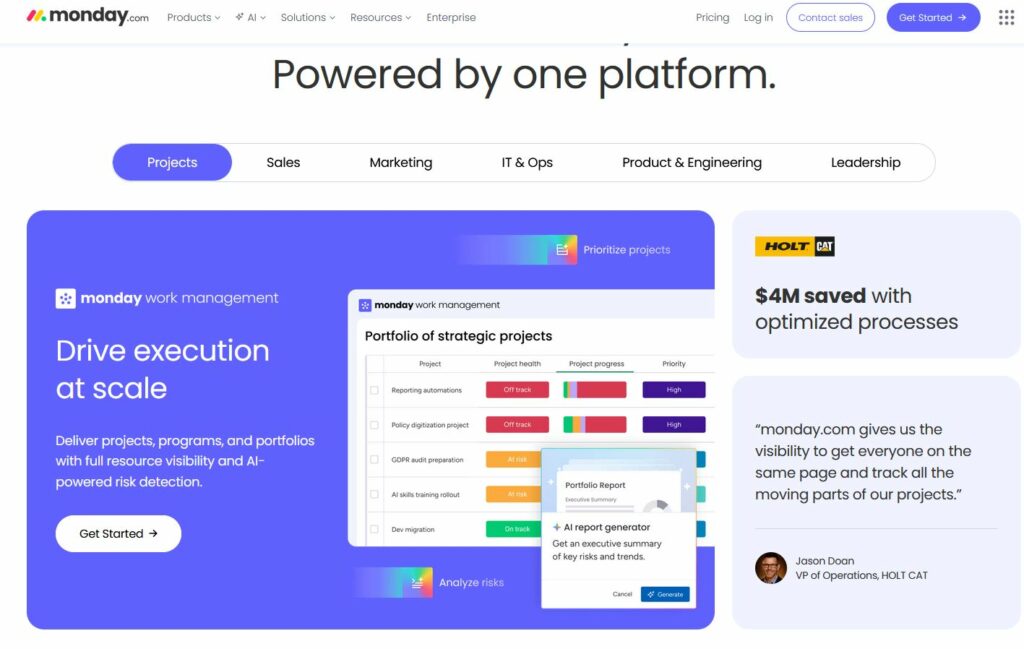
Monday.com is a cloud-based Work Operating System (Work OS) designed to help teams plan, track, and manage projects of any size. Originally launched in 2012, it has grown into a comprehensive platform used by over 200,000 organizations worldwide. What sets Monday.com apart is its highly visual, flexible interface — users can build custom workflows, dashboards, and automations without writing a single line of code. Moreover, Monday.com offers a dedicated Monday.com CRM module, which transforms the platform into a full-fledged customer relationship management solution. This means sales teams can manage leads, track deals, and automate follow-ups — all within the same workspace where their project and operations teams are already working.
What Is Asana?
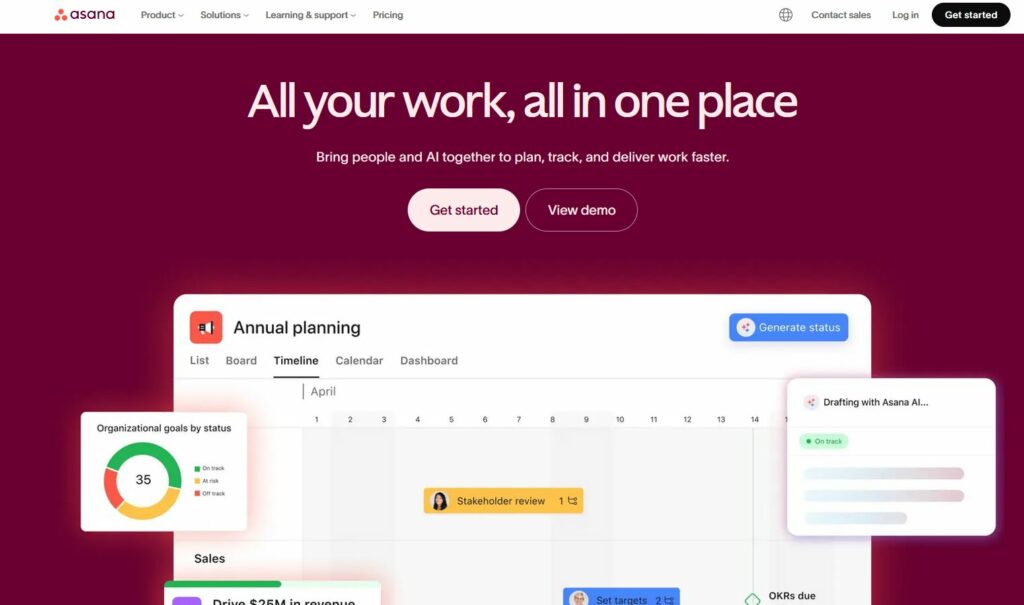
Asana is a task and project management platform founded in 2008 by former Facebook engineers. It is specifically built around the concept of structured work management — helping teams break goals into actionable tasks, assign responsibilities, and track progress through timelines and boards. Asana is widely recognized for its clean interface and robust integrations with tools like Slack, Google Workspace, and Microsoft Teams. It is particularly popular among marketing teams, product managers, and agencies that need to manage complex, multi-step projects with clear accountability. However, unlike Monday.com, Asana does not natively include a CRM module, which means sales-focused teams often need to integrate third-party tools to fill that gap.
What Is ClickUp?
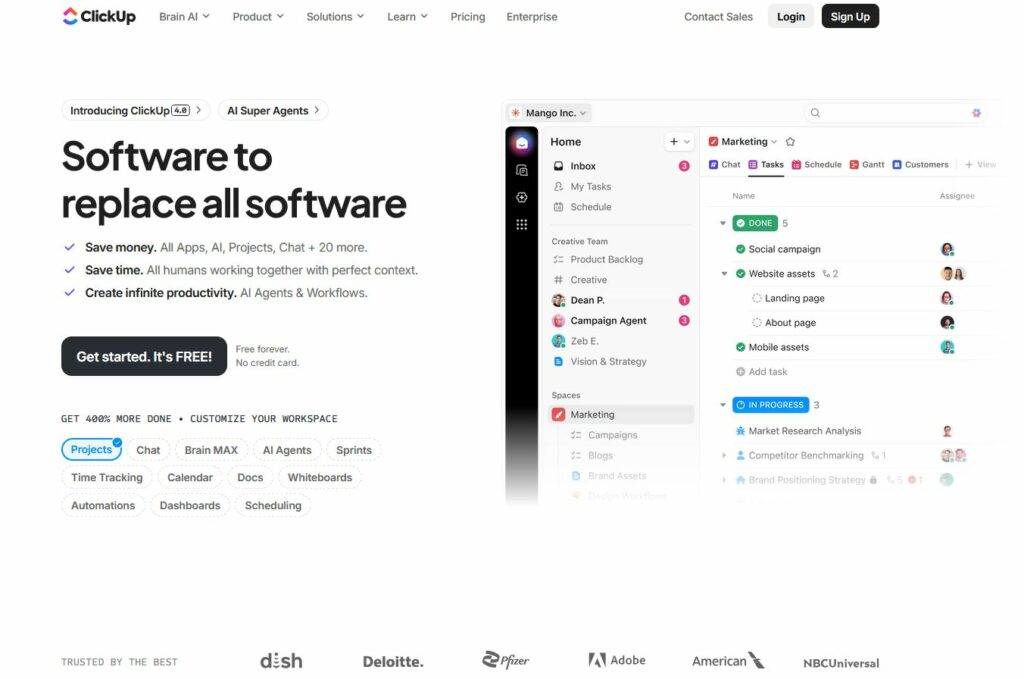
ClickUp is one of the newer entrants in the project management space, launched in 2017, but it has quickly gained massive traction due to its ‘everything in one place’ philosophy. ClickUp offers an incredibly rich feature set — including tasks, docs, goals, whiteboards, time tracking, and even a native AI assistant. Its highly customizable interface allows teams to choose between multiple view types such as List, Board, Calendar, Gantt, and more. Additionally, ClickUp is often praised for its competitive pricing model, making it an attractive choice for startups and small businesses. That said, the sheer number of features can sometimes overwhelm new users, resulting in a steeper learning curve compared to its competitors.
Overview of Each Platform
| Platform | Description |
|---|---|
 | A flexible Work OS designed for teams of all sizes to manage everything from simple tasks to complex workflows. |
 | A task and project management platform focused on clarity and team productivity. |
 | A highly customizable productivity tool that centralizes tasks, docs, goals, and time tracking. |
Feature Comparison
| Feature | | | |
|---|---|---|---|
| Interface & Usability | Visual, drag-and-drop UI | Clean, checklist-based | Customizable, dense UI |
| Project Views | Table, Kanban, Gantt, Calendar, Timeline, Cards | List, Board, Timeline, Calendar | List, Board, Gantt, Timeline, Docs |
| Automations | No-code, highly flexible | Basic rule-based | Advanced, conditional logic |
| Dashboards & Reporting | Powerful, cross-board widgets | Simple dashboards | Advanced, but complex setup |
| Docs & Knowledge Base | monday Workdocs | Basic text notes | Full document editor |
| Time Tracking | Native and integrations | Via integrations only | Native |
| Integrations | 200+ integrations (Slack, Jira, Zoom, Outlook, etc.) | 100+ integrations | 1000+ via native & Zapier |
| Mobile App | iOS, Android | iOS, Android | iOS, Android |
| Customer Support | 24/7 chat/email + community | Email/chat (no live support on free plan) | 24/7 chat, some tiers with priority |
| Templates | Extensive industry-based library | General use case templates | Broad but cluttered |
Pricing Comparison
| Plan Tier | monday.com | Asana | ClickUp |
|---|---|---|---|
| Free Plan | Yes, up to 2 users | Yes, up to 15 users | Yes, limited features |
| Basic/Starter | ~$9/user/month | ~$10.99/user/month | ~$7/user/month |
| Pro/Business | ~$16/user/month | ~$24.99/user/month | ~$12/user/month |
| Enterprise | Custom pricing | Custom pricing | Custom pricing |
Tip: Always check each platform’s website for the most recent pricing and plan features.
Strengths at a Glance
| Platform | Best For |
|---|---|
| Teams needing visual workflows, custom automations, and scalable work management |
| Teams focused on task tracking, timelines, and simplicity |
| Power users who want all-in-one workspaces and granular customization |
Security & Compliance
All three platforms offer:
- Data encryption
- GDPR compliance
- SSO & 2FA (on higher tiers)
- SOC 2 compliance (Enterprise plans)
monday.com stands out with:
- Enterprise-grade governance tools
- Advanced admin controls
- HIPAA compliance (on Enterprise)
Final Verdict
| Use Case | Best Choice |
|---|---|
| Visual project planning | ✅ monday.com |
| Simplicity and lightweight teams | ✅ Asana |
| Advanced customization and feature depth | ✅ ClickUp |
| Scaling across departments or orgs | ✅ monday.com |
| Time tracking and OKR alignment | ✅ ClickUp |
| Fast onboarding and intuitive UX | ✅ Asana or monday.com |
Summary Table
| Category | Winner |
|---|---|
| Usability | monday.com |
| Automations | monday.com |
| Customization | ClickUp |
| Simplicity | Asana |
| Dashboards | monday.com |
| Documentation Tools | ClickUp |
| Team Collaboration | monday.com |
| Free Plan Value | Asana |
What Project Views and Visualizations Does Each Tool Offer?
All three platforms support multiple project views, but each has its own strengths. Monday.com offers a wide variety of views including Kanban boards, Gantt charts, timelines, calendars, workload views, and map views. Its dashboards are particularly powerful, allowing teams to aggregate data from multiple boards into a single, customizable reporting interface. Consequently, executives and managers can get a real-time picture of organizational health without digging through individual project files.
Asana provides a solid selection of views including List, Board, Timeline, Calendar, and Portfolio views in its premium plans. Its Timeline view is especially well-designed for project planning, making dependencies and scheduling immediately visible. ClickUp, meanwhile, offers the widest variety of views — over 15 different types — giving teams extraordinary flexibility. Nevertheless, having so many options can be a double-edged sword, since onboarding new team members requires more time and guidance.
How Do Automation Capabilities Differ Between the Three Platforms?
Automation is one of the most valuable features in any modern project management tool, as it saves teams significant time on repetitive tasks. Monday.com offers a highly intuitive automation builder with hundreds of pre-built recipes. For example, teams can automatically assign tasks when a status changes, send notifications when deadlines approach, or move items between boards based on specific triggers. Importantly, Monday.com’s automations also extend into the CRM module, meaning sales workflows can be automated just as easily as project workflows.
Asana’s automation features, known as Rules, are solid and well-integrated into its workflow. They allow teams to trigger actions based on task completion, field changes, or date-based conditions. ClickUp, on the other hand, provides an extremely powerful automation engine with over 100 triggers and conditions available. However, the interface for setting up automations in ClickUp can feel more technical and less intuitive compared to Monday.com’s streamlined approach.
Which Platform Is Easiest to Use — Monday.com, Asana, or ClickUp?
How Long Does It Take to Get Started With Each Tool?
Ease of adoption is a critical factor, especially for teams that cannot afford lengthy implementation periods. Monday.com is widely regarded as the most visually intuitive of the three. Its drag-and-drop interface, clear color-coded statuses, and guided onboarding make it easy for new users to get productive quickly — often within a day or two. Furthermore, Monday.com’s template library contains hundreds of pre-built workflows for industries ranging from marketing and construction to healthcare and technology.
Asana has a clean, structured interface that many users find approachable, particularly those coming from a task-list background. Its onboarding process is guided and logical, though mastering advanced features like portfolio management and custom reporting takes additional time. ClickUp, while enormously powerful, has the steepest learning curve of the three. Its abundance of features and customization options can be overwhelming initially, and organizations often need to invest in proper training or documentation to ensure consistent adoption across teams.
How Well Do These Tools Integrate With Other Software?
No project management tool exists in isolation — integration with existing software ecosystems is essential. Monday.com offers over 200 native integrations, including Slack, Microsoft Teams, Google Workspace, Zoom, Salesforce, HubSpot, GitHub, and many more. Additionally, its native Monday.com CRM module reduces the need for external CRM integrations entirely. Asana similarly provides a robust integration library with popular tools, and its API is well-documented for custom integrations. ClickUp also offers a wide range of integrations and boasts native time tracking, document creation, and goal-setting features that reduce reliance on external tools.
Which Teams and Industries Benefit Most From Each Platform?
When Should You Choose Monday.com?
Monday.com is the ideal choice for organizations that want a versatile, scalable platform that can serve multiple departments simultaneously. It is particularly well-suited for:
- Sales and Marketing Teams: The Monday.com CRM module allows sales teams to manage their entire pipeline while marketing teams simultaneously run campaigns on the same platform.
- Operations and Project Managers: Monday.com’s workload management and resource allocation features make it easy to prevent team burnout and ensure even distribution of work.
- Enterprise Organizations: Its robust security features, advanced permissions, and enterprise-grade SLAs make Monday.com a trusted choice for large companies.
- Client-Facing Businesses: Agencies, consultancies, and service firms benefit from Monday.com’s ability to manage client relationships (via CRM) and project delivery in one place.
When Should You Choose Asana?
Asana is best suited for teams that prioritize structured task management and accountability above all else. It works particularly well for:
- Product and Engineering Teams: Asana’s task dependencies and milestone tracking make it excellent for managing complex product roadmaps.
- Marketing Teams: Campaign management, content calendars, and cross-functional collaboration are areas where Asana excels.
- Non-Profits and Education: Asana offers generous discounts for these sectors, and its straightforward interface suits teams with varying technical backgrounds.
When Should You Choose ClickUp?
ClickUp is the strongest option for teams that want maximum customization and are willing to invest time in setup. It is especially effective for:
- Startups and Agile Teams: ClickUp’s flexibility and competitive pricing make it ideal for fast-moving startups that need to adapt their processes quickly.
- Remote and Distributed Teams: Built-in docs, whiteboards, and time tracking reduce the need for multiple apps.
- Power Users: Teams with dedicated operations staff who can configure and maintain the platform will get the most out of ClickUp’s extensive capabilities.
What Are the Key Pros and Cons of Each Platform?
| | | |
| Top Pros | Intuitive UI, native CRM, excellent dashboards, scalable | Clean design, strong task structure, good integrations | Most features, great value, highly customizable |
| Top Cons | Can be pricey for large teams | No native CRM, limited free plan | Steep learning curve, can feel overwhelming |
| Best For | Multi-dept orgs, sales + project teams | Structured project teams, marketing, product | Startups, power users, cost-conscious teams |
| Free Plan | Limited (2 seats) | Good (10 users) | Very generous (unlimited users) |
| Native CRM | Yes | No | No |
Which Tool Should You Ultimately Choose for Your Workflow?
After comparing Monday.com, Asana, and ClickUp across features, pricing, ease of use, and use cases, the right choice ultimately depends on your team’s specific needs, size, and growth trajectory. Nevertheless, a few clear patterns emerge from this analysis.
If your organization needs a single, unified platform that combines powerful project management with native CRM functionality, Monday.com is the clear winner. Its intuitive interface, flexible automations, and especially its Monday.com CRM module make it the most complete all-in-one solution available today. Whether you are managing a construction project, running a marketing campaign, or nurturing a sales pipeline, Monday.com adapts to your workflow rather than forcing you to adapt to it.
Moreover, Monday.com’s scalability means it grows with your business. Small teams can start on an affordable plan, while enterprises can leverage advanced security, analytics, and customization options. The ability to eliminate separate CRM tools and consolidate everything under one roof translates into real cost savings and productivity gains over time.
That said, if your team operates in a highly structured task-centric environment and does not need CRM capabilities, Asana remains an excellent choice. Similarly, if budget is the primary concern and your team has the technical patience to configure a powerful system, ClickUp delivers remarkable value.
In conclusion, for the vast majority of growing businesses — particularly those managing both projects and client relationships — Monday.com represents the most strategic investment. Its combination of ease of use, comprehensive features, and the native Monday.com CRM module positions it as the definitive platform for modern, results-driven teams. We encourage you to explore Monday.com’s free trial to experience firsthand how it can transform the way your team works.
Summing up
Each platform offers unique strengths. If your team values visual structure, robust automations, scalability, and user-friendly workflows, monday.com is a powerful all-in-one solution. For teams that prioritize task lists and timelines, Asana is a solid choice. For those who want deep customization and centralized tools, ClickUp is hard to beat—but may come with a steeper learning curve.
Frequently Asked Questions
Migrating to Monday.com is generally straightforward, especially compared to switching between other enterprise platforms. Monday.com provides native import tools that support CSV files, as well as direct integrations that can pull data from Asana and other tools. Furthermore, Monday.com’s customer success team and extensive documentation library make the transition process well-supported. Most teams can complete a basic migration within a few days, though larger organizations with complex workflows may want to allow two to four weeks for a full, well-tested transition.
All three platforms support remote and hybrid work well, but Monday.com stands out for distributed teams that span multiple departments. Its real-time dashboards, workload views, and automated notifications ensure that everyone — regardless of location or time zone — stays aligned on priorities and deadlines. ClickUp is also a strong choice for remote teams, particularly because of its built-in docs, whiteboards, and native time tracking, which reduce the need for additional collaboration tools. Asana performs reliably for remote teams as well, especially when paired with integrations like Slack and Zoom.
Yes — all three platforms offer mobile apps for both iOS and Android, allowing teams to manage work on the go. Monday.com’s mobile app is well-rated for its clean interface and the ability to update boards, check notifications, and communicate with teammates from anywhere. Asana’s mobile app is similarly polished, with strong support for task creation, commenting, and inbox management. ClickUp’s mobile app is functional and feature-rich, though some users note that its complexity can feel slightly harder to navigate on smaller screens. In summary, mobile access is well-supported across all three tools, making any of them a viable option for teams that need to stay connected outside the office.
Recommended:
- How Should You Structure Your CRM Team for Maximum Success?
- Using Salesforce to Build a 360° Customer View
- What Should Investors Know About Salesforce Stock?
- What KPIs Should Every Business Track in Their CRM System?
- What is CRM Database?
- How Can CRM Analytics Transform Your Salesforce Experience?
- CRM Management
- Getting Started With Pipedrive
- What is Pipedrive CRM?
- Choosing the best low-cost CRM
- Top Microsoft Dynamics Alternatives and Competitors
- CRM Cost Comparison of Top Platforms
