What Is the Role of Remote Access Software in IT Support and Help Desk Operations?

Modern IT support rarely operates from a single physical location. Technicians routinely resolve issues for employees spread across multiple offices, home workplaces, and mobile devices — often without leaving their desks. Remote access software makes this reality possible. By allowing IT professionals to connect to end-user machines in real time, these tools have become the backbone of efficient help desk operations worldwide.
Furthermore, as organizations scale and remote-first work models grow more common, the demand for reliable, secure, and feature-rich remote access platforms continues to rise. Two industry leaders, ManageEngine and Zoho Assist, stand at the forefront of this market — offering solutions designed specifically to empower IT support teams.
Table of contents
Quick Summary
Remote access software enables IT support teams to diagnose, troubleshoot, and resolve issues on end-user devices from any location. Key benefits include faster resolution times, reduced travel costs, improved security oversight, and seamless integration with ITSM platforms. ManageEngine Remote Access Plus and Zoho Assist are two leading solutions that deliver these capabilities at enterprise scale. This article explores their features, compares them side by side, examines the broader role of remote access tools in help desk workflows, and highlights how partnering with Solution for Guru can accelerate your remote support transformation.
What Are ManageEngine and Zoho Assist, and How Do They Fit Into Remote IT Support?
What does ManageEngine offer for remote IT support?

ManageEngine — a division of Zoho Corporation — develops a comprehensive suite of IT management tools used by over 280,000 organizations globally. Its dedicated remote access product, ManageEngine Remote Access Plus, empowers technicians to take full control of remote desktops, diagnose performance issues, transfer files, and collaborate with end users through a single, unified console. Consequently, IT teams reduce mean time to resolution (MTTR) significantly. Learn more at ManageEngine.
ManageEngine’s strength lies in its deep integration with the broader ManageEngine ecosystem — particularly ServiceDesk Plus. As a result, support agents manage tickets, trigger remote sessions, and log activities without switching between platforms. This end-to-end workflow dramatically reduces context switching and speeds up incident resolution.
Additionally, ManageEngine supports both cloud-hosted and on-premise deployments, giving enterprises with strict data residency requirements a compliant path forward. Its role-based access controls and audit trails meet enterprise-grade governance standards.
What does Zoho Assist bring to help desk operations?

Zoho Assist is a dedicated cloud-based remote support and unattended remote access solution within the Zoho ecosystem. It supports Windows, Mac, Linux, iOS, Android, and Chromebook devices, making it one of the broadest cross-platform tools available. Zoho Assist caters to businesses of all sizes — from small IT shops to large enterprises. Explore it at Zoho Assist.
Beyond standard remote control, Zoho Assist offers session scheduling, multi-technician collaboration, built-in voice and video chat, and a robust reporting suite. It also integrates natively with Zoho Desk, enabling seamless ticket-to-session workflows. Moreover, Zoho Assist complies with HIPAA and GDPR requirements, which is particularly important for healthcare and financial services organizations.
Its generous free tier — supporting up to five unattended devices and on-demand support sessions — makes it accessible for smaller teams that want to evaluate remote access capabilities before committing to a paid plan.
How Do ManageEngine and Zoho Assist Compare Feature by Feature?
The following table provides a structured comparison of both platforms across the dimensions that matter most to IT support and help desk teams:
| Feature |  |  | Best For | Pricing Model |
| Remote Control | Full (Unattended + On-demand) | Full (Unattended + On-demand) | Both platforms | ManageEngine: Per tech; Zoho: Per technician/year |
| Multi-Platform Support | Windows, Mac, Linux, Android, iOS | Windows, Mac, Linux, Android, iOS, Chromebook | Zoho slightly broader | Included in base plans |
| ITSM Integration | Deep (ServiceDesk Plus native) | Zoho Desk, third-party | ManageEngine for ITSM | Enterprise tier |
| Session Recording | Yes | Yes | Both | Included in paid plans |
| File Transfer | Yes | Yes | Both | Included |
| Chat / Collaboration | Text chat, voice/video (higher tiers) | Text, voice, video, screen share | Zoho: more built-in collab | Varies by plan |
| Security | AES-256, MFA, Role-based access | AES-256, MFA, Role-based access, HIPAA | Zoho: HIPAA compliance | Included |
| Deployment | Cloud & On-Premise | Cloud only | ManageEngine for on-prem | Subscription / perpetual (on-prem) |
| Free Tier | Yes (limited) | Yes (5 unattended devices) | Zoho more generous free tier | Free forever plans available |
| Reporting & Analytics | Advanced (ITSM-grade) | Standard session reports | ManageEngine for analytics | Higher plans |
As the table illustrates, both platforms deliver strong core remote access functionality. However, ManageEngine excels in ITSM-native integration and on-premise deployments, while Zoho Assist stands out for cross-platform breadth, built-in collaboration features, and HIPAA compliance.
How Does Remote Access Software Transform Help Desk Workflows?
How does remote access reduce resolution times in IT support?
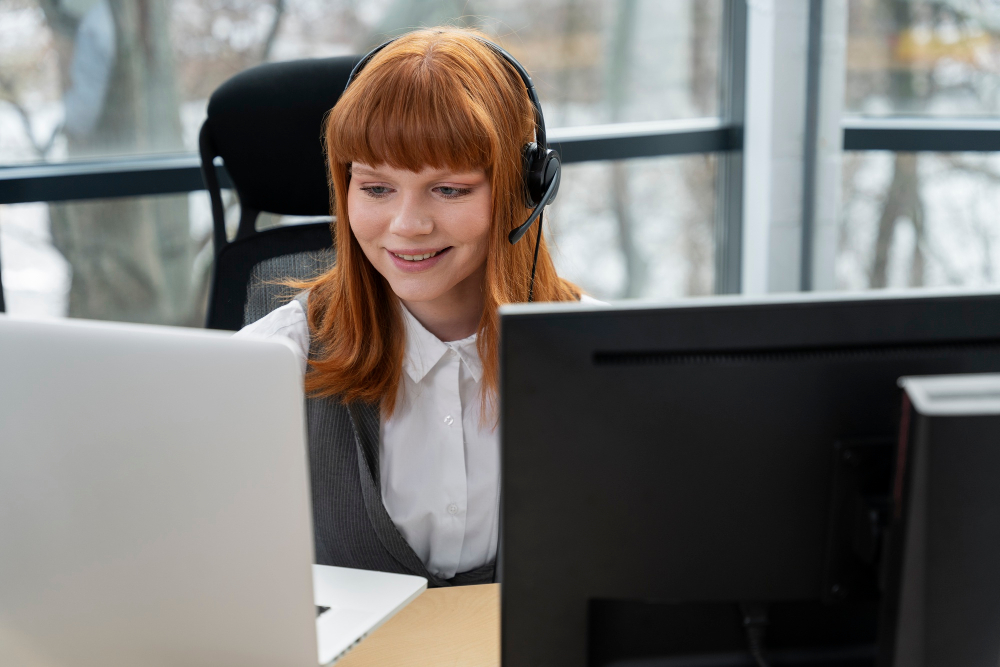
Before remote access tools became standard, IT technicians had to physically walk to an employee’s desk, schedule site visits, or rely on the end user to follow verbal troubleshooting instructions — a slow and error-prone process. Today, with tools like ManageEngine Remote Access Plus and Zoho Assist, technicians connect to the affected machine within seconds and directly interact with the desktop environment.
This direct interaction eliminates communication barriers. For instance, a technician using ManageEngine can open the Task Manager, check running services, review event logs, and apply configuration changes — all without requiring the user to describe what they see on screen. Similarly, Zoho Assist’s multi-monitor navigation allows technicians to switch between the user’s screens, ensuring nothing falls through the cracks.
According to HDI’s Support Center Practices & Salary Report, organizations that adopt remote support tools consistently report first-contact resolution rates above 75%. Therefore, investing in the right remote access platform directly improves help desk KPIs.
What security features do ManageEngine and Zoho Assist provide for remote sessions?
Security is a primary concern whenever IT staff remotely access end-user or server environments. Both ManageEngine and Zoho Assist address this through layered security architectures. First and foremost, both platforms encrypt all remote sessions with AES-256-bit encryption — the same standard used by financial institutions and government agencies.
ManageEngine adds role-based access controls that restrict which technicians can access which devices, preventing unauthorized lateral movement within the network. Its detailed audit logs record every action taken during a remote session, creating an immutable trail for compliance reviews. Zoho Assist complements this with multi-factor authentication (MFA), session recording, and HIPAA-compliant data handling.
Furthermore, both platforms support technician permission levels, meaning end users can view what the technician does on screen and terminate the session at any time. This transparency builds trust between IT staff and employees — a factor that organizations increasingly prioritize in their IT culture.
How do remote access tools integrate with ITSM and ticketing platforms?
Effective help desk operations depend on the seamless flow of information between support tools. When remote access software integrates directly with ITSM platforms, technicians spend less time switching between applications and more time solving problems. ManageEngine‘s native integration with ServiceDesk Plus is a leading example of this synergy: technicians launch remote sessions directly from a ticket, and all session details — including duration, screenshots, and chat logs — automatically attach to the ticket record.
Zoho Assist similarly integrates with Zoho Desk, enabling agents to initiate remote support from within a support ticket. Additionally, Zoho Assist supports integrations with Zendesk, Freshdesk, Jira Service Management, and other popular platforms through its REST API and Zapier connectivity. As a result, organizations that already use these platforms can extend their workflows without overhauling their tech stack.
This tight integration between remote access and ITSM reduces duplicate data entry, improves reporting accuracy, and gives IT managers a unified view of support performance — a critical advantage as help desks grow in complexity.
What role does unattended remote access play in proactive IT management?
Both ManageEngine and Zoho Assist support unattended remote access — the ability to connect to a device without requiring the end user to be present. This capability unlocks a proactive support model where IT teams run maintenance tasks, push software updates, apply patches, and collect system diagnostics outside of business hours.
Consequently, employees experience less disruption during the workday, and IT teams reduce the backlog of routine maintenance tasks that would otherwise compete with live support requests. ManageEngine’s Wake-on-LAN feature takes this a step further: technicians can power on off-network machines remotely to perform scheduled maintenance tasks, even when the device is in sleep mode.
Zoho Assist’s unattended access supports bulk deployment across hundreds of devices, making it especially useful for IT teams managing distributed endpoints. Together, these capabilities shift IT support from a reactive break-fix model to a proactive service delivery approach.
How do these tools support mobile and cross-platform environments?
Today’s workforce relies on a diverse array of devices — Windows laptops, MacBooks, Android smartphones, iPhones, Linux servers, and Chromebooks. IT support teams must handle issues across all of these platforms without friction. Both ManageEngine and Zoho Assist rise to this challenge with broad cross-platform support.
Zoho Assist’s Chromebook support is particularly noteworthy given the growth of Chromebooks in education and enterprise settings. Its mobile apps for iOS and Android allow technicians to provide support directly from their smartphones — a capability that proves invaluable during after-hours incidents when technicians may not have access to a desktop.
ManageEngine, meanwhile, focuses on Windows-heavy enterprise environments, where its deep OS-level integration — including registry access, device manager, and event viewer — gives technicians granular diagnostic capabilities that generic cross-platform tools cannot match.
What Best Practices Should IT Teams Follow When Deploying Remote Access Software?

How should IT teams structure remote access policies and permissions?
Deploying remote access software without a clear governance framework creates security gaps. Before rolling out ManageEngine or Zoho Assist, IT managers should define role-based access policies that specify which technicians can connect to which device categories. For example, first-line support agents may access end-user workstations but not production servers — a boundary that both platforms enforce through their permission systems.
Additionally, organizations should establish session recording policies that determine which sessions to log automatically and how long to retain recordings. This not only supports compliance audits but also serves as a training resource for new technicians who can review recorded sessions to learn best practices.
How can organizations measure the ROI of remote access tools?
Measuring the return on investment of remote access software requires tracking both hard and soft metrics. On the hard side, IT managers should monitor MTTR (Mean Time to Resolution), first-contact resolution rate, and the number of onsite dispatches avoided. According to Gartner, remote support tools can reduce onsite visits by up to 40%, generating significant cost savings in travel time and technician productivity.
Soft metrics include end-user satisfaction scores (measured through post-session surveys), technician utilization rates, and the frequency of recurring issues — an indicator of how effectively remote sessions resolve root causes rather than symptoms. Both ManageEngine and Zoho Assist provide reporting dashboards that surface these metrics, enabling data-driven performance management.
Furthermore, tracking license utilization helps organizations right-size their subscriptions. If only 60% of licensed technician seats are active, there may be an opportunity to reduce costs by consolidating licenses.
What Conclusions Can We Draw About Remote Access Software in IT Support?
Remote access software has fundamentally reshaped how IT support teams operate. Rather than reacting to issues after they disrupt the workday, technicians now proactively monitor, maintain, and resolve endpoint problems from any location. This shift drives measurable improvements in resolution times, user satisfaction, and operational efficiency.
ManageEngine Remote Access Plus and Zoho Assist represent two of the most capable platforms in this space. ManageEngine delivers enterprise-grade ITSM integration, on-premise deployment flexibility, and deep Windows environment diagnostics — making it the preferred choice for large organizations with complex infrastructure needs. Zoho Assist, in contrast, offers exceptional cross-platform breadth, built-in collaboration features, HIPAA compliance, and a generous free tier that lowers the barrier to entry for smaller teams.
Ultimately, the right choice depends on your organization’s size, existing toolstack, compliance requirements, and budget. Both platforms — available at
ManageEngine and Zoho Assist — deliver robust, secure, and scalable remote support capabilities that modern IT teams depend on.
Moreover, partnering with an experienced implementation partner like Solution for Guru accelerates time-to-value, reduces deployment risk, and ensures that your remote access investment delivers its full potential. As remote work continues to expand, organizations that invest in the right remote access tools and the right implementation expertise position themselves for long-term operational resilience.
Frequently Asked Questions
Attended remote access requires the end user to be present and grant permission for the technician to connect — typically used for live troubleshooting sessions where the user describes their problem in real time. Unattended remote access, on the other hand, allows technicians to connect to a device without user interaction, which proves especially useful for server maintenance, overnight patch deployments, and monitoring tasks. Both ManageEngine Remote Access Plus and Zoho Assist support both modes, giving IT teams flexibility to choose the right approach for each scenario.
Yes — provided organizations select platforms with enterprise-grade security features and implement proper governance policies. Both ManageEngine and Zoho Assist use AES-256-bit encryption for all session data, support multi-factor authentication, and provide role-based access controls that limit which technicians can connect to which devices. Additionally, session recording and audit logs create accountability trails that satisfy compliance requirements. Organizations should also enforce clear acceptable-use policies and review session logs regularly to detect any unauthorized access attempts.
Remote access software cuts costs across several dimensions. First, it eliminates the need for onsite technician visits — Gartner estimates that remote support can reduce dispatch costs by up to 40%. Second, faster resolution times mean technicians handle more tickets per day, improving team productivity without increasing headcount. Third, unattended access allows IT teams to perform maintenance outside business hours, reducing the risk of productivity-disrupting downtime. Finally, integration with ITSM platforms reduces administrative overhead by automating ticket updates, session logging, and reporting. Together, these savings generate a compelling return on investment for organizations of all sizes.
How Does Partnering With Solution for Guru Enhance Your Remote Access Strategy?
Selecting the right remote access platform is only half the journey. Equally important is how you deploy, configure, and optimize it for your specific environment. Solution for Guru is a technology consulting and implementation partner that specializes in IT operations, help desk optimization, and enterprise software deployment — including ManageEngine and Zoho solutions.

Working with Solution for Guru delivers a number of concrete advantages for organizations adopting remote access software:
- Expert needs assessment — Solution for Guru analysts evaluate your current help desk workflows, ticket volumes, device landscape, and compliance requirements before recommending a platform. This eliminates costly trial-and-error implementations.
- Tailored deployment planning — Rather than applying a generic setup, Solution for Guru engineers customize ManageEngine or Zoho Assist configurations to align with your organizational hierarchy, security policies, and ITSM integrations.
- Staff training and onboarding — Even the best software delivers limited value when technicians underutilize its features. Solution for Guru provides hands-on training sessions that bring your IT team up to speed quickly.
- Ongoing optimization and support — As your organization grows and your IT environment evolves, Solution for Guru provides continuous improvement services — reviewing performance metrics, recommending configuration updates, and identifying new automation opportunities.
- Compliance and security review — Solution for Guru helps ensure that your remote access deployment meets applicable data protection standards, including GDPR, HIPAA, and SOC 2, reducing audit risk.
In short, Solution for Guru bridges the gap between software capability and real-world performance. By partnering with experienced consultants, organizations deploy remote access tools faster, derive value sooner, and avoid common pitfalls that slow adoption.
Recommended:
- Common Challenges in Implementing Remote Access Software — and How to Overcome Them
- Performance Optimization Tips for Remote Access Connections
- Remote Access in Secure Operations: Professions Where It’s Mission-Critical
- How AI and Automation Are Shaping the Future of Remote Access
- Remote Access in Action: Professions That Can’t Work Without It
- How Can Remote Access Software Meet GDPR, HIPAA, and ISO Compliance Requirements?
- What Is Windows Remote Access and How Can It Transform Your Business Operations?
- How Remote Access Software Is Reshaping Modern Professions?
- How Are Modern Careers Being Transformed by Remote Access Technology?
- What Are Remote Access Tools and How Do They Transform Business Operations?
- What is Desktop Remote Access and How Does It Work?
- How Can Organizations Implement Robust Remote Access Security?
- What Is Remote Access Software and How Does It Enable Modern IT Support?
- What Is Remote Access and How Does It Transform Modern Work?