
What Is WorkOS? The Complete Guide to Modern Enterprise Authentication
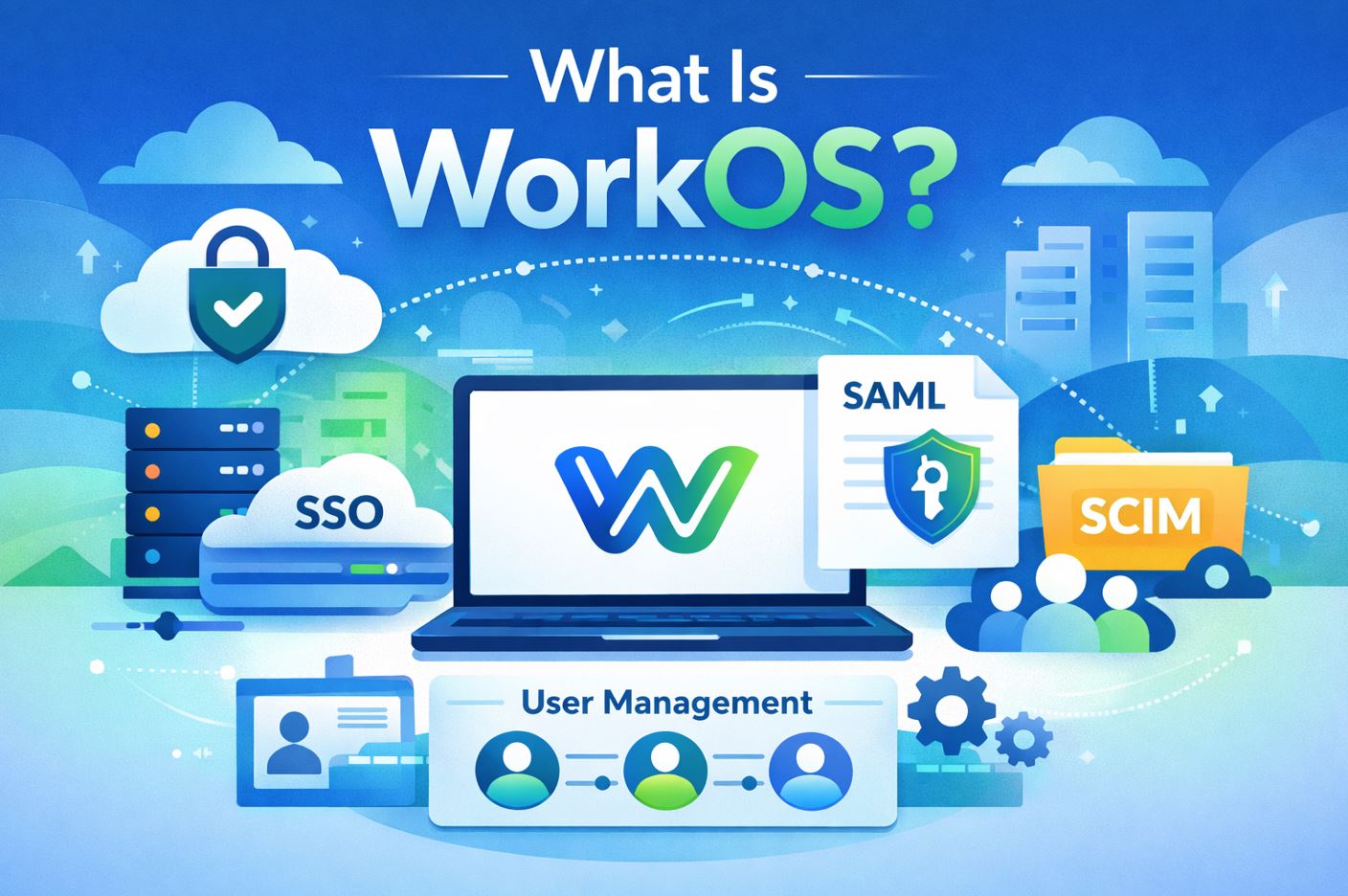
In today’s rapidly evolving digital landscape, businesses face increasing pressure to provide secure, seamless, and scalable authentication experiences for their enterprise customers. WorkOS has emerged as a transformative solution that simplifies the complex world of enterprise-grade identity and access management (IAM). Whether you are a developer building a SaaS product, a project manager overseeing team workflows, or an IT administrator seeking compliance, understanding WorkOS is essential. This comprehensive guide explores what WorkOS is, how leading platforms like monday.com and Wrike leverage WorkOS capabilities, and why partnering with the right implementation expert — such as Solution for Guru — can make all the difference.
Table of Contents
- Quick Summary
- What Is WorkOS?
- How Does WorkOS Work?
- What Are the Key Features of WorkOS?
- What Is monday.com WorkOS?
- What Is Wrike WorkOS?
- How Do monday.com and Wrike Compare as WorkOS-Enabled Platforms?
- Why Does SSO Matter for Enterprise Platforms?
- How Does Directory Sync Improve IT Operations?
- What Security and Compliance Benefits Does WorkOS Provide?
- How Does WorkOS Handle Multi-Tenancy?
- How Can monday.com WorkOS Help Your Business?
- How Can Wrike WorkOS Help Your Business?
- Summing up
- Frequently Asked Questions
- What Makes Solution for Guru the Right Partner?
Quick Summary
WorkOS is a developer-focused platform that enables SaaS companies to add enterprise authentication features — such as Single Sign-On (SSO), SCIM directory sync, and Multi-Factor Authentication (MFA) — to their products quickly and compliantly. Platforms like monday.com and Wrike use WorkOS-compatible enterprise auth features to serve large organizations securely. This guide covers how WorkOS works, compares monday.com and Wrike as enterprise-ready platforms, and explains why Solution for Guru is the ideal implementation partner.
What Is WorkOS?
WorkOS is a modern identity and access management (IAM) infrastructure platform designed specifically for software-as-a-service (SaaS) developers. Founded in 2020 by Michael Grinich, WorkOS provides a unified API that enables developers to add enterprise-grade authentication features to their applications in a matter of days rather than months. Think of WorkOS as the missing middleware between your SaaS application and the complex enterprise IT environments your customers operate in.
At its core, WorkOS abstracts away the technical complexity of integrating with corporate identity providers (IdPs) like Okta, Microsoft Azure Active Directory, Google Workspace, and OneLogin. Instead of building separate integrations for each provider, developers can use the WorkOS API to handle everything through a single, consistent interface. This dramatically reduces engineering time and helps companies unlock enterprise sales channels faster.
Furthermore, WorkOS is not simply a login tool — it is a comprehensive enterprise readiness platform. It covers everything from initial authentication to ongoing user lifecycle management, audit logging, and compliance support. As a result, businesses that adopt WorkOS can confidently target Fortune 500 clients and government contractors who demand stringent security and compliance standards.
How Does WorkOS Work?
WorkOS operates as an API-first middleware layer that sits between your application and enterprise identity systems. When a user attempts to log in to a WorkOS-integrated application, the platform handles the entire authentication flow behind the scenes. This includes communicating with the enterprise’s identity provider using protocols such as SAML 2.0 or OpenID Connect (OIDC), verifying credentials, enforcing policies, and returning a secure session token to your application.
The workflow begins when an enterprise customer configures their identity provider within WorkOS’s Admin Portal — a self-service interface that IT administrators can use without engineering support. Once configured, all authentication events are automatically routed through the WorkOS infrastructure. This means developers never have to worry about maintaining SAML XML configurations or troubleshooting OIDC flows manually.
In addition, WorkOS continuously monitors the connection between your app and each customer’s IdP, alerting administrators to any authentication failures or configuration issues in real time. Consequently, both your team and your enterprise customers benefit from increased reliability and peace of mind.
What Are the Key Features of WorkOS?
WorkOS comes packed with features that address every dimension of enterprise authentication and compliance. Below is an overview of its most impactful capabilities:
What Does Single Sign-On (SSO) in WorkOS Enable?
Single Sign-On (SSO) is the flagship feature of WorkOS. It allows users to authenticate into your application using their organization’s existing credentials — managed through providers like Okta, Azure AD, PingFederate, or JumpCloud. By supporting both SAML 2.0 and OIDC, WorkOS accommodates virtually every enterprise IdP on the market.
Importantly, WorkOS makes SSO setup self-service through its Admin Portal. Enterprise IT admins can configure SSO for their organization without requiring help from your engineering team. This reduces friction, speeds up onboarding, and removes a common bottleneck in enterprise sales cycles. Moreover, SSO improves end-user productivity, since employees no longer need to remember multiple passwords — they simply use their corporate credentials to access all connected applications.
How Does SCIM Directory Sync Work in WorkOS?
System for Cross-domain Identity Management (SCIM) is an open standard that automates the synchronization of user identities between your application and an enterprise’s HR or directory system. Through WorkOS’s SCIM Directory Sync feature, whenever an employee joins or leaves an organization, their access to your application is automatically provisioned or deprovisioned.
This capability is particularly critical for large enterprises, where manually managing user accounts across dozens of SaaS tools would be impractical and error-prone. By automating this process, WorkOS helps your customers maintain tighter access controls and reduces the risk of former employees retaining unauthorized access. Additionally, directory sync ensures that user profile data — such as department, role, and contact information — stays current across all systems.
What Role Does the Admin Portal Play in WorkOS?
The WorkOS Admin Portal is a white-label, embeddable UI component that enterprise IT administrators use to configure SSO, directory sync, and other identity settings for their organization. Because it is designed to be self-service, your customers can manage their own authentication configurations without needing to contact your support team.
The Admin Portal supports customization, so you can brand it with your own logo and color scheme for a seamless customer experience. This seemingly small detail has significant business value: it reduces support overhead, accelerates enterprise deployment, and positions your product as more professionally polished in the eyes of enterprise buyers. Transitioning from a manual support model to a self-service portal can save engineering teams dozens of hours per customer onboarding.
How Does WorkOS Support Multi-Factor Authentication (MFA)?
WorkOS provides built-in support for Multi-Factor Authentication (MFA) as an additional layer of security beyond passwords. With MFA enabled, users must verify their identity using a second factor — such as a one-time passcode (OTP) sent via SMS or generated by an authenticator app — before gaining access to your application.
For enterprise customers, MFA is often a non-negotiable requirement driven by internal security policies or industry regulations. WorkOS makes it straightforward for developers to implement MFA without building the entire flow from scratch. This not only saves development time but also ensures that the implementation meets enterprise-grade security standards from the outset.
What Audit Log Capabilities Does WorkOS Offer?
Audit logging is another critical enterprise requirement. WorkOS automatically captures a structured, tamper-resistant log of every authentication event, configuration change, and access grant within your application. These logs are made available through the WorkOS API and can be exported to your customer’s SIEM (Security Information and Event Management) system.
For businesses operating in regulated industries — such as finance, healthcare, or government — comprehensive audit logs are essential for demonstrating compliance during audits. By leveraging WorkOS’s built-in audit logging, you can meet customer requirements for SOC 2, ISO 27001, HIPAA, and GDPR without building a custom logging infrastructure. This is a significant competitive advantage when selling to enterprise buyers who demand compliance evidence.
What Is monday.com WorkOS?
monday.com is one of the world’s most popular work operating systems (Work OS), designed to help teams plan, track, and manage projects and workflows in a highly visual, flexible environment. Used by over 225,000 organizations globally, monday.com has established itself as a go-to platform for teams ranging from small startups to global enterprises.
When we discuss monday.com WorkOS in the context of this article, we are referring to the enterprise-grade authentication and identity infrastructure that monday.com has built into its platform — infrastructure that mirrors or integrates with the capabilities offered by the WorkOS paradigm. monday.com supports SSO, SCIM directory sync, and advanced user management features that align closely with WorkOS standards, enabling enterprise customers to manage access securely and at scale.
Transitioning to monday.com in an enterprise context means that IT administrators can configure SSO through identity providers like Okta, Azure AD, or OneLogin, enabling employees to log in using their corporate credentials. This eliminates the need for separate passwords and makes offboarding former employees faster and more secure. Similarly, SCIM provisioning in monday.com ensures that when a new employee joins the organization and is added to the company’s directory, their monday.com account is automatically created with the correct role and permissions.
What Enterprise Features Make monday.com Stand Out?
Beyond its WorkOS-compatible authentication capabilities, monday.com offers a rich set of enterprise features that make it a compelling choice for large organizations. Its no-code workflow builder allows non-technical users to automate repetitive tasks, reducing manual work and improving operational efficiency. The platform’s dashboards provide real-time visibility across all projects and departments, enabling leadership to make data-driven decisions with confidence.
monday.com also supports granular permission controls, allowing administrators to define exactly what each user or team can see and do within the platform. Combined with its compliance certifications — including ISO 27001, SOC 2 Type II, GDPR, and HIPAA (on eligible plans) — monday.com provides the security and governance framework that enterprise procurement teams require. Furthermore, monday.com’s extensive integration marketplace, with over 200 native integrations, ensures it fits seamlessly into existing enterprise technology stacks.
How Does monday.com Benefit from WorkOS-Style Architecture?
The WorkOS-style architecture embedded in monday.com delivers several tangible benefits for enterprise customers. First and foremost, it reduces the attack surface by centralizing authentication through a trusted identity provider rather than relying on application-specific passwords. This is particularly important for organizations managing hundreds or thousands of user accounts across multiple departments.
Additionally, the self-service nature of monday.com‘s SSO configuration means that IT departments can independently manage their authentication setup without requiring dedicated support from the monday.com team. This autonomy speeds up deployment and reduces dependency on vendor support, both of which are highly valued in enterprise environments. As a result, monday.com’s WorkOS-aligned approach contributes directly to faster time-to-value and lower total cost of ownership (TCO) for enterprise customers.
What Is Wrike WorkOS?

Wrike is a powerful, enterprise-focused work management platform that enables teams to collaborate on projects, manage resources, and streamline complex workflows. Over 20,000 organizations worldwide — including large enterprises in finance, technology, marketing, and manufacturing — trust Wrike for its advanced project management capabilities, such as Gantt charts, time tracking, resource management, and cross-departmental reporting.
In the context of this article, Wrike WorkOS refers to the enterprise authentication and identity management features integrated into Wrike’s platform — features that are architecturally aligned with the WorkOS paradigm. Like monday.com, Wrike supports SSO through SAML 2.0 and OIDC, SCIM-based directory synchronization, and advanced user lifecycle management, making it a fully enterprise-ready solution from an identity and access management perspective.
For enterprise customers, Wrike’s WorkOS-aligned capabilities mean that deploying the platform across a large organization is straightforward and secure. IT administrators can configure SSO through their preferred identity provider, ensuring that all Wrike users authenticate through the organization’s central identity system.
What Enterprise Features Make Wrike Distinctive?
Wrike’s enterprise feature set goes well beyond project tracking. Its advanced analytics and reporting capabilities allow executives to monitor project health, resource utilization, and budget performance across the entire organization. Wrike’s AI-powered work intelligence features help teams predict project risks, identify bottlenecks, and automate routine tasks, further increasing productivity.
From a governance standpoint, Wrike offers role-based access control (RBAC), custom user permissions, and data residency options — allowing organizations to store data in specific geographic regions to meet regulatory requirements. The platform holds SOC 2 Type II, ISO 27001, GDPR, and HIPAA compliance certifications on its Business and Enterprise plans, giving enterprise procurement teams the documentation they need to approve Wrike for use with sensitive data.
How Does Wrike’s WorkOS Integration Support Large Teams?
For large organizations with complex IT environments, Wrike’s WorkOS-aligned authentication infrastructure is a significant operational advantage. By delegating authentication to the enterprise’s existing identity provider, Wrike eliminates the need for users to maintain separate credentials — reducing password fatigue and the associated security risks. Centralized authentication also makes it easier for IT teams to enforce password policies, MFA requirements, and session timeout rules across all Wrike users.
Furthermore, Wrike’s support for just-in-time (JIT) provisioning means that new employees can access Wrike immediately upon their first SSO login, without requiring manual account creation. This is particularly valuable for fast-growing enterprises where teams are onboarding new staff regularly. Consequently, Wrike’s WorkOS-compatible features contribute to a faster, more secure, and more scalable deployment experience for enterprise customers.
How Do monday.com and Wrike Compare as WorkOS-Enabled Platforms?
Both monday.com and Wrike offer robust WorkOS-aligned authentication capabilities, but they differ significantly in their core focus, user experience, and target use cases. The table below provides a detailed comparison to help organizations evaluate which platform best fits their needs.
| Feature | WorkOS Platform | monday.com (WorkOS) | Wrike (WorkOS) |
| Primary Purpose | Developer auth & identity infrastructure | Team collaboration & project management | Enterprise project & work management |
| Target Users | Developers & SaaS companies | Teams of all sizes (SMB to Enterprise) | Mid-to-large enterprises |
| Authentication Support | SSO, SCIM, MFA, Directory Sync | SSO via WorkOS integration | SSO via WorkOS integration |
| Directory Sync (SCIM) | Native, full-featured | Supported via WorkOS | Supported via WorkOS |
| Multi-Tenant Support | Yes — built-in | Yes | Yes |
| Admin Portal | Customizable self-serve portal | Via platform UI | Via platform UI |
| API-First Design | Yes — full REST API | Yes — extensive APIs | Yes — REST API |
| Pricing Model | Usage-based (free tier available) | Per seat / feature tier | Per user / tier |
| Compliance Support | SOC 2, GDPR, HIPAA-ready | GDPR, ISO 27001, HIPAA (higher tiers) | SOC 2, GDPR, HIPAA (Enterprise) |
| Setup Complexity | Moderate (developer-led) | Low to moderate | Moderate to high |
| Integration Ecosystem | IdP providers (Okta, Azure AD, etc.) | 200+ integrations | 400+ integrations |
| Best For | Building auth into SaaS products | Visual project workflows at scale | Complex enterprise workloads |
As the table illustrates, monday.com excels in visual flexibility and ease of use, making it ideal for teams that need a customizable work operating system with strong collaboration features. Wrike, on the other hand, is purpose-built for enterprises with complex project management needs, offering deeper resource management, time tracking, and reporting capabilities. Both platforms leverage WorkOS-style enterprise authentication to serve their respective enterprise customer bases securely.
Why Does SSO Matter for Enterprise Platforms?
Single Sign-On (SSO) is not merely a convenience feature — it is a fundamental security and productivity requirement for enterprise organizations. In large companies, employees routinely access dozens of SaaS applications throughout their workday. Without SSO, each application requires separate credentials, leading to password fatigue, weak passwords, and an increased risk of credential theft.
With SSO implemented through a WorkOS-compatible platform like monday.com or Wrike, employees authenticate once through their corporate identity provider and gain access to all authorized applications for the duration of their session. This dramatically reduces the attack surface, simplifies the user experience, and enables IT teams to enforce consistent security policies across all applications. Moreover, SSO makes offboarding faster and more secure: when an employee leaves the company, disabling their account in the identity provider immediately revokes access to all connected applications.
How Does Directory Sync Improve IT Operations?
Directory synchronization — powered by the SCIM standard — is one of the most operationally impactful features enabled by the WorkOS paradigm. In traditional environments, IT teams must manually provision and deprovision user accounts in every SaaS application. For large enterprises with high employee turnover or rapid growth, this is an enormous administrative burden.
With SCIM-based directory sync, as supported by both monday.com and Wrike, user lifecycle management becomes fully automated. When someone adds a new employee to the organization’s HR system or Active Directory, the system automatically creates their accounts in monday.com or Wrike and assigns the correct roles and permissions. Similarly, when an employee leaves, their accounts are instantly deactivated. This automation not only saves IT teams countless hours but also eliminates the security risk of lingering active accounts belonging to former employees — a common audit finding in enterprise security reviews.
What Security and Compliance Benefits Does WorkOS Provide?

Security and compliance are at the heart of the WorkOS value proposition. For SaaS companies targeting enterprise customers, the ability to demonstrate compliance with standards like SOC 2, GDPR, ISO 27001, and HIPAA is often the difference between winning and losing a contract. WorkOS provides the authentication infrastructure that makes achieving and maintaining these certifications significantly easier.
Specifically, WorkOS’s comprehensive audit logging, MFA support, and SSO capabilities directly address the technical requirements of these compliance frameworks. For example, SOC 2 requires organizations to demonstrate that access to production systems is controlled and monitored. By routing all authentication through WorkOS and maintaining detailed audit logs, organizations can generate the evidence required for SOC 2 audits with minimal additional effort. Similarly, GDPR’s requirements around data access and user rights are easier to fulfill when authentication and user management are centralized through a WorkOS-compatible system.
Platforms like monday.com and Wrike, which have built WorkOS-aligned features into their products, benefit from these compliance advantages directly. Their enterprise customers can be confident that authentication and user management meet regulatory standards, reducing the risk of compliance failures and the associated penalties.
How Does WorkOS Handle Multi-Tenancy?
Multi-tenancy is a core architectural challenge for SaaS companies serving enterprise customers. Each enterprise customer operates as a separate tenant, with its own identity provider, user directory, and security policies. WorkOS addresses this challenge elegantly through its Organizations feature, which allows each enterprise customer to have its own isolated SSO and SCIM configuration.
From a developer’s perspective, this means you can onboard hundreds of enterprise customers — each with different identity providers and configuration requirements — without changing any application code. WorkOS handles the tenant-specific routing automatically, directing each user’s authentication request to the correct IdP based on their email domain or a customer-specific identifier.
For platforms like monday.com and Wrike, multi-tenant authentication is essential given that they serve tens of thousands of organizations simultaneously. Their WorkOS-compatible architecture ensures that each customer receives an isolated, secure, and customizable authentication experience, regardless of the complexity of their identity infrastructure. This scalability is a key reason why both platforms are trusted by some of the world’s largest organizations.
How Can monday.com WorkOS Help Your Business?
For businesses seeking a flexible, visually intuitive work operating system with enterprise-grade authentication, monday.com WorkOS offers a compelling combination. Whether you are managing a product launch, coordinating a marketing campaign, or overseeing a digital transformation initiative, monday.com provides the structure and visibility you need to keep teams aligned and projects on track.
The platform’s WorkOS-compatible SSO and SCIM features ensure that deploying monday.com across your organization is both fast and secure. IT teams can configure SSO in hours rather than days, and automated directory sync means user accounts are always up to date. Meanwhile, monday.com’s rich integration ecosystem allows you to connect it with the tools your teams already use — from Salesforce and Slack to Jira and Google Drive — creating a unified operational hub for your entire organization.
Furthermore, monday.com’s flexible pricing model and scalable feature set mean that it grows with your business. Whether you are a 50-person startup or a 50,000-person enterprise, monday.com adapts to your needs. To explore how monday.com WorkOS can transform your organization’s project management capabilities, consider scheduling a demonstration or reaching out to an implementation partner.
How Can Wrike WorkOS Help Your Business?
For enterprises with complex, cross-departmental project management needs, Wrike WorkOS provides a powerful and secure platform that scales to meet even the most demanding organizational requirements. Its advanced project planning tools — including interactive Gantt charts, resource management dashboards, and AI-powered risk detection — give project managers the insights and control they need to deliver projects on time and within budget.
Wrike’s WorkOS-compatible authentication features ensure that even the largest, most complex organizations can deploy the platform securely. SCIM-based directory sync, combined with SSO support for all major identity providers, means that user management is automated and compliant from day one. Additionally, Wrike’s granular permission model allows organizations to enforce strict data access controls, ensuring that sensitive project information is only accessible to authorized individuals.
For organizations in regulated industries — such as financial services, healthcare, or government — Wrike’s compliance certifications and data residency options provide the governance framework required to meet regulatory obligations. To learn more about how Wrike WorkOS can support your enterprise’s project management and compliance needs, connecting with a certified implementation expert is strongly recommended.
Summing up
WorkOS represents a paradigm shift in how SaaS companies approach enterprise authentication and identity management. By providing a unified, developer-friendly API that abstracts the complexity of SSO, SCIM, MFA, and audit logging, WorkOS enables companies of all sizes to build enterprise-ready products faster and more securely than ever before. The result is shorter sales cycles, stronger compliance postures, and better experiences for enterprise end users.
monday.com WorkOS exemplifies how this paradigm can be embedded into a leading work management platform. By integrating WorkOS-compatible SSO and SCIM capabilities into its product, monday.com has made enterprise deployment straightforward and secure. Organizations adopting monday.com benefit from automated user lifecycle management, centralized authentication, and the peace of mind that comes with ISO 27001, SOC 2, and GDPR compliance. For teams seeking a visual, flexible work operating system that scales to enterprise requirements, monday.com WorkOS is an excellent choice.
Wrike WorkOS, similarly, demonstrates the transformative impact of WorkOS-aligned architecture on enterprise project management. By supporting SSO across all major identity providers and automating user provisioning through SCIM, Wrike enables even the most complex enterprise IT environments to deploy the platform securely at scale. Combined with Wrike’s advanced project planning, resource management, and AI-powered intelligence features, the platform provides a comprehensive solution for enterprises managing intricate, cross-departmental workflows.
Ultimately, the success of any WorkOS-compatible platform implementation depends not only on the technology itself but also on the expertise and support of the implementation partner. Solution for Guru brings the specialized knowledge, proven methodology, and client-focused approach needed to ensure that your monday.com or Wrike deployment delivers maximum value.
Frequently Asked Questions
WorkOS is primarily designed for SaaS companies that want to sell to enterprise customers, so it is most commonly used by developers building products targeted at mid-market and enterprise buyers. However, small SaaS companies that have ambitions to grow into enterprise markets can benefit from adopting WorkOS early, as it allows them to add enterprise authentication features before they are immediately needed. This proactive approach prevents technical debt and enables faster enterprise sales when the time comes. For small businesses that are simply end users of platforms like monday.com or Wrike — rather than developers — WorkOS’s enterprise features (such as SSO and SCIM) become relevant once the organization reaches a size where centralized identity management is operationally important, typically around 100 or more users.
The implementation timeline for WorkOS-compatible features like SSO and SCIM on monday.com or Wrike varies depending on the complexity of your organization’s identity infrastructure. In straightforward environments — where a single identity provider like Okta or Azure AD is used — SSO configuration can typically be completed within a few hours to one or two business days. SCIM directory sync setup may take slightly longer, as it requires coordinating with your HR or IT teams to ensure that the directory structure maps correctly to the platform’s user model. For organizations with complex, multi-tenant or multi-IdP environments, the implementation timeline may extend to one or two weeks. Engaging an experienced implementation partner like Solution for Guru can significantly accelerate this process, as their consultants have configured these integrations many times and can navigate common pitfalls efficiently.
What Makes Solution for Guru the Right Partner?
Implementing WorkOS-compatible platforms like monday.com and Wrike at an enterprise scale requires more than simply purchasing a software subscription. It requires careful planning, expert configuration, and ongoing support to ensure you set up authentication, integrations, and workflows correctly from the start. This is where Solution for Guru stands out as a trusted implementation partner.
Solution for Guru is a specialized consultancy dedicated to helping organizations maximize the value of their work management platforms. With deep expertise in both monday.com and Wrike, the Solution for Guru team guides clients through every stage of implementation — from initial requirements gathering and platform configuration to team training and post-launch optimization.

Why Should You Choose Solution for Guru?
There are several compelling reasons to choose Solution for Guru as your implementation partner. First, their specialized focus on monday.com and Wrike means that their consultants possess deep, current knowledge of both platforms — including the latest WorkOS-compatible features, best practices, and integration capabilities. This specialization translates directly into faster implementations and better outcomes for clients.
Second, Solution for Guru takes a client-centric approach, investing time to understand your organization’s specific challenges and goals before recommending solutions. This ensures that implementations are tailored to your business rather than following a one-size-fits-all methodology. Third, their track record of successful enterprise deployments across diverse industries provides confidence that they have the expertise to navigate complex organizational environments and deliver results.
Finally, by partnering with Solution for Guru, your organization gains a long-term ally committed to your success. From initial deployment through continuous optimization, Solution for Guru remains engaged to ensure that your WorkOS-compatible platform delivers the security, efficiency, and productivity gains that justified the investment in the first place.
Recommended:
- CRM Ecosystem Explained: Business and Technical Roles You Need
- What is CRM System Proficiency?
- How Should You Structure Your CRM Team for Maximum Success?
- Using Salesforce to Build a 360° Customer View
- What Should Investors Know About Salesforce Stock?
- What KPIs Should Every Business Track in Their CRM System?
- What is CRM Database?
- How Can CRM Analytics Transform Your Salesforce Experience?
- CRM Management
- Getting Started With Pipedrive
- What is Pipedrive CRM?
- Choosing the best low-cost CRM
- Top Microsoft Dynamics Alternatives and Competitors
- CRM Cost Comparison of Top Platforms
