Zoho CRM Architecture Explained for IT Professionals

Modern enterprise sales teams demand CRM platforms that are not only feature-rich but architecturally sound — platforms that scale, integrate cleanly with existing systems, and give IT professionals meaningful control over security, data, and customization. Zoho CRM has emerged as one of the most technically sophisticated cloud CRM solutions available today, serving over 250,000 businesses across 180 countries. Yet despite its widespread adoption, many IT professionals deploy Zoho CRM without fully understanding the architectural decisions that make it so powerful. This article unpacks the platform from the ground up — covering cloud infrastructure, data models, APIs, security controls, and scalability patterns — so you can plan, configure, and integrate Zoho CRM with genuine technical confidence.
Table of Contents
- Quick Summary
- What Is Zoho CRM and Why Does Architecture Matter?
- How Does Zoho CRM Fit the Topic of CRM Architecture for IT Teams?
- What Does Zoho CRM’s Core Cloud Infrastructure Look Like?
- How Does Zoho CRM Structure Its Data and Entity Model?
- What API Capabilities Does Zoho CRM Provide for Integration?
- How Does Zoho CRM Manage Security and Access Control?
- What Integration Patterns Work Best With Zoho CRM?
- How Does Zoho CRM Scale for Enterprise Deployments?
- What Customization Options Does Zoho CRM Offer Developers?
- How Does Zoho CRM Compare to Other CRM Platforms Architecturally?
- What Conclusions Should IT Professionals Draw?
- Frequently Asked Questions
- What Are the Benefits of Working With Solution for Guru?
Quick Summary
| Topic | Key Takeaway |
|---|---|
| Platform Type | Proprietary multi-tenant SaaS CRM — no on-premises option |
| Data Centers | US, EU, AU, IN, CN, JP — choose region for data residency compliance |
| Data Model | Module-centric relational schema with custom objects, lookups, and junction modules |
| API Surface | REST v2/v3, COQL, Bulk API, Webhooks, GraphQL — all OAuth 2.0 authenticated |
| Security Model | Hierarchical RBAC with role-based data visibility, profile-based feature permissions, and field-level security |
| Automation Engine | Workflow Rules, Blueprint, Deluge scripting, and Zoho Functions (serverless) |
| AI Capabilities | Zia AI — lead scoring, deal predictions, anomaly detection, NLP assistant |
| Scalability | Millions of records per org; Enterprise plan provides 1 GB storage per user license |
| Best Fit | Mid-market to enterprise orgs needing deep customization, multi-system integration, and governance |
What Is Zoho CRM and Why Does Architecture Matter?
How did Zoho CRM develop and who uses it today?
Zoho CRM launched in 2005 as one of the earliest cloud-based CRM platforms and has evolved continuously ever since. Unlike Salesforce, which built its platform on Amazon Web Services, Zoho Corporation built and owns its entire infrastructure stack — data centers, networking, server hardware, and software layers all operate under Zoho’s direct control. This architectural independence gives Zoho unusual flexibility to optimize performance, maintain strict data privacy, and price competitively against infrastructure-heavy competitors.
Today, Zoho CRM serves businesses ranging from 10-person startups to global enterprises with thousands of sales reps. The platform integrates natively with over 45 other Zoho applications through the Zoho One suite, positioning it not merely as a standalone CRM but as the central data hub of a complete business operating system. For IT professionals, this scope means understanding Zoho CRM architecture goes well beyond the CRM module itself — it touches data governance, API management, identity management, and enterprise integration strategy.
Why does CRM architecture matter for IT professionals specifically?
Many CRM implementations fail not because of poor software but because IT teams deploy the platform without understanding its underlying design constraints and capabilities. When IT professionals understand Zoho CRM’s module-field data model, they design custom objects that perform well at scale rather than creating field-heavy configurations that slow down record loading. When they understand the API rate limits and authentication model, they build integrations that remain stable under load rather than ones that fail silently during peak hours.
Furthermore, understanding the security architecture — specifically how roles govern data visibility while profiles govern feature access — prevents the common mistake of using profiles alone to control data access, which creates security gaps. In short, architectural knowledge transforms a basic CRM deployment into a robust, maintainable enterprise system.
How Does Zoho CRM Fit the Topic of CRM Architecture for IT Teams?

What makes Zoho CRM architecturally significant among CRM platforms?
When IT professionals research CRM architecture, Zoho CRM consistently emerges as a reference-grade example of a modern, API-first, cloud-native CRM. Its architecture reflects deliberate engineering decisions that address the real challenges enterprise IT teams face: multi-region data residency, complex relational data models, extensible automation, and deep third-party integration. Unlike simpler pipeline-focused tools, Zoho CRM supports custom modules (essentially custom database tables), junction objects for many-to-many relationships, Turing-complete scripting, and a serverless function platform — all within a managed SaaS environment.
Furthermore, Zoho CRM occupies a unique architectural position because it bridges the gap between SMB ease of use and enterprise technical depth. Consequently, IT architects studying CRM architecture can use Zoho CRM as a case study in how SaaS platforms balance developer extensibility with managed infrastructure — a balance that directly informs how you design your integration layer, govern data access, and plan for growth.
How does Zoho CRM serve as the architectural backbone in the Zoho ecosystem?
Within the Zoho One suite, Zoho CRM functions as the master customer data repository. Zoho Desk pulls customer account and contact records from CRM to contextualize support tickets. Zoho Campaigns reads CRM segments to target email sends. Moreover, Zoho Analytics queries CRM data for BI dashboards. Zoho Books syncs deals and contacts for invoicing. Each of these native integrations uses server-side Zoho platform APIs — meaning they bypass public REST API rate limits and deliver real-time synchronization that external integrations cannot match.
This hub-and-spoke architectural pattern, with Zoho CRM at the center, means that the quality of your CRM data model directly impacts every connected application. IT teams that invest in clean module design, consistent field naming, and strong validation rules in Zoho CRM create a foundation that makes every downstream integration more reliable and every analytics report more trustworthy.
What Does Zoho CRM’s Core Cloud Infrastructure Look Like?

How does Zoho’s proprietary multi-tenant cloud work?
Zoho CRM runs on a proprietary multi-tenant cloud platform that Zoho built, owns, and operates entirely. Each customer organization — called an ‘org’ — shares underlying physical infrastructure with other tenants, but Zoho enforces strict logical isolation between orgs at the application layer, database layer, and network layer. Tenant boundary enforcement prevents one org from accessing another’s data, and Zoho’s internal security team conducts regular penetration testing and third-party audits to validate these boundaries.
Zoho operates primary data centers in six geographic regions: United States, European Union, Australia, India, China, and Japan. When an org administrator creates a new Zoho CRM account, they select a data residency region, and Zoho assigns the org to the corresponding data center. This choice determines where Zoho stores and processes all CRM data — a critical decision for organizations subject to GDPR, Australia’s Privacy Act, India’s DPDP Act, or similar data sovereignty regulations. Importantly, once set, data residency cannot change without a formal migration process through Zoho support.
What does the Zoho CRM application stack consist of?
The Zoho CRM application stack organizes into four primary layers. The presentation layer serves the web application (browser-based) and native mobile applications for iOS and Android. Below that, the service layer handles all business logic — field validation, workflow trigger evaluation, assignment rule processing, and approval routing. The data access layer abstracts the underlying database engine, enabling Zoho engineers to optimize queries and refactor schema without disrupting customer-facing APIs. Finally, a platform services layer hosts cross-cutting capabilities including Zia AI, Zoho Analytics integration, Blueprint workflow engine, and the Zoho Functions serverless runtime.
Zoho has progressively adopted microservices architecture for newer platform components while maintaining a more monolithic pattern for legacy modules. This hybrid approach means newer features like Zia AI predictions and Canvas Builder UI customization deploy and scale independently, while core modules like Leads and Contacts use the more battle-tested monolithic stack. IT teams should account for this when planning high-availability configurations and support escalations.
What availability guarantees and backup policies does Zoho CRM provide?
Zoho targets a 99.9% uptime SLA for paid plans, publishing real-time availability data on its public status page at status.zoho.com. Zoho achieves this through redundant server clusters within each regional data center, automated failover mechanisms, and geographically distributed load balancers. However, IT teams should note that Zoho’s standard SLA excludes scheduled maintenance windows, which Zoho communicates through advance notifications in the admin console.
Regarding backups, Zoho automatically snapshots org data on a daily basis. The retention period and restore process vary by plan — restoring data requires a support ticket rather than a self-service interface. Organizations with aggressive Recovery Point Objectives (RPO) should supplement Zoho’s native backups with custom API-based export pipelines that run more frequently and store data in independently controlled storage like AWS S3 or Azure Blob.
How Does Zoho CRM Structure Its Data and Entity Model?
What is the module-record architecture and how does it map to a relational schema?
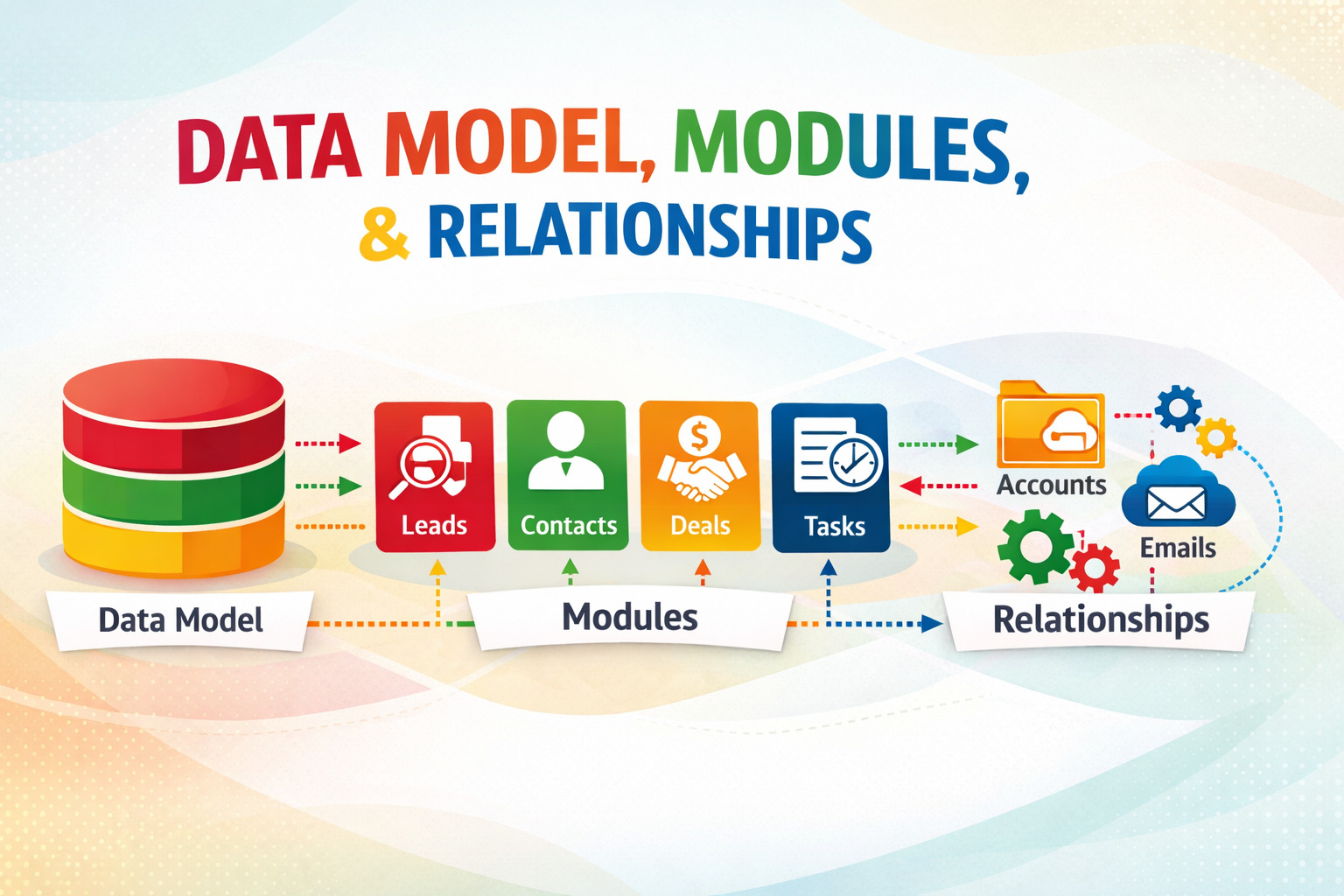
Zoho CRM organizes all data into Modules, which function equivalently to database tables in a relational schema. Each Module contains Records, where each record represents a single entity instance. Standard modules include Leads, Contacts, Accounts, Deals (called Potentials), Activities, Products, Quotes, Sales Orders, and Invoices. Beyond these, organizations can create custom modules representing any business object — equipment, projects, subscriptions, service requests, or anything the business tracks.
Each module contains Fields, which map to columns in the underlying data store. Zoho supports over 30 field types, including single-line text, multi-line text, number, currency, percentage, date, datetime, formula, file upload, multi-select picklist, and lookup. Lookup fields create foreign-key-style relationships between modules — a Deal record contains a lookup to an Account record, establishing a parent-child relationship traversable through the API. Enterprise plans support up to 600 modules per org across standard, custom, and extension module types.
How does Zoho CRM handle many-to-many relationships and data integrity?
Zoho CRM supports many-to-many relationships through junction modules. For instance, the Contacts-to-Deals relationship module allows a single contact to associate with multiple deals simultaneously, and a single deal to link to multiple contacts. Consequently, Zoho CRM’s data model more closely resembles a normalized relational database than most CRM platforms, which makes it far better suited to complex B2B sales processes where multiple stakeholders appear across multiple opportunities.
Importantly, Zoho CRM enforces referential integrity at the application layer rather than the database layer. This design provides flexibility — deleting a parent record does not automatically cascade-delete child records — but it also means IT teams must implement data quality workflows proactively. Zoho Validation Rules, Mandatory Fields, and Unique Field configurations help enforce data integrity at the point of entry, while scheduled reports can surface orphaned records for cleanup.
| Module Category | Examples | Relationship Support | Max per Org (Enterprise) |
| Standard Modules | Leads, Contacts, Accounts, Deals, Activities | Lookup, Junction, One-to-Many | Fixed set |
| Custom Modules | Projects, Assets, Service Requests, Subscriptions | All relationship types | Up to 600 total modules |
| Extension Modules | Installed via Zoho Marketplace | Varies by extension | Varies by extension |
| System Modules | Users, Roles, Profiles, Organizations, Territories | Internal system relationships | Plan-defined limits |
What API Capabilities Does Zoho CRM Provide for Integration?
What REST API versions and endpoints does Zoho CRM support?
Zoho CRM provides a comprehensive REST API currently at version 2, with version 3 endpoints rolling out for specific capabilities. Both versions use JSON as the data format and require OAuth 2.0 authentication. The base endpoint structure follows https://www.zohoapis.com/crm/v2/{ModuleName} for standard operations, with regional variants — zohoapis.eu for EU data centers, zohoapis.com.au for Australia — ensuring API calls route through the correct regional infrastructure for data residency compliance.
The API supports full CRUD operations on all module records, plus specialized endpoints for criteria-based search, COQL (CRM Object Query Language — Zoho’s SQL-like query syntax for complex cross-module queries), bulk import/export via the Bulk API (handling up to 100,000 records per operation), and Metadata API calls to dynamically discover module schemas and field definitions. IT teams building long-lived integrations should use the Metadata API to fetch schemas programmatically rather than hardcoding field names, which makes integrations resilient when org administrators add or rename custom fields.
How do Zoho CRM Webhooks work and what should IT teams watch for?
Zoho CRM’s Webhook functionality enables the platform to push event notifications to any external HTTP endpoint whenever a trigger condition is met. Webhooks configure at the workflow rule level — specifying triggers such as record creation, field update crossing a threshold, or status change. Each webhook payload delivers a JSON object containing the changed record’s data and event metadata, allowing receiving systems to act without polling the API.
Zoho attempts webhook delivery up to three times on failure, with exponential backoff between attempts. However, IT teams must design receiving endpoints with idempotency in mind, because Zoho does not guarantee exactly-once delivery. Using the record’s unique ID combined with its Last Modified Time as a deduplication key provides a reliable idempotency mechanism. Additionally, Zoho signs webhook payloads with an HMAC token that your endpoint should validate before processing, preventing spoofed requests from unauthorized sources.
| API / Protocol | Primary Use Case | Authentication | Volume Limits |
|---|---|---|---|
| REST API v2/v3 | CRUD on all module records | OAuth 2.0 | 100K calls/org/day (Enterprise) |
| COQL API | Complex SQL-like cross-module queries | OAuth 2.0 | Counts toward daily API limit |
| Bulk API | Mass import/export of records | OAuth 2.0 | Up to 100K records per job |
| Webhooks | Real-time push event notifications | HMAC signature | No outbound rate limit |
| GraphQL (CRM Plus) | Flexible nested data fetching | OAuth 2.0 | Plan-dependent |
| Metadata API | Schema discovery — modules, fields, layouts | OAuth 2.0 | Counts toward daily API limit |
How Does Zoho CRM Manage Security and Access Control?

What is the role-profile security model and how does it work?
Zoho CRM implements security through two complementary axes: Roles and Profiles. Roles govern data visibility — specifically, which records a user can see based on a hierarchical org chart model. Roles arrange in a tree structure where managers see all records owned by users in roles beneath them, while users at the same level cannot see each other’s records unless sharing rules explicitly allow it. This hierarchical model mirrors real sales org structures and makes it straightforward to replicate enterprise data governance policies.
Profiles govern feature permissions — which modules a user accesses, whether they can import or export data, delete records, run mass updates, or view specific reports. The combination of a user’s Role (data scope) and Profile (feature scope) completely defines their access boundary. This dual-axis model gives IT administrators granular control without building per-user permission matrices, and it scales cleanly as organizations add users, restructure teams, or expand into new regions.
How does field-level security and audit logging work?
Beyond module and record-level access, Zoho CRM provides field-level security through Layout permissions. IT administrators can mark specific fields as read-only or hidden for specific Profiles — for example, hiding contract value fields from junior sales reps while keeping them visible to account executives. This field-level granularity supports internal data classification policies without requiring separate module views or duplicate data structures.
Zoho CRM’s Audit Log captures all significant user activity: record creation, modification, and deletion; login and logout events; data export actions; and API call history. Audit logs persist for up to 60 days and export to CSV format for ingestion into SIEM platforms like Splunk or Microsoft Sentinel. For compliance-sensitive deployments, Zoho also supports IP whitelisting to restrict CRM access to corporate network ranges, and two-factor authentication enforcement at the org level through Zoho OneAuth.
What compliance certifications does Zoho CRM hold?
Zoho maintains a strong compliance portfolio that satisfies most enterprise vendor risk assessment requirements. Current certifications and standards include ISO 27001 (information security management systems), SOC 2 Type II (security, availability, confidentiality), GDPR compliance for EU data subjects, HIPAA-eligible data processing (with a Business Associate Agreement available on Enterprise plans), and PCI DSS compliance for handling payment-sensitive data. Zoho publishes third-party audit reports and compliance documentation through its Trust Center at trust.zoho.com, which IT security teams should reference during procurement due diligence.
What Integration Patterns Work Best With Zoho CRM?
How should IT teams approach native Zoho ecosystem integrations?
The deepest and most reliable integrations Zoho CRM offers connect to other applications within the Zoho One ecosystem. Native integrations with Zoho Desk, Zoho Campaigns, Zoho Analytics, Zoho Books, and Zoho Projects use server-side platform APIs that bypass public REST API rate limits and support real-time bidirectional data flow. These native connectors activate through a few clicks in the CRM Marketplace or Setup menu — no custom development required.
Notably, the Zoho CRM — Zoho Analytics integration stands out technically because it enables direct SQL queries against live CRM data from the Analytics reporting layer. This capability supports complex cross-module reports — pipeline velocity by territory, deal conversion rates by lead source, activity completion rates by rep — that the CRM’s native reports module cannot produce. IT teams building enterprise reporting pipelines should prioritize this native integration over building custom ETL pipelines from the REST API.
What third-party integration patterns perform best at scale?
For integrations outside the Zoho ecosystem, three patterns consistently deliver reliable results. First, event-driven integration using Zoho CRM Webhooks plus a message queue — such as AWS SQS, Azure Service Bus, or Google Pub/Sub — decouples the integration from CRM API rate limits and provides natural retry and backpressure handling. This pattern works best for near-real-time sync scenarios like updating an ERP when a deal closes or notifying a fulfillment system when an order record appears in CRM.
Second, scheduled bulk synchronization using the Bulk API processes large record volumes efficiently — nightly ERP contact sync, weekly data warehouse exports, or periodic data quality sweeps — without consuming the daily REST API call budget. Third, iPaaS platforms including Zapier, Make (formerly Integromat), and Boomi offer pre-built Zoho CRM connectors that accelerate standard integration use cases considerably for teams without dedicated integration engineering resources.
How Does Zoho CRM Scale for Enterprise Deployments?
What are the practical record volume and storage limits?
Zoho CRM handles record volumes that satisfy most enterprise requirements without performance degradation. The platform performs well with tens of millions of records per org when queries use indexed fields. Zoho automatically indexes primary keys, record owners, creation dates, modification dates, and lookup fields. However, IT teams that frequently query on unindexed custom text fields will encounter performance issues at high volumes — plan your data model and search patterns accordingly, and contact Zoho enterprise support to discuss custom indexing options for high-volume orgs.
Storage limits follow a per-user model: the Enterprise plan allocates 1 GB per user license, while the Ultimate plan provides 5 GB per user. Organizations can purchase additional storage in 5 GB increments. IT teams planning migrations from on-premises CRM systems should calculate existing data volumes — including attachments and documents — before selecting a plan tier. File attachments often represent a substantially larger storage footprint than record data alone.
How does Zoho CRM support multi-org and territory-based enterprise architectures?
Large enterprises occasionally require separate Zoho CRM orgs for different business units, subsidiaries, or geographic markets. However, Zoho does not natively federate multiple orgs into a unified view — each org operates independently. Therefore, IT architects who need consolidated reporting across orgs must build cross-org data pipelines using the API, routing data through a central data warehouse such as Snowflake, BigQuery, or Zoho Analytics with multiple CRM data sources configured.
Territory Management, available on Enterprise and Ultimate plans, provides a single-org alternative to multi-org architectures for geographic or segment-based data partitioning. Territories support complex assignment rules that route records to specific teams based on country, industry, annual revenue range, or any custom field combination. This approach avoids the operational overhead of managing multiple org instances while still delivering granular data access control at scale.
What Customization Options Does Zoho CRM Offer Developers?
What is Deluge scripting and how does it extend CRM logic?
Deluge — Data Enriched Language for the Universal Grid Environment — is Zoho’s proprietary scripting language for implementing custom business logic within the CRM platform. Deluge uses a Python-influenced syntax and provides native connectors to all Zoho services through built-in invoke() and zoho.crm API methods. Developers use Deluge to implement logic that standard workflow rules cannot handle: multi-step conditional calculations, dynamic data enrichment from external APIs, custom approval routing based on runtime business rules, or cross-module record creation triggered by specific field changes.
Deluge executes server-side within Zoho’s sandboxed environment with a 30-second execution time limit per function call. For longer-running processes, Zoho Functions — built on the Zoho Catalyst serverless platform — supports Node.js and Java runtimes with higher time limits, greater memory allocation, and more flexible external HTTP call support. Additionally, Zoho Functions integrate with Catalyst’s built-in data store, file storage, and event hub, making them suitable for complex integration orchestration scenarios beyond what Deluge alone supports.
How does Canvas Builder transform UI customization possibilities?
Canvas Builder, introduced in 2022, fundamentally changed how IT teams and developers customize the Zoho CRM record detail view. Rather than rearranging standard field layouts within fixed templates, Canvas lets developers design completely custom record views using a drag-and-drop visual editor backed by HTML and CSS rendering. Teams can create role-specific views that surface contextually relevant information — a field service technician view showing equipment history and GPS location alongside CRM account data, for instance — without requiring users to navigate between multiple applications.
Canvas supports conditional formatting, embedded iframes for external data sources, dynamic field visibility rules, and custom action buttons that trigger Deluge functions or outbound webhooks. Combined with Zoho CRM’s Blueprint workflow engine — which enforces sequential stage transitions and mandatory data capture at each stage — Canvas-powered record pages become powerful guided workflow interfaces that improve data quality and reduce training requirements simultaneously.
How Does Zoho CRM Compare to Other CRM Platforms Architecturally?
How does Zoho CRM’s architecture differ from Salesforce and HubSpot?
Salesforce uses Amazon Web Services as its cloud foundation, while Zoho CRM runs on Zoho’s own infrastructure — a distinction that affects pricing, data sovereignty flexibility, and the speed at which Zoho can deploy infrastructure changes. Salesforce’s architecture skews toward maximum developer extensibility through its Apex language, SOQL query engine, and Lightning Platform, making it more powerful for highly specialized enterprise use cases but also significantly more expensive and complex to administer. Zoho CRM delivers comparable extensibility through Deluge, COQL, and Zoho Functions at a substantially lower total cost of ownership.
HubSpot uses a contact-centric data model where all objects relate back to the contact record, which simplifies inbound marketing integration but creates friction for complex B2B data structures. Zoho CRM‘s module-centric model treats all standard and custom objects as architectural peers, which provides considerably more flexibility for organizations with non-standard sales processes or complex product catalogs.
| Dimension |  |  |  |
| Cloud Infrastructure | Proprietary Zoho cloud | AWS-based (Hyperforce) | AWS-based |
| Data Model | Module-centric, custom objects as peers | Object-centric, Apex-extensible | Contact-centric hub model |
| Scripting Language | Deluge + Zoho Functions (Node.js/Java) | Apex (Java-like) | No native scripting |
| API Maturity | REST v2/v3, COQL, Bulk, Webhooks, GraphQL | REST, SOQL, Bulk, Streaming | REST, Webhooks |
| AI Features | Zia — predictions, NLP, anomaly detection | Einstein AI — advanced, add-on pricing | Breeze AI — limited tiers |
| Pricing Model | Per user/month; Zoho One bundle option | Per user/month; expensive at scale | Per user + contact tier pricing |
| Ideal Use Case | Mid-market to enterprise, complex workflows | Large enterprise, Salesforce-native stack | SMB to mid-market, inbound marketing |
What Conclusions Should IT Professionals Draw?
After examining Zoho CRM‘s architecture comprehensively, several important conclusions emerge for IT professionals planning or managing CRM deployments.
First, Zoho CRM’s proprietary multi-tenant infrastructure — spanning six global regions with strong data residency controls — gives it a genuine advantage over CRM platforms that rely entirely on hyperscaler infrastructure for data sovereignty scenarios. Organizations in regulated industries or multi-national markets benefit directly from Zoho’s regional data center architecture and its ISO 27001 and SOC 2 Type II certifications.
Second, the module-centric relational data model that Zoho CRM uses — with custom modules, junction objects, lookup relationships, and over 30 field types — positions it far closer to a structured enterprise data platform than the simpler contact or deal-centric models of competing SMB-focused CRMs. This architectural depth makes Zoho CRM particularly well-suited for organizations with complex B2B sales processes, multi-product portfolios, or deep integration requirements with ERP and supply chain systems.
Third, the breadth of Zoho CRM’s API surface — REST v2/v3, COQL, Bulk API, Webhooks, GraphQL, and Metadata API, all authenticated with OAuth 2.0 — provides integration engineers with the tools to build reliable, high-volume connections to virtually any external system. The key to integration success lies in designing for idempotency, respecting rate limits through event-driven and bulk patterns, and using the Metadata API to build schema-resilient integrations.
Fourth, customization capabilities — Deluge scripting, Zoho Functions, Canvas Builder, and Blueprint — give development teams the ability to transform Zoho CRM from a standard CRM into a purpose-built business platform without abandoning the managed SaaS model. This balance between extensibility and operational simplicity represents one of Zoho CRM’s most compelling architectural strengths.
Frequently Asked Questions
No — Zoho CRM is exclusively a cloud-based SaaS platform with no on-premises deployment option. However, Zoho addresses data sovereignty through regional data center selection across six global regions (US, EU, AU, IN, CN, JP). EU-resident organizations can enforce EU data residency, ensuring that Zoho stores and processes all CRM data exclusively within European data centers. For organizations requiring full on-premises control with no cloud processing, Zoho CRM does not satisfy that requirement, and an alternative such as a self-hosted open-source CRM platform would be more appropriate.
Zoho CRM enforces API rate limits at two levels: per-organization and per-user. The Enterprise plan allows 100,000 API calls per org per day, with per-minute burst limits varying by endpoint type. The Bulk API counts separately, enabling high-volume batch operations without consuming the daily REST API budget. IT teams should design around these limits by using event-driven Webhooks instead of polling for change detection, processing large data volumes through the Bulk API rather than individual record calls, implementing exponential backoff with jitter for HTTP 429 (rate-limited) responses, caching frequently read metadata — module schemas, picklist values, user lists — locally rather than fetching on every call, and distributing scheduled batch jobs across the day rather than running all jobs simultaneously at midnight.
What Are the Benefits of Working With Solution for Guru?
What does Solution4Guru specialize in for Zoho CRM implementations?
For IT teams that need expert guidance navigating Zoho CRM‘s architecture, Solution for Guru provides specialized Zoho implementation and consulting services. As a certified Zoho partner, Solution for Guru brings deep technical expertise across the entire Zoho ecosystem — from initial architecture planning and data modeling through custom module development, API integration engineering, and ongoing platform optimization.
Specifically, Solution for Guru helps organizations across six core service areas:
- CRM Architecture Design — Translating complex business requirements into a technically sound Zoho CRM configuration that performs at scale and remains maintainable as the business evolves
- Custom Development — Building Deluge scripts, Zoho Functions, Canvas Builder views, and Blueprint workflows tailored to unique sales and operational processes
- Third-Party Integrations — Connecting Zoho CRM with ERP systems, marketing platforms, e-commerce engines, and data warehouses using best-practice integration patterns
- Data Migration — Safely migrating records, relationship data, and historical activity from legacy CRM platforms with validated field mapping and minimal data loss risk
- Security & Compliance Configuration — Setting up role hierarchies, profile permissions, audit log exports, IP whitelisting, and field-level security to meet enterprise governance and regulatory requirements
- Training & Enablement — Equipping both end users and IT administrators with the technical knowledge to maintain, extend, and evolve the platform independently after go-live
Why do IT teams choose Solution for Guru over general Zoho consultancies?

Beyond technical capability, Solution for Guru distinguishes itself through a consultative approach that prioritizes architectural decisions aligned with long-term business goals rather than quick deployments that accumulate technical debt. Their team understands that a poorly designed initial Zoho CRM architecture compounds difficulty as the organization scales — adding users, expanding modules, or building integrations becomes progressively harder when the foundation lacks rigor.
Consequently, Solution for Guru invests substantial time upfront in discovery — understanding your existing data model, integration landscape, reporting requirements, and team capabilities — before proposing any configuration. Organizations that partner with Solution for Guru typically achieve faster user adoption, fewer post-launch integration failures, and a more maintainable CRM configuration that continues delivering value as the business grows.
Recommended:
- Advanced Filtering in Pipedrive: Tips and Tricks
- Pipedrive Web Chat and LeadBooster: Generate More Leads from Your Website
- CRM Ecosystem Explained: Business and Technical Roles You Need
- What is CRM System Proficiency?
- How Should You Structure Your CRM Team for Maximum Success?
- Using Salesforce to Build a 360° Customer View
- What Should Investors Know About Salesforce Stock?
- What KPIs Should Every Business Track in Their CRM System?
- What is CRM Database?
- How Can CRM Analytics Transform Your Salesforce Experience?
- CRM Management
- Getting Started With Pipedrive
- What is Pipedrive CRM?
- Choosing the best low-cost CRM
- Top Microsoft Dynamics Alternatives and Competitors
- CRM Cost Comparison of Top Platforms