Business Process Workflow: How to Map, Build and Improve One

A business process workflow is the structured sequence of tasks, handoffs and decisions that moves work from a trigger to a defined outcome. It states who performs each task, in what order, and with which inputs and outputs. A business process is the broader unit: it may contain several workflows, plus the people, systems and data around them. This guide explains the components, the lifecycle, a practical seven-step build method, the metrics worth tracking and the point at which automation makes sense.
TL;DR
- A workflow is the repeatable sequence of steps inside a process. The process is the larger outcome-oriented whole.
- Every workflow needs a trigger, an owner, defined data, approval rules, an exception path and a success metric before any software is chosen.
- Map the process as it actually runs, not as it is documented. Event data and transaction logs reveal workarounds that interviews miss.
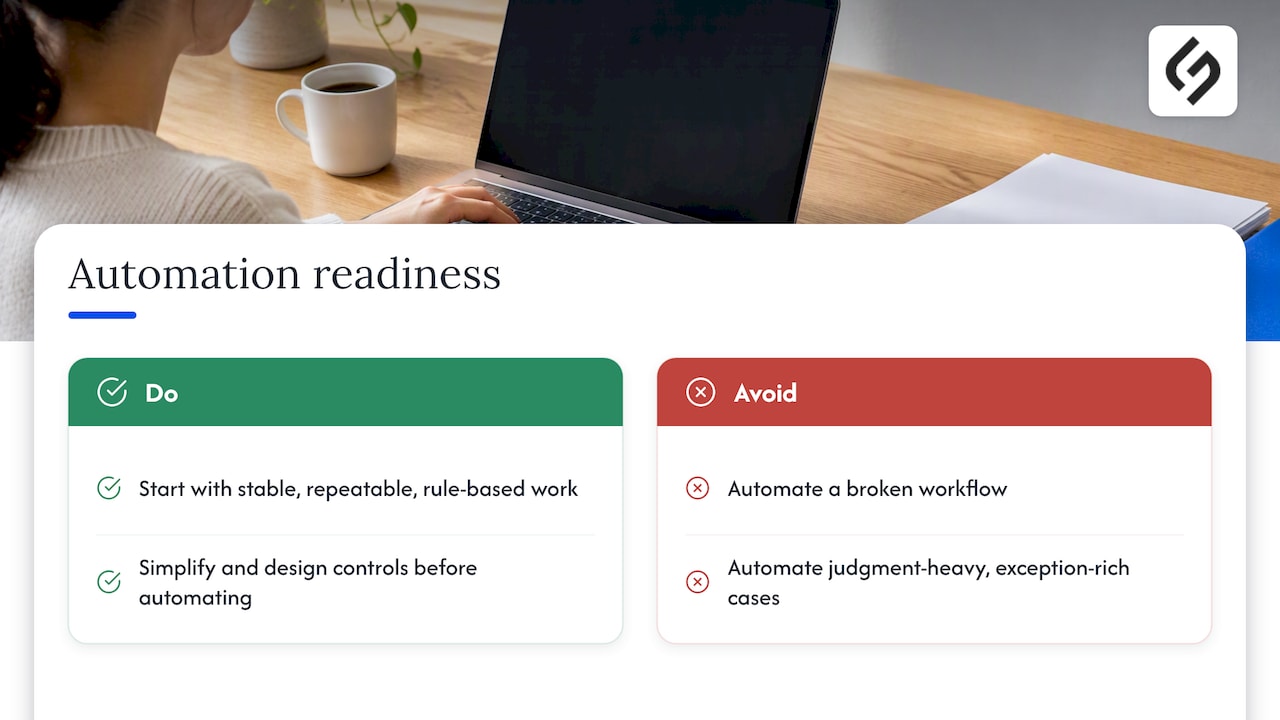
- Simplify first, automate second. Start with stable, rule-based work and keep human approval for judgment-heavy decisions.
- Track cycle time, error rate and throughput, then fine-tune on a regular cycle.
Table of Contents
- What a business process workflow is
- The components every workflow needs
- Why workflows must cross department lines
- The four types of business processes
- The workflow lifecycle: five stages
- Seven steps to build a workflow
- Map the actual process, not the intended one
- Metrics that show whether a workflow works
- When to automate a workflow
- Our perspective
- Where Solution4Guru fits
- Common mistakes to avoid
- FAQ
- Sources
What a business process workflow is
IBM defines a workflow as a system for managing repetitive processes and tasks that occur in a particular order. The Work Management Institute phrases it as the structured sequence of steps, handoffs and decisions through which work moves from initiation to completion.
The terms “workflow” and “business process” are often used interchangeably, and the distinction is mostly one of scope. SAP Signavio describes workflow as the operational layer of business process management: workflows handle task execution, while process management governs design, execution and optimization across the full lifecycle.
A simple way to hold the difference:
| Workflow | Business process | |
|---|---|---|
| Scope | A defined sequence of tasks | The end-to-end effort toward an outcome |
| Focus | Who does what, in what order | Why the work exists and how well it performs |
| Example | Route a new invoice for approval | Procure-to-pay, including vendors, budgets and payment |
| Typical question | Where is this task stuck? | Is this process meeting its objective? |
A single process, such as customer onboarding, usually holds several workflows: a sales handoff, a contract approval, an account setup and a welcome sequence.
The components every workflow needs
The IBM overview lists the common building blocks: trigger, steps, roles, handoffs, decisions, inputs, outputs, exceptions and outcome. A workflow that omits any of them tends to fail at that exact point.
- Trigger: the event that starts the work, such as a submitted form, a signed quote or a new support ticket.
- Steps and sequence: the tasks and their dependencies.
- Roles: who owns each task and who owns the workflow as a whole.
- Handoffs: the moments work passes between people, teams or systems.
- Decisions: the rules that send work down one branch or another.
- Inputs and outputs: the data and documents each step needs and produces.
- Exceptions: what happens when something does not fit the standard path.
- Outcome: the defined result that marks the work as complete.
The Work Management Institute notes that handoffs, exceptions and ownership are the most frequently neglected elements. A workflow that documents only the happy path can look efficient while failures pile up in email threads, spreadsheets and informal escalation channels.
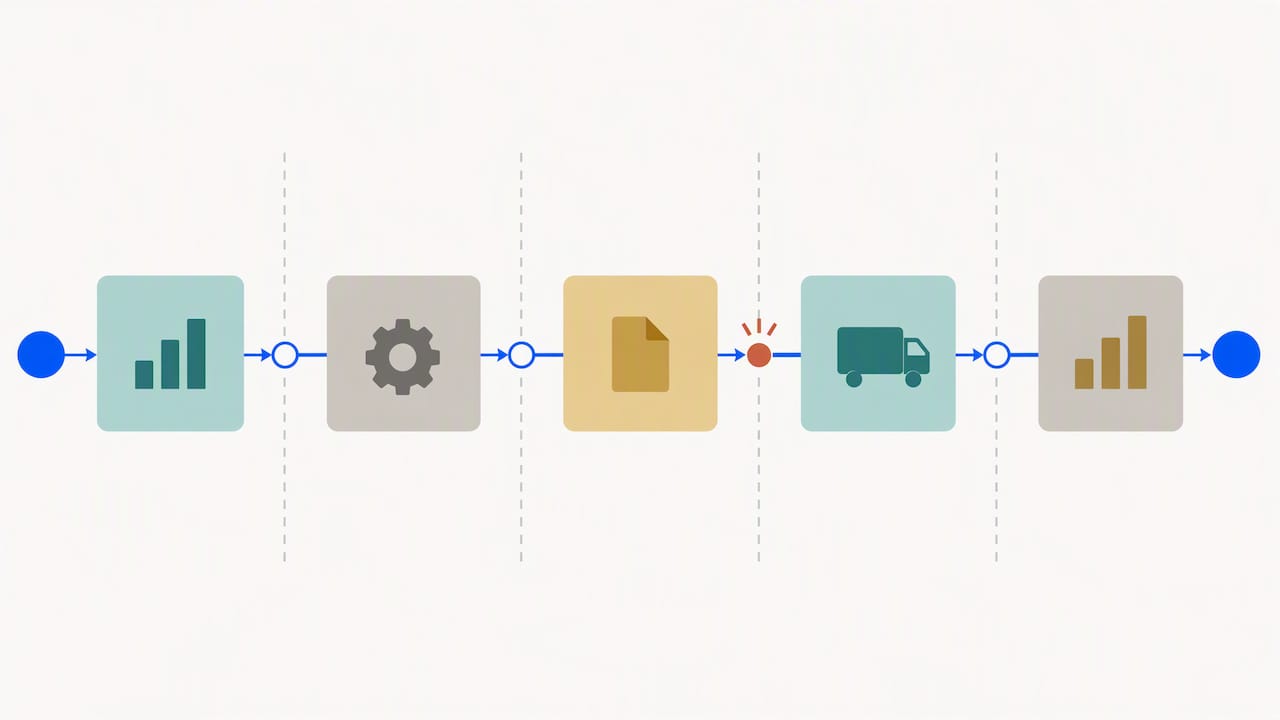
Why workflows must cross department lines
Most organizations are managed vertically, by function. Work, however, moves horizontally. ISO’s guidance on the process approach explains that vertical management can obscure problems at the interfaces between departments, whereas horizontal process management focuses teams on the intended customer and business outcome.
In practice, this means the owner of a lead-to-cash workflow should not sit inside only marketing, sales or finance. Someone needs authority over the whole path, or each department will optimize its own segment while the customer waits at the seams.
The four types of business processes
Readers often ask about the four types of business processes. The commonly taught classification, which ISO’s process-approach material reflects, is:
- Management processes: set direction, policy and objectives.
- Resource or support processes: supply people, technology, facilities and information.
- Realization or core-value processes: deliver the product or service the customer pays for.
- Measurement, analysis and improvement processes: evaluate performance and drive change.
This is a useful lens, not a universal taxonomy. ISO notes that each organization should define the number and types of processes it needs to meet its own objectives. A ten-person agency and a regional insurer will draw those lines differently.
The workflow lifecycle: five stages
A workflow is not finished when it goes live. The practical lifecycle has five stages: design, test and run, monitor, audit, and fine-tune. Microsoft’s description of business process management uses a parallel set of five phases: design, model, execute, monitor and optimize. Both are lifecycle models rather than a mandated sequence, and the point is the loop.
Monitoring should track measures such as cycle time, error rate and throughput. Optimization may then remove redundant steps, automate work or redesign the flow entirely.
Seven steps to build a workflow
There is no globally mandated list of exactly seven steps. The following method consolidates the workflow-building activities described by SAP and the ISO process approach into a checklist that operations teams can apply directly.
- Identify the workflow and its outcome. Name the trigger and the finished state in one sentence each. If that is difficult, the scope is too broad.
- Inventory the tasks. List every task, including the informal ones that live in someone’s inbox.
- Sequence the dependencies. Decide what must finish before the next task can begin, and what can run in parallel.
- Assign responsibility. Every task needs a named role. Every workflow needs one accountable owner.
- Select tools. Choose software only after the first four steps, so that the tool fits the workflow and not the reverse.
- Connect systems. Define how data moves between the CRM, finance system, help desk and any other platform involved.
- Test, launch, measure and improve. Pilot with a small volume, compare results to the baseline and adjust.
Before step five, a practical specification should define the trigger, owner, service-level target, required data, approval rules, exception path, audit trail and success metric. This list comes from process-mining research published by Springer, which identifies discovery, analysis, redesign, implementation and monitoring as the core improvement cycle.
A worked example: new-customer onboarding
Consider a services company onboarding a client after a signed proposal.
- Trigger: the deal is marked closed-won in the CRM.
- Steps: create the account record, issue the contract, collect payment details, assign a project lead, schedule the kickoff call, send the welcome materials.
- Roles: sales hands off to operations; operations owns the workflow from that point.
- Decision: contracts above a set value require a second approval.
- Exception path: if the contract is not returned within a defined number of days, an alert goes to the account owner.
- Outcome: kickoff completed, with all required data captured.
- Metrics: days from signature to kickoff, and the share of onboardings completed without rework.
The thresholds above are illustrative. Each business sets its own according to its risk and volume.
Map the actual process, not the intended one
A workshop with department heads produces a clean diagram. It is often wrong. The process-mining literature distinguishes the documented, normative process from the actual process revealed by event data. Logs and transaction records show real variants, rework loops, bottlenecks and deviations, and they commonly expose workarounds that interviews miss.
This changes how an assessment should begin:
- Pull a sample of recently completed cases from the system of record.
- Trace each one from trigger to outcome and note every deviation.
- Count the variants. If fifteen cases followed nine different paths, the documented process is a suggestion, not a standard.
- Interview the people doing the work only after reviewing the data, and ask about the deviations.
Only then is it sensible to design the target workflow.
Metrics that show whether a workflow works
The same research lists the KPIs most often used for workflow performance:
| Metric | What it reveals |
|---|---|
| Cycle time | How long a case takes from trigger to outcome |
| Throughput | How many cases complete in a period |
| First-pass yield | Share of cases finished without rework |
| Backlog age | How long unfinished cases have been waiting |
| Error or rework rate | Where quality breaks down |
| SLA attainment | Whether commitments are met |
| Automation rate | Share of steps handled without manual effort |
| Cost per completed case | The economic result of all the above |
Choose three or four, not all eight. Establish a baseline before any change, otherwise improvement cannot be demonstrated.
When to automate a workflow
Automation sits on a spectrum. SAP’s overview describes it as ranging from manual, to semiautomated, to automated, with hyperautomation using advanced AI and minimal human intervention at the far end.
For small and medium-sized businesses, the sensible entry point is stable, repeatable, rule-based work. Typical candidates include lead routing, employee onboarding, expense approval, insurance preauthorization, customer support escalation, order fulfillment and CRM data synchronization. Judgment-heavy decisions and exception-rich cases should keep a human approver.
The order matters. ISO guidance recommends identifying root causes, verifying that corrective actions work and applying Plan-Do-Check-Act across process interactions. Automation should follow simplification and control design. Automating a broken workflow produces the same errors, faster.
For concrete starting points, see these automation examples for SMBs, covering lead routing and invoices, and this guide to small business workflow automation. Operations leads who want to keep control after launch can review how to govern business automation workflows during the first 90 days.
What the adoption data says
Technology alone does not explain results. The UK Office for National Statistics reported that in 2023, 9% of UK firms had adopted AI and 69% used cloud-based systems and applications. Technology adopters were associated with 19% higher turnover per worker after controlling for management practices and firm characteristics. The leading barriers to AI adoption were difficulty identifying use cases (39%), cost (21%) and AI expertise or skills (16%).
These are UK figures and should not be read as a US benchmark. They do support a practical conclusion: adoption is tied to management practice, so workflow automation is an operating-model change involving ownership, skills, data quality and governance, not only an integration project.
Our perspective
We see the same pattern in most workflow projects: the software is rarely the hard part. The hard part is agreeing who owns the workflow, what counts as done and what happens when a case does not fit the standard path.
Our approach is strategy first. We start from the client’s business model and goals, then design implementation and integration around them, not around a template. A CRM workflow for an insurance brokerage and one for a SaaS startup may use the same platform and look nothing alike, because the triggers, approvals and compliance needs differ.
We also treat go-live as the midpoint. Workflows drift as teams, products and data change, so ongoing optimization is part of the work, not an optional add-on. For leaders weighing tooling, we suggest reading how to look past feature lists in transformation software and the five-phase digital transformation model before buying anything.
— Vadim
Where Solution4Guru fits
When a documented workflow is ready to be built into a CRM, our team handles the implementation. We offer HubSpot implementation, integration, administration, data migration and process automation, as well as custom development, CRM and SaaS integrations and tech consulting. Prices are not published, so scope is set through a free consultation on the Solution4Guru site.
Common mistakes to avoid
- Documenting only the happy path. Exceptions are where cost accumulates.
- Skipping the owner. A workflow without one accountable person decays.
- Buying the tool first. The specification should drive the selection.
- Automating before simplifying. Remove redundant steps before encoding them in software.
- Never measuring. Without a baseline, no one can say whether the change worked.
- Ignoring data quality. Automated steps amplify bad inputs across every connected system.
FAQ
What is a workflow in a business process?
A workflow is the repeatable sequence of tasks, handoffs and decisions that carries a piece of work from a trigger to a finished outcome. It sits inside a business process, which is broader and may include several workflows, people, systems and data.
What are the 5 stages of workflow?
A practical lifecycle runs through design, test and run, monitor, audit, and fine-tune. Microsoft’s BPM model uses design, model, execute, monitor and optimize. Both describe a continuous loop, not a one-time project.
What are the 7 steps of the business process?
No single standard defines exactly seven. A workable method is to identify the workflow and outcome, inventory tasks, sequence dependencies, assign responsibility, select tools, connect systems, then test, launch, measure and improve.
Should a small business automate its workflows?
Yes, starting with stable, repeatable, rule-based work such as lead routing or expense approval. Keep human review for judgment-heavy or exception-rich decisions, and map the real process before automating it.
Sources
- What Is a Workflow? | IBM
- What Is Workflow Management | SAP
- What is Business Process Management? | Microsoft
- Business Process Management vs. Workflow | SAP Signavio
- What Is a Workflow? The Canonical Definition | Work Management Institute
- Concept and use of the process approach for management systems | ISO
- Process mining research chapter | Springer
- Management practices and the adoption of technology and AI in UK firms: 2023 | ONS