Optimize Landing Pages: A Practitioner’s Playbook

TL;DR:
- Fixing message match, reducing form fields, and improving mobile speed rapidly increase landing page conversions without full redesigns. Prioritize clear headlines that match ads, streamline forms, and run speed tests with PageSpeed Insights to see measurable early results. Effective landing pages focus on a single goal, load quickly, and contain relevant social proof, with continuous testing guiding improvements.
The fastest way to lift landing page conversions is to fix message match, headline clarity, and mobile friction first. These three levers consistently separate high-converting pages from underperformers, and you can address all three within a single sprint without a full redesign.
Three prioritized first actions:
- Fix message match in the hero. Align your headline word-for-word with the ad copy or email subject that drove the click. Message match is the single highest-impact element for paid traffic, and misalignment is the most common reason visitors bounce within seconds.
- Remove unnecessary form fields. Cut every field that does not directly qualify the lead. Shorter forms generally convert better than long forms in most verticals. If you need more data, use a multi-step form to spread the friction.
- Run Google PageSpeed Insights now. Open PageSpeed Insights on your current page before making any other change. Every additional second of mobile load time reduces conversions measurably. Fix the top two or three flagged issues first.
Success signals to watch in the first 48–72 hours: bounce rate change by traffic source in GA4, form start-to-submit ratio, and micro-conversions such as scroll depth past the fold. If bounce rate drops and form starts increase, the message match fix is working.
Pro Tip: Install Hotjar (free tier) before you make any changes. A single session recording often reveals the exact moment visitors lose interest, which gives you a hypothesis before you touch a line of copy.
Table of Contents
- What is landing page optimization, and how does it differ from CRO?
- Why optimizing landing pages matters for your business
- What makes a landing page high-converting? Core elements to audit
- Technical must-fixes: page speed, Core Web Vitals, and mobile UX
- How to design A/B tests that produce reliable wins
- Which KPIs should you track, and what does “good” look like?
- A step-by-step optimization checklist and prioritization playbook
- Which tools and templates should you use?
- Common landing page mistakes and how to fix them fast
- How Solution4guru approaches landing page optimization
- Key Takeaways
- What actually matters in landing page optimization right now
- Solution4guru’s landing page audit and optimization service
- Useful sources and further reading
- FAQ
What is landing page optimization, and how does it differ from CRO?
Landing page optimization (LPO) is the process of systematically improving a single, purpose-built page to increase the rate at which visitors complete one specific conversion goal, whether that is a form submission, a purchase, a demo request, or a download. Every element on the page, from the headline to the button label, exists to support that one action.
LPO is a subset of conversion rate optimization (CRO), but the scope is narrower and the feedback loop is faster. CRO covers the full funnel: checkout flows, onboarding sequences, email click-through, and site-wide navigation. LPO focuses on a single conversion event on a single page, which makes it easier to isolate variables and measure results cleanly.
When to use a dedicated landing page versus a product page or homepage:
- Use a dedicated landing page when traffic arrives from a paid campaign, an email, or a social ad with a specific offer. The page should mirror the source message exactly.
- Use a product page when organic search visitors are evaluating options and need full context, specifications, and navigation.
- Use the homepage only as a last resort for paid traffic. Homepages serve too many audiences and too many goals to convert efficiently for a single campaign.
The practical distinction matters for resource allocation. A homepage redesign is a months-long project. A landing page test can ship in a day and produce statistically meaningful data within two weeks.
Why optimizing landing pages matters for your business
The performance gap between median and top-quartile landing pages is significant. Industry analyses consistently find median landing page conversion rates in the low single digits, while the top 25% of pages convert several points higher. For a page receiving 5,000 monthly visitors, moving from a 2% to a 4% conversion rate doubles your lead volume without spending an additional dollar on media.
The compounding effect on paid channel economics is direct. If your current cost per acquisition is moderate and conversion rate improves due to headline and form fixes, your effective CPA correspondingly decreases. That difference, multiplied across a full quarter of ad spend, often exceeds the cost of the optimization work itself.
What the data shows about high-converting pages:
- Pages with core elements present — message match, social proof above the fold, a concise headline, and minimal form fields — convert at multiples of pages missing those elements.
- Mobile load time is a direct conversion factor. Measurable conversion loss occurs with each additional second of delay, which makes speed a financial issue, not just a technical one.
- Google’s own guidance on landing page quality for paid campaigns lists message match and page experience as primary quality factors, directly affecting Quality Score and cost per click.
A quick ROI estimate: take your monthly ad spend, divide by your current CPA, and multiply the resulting lead count by your average deal value. A 20% lift in conversion rate on that same spend produces the same revenue increase as a 20% budget increase, at zero additional media cost.
What makes a landing page high-converting? Core elements to audit
Treat a landing page as a conversion system, not a small homepage. Every element should support one goal and remove exit opportunities. The following elements, audited in order, cover the majority of conversion lift available on most pages.
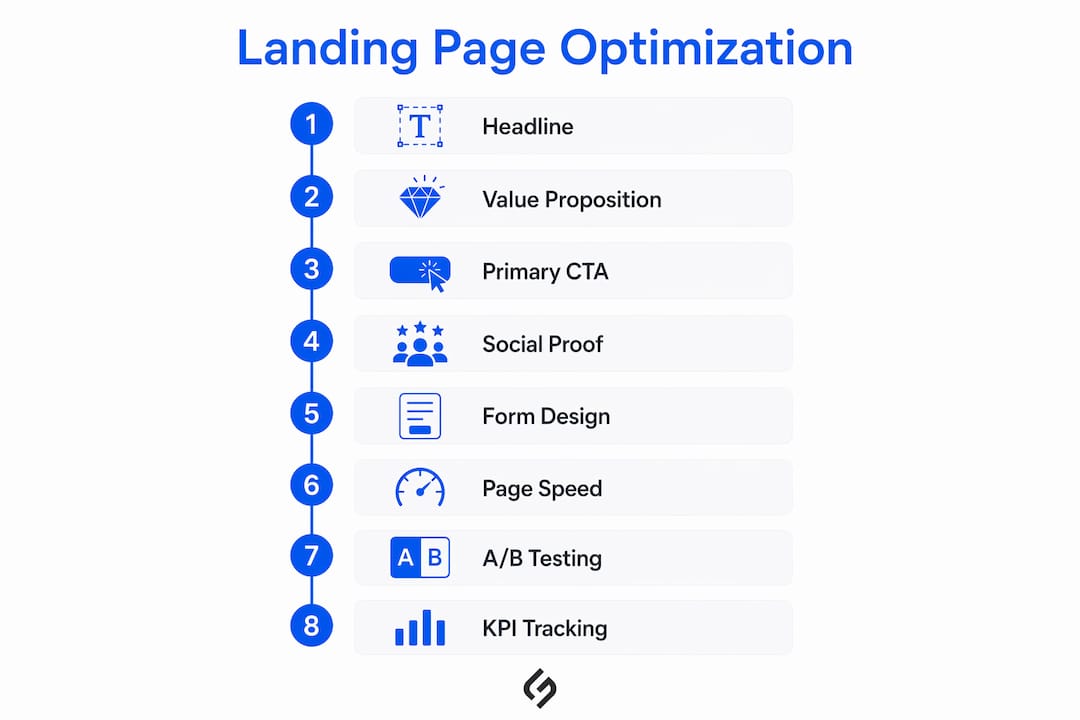
Hero and headline
The headline must pass the five-second test: a new visitor should understand who the page is for, what they will get, and why it matters within five seconds of arriving. Conversion-focused copy names the target customer, the desired outcome, and a specific benefit in a single sentence. “Get a free SEO audit for your e-commerce store” outperforms “Welcome to our services” by a wide margin.

Message match is the mechanism. The headline should echo the exact language of the ad or email that drove the click. If the ad said “double your leads in 30 days,” the headline should say the same, not a paraphrase.
Value proposition and body copy
State clearly who the offer is for, what outcome it produces, and what makes it different. Bullet points work better than paragraphs for scanning. Address the top two or three objections near the CTA, not buried at the bottom of the page.
Primary CTA
Use outcome-oriented language: “Download the guide,” “Book your free audit,” “Start your trial.” Avoid generic labels like “Submit” or “Click here.” Place the primary CTA above the fold and repeat it at logical scroll points on longer pages. The button should contrast visually with the background and be large enough to tap on mobile without zooming.
Social proof and trust signals
Place at least one trust signal above the fold: a recognizable client logo, a specific result (“helped 200+ B2B teams cut CPA by 30%”), a star rating with a review count, or a named case study. Vague testimonials (“Great service!”) add little. Specific, measurable outcomes add credibility.
Form design
Shorter forms convert better in nearly every vertical. Ask only for what you need to qualify the lead at this stage. If qualification requires more data, use a multi-step form: the first step captures the email, subsequent steps collect additional detail. This approach recovers qualification without front-loading friction.
Visual hierarchy and distraction reduction
Remove site navigation entirely. Every outbound link on a landing page is an exit opportunity. Use whitespace deliberately to guide the eye from headline to value proposition to CTA. A single, focused page with no competing links consistently outperforms a page with navigation menus.

Pro Tip: On mobile, place the primary CTA button in the bottom two-thirds of the screen, within natural thumb reach. Use numeric keyboard inputs for phone number fields and email-type inputs for email fields. These device-appropriate details reduce tap errors and form abandonment without any copy change.
Technical must-fixes: page speed, Core Web Vitals, and mobile UX
Technical performance is not a secondary concern. Measurable conversion loss occurs with each additional second of mobile load delay, and Google’s Core Web Vitals scores directly influence both paid Quality Score and organic ranking. A page with excellent copy but poor technical performance will underperform a technically sound page with average copy.
Practical speed and performance checklist:
- Compress all images to WebP format and set explicit width and height attributes to prevent layout shift.
- Defer noncritical JavaScript and remove unused third-party scripts (chat widgets, analytics tags not in use).
- Use a content delivery network (CDN) to serve assets from servers geographically close to the visitor.
- Enable browser caching for static assets.
- Host video on YouTube or Vimeo rather than directly on the page.
- Audit and remove redundant tag manager tags that fire on page load.
Tools to run and interpret:
| Tool | What it measures | When to use it |
|---|---|---|
| Google PageSpeed Insights / Lighthouse | Core Web Vitals, LCP, CLS, FID, speed score | Before and after every technical fix |
| GA4 real-user metrics | Actual load times by device and geography | Ongoing monitoring post-launch |
| Hotjar session recordings | Where users hesitate, rage-click, or abandon | Hypothesis formation before A/B tests |
For website performance optimization, prioritize fixes by impact-to-effort ratio. Compressing images and deferring JavaScript typically produce the largest speed gains with the least development effort. Cosmetic changes, such as font swaps or color adjustments, rarely affect Core Web Vitals scores.
Accessibility and tappability: buttons should be at least 44×44 pixels. Form inputs should use the correct type attribute so mobile devices surface the right keyboard. Labels should be visible above the field, not only as placeholder text that disappears on focus.
How to design A/B tests that produce reliable wins
A/B testing is the mechanism that turns hypotheses into evidence. Without a structured testing process, even experienced teams ship changes based on preference rather than performance data.
- Write a hypothesis first. Format: “Changing [element] from [current state] to [proposed state] will increase [metric] because [reason based on observed behavior or data].” A hypothesis without a “because” is a guess, not a test.
- Test high-impact variables before low-impact ones. Test headline and form length before button color or image style. The expected lift from a headline change is an order of magnitude larger than the lift from a color change.
- Calculate sample size before you start. Use a sample size calculator (many are free online) based on your current conversion rate, the minimum detectable effect you care about, and a 95% confidence threshold. Running a test for three days on a low-traffic page produces noise, not signal.
- Set a minimum test duration of two weeks. This accounts for day-of-week variation in visitor behavior. Ending a test early because one variant is “winning” after 48 hours is one of the most common and costly mistakes in conversion testing.
- Isolate paid and organic traffic segments. Paid visitors and organic visitors behave differently. A test that mixes both segments can produce a result that is true for neither. Use UTM parameters and GA4 segments to separate them.
- Validate statistical significance and practical significance separately. A result can be statistically significant (95% confidence) but practically meaningless if the absolute lift is 0.1%. Ask whether the improvement justifies the cost of implementation before rolling forward.
Pro Tip:
Before launching any test, run a QA pass on both variants: check that conversion pixels fire correctly, UTM parameters pass through to your CRM, and the page renders correctly on iOS Safari and Android Chrome. A broken tracking setup invalidates the entire test.
Common pitfalls to avoid:
- Multivariate confusion on low-traffic pages. Multivariate tests require substantially more traffic than A/B tests. On pages with fewer than 1,000 monthly conversions, stick to single-variable A/B tests.
- Segment leakage. If the same visitor sees both variants (due to cookie clearing or cross-device behavior), results are contaminated. Most testing platforms handle this, but verify the setting.
- Shipping the first winner permanently. A winning variant is a new baseline, not a final answer. Document the result and schedule the next test.
Which KPIs should you track, and what does “good” look like?
Measurement without segmentation is noise. The same landing page can perform at 6% conversion for branded search traffic and 1.5% for cold display traffic. Reporting a blended rate obscures both the problem and the opportunity.
Primary KPIs:
- Conversion rate by traffic source and campaign. This is the headline metric. Segment by source/medium in GA4 to identify which channels are underperforming relative to their cost.
- Cost per acquisition (CPA). Tie conversion rate to spend data. A page with a 5% conversion rate on expensive keywords may have a worse CPA than a page with a 3% rate on cheaper ones.
- Form abandonment rate. Track the ratio of form starts to form submits. A high abandonment rate points to form friction, not traffic quality.
Secondary KPIs:
- Bounce rate by device and source
- Scroll depth (what percentage of visitors reach the CTA)
- Time on page (low time on a long page suggests the message is not landing)
GA4 instrumentation recommendations:
- Fire a
page_viewevent on load (default in GA4). - Create a custom event for
form_start(first interaction with any form field). - Create a custom event for
form_submit(successful submission). - Mark the
form_submitevent as a key event (conversion) in GA4 settings. - Use UTM parameters on every paid and email link to populate source/medium dimensions accurately.
Reporting cadence: review primary KPIs weekly during an active test. Do not make optimization decisions until a test reaches its pre-set sample size and duration. Set a guardrail: if conversion rate drops more than 15% from baseline on a new variant, pause the test and investigate before continuing.
Heatmaps and session recordings from tools like Hotjar reveal behavior patterns that quantitative metrics alone cannot surface, such as where visitors hesitate before the CTA or which sections they skip entirely. Combine qualitative tools with GA4 data for the most complete picture.
A step-by-step optimization checklist and prioritization playbook
This playbook sequences work from highest to lowest expected impact. Follow the order unless a specific data signal (e.g., a heatmap showing CTA invisibility) justifies skipping ahead.
Pre-launch checks
- Confirm the conversion goal is defined and the tracking event fires correctly in GA4.
- Establish a baseline conversion rate over at least two weeks of data before making changes.
- QA the page on iOS Safari, Android Chrome, and desktop Chrome. Check form submission, button taps, and load time on a 4G connection.
- Verify UTM parameters are passing through to your CRM or analytics platform.
High-impact first sprint (days 1–5)
- Message match audit. Compare the ad headline and landing page headline word-for-word. Rewrite the landing page headline to mirror the ad if they differ.
- Form reduction. Remove every field that is not strictly necessary for the next sales step. Target three fields or fewer for lead generation.
- Speed fix. Run PageSpeed Insights, address the top two flagged issues (usually image compression and render-blocking scripts).
- Social proof above the fold. Add one specific, measurable trust signal visible without scrolling.
Two-week experiment cadence
- Week 1: Launch the headline A/B test (current headline vs. message-matched variant). Let it run without interference.
- Week 2: Analyze results against pre-set sample size. Roll forward the winner, document the learning, and define the next hypothesis (typically form length or CTA copy).
ICE scoring for test prioritization: score each candidate test on Impact (expected conversion lift), Confidence (evidence supporting the hypothesis), and Ease (development effort required). Multiply the three scores and rank tests from highest to lowest. This prevents teams from defaulting to easy, low-impact tests.
Post-test actions:
- Roll forward: implement the winning variant as the new control.
- Rollback: revert to the original if the variant underperforms and document why.
- Iterate: if results are inconclusive, refine the hypothesis and retest with a larger sample.
Practical audit checklists that cover headline clarity, message match, social proof, CTA, form, mobile, and speed help teams move through this sequence without missing steps.
Which tools and templates should you use?
The right toolset covers four functions: analytics, behavior analysis, experimentation, and speed auditing. You do not need all four on day one, but you do need at least one tool in each category before you can make data-driven decisions.
Tool categories and recommended options:
- Analytics: GA4 is the standard for tracking conversion events, traffic sources, and funnel drop-off. It is free and integrates with Google Ads for closed-loop CPA reporting.
- Session replay and heatmaps: Hotjar provides click maps, scroll maps, and session recordings. The free tier is sufficient for most small-to-mid-traffic pages. Use it to form hypotheses before writing A/B test briefs.
- A/B testing: Optimizely is the enterprise standard for experimentation, offering visual editing, traffic splitting, and statistical significance reporting. For teams with lower traffic or tighter budgets, Unbounce includes built-in A/B testing within its page builder.
- Page speed: Google PageSpeed Insights and Lighthouse (built into Chrome DevTools) provide Core Web Vitals scores and specific remediation recommendations at no cost.
- Form tracking and CRM integration: Most form tools (HubSpot Forms, Typeform, Gravity Forms) support native CRM connections. Verify that form submissions pass UTM data to the CRM so you can attribute leads to specific campaigns.
Starter experiment templates:
| Experiment | Hypothesis | Primary metric |
|---|---|---|
| Headline A/B test | Message-matched headline will reduce bounce rate vs. generic headline | Conversion rate, bounce rate |
| Form-length test | 3-field form will increase submissions vs. 6-field form | Form submit rate |
| Social proof placement | Moving testimonial above the fold will increase CTA clicks | CTA click rate |
Hosted builders vs. custom pages: hosted builders like Unbounce accelerate launch speed and include built-in testing, but offer less design control than custom-coded pages. For high-volume paid campaigns where speed-to-test matters, builders are the right choice. For pages that need deep CRM integration, custom pixel logic, or complex personalization, custom development gives more control. Personalization that meaningfully differs by segment, such as by traffic source, geography, or industry, produces measurable lifts when segments are large and distinct enough to test reliably.
For interactive engagement features that go beyond static landing pages, consider adding progress indicators on multi-step forms or animated scroll cues to guide visitors toward the CTA.
Common landing page mistakes and how to fix them fast
Most underperforming pages share the same five failure patterns. Each has a quick fix that can be implemented without a full redesign.
- Feature dumping and vague headlines. A headline that lists product features (“Advanced AI-Powered Analytics Platform”) tells the visitor nothing about the outcome they will get. Quick fix: rewrite the headline as “[Target customer] gets [specific outcome] with [product/service].” Test the new version against the original.
- Mismatched ad and page messaging. The visitor clicked an ad promising a free audit. The landing page headline says “Welcome to our agency.” The psychological contract is broken. Quick fix: copy the ad headline verbatim into the landing page headline and subhead. This single change often produces the largest single-test lift.
- Too many CTAs or navigation links. Every link that is not the primary CTA is an exit opportunity. Quick fix: remove site navigation, footer links, and secondary CTAs. Leave one conversion path.
- Slow mobile load time. A page that takes five seconds to load on a 4G connection loses a significant portion of its audience before the headline renders. Quick fix: compress images to WebP, remove autoplay video above the fold, and audit third-party scripts. Run PageSpeed Insights to confirm the improvement.
- Weak or unverifiable social proof. “Great company, highly recommend!” adds no credibility. Quick fix: replace generic testimonials with named case studies that include a specific, measurable result. If named case studies are not available, add a client logo row with recognizable brands or a review count from a verified platform.
How Solution For Guru approaches landing page optimization
Solution4guru’s optimization process follows a structured discovery-to-rollout sequence designed to produce measurable results within a defined sprint window, not open-ended retainers.
The process:
- Discovery and audit. The engagement begins with a full audit covering message match, headline clarity, form friction, page speed, and tracking integrity. Every issue is scored by expected impact and implementation effort.
- Prioritized fixes. The highest-impact items, typically message match, form reduction, and speed remediation, are addressed in the first sprint. This produces a measurable baseline shift before any A/B test begins.
- Structured testing. Hypotheses are written before any variant is built. Tests run for a minimum of two weeks with pre-set sample sizes. Results are documented with confidence levels and practical significance assessments.
- Rollout and follow-up. Winning variants become the new control. The next hypothesis is defined before the current test closes, maintaining a continuous improvement cadence.
- Automation integration. Where appropriate, Solution4guru connects landing page form submissions to CRM workflows and email sequences, so the conversion event triggers the next step in the sales process automatically.
Client-facing expectations: a meaningful first-sprint result, typically a 15–30% lift in conversion rate on the primary goal, is achievable within four to six weeks for pages with sufficient traffic. Pages with fewer than 500 monthly visitors require longer test windows or a traffic increase before results are statistically reliable.
Solution4guru’s audit process has identified message match failures as the leading cause of underperformance on paid landing pages, with form friction and mobile speed issues as the second and third most common issues, respectively. Addressing all three in a single sprint consistently produces the largest measurable lift in the shortest time.
For a deeper look at how conversion-focused strategies connect landing page performance to broader revenue goals, Solution4guru’s resource library covers the full funnel from traffic acquisition to post-conversion nurturing.
Key Takeaways
Fixing message match, reducing form friction, and resolving mobile speed issues in a single sprint consistently produces the largest measurable conversion lift in the shortest time.
| Point | Details |
|---|---|
| Message match is the top lever | Align your landing page headline word-for-word with the ad or email that drove the click. |
| Shorter forms convert better | Three-field forms outperform longer forms in most verticals; use multi-step forms when qualification requires more data. |
| Speed is a conversion metric | Every additional second of mobile load delay reduces conversions; run PageSpeed Insights before any other fix. |
| Test high-impact variables first | Test headline and form length before button color or imagery to maximize return on testing effort. |
| Solution4guru audits and fixes all three | Solution4guru’s sprint-based process covers message match, form friction, and speed in a single engagement with measurable results. |
What actually matters in landing page optimization right now
The conventional wisdom on landing page optimization has not changed much in a decade: write a clear headline, shorten the form, add social proof. That advice is still correct. What has changed is the context in which it operates, and most teams are not keeping up.
The most significant shift since 2024 is the erosion of third-party tracking. With cookie deprecation accelerating and iOS privacy changes reducing signal fidelity, the clean conversion data that A/B testing depends on is harder to get. Teams running tests on pages where 30–40% of conversions go untracked are making decisions on incomplete data. The fix is not a new tool; it is first-party data infrastructure: server-side tagging, GA4 with enhanced measurement, and CRM-based attribution. Speed and message match still matter most, but measurement integrity is now a prerequisite for any of that work to be trustworthy.
The second shift is AI-driven personalization. Dynamic content that adapts the headline and offer to the visitor’s traffic source, geography, or industry can produce meaningful lifts, but only when segments are large enough to test independently. Teams applying personalization to segments of 200 monthly visitors are not running experiments; they are running anecdotes. The discipline is to personalize only where you have enough data to validate the variant, and to treat personalization as a hypothesis to be tested, not a feature to be shipped.
Mobile-first design is no longer a best practice. It is the baseline. More than half of paid traffic in most U.S. verticals arrives on mobile devices. A page designed on a desktop and “made responsive” is not the same as a page designed for a thumb-zone interaction model. The difference shows up in form abandonment rates and CTA click rates, not in desktop previews.
Solution For guru’s landing page audit and optimization service
If the playbook in this guide describes work your team does not have the bandwidth or technical depth to execute, Solution4guru offers a structured landing page audit and optimization service that covers every layer: message match review, form friction analysis, Core Web Vitals remediation, A/B test setup, and CRM integration.
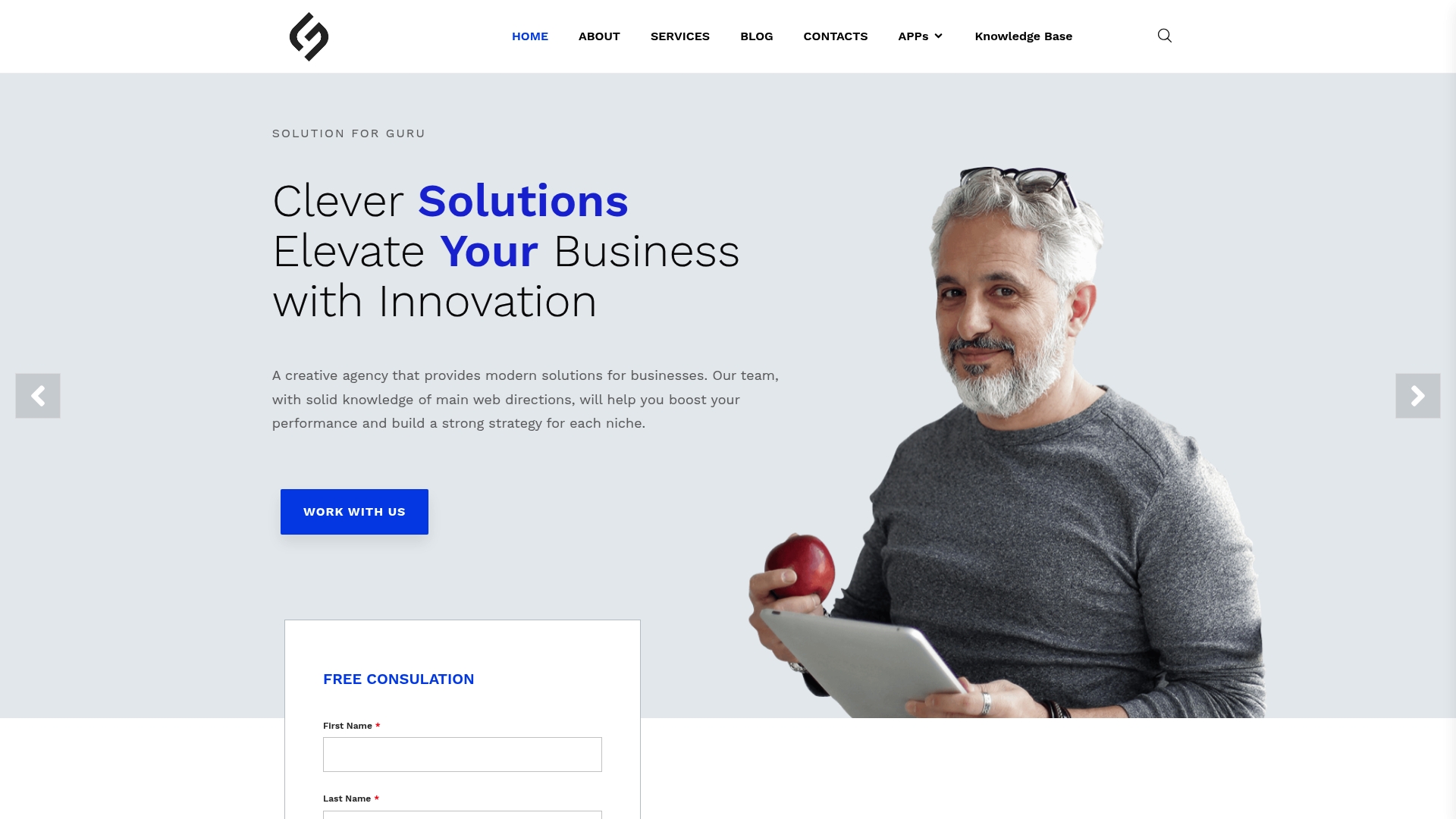
A free consultation begins with a diagnostic review of your highest-traffic landing page. Within five business days, you receive a prioritized fix list scored by expected impact and implementation effort, a testing roadmap for the next 60 days, and a baseline measurement setup in GA4 if one is not already in place. There are no long-term contracts. The engagement is scoped to a sprint, and results are measured against a documented baseline.
Solution4guru’s team covers UX design best practices, technical development, and conversion strategy in a single engagement, which means the audit recommendations are implemented by the same team that identified them. No handoff friction, no translation loss between strategist and developer.
To schedule your free audit, visit Solution4guru and request a consultation. Bring your current landing page URL and your GA4 access, and the team will handle the rest.
Useful sources and further reading
The following tools and resources support the methods described in this guide. Each serves a distinct function in a complete optimization workflow.
- Google PageSpeed Insights — Run Core Web Vitals scores and get specific remediation recommendations. Use before and after every technical fix to confirm improvement.
- Google Analytics 4 (GA4) — Instrument conversion events, segment by traffic source and device, and monitor form start-to-submit ratios. The primary analytics platform for all KPI tracking described in this guide.
- Hotjar — Session recordings, click maps, and scroll maps for qualitative behavior analysis. Use to form hypotheses before writing A/B test briefs.
- Optimizely — Enterprise-grade A/B and multivariate testing with statistical significance reporting. Best suited for high-traffic pages and teams running multiple concurrent experiments.
- Unbounce — Hosted landing page builder with built-in A/B testing and conversion-focused templates. Useful for teams that need to launch and test pages quickly without developer resources. See Unbounce reviews on G2 for practitioner assessments.
- Semrush Landing Page Optimization Guide — Covers SEO and AI search best practices for landing pages, including keyword targeting, structured content, and technical visibility.
- HubSpot Landing Page Best Practices — Practitioner-authored guide covering layout, copy, CTA design, and post-conversion nurturing.
- Unbounce 101 Optimization Tips — Comprehensive reference covering testing, reporting, form design, trust signals, and SEO for landing pages.
FAQ
Align the landing page headline and offer copy with the ad that drove the click, reduce form fields to the minimum necessary, and meet Google’s Core Web Vitals thresholds. Google’s guidance identifies message relevance and page experience as the two primary Quality Score factors.
Fix message match between the ad and the page headline, and reduce form length to three fields or fewer. These two changes address the most common causes of conversion loss on paid landing pages.
Start with a benefit-first headline that names the target customer and the specific outcome, place the CTA above the fold, remove site navigation, add one measurable trust signal above the fold, and verify the page loads in under three seconds on mobile.
Yes, when the page targets organic traffic. Each landing page should target one primary keyword used in the title tag, H1, meta description, URL slug, and body copy. For paid-only pages, SEO optimization is secondary to message match and conversion rate.
A minimum of two weeks, regardless of early results, to account for day-of-week variation. The test should also reach its pre-calculated sample size at 95% confidence before any decision is made.