Kanban Board Explained: How to Visualize and Manage Work

A Kanban board is a visual workflow-management tool that displays work items as cards moving across columns, each column representing a process stage, with WIP (work-in-progress) limits and explicit policies controlling how work flows from start to finish. As Agile Alliance defines it, the board’s power comes not from the visual alone but from enforcing WIP limits and swarming to clear blocked work.
At a glance, every Kanban board has three core elements:
- Cards (tickets): One work item per card, with a title, owner, due date, and description.
- Columns (lanes): Each column maps to one real step in your process — Backlog, In Progress, Review, Done.
- WIP limits: A cap on how many cards can sit in any column at once, preventing overload and exposing bottlenecks.
Teams that benefit most include software development, marketing, IT operations, cross-functional project groups, and individuals managing personal task flow.
Key Takeaways
A Kanban board works only when WIP limits are enforced, metrics are tracked from day one, and the board structure is iterated as the team learns.
| Point | Details |
|---|---|
| Visualize real workflow | Map your actual process steps into columns before touching any tool. |
| Enforce WIP limits | Set column caps before the first stand-up and treat them as rules, not suggestions. |
| Track cycle time early | Record start and end dates per card from day one to build a baseline within two weeks. |
| Pilot before scaling | Run a two-to-four-week pilot on a single workflow before expanding to other teams. |
| Iterate the board | Review and adjust columns, WIP limits, and policies every four to six weeks based on data. |
Table of Contents
- What are the core parts of a Kanban board?
- How does a Kanban board work day to day?
- Physical vs. digital boards: which one fits your team?
- How to create a Kanban board from scratch
- Best practices and common mistakes to avoid
- Real board examples for software, marketing, ops, and personal use
- How does Kanban compare to Scrum?
- Which digital Kanban tools should you use?
- An editorial perspective on Kanban adoption
- Sources
- FAQ
What are the core parts of a Kanban board?
Coursera’s beginner guide breaks a Kanban board into five components: cards, columns, WIP limits, a commitment point, and a delivery point. Understanding each one before you build your first board saves a lot of rework.
Cards
A card represents a single unit of work. Effective cards include:
- Title: Short, action-oriented description of the task.
- Owner: The person responsible for moving it forward.
- Description: Enough context for anyone on the team to pick it up.
- Due date / priority: So the team can sequence pulls correctly.
- Tags or labels: For filtering by type, client, or urgency.
Sample card template:
Title: “Write Q3 blog post — SEO topic”
Owner: Jordan
Due: July 15
Tags: Content, SEO
Description: 1,200-word post targeting “kanban board explained” — draft in Google Docs, link in card.
Columns and swimlanes
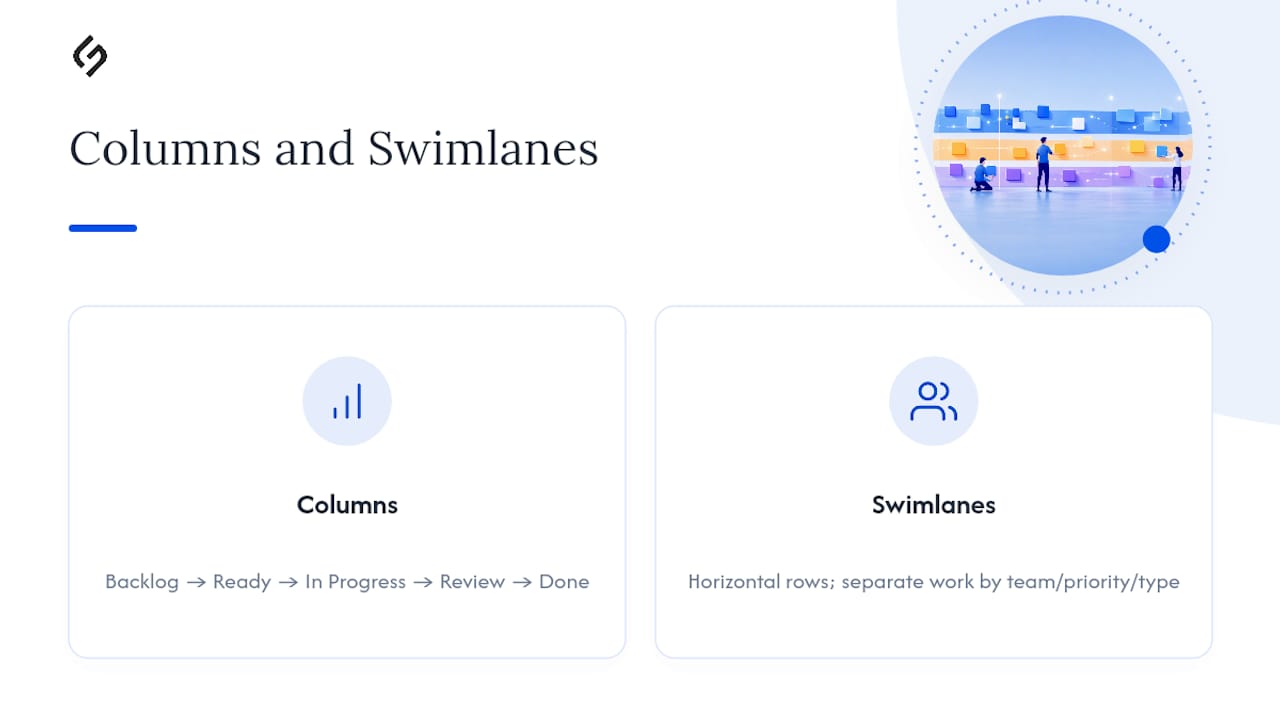
Columns represent process stages. A minimal set for most teams is: Backlog → Ready → In Progress → Review → Done. Swimlanes are horizontal rows that cut across all columns, letting you separate work by team, priority tier, or work type (bugs vs. features, for example) without building a second board.
Use swimlanes when two or more distinct streams of work share the same process steps but need separate visibility. A single co-located team rarely needs them at first.
WIP limits
A WIP limit is a number written above a column — say, “In Progress (3)” — that caps how many cards can occupy that column simultaneously. Atlassian’s Kanban guide identifies WIP limits as one of the defining mechanics of the method, alongside cycle time tracking and cumulative flow diagrams.

Commitment point and delivery point
The commitment point is where the team formally agrees to work on an item — typically when a card moves from Backlog into Ready. The delivery point is when the item reaches Done and value is delivered to the customer or stakeholder. Tracking the time between these two points gives you cycle time, the most actionable metric on the board.
Pro Tip: Start with a WIP limit of roughly one and a half times your team size for the “In Progress” column, adjusting based on your team’s flow. Tighten it after two weeks once you see where cards pile up.
How does a Kanban board work day to day?
The operating principle is a pull system: team members pull the next available card from the Ready column only when they have capacity, rather than having work assigned (pushed) to them. Miro’s Kanban explainer notes that limiting WIP through this pull mechanism reduces context switching and speeds delivery.
Miro reports that 59% of workers struggle with context switching — a direct consequence of too many simultaneous tasks, which enforced WIP limits address at the system level.
Daily board use
- Stand-up at the board: Walk cards right to left — start at Done and move toward Backlog. This surfaces blockers before the team discusses new work.
- Mark blockers visibly: Use a red sticker, a flag icon, or a “Blocked” label so the whole team can see impediments without a meeting.
- Swarm to clear WIP: When a column hits its limit, the team stops starting new work and helps clear the bottleneck first.
Key Kanban metrics
| Metric | What it measures | How to use it |
|---|---|---|
| Cycle time | Time from commitment point to delivery | Identify slow stages; set delivery expectations |
| Lead time | Time from request to delivery | Communicate realistic timelines to stakeholders |
| Throughput | Cards completed per week | Forecast future delivery capacity |
| Cumulative flow diagram (CFD) | Volume of work in each stage over time | Spot systemic bottlenecks and growing queues |
Bottlenecks appear as columns that accumulate cards while downstream columns sit empty. The immediate action: stop pulling new work into the blocked column and redirect capacity to clear it.
Pro Tip: Track cycle time from day one, even informally. Write the date on each card when it enters “In Progress” and when it reaches “Done.” After four weeks, you will have enough data to set realistic delivery commitments.
Physical vs. digital boards: which one fits your team?
Atlassian confirms that both physical and digital boards are valid, and the right choice depends on team size, location, and reporting needs.
| Factor | Physical board | Digital board |
|---|---|---|
| Setup speed | Minutes (whiteboard + sticky notes) | Hours (tool config + onboarding) |
| Remote access | None | Full, anywhere |
| Metrics / reporting | Manual | Automated (CFDs, cycle time charts) |
| WIP enforcement | Visual only, honor-system | System-enforced limits |
| Team rituals | Strong — board is a gathering point | Requires deliberate facilitation |
| Scalability | Limited to one location | Scales across teams and time zones |
Quick decision rules:
- Single co-located team, fewer than eight people: a whiteboard works well and builds strong daily habits.
- Distributed team, or any need for automated metrics: move to a digital tool from day one.
- Hybrid team (some remote, some in-office): digital is the only practical choice.
Pro Tip: If you start physical, photograph the board at the end of every stand-up. When you migrate to a digital tool, those photos become your historical baseline.
How to create a Kanban board from scratch
Planview recommends mapping your current workflow before touching any tool, because columns that mirror reality are far more useful than columns that mirror an ideal process.
- Map your actual workflow. List every step work goes through today — not the steps it should go through. Interview the people doing the work.
- Choose your columns. Keep it to five or fewer to start. Rename or merge steps that are rarely distinct in practice.
- Set initial WIP limits. Use the 1.5× team-size rule as a starting point for active columns.
- Create your first cards. Add only current, active work items. Do not dump the entire backlog onto the board at once.
- Agree on team policies. Define: What does “Ready” mean? What does “Done” mean? Who can move a card? How do you flag a blocker?
- Run your first stand-up. Walk the board right to left, discuss blockers, and pull one card per available team member.
- Pilot for two to four weeks. Track cycle time and throughput manually, then review what the data shows before adjusting columns or WIP limits.
Starter templates
Simple personal board (solo or small team):
Backlog (unlimited) → This Week (3) → In Progress (2) → Done
Marketing campaign board (team of 3–6):
Ideas → Approved (4) → In Production (3) → Review (2) → Published → Archived
Software development board (team of 5–10):
Backlog → Ready (5) → In Dev (4) → Code Review (2) → QA (3) → Done
For teams adopting Agile practices, these templates map cleanly to Agile principles without requiring a full Scrum framework.
Pro Tip: Agree on your “Definition of Done” before the first stand-up. A card is not Done until it meets every criterion on that list — no exceptions. Ambiguity here is the single fastest way to inflate cycle time.
Best practices and common mistakes to avoid
Planview’s benefits guide makes the point clearly: a well-designed board consolidates information and reduces the need for status meetings. A poorly designed one just moves the chaos from email to sticky notes.
What works
- Enforce WIP limits without exceptions. When the column is full, the team stops starting and starts finishing. This is the practice that separates a Kanban system from a task list, as Agile Alliance emphasizes.
- Make policies visible. Write your Definition of Ready, Definition of Done, and blocker protocol directly on the board or in the tool’s description field.
- Hold a weekly flow review. Review the CFD and cycle time trend, not just what got done. Ask: where did cards wait longest?
- Limit columns to actual process steps. If two columns always have cards moving through them on the same day, they are one step, not two.
Common mistakes and quick fixes
- No WIP limits: Cards pile up in “In Progress” and the board becomes a status tracker. Fix: set limits before the first stand-up and treat them as rules, not suggestions.
- Too many columns: Teams create columns for every micro-step, which creates handoff silos. Fix: merge any column that rarely holds a card for more than a few hours.
- Using the board as a personal to-do list: Individual team members track private tasks on a shared board, obscuring real flow. Fix: shared boards track shared work only; personal tasks stay in a personal system.
- Ignoring metrics: The board runs for months with no cycle time data. Fix: even a simple spreadsheet with start and end dates per card gives you enough to improve.
Pro Tip: Treat the board as a living artifact. Iterate columns, WIP limits, and policies as the team learns, rather than locking in a structure on day one and never revisiting it.
Real board examples for software, marketing, ops, and personal use
Planview confirms that Kanban works well beyond software: marketing, HR, finance, and personal productivity all benefit from visualizing flow and limiting WIP.
A note on scale: The column sets below are starting points. A solo user needs fewer columns and lower WIP limits than a 15-person team. Adjust based on how long cards typically sit in each stage, not based on how many people are on the team.
Software development
Columns: Backlog → Ready (5) → In Dev (4) → Code Review (2) → QA (3) → Done
Watch: cycle time from “In Dev” to “Done”; code review is the most common bottleneck.
Marketing campaigns
Columns: Ideas → Approved (4) → In Production (3) → Review (2) → Published
Watch: throughput per sprint; track how many campaigns move from “Approved” to “Published” each month.
IT operations / ticketing
Columns: Incoming → Triaged (6) → In Progress (4) → Pending External (3) → Resolved
Watch: lead time from “Incoming” to “Resolved”; “Pending External” often hides systemic delays. For teams applying ITSM practices, this column set maps directly to incident and service request workflows.
Personal productivity
Columns: Someday → This Week (5) → Today (3) → Done

| Use case | Sample columns | Key metric |
|---|---|---|
| Software dev | Backlog, In Dev (4), Review (2), QA (3), Done | Cycle time: In Dev to Done |
| Marketing | Ideas, Approved (4), In Production (3), Review (2), Published | Monthly throughput |
| IT ops | Incoming, Triaged (6), In Progress (4), Pending External (3), Resolved | Lead time: Incoming to Resolved |
| Personal | Someday, This Week (5), Today (3), Done | Daily completion ratio |
How does Kanban compare to Scrum?
The fundamental distinction is timing. Scrum commits work in fixed-length sprints (typically two weeks) and holds ceremonies — planning, review, retrospective — at each sprint boundary. Kanban operates as a continuous flow with no sprint boundaries, no fixed commitment cadence, and no prescribed roles like Scrum Master or Product Owner. Agile Alliance frames this as the core structural difference between the two methods.
| Dimension | Kanban | Scrum |
|---|---|---|
| Cadence | Continuous flow | Fixed sprints (1–4 weeks) |
| Work commitment | Pull when capacity exists | Commit at sprint planning |
| WIP handling | Explicit column limits | Implicit (sprint backlog size) |
| Roles | None prescribed | Scrum Master, Product Owner, Dev Team |
| Primary metric | Cycle time, throughput | Velocity (story points per sprint) |
| Change mid-cycle | Allowed at any time | Discouraged within a sprint |
When to choose Kanban: Ongoing operational work, support queues, maintenance, or any workflow where demand is continuous and unpredictable.
When to choose Scrum: Product development with defined feature sets, teams that benefit from regular planning and review ceremonies, and work that can be batched into two-week increments.
Scrumban combines both: teams run sprints for planning cadence but use Kanban WIP limits and pull mechanics within each sprint. For a deeper look at the broader Agile methodology, the Agile framework context helps clarify where each method fits.
Pro Tip: If your team constantly debates whether a task belongs in the current sprint, Kanban is probably the better fit. Scrum’s sprint boundary creates friction for teams with high-variability, interrupt-driven work.
Which digital Kanban tools should you use?
Moving from a whiteboard to a digital board unlocks automated metrics, remote access, and integrations. The right tool depends on team size, existing tech stack, and how much reporting you need. For teams evaluating project management platforms, the criteria below apply directly.
What to look for in any Kanban tool:
- Shared board access with role-based permissions
- Enforced WIP limits (not just visual indicators)
- Built-in cycle time and throughput reporting
- Automation rules (e.g., auto-move a card when a checklist completes)
- Starter templates you can import and modify
Notable tools
Jira (Atlassian): The most widely adopted tool for software teams. Jira’s Kanban boards support WIP limits, backlog management, and detailed reporting including CFDs. Its strength is deep integration with development pipelines (GitHub, Bitbucket, CI/CD tools). The learning curve is steeper than simpler tools, and pricing scales with team size.
KanbanTool: Purpose-built for Kanban with a clean interface, time tracking, and analytics including cycle time and CFDs. It suits teams that want Kanban-specific features without the overhead of a full project management suite.
Both tools offer starter templates. Import a template, rename columns to match your actual workflow, set WIP limits, and you can run your first stand-up the same day.
- Start with a template that matches your use case (software, marketing, ops).
- Rename columns to reflect your real process steps, not the template defaults.
- Set WIP limits before adding any cards.
- Add your current active work — not the full backlog.
- Enable cycle time reporting from day one so you have baseline data within two weeks.
For teams already using monday.com or similar work OS platforms, Kanban views are often available natively without switching tools.
Pro Tip: Before committing to a paid tool, run a two-week pilot on the free tier. The goal is to validate your column structure and WIP limits, not to evaluate the tool’s enterprise features.
An editorial perspective on Kanban adoption
The most common failure pattern is not a bad board design. It is a team that builds a beautiful board and then quietly stops enforcing WIP limits after the first week because it feels uncomfortable to tell someone they cannot start a new task.
WIP limits create productive friction. When a column hits its cap, the team has to have a conversation about priorities — and that conversation is exactly what Kanban is designed to surface. Teams that skip it are not doing Kanban; they are maintaining a digital to-do list with extra steps.
The boards that actually improve delivery are the ones where the team treats the WIP limit as a hard rule, reviews cycle time weekly, and adjusts the board structure every four to six weeks based on what the data shows. That discipline is harder than the setup, and it is the only part that produces results.
Sources
- What is a Kanban Board? | Agile Alliance
- What is Kanban in Project Management? | Atlassian
- What is a Kanban Board and How to Use One | Miro
- What is a Kanban Board? – Kanban Board Definition | Planview
- Kanban Board Explained | Coursera Article
FAQ
A Kanban board is a visual tool that shows work items as cards moving across columns, where each column represents a step in your process. WIP limits control how many items can be in any stage at once, keeping work flowing rather than piling up.
Most teams start with five or fewer columns — typically Backlog, Ready, In Progress, Review, and Done. Add columns only when a distinct process step consistently holds work for a meaningful amount of time; otherwise, merge it with an adjacent stage.
A Scrum board resets every sprint and tracks work committed to a fixed time box. A Kanban board runs continuously with no sprint boundaries, using WIP limits and pull mechanics to manage flow rather than sprint planning ceremonies.
Yes. Without enforced WIP limits, a Kanban board functions as a status tracker, not a flow-management system. Agile Alliance identifies WIP enforcement as the defining feature that separates a Kanban system from a simple task board.
Absolutely. Marketing, IT operations, HR, finance, and personal productivity workflows all benefit from the same core mechanics: visualizing work, limiting WIP, and tracking cycle time. The column names change; the principles stay the same.
Recommended
- How Can monday.com Work OS Increase Team Productivity? – Solution for Guru
- Resource Allocation and Capacity Planning in Project Management: How Do You Build Teams That Consistently Deliver? – Solution for Guru
- Using Zoho Projects for Agile Development – Solution for Guru
- ITSM Best Practices: Flow Charts & Examples – IT Guide – Solution for Guru