Integrating Endpoint Management Tools with Freshservice
IT teams rarely resolve tickets using a single application anymore. A password reset might require identity tools, a malware alert might require an endpoint security console, and a slow laptop complaint might require remote access software. Every time a technician switches between these tools, the ticket loses momentum, and the overall resolution time creeps upward.
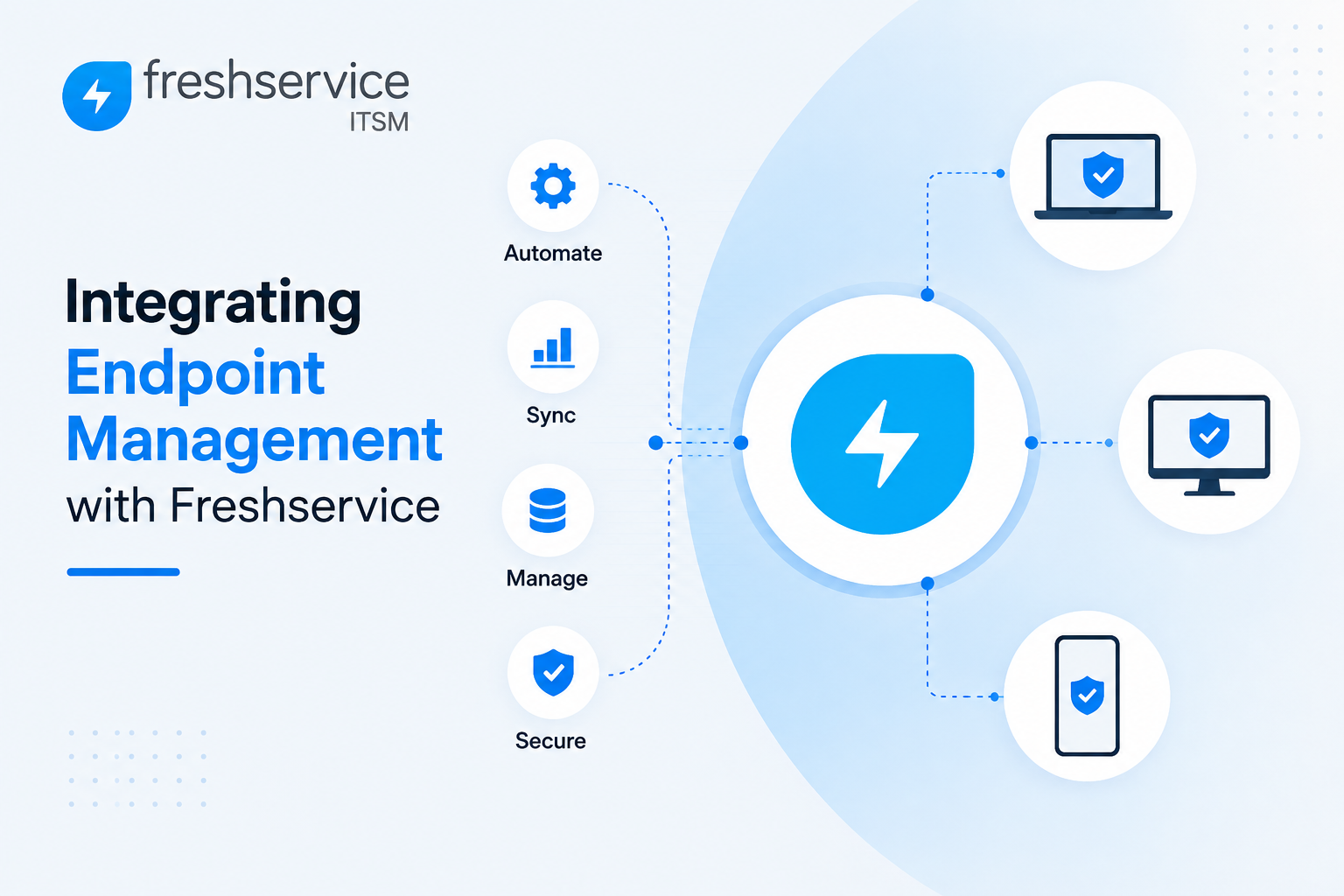
Integrating endpoint management tools directly into a service desk platform solves this exact problem. Instead of jumping between separate consoles, technicians can view device data, deploy software, and remediate issues from within the same ticket they’re already working on. This article walks through why this integration matters, how it works in practice, and what businesses should consider before connecting their endpoint management stack to their ITSM platform.
Table of contents
Quick Summary: What Should IT Teams Know About This Integration?
Here’s a condensed overview before exploring the details further.
| Topic | Key Takeaway |
|---|---|
| Core benefit | Perform endpoint actions directly from a service desk ticket, without switching tools |
| Common integrations | ManageEngine Endpoint Central, ControlUp, and various no-code integration platforms |
| Typical actions supported | Remote software deployment, remote troubleshooting, Wake-on-LAN, device health checks |
| Setup requirements | Admin credentials, valid SSL certificates, API keys, and marketplace app installation |
| Business impact | Faster resolution times, fewer tool switches, improved SLA compliance |
| Security consideration | Role-based access control ensures technicians only see what their permissions allow |
These benefits explain why endpoint management integration has become a standard expectation for modern service desks rather than a nice-to-have add-on.
How Does Freshservice Relate to the Topic of This Article?

Freshservice ITSM sits at the center of this discussion because it’s one of the clearest examples of a modern ITSM platform designed specifically to connect with endpoint management tools through its marketplace and integration ecosystem. Freshservice supports direct integrations with unified endpoint management platforms, letting administrators install these connections through a straightforward marketplace app rather than building custom middleware from scratch.
Beyond simple data syncing, Freshservice’s integrations with tools in this category allow technicians to trigger real endpoint actions, such as deploying software or restarting a device, directly from the ticket window itself. The platform also supports proactive digital experience monitoring integrations that feed real-time device and application performance data into tickets automatically, helping teams catch problems before employees even notice them. Because Freshservice treats endpoint management integration as a core part of its service delivery model rather than an afterthought, it provides a strong reference point for understanding how this kind of integration should work, which the rest of this article explores in depth.
What Is Endpoint Management, and Why Does It Need to Connect to a Service Desk?
Endpoint management refers to the tools and processes IT teams use to monitor, secure, and maintain the devices connecting to a company’s network, including laptops, desktops, servers, tablets, and smartphones.
What Tasks Does Endpoint Management Typically Cover?
A unified endpoint management platform generally handles patch management, software deployment, remote troubleshooting, and asset tracking from a centralized console. These platforms give administrators visibility into device health, installed software, and security posture across potentially thousands of devices, without needing to physically access each machine individually.
Why Do Technicians Need This Data Inside Their Ticketing Tool?
Without integration, a technician working a ticket about a malfunctioning laptop needs to open a separate endpoint management console, search for the specific device, diagnose the issue there, and then return to the ticket to document what happened. This constant context-switching disrupts the ticket’s lifecycle and wastes time on issues that might have simple, fast resolutions. Bringing endpoint actions directly into the ticket window eliminates this back-and-forth, letting technicians diagnose and resolve issues without ever leaving the service desk interface.
How Does This Integration Change the Technician Experience Day to Day?
Rather than treating the service desk and endpoint management console as two separate worlds, integration merges them into a single workflow. A technician can view a device’s health status, deploy a needed application, and remotely troubleshoot a problem, all while the ticket remains open in front of them. This shift doesn’t just save clicks; it fundamentally changes how quickly and consistently tickets move toward resolution.
What Endpoint Management Actions Can Be Performed from a Service Desk Ticket?
The specific capabilities available depend on which endpoint management tool a business connects, but several common actions show up across most integrations.
- Silent software deployment — Push free or commercial software packages to a device directly from the ticket, without requiring end-user interaction.
- Remote troubleshooting — Access a device remotely, including support for multiple monitors and session recording for training or compliance purposes.
- File transfer and collaboration — Move files to or from an endpoint and communicate with other technicians through built-in chat, voice, or video during troubleshooting.
- Remote power management — Trigger actions like Wake-on-LAN, shutdown, or standby directly from the ticket, useful for after-hours maintenance or patch deployment.
- System manager access — Resolve certain issues using built-in system tools without needing to open a full remote session.
- Role-based technician authentication — Let other agents securely authenticate using their own endpoint management privileges, ensuring access stays aligned with each technician’s actual permissions.
This range of actions turns a single ticket into a complete resolution workspace, rather than a request that simply routes technicians toward other tools.
How Does Digital Experience Monitoring Fit into Endpoint Integration?
Beyond direct device actions, some integrations focus specifically on proactive monitoring, catching problems before they become tickets in the first place.
What Does Proactive Digital Experience Monitoring Actually Detect?
Integrations built around digital experience monitoring continuously track device and application performance, feeding that data directly into the service desk platform. Rather than waiting for an employee to notice a slow laptop or a crashing application and submit a ticket, these integrations can flag the issue automatically, often before it meaningfully affects productivity.
How Does This Reduce Mean Time to Resolution?
When performance data streams directly into the ticketing system, IT teams can investigate and remediate device or application issues from within the same platform they already use daily. This consolidation reduces mean-time-to-resolution because technicians spend less time hunting for the root cause across multiple monitoring dashboards and more time actually fixing the underlying problem.
Why Does This Approach Improve the Employee Experience?
Employees rarely care which tool diagnosed their issue; they simply want their device working again as quickly as possible. Proactive monitoring integrations that catch problems early, sometimes before an employee even files a ticket, directly translate into fewer disruptions and a noticeably smoother day-to-day experience for the people relying on these devices to get their work done.
What Should Businesses Do Before Setting Up an Endpoint Management Integration?

Getting an integration right the first time requires a bit of preparation, since misconfigured connections can create more friction than they solve.
What Technical Prerequisites Typically Apply?
Most endpoint management integrations require specific technical prerequisites before installation can proceed. For on-premise deployments, this often includes running a minimum supported software build and ensuring the endpoint management server has a valid SSL certificate signed by a recognized certificate authority. Cloud-based integrations typically simplify this process, often requiring little more than authenticating with existing credentials and granting the necessary permissions.
What Credentials and Access Does Setup Usually Require?
Configuring these integrations generally involves generating an API key from the service desk platform’s profile settings, then pairing that key with administrator credentials for the endpoint management server. Getting this pairing wrong, such as using an account without sufficient administrative privileges, is one of the most common reasons integrations fail during initial setup or behave inconsistently afterward.
How Should Teams Test the Integration Before Full Rollout?
Rather than rolling an integration out to the entire IT team immediately, businesses should test it with a small group of technicians first, confirming that device actions like remote access, software deployment, and power management all work as expected. This limited pilot phase surfaces configuration issues while the impact is still small, rather than discovering problems after the whole team depends on the integration daily.
What Business Benefits Does Endpoint Integration Deliver?
Beyond the technical mechanics, this kind of integration produces measurable operational improvements that matter to IT leadership.
- Faster ticket resolution — Technicians resolve issues without switching tools, cutting out delays caused by context-switching.
- Improved SLA compliance — Faster resolution naturally supports meeting service-level agreements more consistently.
- Reduced technician frustration — Fewer logins and fewer tools to juggle mean less friction in daily workflows.
- Better documentation — Actions performed directly within a ticket are naturally logged alongside the rest of the ticket’s history, improving audit trails.
- Proactive issue detection — Monitoring integrations catch performance problems before employees notice them, reducing overall ticket volume.
- Stronger security posture — Role-based access control ensures endpoint actions stay limited to technicians with appropriate permissions.
Taken together, these benefits explain why many IT leaders treat endpoint management integration as one of the highest-value additions to a modern service desk.
What Challenges Should Businesses Expect When Integrating Endpoint Tools?

Despite the clear benefits, integrating endpoint management tools introduces its own set of considerations that teams need to plan around.
How Does Multi-Vendor Complexity Affect Integration Choices?
Many organizations run more than one endpoint management or monitoring tool, particularly after mergers or as different departments adopt different solutions independently. Choosing which integrations to prioritize, and how to avoid duplicating overlapping functionality across multiple tools, requires careful planning rather than connecting every available option indiscriminately.
What Security Considerations Come with Deeper Integration?
Granting a service desk platform the ability to trigger real actions on endpoints, such as remote access or software deployment, expands the platform’s blast radius if credentials or access controls are misconfigured. Businesses should apply the principle of least privilege carefully, ensuring technicians only receive the level of endpoint access their specific role genuinely requires.
How Should Teams Handle Cross-Organization Integration Scenarios?
Some businesses outsource endpoint management to an external vendor while still needing visibility into incident details internally. In these cases, field-level data controls become essential, allowing businesses to share only the specific fields a vendor needs, such as device type and issue description, while keeping internal investigation notes and sensitive cost data private. Setting up this kind of granular control requires more deliberate configuration than a simple one-to-one internal integration.
How Do No-Code Integration Platforms Simplify Endpoint Connections?
Not every business wants to rely solely on pre-built marketplace apps, especially when they need to connect Freshservice to multiple systems beyond a single endpoint management vendor.
What Do No-Code Integration Platforms Offer?
Dedicated integration-as-a-service platforms let administrators connect Freshservice to endpoint management tools, and to dozens of other systems simultaneously, using a drag-and-drop interface rather than custom scripting. These platforms typically handle routing rules, data mapping, and error queuing automatically, meaning a failed message stays queued rather than getting lost entirely if the destination system is briefly unavailable. For IT teams without dedicated integration developers, this approach considerably lowers the technical barrier to building and maintaining reliable connections.
How Does Bidirectional Syncing Work in Practice?
A well-configured no-code integration keeps data flowing in both directions. When a ticket in Freshservice triggers an endpoint action, the results and status updates sync back automatically, without requiring a technician to manually re-enter information on either side. This bidirectional flow matters particularly for organizations managing multiple Freshservice instances, or connecting Freshservice to other platforms like Jira, Salesforce, or Azure DevOps alongside their endpoint management stack, since manually reconciling data across several systems quickly becomes unsustainable as ticket volume grows.
When Does a No-Code Platform Make More Sense Than a Direct Marketplace App?
Direct marketplace integrations work well when a business only needs to connect Freshservice to one specific endpoint management tool. However, organizations managing a more complex technology ecosystem, with multiple ITSM instances, several endpoint tools across different departments, or vendor relationships requiring careful data segregation, often benefit from a dedicated integration platform that can orchestrate all of these connections centrally rather than maintaining several separate point-to-point integrations independently.
What Real-World Results Have Businesses Seen from This Integration?
Concrete outcomes help illustrate why this type of integration delivers more than just theoretical convenience.
How Much Faster Can Escalations Move with Proper Integration?
One documented example involved a company processing roughly 2,500 tier-one tickets per month, with about 18% requiring escalation to a specialized tier-two team. Before integrating their systems, escalations relied on manually copying ticket details into a shared document that the second team checked only twice daily, resulting in an average acknowledgment time of six hours. After automating the handoff through proper integration, that acknowledgment time dropped to just 15 minutes, illustrating how much manual, disconnected processes can silently slow down resolution even when both teams are working diligently.
How Does Integration Reduce Accidental Data Exposure?
Another real-world scenario involved an enterprise managing 8,000 endpoints that outsourced patching and hardware support to an external vendor. Before implementing a properly scoped integration, the internal security team identified several incidents per quarter where sensitive internal data had been accidentally shared through informal, email-based escalation processes. After switching to a structured integration with field-level data controls, limiting exactly what information the vendor could see, accidental data exposure dropped to zero, while the integration still synced a substantial volume of tickets each month.
What Do These Examples Reveal About Integration Value?
Both examples point to the same underlying lesson: manual processes, even well-intentioned ones, introduce delay and risk that structured integrations quietly eliminate. Businesses evaluating whether an endpoint management integration is worth the setup effort should weigh these outcomes against their own current manual workflows, since the gap between “checking a shared document twice daily” and “automated real-time sync” tends to be larger than most teams initially expect.
How Should Businesses Choose Between Direct and Platform-Based Integration Approaches?

With multiple integration paths available, deciding which approach fits a given organization depends on a few practical factors.
What Questions Help Narrow Down the Right Approach?
Businesses should start by asking how many endpoint management tools they actually need to connect, whether those tools need to exchange data with systems beyond Freshservice, and how much internal technical capacity exists to maintain the integration over time. A single-tool connection with straightforward requirements often fits well with a direct marketplace app, while a more complex, multi-system environment tends to benefit from a dedicated integration platform that centralizes maintenance and monitoring.
How Does Long-Term Maintenance Differ Between These Approaches?
Direct marketplace integrations generally require less ongoing maintenance since the vendor manages updates to keep the connection compatible with new platform releases. Custom or platform-based integrations, on the other hand, may need periodic review as both Freshservice and the connected endpoint tools evolve their APIs and features over time. Businesses should factor this ongoing maintenance commitment into their decision, rather than focusing solely on initial setup complexity.
How Does Freshservice Compare to Standalone Endpoint Management Platforms?
Understanding where Freshservice’s own capabilities end, and where a dedicated endpoint management tool takes over, helps clarify why integration matters so much in the first place.
| Capability | Freshservice (ITSM Platform) | Dedicated Endpoint Management Tool |
|---|---|---|
| Ticket and workflow management | Core strength, built around ITIL practices | Limited or not a primary focus |
| Asset discovery and tracking | Strong, built into the platform | Often deeper, with more granular device telemetry |
| Patch management | Limited natively | Core strength |
| Remote troubleshooting and software deployment | Requires integration | Core strength |
| Unified reporting across IT operations | Strong, centralized analytics | Typically focused on endpoint-specific metrics |
This comparison illustrates why the two categories of tools complement each other rather than compete directly. Freshservice excels at organizing and tracking service delivery, while dedicated endpoint management platforms excel at the granular, device-level actions technicians need to actually resolve hardware and software issues.
Conclusion
Integrating endpoint management tools with a service desk platform eliminates one of the most persistent sources of friction in IT operations: the constant switching between separate consoles just to resolve a single ticket. When technicians can view device health, deploy software, and remediate issues without leaving their ticketing workspace, resolution times improve, documentation becomes more consistent, and the overall employee experience gets noticeably smoother.
Freshservice ITSM demonstrates how this integration should work in practice, offering marketplace-based connections to leading endpoint management and digital experience monitoring platforms that bring real device actions directly into the ticket window. Businesses that plan their integration carefully, testing thoroughly before full rollout and applying sensible access controls throughout, tend to see the strongest and most sustainable results from connecting their endpoint management stack to Freshservice.
Frequently Asked Questions
Not necessarily. Most integrations are available as pre-built marketplace apps that install with a straightforward setup process, typically involving API keys and administrator credentials rather than custom code. Businesses with more complex, multi-system integration needs may still benefit from additional configuration support, but the core connection itself doesn’t usually require a development team.
Yes. Once properly integrated, technicians can typically deploy software, access devices remotely, and trigger power management actions like Wake-on-LAN directly from within the ticket window, without needing to open a separate endpoint management console. This consolidation is one of the primary reasons businesses pursue this type of integration in the first place.
Setup time varies depending on whether the endpoint management platform runs on-premise or in the cloud, with cloud-based integrations generally completing faster since they require less manual certificate and server configuration. Regardless of setup speed, businesses should budget additional time for a small pilot phase to confirm the integration behaves correctly before rolling it out to the full technician team.
Why Partner with Solution For Guru for Endpoint Management Integration Projects?
Connecting endpoint management tools to a service desk platform involves more than installing a marketplace app. Getting credentials, permissions, and field-level data controls right the first time takes careful planning, and mistakes can lead to broken workflows or unintended data exposure. This is where working with an experienced partner like Solution4Guru genuinely adds value.

Partnering with Solution For Guru can help IT teams in several concrete ways:
- Choose the right integration for the environment, evaluating which endpoint management platform and integration method fit an organization’s specific device landscape and technical requirements.
- Configure credentials and access controls correctly, reducing the risk of misconfigured permissions that could expose sensitive endpoint actions to the wrong technicians.
- Set up field-level data sharing safely, especially for businesses working with outsourced endpoint management vendors who need visibility into some data but not all of it.
- Run a structured pilot rollout, testing the integration with a small group before expanding it across the entire IT team.
- Provide ongoing support and troubleshooting, resolving integration issues quickly as endpoint management platforms and Freshservice both continue to evolve over time.
For IT teams that want a dependable endpoint management integration without absorbing the full setup and troubleshooting burden internally, partnering with a specialist such as Solution For Guru can make the rollout considerably faster and more reliable from day one.
Recommended:
- ManageEngine Asset Management (ITAM): Why Businesses Trust It to Control Their IT Assets
- Why Mid-Sized Companies Choose Freshservice Over Enterprise ITSM Platforms
- Best Reporting and Analytics Dashboards for IT Operations Teams in Freshservice
- How ITSM Platforms Support IT Compliance and Audit Readiness
- How ITSM Tools Support Internal IT Risk Management
- How AI Is Changing ITSM Workflows in Freshservice?
- How ITSM Platforms Like Freshservice Support Digital Transformation
- Freshservice CMDB Explained: Structure, Relationships, and Best Practices
- Freshservice for Remote and Hybrid Work Environments
- Automating Employee Onboarding and Offboarding with Freshservice
- ManageEngine ServiceDesk Plus for Mid-Size Business: Is It the Right ITSM Fit?
- ManageEngine ITSM: Standard vs Professional vs Enterprise — Which Edition Fits Your Team?
- ManageEngine SLA Management: How Does It Help IT Teams Meet Every Deadline?
- Freshservice for Growing Companies: When Is the Right Time to Upgrade ITSM?
- Freshservice Change Management: Real-World Configuration Strategies
- What Are the Best Automation Use Cases for ITSM Platforms in Growing Businesses?
- How Does Freshservice Support Compliance and Audit Readiness?