What Are the Best Automation Use Cases for ITSM Platforms in Growing Businesses?

Growing businesses face a contradiction. As they add customers, employees, and systems, the volume of IT service requests, incidents, and change tickets multiplies rapidly — yet the IT team rarely scales at the same pace. Manual processes that worked when the company had 20 people collapse under the weight of 200. Automation solves this problem by letting ITSM (IT Service Management) platforms handle repetitive, rules-based tasks without human intervention, freeing IT staff to focus on work that actually requires expertise and judgment.
Two platforms consistently lead the conversation when growing businesses evaluate ITSM automation: ManageEngine ServiceDesk Plus and Freshservice. Both offer mature automation engines, strong integration ecosystems, and feature sets that scale alongside business growth. However, they target different operational profiles and deliver automation differently. This article examines the most impactful automation use cases available through both platforms, compares them head to head, and explains how Solution for Guru helps businesses unlock the full value of ITSM automation from day one.
Table of contents
QUICK SUMMARY
ITSM automation eliminates manual ticket routing, repetitive approvals, and slow incident response — saving IT teams dozens of hours per week.
The two platforms best suited for growing businesses are:
– ManageEngine ServiceDesk Plus — Best for mid-to-large IT teams that need deep customization, on-premise options, and enterprise-grade ITIL workflows
– Freshservice — Best for fast-growing companies that need intuitive automation, AI-powered suggestions, and a modern cloud-first experience
Key automation use cases covered in this article:
- Automated ticket routing and classification
- Self-service portal and knowledge base deflection
- Change management and approval workflows
- SLA monitoring and escalation automation
- Onboarding and offboarding employee automation
- Asset lifecycle and procurement automation
- AI-powered incident prediction and resolution
How Do ManageEngine and Freshservice Address ITSM Automation for Growing Businesses?
Before exploring specific use cases, it helps to understand how each platform’s automation philosophy maps to the challenges that growing businesses actually face. Both ManageEngine and Freshservice build their automation capabilities on ITIL (Information Technology Infrastructure Library) principles — the globally recognized framework for IT service management — but they approach automation design quite differently.
How Does ManageEngine ServiceDesk Plus Power ITSM Automation?
ManageEngine ServiceDesk Plus is part of Zoho Corporation’s ManageEngine product suite, which serves over 180,000 organizations worldwide. For ITSM automation, ManageEngine provides a rule-based automation engine called Business Rules, combined with a workflow orchestration tool that lets IT administrators define multi-step automated processes triggered by ticket events, schedule conditions, or field changes.
ManageEngine’s automation strength lies in its depth. The platform supports complex conditional logic, custom scripts, and integrations with Active Directory, Microsoft 365, and hundreds of enterprise tools. For businesses that need to automate sophisticated IT workflows — such as multi-tier approval chains for infrastructure changes or automated asset discovery and inventory updates — ManageEngine provides the granular control to build exactly those processes.
According to Gartner’s 2025 Magic Quadrant for IT Service Management Platforms, ManageEngine earns recognition as a Challenger, particularly for its customization depth and value at scale. Growing businesses with dedicated IT operations teams that want full control over automation logic will find ManageEngine’s approach genuinely powerful.
How Does Freshservice Enable Automation for Fast-Growing Companies?

Freshservice positions itself as a modern, AI-first ITSM platform built for companies that need fast time-to-value. Freshservice’s automation suite includes Workflow Automator — a visual, drag-and-drop tool for building multi-step automation sequences — alongside Freddy AI, the platform’s artificial intelligence engine that handles ticket classification, resolution suggestions, and predictive alerting.
What distinguishes Freshservice in the automation context is how quickly non-technical administrators can build and modify workflows. A business can deploy a fully automated incident management workflow within days of implementation rather than weeks. Freshservice’s cloud-native architecture also means that automation capabilities update automatically as Freshservice releases new features, keeping growing businesses on the latest toolset without manual upgrade cycles.
Forrester Research’s 2025 Total Economic Impact study of Freshservice found that organizations deploying the platform achieved an average 352% ROI over three years, with automated ticket deflection and faster resolution times as the primary value drivers. For growing businesses trying to do more with leaner IT teams, that efficiency gain changes the operational equation significantly.
What Are the Most Impactful ITSM Automation Use Cases for Growing Businesses?
Growing businesses gain the most from ITSM automation when they focus on use cases that eliminate high-volume, repetitive tasks. The following sections examine seven core automation areas where ManageEngine and Freshservice deliver the strongest returns.
How Does Automated Ticket Routing Reduce IT Response Times?
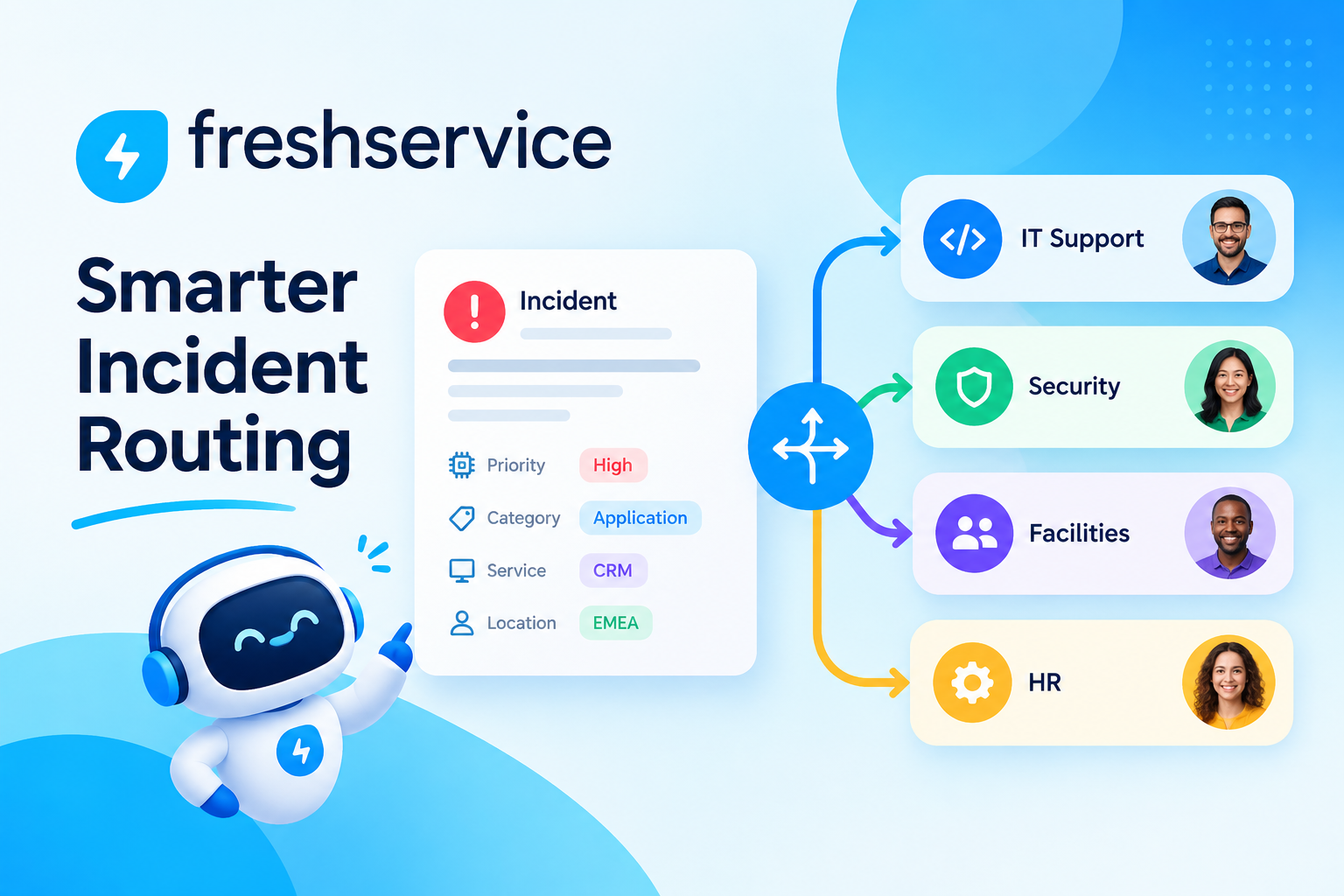
Manual ticket assignment forces a dispatcher — or worse, the entire IT team — to review every incoming request and decide who should handle it. In a growing business that receives dozens or hundreds of tickets daily, this process creates a constant bottleneck. Automated ticket routing eliminates that bottleneck by analyzing ticket content, category, priority, and requester attributes to assign tickets instantly to the right technician or team.
ManageEngine uses Business Rules to evaluate incoming tickets against configurable criteria sets. For example, a rule might specify: if the ticket category equals ‘Network’ and the location equals ‘New York office,’ assign to the Network Operations team and set priority to High. ManageEngine also supports round-robin and load-balanced assignment, distributing tickets evenly across team members to prevent any single technician from becoming overloaded.
Freshservice’s Workflow Automator handles ticket routing through a visual flow builder that even non-technical IT managers can configure without IT background. Freddy AI enhances routing further by classifying ticket intent from the natural language description and suggesting the correct category before routing occurs. According to Freshservice’s internal benchmarking data, AI-assisted routing reduces misclassified tickets by up to 40%, which translates directly into faster resolution times.
How Does Self-Service Automation Reduce Ticket Volume?
Every ticket a user submits costs the IT department time and money. HDI’s 2025 Technical Support Practices survey found that the average cost per ticket handled by a live technician runs between $22 and $50, depending on complexity. Self-service portals paired with automation dramatically reduce this cost by enabling users to resolve common issues themselves — password resets, software access requests, FAQ lookups — without ever creating a ticket.
ManageEngine’s self-service portal integrates directly with its knowledge base module. When a user types a search query into the portal, ManageEngine automatically surfaces relevant knowledge base articles and resolution guides before the user can even submit a ticket. If the user still submits a ticket after reading the suggested articles, ManageEngine flags it for future knowledge base expansion, continuously improving the deflection rate over time.
Freshservice takes self-service further through its AI-powered chatbot, Freddy Self Service. The chatbot handles natural language conversations, guides users through troubleshooting steps, and resolves common issues without escalating to a human agent. For growing businesses that support remote or globally distributed employees across different time zones, a 24/7 AI chatbot fundamentally changes the support experience without requiring additional staffing.
How Does Change Management Automation Reduce Risk in Growing IT Environments?
Change management is one of the highest-risk ITSM processes for growing businesses. Unauthorized or poorly reviewed changes to infrastructure cause a significant proportion of major IT outages. The IT Process Institute found that organizations with mature change management practices experience 42% fewer failed changes and 57% fewer unplanned outages compared to those without structured processes.
ManageEngine’s Change Management module automates the entire change advisory board (CAB) review process. When a technician submits a change request, ManageEngine automatically identifies the required approvers based on the change type and impact level, notifies them via email, tracks their responses, and moves the change to the next stage upon approval — or escalates it if approvers fail to respond within the defined SLA window.
Freshservice provides a visual change workflow builder that maps the full change lifecycle — from request submission through impact assessment, CAB review, implementation, and post-implementation review. Automation triggers at each stage ensure that no change moves forward without the required sign-offs. Freshservice also integrates with monitoring tools like Datadog and PagerDuty, automatically associating detected alerts with related change records to help post-incident analysis.
How Does SLA Monitoring and Escalation Automation Protect Service Quality?
SLA (Service Level Agreement) breaches damage both internal relationships and external client trust. In growing businesses, SLA management often fails because the IT team tracks deadlines manually — a practice that works at small scale but falls apart as ticket volumes grow. Automated SLA monitoring removes human error from deadline tracking and triggers escalations before breaches occur, not after.
ManageEngine provides SLA configuration at the ticket category, priority, and department level. The platform automatically calculates response and resolution deadlines when a ticket arrives and starts a countdown clock visible to both technicians and managers. As deadlines approach, ManageEngine triggers automated warnings — notifying the assigned technician 30 minutes before breach, then escalating to the team lead if the ticket remains unresolved. ManageEngine’s SLA reports give IT managers a clear view of performance trends over time, identifying which categories and teams consistently struggle with deadline adherence.
Freshservice’s SLA policies work similarly but add an AI layer through Freddy, which predicts tickets likely to breach their SLA based on historical resolution patterns. Rather than waiting for a countdown warning, Freshservice proactively flags at-risk tickets hours before the breach window opens, giving technicians more time to act. This predictive SLA management represents a meaningful evolution beyond simple countdown timers.
How Does Employee Onboarding and Offboarding Automation Save IT Hours?

Employee onboarding and offboarding involve dozens of IT tasks — creating accounts, provisioning hardware, assigning software licenses, configuring access permissions, and eventually revoking all of the above when someone leaves. According to a 2025 ServiceNow survey, IT teams spend an average of 8 hours per new hire on manual onboarding tasks. For a business that hires 50 people per year, that represents 400 hours of IT labor that automation can recover.
ManageEngine handles onboarding automation through its Service Catalog module combined with Active Directory integration. When HR submits an onboarding request through the service catalog, ManageEngine automatically creates a parent ticket with sub-tasks for each IT action — account creation, laptop provisioning, software installation, badge access request — and assigns each sub-task to the appropriate team. Completion of each sub-task automatically triggers the next one in the sequence, creating a fully orchestrated onboarding workflow without manual coordination.
- HR submits onboarding request via ManageEngine Service Catalog
- Parent ticket auto-created with linked sub-tasks per IT function
- Active Directory account provisioned automatically
- Software license assigned and installation initiated
- Hardware shipment ticket routed to asset management team
- Completion notifications sent to HR and hiring manager
Freshservice‘s onboarding automation works through its Orchestration Center, which connects to HR systems like Workday, BambooHR, and SAP SuccessFactors via pre-built integrations. When a new hire record appears in the HR system, Freshservice automatically triggers the onboarding workflow, provisioning accounts across Active Directory, Google Workspace, Microsoft 365, and business applications simultaneously — compressing what previously took days into a few automated hours.
How Does Asset Lifecycle Automation Improve IT Efficiency?
Growing businesses accumulate IT assets rapidly — laptops, servers, software licenses, mobile devices, and network equipment — and tracking them manually through spreadsheets creates inaccuracies, compliance gaps, and wasted spend on unused licenses. ITSM automation transforms asset management from a reactive inventory exercise into a proactive lifecycle management process.
ManageEngine’s Asset Management module automatically discovers and inventories hardware and software assets across the network. Automated alerts notify the IT team when assets approach warranty expiration, software licenses near their renewal date, or hardware reaches end-of-life status. ManageEngine also links asset records to tickets, so technicians can immediately see the full history of a device when troubleshooting an issue — eliminating the need to search multiple systems for context.
Freshservice’s asset management automation connects asset lifecycle events directly to ITSM workflows. When a laptop’s warranty expires, Freshservice automatically creates a procurement ticket, routes it to the appropriate approver, and links the new asset record to the replacement purchase once approved. This closed-loop automation prevents the gaps that typically occur when asset management and ticketing systems operate independently.
How Does AI-Powered Incident Management Reduce Mean Time to Resolution?
Traditional incident management relies on technicians manually identifying patterns, escalating issues, and searching knowledge bases for relevant solutions. AI-powered automation changes this dynamic by analyzing historical ticket data, detecting anomalies, and surfacing resolution suggestions proactively — reducing mean time to resolution (MTTR) even as incident complexity grows.
ManageEngine integrates with its AI-powered AIOps module, which monitors infrastructure metrics and correlates events across multiple systems to identify the root cause of incidents before they escalate into major outages. When ManageEngine detects a pattern consistent with an impending server failure, it automatically creates a proactive incident ticket, assigns it to the infrastructure team, and links the relevant monitoring alerts — all before users experience any disruption.
Freshservice’s Freddy AI analyzes incoming incident tickets and suggests resolution steps based on similar tickets resolved in the past. For growing IT teams where junior technicians handle a high proportion of tickets, Freddy’s guided resolution suggestions accelerate learning and reduce escalations to senior staff. According to Freshworks, organizations using Freddy AI for incident management see an average 25% reduction in MTTR within the first six months of deployment.
How Do ManageEngine and Freshservice Compare Across Key Automation Features?
The following table provides a direct comparison of ManageEngine and Freshservice across the automation dimensions that matter most to growing businesses.
| Feature / Capability |  | |
|---|---|---|
| Automation Engine | Business Rules + Workflow Orchestrator | Workflow Automator (visual drag-and-drop) |
| AI Capabilities | AIOps module (add-on) | Freddy AI (built-in, across modules) |
| Ticket Auto-Routing | Rule-based + load balancing | Rule-based + AI classification |
| Self-Service Chatbot | Virtual agent via integrations | Freddy Self Service (native AI chatbot) |
| Change Management Automation | Full CAB workflow automation | Visual change workflow builder |
| SLA Automation | Rule-based escalation & reporting | Predictive SLA breach alerts via AI |
| Onboarding Automation | Service Catalog + AD integration | Orchestration Center + HR integrations |
| Asset Lifecycle Automation | Auto-discovery, alerts, ticket linking | Closed-loop procurement workflows |
| Deployment Model | Cloud & On-Premise | Cloud only |
| Starting Price (ITSM) | ~$10/tech/mo (Starter) | ~$19/agent/mo (Starter) |
| Best Fit | Mid-to-large IT teams, complex workflows | Fast-growing, cloud-first businesses |
| ITIL Certified | Yes (PinkVERIFY) | Yes (PinkVERIFY) |
As the table illustrates, ManageEngine ServiceDesk Plus suits organizations that need deep customization, on-premise deployment options, and granular control over automation logic. Freshservice excels in environments where speed of deployment, AI-native automation, and a modern user experience take priority. Both platforms carry ITIL certification, meaning neither requires a business to abandon industry best practices to benefit from automation.
What Best Practices Help Growing Businesses Get the Most From ITSM Automation?

Deploying ManageEngine or Freshservice without a clear automation strategy produces disappointing results. Growing businesses that maximize their ITSM automation ROI follow a set of proven implementation practices that ensure automation serves real operational needs rather than adding complexity for its own sake.
How Should a Growing Business Prioritize Which Processes to Automate First?
Not all IT processes deliver equal value when automated. The highest-priority automation candidates share three characteristics: they occur frequently, they follow consistent rules, and they consume significant IT team time when handled manually. Businesses should map their current ticket volume by category and calculate how many hours per week each category consumes before selecting automation targets.
- Password resets and account unlocks — typically 20-30% of all IT tickets and fully automatable
- Software access requests — high volume, rule-based approval logic, low risk
- Hardware procurement approvals — multi-step but highly standardized across most organizations
- Routine maintenance notifications — scheduled, predictable, and easily automated via calendar triggers
- Onboarding/offboarding task coordination — high effort per event, fully scriptable process
How Do ManageEngine and Freshservice Support Phased Automation Rollouts?
Both ManageEngine and Freshservice support phased implementation approaches that let growing businesses start with foundational automation and expand capabilities over time. Attempting to automate every IT process simultaneously overwhelms the implementation team and produces unreliable workflows that technicians stop trusting.
A practical three-phase automation roadmap for growing businesses using either platform looks like this:
- Phase 1 (Weeks 1–4): Automate ticket routing, SLA notifications, and password resets. These foundational automations deliver immediate ROI and build team confidence in the system.
- Phase 2 (Months 2–3): Deploy service catalog automations for onboarding, offboarding, and software provisioning. Connect the platform to Active Directory, HR systems, and communication tools.
- Phase 3 (Months 4–6): Implement AI-powered features — incident prediction in ManageEngine’s AIOps module or Freddy AI in Freshservice — alongside advanced change management workflows and asset lifecycle automation.
What Metrics Should Businesses Track to Measure ITSM Automation Success?
Automation without measurement produces invisible value. Growing businesses should define success metrics before implementing automation and track them consistently to demonstrate ROI to leadership and identify areas for improvement.
| Metric | What It Measures | Target Improvement |
|---|---|---|
| Mean Time to Resolution (MTTR) | Average time from ticket creation to resolution | 20–40% reduction |
| First Contact Resolution Rate (FCR) | % of tickets resolved without escalation | 15–25% increase |
| Ticket Deflection Rate | % of issues resolved via self-service | 25–40% of total volume |
| SLA Compliance Rate | % of tickets resolved within agreed timeframes | >95% compliance |
| Automation Coverage Rate | % of total tickets handled without manual routing | 60–80% within 6 months |
| Cost per Ticket | Average labor cost per resolved ticket | 30–50% reduction |
| Technician Utilization | % of IT time spent on high-value vs routine tasks | 40%+ shift to strategic work |
Conclusion: Which ITSM Platform Should Growing Businesses Choose for Automation?
The case for ITSM automation in growing businesses is clear and compelling. Manual IT service processes that function acceptably at 50 employees break down at 200 and become genuinely unsustainable at 500. Automation through ManageEngine ServiceDesk Plus or Freshservice transforms IT from a reactive cost center into a proactive operational advantage.
ManageEngine ServiceDesk Plus suits growing businesses with dedicated IT operations teams that need deep customization, on-premise deployment options, and granular control over complex workflows. Its Business Rules engine, AIOps module, and tight integration with the broader ManageEngine ecosystem give large IT teams the precise control they need over every automation parameter.
Freshservice suits fast-growing, cloud-first businesses that need rapid time-to-value, AI-native automation, and an interface that non-technical administrators can manage confidently. Freddy AI’s built-in intelligence, the Workflow Automator’s visual design, and Freshservice’s extensive HR and monitoring integrations make it the faster path to meaningful automation for businesses that cannot afford long implementation cycles.
Both platforms deliver transformative results when implemented correctly. To maximize the automation return on your ITSM investment — whether you choose ManageEngine or Freshservice — partnering with Solution for Guru ensures your implementation reflects your actual processes, your automations fire reliably from day one, and your IT team captures every hour of efficiency that these platforms make possible.
Frequently Asked Questions About ITSM Automation for Growing Businesses
ManageEngine ServiceDesk Plus offers deeper customization, on-premise deployment, and a rule-based automation engine that gives large IT teams precise control over complex workflows. Freshservice offers a more intuitive, AI-native automation experience through Freddy AI and the visual Workflow Automator, making it faster to deploy and easier to manage for teams without deep technical backgrounds. ManageEngine suits mid-to-large organizations with complex IT environments; Freshservice suits fast-growing companies that prioritize speed and simplicity. Both carry ITIL PinkVERIFY certification and support the full range of ITSM automation use cases described in this article.
Basic automation benefits — primarily automated ticket routing, SLA notifications, and password reset workflows — can go live within one to two weeks for both ManageEngine and Freshservice. More advanced automation, such as onboarding orchestration, AI-powered incident prediction, and cross-system integrations, typically requires four to eight weeks to configure and test properly. Businesses that work with an experienced implementation partner like Solution for Guru consistently reach full automation deployment faster than those who self-implement, because partners bring pre-built configurations, tested integration templates, and troubleshooting expertise that eliminate the trial-and-error phase.
How Does Solution for Guru Help Growing Businesses Implement ITSM Automation Successfully?
Selecting the right platform is only half the equation. Implementation quality determines how much of ManageEngine‘s or Freshservice’s automation potential a growing business actually captures in practice. Solution for Guru is a software implementation consultancy that specializes in deploying and optimizing ITSM platforms — including ManageEngine ServiceDesk Plus and Freshservice — for growing businesses across multiple industries.
Many organizations purchase an ITSM platform, configure the basics, and then stall when they try to build more complex automation. The rules don’t fire correctly. The integrations don’t pass data as expected. The team reverts to manual processes because the automated ones feel unreliable. Solution for Guru exists to prevent exactly that outcome.
Solution for Guru provides end-to-end ITSM implementation services for ManageEngine ServiceDesk Plus and Freshservice.
Here is what working with Solution for Guru delivers for growing businesses:
- Current-state IT process analysis to identify the highest-value automation opportunities
- Full platform configuration including ticket categories, routing rules, SLA policies, and approval workflows
- Workflow automation build-out for ticket routing, onboarding, change management, and asset lifecycle
- Integration setup connecting ManageEngine or Freshservice to Active Directory, HR systems, monitoring tools, and communication platforms
- AI feature configuration for Freddy AI (Freshservice) and AIOps (ManageEngine)
- Data migration from legacy helpdesk systems with full audit trails
- Administrator and end-user training tailored to each team’s role
- Post-implementation support and optimization as the business scales
- ROI measurement frameworks to quantify automation impact on IT team productivity

Why Does Expert Implementation Accelerate ITSM Automation ROI?
A Gartner report on ITSM platform deployments found that businesses working with specialized implementation partners achieve full deployment in 40% less time and report 30% higher user adoption rates compared to self-implemented projects. For growing businesses, faster deployment means faster access to automation benefits — and higher adoption means the investment actually pays off rather than sitting underused.
Solution for Guru’s implementation methodology begins with a discovery phase that documents the current IT service delivery process in detail. This analysis identifies which tickets consume the most team time, where SLA breaches occur most frequently, and which manual handoffs create the longest delays. That analysis becomes the blueprint for automation configuration, ensuring that every rule, workflow, and integration reflects the actual operational reality of the business rather than a generic template.
Furthermore, Solution for Guru provides ongoing optimization support after the initial implementation. As a growing business adds new employees, acquires new tools, expands to new offices, or launches new services, its ITSM automation needs evolve. Having an experienced partner available to update workflows, build new integrations, and train new administrators protects the platform investment over the long term.
Recommended:
- How Does Freshservice Support Compliance and Audit Readiness?
- Freshservice vs Traditional Help Desk Systems: What Has Changed?
- What Reporting and Dashboard Strategies Do High-Performing ITSM Leadership Teams Actually Use?
- What Are ITSM KPIs and Why Do They Matter for Your IT Organization?
- What Is a Self-Service Portal in ITSM and Why Does Your Business Need One?
- ESM vs ITSM: What Is the Difference and Which One Does Your Business Need?
- Freshservice for Non-IT Departments: HR, Facilities, Finance, and Operations
- Can Freshservice Reduce IT Operational Costs?
- ITSM Workflow Optimization Strategies for Hybrid Work Environments
- Breaking Down the ITSM Model: What Are the Core Processes, Roles, and Value Streams?
- Common ITSM Deployment Mistakes Businesses Make — and How to Avoid Them
- ITSM for DevOps Teams: Bridging Agile and Service Management
- Event-Driven ITSM: How Do You Connect Monitoring Alerts to Automated Ticketing?
- Integrating Monitoring Tools with ManageEngine or Freshservice for Proactive Support
- Freshservice Asset Management vs ManageEngine Asset Discovery
- On-Premise vs Cloud ITSM: Choosing Between ManageEngine and Freshservice Architectures