Freshservice Asset Management vs ManageEngine Asset Discovery
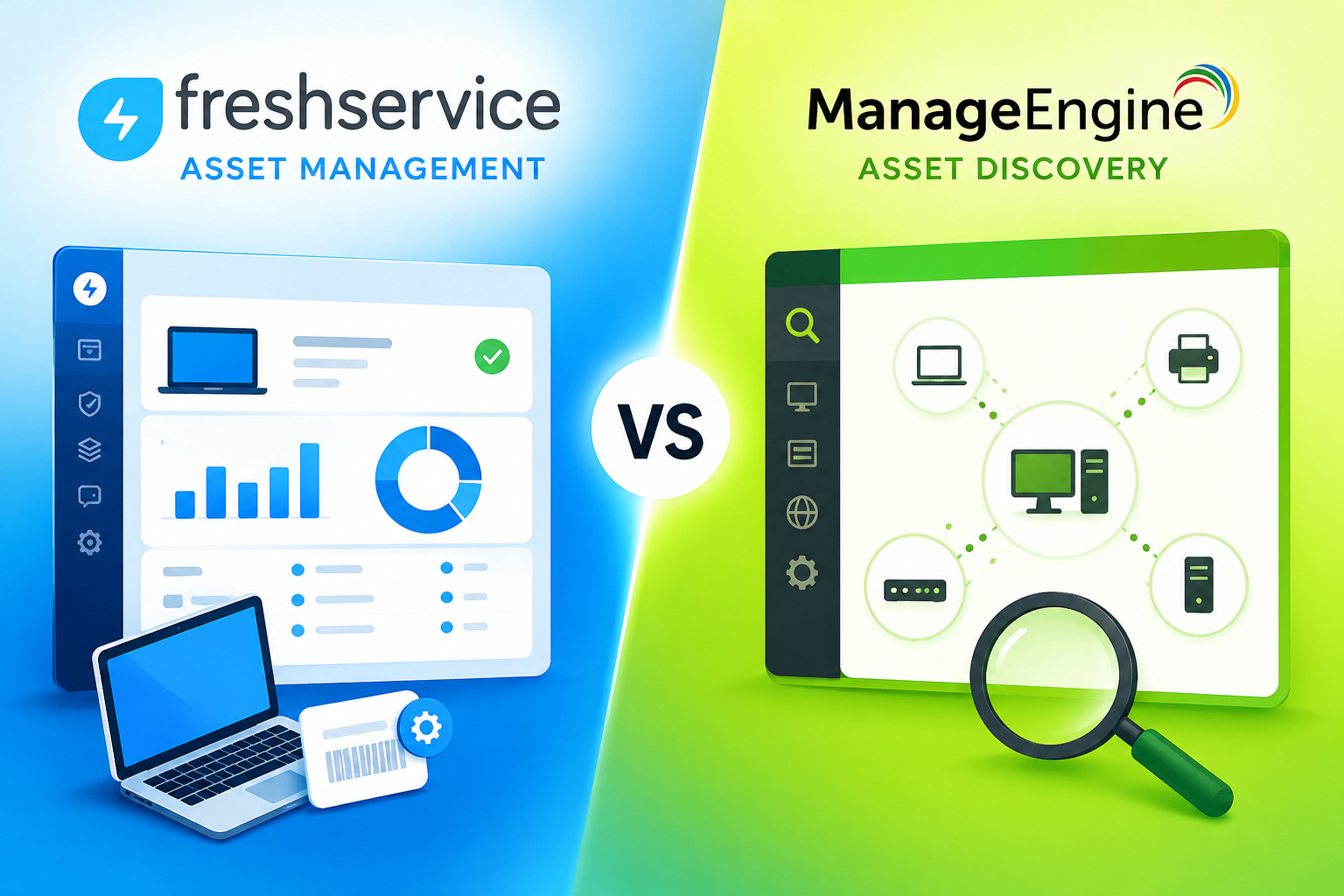
IT teams across industries face the same relentless challenge: knowing exactly what hardware and software exists in their environment, where it lives, who owns it, and whether it’s compliant. Without reliable asset discovery, ticketing systems lack context, security audits become guesswork, and budget planning rests on incomplete data. Two of the most widely deployed ITSM platforms in the mid-market — Freshservice and ManageEngine ITSM (ServiceDesk Plus and AssetExplorer) — both address this challenge, but in meaningfully different ways.
This article breaks down exactly how each platform approaches asset management and discovery at a technical level, so IT managers and decision-makers can choose the right tool for their specific environment.
Table of contents
Quick Summary
| Category |  |  |
|---|---|---|
| Deployment | Cloud-only (SaaS) | Cloud + On-premises |
| Discovery method | Agent-based, network probes, cloud integrations | Agent-based, agentless, WMI, SNMP, Active Directory |
| AI capabilities | Freddy AI (auto-triage, summaries, insights) | Basic automation, no native LLM layer |
| CMDB | Native, with dependency mapping | Advanced CMDB, 50+ CI types |
| License management | Available (SaaS + software) | Deep, with normalization and compliance |
| Pricing entry point | ~$19/agent/month | ~$13/technician/month |
| ITIL certification | ITIL-aligned | PinkVERIFY™ certified (7 ITSM practices) |
| Best for | Cloud-first teams wanting fast deployment | Organizations needing deep ITAM and on-prem option |
How Are Freshservice and ManageEngine ITSM Related to This Topic?
Why Do Both Platforms Matter for Asset Management?
Asset management and asset discovery are not standalone disciplines — they sit at the core of every mature ITSM strategy. When a service desk agent opens a ticket, they need instant visibility into which device the user is working on, what software runs on it, and how that asset connects to other infrastructure components. Both Freshservice and ManageEngine ITSM embed asset management directly into their service desk workflows, making asset data available at the moment of incident or change.
Freshservice, developed by Freshworks, is a cloud-native ITSM platform built for speed and usability. It combines IT service desk capabilities with an integrated IT Asset Management (ITAM) module, delivering discovery, CMDB, lifecycle tracking, and SaaS management in a single cloud interface.
ManageEngine ITSM — primarily represented by ServiceDesk Plus and the dedicated AssetExplorer module — takes a modular approach. ManageEngine, a division of Zoho Corporation, offers both cloud and on-premises deployment, deep ITIL certification, and tight integration with its broader suite of IT management tools (network monitoring, endpoint management, analytics).
Both platforms directly address the article’s core question: how do leading ITSM tools discover and manage IT assets, and which one does it better for a given organizational context?
What Is Freshservice’s Approach to Asset Discovery?
How Does Freshservice Discover Assets Across the Network?
Freshservice uses a multi-layered discovery architecture designed to cover both managed and unmanaged devices across cloud and on-premises environments. The platform offers three primary discovery mechanisms:
1. Agent-Based Discovery Software agents run silently on Windows, macOS, and Linux endpoints. These agents collect detailed system information — hardware specifications, installed software, running services, user assignments — and report back to Freshservice continuously. Because agents run locally, they capture data that network scans often miss, such as software installed without IT knowledge.
2. Network Probe Discovery For devices that cannot run agents — printers, switches, IoT devices, network-attached storage — Freshservice deploys network probes that scan IP ranges and use SNMP and other protocols to identify connected devices. This agentless approach ensures headless equipment appears in the CMDB alongside managed endpoints.
3. Cloud Integrations Freshservice integrates natively with AWS, Azure, and Google Cloud Platform to discover cloud compute instances, storage volumes, and virtual machines. In 2025, Freshservice consolidated its cloud compute asset types into a unified hardware hierarchy, eliminating duplicate records when the same asset is discovered via both a probe and a cloud connector.
What Makes Freshservice’s CMDB Distinctive?
Freshservice’s Configuration Management Database (CMDB) stores all discovered assets as Configuration Items (CIs) and maps relationships between them. When a server goes down, the CMDB immediately surfaces which applications, services, and users it affects — enabling faster impact analysis and more accurate change management.
The CMDB integrates directly with Freshservice’s incident and change management modules. Consequently, when a technician creates an incident ticket, they see the asset’s full history, software inventory, and open changes in the same view — without switching between tools.
How Does Freshservice Handle SaaS and Software License Management?
Beyond hardware, Freshservice monitors SaaS application usage. The platform tracks shadow IT — unsanctioned cloud applications that employees use without IT approval — which industry data suggests accounts for 30–40% of actual IT spending.
Freshservice license management covers:
- Software installation tracking across managed endpoints
- SaaS license utilization and waste identification
- Automated alerts for underused or expiring licenses
- Cost allocation by department or cost center
This visibility allows IT and finance teams to rationalize software spending and eliminate redundant subscriptions proactively.
What Is ManageEngine’s Approach to Asset Discovery?

How Does ManageEngine ITSM Discover Assets?
ManageEngine ITSM — through both ServiceDesk Plus and the dedicated AssetExplorer module — offers one of the most technically comprehensive asset discovery frameworks in the ITSM market. ManageEngine supports several discovery methods simultaneously:
1. Agent-Based Discovery ManageEngine deploys lightweight agents on Windows and Linux endpoints to collect detailed inventory data including hardware specifications, software installations, patches, and performance metrics.
2. Agentless Discovery (WMI/SSH) For environments where deploying agents is impractical — large server farms, legacy systems, systems behind strict security policies — ManageEngine uses Windows Management Instrumentation (WMI) for Windows systems and SSH for Linux and macOS. This agentless approach scans devices remotely without installing any software.
3. Active Directory Integration ManageEngine integrates deeply with Active Directory, automatically importing users, computers, and organizational units. This integration creates a direct mapping between AD objects and CMDB entries, ensuring the asset inventory stays synchronized with the authoritative directory of devices and users.
4. SNMP and Network Discovery ManageEngine scans network infrastructure — routers, switches, access points, printers — using SNMP polling. This gives IT teams visibility into the full network topology, not just managed endpoints.
What Does ManageEngine’s CMDB Offer?
ManageEngine’s CMDB is widely considered one of its strongest technical differentiators. The platform ships with over 50 predefined Configuration Item types, covering hardware, software, services, users, and network components. IT teams can build custom relationship maps specific to their services or business-critical CIs.
The visual dependency mapping capability lets IT managers see, at a glance, how a configuration change on one server will cascade through dependent applications and services. This impact analysis is particularly valuable during change management reviews, where understanding downstream effects prevents unplanned outages.
ManageEngine’s CMDB also supports ITIL’s Configuration Management process formally — the platform holds PinkVERIFY™ certification for Configuration Management alongside six other ITSM practices.
How Does ManageEngine Handle Software License Compliance?
ManageEngine’s software license management is one of the most mature in the market. The platform tracks software installations against purchased licenses, normalizes software titles (identifying that “Microsoft Office 365” and “MS Office 365” are the same product), and flags compliance gaps before they become audit liabilities.
Key capabilities include:
- License compliance dashboards with real-time over/under-licensing alerts
- Software normalization across vendors and title variants
- End-of-life and end-of-support tracking for installed software
- Purchase order integration to correlate licenses with procurement records
- Support for various license models: per-seat, concurrent, enterprise agreements
How Do Freshservice and ManageEngine Compare on Key Technical Dimensions?
Full Technical Comparison Table
| Feature | | |
|---|---|---|
| Deployment options | SaaS/cloud only | Cloud and on-premises |
| Agent-based discovery | Yes (Windows, macOS, Linux) | Yes (Windows, Linux) |
| Agentless discovery | Yes (network probes) | Yes (WMI, SSH, SNMP) |
| Active Directory sync | Yes | Yes (deep, bidirectional) |
| Cloud discovery | AWS, Azure, GCP (native) | Available via integrations |
| SNMP network scanning | Yes (via probes) | Yes (native) |
| CMDB | Native with dependency maps | Advanced, 50+ CI types, visual maps |
| ITIL certification | ITIL-aligned (not certified) | PinkVERIFY™ (7 practices) |
| AI engine | Freddy AI (LLM-based) | Rule-based automation |
| Software license mgmt | Available (Growth+ plans) | Advanced, with normalization |
| SaaS management | Yes (shadow IT detection) | Limited |
| Mobile app | Yes (full-featured) | Yes (limited features) |
| Marketplace integrations | 300+ apps | Available (smaller ecosystem) |
| Pricing (entry) | ~$19/agent/month | ~$13/technician/month (or free for 5) |
| Best suited for | Cloud-first mid-market | Enterprises needing deep ITAM + on-prem |
Which Platform Handles Asset Lifecycle Management Better?
How Does Freshservice Manage the Asset Lifecycle?
Freshservice tracks every asset from procurement through disposal. When IT purchases a new laptop, the asset record captures vendor details, purchase date, warranty information, and cost. As the device gets assigned to a user, Freshservice records the assignment and begins tracking usage, incidents linked to the asset, and any changes made to it.
At end-of-life, Freshservice supports formal disposal workflows, ensuring retired assets receive proper data wiping and disposal documentation before being removed from the inventory. This lifecycle visibility connects directly to financial reporting — IT managers can report on asset depreciation, total cost of ownership, and upcoming refresh cycles with data pulled directly from Freshservice.
Freshservice also introduced Asset Units (AUs) as its ITAM licensing metric. Organizations purchase AUs in packs of 500, and different asset types consume different unit quantities. This model gives growing organizations a scalable way to expand ITAM coverage without renegotiating contracts.
How Does ManageEngine ITSM Handle Asset Lifecycle?
ManageEngine ITSM approaches lifecycle management through its integrated procurement and contract management modules. IT teams log purchase orders directly in the system, tie them to specific assets upon receipt, and track maintenance contracts and warranties centrally.
ManageEngine supports custom workflow automation for lifecycle stages — allowing IT teams to define automatic actions when an asset approaches warranty expiration, end-of-life, or a scheduled maintenance date. These automations trigger notifications, create tickets, or assign tasks to responsible technicians.
Furthermore, ManageEngine’s reporting engine generates pre-built and custom reports covering asset age, utilization, maintenance history, and compliance status. Organizations running formal IT asset management programs particularly value these reporting capabilities during software vendor audits, where demonstrating license compliance requires detailed, accurate data.
What Are the Key Strengths and Limitations of Each Platform?

What Does Freshservice Do Best?
Freshservice consistently earns high marks for several specific capabilities:
Speed of deployment. Because Freshservice is cloud-native, organizations typically go live within days rather than weeks. There is no infrastructure to provision, no database to install, and no server to configure.
User experience. Both the agent interface and the end-user self-service portal receive strong usability ratings from enterprise review platforms. Non-technical employees can submit requests and track assets without training.
AI integration. Freshservice’s Freddy AI engine provides auto-triage for incoming tickets, AI-generated summaries of complex incidents, and suggested solutions based on similar historical cases. These AI capabilities connect directly to asset data — when a hardware fault is detected, Freddy AI surfaces the asset record, ownership history, and related past incidents automatically.
Integration ecosystem. Freshservice’s marketplace offers over 300 third-party integrations, including Microsoft Teams, Slack, Jira, Okta, and ServiceNow. This breadth makes Freshservice a strong fit for organizations already running a diverse SaaS stack.
What Are Freshservice’s Limitations?
Despite its strengths, Freshservice carries some notable constraints:
- No on-premises deployment. Organizations in regulated industries (government, defense, specific healthcare environments) that require on-premises ITSM have no Freshservice option.
- ITAM as an add-on. Asset management and service desk functionality share overlapping data but do not operate on a single unified data model by default. Organizations with complex ITAM requirements may need additional configuration.
- Discovery depth. For agentless discovery of complex legacy environments, Freshservice’s probe-based approach is less granular than ManageEngine’s WMI/SSH method.
What Does ManageEngine ITSM Do Best?
ManageEngine ITSM excels in several technically demanding areas:
Deployment flexibility. Organizations that require on-premises ITSM for data sovereignty, compliance, or network security reasons can deploy ManageEngine ServiceDesk Plus on their own infrastructure, with the same feature set as the cloud version.
Discovery breadth. ManageEngine’s combination of agent, agentless (WMI/SSH), Active Directory, and SNMP discovery methods covers more device types and environments than most competing platforms, including complex multi-site, multi-OS enterprise environments.
ITIL certification. PinkVERIFY™ certification for seven ITSM practices — including Asset Management, Change Management, Configuration Management, and Incident Management — makes ManageEngine a strong choice for organizations committed to formal ITIL implementation.
Cost efficiency. ManageEngine’s pricing structure is generally more accessible than Freshservice’s, particularly at lower technician counts. A free Standard tier for up to five technicians makes ManageEngine practical for small IT teams that need a capable starting point before scaling.
What Are ManageEngine’s Limitations?
ManageEngine’s strengths come with trade-offs:
- Setup complexity. Configuring ManageEngine’s full feature set, particularly its CMDB relationships and custom workflows, often requires scripting and dedicated admin resources. Teams without specialist knowledge face a steeper learning curve.
- User interface. While functional, ManageEngine’s interface is generally considered less modern and intuitive than Freshservice‘s, which can affect adoption rates among non-technical staff.
- AI capabilities. ManageEngine’s automation remains largely rule-based. It lacks the LLM-powered AI layer that Freshservice’s Freddy AI provides for intelligent ticket triage, solution suggestions, and natural language analytics.
- SaaS management. Shadow IT detection and SaaS spend management are weaker in ManageEngine compared to Freshservice’s dedicated capabilities in this area.
How Do Freshservice and ManageEngine Handle Integrations and Workflow Automation?
What Integrations Does Freshservice Support?
One of Freshservice’s most competitive advantages is its integration marketplace. With over 300 out-of-the-box integrations and a low-code orchestration layer, Freshservice connects asset data to the broader enterprise technology stack without custom development.
Key integration categories include:
- Collaboration tools — Microsoft Teams, Slack, and Google Workspace allow employees to submit requests and receive ticket updates without leaving their primary communication app
- Identity and access management — Okta, Azure AD, and JumpCloud sync user identities directly with asset assignments and access records
- DevOps and development — Jira, GitHub, and GitLab connect IT operations with software development workflows
- Monitoring and alerting — Datadog, PagerDuty, and New Relic push infrastructure alerts into Freshservice as incidents, pre-populated with asset context
Freshservice’s Orchestration Center allows IT teams to build automation workflows that span multiple third-party applications using a drag-and-drop interface — no scripting required. This makes complex automations, such as automatically revoking software licenses when a user is offboarded, achievable without developer resources.
How Does ManageEngine ITSM Handle Workflow Automation?
ManageEngine ITSM approaches automation through a combination of built-in business rules, custom scripts, and integrations with its broader product ecosystem. The ManageEngine family — which also includes Endpoint Central (endpoint management), OpManager (network monitoring), and Analytics Plus (reporting) — creates a tightly integrated IT management stack where asset data flows between tools automatically.
For example, when Endpoint Central detects a software vulnerability on a managed device, it can automatically create a security incident in ServiceDesk Plus, linked to the asset’s CMDB record, and assign it to the appropriate technician based on routing rules. This depth of cross-product integration is a significant advantage for organizations that standardize on the ManageEngine ecosystem.
However, ManageEngine’s workflow automation requires more technical effort to configure than Freshservice’s. Setting up complex workflows often involves writing scripts or configuring XML-based rules, which demands specialist knowledge that smaller IT teams may not have in-house.
Which Organizations Should Choose Which Platform?

Who Benefits Most from Freshservice?
Freshservice is the stronger choice for:
- Cloud-first organizations that operate primarily in SaaS and cloud environments
- Mid-market companies (100–2,000 employees) that want fast time-to-value without large implementation projects
- Teams prioritizing usability where self-service portal adoption and agent productivity matter
- AI-forward IT departments that want to leverage AI for ticket triage, resolution suggestions, and analytics
- Organizations with a diverse app stack that benefit from Freshservice’s 300+ marketplace integrations
Who Benefits Most from ManageEngine ITSM?
ManageEngine ITSM serves these organizations better:
- Enterprises requiring on-premises deployment due to compliance, data sovereignty, or security requirements
- Organizations running large, heterogeneous networks with legacy systems, diverse OS environments, and complex network infrastructure
- ITIL-committed organizations that need formal certification-backed process implementation
- Teams with strong in-house IT skills capable of handling ManageEngine’s configuration and scripting requirements
- Budget-conscious IT departments at smaller scales, where ManageEngine’s free tier or lower pricing creates meaningful savings
Conclusions
The comparison between Freshservice and ManageEngine ITSM does not produce a single winner — it produces two clearly defined profiles.
Freshservice wins on speed, usability, AI integration, and SaaS ecosystem breadth. Its cloud-native architecture, Freddy AI capabilities, and 300+ integrations make it an outstanding choice for modern, cloud-first IT organizations that need fast value delivery and a polished experience for both technicians and end users. Its asset discovery covers the most common enterprise environments well, and its CMDB connects directly to incident and change workflows. However, organizations requiring on-premises deployment or deep agentless discovery of complex legacy environments will find Freshservice’s capabilities fall short.
ManageEngine ITSM wins on discovery depth, deployment flexibility, formal ITIL coverage, and cost at lower scales. Its multi-method discovery framework — combining agents, WMI, SSH, SNMP, and Active Directory — handles the most complex and heterogeneous environments reliably. Its PinkVERIFY™ certifications and mature license compliance capabilities make it the defensible choice for organizations running formal ITAM programs or subject to regular software audits. However, ManageEngine demands more technical resources to configure and maintain, and its AI capabilities lag behind Freshservice’s substantially.
For most IT teams making this decision in 2025, the deciding factors are deployment model (cloud-only vs. on-premises flexibility) and technical depth requirements (modern SaaS management vs. deep legacy infrastructure coverage). Whichever platform you choose, partnering with Solution for Guru ensures your implementation runs correctly, your team adopts the system effectively, and your ITAM investment delivers measurable results from day one.
Frequently Asked Questions
Freshservice handles cloud discovery natively through direct integrations with AWS, Azure, and GCP, pulling compute instances, storage, and virtual machines into the CMDB automatically. ManageEngine offers cloud discovery as well, though it typically requires additional configuration and integrations rather than offering the same degree of native cloud-native connectivity. For organizations running primarily cloud infrastructure, Freshservice‘s built-in cloud discovery delivers a more seamless experience. ManageEngine, however, matches Freshservice’s cloud coverage for organizations willing to invest configuration time, and adds deeper on-premises discovery that Freshservice cannot match.
ManageEngine ITSM holds a clear advantage in formal software license compliance. Its AssetExplorer module offers software normalization (matching variant title spellings to a single authoritative record), end-of-life tracking, license type support (per-seat, concurrent, enterprise agreements), and pre-built compliance reports designed specifically for vendor audit scenarios. Freshservice provides solid license tracking for standard software and SaaS applications, but its license normalization and compliance reporting capabilities are less mature. Organizations facing regular software vendor audits — particularly for Microsoft, Adobe, or Oracle licenses — will generally find ManageEngine better equipped for that specific use case.
Why Should You Work with Solution for Guru When Implementing Either Platform?
What Does Solution for Guru Bring to ITSM Implementations?
Selecting the right ITSM platform is only the first step. Organizations that simply license Freshservice or ManageEngine and attempt self-implementation frequently encounter the same problems: misconfigured discovery settings, CMDB data quality issues, workflows that don’t match actual IT processes, and poor user adoption rates.
Solution for Guru specializes in precisely the challenges that arise between selecting software and actually running it effectively. As a digital solutions company with expertise in CRM configuration, process management, SEO, and software implementation, Solution for Guru brings a structured, data-driven methodology to every project.

What Are the Specific Benefits of Partnering with Solution for Guru?
| Benefit | What It Means in Practice |
|---|---|
| Platform-neutral guidance | Solution for Guru evaluates your environment objectively and recommends the right platform rather than pushing a preferred vendor |
| Discovery configuration | Specialists ensure agent deployment, probe configuration, and cloud integrations run correctly from day one |
| CMDB architecture | Expert design of CI types, relationship models, and dependency maps tailored to your infrastructure |
| Workflow design | Approval chains, automation rules, and escalation policies built around your actual IT processes |
| User adoption programs | Structured onboarding ensures technicians and end users engage with the system effectively |
| Ongoing optimization | Post-go-live monitoring, reporting review, and continuous improvement — not just initial setup |
| Data-driven software reviews | Transparent, objective assessments of platform suitability based on real testing and user experience |
How Does Solution for Guru’s Expertise Connect to Freshservice and ManageEngine Specifically?
Solution for Guru understands the distinct configuration demands of both platforms. Freshservice implementations benefit from Solution for Guru’s experience with cloud integrations, Freddy AI tuning, and marketplace app configuration. ManageEngine implementations benefit from their expertise in WMI/SSH discovery setup, Active Directory synchronization, CMDB relationship design, and custom workflow scripting.
In both cases, Solution for Guru‘s broader expertise in CRM, process automation, and digital strategy means clients get more than a tool configured correctly — they get an IT service management environment aligned with their business growth objectives.
Recommended:
- On-Premise vs Cloud ITSM: Choosing Between ManageEngine and Freshservice Architectures
- Freshservice for Internal IT Support: What Problems Does It Solve?
- How Does Freshservice Simplify IT Service Management for Modern Organizations?
- How Do Businesses Integrate Slack and Microsoft Teams with ITSM Platforms?
- Automating Software License Tracking with ITSM Solutions: How Can You Take Control?
- Best Microsoft 365 Integrations for ManageEngine and Freshservice
- Integrating Endpoint Management Tools with ITSM Systems
- Aligning ITSM Processes with ISO 20000 Standards
- How Long Does an ITSM Implementation Really Take? Key Factors Explained
- ManageEngine vs Freshservice
- Top ITSM Best Practices Using ManageEngine
- Improving IT Governance and Compliance with ManageEngine ITSM
- Cloud vs On-Premise ManageEngine ITSM: Which Should You Choose?
- Integrating ManageEngine with Microsoft 365