How Do Custom Reporting and Data Export Workflows Work in Patriot Software?
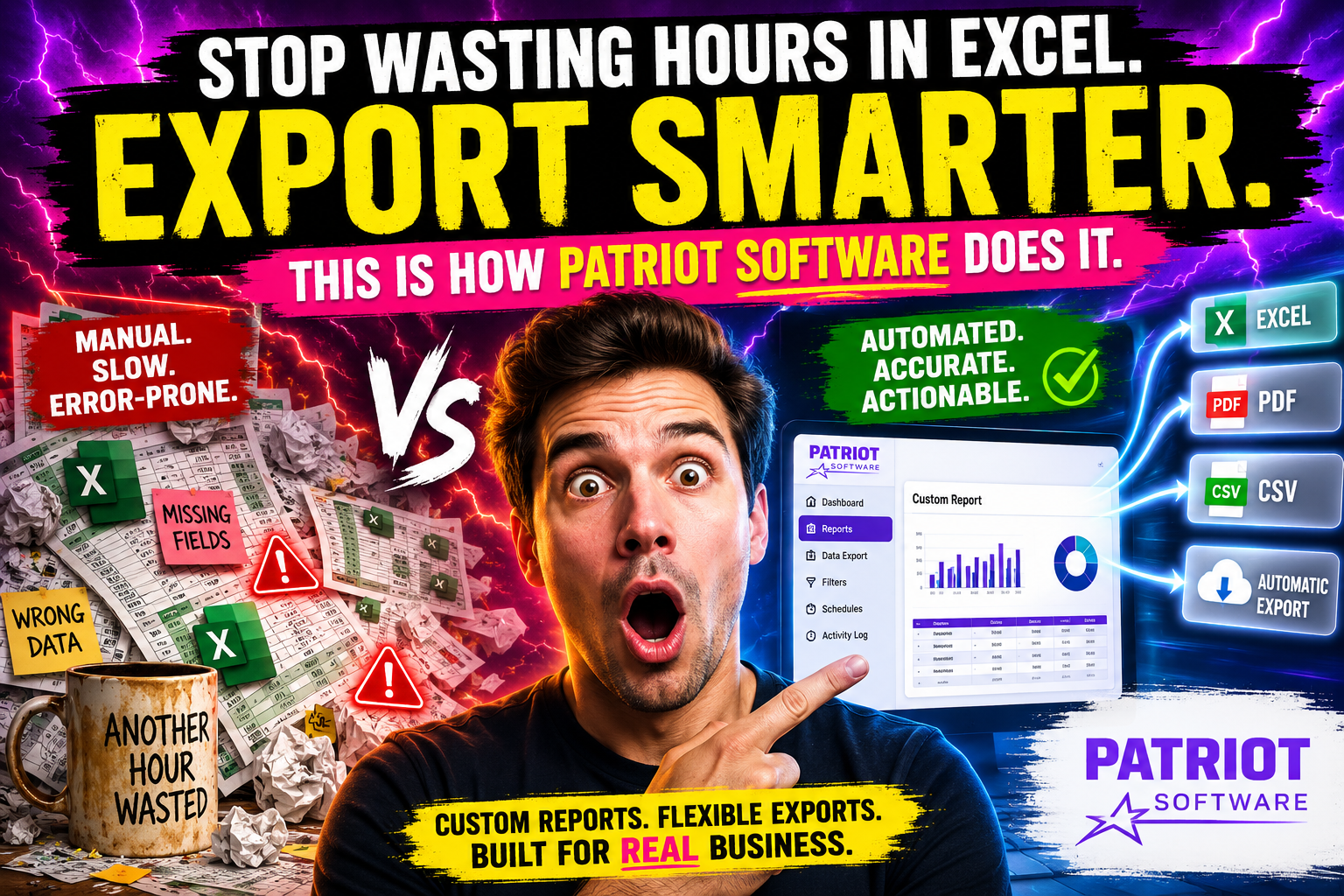
Payroll management has evolved far beyond simply cutting checks. Today, business owners, HR managers, and accountants need instant access to accurate data — organized exactly the way they want it. Custom reporting and data export workflows sit at the heart of this need, enabling companies to transform raw payroll numbers into actionable business intelligence.
Patriot Software rises to this challenge by offering a robust suite of reporting and data export tools that streamline decision-making, simplify compliance, and reduce the hours your team spends hunting down figures in spreadsheets. Whether you run a five-person startup or a multi-department organization with hundreds of employees, understanding how these workflows function can save you significant time and money.
Table of contents
Quick Summary
| Feature | What Patriot Software Offers |
|---|---|
| Payroll Reports | Pre-built and customizable reports covering wages, taxes, deductions |
| Data Export | CSV, PDF, and Excel-compatible exports for all major reports |
| Time & Attendance Reports | Integrated time tracking data exportable alongside payroll |
| Tax Reports | Federal and state tax summaries, W-2 and 1099 preparation |
| Employee Reports | Headcount, pay history, benefits, and PTO tracking |
| Accounting Integration | Direct export to QuickBooks Online and other accounting tools |
| Self-Service Access | Employees can download their own pay stubs and tax forms |
This article dives deeply into each of these areas, explaining how Patriot Software handles reporting and data exports — and how working with Solution for Guru can accelerate your setup and long-term success.
What Is Patriot Software and Why Does It Matter for Reporting?
Patriot Software is a cloud-based payroll and HR software solution built specifically for small and medium-sized businesses in the United States. Founded in 2012 and headquartered in Canton, Ohio, the platform emphasizes simplicity without sacrificing functionality. Patriot Software has earned recognition from outlets including Forbes Advisor, NerdWallet, and PCMag for its affordable pricing, ease of use, and comprehensive feature set.
At its core, Patriot Software handles payroll processing, tax filing, time and attendance tracking, and HR record-keeping. However, what truly distinguishes the platform is how it surfaces data. Because every business decision ultimately traces back to numbers — labor costs, overtime trends, benefits utilization, cash flow projections — Patriot Software builds reporting directly into the payroll workflow rather than treating it as an afterthought.
Furthermore, Patriot Software integrates seamlessly with popular accounting platforms like QuickBooks, which means your payroll data does not live in a silo. Instead, it flows smoothly into your broader financial picture, giving leadership teams a consolidated view of company performance.
How Does Patriot Software Structure Its Reporting Dashboard?
What Types of Standard Reports Does Patriot Software Provide?
Patriot Software organizes its reports into several logical categories, making it easy for users to locate exactly what they need without extensive navigation. Out of the box, the platform provides dozens of pre-built reports that cover the most common business needs:
Payroll Reports
- Payroll Register — a full record of every payment processed in a selected date range
- Payroll Summary — high-level overview of gross wages, net pay, and employer taxes
- Employee Earnings — individual pay breakdowns including regular time, overtime, bonuses, and commissions
- Deductions Report — itemized deductions per employee including health insurance, retirement contributions, and garnishments
- Check Register — a log of all checks and direct deposit transactions
Tax Reports
- Federal and state tax liability summaries
- 941 and 944 payroll tax preparation reports
- W-2 and 1099-NEC preparation summaries
- State unemployment (SUTA) contribution reports
HR and Employee Reports
- Employee roster with contact and employment details
- Pay rate history
- PTO and vacation accrual balances
- New hire reports (important for state compliance)
Each of these reports loads quickly through the Patriot Software web interface. Users can filter by date range, employee, department, or pay schedule — making it straightforward to isolate the exact dataset they need.
How Do You Customize Reports Within Patriot Software?
One of Patriot Software’s most practical strengths is its filtering and customization capability. Rather than forcing users to accept a one-size-fits-all output, Patriot Software allows you to shape reports around your specific requirements.
Here is how the customization process typically works:
- Select the report type from the Reports menu in your Patriot Software dashboard.
- Set the date range — options include custom ranges, current pay period, quarter-to-date, or year-to-date.
- Filter by employee or department — especially useful for larger organizations with multiple cost centers.
- Choose the output format — screen view, PDF download, or CSV export.
- Sort and reorder columns — some reports allow you to resequence data fields for easier reading.
Additionally, Patriot Software’s time and attendance module feeds directly into payroll reports. Consequently, managers can view labor hours, wage costs, and overtime in a unified view rather than toggling between separate systems. This integration dramatically reduces the risk of reporting discrepancies.
What Data Export Options Does Patriot Software Support?

How Can You Export Payroll Data from Patriot Software?
Data export is one of the most frequently requested features in any payroll platform, and Patriot Software handles it with flexibility. The platform supports three primary export formats:
| Export Format | Best Use Case | Compatible With |
|---|---|---|
| CSV (Comma-Separated Values) | Data manipulation, custom analysis | Excel, Google Sheets, most databases |
| Compliance filing, printing, archiving | Adobe Reader, any PDF viewer | |
| QuickBooks Export | Accounting journal entry sync | QuickBooks Online and Desktop |
To export a report in Patriot Software, users simply run the desired report, then click the Download button and choose the format. The file downloads immediately — there is no queue or delay for standard reports.
CSV exports deserve special mention because they open the door to advanced analysis. Once your payroll data lives in a spreadsheet, you can build pivot tables, create charts, apply conditional formatting, or import the data into a business intelligence tool like Microsoft Power BI or Tableau. This flexibility makes Patriot Software’s exports far more powerful than they might initially appear.
How Does Patriot Software’s QuickBooks Integration Streamline Data Export?
Patriot Software’s accounting integration sits among its most valuable features for businesses that use QuickBooks. Rather than manually re-entering payroll journal entries into your accounting software — a process notorious for introducing errors — Patriot Software can automatically push payroll data to QuickBooks Online after each pay run.
The integration maps payroll categories (wages, employer taxes, benefits deductions) to corresponding accounts in your QuickBooks chart of accounts. Once you set up the mapping, every payroll run generates a corresponding journal entry in QuickBooks without additional manual effort.
Benefits of this integration include:
- Elimination of double data entry
- Reduced risk of transposition errors
- Faster month-end and year-end close
- A cleaner audit trail connecting payroll records to financial statements
- Time savings of two to four hours per month for the average small business
For businesses that do not use QuickBooks, Patriot Software’s CSV exports still provide a viable path to importing data into other accounting systems such as Xero, FreshBooks, or Sage.
How Does Patriot Software Handle Tax Reporting and Compliance Exports?

What Tax Documents Can Patriot Software Generate and Export?
Tax compliance represents one of the most critical reporting functions in any payroll system. Patriot Software automates much of the heavy lifting here, particularly for businesses that use its Full Service Payroll option, where Patriot files and deposits payroll taxes on the employer’s behalf.
From a reporting perspective, Patriot Software generates the following key tax documents:
- Form 941 (Employer’s Quarterly Federal Tax Return) — available as a PDF export with pre-filled data
- Form 940 (Federal Unemployment Tax) — annual summary report
- W-2 forms — generated automatically at year-end; employees receive electronic access through the self-service portal, and employers can download a consolidated PDF for filing
- 1099-NEC forms — available for businesses that use Patriot’s contractor payment module
- State tax filings — Patriot Software supports all 50 states for payroll tax calculation and, in its Full Service plan, handles deposits and filings automatically
These tax exports are not just data dumps. Patriot Software formats them to IRS and state agency specifications, which means they are ready to submit or share with your accountant without reformatting.
How Does Patriot Software Support Year-End Reporting Workflows?
Year-end payroll reporting involves a predictable but intensive series of tasks: reconciling annual wage totals, verifying tax deposits, generating W-2s, and preparing data for your accountant or CPA. Patriot Software organizes this process through a guided year-end checklist built directly into the dashboard.
Typical year-end export workflow in Patriot Software:
- Run a Year-to-Date Payroll Summary and verify totals match your records.
- Export the Employee Earnings Report in CSV format to send to your accountant.
- Review the Tax Liability Report to confirm all deposits match amounts owed.
- Generate and distribute W-2 forms — employees receive notifications via the self-service portal.
- Export 1099-NEC forms for contractors, if applicable.
- Download a complete Payroll Register for the full year as a PDF for archival purposes.
Because Patriot Software timestamps and logs every report generation, you maintain a clear audit trail showing exactly which data was pulled and when — an important safeguard during IRS reviews or financial audits.
How Does Patriot Software’s Time Tracking Connect to Reporting Workflows?
What Time and Attendance Reports Does Patriot Software Offer?
Patriot Software’s time and attendance module extends the reporting capabilities well beyond payroll alone. When employees clock in and out through the Patriot Time app or web portal, those hours flow automatically into payroll processing. At the same time, this data becomes reportable in its own right.
Available time and attendance reports include:
| Report Name | Key Data Points |
|---|---|
| Time Card Summary | Total hours per employee per pay period |
| Overtime Report | Regular vs. overtime hours, overtime cost breakdown |
| Department Hours Summary | Hours and labor cost by department |
| PTO/Vacation Report | Accrued, used, and remaining balances |
| Punch Detail Report | Individual clock-in/out timestamps with location data |
These reports are particularly valuable for managers who need to monitor labor costs in real time. Moreover, because the time data connects directly to payroll, any corrections made in the time module automatically update the payroll figures — eliminating the need to reconcile two separate systems.
Exporting time and attendance data follows the same process as payroll reports: choose the report, set filters, and download as CSV or PDF. This makes it easy to import labor hours into workforce management or ERP systems if your organization uses additional platforms.
How Do Managers Use Patriot Software Reports to Control Labor Costs?
Beyond compliance and record-keeping, Patriot Software‘s reports serve as a proactive management tool. Smart employers use the platform’s data to identify trends, catch issues early, and make informed staffing decisions.
Practical applications include:
- Identifying overtime creep — the Overtime Report flags employees who consistently exceed 40 hours, enabling managers to adjust scheduling before costs spiral.
- Comparing departmental labor costs — the Department Hours Summary helps leadership allocate resources more efficiently.
- Tracking turnover patterns — by exporting new hire and termination data over time, HR teams can spot retention issues by department or season.
- Monitoring benefit costs — the Deductions Report reveals the true cost of benefits per employee, which is essential data for annual benefits renewal negotiations.
Consequently, Patriot Software transforms from a simple payroll processor into a genuine business intelligence resource — provided users take the time to run and review reports regularly.
How Does Employee Self-Service Reporting Work in Patriot Software?
What Can Employees Access Through the Patriot Software Self-Service Portal?
Patriot Software includes a self-service portal that gives employees direct access to their own payroll data. This feature reduces the administrative burden on HR teams while empowering employees to manage their own records.
Through the self-service portal, employees can:
- View and download current and historical pay stubs — available immediately after each payroll run
- Access W-2 forms — delivered electronically at year-end, eliminating the need to mail paper copies
- Review their personal and tax withholding information — and request updates that HR can approve
- Check PTO balances — especially useful for remote teams who cannot simply ask a manager in passing
- View direct deposit account details — to verify banking information is current
From an export standpoint, employees can download individual pay stubs and W-2s as PDFs directly from the portal. This self-service model is consistent with modern workforce expectations — particularly among remote and hybrid workforces who need digital access to HR documents at any time, from any device.
How Does Patriot Software Compare to Competitors on Reporting and Export?

Does Patriot Software Offer Competitive Reporting Capabilities?
It is fair to ask how Patriot Software’s reporting stack compares to competitors like Gusto, ADP, or QuickBooks Payroll. The honest assessment: Patriot Software’s reporting is notably strong for its price tier, particularly for small businesses with straightforward reporting needs.
| Feature | Patriot Software | Gusto | ADP RUN | QuickBooks Payroll |
|---|---|---|---|---|
| Pre-built payroll reports | ✔ Extensive | ✔ Extensive | ✔ Extensive | ✔ Extensive |
| CSV export | ✔ | ✔ | ✔ | ✔ |
| QuickBooks integration | ✔ Native | ✔ Native | ✔ Available | ✔ Native |
| Custom report builder | ! Filter-based | ! Filter-based | ✔ Advanced | ! Filter-based |
| Employee self-service | ✔ | ✔ | ✔ | ✔ |
| Time tracking integration | ✔ | ✔ | ✔ | ✔ |
| Starting price (payroll) | $ Very affordable | $$ Mid-range | $$$ Higher | $$ Mid-range |
As this comparison shows, Patriot Software holds its own in all core reporting categories. Where enterprise-oriented platforms like ADP RUN offer more sophisticated custom report builders, Patriot Software compensates through simplicity, affordability, and an interface that small business users can navigate without formal training.
Conclusions: Is Patriot Software the Right Reporting Solution for Your Business?
After examining every layer of its reporting and data export capabilities, Patriot Software clearly delivers substantial value for small and medium-sized businesses. The platform combines an intuitive reporting dashboard, flexible export options, strong tax compliance support, and meaningful time-tracking integration into a single, affordable system.
Patriot Software‘s CSV exports unlock downstream analysis in Excel, Power BI, or other tools; its QuickBooks integration eliminates double data entry; and its self-service portal empowers employees to manage their own records — together, these capabilities create a reporting workflow that scales with your business without requiring enterprise-level investment.
Moreover, businesses that leverage Patriot Software in partnership with Solution for Guru gain a meaningful competitive advantage. Solution for Guru’s implementation expertise, training support, and ongoing optimization services ensure that Patriot Software performs at its highest potential from day one — not just as a payroll processor, but as a true business intelligence resource.
If your organization currently wastes hours each month manually compiling payroll data, re-entering figures into accounting software, or scrambling to produce compliance reports under deadline pressure, Patriot Software — properly configured and supported — represents a practical, cost-effective solution.
The question is not whether better reporting workflows would benefit your business. The question is how quickly you can put them in place.
Frequently Asked Questions
Yes. While Patriot Software‘s native integration targets QuickBooks Online and Desktop, the platform’s CSV export capability makes it compatible with virtually any accounting or financial system. Users export payroll data as a CSV file, then import it into Xero, Sage, FreshBooks, Wave, or any other platform that accepts CSV imports. The process requires some manual mapping of columns on the first import, but once the template is established, subsequent imports are straightforward. Additionally, Solution for Guru can assist with setting up these import templates for non-QuickBooks systems, further reducing manual effort.
Patriot Software retains payroll records from the moment you begin processing payroll through the platform. For most reports, you can set a custom date range spanning multiple years, giving you access to your full Patriot Software history at any time. This is particularly valuable for year-over-year labor cost comparisons, multi-year trend analysis, and responding to state or federal audit requests. Note that data predating your Patriot Software start date — from a previous payroll system — would need to be imported manually or handled through a data migration process, which Solution for Guru can manage as part of an onboarding engagement.
Currently, Patriot Software operates on a manual pull model for most reports — meaning users navigate to the Reports section and run reports on demand rather than receiving automated scheduled deliveries. However, the platform does send automatic notifications for time-sensitive events like completed payroll runs, tax filing confirmations, and W-2 availability. For businesses that prefer automated report scheduling, the recommended approach is to build a simple reporting routine — weekly, monthly, or quarterly — supported by calendar reminders. Solution for Guru frequently helps clients establish these routines as part of their implementation engagement, ensuring reporting becomes a consistent business habit rather than an occasional reactive task.
What Are the Benefits of Working with Solution for Guru When Implementing Patriot Software?
How Can Solution for Guru Help You Get More from Patriot Software’s Reporting Features?
Solution for Guru is a specialized consulting and implementation partner focused on helping businesses set up, optimize, and scale their use of software platforms like Patriot Software. Rather than navigating complex configuration decisions alone, businesses that partner with Solution for Guru gain access to experienced professionals who understand payroll workflows deeply.

Key benefits of working with Solution for Guru include:
- Faster onboarding — Solution for Guru’s team handles data migration, chart-of-accounts mapping, and initial report configuration, so your team starts with a fully functional system rather than a blank slate.
- Custom report setup — the team helps identify which reports matter most for your business and configures default filters, date ranges, and export preferences accordingly.
- QuickBooks and accounting integration — Solution for Guru specialists map your Patriot Software payroll categories to your specific accounting chart of accounts, ensuring clean, error-free journal entries from day one.
- Training and documentation — beyond setup, Solution for Guru provides hands-on training for your HR and finance teams, ensuring they can run, customize, and export reports confidently without ongoing reliance on external support.
- Ongoing optimization — as your business grows and your reporting needs evolve, Solution for Guru offers continued advisory services to expand your use of Patriot Software’s capabilities.
Why Is Expert Guidance Valuable for Payroll Reporting Workflows?
Many businesses underestimate the complexity of payroll reporting — until something goes wrong. An incorrectly mapped deduction category, a missed overtime calculation, or an improperly configured tax report can create cascading problems that are costly and time-consuming to untangle.
Working with Solution for Guru from the beginning of your Patriot Software implementation significantly reduces these risks. Their team brings pattern recognition developed across dozens of implementations, enabling them to anticipate common configuration mistakes and proactively address them before they affect your data.
Furthermore, Solution for Guru’s expertise extends beyond technical setup. They help businesses develop reporting routines — regular cadences for running payroll reports, reviewing labor cost data, and exporting information to accounting systems — that build financial discipline into everyday operations.
In short, Patriot Software provides the tools; Solution for Guru ensures you use them to their full potential.
Recommended:
- What Is Patriot Software and Why Do Small Businesses Trust It for Payroll?
- How Does Patriot Software Handle Payroll Automation for Small Businesses?
- What Is the Best Payroll Software for Accountants in 2026?
- Payroll Taxes in US: A Comprehensive Guide for Employers and Businesses
- Online Payroll Systems
- The Future of HR and Payroll Systems: Adapting to Technological Advancements