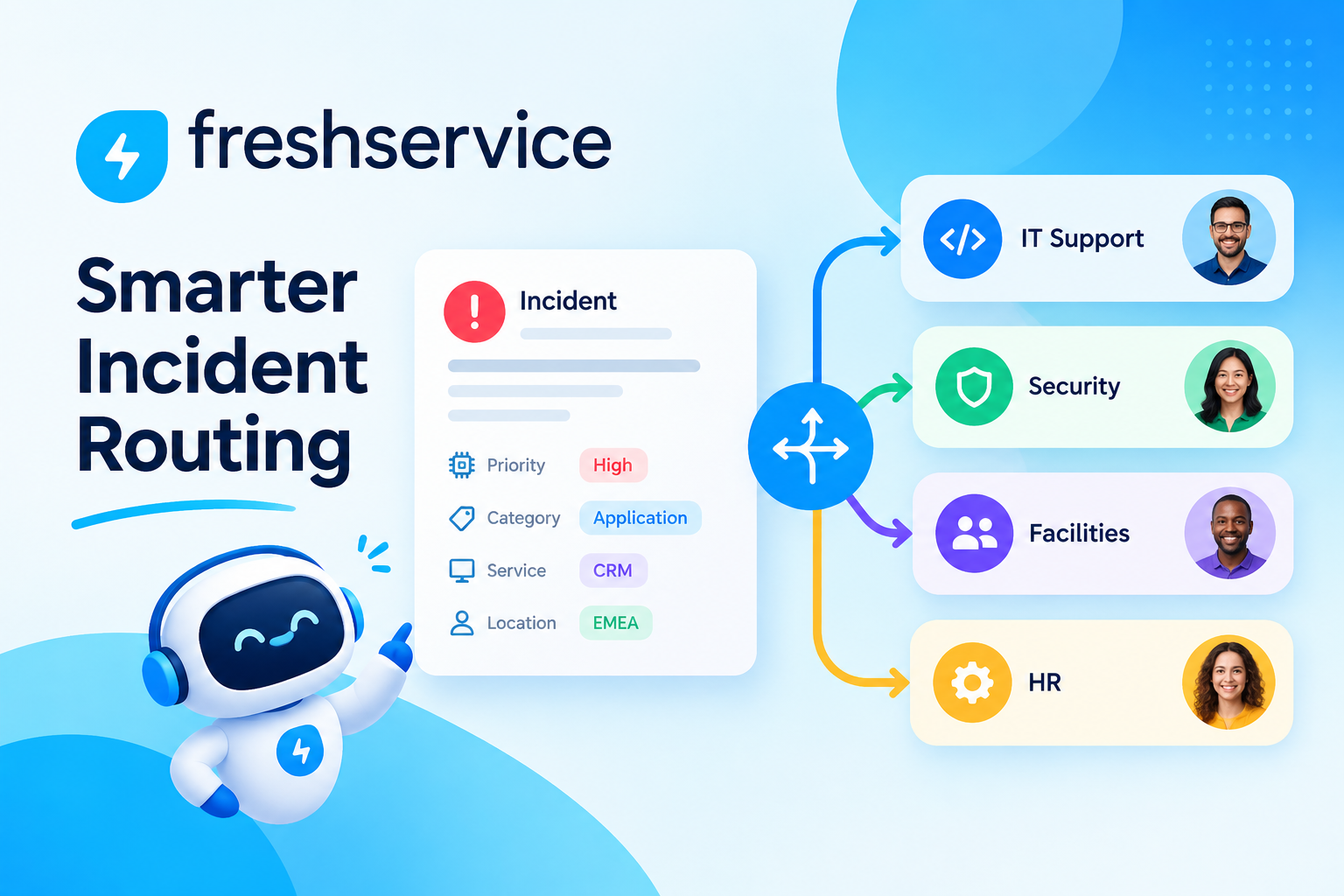
Best Microsoft 365 Integrations for ManageEngine and Freshservice: Which Ones Deliver Real Value?

Microsoft 365 powers the daily work of more than 345 million paid seats worldwide, making it the dominant productivity suite for businesses of every size. At the same time, IT service management platforms like ManageEngine and Freshservice handle thousands of service requests, incidents, and asset records every day. When these two ecosystems operate independently, IT teams lose enormous amounts of time switching between tools, re-entering data, and manually tracking events that could flow automatically between systems. Integrating Microsoft 365 with your ITSM platform eliminates this friction, creating a unified environment where communication, identity management, device data, and service workflows all connect and reinforce one another. This article examines the most impactful Microsoft 365 integrations available for ManageEngine and Freshservice, explains how each integration works, and helps you determine which platform handles these integrations more effectively for your organization’s specific needs.
Table of contents
What Are the Key Points This Article Covers?
Here is a quick summary before diving into the full analysis:
- Microsoft 365 integrations with ITSM platforms dramatically improve IT productivity by automating data flows between productivity tools and service management workflows.
- The most valuable M365 integrations for ITSM cover Teams, Azure Active Directory (Entra ID), Intune, SharePoint, Outlook, and Power Automate.
- ManageEngine ITSM offers deep native integrations within its own product ecosystem, making it especially powerful for organizations standardizing on the ManageEngine suite.
- Freshservice delivers a cloud-native, user-friendly integration experience with a large marketplace and strong Microsoft 365 connector library.
- Both platforms handle M365 integrations competently, but they differ meaningfully in setup complexity, depth of native support, and automation flexibility.
- Solution for Guru provides expert guidance on selecting, configuring, and optimizing M365 integrations for both ManageEngine and Freshservice.
How Do ManageEngine and Freshservice Relate to Microsoft 365 Integrations?
Why Does ManageEngine ITSM Excel at Microsoft 365 Connectivity?

ManageEngine ServiceDesk Plus, the flagship ITSM product from ManageEngine, approaches Microsoft 365 integration from a position of broad ecosystem depth. Because ManageEngine belongs to Zoho Corporation’s extensive product family, it maintains dedicated integration modules for every major Microsoft 365 component, built and maintained by ManageEngine’s own engineering teams. This means that when Microsoft updates its APIs or adds new capabilities to Teams, Intune, or Azure AD, ManageEngine’s integration adapters receive updates through the same product release cycle rather than relying on third-party middleware providers.
The platform supports both cloud-hosted and on-premises deployments, which gives ManageEngine a significant advantage for organizations in regulated industries that cannot move their ITSM infrastructure to a public cloud. Organizations that use Microsoft Azure as their cloud provider benefit from native Azure AD synchronization for user and group provisioning, as well as direct integration with Microsoft Intune for endpoint data that flows into the ManageEngine asset management database without requiring additional connectors.
Furthermore, ManageEngine’s integration with Microsoft Teams allows IT teams to receive notifications, respond to incidents, and even execute basic service desk functions directly within Teams channels — a capability that reduces context-switching for staff who spend most of their day in the Microsoft environment. As a result, ManageEngine positions itself as a natural fit for organizations deeply embedded in the Microsoft ecosystem.
How Does Freshservice Approach Microsoft 365 Integration?

Freshservice, developed by Freshworks, takes a cloud-native approach that leverages Microsoft 365’s own API infrastructure and its extensive integration marketplace to connect with every major M365 service. The platform’s integration philosophy prioritizes accessibility: most Microsoft 365 connectors in Freshservice configure through guided setup wizards that require minimal technical expertise, making them approachable for IT administrators without deep API knowledge.
Freshservice’s workflow orchestrator — its visual, no-code automation builder — works natively with Microsoft 365 triggers and actions. For example, an IT administrator can build a workflow that automatically creates a Freshservice onboarding ticket when a new user appears in Azure AD, assigns the ticket to the appropriate team, sends a confirmation message through Microsoft Teams, and provisions licenses through M365 admin APIs — all without writing a single line of code. This level of integrated automation makes Freshservice particularly attractive for growing organizations that want powerful Microsoft 365 workflows without hiring dedicated integration developers.
Additionally, Freshservice’s AI assistant, Freddy AI, integrates with Microsoft Teams to provide an intelligent self-service chatbot that resolves common IT requests through natural conversation. Users ask questions or submit requests directly in Teams, and Freddy AI handles straightforward issues automatically while routing complex ones to human agents. Consequently, Freshservice reduces ticket volume and improves the employee experience simultaneously.
Which Microsoft 365 Integrations Matter Most for ITSM Platforms?
How Do Teams Integrations Transform IT Service Delivery?
Microsoft Teams has become the central hub of workplace communication for hundreds of millions of users. Integrating Teams with an ITSM platform brings the service desk directly into the workspace where employees already spend their time, eliminating the need to open a separate portal to log a request or check on a ticket.
ManageEngine‘s Teams integration allows employees to create service requests, check ticket status, and receive automated notifications directly within Teams channels or personal chats. IT managers can also configure alert channels where critical incident notifications appear automatically, ensuring rapid response without relying on email. The integration uses Microsoft’s Bot Framework to deploy a conversational interface that guides users through the request submission process.
Freshservice‘s Teams integration goes a step further by embedding Freddy AI as a full conversational agent. Employees interact with Freddy through natural language, and the AI resolves password resets, software requests, and knowledge base queries without human intervention. According to Freshworks, organizations deploying the Freddy AI Teams integration see self-service resolution rates increase significantly — in some cases exceeding 40% for common IT requests. Both ManageEngine and Freshservice treat Teams integration as a priority feature, though Freshservice’s AI capabilities give it an edge in autonomous self-service scenarios.
What Does Azure Active Directory / Entra ID Integration Accomplish?

Azure Active Directory (now rebranded as Microsoft Entra ID) serves as the identity backbone for most Microsoft 365 organizations. Integrating it with an ITSM platform enables automatic user provisioning, real-time directory synchronization, and single sign-on — three capabilities that together eliminate enormous amounts of manual IT work.
ManageEngine connects directly with Azure AD to synchronize user accounts, group memberships, and organizational hierarchies into its CMDB and user database. When a new employee joins the organization and HR creates their Azure AD account, ManageEngine can automatically trigger an onboarding workflow that creates the relevant service tickets, assigns equipment requests, and grants software access — all driven by the identity event in Azure AD. Conversely, when an employee leaves and their Azure AD account is disabled, ManageEngine can trigger automated offboarding procedures.
Freshservice offers equally robust Azure AD synchronization. Its directory sync tool maps Azure AD attributes to Freshservice requester profiles, ensuring that names, departments, locations, and manager relationships remain accurate without manual updates. Freshservice also supports Azure AD-based single sign-on (SSO), allowing employees to access the self-service portal using their existing Microsoft credentials. Both platforms handle this integration effectively, though ManageEngine’s on-premises deployment option makes it preferable for organizations that maintain a hybrid Azure AD / on-premises Active Directory configuration.
How Does Microsoft Intune Integration Enhance Asset and Endpoint Management?
Microsoft Intune manages mobile devices, laptops, and desktops across an organization, collecting detailed hardware and software data from every enrolled device. Connecting Intune to an ITSM platform feeds this rich endpoint data into asset management records and enables incident workflows triggered by device compliance events.
ManageEngine integrates with Intune to pull device inventory data — including hardware specifications, operating system versions, installed applications, and compliance status — directly into its asset management database. When Intune flags a device as non-compliant (for example, because a required update is missing), ManageEngine can automatically create a high-priority incident ticket and assign it to the appropriate endpoint support team. This closed-loop process ensures that compliance gaps receive immediate attention.
Freshservice achieves similar results through its native Intune connector. Device records from Intune sync automatically to Freshservice’s asset inventory, keeping the CMDB current without manual data entry. Freshservice also uses Intune compliance events as automation triggers in its workflow orchestrator, enabling the same kind of automatic incident creation and escalation that ManageEngine provides. For organizations already using Microsoft Intune as their primary endpoint management tool, both ManageEngine and Freshservice deliver significant automation value through this integration.
What Value Does SharePoint Integration Add to ITSM Workflows?
Microsoft SharePoint serves as the document management and intranet backbone for most Microsoft 365 organizations. Integrating SharePoint with an ITSM platform enables IT teams to attach documents to tickets, publish knowledge base articles, and automate document-based workflows that span both systems.
ManageEngine connects with SharePoint to allow technicians to attach SharePoint documents and links directly to service tickets, change requests, and problem records. Furthermore, ManageEngine’s knowledge base module can link to SharePoint pages, ensuring that employees access the most current version of IT documentation without duplication. For change management processes that require stakeholder sign-off through SharePoint-hosted forms, ManageEngine can trigger and track these approvals within its change management workflow.
Freshservice integrates with SharePoint primarily through Microsoft Power Automate connectors, which bridge Freshservice events with SharePoint actions. For example, when a Freshservice change request receives final approval, a Power Automate flow can automatically create a SharePoint record documenting the approved change — satisfying audit requirements without manual documentation. This approach requires some familiarity with Power Automate but offers considerable flexibility for organizations that already use Power Automate in their Microsoft 365 environment.
How Does Outlook and Email Integration Support the Service Desk?

Email remains a primary channel through which employees report IT issues. Both ManageEngine and Freshservice convert incoming emails into service tickets automatically, but their Outlook and Exchange Online integrations go considerably further than basic email-to-ticket conversion.
ManageEngine supports shared mailbox integration with Exchange Online and Outlook, parsing incoming emails to extract relevant information such as priority indicators, asset references, and user details — automatically populating ticket fields without requiring the submitter to use a structured form. The platform also sends ticket updates, approvals, and notifications through Exchange Online using the organization’s own email infrastructure, ensuring consistent branding and delivery reliability.
Freshservice handles email channel management similarly, with Exchange Online and Gmail mailbox integration that routes and parses incoming messages into tickets. Additionally, Freshservice supports Outlook calendar integration for scheduling maintenance windows and change advisory board (CAB) meetings directly from within the platform, sending calendar invites to stakeholders through Exchange Online. Consequently, change management scheduling becomes a seamless part of the ITSM workflow rather than a separate manual step.
How Does Power Automate Expand Integration Possibilities for Both Platforms?
Microsoft Power Automate (formerly Microsoft Flow) acts as a universal connector for the Microsoft 365 ecosystem. Both ManageEngine and Freshservice publish official Power Automate connectors, which allow IT administrators to build custom automation flows that connect the ITSM platform with any other Microsoft 365 service or supported third-party application.
ManageEngine‘s Power Automate connector exposes key triggers — such as ticket created, ticket updated, and approval completed — and actions like creating tickets, updating fields, and sending notifications. This enables IT teams to build flows that span ManageEngine and other Microsoft services without custom API development. For example, a flow can automatically post a Teams message to a specific channel whenever a high-priority incident opens in ManageEngine, and another flow can update a SharePoint list whenever an incident closes.
Freshservice‘s Power Automate connector similarly exposes ticket events and actions, and the platform’s own workflow orchestrator provides an additional layer of automation that does not require Power Automate at all. This dual-automation capability — native workflows within Freshservice plus Power Automate for cross-platform flows — gives Freshservice users considerable flexibility. For organizations with existing Power Automate expertise, both platforms integrate smoothly. However, Freshservice’s native no-code orchestrator reduces the reliance on Power Automate for most common use cases.
Which Microsoft 365 Apps Integrate With Each Platform, and How Deeply?
The table below summarizes the key Microsoft 365 integrations available for ManageEngine and Freshservice, including the integration depth and primary use case for each:
| M365 Application | Primary ITSM Use Case | ManageEngine | Freshservice |
|---|---|---|---|
| Microsoft Teams | Ticket creation, notifications, AI self-service bot | Native bot + channel alerts | Native bot + Freddy AI conversational agent |
| Azure AD / Entra ID | User sync, SSO, automated onboarding/offboarding | Native sync; supports hybrid AD | Native sync; cloud-focused |
| Microsoft Intune | Asset inventory sync, compliance-triggered incidents | Native connector; deep asset integration | Native connector; CMDB auto-population |
| SharePoint | Document management, knowledge base linking, change records | Native document attachment + KB linking | Via Power Automate; flexible but requires flow setup |
| Outlook / Exchange Online | Email-to-ticket, approvals, calendar scheduling | Native shared mailbox integration | Native mailbox + calendar invite support |
| Power Automate | Custom cross-platform automation flows | Official connector with triggers + actions | Official connector; native orchestrator reduces PA dependency |
| Microsoft Defender | Security alert to incident ticket automation | Via SIEM integration and alert forwarding | Via webhook + workflow orchestrator |
| OneDrive | File attachment for tickets and change records | Via SharePoint/OneDrive API | Via Power Automate or API |
How Do ManageEngine and Freshservice Compare for Microsoft 365 Integration Overall?
Beyond individual integrations, IT leaders need to evaluate both platforms on broader criteria that affect the long-term success of their Microsoft 365 integration strategy:
| Criterion | ManageEngine | Freshservice | Edge |
|---|---|---|---|
| Deployment Model | Cloud and on-premises | Cloud (SaaS) only | ManageEngine for hybrid/on-prem requirements |
| Azure AD Integration Depth | Deep; supports hybrid AD environments | Strong; optimized for pure cloud Azure AD | ManageEngine for hybrid; Freshservice for cloud-only |
| Teams AI Self-Service | Bot-based; rule-driven responses | Freddy AI; natural language understanding | Freshservice for advanced AI self-service |
| Intune Asset Sync | Native; integrates with full ManageEngine asset suite | Native; auto-populates CMDB | Tie — both strong; ManageEngine deeper with full suite |
| Workflow Automation | Script-based + automation rules | No-code visual orchestrator | Freshservice for non-technical admins |
| Power Automate Support | Official connector available | Official connector + native orchestrator | Freshservice offers more flexibility |
| Setup Complexity | Moderate to high; benefits from full suite adoption | Low to moderate; guided setup wizards | Freshservice for faster time-to-value |
| Pricing Model | Per-technician + asset tiers | Per-agent subscription tiers | Comparable — depends on org size and needs |
| Security & Compliance Integration | Strong; integrates with Defender via SIEM forwarding | Via webhook/orchestrator; flexible | ManageEngine for deeper on-prem security stacks |
| Best Overall Fit | Organizations standardizing on ManageEngine suite with Microsoft on-premises or hybrid infrastructure | Cloud-first organizations seeking fast deployment, AI self-service, and accessible automation | Context-dependent — both are strong choices |
What Conclusions Can You Draw About M365 Integrations for These Platforms?
Microsoft 365 integrations represent one of the highest-value investments an IT organization can make in its service management infrastructure. By connecting the productivity tools that employees use daily with the ITSM workflows that IT teams depend on, these integrations eliminate manual work, accelerate response times, and create a more cohesive digital employee experience.
ManageEngine ITSM stands out as the stronger choice for organizations with hybrid or on-premises Microsoft infrastructure, particularly those that already use or plan to adopt other ManageEngine products alongside their ITSM platform. Its deep native integration with Azure AD, Intune, and Exchange Online — combined with support for on-premises Active Directory — makes it a natural fit for enterprise environments with strict data residency or security requirements. Organizations that invest in the full ManageEngine suite unlock the most powerful M365 integration experience the platform offers.
Freshservice, on the other hand, delivers a more accessible and agile M365 integration experience for cloud-first organizations. Its no-code workflow orchestrator, Freddy AI Teams bot, and guided integration setup wizards lower the barrier to entry significantly, enabling IT teams without deep technical resources to deploy sophisticated M365 workflows quickly. For organizations undergoing cloud migration or seeking to modernize their ITSM capabilities without extensive implementation projects, Freshservice offers a compelling and immediately productive path.
Regardless of platform choice, the key to maximizing the value of Microsoft 365 integrations lies in thoughtful design, rigorous implementation, and ongoing optimization. Integrations that simply connect two systems provide limited value; integrations that automate meaningful workflows, eliminate manual steps, and surface the right information at the right moment transform how IT teams operate.
Partnering with Solution for Guru ensures that your organization achieves exactly that level of integration quality — whether you choose ManageEngine, Freshservice, or need expert guidance in making that decision in the first place.
Frequently Asked Questions
In most cases, the core Microsoft 365 integrations — including Azure AD synchronization, Teams notifications, and Exchange Online email handling — are available within the standard licensing tiers of both ManageEngine and Freshservice. However, certain advanced integration features may require higher subscription tiers on either platform. For example, ManageEngine’s most advanced automation capabilities and AI-driven features often appear in Enterprise or Premium plans, while Freshservice‘s Freddy AI Teams bot requires a Pro or Enterprise plan. On the Microsoft 365 side, specific integrations may require licenses beyond the standard Microsoft 365 Business Basic or Standard plans. Microsoft Intune device management requires Microsoft 365 Business Premium or a standalone Intune subscription. Microsoft Defender integrations typically require Microsoft 365 E3 or E5 licensing.
Setup timelines vary considerably based on the number and complexity of integrations, the organization’s Microsoft 365 tenant configuration, and the technical expertise available internally. A single, straightforward integration — such as Azure AD user synchronization with either ManageEngine or Freshservice — can be operational within a few hours for a technically experienced administrator. A more comprehensive integration project covering Teams, Azure AD, Intune, Power Automate, and Exchange Online typically takes between two and six weeks, depending on the extent of custom workflow automation required. Freshservice’s guided setup wizards generally shorten single-integration timelines compared to ManageEngine’s more configuration-intensive approach. However, ManageEngine‘s broader native support for hybrid environments can eliminate the need for additional middleware layers, which saves time in complex on-premises scenarios.
Why Should You Work With Solution for Guru to Implement These Integrations?
Configuring Microsoft 365 integrations for an ITSM platform sounds straightforward in vendor documentation, but real-world implementations consistently encounter challenges that documentation does not anticipate: API permission scopes that conflict with security policies, Azure AD attribute mapping gaps, Power Automate throttling limits under high ticket volumes, and Teams bot deployment hurdles in locked-down Microsoft tenants. Solution for Guru specializes in navigating exactly these challenges, delivering integrations that work reliably in production rather than just in controlled demos.

What Concrete Benefits Does Solution for Guru Deliver?
- Microsoft 365 and ITSM expertise combined: Solution for Guru’s consultants hold expertise in both Microsoft 365 administration and ITSM platform configuration — a rare combination that eliminates the finger-pointing between platform vendors when integrations encounter issues.
- Rapid environment assessment: The team begins every engagement with a structured review of the client’s Microsoft 365 tenant configuration, ITSM platform setup, and existing automation landscape, identifying integration opportunities and potential conflicts before any configuration work begins.
- Custom integration design: Rather than applying generic templates, Solution for Guru designs integration architectures that reflect the client’s actual workflows — mapping the specific ticket types, approval chains, asset categories, and notification rules that the organization uses every day.
- End-to-end implementation and testing: The team handles all technical configuration, including Azure AD app registrations, API permission grants, webhook setup, Power Automate flow development, and ITSM workflow rule creation — then conducts rigorous testing before going live.
- ManageEngine and Freshservice specialization: Solution for Guru works with both platforms, enabling objective platform selection advice for organizations that have not yet committed to one. For organizations already using ManageEngine or Freshservice, the team brings platform-specific expertise that shortens implementation timelines significantly.
- Training and knowledge transfer: After deployment, Solution for Guru trains IT administrators to manage, monitor, and extend the integrations independently, ensuring the organization does not depend on external support for routine adjustments.
- Ongoing optimization and support: As Microsoft 365 APIs evolve and the organization’s ITSM needs change, Solution for Guru provides continuous support to update integrations, resolve emerging issues, and add new automation capabilities.
For organizations evaluating whether to invest in Microsoft 365 integrations for their ITSM platform — whether that platform is ManageEngine, Freshservice, or another solution — Solution for Guru offers a proven path from initial assessment to fully operational integrated workflows.
Recommended:
- Integrating Endpoint Management Tools with ITSM Systems
- Aligning ITSM Processes with ISO 20000 Standards
- How Long Does an ITSM Implementation Really Take? Key Factors Explained
- ManageEngine vs Freshservice
- Top ITSM Best Practices Using ManageEngine
- Improving IT Governance and Compliance with ManageEngine ITSM
- Cloud vs On-Premise ManageEngine ITSM: Which Should You Choose?
- Integrating ManageEngine with Microsoft 365
- Automating IT Approvals in ManageEngine Using Workflows
- Designing an Effective ITSM Model for Modern IT Environments
- Common Implementation Mistakes in ManageEngine ITSM (and How to Avoid Them)
- API Automation in ManageEngine: Practical Use Cases
- How ManageEngine Supports ITIL 4 Framework?
- ITSM — How to Start Implementation?
- Core ITSM Processes: A Comprehensive Guide to Service Management Excellence