ManageEngine Asset Management (ITAM): Why Businesses Trust It to Control Their IT Assets
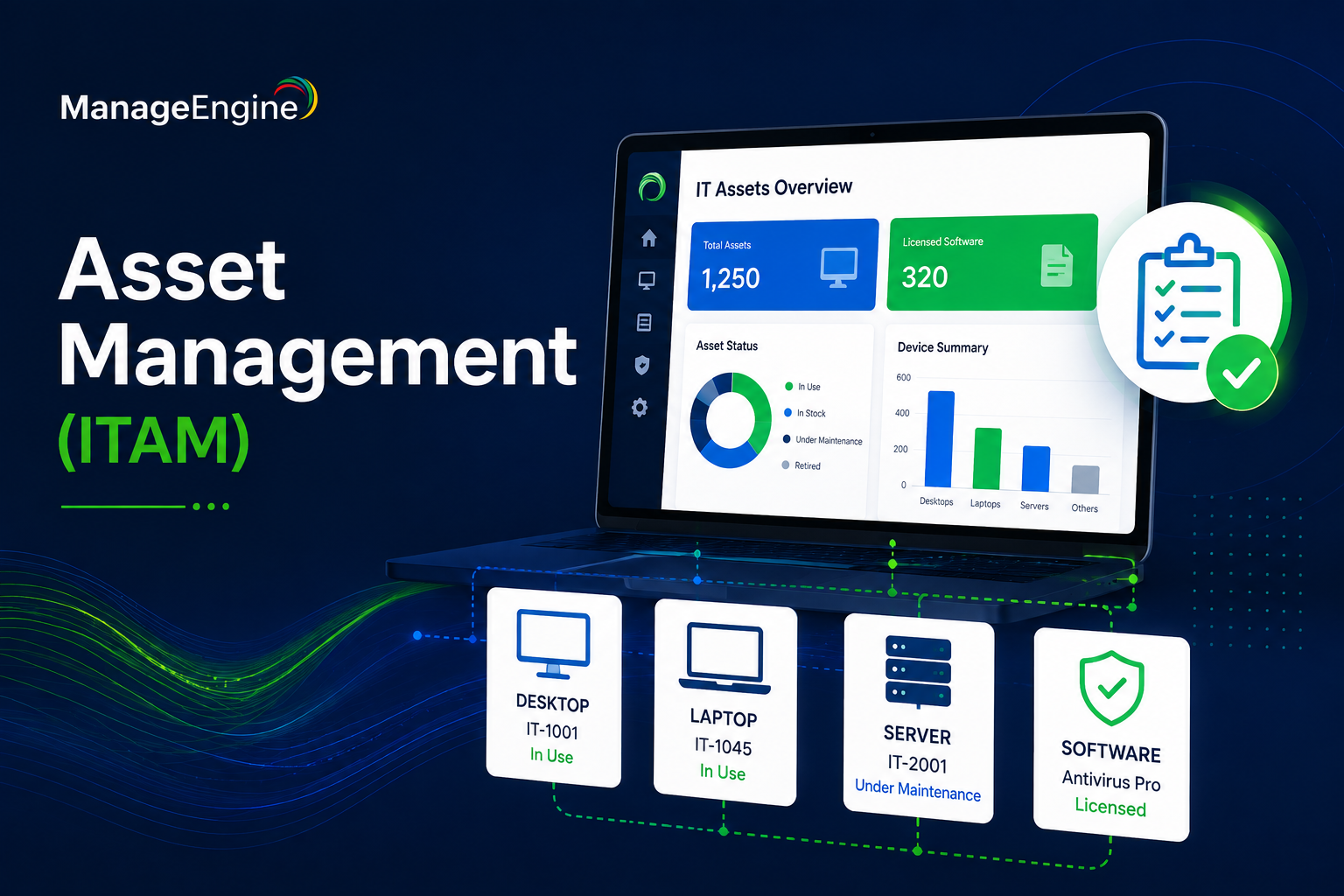
Every business runs on assets it can’t afford to lose track of: laptops, servers, software licenses, mobile devices, and the contracts tied to all of them. As companies grow, however, spreadsheets and manual inventories stop working, and IT teams end up guessing what they own, where it is, and whether it’s even licensed correctly. That’s the exact problem IT Asset Management (ITAM) solves, and it’s why ManageEngine’s asset management tools have become a go-to choice for organizations that want visibility over their technology, from procurement all the way to disposal.
This article explains what ITAM means in practice, how ManageEngine approaches it, and why so many IT teams rely on it to reduce costs, stay compliant, and avoid the chaos of untracked hardware and software. We’ll also look at how ManageEngine’s asset management capabilities connect to its broader ITSM platform, and how partnering with an experienced implementation team, such as Solution4Guru, helps businesses get the full value out of these tools from day one.
Table of contents
Quick Summary
Here’s a snapshot of what this article covers before we go into detail.
| Topic | Key Takeaway |
|---|---|
| What is ITAM? | The practice of tracking and managing IT assets across their entire lifecycle |
| ManageEngine’s role | AssetExplorer and related modules provide discovery, tracking, and compliance tools |
| Core capabilities | Hardware/software inventory, license compliance, contract and vendor management, CMDB |
| Who benefits most | IT managers, procurement teams, compliance officers, and help desks |
| Connection to ITSM | Asset data feeds directly into incident, change, and service management workflows |
| Getting the most value | Professional configuration and rollout support, for example through Solution4Guru |
How Does ManageEngine ITSM Relate to Asset Management?

Before diving into ITAM specifically, it helps to understand where asset management sits inside a broader IT service framework. ManageEngine ITSM covers the full range of processes an IT department uses to deliver and support services, including incident management, change management, problem management, and yes, asset management. Rather than treating ITAM as a standalone spreadsheet exercise, ManageEngine builds it directly into the ITSM workflow, so that asset data actively informs how tickets get resolved and how changes get approved.
Why Does This Integration Matter for IT Teams?
When asset information lives inside the same platform as the help desk, technicians resolving a ticket can immediately see which device is involved, its warranty status, its installed software, and its change history. Consequently, they don’t have to jump between disconnected systems just to understand the context of a problem. This connection between ITAM and ITSM is one of the main reasons ManageEngine’s asset management tools feel less like a separate inventory list and more like a core part of daily IT operations.
What Does This Mean for Decision-Making?
Because asset data flows into service management dashboards, IT leaders get a clearer picture of where their budget goes. For example, if a particular laptop model generates a disproportionate number of support tickets, that pattern becomes visible without extra manual analysis. As a result, procurement decisions become data-driven rather than based on guesswork, which is a meaningful advantage for any organization trying to control technology spend.
What Is IT Asset Management, and Why Does It Matter?
IT Asset Management refers to the set of processes, policies, and tools that track technology assets from the moment they’re purchased until the day they’re retired. It goes well beyond a simple list of devices, since it also covers software licenses, vendor contracts, warranties, and the relationships between all of these elements.
What Problems Does ITAM Solve for Businesses?
Without a structured approach to asset management, businesses commonly run into a familiar set of issues:
- Unknown inventory — nobody has an accurate count of how many devices exist or where they’re located.
- License non-compliance — software gets installed without proper licensing, creating legal and financial risk.
- Wasted spend — unused licenses or duplicate purchases go unnoticed for years.
- Security blind spots — outdated or unmanaged devices become entry points for attackers.
- Slow audits — compliance reviews take weeks instead of hours because records live in scattered spreadsheets.
How Does ITAM Address These Challenges Directly?
A proper ITAM solution consolidates all of this information into a single, searchable system. Instead of chasing down purchase receipts or asking department heads what software they installed last year, an IT manager can pull up a live report showing every asset, its current status, and its full history. Consequently, audits become faster, budgeting becomes more accurate, and security teams gain visibility into every device connected to the network, not just the ones someone remembered to document.
What Does ManageEngine Offer for IT Asset Management?
ManageEngine’s asset management capabilities, delivered largely through its AssetExplorer module, are built to handle the full asset lifecycle rather than just a single stage of it.
What Are the Core Features of ManageEngine’s ITAM Tools?
| Feature | What It Does |
|---|---|
| Automated discovery | Scans the network to detect hardware and software, using both agent-based and agentless methods |
| Software license management | Tracks license counts, expiration dates, and flags unauthorized installations |
| Purchase order and contract tracking | Manages vendor contracts, renewal dates, and purchase history in one place |
| Configuration Management Database (CMDB) | Maps relationships between assets and the services or systems they support |
| Warranty and vendor management | Tracks warranty periods and vendor performance to support renewal decisions |
| Cross-platform support | Manages Windows, Linux, and Mac devices across a distributed network |
How Does Discovery Actually Work?
ManageEngine supports both agent-based and agentless scanning, which matters because not every environment can install software on every device. Agent-based scanning gives more detailed, real-time data, while agentless scanning allows IT teams to inventory devices where installing an agent isn’t practical or permitted. Because both options exist side by side, businesses can cover nearly every device on their network without leaving gaps in visibility.
Why Does License Compliance Get Special Attention?
Software licensing creates one of the most common sources of unplanned costs and legal risks for growing businesses. ManageEngine’s asset management tools compare license counts with actual installations, so IT teams receive an alert as soon as usage exceeds the number of available licenses. This proactive visibility helps businesses avoid the penalties and back-payments that often follow an external software audit, while also preventing the reverse problem of paying for licenses nobody uses.
Why Do Businesses Need Better Visibility Into Their IT Assets Today?

The push toward better asset visibility isn’t just about tidiness, it’s driven by real financial and security pressures that most growing businesses eventually run into.
What Forces Are Driving Demand for ITAM Tools?
A few trends explain why ITAM has moved from a back-office task to a strategic priority:
- Distributed and hybrid workforces mean devices leave the office and are harder to track manually.
- Rising software costs make license waste a direct hit to the budget rather than a minor inefficiency.
- Stricter compliance requirements push businesses to prove exactly what software runs where, and under which license.
- Cybersecurity threats increasingly target unmanaged or forgotten devices that never show up in a manual inventory.
- Cloud and SaaS sprawl adds subscriptions and licenses that are easy to lose track of without a centralized system.
What Happens When Businesses Delay Investing in ITAM?
Companies that put off structured asset management usually don’t feel the cost until an audit, a security incident, or a budget review forces the issue. At that point, IT teams often discover forgotten software licenses still being paid for, devices nobody remembers deploying, and gaps in warranty coverage that could have been renewed months earlier. Addressing these issues after the fact costs far more, in both money and time, than building accurate tracking from the start.
| Without Structured ITAM | With ManageEngine’s Asset Management Tools |
|---|---|
| Manual spreadsheets, often outdated | Automated, continuously refreshed inventory |
| Unknown software license exposure | Real-time compliance tracking and alerts |
| Slow, stressful compliance audits | Centralized reports ready on demand |
| Forgotten devices and expired warranties | Full lifecycle visibility from purchase to disposal |
How Do Reporting and Dashboards Support Day-to-Day Decisions?
Beyond tracking individual assets, ManageEngine’s platform turns raw inventory data into reports that IT managers and finance teams can actually use. Dashboards can show asset counts by location, license utilization by department, or upcoming warranty and contract expirations, all without anyone manually compiling a spreadsheet. As a result, budget planning meetings rely on current, accurate numbers instead of estimates pulled from memory or last year’s records.
How Does ManageEngine Support the Full Asset Lifecycle?
Asset management isn’t a one-time event, it’s an ongoing cycle that starts before a device is even purchased and continues until it’s safely disposed of.
What Happens During the Procurement and Deployment Stages?
ManageEngine’s ITAM tools start tracking an asset from the purchase order stage, capturing vendor details, cost, and contract terms before the device even arrives. Once deployed, the asset automatically appears in the inventory through discovery scans, linking it to the purchase record so the full financial and technical history stays connected from day one.
How Are Assets Maintained and Monitored Over Time?
During its active life, an asset needs ongoing attention: software updates, warranty tracking, and periodic checks to confirm it’s still compliant and functioning as expected. ManageEngine automates much of this by refreshing inventory data on a schedule, so IT teams always work from current information rather than outdated records that no longer reflect what’s actually installed or connected.
What Happens When an Asset Reaches End of Life?
Eventually, every asset reaches the end of its lifecycle due to age, obsolescence, or a hardware refresh cycle. ManageEngine’s asset management tools help IT teams identify obsolete or inefficient assets so they can dispose of or recycle them responsibly. This approach also prevents old equipment from sitting forgotten in a storage closet while outdated spreadsheets continue to list it as “active.” This also supports sustainability goals, since businesses increasingly need to demonstrate responsible e-waste practices as part of broader environmental commitments.
How Does This Translate Into Measurable Cost Savings?
Businesses that adopt structured ITAM practices typically see savings show up in a few predictable places, rather than as one vague, hard-to-measure benefit.
| Cost Area | How ManageEngine’s ITAM Tools Help |
|---|---|
| Software licensing | Flags unused or over-purchased licenses before renewal |
| Hardware refresh planning | Identifies aging assets before they cause costly failures |
| Compliance penalties | Reduces risk of fines from unlicensed or unreported software |
| Help desk efficiency | Shortens ticket resolution time by surfacing asset history instantly |
| Vendor negotiations | Provides contract and performance data to support better renewal terms |
How Does ManageEngine Compare to Manual or Spreadsheet-Based Asset Tracking?
Many businesses start out tracking assets in spreadsheets, and for a handful of devices, that approach can work for a while. However, it’s worth understanding exactly where spreadsheets break down, since that gap explains why so many organizations eventually migrate to a dedicated platform.
What Are the Practical Limits of Spreadsheet Tracking?
Spreadsheets rely entirely on someone remembering to update them, which means the data is only as accurate as the most recent manual entry. As soon as a device moves locations, changes hands, or gets a new software installation, the spreadsheet quietly falls out of sync with reality. Furthermore, spreadsheets don’t scan the network, so there’s no way to detect an unlisted device or an unauthorized software install without someone manually checking every machine.
How Does an Automated Platform Like ManageEngine Change This Equation?
ManageEngine removes the dependency on manual updates by continuously scanning the network and refreshing inventory data on its own. Rather than trusting that someone remembered to log a change, IT teams work from a system that actively verifies what’s really out there. This shift, from manually maintained records to continuously validated data, is often the single biggest improvement businesses notice after moving away from spreadsheets.
When Does It Make Sense to Make the Switch?
Generally, the tipping point arrives once a business crosses a few dozen devices, adds a second office location, or starts facing external compliance requirements. At that stage, the time spent manually updating spreadsheets usually costs more, in staff hours alone, than the investment required to set up an automated ITAM platform properly.
Which Teams and Industries Benefit Most From ManageEngine’s ITAM Tools?

Although any organization with IT assets can benefit from better tracking, certain teams and industries lean on these tools more heavily than others.
Which Roles Use ITAM Data Daily?
- IT managers use asset data to plan refresh cycles and manage budgets accurately.
- Help desk technicians reference asset history to resolve tickets faster, without asking users to describe their own hardware.
- Procurement teams rely on contract and vendor records to negotiate renewals and avoid duplicate purchases.
- Compliance and security teams use license and device data to prepare for audits and reduce security blind spots.
- Finance departments use asset valuation data to support depreciation schedules and capital planning.
Which Industries Rely on ITAM Most Heavily?
- Healthcare organizations use ITAM to track medical IT equipment and connected devices, helping meet strict data protection and equipment accountability requirements.
- Financial services firms rely on license compliance tracking and detailed audit trails to satisfy regulatory reviews and internal risk assessments.
- Educational institutions manage large numbers of shared devices across classrooms and labs, where accurate inventory prevents equipment from quietly disappearing between semesters.
- Manufacturing companies track IT assets tied to production systems, ensuring maintenance and warranty schedules don’t get overlooked amid day-to-day operations.
- Retail and multi-branch businesses use centralized dashboards to manage point-of-sale systems and networking equipment spread across many storefronts.
Why Do Multi-Location Businesses Depend on This the Most?
Organizations spread across several offices or regions face a much harder version of the asset tracking problem, since devices, licenses, and vendors multiply across each location. ManageEngine’s centralized approach means an IT manager in one office can see the full inventory across every site from a single dashboard, rather than relying on separate reports from each location manager. This centralization becomes increasingly valuable as a business scales because manual tracking methods that work for one office can quickly become ineffective when teams manage multiple sites and hundreds of devices.
What Do Verified Reviews Say About ManageEngine’s Asset Management Tools?
Independent reviews provide a useful, unbiased view of how ManageEngine performs once real teams put it to daily use.
What Do Reviewers Highlight as Strengths?
Review platforms consistently score ManageEngine’s asset management tools highly for ease of use and breadth of features. Reviewers frequently point out strong asset categorization, reliable auto-detection during discovery scans, and solid license management capabilities that make compliance tracking noticeably easier. Many reviewers also note that the platform integrates well with other ManageEngine products, including mobile device management. This integration allows IT teams to track software and hardware assets from one centralized location instead of managing them across disconnected tools.
What Areas Do Reviewers Say Could Improve?
No platform is without a learning curve, and some reviewers note that ManageEngine’s asset management tools require noticeable customization during initial setup to match a specific organization’s structure and reporting needs. Others mention occasional friction with merging duplicate records or generating certain internal reports. These are configuration challenges rather than fundamental limitations, and businesses that invest time in proper setup, or work with an implementation partner, typically resolve them early rather than living with them long-term.
How Can Businesses Get the Most Value From ManageEngine’s ITAM Tools?
Purchasing the right software is only the first step. Configuring it correctly, and keeping it aligned with how the business actually operates, is what determines whether ITAM becomes a genuine advantage or just another underused tool.
Why Does Proper Configuration Matter So Much?
ManageEngine’s asset management platform offers considerable depth, from discovery scan settings to CMDB relationships and license compliance rules. Without careful configuration, businesses risk incomplete asset discovery, inaccurate license reporting, or a CMDB that doesn’t reflect how systems actually connect to one another. Given how much of the earlier sections in this article depend on accurate data, getting this configuration right from the outset directly determines how useful the entire platform becomes.
What Does Solution For Guru Offer Businesses Implementing ManageEngine ITAM?

This is where Solution For Guru adds real value. As a company focused on helping businesses implement and optimize their software investments, Solution For Guru supports organizations adopting ManageEngine’s asset management tools with:
- Planning a discovery and rollout strategy suited to the organization’s network structure.
- Configuring agent-based and agentless scanning correctly across every location.
- Setting up license compliance rules that match the business’s actual software contracts.
- Building a CMDB that accurately reflects real relationships between assets and services.
- Training internal teams so IT staff and help desk technicians use the platform efficiently from the start.
Why Choose a Partner Instead of a Fully Self-Managed Rollout?
A small, single-location business might manage a straightforward rollout without outside help. However, as the number of devices, sites, and licensing agreements grows, so does the risk of configuration errors that quietly undermine the value of the platform. Partnering with a team like Solution For Guru shortens the time between purchase and full productivity, while also reducing the risk of inaccurate asset data going unnoticed until it causes a compliance issue or a failed audit. In short, ManageEngine provides the capability, and the right implementation partner makes sure that capability gets used correctly and consistently across the business.
Conclusion
Businesses turn to ManageEngine’s asset management tools because they solve a problem every growing organization eventually faces: knowing exactly what technology they own, where it lives, and whether it’s properly licensed and maintained. From automated discovery and license compliance to contract tracking and CMDB relationships, ManageEngine covers the full IT asset lifecycle, from procurement through responsible disposal. Because ManageEngine builds these asset management capabilities directly into its broader ITSM platform, asset data doesn’t sit in isolation. Instead, it actively supports faster ticket resolution, smarter procurement decisions, and stronger compliance readiness.
At the same time, getting full value from ManageEngine’s asset management tools depends on thoughtful setup, from configuring discovery scans correctly to building an accurate CMDB. Working with an experienced implementation partner such as Solution4Guru helps ensure a business captures the complete benefit of the platform, rather than settling for a surface-level inventory list that never quite reflects reality.
Frequently Asked Questions
ManageEngine’s ITAM tools scale well in both directions. Smaller businesses benefit from straightforward discovery and license tracking without needing a dedicated asset management team, while larger organizations can expand into detailed CMDB relationships, multi-location dashboards, and deeper compliance reporting as their needs grow.
No. ManageEngine supports both agent-based and agentless scanning, so IT teams can choose the method that fits each part of their network. Agent-based scanning provides more detailed, real-time data, while agentless scanning covers devices where installing software isn’t practical or permitted.
Asset data in ManageEngine feeds directly into the broader ITSM platform, so technicians resolving incidents or approving changes can see relevant asset history without switching tools. This connection between ITAM and ITSM is a core part of why ManageEngine’s asset management tools function as more than a standalone inventory list.
Many businesses start seeing basic value within days, since automated discovery scans populate the inventory quickly once deployed. However, the deeper benefits, such as accurate license compliance reporting and a fully mapped CMDB, generally take a few weeks of configuration to reach their full potential. Working with an implementation partner such as Solution4Guru typically shortens this timeline considerably, since common setup mistakes get avoided from the start.
Recommended:
- Why Mid-Sized Companies Choose Freshservice Over Enterprise ITSM Platforms
- Best Reporting and Analytics Dashboards for IT Operations Teams in Freshservice
- How ITSM Platforms Support IT Compliance and Audit Readiness
- How ITSM Tools Support Internal IT Risk Management
- How AI Is Changing ITSM Workflows in Freshservice?
- How ITSM Platforms Like Freshservice Support Digital Transformation
- Freshservice CMDB Explained: Structure, Relationships, and Best Practices
- Freshservice for Remote and Hybrid Work Environments
- Automating Employee Onboarding and Offboarding with Freshservice
- ManageEngine ServiceDesk Plus for Mid-Size Business: Is It the Right ITSM Fit?
- ManageEngine ITSM: Standard vs Professional vs Enterprise — Which Edition Fits Your Team?
- ManageEngine SLA Management: How Does It Help IT Teams Meet Every Deadline?
- Freshservice for Growing Companies: When Is the Right Time to Upgrade ITSM?
- Freshservice Change Management: Real-World Configuration Strategies
- What Are the Best Automation Use Cases for ITSM Platforms in Growing Businesses?
- How Does Freshservice Support Compliance and Audit Readiness?