Freshservice CMDB Explained: Structure, Relationships, and Best Practices
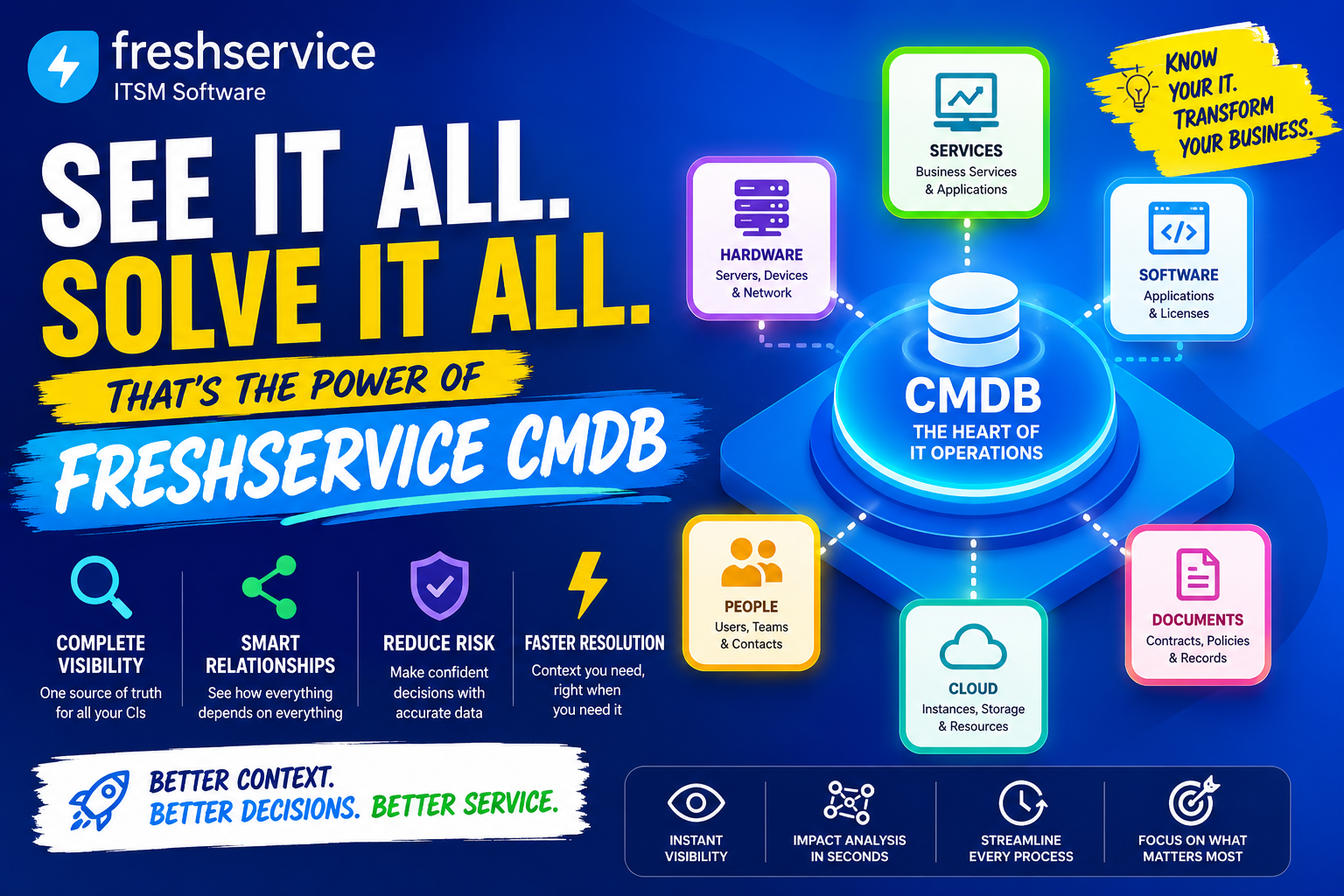
Every IT team eventually hits the same wall: tickets pile up, changes go sideways, and nobody can say with certainty which server feeds which application. A Configuration Management Database, or CMDB, exists to solve exactly that problem, and it has become one of the most valuable modules inside modern IT service management platforms. In this article, we break down how a CMDB is structured, how relationships between assets actually work, and which best practices separate a CMDB that gets used every day from one that quietly goes stale. Along the way, we’ll look specifically at how Freshservice ITSM approaches configuration management, since it’s one of the more accessible implementations available to growing IT teams today.
Table of Contents
What Is a CMDB, in Plain Terms?
Put simply, a CMDB is a centralized database that records every meaningful IT component, known as a Configuration Item (CI), along with how those components connect to one another. Rather than keeping servers, applications, network devices, and cloud resources in separate spreadsheets, a CMDB brings them into one structured system so that IT teams can see the full picture at a glance. Within Freshservice ITSM, this database sits at the center of the platform and feeds data into incident management, change management, and problem management. As a result, every ticket and every change reflects accurate, real-world context instead of guesswork.
- Configuration Items (CIs): individual assets such as servers, laptops, applications, or network devices
- Relationships: the dependencies and connections that link CIs to one another
- Attributes: the descriptive fields attached to each CI, like owner, location, or warranty date
- Discovery: the automated process that finds and updates CIs without manual data entry
How Does Freshservice Relate to CMDB and Asset Management?

Freshservice ITSM is a cloud-based service management platform that includes its CMDB module within the same system that manages tickets, changes, and problems, eliminating the need for a separate add-on. As a result, when technicians open an incident, they can immediately identify the affected CI, see its dependencies, and review recent changes without switching tools. By combining automated discovery, relationship mapping, and asset lifecycle tracking in a single interface, Freshservice gives IT teams a practical, easy-to-adopt path to configuration management, even if they have never implemented a formal CMDB before. Because Freshservice combines automated discovery, relationship mapping, and asset lifecycle tracking in a single interface, it gives IT teams a practical, easy-to-adopt path into configuration management, even if they’ve never run a formal CMDB before.
This tight integration is precisely why the topic of CMDB structure and best practices matters so much for Freshservice users specifically. A CMDB is only as useful as the discipline behind it, and understanding how CIs, relationships, and classes fit together will determine whether your team gets fast, accurate impact analysis or an outdated database nobody trusts.
What Is the Basic Structure of a CMDB?

A CMDB is not simply a flat list of devices. Instead, it’s organized around a few core building blocks that work together to represent the IT environment accurately. Understanding this structure is the first step toward building a CMDB that actually reflects reality rather than a snapshot from six months ago.
What Are Configuration Items (CIs)?
A Configuration Item is any component of the IT environment worth tracking individually, whether that’s a physical server, a laptop, a software license, a cloud instance, or even a business service like ‘Payroll’ or ‘Email.’ Each CI carries its own record with details such as owner, location, status, and cost. Because CIs form the foundation of the entire CMDB, choosing the right level of granularity, tracking individual switches versus an entire network rack, for instance, has a major impact on how usable the database becomes over time.
What Are CI Types and Classes?
To keep a growing CMDB organized, CIs are grouped into types or classes, such as Hardware, Software, Network, or Cloud Resource. Each class typically has its own set of relevant attributes; a laptop needs a warranty date and assigned user, while a cloud instance needs a region and subscription ID instead. Freshservice, like most modern CMDB tools, allows administrators to customize CI types and their fields, enabling them to tailor the database to reflect exactly what their organization needs to track instead of forcing every asset into a generic template.
How Do Attributes and Metadata Fit In?
Attributes are the descriptive details attached to each CI, and they turn a bare inventory entry into something genuinely useful. Acquisition date, warranty status, assigned department, IP address, and support cost are all examples of attributes that help teams make faster, better-informed decisions. Without rich attributes, a CMDB becomes little more than a list of names; with them, it becomes a real decision-support tool that technicians actually rely on during incidents and changes.
How Do Relationships Work Inside a CMDB?
If CIs are the nouns of a CMDB, relationships are the verbs, since they describe how one component depends on, connects to, or is hosted by another. This is where a CMDB moves from being a simple asset list to becoming a genuine map of the IT environment, and it’s arguably the single most valuable capability the database provides.
Why Do Relationships Matter for Impact Analysis?
When an IT team plans a change, such as patching a database server, the first question is always the same: what else will this affect? Relationship mapping answers that question directly by showing every application, service, and downstream CI connected to the item being changed. Consequently, teams can assess risk before making a change instead of discovering the impact the hard way, after users start reporting outages.
What Are Common Types of CI Relationships?
Relationships typically fall into a handful of recognizable patterns, and recognizing them helps teams model their environment more accurately.
- Depends on / Used by: an application depends on a database server
- Hosted on / Hosts: a virtual machine is hosted on a physical server
- Connected to: a network switch is connected to a set of endpoints
- Part of / Contains: a component is part of a larger business service
By combining these relationship types, IT teams can build a dependency map that shows both upstream causes and downstream consequences for any given CI, which is exactly the view technicians need during a live incident.
How Does Freshservice Visualize Relationships?
Inside Freshservice, technicians can view relationships between CIs as an interactive dependency map and visually trace how a service connects to the underlying infrastructure. Rather than reading through a table of linked records, teams can see the map itself, click into any node, and immediately understand both what supports a given service and what that service, in turn, supports. This visual approach significantly speeds up root cause analysis, since responders can follow the chain of dependencies instead of manually piecing it together from separate records.
How Is CMDB Data Actually Collected and Maintained?

A CMDB is only valuable if the data inside it reflects reality, and this is where many CMDB initiatives quietly fail. Manual data entry alone cannot keep pace with a modern IT environment that changes daily, so automated discovery has become the standard way to keep the database accurate.
What Is Automated Discovery?
Automated discovery uses agents, network probes, or API-based connectors to detect assets and their configurations without requiring someone to manually enter each record. In Freshservice, administrators can install a lightweight Discovery Agent on endpoints to continuously report hardware and software details, while a Discovery Probe scans the network to identify devices by IP range. Together, these tools automatically add new laptops, servers, and cloud instances to the CMDB as soon as they appear instead of relying on technicians to notice and log them manually.
How Do Normalization and Enrichment Improve Data Quality?
Raw discovery data often arrives messy and inconsistent, with the same server listed slightly differently depending on which source reported it. Normalization resolves these inconsistencies by merging duplicate records and standardizing naming conventions, while enrichment adds business context, such as ownership or cost center, that discovery tools cannot detect on their own. Together, these processes turn scattered technical data into a single, trustworthy dataset that the rest of the organization can rely on with confidence.
Why Do CIs Need a Lifecycle, Not Just a Snapshot?
Assets are not static. Teams purchase, deploy, update, and eventually retire these assets, and a well-run CMDB tracks the entire lifecycle instead of capturing only a single point-in-time snapshot. By recording acquisition date, deployment date, and end-of-life status, IT teams can plan replacements proactively, budget more accurately, and avoid the common trap of a CMDB that reflects how the environment looked a year ago rather than how it looks today.
What Are the Core Benefits of a Well-Maintained CMDB?
Beyond simple asset tracking, an accurate, well-governed CMDB delivers measurable operational advantages across nearly every IT process. These benefits compound over time, which is why organizations that invest early in CMDB discipline tend to see outsized returns as their environment grows.
| Benefit | Why It Matters |
|---|---|
| Faster incident resolution | Technicians see affected CIs and dependencies immediately, cutting diagnosis time |
| Safer change management | Impact analysis reveals downstream risk before a change is approved |
| Stronger compliance posture | Audit-ready records document what exists and how it’s configured |
| Better cost control | Lifecycle and license data prevent overspending on unused assets |
| Reduced configuration drift | Continuous discovery keeps records aligned with the real environment |
How Does a CMDB Improve Incident and Problem Management?
When an incident occurs, the fastest path to resolution is knowing exactly which component failed and what it touches. Because Freshservice links tickets directly to CIs, a technician working an incident can instantly pull up the affected asset’s history, recent changes, and related dependencies, rather than starting an investigation from scratch. This context alone often reduces resolution time significantly because the CMDB has already captured much of the diagnostic work before anyone opens the ticket.
Problem management benefits in a similar way. When the same incident recurs across multiple tickets, linking every occurrence to the same underlying CI makes the pattern immediately visible and helps problem managers identify root causes faster than reviewing disconnected ticket histories. Over time, this turns the CMDB into an early-warning system that flags chronically unstable components before they cause a major outage.
How Does a CMDB Support Safer Change Management?
Every change carries risk, but that risk is much easier to manage when the change owner can see exactly what a proposed modification will touch. Before approving a change, teams can query the CMDB to see every CI connected to the target component, then use that information to schedule the change for a lower-risk window or notify affected stakeholders in advance.
This upfront visibility also improves post-change accountability. Because teams log changes against specific CIs, they can later trace exactly which modification introduced a new issue instead of sifting through unrelated logs. As regulatory and audit requirements continue to tighten across industries, this traceability has become less of a nice-to-have and more of a baseline expectation for IT governance.
How Does a CMDB Support IT Operations Management (ITOM)?
Configuration management does not stop at the service desk. As IT environments grow more distributed across on-premises servers, virtual machines, and multiple cloud providers, operations teams need a reliable way to monitor infrastructure health without losing sight of how everything connects. A CMDB provides exactly that foundation, since operations tooling can query it to understand which infrastructure components support which business services before responding to an alert.
People often refer to this connection between configuration data and operations monitoring as service mapping because it links technical infrastructure directly to the business services they actually care about, such as “Order Processing” or “Customer Portal.” When a specific server triggers an alert, service mapping immediately identifies the business services that depend on it. This insight helps operations teams prioritize their response based on business impact instead of treating every alert with the same level of urgency.
How Should Different IT Roles Use CMDB Data?

A CMDB rarely serves just one audience. Different roles across the IT organization pull different value from the same underlying dataset, which is part of why keeping that data accurate benefits the entire team, not just one department.
- Service desk technicians: quickly see which CI a ticket relates to and its recent history
- Change managers: assess downstream impact before approving a proposed change
- Problem managers: identify recurring failure patterns tied to specific CIs
- Security and compliance teams: confirm configurations meet policy and prepare for audits
- IT leadership: use lifecycle and cost data to plan budgets and refresh cycles
Because each of these roles depends on the same records, a CMDB with strong governance effectively multiplies its value across the organization, whereas a neglected CMDB creates friction for every one of these teams simultaneously.
How Does a CMDB Fit Into a Broader ITIL Framework?
For organizations following ITIL practices, configuration management is one of the foundational disciplines that other processes build on top of. ITIL frames the CMDB around what it calls the three Cs: control, compliance, and configuration. Control governs how teams make changes to tracked assets. Compliance ensures organizations meet regulatory and internal policy requirements through accurate documentation. Configuration maintains a precise record of components and the relationships between them.
Understanding this framing helps explain why a CMDB is treated as core infrastructure in mature IT organizations rather than an optional nice-to-have. Incident management, problem management, change management, and even IT asset management all reference the same underlying configuration data, which means a weak CMDB doesn’t just cause one process to struggle, it quietly undermines nearly every ITIL practice built around it.
What Security Benefits Come from an Accurate CMDB?
Security teams often discover a CMDB’s value the moment they need to respond to a vulnerability disclosure. When a new vulnerability affects a specific software version, an accurate CMDB lets teams instantly identify which CIs run that version instead of manually surveying every system across the organization. This speed matters enormously during active threat response, where every hour spent locating affected systems is an hour attackers can exploit.
Beyond incident response, configuration data also supports proactive security hygiene by flagging unauthorized changes, unpatched systems, or assets that fall outside approved configuration standards. Because relationships are already mapped, security teams can also assess blast radius quickly, understanding not just which system was compromised, but everything connected to it that could be affected next. This makes the CMDB a genuinely cross-functional asset, valuable to IT operations and security teams alike, not just to the service desk.
What Are the Best Practices for Structuring a CMDB?
A CMDB delivers value in direct proportion to the discipline applied to it. The following practices consistently separate CMDBs that stay accurate from those that decay into an outdated liability.
- Start with a clear CI taxonomy before importing data, so classes and naming conventions stay consistent from day one.
- Prioritize automated discovery over manual entry wherever possible to reduce drift and free up staff time.
- Map relationships for business-critical services first, then expand outward to lower-priority systems.
- Assign clear ownership for CI data quality, since a CMDB without an accountable owner tends to degrade quickly.
- Review and retire stale CIs on a regular schedule to prevent the database from accumulating dead records.
- Integrate the CMDB with incident, problem, and change workflows so it gets used daily, not just during audits.
Why Does CI Granularity Matter So Much?
One of the most common mistakes teams make is choosing the wrong level of detail when defining CIs. Tracking every individual cable or peripheral creates unnecessary noise, while tracking only broad categories like ‘Server Room’ loses the specificity needed for meaningful impact analysis. The right balance usually tracks each component that could independently fail and affect a service, no more, no less, and that balance should be revisited periodically as the environment evolves.
How Often Should a CMDB Be Audited?
Even with automated discovery in place, periodic audits remain valuable, since discovery tools cannot always capture business context, ownership changes, or manually deployed assets outside their scanning scope. Many organizations schedule a formal CMDB review quarterly, while high-change environments may benefit from monthly spot checks focused on the most business-critical services. Either way, treating audits as a recurring calendar item, rather than a reactive fire drill, keeps the database credible over the long term.
What Common Mistakes Cause a CMDB to Fail?

Despite good intentions, many CMDB initiatives lose momentum within the first year. Recognizing the typical failure patterns in advance makes them much easier to avoid.
- Treating the CMDB as a one-time import project instead of an ongoing discipline
- Mapping too many relationships too early, creating a tangled map nobody can interpret
- Skipping normalization, so duplicate or inconsistent records erode trust in the data
- Failing to connect the CMDB to daily workflows like incident and change tickets
- Leaving CI ownership undefined, so no one is responsible when data goes stale
Avoiding these pitfalls generally comes down to one principle: a CMDB needs to be embedded into everyday IT operations, not maintained as a separate, occasional project. Platforms that link the CMDB directly into ticketing and change workflows make this far easier to achieve than standalone CMDB tools that require manual cross-referencing.
Freshservice CMDB and Best Practices: What Should You Take Away?
A CMDB, when structured and maintained well, becomes the backbone that connects every other IT service management process, from incidents to changes to compliance reporting. Freshservice makes this easier to achieve than many legacy tools by pairing automated discovery, customizable CI types, and visual relationship mapping directly with its ticketing and change modules, so configuration data stays current without demanding constant manual upkeep. In short, the platform gives teams a practical, well-integrated way to apply the structure, relationships, and governance practices covered in this article without needing a large dedicated CMDB team to sustain it.
Ultimately, the technology only gets you part of the way there. Clear CI taxonomy, defined ownership, and consistent review habits still matter just as much as the software itself. Combine those practices with a platform built to support them, and a CMDB stops being a compliance checkbox and starts becoming one of the most useful tools an IT team has.
Frequently Asked Questions
Not exactly. An asset inventory is typically a flat list of items a company owns, while a CMDB goes further by tracking how those items relate to one another and to the services they support. In other words, every CMDB includes asset data, but not every asset list qualifies as a true CMDB.
Initial setup can happen relatively quickly, since discovery agents and probes begin populating basic asset data within days of deployment. However, building out a mature relationship map and clean CI taxonomy across a mid-size environment typically takes several weeks to a few months, depending on infrastructure complexity and how much manual cleanup existing data requires.
Yes, even small teams benefit, though the scope can start modest. A small IT department managing even a few dozen servers and applications still faces the same core problem, not knowing what depends on what, and a lightweight CMDB focused on business-critical systems can prevent costly outages long before the environment grows large enough to demand a full enterprise deployment.
How Can Solution for Guru Help You Get More from Freshservice CMDB?

Setting up a CMDB correctly the first time saves months of cleanup later, and this is exactly where an experienced implementation partner like Solution for Guru adds real value. Rather than learning CI taxonomy, discovery configuration, and relationship mapping through trial and error, businesses can lean on a team that has already solved these problems across multiple Freshservice deployments.
- Designing a CI taxonomy and naming convention tailored to your specific environment
- Configuring discovery agents and probes so the CMDB populates accurately from day one
- Mapping critical service relationships to enable meaningful impact analysis early on
- Connecting the CMDB to incident, problem, and change workflows for daily, practical use
- Training internal staff so CMDB governance continues smoothly after the initial rollout
By partnering with Solution for Guru, organizations avoid the most common CMDB pitfalls, incomplete discovery, tangled relationships, and abandoned governance, and instead launch with a configuration management foundation built to last as the environment continues to grow.
Recommended:
- Freshservice for Remote and Hybrid Work Environments
- Automating Employee Onboarding and Offboarding with Freshservice
- ManageEngine ServiceDesk Plus for Mid-Size Business: Is It the Right ITSM Fit?
- ManageEngine ITSM: Standard vs Professional vs Enterprise — Which Edition Fits Your Team?
- ManageEngine SLA Management: How Does It Help IT Teams Meet Every Deadline?
- Freshservice for Growing Companies: When Is the Right Time to Upgrade ITSM?
- Freshservice Change Management: Real-World Configuration Strategies
- What Are the Best Automation Use Cases for ITSM Platforms in Growing Businesses?
- How Does Freshservice Support Compliance and Audit Readiness?
- Freshservice vs Traditional Help Desk Systems: What Has Changed?
- What Reporting and Dashboard Strategies Do High-Performing ITSM Leadership Teams Actually Use?
- What Are ITSM KPIs and Why Do They Matter for Your IT Organization?
- What Is a Self-Service Portal in ITSM and Why Does Your Business Need One?
- ESM vs ITSM: What Is the Difference and Which One Does Your Business Need?
- Freshservice for Non-IT Departments: HR, Facilities, Finance, and Operations
- Can Freshservice Reduce IT Operational Costs?