ManageEngine ITSM: Standard vs Professional vs Enterprise — Which Edition Fits Your Team?
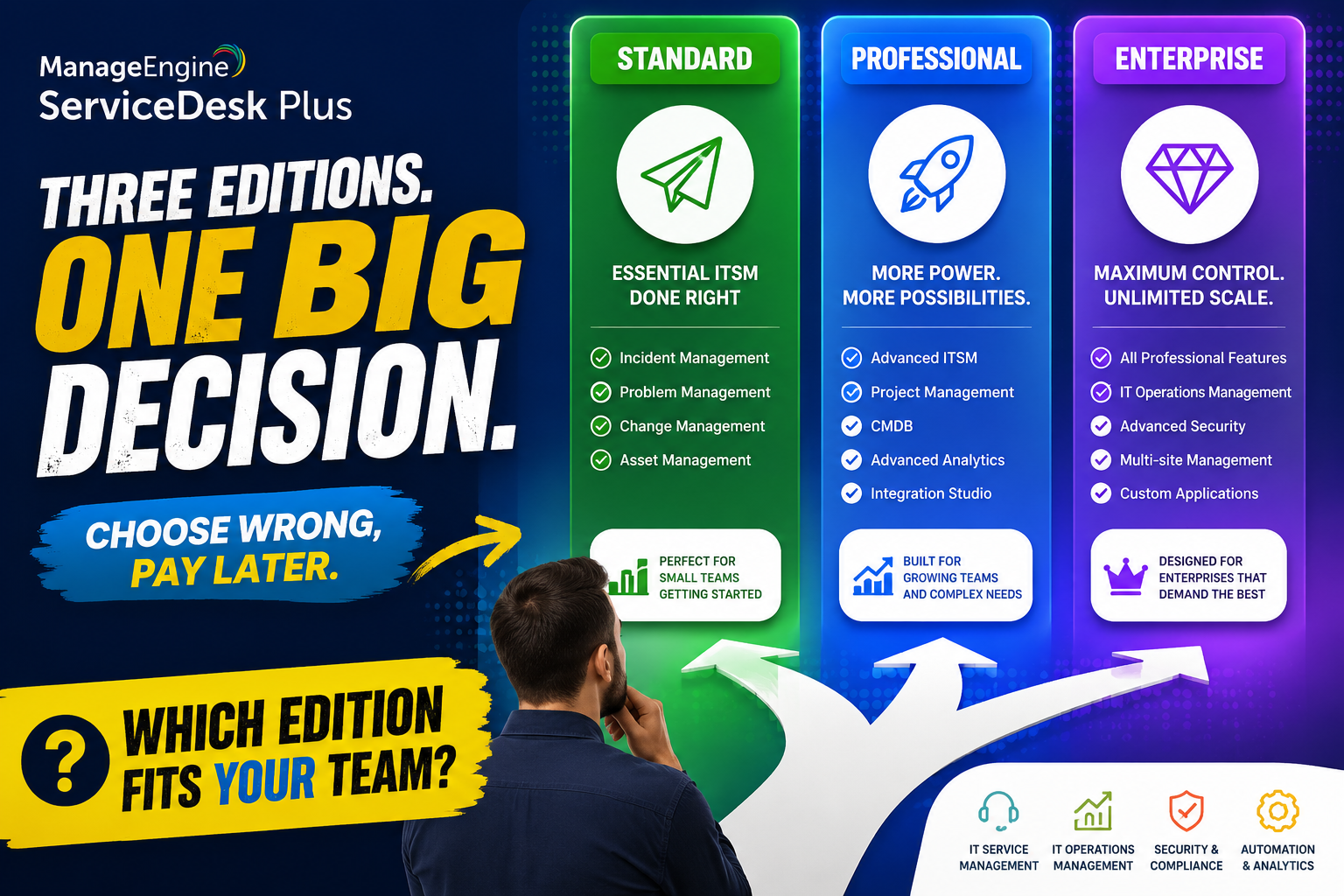
Choosing an IT service management platform is rarely the hard part; choosing the right edition of that platform is where most teams get stuck. ManageEngine ITSM ships in three tiers, and each one unlocks a meaningfully different set of capabilities, so picking the wrong one can either leave your team without tools it needs or lock you into paying for modules nobody touches.
This article breaks down the Standard, Professional, and Enterprise editions of ManageEngine ITSM side by side, so IT leaders can match the right tier to their team size, process maturity, and budget. Along the way, we look at pricing, feature depth, and the situations where upgrading actually pays off.
By the end, you should have a clear framework for deciding which edition fits today, plus a sense of when it makes sense to plan ahead for a future upgrade rather than migrating twice in a short period.
Table of contents
Quick Summary
Standard covers core help desk functionality: incident management, a self-service portal, knowledge base, and SLA management.Professional adds full IT asset management, including software asset tracking and purchase and contract management.Enterprise unlocks the complete ITIL suite: change management, problem management, CMDB, release management, service catalog, and project management.Pricing scales per technician, so cost grows with team size rather than end-user count.Most organizations outgrow Standard once asset tracking or structured change control becomes a business requirement.Solution for Guru helps businesses select, configure, and implement the right ManageEngine ITSM edition for their processes.
Before comparing tiers in detail, it is worth understanding the platform itself. ManageEngine ITSM is an IT service management suite built around ticketing, asset visibility, and ITIL-aligned processes, designed to scale from small IT teams handling basic requests to large enterprises running formal change and release management. Instead of forcing every customer into a single fixed feature set, ManageEngine structures its offering into three editions, letting teams pay only for the maturity level their processes actually require.
This tiered approach is a major reason ManageEngine ITSM has become a popular alternative to larger, more expensive ITSM platforms. Small IT teams can start with essential ticketing and later step up to asset management or full ITIL process coverage as their operations grow, without needing to migrate to an entirely different product.
Both cloud and on-premises deployment options are available across the editions, which gives organizations flexibility depending on their data governance requirements and existing infrastructure. This deployment flexibility, combined with the tiered pricing model, is one reason ManageEngine ITSM appeals to such a wide range of organization sizes.
What Does the Standard Edition Include?
The Standard edition is the entry point into ManageEngine ITSM, and it focuses entirely on help desk fundamentals rather than asset or ITIL process management. Consequently, it suits small IT teams whose main job is resolving tickets quickly and keeping end users informed. Many organizations begin their ITSM journey here before deciding whether additional modules are worth the investment.
Which Core Features Come with Standard?
Standard covers incident management, a self-service portal where employees can submit and track requests, a searchable knowledge base, SLA management to keep response times on track, and help desk reporting. Multi-site support is also included, which helps organizations with more than one office location manage tickets from a single console.
Notably, Standard does not include asset management, so teams cannot track hardware or software inventory natively at this tier. It also lacks the advanced ITIL modules found in higher editions, such as change management or a CMDB.
Who Should Choose the Standard Edition?
Standard fits IT teams handling straightforward ticketing without asset tracking requirements, typically smaller organizations or teams just beginning to formalize their support process. Because pricing starts low and scales per technician, it is also a practical starting point for teams that want to prove out ITSM value before committing to a larger investment.
Many organizations use Standard as a deliberate first step, running it for several months to establish ticketing habits and gather data on request volume before deciding whether asset management or ITIL processes justify an upgrade. This phased approach reduces the risk of over-investing in tooling the team is not yet ready to use effectively.
What Does the Professional Edition Add?
The Professional edition builds directly on Standard by adding full IT asset management, which is the single biggest differentiator between the two tiers. As soon as tracking hardware, software, or vendor contracts becomes part of the job, Professional becomes the natural upgrade path, and it does so without requiring teams to abandon any of the ticketing workflows already established on Standard.
What Asset Management Capabilities Are Included?
Professional introduces IT asset discovery, which automatically scans the network to identify hardware and software in use, along with software asset management for tracking license compliance. Asset inventory reports give IT leaders visibility into what equipment exists, where it is located, and who is using it.
ManageEngine also includes purchase and contract management, allowing teams to track vendor agreements, warranty periods, and renewal dates alongside the corresponding assets. This reduces the risk of paying for expired licenses or missing a contract renewal deadline.
Who Should Choose the Professional Edition?
Professional is the right fit for IT teams that need integrated asset visibility but do not yet require formal change management or a full ITIL process suite. Because it includes everything in Standard plus asset management, teams do not lose any help desk functionality by moving up a tier.
This tier tends to appeal to mid-sized IT departments managing a growing device fleet, especially once manual spreadsheet-based asset tracking starts producing errors or falling out of date. Automating discovery removes that manual burden while keeping the overall platform footprint manageable.
What Does the Enterprise Edition Unlock?
The Enterprise edition represents the complete ManageEngine ITSM offering, bundling help desk, asset management, and the full range of ITIL-aligned processes into a single platform. Larger organizations running structured, auditable IT operations typically land here, particularly once informal processes start creating visible gaps in accountability or reporting.
Which ITIL Modules Are Included in Enterprise?
Enterprise adds change management for controlling and approving infrastructure changes, problem management for tracking root causes behind recurring incidents, and a configuration management database, or CMDB, for mapping relationships between IT assets and services. Release management and a full service catalog round out the ITIL process coverage.
This tier also includes IT project management, enabling teams to plan and track larger initiatives, such as system migrations or office rollouts, within the same platform they use for daily ticketing.
Who Should Choose the Enterprise Edition?
Enterprise suits organizations that need formal, auditable ITIL processes, whether due to compliance requirements, internal governance standards, or simply the scale of their IT operations. Because Enterprise includes everything from the lower tiers, teams migrating up do not need to reconfigure existing tickets, assets, or reports.
Organizations in regulated industries, such as healthcare or financial services, often gravitate toward Enterprise specifically because change and problem management provide the documentation trail auditors expect. Even outside regulated sectors, IT departments supporting hundreds or thousands of employees typically find that informal change processes break down at scale, making Enterprise the more sustainable choice.
How Do the Three Editions Compare Side by Side?

Seeing the editions in a single table makes the differences easier to evaluate at a glance, particularly when deciding which tier matches your team’s current processes.
| Capability | Standard | Professional | Enterprise |
| Incident management | Yes | Yes | Yes |
| Self-service portal & knowledge base | Yes | Yes | Yes |
| SLA management | Yes | Yes | Yes |
| IT asset discovery & inventory | No | Yes | Yes |
| Purchase & contract management | No | Yes | Yes |
| Change management | No | No | Yes |
| Problem management | No | No | Yes |
| CMDB | No | No | Yes |
| Service catalog | No | No | Yes |
| IT project management | No | No | Yes |
As the table shows, each tier is additive: Professional includes everything in Standard, and Enterprise includes everything in Professional. This means teams can move up a tier without losing configuration work already invested in tickets, categories, or reporting.
How Does Pricing Differ Across the Editions?
ManageEngine ITSM pricing follows a per-technician model, meaning organizations pay only for the IT staff resolving tickets, while end users submitting requests are typically unlimited at no extra cost. Pricing scales roughly in line with technician count, so doubling the size of a support team roughly doubles the license cost. This structure makes ManageEngine ITSM relatively predictable to budget for compared to platforms that charge per named user across the entire organization.
| Edition | Typical Starting Price | Best For |
| Standard | Lowest cost, free tier available for small teams | Basic ticketing without asset tracking |
| Professional | Mid-range, per technician/month | Teams needing integrated asset management |
| Enterprise | Highest tier, per technician/month | Full ITIL process coverage and larger IT operations |
It is worth noting that Standard and Professional often require separate add-on purchases for advanced modules like CMDB or service catalog, whereas Enterprise bundles these directly into the license. As a result, organizations that need several advanced modules may find Enterprise more cost-effective than stacking multiple add-ons onto a lower tier.
On-premises deployments typically carry an additional annual maintenance fee, so teams comparing total cost of ownership should factor that in alongside the base per-technician price before finalizing a budget.
How Do You Decide Which Edition Is Right for Your Team?

Choosing between the three editions comes down to matching your current process maturity, not necessarily your long-term ambitions. Overbuying tends to waste budget on unused modules, while underbuying often leads to a disruptive upgrade a few months in. The steps below outline a practical way to work through the decision.
- List the ITSM capabilities your team uses today, such as ticketing, asset tracking, or change approvals.
- Identify any compliance or governance requirements that mandate formal change or problem management.
- Estimate technician headcount, since pricing scales per technician rather than per end user.
- Compare the gap between your current needs and each edition’s feature set using the comparison table above.
- Factor in future growth: if asset management or ITIL processes are on next year’s roadmap, it may be cheaper to start one tier higher than to upgrade mid-year.
- Request a trial of the edition you are leaning toward to confirm it fits your workflow before committing to a contract.
Teams that are unsure whether they need Professional or Enterprise should pay close attention to whether change management is a genuine requirement. If infrastructure changes currently happen informally, without documented approvals, that is usually a sign the organization is not yet ready for the added process overhead that Enterprise introduces, and Professional may be the more practical starting point.
Conversely, if the organization already runs some form of change approval, even an informal one through email or chat, that is often a signal Enterprise will simply formalize a process that already exists, rather than introducing an entirely new discipline. In that case, the upgrade tends to be far smoother than expected.
What Return on Investment Can You Expect from a Higher Edition?
Upgrading from Standard to Professional, or from Professional to Enterprise, involves a real cost increase, so it helps to understand where the return typically comes from before making the decision.
How Does Professional Pay for Itself?
The Professional edition’s asset management typically pays for itself through reduced software license overspend and fewer emergency hardware purchases. Automated discovery reveals unused or duplicate software licenses that organizations are often still paying for, and contract tracking prevents costly auto-renewals on agreements nobody intended to keep.
Beyond direct savings, having accurate asset data also speeds up incident resolution, since technicians can immediately see a device’s history and configuration instead of asking the end user to describe their setup. Faster resolution times, in turn, tend to improve end-user satisfaction scores, which many IT departments track as a key performance indicator.
How Does Enterprise Pay for Itself?
Enterprise delivers its return primarily through risk reduction and process efficiency rather than direct cost savings. Structured change management reduces the incidents caused by unreviewed infrastructure changes, while problem management helps teams address root causes instead of repeatedly firefighting the same recurring issue.
For organizations under compliance obligations, Enterprise can also reduce the cost and effort of audits, since change history, approvals, and asset relationships are already documented within the platform rather than scattered across spreadsheets and email threads.
What Common Mistakes Should You Avoid When Choosing an Edition?

A few recurring mistakes show up when organizations select their ManageEngine ITSM tier, and avoiding them upfront saves both money and migration effort later.
- Underestimating technician count: pricing is per technician, so an inaccurate headcount estimate can throw off budget projections significantly.
- Buying Enterprise for features nobody uses: paying for change management and a CMDB without a plan to actually run those processes wastes budget.
- Ignoring add-on costs on lower tiers: stacking several add-ons onto Standard or Professional can sometimes cost more than simply choosing Enterprise.
- Forgetting on-premises maintenance fees: annual maintenance costs for on-premises deployments are easy to overlook during initial budgeting.
- Skipping a trial: committing to a tier without testing it against real workflows increases the risk of choosing the wrong edition.
- Rolling out change management without training: introducing formal approval workflows without preparing the team first often leads to bottlenecks and resistance.
Working through these points before signing a contract helps ensure the chosen edition matches both current operations and near-term growth plans, rather than requiring a disruptive tier change a few months later.
It is also worth revisiting the decision periodically rather than treating it as permanent. IT processes mature over time, and a tier that fit perfectly at the start of the year may no longer match the organization’s needs twelve months later, particularly after headcount growth or a new compliance requirement.
How Does ManageEngine ITSM Compare to Other Help Desk Platforms?
ManageEngine ITSM is frequently evaluated alongside other help desk and ITSM platforms, particularly by mid-market organizations looking for ITIL-aligned features without enterprise-scale pricing. Reviewers on platforms such as G2 consistently note that ManageEngine delivers a broad feature set, including incident, change, asset, and project management, at a noticeably lower price point than larger competitors.
The table below offers a general sense of how ManageEngine ITSM’s tiered approach compares to a few commonly evaluated alternatives. As with any platform comparison, exact feature availability can vary by plan and by year, so it is worth confirming current details directly with each vendor before finalizing a decision.
| Platform | Tiered Editions | Built-in Asset Management | Full ITIL Suite Available |
| ManageEngine ITSM | Yes (3 tiers) | Professional & Enterprise | Enterprise tier |
| Freshservice | Yes (multiple tiers) | Higher tiers | Higher tiers |
| Jira Service Management | Yes (multiple tiers) | Add-on/higher tiers | Higher tiers |
| ServiceNow | Custom licensing | Yes | Yes (premium cost) |
Compared to platforms like ServiceNow, ManageEngine ITSM generally offers a more accessible entry price while still covering the ITIL processes mid-market IT teams need. That said, organizations with highly complex, multi-department service management requirements may eventually outgrow any mid-market platform, so it is worth periodically reassessing whether the chosen tier still fits as the organization scales.
For most small and mid-sized IT teams, however, the combination of a low entry price, a clear upgrade path, and genuine ITIL depth at the Enterprise tier makes ManageEngine ITSM one of the more balanced options available, particularly for organizations that want room to grow without switching platforms.
Summing up
Choosing between the Standard, Professional, and Enterprise editions of ManageEngine ITSM ultimately comes down to matching the platform to where your IT processes stand today, not where you hope they will be someday. Standard handles core ticketing well for smaller teams, Professional adds the asset visibility most growing IT departments eventually need, and Enterprise delivers the full ITIL process suite required by larger, more regulated organizations.
Regardless of which tier fits best, ManageEngine ITSM gives teams a clear upgrade path that preserves existing configuration as needs grow, which is a meaningful advantage over platforms that force a full migration when requirements change.
That said, picking the right edition is only half the equation. Correct configuration, clean asset data, and well-defined workflows determine whether the platform actually improves service delivery. Partnering with implementation specialists such as Solution for Guru ensures ManageEngine ITSM is not just licensed correctly, but genuinely optimized for how your IT team operates.
Ultimately, the best edition is the one that matches your team’s actual workflows today while leaving room to grow, not the one with the longest feature list. Taking the time to map current processes against each tier, as outlined above, is the surest way to make a confident, cost-effective decision.
Frequently Asked Questions
Yes, since each ManageEngine ITSM edition builds on the one below it, upgrading preserves existing tickets, configurations, and reports. Teams simply gain access to the additional asset management or ITIL modules included in the higher tier, and no data migration between separate systems is required.
No, asset management is not part of the Standard edition. Organizations that need hardware or software tracking, purchase management, or contract management must move up to Professional or Enterprise to unlock those capabilities. Standard focuses exclusively on ticketing, self-service, and knowledge base functionality.
ManageEngine ITSM uses a per-technician licensing model across all three editions, meaning organizations pay only for the IT staff resolving tickets. End users submitting requests through the self-service portal are typically unlimited and do not add to the license cost, which keeps pricing predictable as the employee base grows.
Do cloud and on-premises deployments offer the same features across editions?
Feature sets are broadly aligned between cloud and on-premises deployments within the same edition, though specific modules and add-ons can differ slightly by deployment type. It is worth confirming the current feature comparison for your preferred deployment model before finalizing a purchase.
How Can Solution for Guru Help You Implement ManageEngine ITSM?

Selecting the right edition is only the first decision; configuring ManageEngine ITSM around your actual support process, asset inventory, and approval workflows is where the real value gets unlocked. This is where Solution for Guru comes in.
As an experienced CRM and software implementation partner, Solution for Guru helps organizations choose the right ManageEngine ITSM tier, configure ticket categories and SLAs correctly from day one, and, for teams on Professional or Enterprise, set up asset discovery, contract tracking, and ITIL workflows such as change and problem management. Rather than leaving IT teams to interpret every setting on their own, Solution for Guru manages the technical setup and trains staff so the platform gets used consistently across the organization.
For teams considering an upgrade from Standard to Professional or Enterprise, Solution for Guru can also assess current ticket and asset data to plan a smooth migration path, minimizing disruption to end users during the transition. Ongoing support is available as well, for organizations that want continued optimization as their ITSM processes mature over time.
This kind of hands-on implementation support matters most during the first few months after go-live, when ticket categories, SLA rules, and approval workflows are still being fine-tuned. Having an experienced partner available during that window helps teams avoid the common early missteps that otherwise take months to notice and correct.
Recommended:
- ManageEngine SLA Management: How Does It Help IT Teams Meet Every Deadline?
- Freshservice for Growing Companies: When Is the Right Time to Upgrade ITSM?
- Freshservice Change Management: Real-World Configuration Strategies
- What Are the Best Automation Use Cases for ITSM Platforms in Growing Businesses?
- How Does Freshservice Support Compliance and Audit Readiness?
- Freshservice vs Traditional Help Desk Systems: What Has Changed?
- What Reporting and Dashboard Strategies Do High-Performing ITSM Leadership Teams Actually Use?
- What Are ITSM KPIs and Why Do They Matter for Your IT Organization?
- What Is a Self-Service Portal in ITSM and Why Does Your Business Need One?
- ESM vs ITSM: What Is the Difference and Which One Does Your Business Need?
- Freshservice for Non-IT Departments: HR, Facilities, Finance, and Operations
- Can Freshservice Reduce IT Operational Costs?
- ITSM Workflow Optimization Strategies for Hybrid Work Environments
- Breaking Down the ITSM Model: What Are the Core Processes, Roles, and Value Streams?
- Common ITSM Deployment Mistakes Businesses Make — and How to Avoid Them
- ITSM for DevOps Teams: Bridging Agile and Service Management