
How Does Zoho Assist Improve First-Call Resolution?

Customers rarely remember how many tickets your team closed last month. They remember whether you fixed their problem the first time they asked. Support operations calls that outcome first-call resolution, or FCR. Remote support tools give agents the access they need to solve problems during the first conversation. This guide explains how Zoho Assist helps teams reach that goal, which features matter most, and how to measure the results.
Table of contents
What Is the Quick Summary?
- First-call resolution measures the share of issues that an agent solves during the first contact, with no follow-up needed.
- Zoho Assist – Remote Access Software lets agents see and control a customer’s device in real time, so they diagnose problems instead of guessing.
- Attended sessions, unattended access, file transfer, chat, session transfer, and recording each remove a specific cause of repeat contacts.
- Reports and session recordings show where FCR falls short and how to coach agents.
- Good results depend on process design, training, and integration, not on the tool alone.
What Is First-Call Resolution and Why Does It Matter?

First-call resolution (FCR) is the percentage of customer issues that support resolves on the first contact. If your team handles 1,000 requests and solves 720 of them without a callback, reopened ticket, or escalation, your FCR is 72%.
Why Do Support Leaders Track FCR Closely?
FCR connects directly to cost and satisfaction. Each repeat contact consumes agent time, adds queue pressure, and frustrates the customer. The SQM Group, a call-center research firm, has published research linking higher FCR with higher customer satisfaction and lower operating costs. Its widely cited benchmark puts the industry average near 70%. Because definitions vary between companies, treat that figure as a reference point and not a target you must match exactly.
FCR also affects employee morale. Agents who close issues the first time feel more effective. On the other hand, agents who pass tickets between teams often feel they never finish anything.
What Usually Prevents First-Call Resolution?
Most failures to resolve an issue on the first call come from a short list of causes:
- The agent cannot see what the customer sees.
- The customer struggles to describe the problem or follow instructions.
- The agent lacks the permissions or tools to apply the fix.
- The call passes to another team, and the customer must explain everything again.
- The fix needs files, scripts, or settings that the agent cannot deliver over the phone.
- The agent has no record of earlier attempts.
Remote support software targets nearly every item on this list. Therefore, it deserves a close look.
What Is Zoho Assist and How Does It Relate to First-Call Resolution?

Zoho Assist is a cloud-based remote support and remote access tool from Zoho Corporation. Technicians use it to connect to computers and mobile devices over the internet. They can then view the screen, take control, and fix problems directly.
The product covers two main use cases. Attended support means the customer is present and grants permission, usually by entering a session code or clicking a link. Unattended access means a small agent program runs on a device, so a technician can connect without anyone sitting at it. Zoho’s own materials describe both modes, along with screen sharing, file transfer, chat, and session recording.
How does this relate to FCR? Remote access removes the biggest obstacle to first-call resolution: the gap between what the customer experiences and what the agent understands. When the agent sees the same screen, they diagnose faster and fix more problems during the call. As a result, fewer customers call back.
Who Uses Zoho Assist?
IT help desks, managed service providers (MSPs), software vendors, and internal support teams use the platform. An MSP manages IT systems for other businesses. For example, an MSP might use unattended access to patch a client’s laptops overnight, while its help desk uses attended sessions during the day.
How Do Attended Remote Sessions Improve First-Call Resolution?
Attended sessions give agents the quickest route from problem description to problem fix. Zoho Assist – Remote Access Software supports on-demand sessions that need no prior installation, according to Zoho’s documentation, which keeps the setup short.
How Do Agents Start a Session Mid-Call?
The agent sends an invitation by email or shares a session code. The customer opens the link or enters the code, and the agent connects after the customer approves. Because the customer does not need to install permanent software, the process fits a first call.
A typical flow looks like this:
- The customer calls or chats with the support team.
- The agent asks a short triage question and decides that a remote session will help.
- The agent starts a session and sends the code or link.
- The customer approves the connection.
- The agent inspects the problem, applies the fix, and confirms the result with the customer.
- The agent closes the session and logs the outcome.
Why Does Seeing the Screen Change the Outcome?
Customers often describe symptoms inaccurately. For instance, a customer might say “the email is broken” when the real issue is an expired password prompt hidden behind another window. An agent who sees the screen spots this in seconds. In contrast, a phone-only agent might spend ten minutes on the wrong theory.
Moreover, remote control spares the customer from following multi-step instructions. This matters most for non-technical users, who make up a large share of support contacts.
How Does Unattended Access Help Resolve Issues Without Delay?
Unattended access lets technicians connect to registered devices even when nobody is present. Zoho’s feature pages describe this function for Windows and Mac computers, and its documentation includes deployment options.
When Does Unattended Access Raise FCR?
This mode helps in several situations:
- After-hours maintenance: Technicians install updates when employees are offline, so users start the next day with a working system.
- Server and kiosk support: Machines that no one monitors can still receive fixes.
- Remote office support: A single technician can support branch offices without travel.
- Customer-facing devices: Retail terminals and digital signage can recover without a site visit.
Unattended access also prevents a common cause of repeat contacts. The customer calls, the agent needs to run a long task, and the customer cannot leave the computer on or stay online. With unattended access, the agent finishes the work later and confirms the result, and the customer treats the issue as resolved in one interaction.
How Does Bulk Deployment Save Time?
Zoho Assist – Remote Access Software includes bulk deployment, which installs the unattended access agent on many computers at once. As a result, an IT team can prepare an entire fleet before problems arise. Ready access means the first call often becomes the last.
Does Unattended Access Create Security Risks?
It can, if you configure it carelessly. However, Zoho Assist offers controls such as session confirmation prompts that ask the person on the remote end for approval before a session starts. Teams can also use role-based permissions and audit logs. We cover these controls in a later section.
Which Zoho Assist Features Make Agents More Effective During the Call?

Several smaller features add up to a large improvement. Each one removes a specific delay or handoff.
| Feature | What it does | How it supports FCR |
|---|---|---|
| Screen sharing and remote control | Shows and operates the remote device | Speeds up diagnosis and reduces misunderstandings |
| File transfer | Moves files between agent and customer devices | Delivers patches, drivers, and logs during the call |
| Chat and voice or video chat | Adds text and audio inside the session | Keeps communication in one place |
| Multi-monitor navigation | Switches between the remote user’s screens | Helps with complex workstations |
| Reboot and reconnect | Restarts the remote device and resumes the session | Lets agents apply fixes that need a restart without ending the call |
| Session transfer | Passes the active session to another technician | Prevents customers from repeating their story |
| Session notes | Records comments during the session | Preserves context for later reference |
| Session recording | Saves sessions for review | Supports coaching and audits |
| Remote script execution | Runs commands on the remote device | Automates repetitive fixes |
Feature availability depends on your plan, so check Zoho’s current pricing page before you decide which tier you need.
How Does Reboot and Reconnect Prevent Callbacks?
Many fixes need a restart. Without remote support, the agent asks the customer to restart and call back, which instantly creates a second contact. With reboot and reconnect, the agent restarts the device and automatically resumes the session. The agent then tests the fix and closes the issue during the same call.
How Does File Transfer Reduce Escalations?
Sometimes the fix is a file: a driver, a configuration, or a patch. Agents can send it through the session instead of emailing it or asking the customer to download it. In the other direction, agents can collect log files for deeper analysis. Zoho reports that it encrypts these transfers with SSL and 256-bit AES encryption.
How Does Session Transfer Help Complex Cases?
Not every agent knows everything. When a problem requires a specialist, the first agent can hand the live session to a colleague. The customer stays connected, and the specialist sees the machine’s current state. As a result, the customer avoids a callback, and the team resolves the case in one interaction.
How Can Zoho Assist Reduce Repeat Contacts Through Better Documentation?
First-call resolution also depends on what happens after the call. If a similar problem returns, the next agent needs the context. Zoho Assist – Remote Access Software supports this need in two ways.
What Role Do Session Recordings Play?
Session recording captures the remote session so teams can review it later. According to Zoho, recordings support internal audits and training. Support managers can use them to:
- Identify the exact steps that fixed a recurring problem.
- Create training material from real examples.
- Check that agents follow security and privacy procedures.
- Resolve disputes about what happened during a session.
For example, a team lead might find that three agents solved the same printer problem three different ways. By reviewing the recordings, the lead can select the fastest method and share it across the team.
How Do Reports and Session Notes Help?
Zoho Assist includes a reporting area with details such as session duration, customer email address, and IP address. Session notes let agents write comments while they work. You can also connect the platform with help desk tools, such as Zoho Desk, so session details appear alongside the ticket.
Better records lead to better handovers. As a result, when a customer returns, the new agent starts with facts, not questions.
How Can You Measure the Impact of Zoho Assist on First-Call Resolution?
You cannot improve what you do not measure. Before you deploy any remote support tool, capture a baseline.
Which Metrics Should You Track?
| Metric | Definition | What a change suggests |
|---|---|---|
| First-call resolution rate | Issues resolved on first contact divided by total issues | Direct measure of success |
| Repeat contact rate | Customers who contact support again about the same issue within a set period | Hidden failures in the first resolution |
| Average handle time | Time an agent spends on each contact | May rise slightly at first, then fall as agents gain confidence |
| Escalation rate | Share of cases passed to a higher tier | Shows how well first-line agents solve problems |
| Customer satisfaction (CSAT) | Customer rating after the interaction | Confirms that resolution quality improved |
| Remote session usage rate | Share of eligible cases that use a remote session | Shows whether agents adopt the tool |
How Do You Define a Fair FCR Calculation?
Decide in advance what counts as “resolved.” Some teams count only issues without a repeat contact within seven days. Others rely on a customer survey question. Choose one definition, document it, and keep it stable. Otherwise, you cannot compare results from month to month.
How Should You Interpret Early Results?
Expect a learning curve. Average handle time may rise in the first few weeks as agents explore the tool. However, FCR and repeat contact rates usually tell a clearer story. Review the numbers monthly, and compare agents who use remote sessions regularly with those who don’t.
How Do You Implement Zoho Assist to Get the Best FCR Results?
The tool improves FCR only when agents use it well. A structured rollout prevents wasted effort.
What Steps Should a Rollout Include?
- Set a baseline. Record current FCR, repeat contact rate, and escalation rate.
- Define use cases. Decide which issue types qualify for remote sessions, such as software errors, configuration problems, and printer faults.
- Configure the platform. Create technician groups, roles, branding, and session templates.
- Write a customer consent script. Agents should explain what they will see and do before they connect.
- Train agents. Run practice sessions with realistic scenarios.
- Pilot with a small team. Collect feedback and adjust the process.
- Expand and review. Roll out to the whole team and review metrics monthly.
How Should You Integrate It With Existing Tools?
Integration reduces switching between screens. For instance, connecting your help desk, CRM, or ticketing system with the remote support tool lets agents launch a session from the ticket and log the outcome automatically. Zoho provides API documentation and a mobile SDK, which help developers embed remote support into other applications.
How Should You Train Agents?
Training should cover more than buttons. Teach agents when to start a session, how to ask for consent, how to explain their actions, and how to close the session cleanly. In addition, show them how to write short session notes, because those notes help the next person who handles the case.
How Does Zoho Assist Protect Customer Data and Privacy?

Remote access carries trust obligations. A customer who lets a stranger control a computer expects care and respect.
What Security Controls Does the Platform Offer?
Based on Zoho’s documentation and partner descriptions, the platform includes:
- Encrypted sessions and file transfers.
- Two-factor authentication for technicians.
- Role-based access and technician groups.
- Session confirmation prompts for unattended access.
- Audit logs and session reports.
Always verify these details in Zoho’s current security documentation before you rely on them for compliance.
What Policies Should Your Team Add?
Tools help, but policies protect customers. Consider these rules:
- Agents must request permission before they take control.
- Agents must close sensitive windows, such as banking pages, before they begin.
- Teams must store recordings only as long as the policy requires.
- Managers must review access logs regularly.
- Regulated industries must confirm that the configuration meets requirements such as GDPR or HIPAA.
On the other hand, hidden or careless remote access can quickly erode trust. Therefore, clear communication matters as much as encryption.
What Challenges Can Limit Zoho Assist’s Effect on FCR?

No tool solves every problem. Understanding the limits helps you set realistic goals.
- Connectivity: A weak internet connection can slow or interrupt sessions.
- Customer reluctance: Some customers do not want anyone to control their device. Offer screen sharing with guidance as an alternative.
- Agent skill gaps: A remote session does not replace technical knowledge.
- Endpoint restrictions: Corporate security policies may block remote tools on certain devices.
- Poor processes: If your team lacks knowledge articles and escalation paths, no tool will fix that.
Similarly, some problems need physical action, such as replacing hardware or repairing a cable. Remote access cannot solve those. Track these cases separately so they do not distort your FCR targets.
What Are the Key Conclusions About Zoho Assist and First-Call Resolution?
First-call resolution improves when agents see the problem, act on it, and document the result during one interaction. Zoho Assist remote access software supports each step. Attended sessions let agents see and fix issues while the customer waits. Unattended access handles maintenance and after-hours work. Features such as reboot and reconnect, file transfer, and session transfer remove the most common reasons for callbacks.
However, the software works best inside a well-designed process. Set a baseline, define clear use cases, train agents, protect customer privacy, and review your metrics every month. In addition, integrate the platform with your help desk so context follows each case.
If you want to move faster, a specialist such as Solution for Guru can help with integration, automation, and security. With Zoho Assist – Remote Access Software, a strong process helps your team resolve more issues the first time and earn lasting customer trust.
Frequently Asked Questions
For attended sessions, Zoho describes an on-demand model that needs no prior installation. The customer joins through a link or code in a browser-based flow. Unattended access, by contrast, requires a lightweight agent on the remote device. Choose the mode that fits each use case.
Zoho states that the product supports remote access to PCs, tablets, and mobile devices, and it offers a mobile SDK for embedding support into iOS and Android apps. Capabilities differ by platform and operating system, so confirm the details for your devices in Zoho’s documentation.
How Quickly Can a Team See an Improvement in FCR?
The timeline depends on team size, training, and issue types. Many teams see early changes within the first one to two months of a pilot, but results vary. Track FCR, repeat contacts, and escalations against your baseline, and avoid judging results before agents become comfortable with the tool.
How Can Solution for Guru Help You Improve First-Call Resolution?
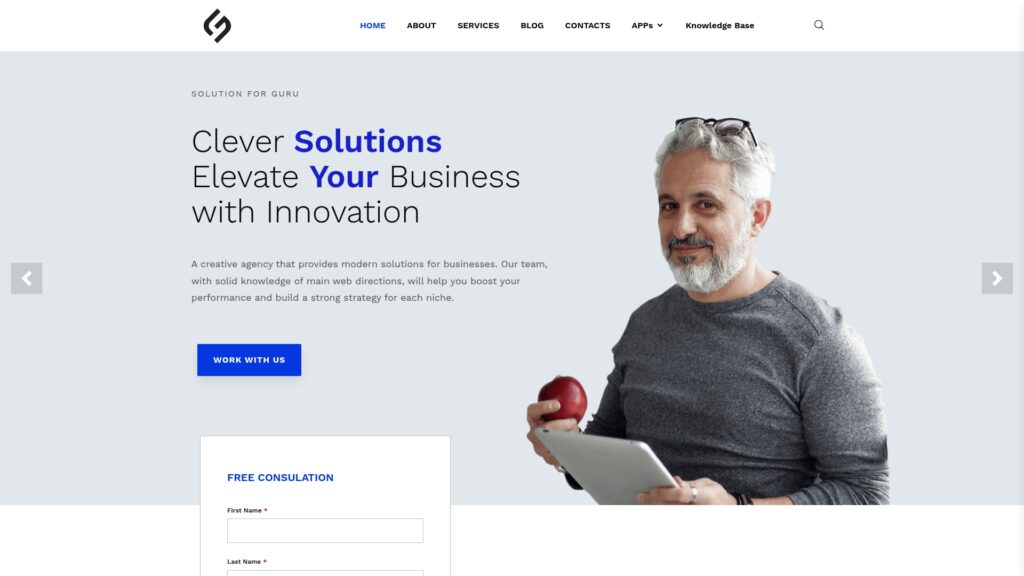
Solution for Guru is a technology consultancy that offers web development, CRM and SaaS integration, AI and automation solutions, cybersecurity and data protection, and tech consulting. These services match the needs of a team that wants more from remote support software.
Here is how a partnership can add value:
- Integration: Specialists can connect your remote support tool with your CRM, help desk, or internal systems, so agents launch sessions and log results from one screen.
- Automation: Automated workflows can route requests, suggest remote sessions for eligible issues, and send follow-up surveys.
- Security review: An independent review of access roles, authentication, and data handling reduces risk.
- Process design: Consultants can help you define metrics, build dashboards, and set realistic FCR targets.
- Custom development: If your workflow needs something beyond standard features, developers can build custom components or connectors.
An outside partner also brings experience from several industries. That perspective helps you avoid common rollout mistakes and shortens the time between purchase and measurable results. You can reach the team through the company’s website to discuss your requirements and request a consultation.
Recommended:
- Zoho Assist for Cross-Border Support: Cloud-Based Access Without Network Restrictions
- How Does Zoho Assist Help Reduce Support Costs?
- Supporting Hybrid Employees Using Zoho Assist
- What Are the Best Use Cases for ManageEngine Remote Access Plus in Enterprise IT?
- How Does Zoho Assist Support Android Endpoints Remotely for Mobile Device Support?
- How Does Zoho Assist Help Remote Customer Support Teams Run Attended Sessions Without Installations?
- What Are the Best Practices for MSPs Using ManageEngine Remote Access Plus?
- Why Businesses Choose ManageEngine Remote Access Plus Instead of Traditional Remote Desktop
- ManageEngine Remote Access Plus Review
- Why Businesses Choose Zoho Assist for Remote Support
- Zoho Assist – Review, Feedback, Price, Pros and Cons
- 12 Jobs You Wouldn’t Have Without Remote Access Software
- What Are the Use Cases of Remote Access Software Across Different Industries?
- ManageEngine Remote Access Plus: Is This the Best Enterprise Remote Support Tool in 2026?
- Remote Access Security Model: Encryption and Compliance — What Does Every Enterprise Need to Know?
- Remote Access Software for Enterprise IT Support
- Secure Remote Access for Corporate Networks
- Zero Trust and Remote Access: A Perfect Match?
- What Is the Role of Remote Access Software in IT Support and Help Desk Operations?
- Common Challenges in Implementing Remote Access Software — and How to Overcome Them
- Performance Optimization Tips for Remote Access Connections
- Remote Access in Secure Operations: Professions Where It’s Mission-Critical
- How AI and Automation Are Shaping the Future of Remote Access