12 Jobs You Wouldn’t Have Without Remote Access Software
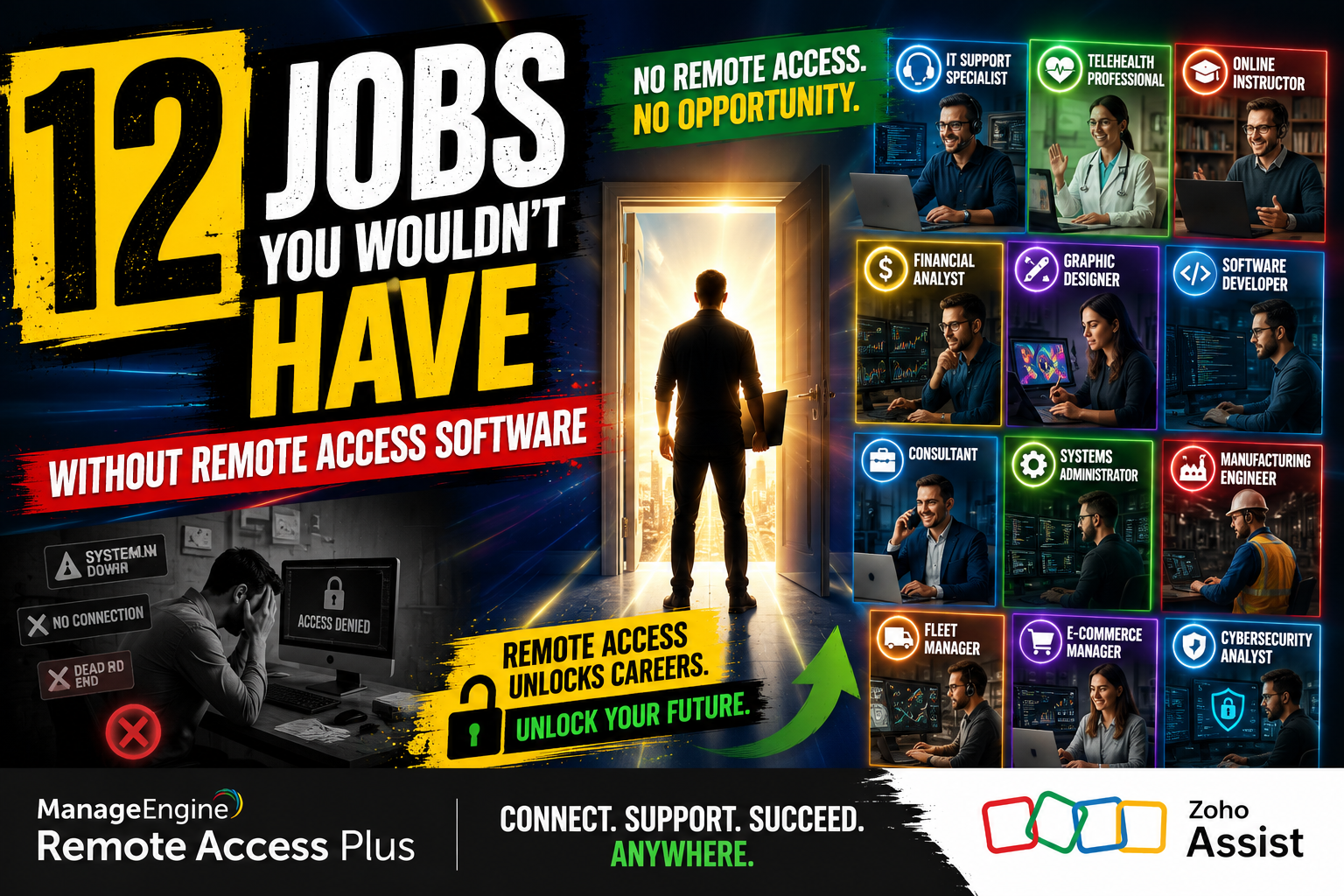
Remote access software has fundamentally reshaped the modern workforce. What started as a niche IT tool has grown into the backbone of entire industries, creating career paths that simply did not exist a generation ago. Today, millions of professionals build their livelihoods on the ability to connect to, monitor, and control systems from anywhere in the world.
This article explores twelve jobs that remote access software made possible — and how leading platforms like ManageEngine and Zoho continue to power these professions every single day.
Table of contents
Quick Summary
| Section | Key Takeaway |
|---|---|
| What is Remote Access Software? | Tools that allow users to connect to, manage, and control remote systems over the internet |
| Key Platforms | ManageEngine, Zoho, TeamViewer, AnyDesk |
| Jobs Created | 12 distinct roles that require remote connectivity as a core function |
| Industries Affected | IT, Healthcare, Finance, Education, Customer Service, Security |
| Future Outlook | Remote access roles will grow by an estimated 15–22% through 2030 (U.S. Bureau of Labor Statistics projection trends) |
What Is Remote Access Software — And Why Does It Matter for the Modern Job Market?
Remote access software refers to technology that allows a user to connect to a computer, network, or system from a different physical location. Rather than sitting in front of a device, you log in remotely, see the screen, run applications, move files, or troubleshoot problems as if you were right there.
Two platforms stand out as industry leaders driving this transformation:
ManageEngine — a division of Zoho Corporation — delivers enterprise-grade IT management tools. Its Remote Access Plus and Desktop Central products give IT teams complete visibility over thousands of endpoints, enabling real-time support, patch management, and asset monitoring without ever leaving a desk. ManageEngine serves over 180,000 organizations across 190 countries, making it one of the most trusted names in IT operations.
Zoho — the parent company of ManageEngine — built an entire ecosystem of cloud-based business tools, including Zoho Assist, a dedicated remote support and access platform. Zoho Assist lets support agents connect instantly to customer devices, conduct unattended access sessions, and deliver help across any operating system. With over 80 million users worldwide relying on Zoho products, the platform actively enables thousands of remote-first job roles.
Together, ManageEngine and Zoho illustrate how remote access technology does not merely support existing jobs — it creates entirely new ones.
How Did Remote Access Software Change the Employment Landscape?
Which industries saw the biggest job growth due to remote access tools?
The IT services industry experienced the most direct transformation. Before broadband internet and reliable remote access protocols, companies hired local technicians for every support ticket. Furthermore, every server needed an on-site administrator, and every customer complaint required a physical visit.
Remote access software eliminated those geographic constraints. As a result, new roles emerged that required deep technical skills but zero physical presence. According to the International Data Corporation (IDC), global spending on remote IT tools surpassed $50 billion in 2023, a figure that directly correlates with job creation in the sector.
Beyond IT, industries like healthcare, education, finance, and security all saw the emergence of specialized roles that depend entirely on remote connectivity. The COVID-19 pandemic accelerated this shift dramatically — but the underlying job categories existed well before 2020 and will outlast any single global event.
What Are the 12 Jobs That Remote Access Software Created?
Job 1: Remote IT Support Specialist — Could Your Help Desk Function Without Remote Access?

A remote IT support specialist troubleshoots hardware and software issues for users located anywhere in the world. Using platforms like ManageEngine Remote Access Plus or Zoho Assist, specialists connect directly to a user’s device, diagnose the problem, and resolve it — all without leaving their chair.
Core Responsibilities:
- Diagnose and resolve software, hardware, and connectivity issues remotely
- Guide users through technical processes via screen sharing
- Log tickets and track resolution times in IT service management systems
- Escalate complex cases to Tier 2 or Tier 3 engineers
Why Remote Access Makes It Possible:
Without screen-sharing and remote control capabilities, every support ticket would require a physical technician. Remote IT support specialists now serve hundreds of clients across multiple countries from a single location.
Average Salary: $45,000–$65,000/year (U.S. Bureau of Labor Statistics, 2025)
Job 2: Managed Service Provider (MSP) Technician — How Do MSPs Manage Hundreds of Clients Simultaneously?
Managed Service Providers offer outsourced IT management to businesses that lack internal IT departments. MSP technicians use ManageEngine’s RMM (Remote Monitoring and Management) tools to monitor client systems 24/7, deploy updates, and respond to alerts automatically.
Core Responsibilities:
- Monitor client networks, servers, and endpoints in real time
- Deploy patches and software updates remotely
- Respond to automated alerts triggered by performance anomalies
- Produce monthly health and performance reports for clients
Key Tools Used:
- ManageEngine Desktop Central
- Zoho Assist Unattended Access
- ConnectWise Automate
- N-able RMM
This role essentially created the MSP industry as we know it. Prior to remote monitoring tools, providing this level of oversight to dozens of clients simultaneously was logistically impossible.
Job 3: Cloud Infrastructure Engineer — Why Is Cloud Management Inseparable from Remote Access?
Cloud infrastructure engineers design, build, and maintain the servers, networks, and storage systems that power modern applications. They perform virtually all of their work through remote access — SSH terminals, cloud consoles, and remote desktop sessions.
Core Responsibilities:
- Provision and configure cloud servers (AWS, Azure, Google Cloud)
- Automate infrastructure deployment using tools like Terraform and Ansible
- Monitor performance metrics and optimize resource usage
- Respond to outages and incidents remotely, often outside business hours
Why Remote Access Is Non-Negotiable:
Cloud servers have no physical keyboard or monitor. Every interaction happens through a remote session. Without remote access protocols, cloud computing as an industry would collapse entirely.
Average Salary: $110,000–$160,000/year (LinkedIn Salary Insights, 2026)
Job 4: Cybersecurity Analyst — Can You Defend a Network You Can’t Physically See?

Cybersecurity analysts protect organizations from digital threats by monitoring network traffic, analyzing logs, and responding to incidents. They rely heavily on remote access tools to investigate compromised machines, isolate threats, and push security patches across distributed environments.
Core Responsibilities:
- Monitor SIEM (Security Information and Event Management) dashboards
- Investigate alerts and potential breaches in real time
- Remotely access affected systems to contain and remediate threats
- Develop and enforce security policies across remote endpoints
How ManageEngine Supports This Role:
ManageEngine’s Log360 and Endpoint Central products give security analysts unified visibility over all endpoints, user activity, and network events — enabling remote threat hunting that would otherwise require physical access to each machine.
Average Salary: $85,000–$130,000/year (ISACA State of Cybersecurity Report, 2024)
Job 5: Remote Desktop Support Engineer — What Makes Tier 2 Support Different?
Unlike frontline help desk agents, Tier 2 remote desktop support engineers handle complex escalations — system crashes, application conflicts, deep configuration issues. They use advanced remote access features like multi-monitor support, file transfer, and remote command-line access.
Core Responsibilities:
- Handle escalated tickets from Tier 1 support agents
- Perform advanced diagnostics using remote command-line tools
- Configure operating systems and enterprise applications remotely
- Document solutions for the internal knowledge base
Key Differentiator:
These engineers often support developers, designers, and finance professionals whose specialized software requires hands-on configuration knowledge. Zoho Assist‘s multi-session capability lets one engineer support multiple users simultaneously without quality loss.
Job 6: Telemedicine Technician — How Does Healthcare Deliver Care Remotely?
Telemedicine technicians set up, maintain, and support the remote healthcare technology that doctors and patients use to connect virtually. They manage video platforms, remote patient monitoring devices, and electronic health record integrations.
Core Responsibilities:
- Configure and maintain telehealth platforms for clinics and hospitals
- Troubleshoot patient-side connectivity and device issues remotely
- Manage integrations between EHR systems and video conferencing tools
- Train clinical staff on new telemedicine workflows
The Remote Access Connection:
When a patient’s monitoring device fails or a clinic’s telehealth platform goes down, a telemedicine technician accesses the system remotely within minutes. According to the American Telemedicine Association, telemedicine usage grew by 3,800% between 2019 and 2021, driving massive demand for this role.
Job 7: Remote Network Administrator — Who Keeps the Internet Running Overnight?

Network administrators configure and maintain the routers, switches, firewalls, and VPNs that keep organizational networks running. They respond to outages and performance issues at all hours, doing so entirely through remote access sessions.
Core Responsibilities:
- Configure and manage network hardware remotely
- Monitor bandwidth, latency, and packet loss across all network segments
- Respond to outages and reroute traffic to minimize downtime
- Manage VPN configurations for remote employees
Tools and Platforms:
| Tool | Primary Use |
|---|---|
| ManageEngine OpManager | Network performance monitoring |
| Zoho Assist | Remote device access and troubleshooting |
| Cisco DNA Center | Network automation |
| SolarWinds NPM | Traffic analysis |
Average Salary: $70,000–$100,000/year (CompTIA IT Industry Outlook, 2026)
Job 8: Virtual Training Specialist — How Do Organizations Train Employees They Never Meet?
Virtual training specialists design and deliver employee training programs entirely online. They use screen-sharing and remote access tools to demonstrate software, conduct live sessions, and provide hands-on guided practice to participants across multiple time zones.
Core Responsibilities:
- Design interactive online training modules using LMS platforms
- Deliver live virtual training via screen share and remote control handover
- Create video tutorials and documentation for self-paced learning
- Assess participant progress and adapt training content accordingly
The Zoho Advantage:
Zoho Assist‘s session recording feature allows training specialists to capture live sessions for asynchronous learners. Trainers can also hand remote control to participants, creating interactive, guided exercises that replace in-person computer labs.
Job 9: Remote Software QA Tester — Can Quality Assurance Work Across Time Zones?
Quality assurance (QA) testers evaluate software for bugs, usability issues, and performance problems before products ship to end users. Remote QA teams use remote access tools to test applications on different operating systems, devices, and configurations without maintaining physical hardware labs.
Core Responsibilities:
- Execute manual and automated test cases across multiple environments
- Access remote virtual machines to test cross-platform compatibility
- Report and track defects in project management tools
- Collaborate with development teams in real time during regression testing
Why Remote Access Expands QA Capacity:
Rather than purchasing dozens of physical machines, QA teams provision cloud-based virtual machines and access them remotely. This approach dramatically reduces costs while expanding test coverage — a direct product of remote access technology.
Average Salary: $60,000–$90,000/year (Stack Overflow Developer Survey, 2025)
Job 10: Remote Financial Systems Analyst — How Do Banks Manage Mission-Critical Systems From Afar?
Financial systems analysts maintain the trading platforms, banking software, and data pipelines that power financial institutions. They perform system upgrades, configuration changes, and incident responses through carefully controlled remote access sessions.
Core Responsibilities:
- Monitor and maintain core banking and trading systems
- Perform system upgrades and patches during off-hours maintenance windows
- Respond to financial system outages with minimal delay
- Ensure compliance with financial regulations governing remote access
Security Requirements:
Financial institutions require audit-grade remote access with session logging, multi-factor authentication, and role-based access control. ManageEngine’s Privileged Access Management (PAM360) meets these requirements directly, providing financial analysts with a compliant, fully audited remote access environment.
Job 11: E-Learning Developer — Who Builds the Courses That Replace Classrooms?
E-learning developers create digital educational content for schools, universities, and corporate training programs. They collaborate with remote subject matter experts, access content management systems from home offices, and publish courses to learners worldwide.
Core Responsibilities:
- Design and develop interactive e-learning modules using Articulate, Adobe Captivate, or similar tools
- Collaborate remotely with instructional designers, writers, and video editors
- Manage learning management systems (LMS) from remote environments
- Test and iterate on course content based on learner analytics
Market Context:
The global e-learning market reached $316 billion in 2023 and continues to expand (Global Market Insights, 2024). Remote access software enables development teams spread across continents to collaborate on the same platforms, content libraries, and version-controlled repositories simultaneously.
Job 12: Remote DevOps Engineer — Why Is DevOps Impossible Without Remote Access?

DevOps engineers bridge software development and IT operations, automating the pipelines that build, test, and deploy software. They work almost exclusively through remote terminals, CI/CD dashboards, and cloud management consoles.
Core Responsibilities:
- Build and maintain CI/CD pipelines for automated software delivery
- Manage containerized applications using Kubernetes and Docker
- Monitor application performance and infrastructure health remotely
- Respond to deployment failures and rollback issues in real time
Remote Access Dependency:
A DevOps engineer who loses remote access to their infrastructure effectively loses the ability to do their job. Tools like ManageEngine‘s Application Manager give DevOps teams unified remote observability over servers, databases, and application stacks — keeping pipelines healthy around the clock.
Average Salary: $120,000–$175,000/year (Glassdoor, 2024)
How Do ManageEngine and Zoho Compare as Remote Access Platforms?
Which platform best fits your organization’s needs?
Both ManageEngine and Zoho offer outstanding remote access capabilities, but they serve somewhat different organizational profiles. The table below breaks down the key differences:
| Feature |  |  |
|---|---|---|
| Primary Target | Enterprise IT teams and MSPs | SMBs and customer support teams |
| Unattended Access | ✔ Yes | ✔ Yes |
| Multi-monitor Support | ✔ Yes | ✔ Yes |
| Session Recording | ✔ Yes | ✔ Yes |
| File Transfer | ✔ Yes | ✔ Yes |
| Wake-on-LAN | ✔ Yes | ✔ Yes |
| Endpoint Management | ✔ Full suite (patches, inventory, compliance) | ! Limited (via Zoho MDM add-on) |
| Integrations | ServiceDesk Plus, Jira, Slack, Zapier | Zoho CRM, Zoho Desk, Slack, Zapier |
| Pricing Model | Per technician/device (complex tiered) | Simple per-technician subscription |
| Free Tier | ✔ Up to 10 devices | ✔ Up to 5 technicians |
| On-premise Option | ✔ Yes | ✘ Cloud-only |
| Compliance Support | HIPAA, GDPR, SOC 2 | HIPAA, GDPR |
| Best For | Large enterprises, IT operations, compliance-heavy industries | Growing businesses, customer support, distributed teams |
Bottom Line: ManageEngine suits large IT operations that need endpoint management alongside remote access. Zoho Assist fits customer-facing support teams and growing businesses that want a clean, affordable remote support tool with strong CRM integration.
Both platforms, however, actively enable every one of the twelve job categories described in this article.
Conclusion: Has Remote Access Software Permanently Transformed Work?
What does the future hold for remote-access-dependent careers?
Without question, remote access software has permanently restructured how and where people work. The twelve job roles covered in this article — from remote IT support specialists to DevOps engineers — did not exist in their current form before reliable remote access technology made them viable.
Moreover, the trend accelerates rather than reverses. As organizations continue to adopt cloud infrastructure, distributed teams, and digital-first operations, demand for professionals who leverage remote access tools will only grow stronger.
ManageEngine and Zoho sit at the center of this transformation. ManageEngine’s enterprise-grade endpoint management and privileged access tools enable IT operations roles that manage thousands of devices from a single console. Zoho Assist’s clean, scalable remote support platform empowers customer-facing teams, virtual trainers, and growing businesses to deliver help without geographic limits.
Together, these platforms do not just support remote workers — they create the conditions under which entirely new professions emerge.
For organizations ready to implement these tools and unlock these roles, partnering with Solution4Guru accelerates the journey from deployment to measurable productivity. Their expertise in ManageEngine and Zoho environments means your team spends less time troubleshooting configurations and more time doing the skilled, high-value work that remote access software makes possible.
The future of work is already here. Remote access software built it — and the twelve careers in this article prove it.
Frequently Asked Questions
A VPN (Virtual Private Network) creates an encrypted tunnel between a user’s device and a corporate network, granting access to internal resources like file shares and internal websites. Remote access software, by contrast, allows a user to take full control of another device — seeing its screen, running its applications, and transferring files — as if physically present. VPNs provide network-level access; remote access software provides device-level control. Many organizations use both: a VPN for secure connectivity and remote access software like Zoho Assist or ManageEngine Remote Access Plus for hands-on device management.
Yes — when organizations configure it correctly. Leading platforms like ManageEngine and Zoho Assist include multi-factor authentication, end-to-end encryption, session recording, role-based access control, and audit logs. ManageEngine‘s PAM360 specifically addresses privileged access requirements in financial and healthcare environments, supporting HIPAA and SOC 2 compliance frameworks. Organizations in regulated industries should also engage implementation partners like Solution4Guru to ensure configurations meet their specific regulatory obligations.
The decision comes down primarily to team size and use case. If you run a large IT department that needs endpoint management, patch deployment, compliance reporting, and remote access in a unified platform, ManageEngine‘s Desktop Central or Remote Access Plus delivers the depth you need. If you lead a customer support team or a growing business that needs fast, affordable remote assistance with strong CRM integration, Zoho Assist offers a simpler, more cost-effective path. When in doubt, both platforms offer free tiers that let you test capabilities before committing. Solution4Guru can also walk you through a needs assessment to match the right solution to your specific context.
How Can Solution for Guru Help You Implement Remote Access Software?
Why should you partner with Solution4Guru instead of implementing alone?
Choosing and deploying remote access software involves more than picking a platform. Configuration, integration with existing systems, user training, compliance alignment, and ongoing optimization all require expertise that goes beyond the vendor’s documentation.

Solution for Guru specializes in exactly this kind of implementation support. As a trusted technology solutions partner, Solution for Guru helps organizations:
- Evaluate and select the right remote access platform based on their team size, industry, and compliance requirements
- Deploy ManageEngine and Zoho products in complex enterprise environments with minimal disruption
- Integrate remote access tools with existing ITSM, CRM, and security systems
- Train IT staff and end users to maximize adoption and productivity
- Provide ongoing support so that your remote access infrastructure scales as your organization grows
Working with Solution for Guru means you avoid the costly mistakes that come from self-implemented deployments — misconfigured security settings, underused features, or incompatible integrations. Their team brings proven experience across ManageEngine‘s full product suite and Zoho‘s business ecosystem, ensuring your remote access investment delivers measurable results.
For organizations building remote IT teams, launching managed services, or enabling any of the twelve job roles described in this article, Solution for Guru provides the expert guidance that turns software into a working, productive system.
Recommended:
- What Are the Use Cases of Remote Access Software Across Different Industries?
- ManageEngine Remote Access Plus: Is This the Best Enterprise Remote Support Tool in 2026?
- Remote Access Security Model: Encryption and Compliance — What Does Every Enterprise Need to Know?
- Remote Access Software for Enterprise IT Support
- Secure Remote Access for Corporate Networks
- Zero Trust and Remote Access: A Perfect Match?
- What Is the Role of Remote Access Software in IT Support and Help Desk Operations?
- Common Challenges in Implementing Remote Access Software — and How to Overcome Them
- Performance Optimization Tips for Remote Access Connections
- Remote Access in Secure Operations: Professions Where It’s Mission-Critical
- How AI and Automation Are Shaping the Future of Remote Access
- Remote Access in Action: Professions That Can’t Work Without It
- How Can Remote Access Software Meet GDPR, HIPAA, and ISO Compliance Requirements?
- What Is Windows Remote Access and How Can It Transform Your Business Operations?
- How Remote Access Software Is Reshaping Modern Professions?
- How Are Modern Careers Being Transformed by Remote Access Technology?