Small Business Workflow Automation: Peripheral Wins in 4–8 Weeks

Workflow automation for small businesses means using software to trigger an action automatically when a defined event occurs, following set rules, instead of relying on a person to do it manually every time. The main payoff is time saved, fewer manual errors, and staff freed up for higher-value work. The best immediate step is a one-hour audit of a single repeatable process: pick one task you or your team does the same way every week and map it before touching any software.
TL;DR:
- Use a one to two hour audit to score weekly tasks by frequency, staff time, error cost, business impact, and whether their data is digital.
- Peripheral automations such as notifications or simple data syncs can show measurable value in 4 to 8 weeks; core integrations often take months.
- Standardize inconsistent processes before automating them, and route judgment calls or unusual cases to a person instead of automating every decision.
- Compare pricing against expected monthly volume and needed flexibility, while checking connector fees, API limits, maintenance demands, and data export options before signing.
- Build in a sandbox, pilot with limited real records, and add retries, failure alerts, audit logs, and a named owner before broad rollout.
Table of Contents
- What Workflow Automation Actually Looks Like for a Small Business
- What Results to Expect and How Long They Take
- High-Impact Automation Ideas by Business Function
- How to Prioritize Which Processes to Automate First
- Choosing a Tool: Billing Models, Flexibility, and Hidden Costs
- Step-by-Step Implementation Checklist
- Keeping Automations Reliable and Secure
- Case Studies: What Small Business Automation Looks Like in Practice
- What Small Businesses Get Wrong About Automation
- How We Help Small Businesses Automate Without the Guesswork
- FAQ
- Sources
What Workflow Automation Actually Looks Like for a Small Business
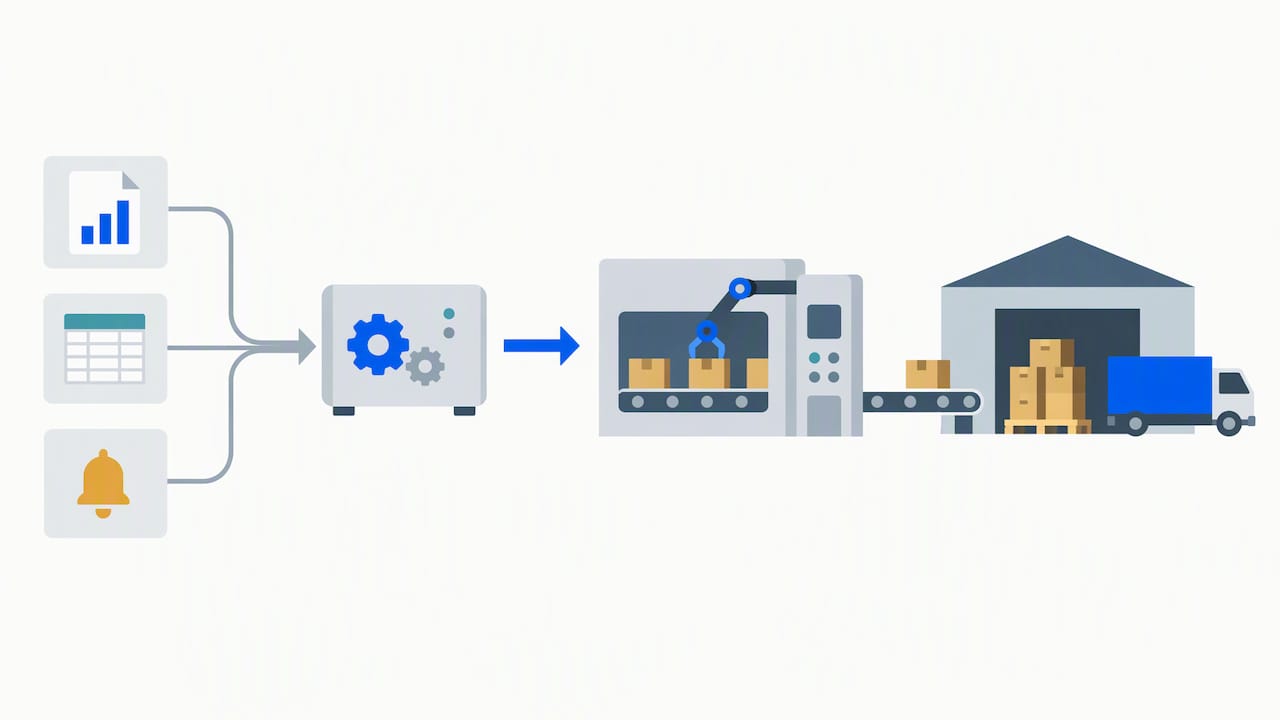
Every automated workflow follows the same basic pattern: a trigger starts it, an action carries it out, and a rule decides what happens under which conditions. A new form submission (trigger) creates a CRM record and assigns it to a salesperson (action), but only if the lead’s company size matches your target criteria (rule). That structure holds whether you are using a no-code platform like Zapier, a visual builder like Make, or a built-in automation feature inside your CRM or accounting software.
Small businesses generally do not need custom-coded integrations to get started. No-code and low-code platforms now cover most of what a five- to fifty-person company needs: connecting a web form to a CRM, syncing an invoicing tool with a spreadsheet, or moving a support ticket between stages based on customer replies. Coding becomes relevant only once you need logic that off-the-shelf connectors cannot express.
Workflows themselves tend to fall into four broad types:
- Sequential: steps happen in a fixed order, each waiting for the last to finish, like an onboarding checklist.
- Parallel: multiple actions fire at once from a single trigger, such as notifying sales and finance the moment a deal closes.
- State-driven: the workflow moves a record through defined stages, like a support ticket going from open to in-progress to resolved.
- Rule-based: branching logic sends different records down different paths depending on conditions, such as routing a refund request above a certain dollar amount to a manager.
In practice, most small business automation sits at the intersection of a handful of tools: the CRM that holds customer records, the accounting platform that handles invoices and payments, web forms that capture leads, calendars that schedule appointments, and messaging tools like Slack or email that need to be notified when something changes. Mapping where these systems already talk to each other, and where they do not, is the first real step toward identifying what to automate.
What Results to Expect and How Long They Take
Workflow automation delivers four fairly consistent gains for small businesses: time saved on repetitive tasks, fewer manual data-entry errors, faster response to customer inquiries, and cleaner reporting because data flows into one place instead of being retyped across systems. None of these require a large technology budget to get started.
Smaller, peripheral automations, like notification flows or data syncs between two existing tools, can show measurable value in 4 to 8 weeks, according to MIT Sloan Management Review, which found that prioritizing low-cost peripheral automation ahead of core system overhauls reduces both cost and implementation risk for small and midsize businesses. Larger integrations, such as connecting a CRM to an ERP or rebuilding an order-to-cash process end to end, take longer to design, test, and stabilize, often several months, because they touch more systems and more people.
Before committing to a platform, watch for costs that do not show up on the pricing page:
- Premium connectors: some integrations (certain CRMs, accounting tools, or enterprise apps) sit behind higher-tier plans.
- API rate limits: high-volume workflows can hit caps that force an upgrade or slow execution.
- Ongoing maintenance: someone has to monitor and fix workflows when a connected app changes its interface or data format.
The MIT Sloan framework for evaluating automation cost factors points to simple, low-cost examples, like using barcode scanners to track order progress, as proof that meaningful automation does not require an enterprise budget. The lesson for a small business is to start where the setup cost is low and the manual pain is high, rather than chasing the most ambitious project first.
High-Impact Automation Ideas by Business Function
The fastest way to find a workable first project is to look at what repeats daily or weekly inside each department. A few patterns show up again and again across small businesses:
- Sales: capture web leads directly into the CRM, auto-assign them by territory or deal size, and trigger a follow-up email sequence the moment a lead goes quiet. Pipedrive automation recipes built around this exact flow are common for small sales teams that cannot staff a dedicated lead-response function.
- Finance: automate invoice generation from signed quotes, schedule payment reminders before and after due dates, and route expense approvals to the right manager based on amount. Teams automating financial workflows in Zoho Books commonly use this pattern to cut reconciliation time.
- Operations: send customers automatic order-status updates, flag low inventory before it becomes a stockout, and push shipping exceptions to a shared channel instead of an inbox nobody checks.
- Marketing: schedule social posts in advance, use generative AI to draft content briefs from a campaign calendar, and trigger segmented email sequences when a contact takes a specific action, like downloading a resource or abandoning a cart. Stanford research on AI adoption in SMEs notes that many small businesses currently confine generative AI to narrow efficiency tasks, leaving higher-value uses in marketing and operations largely untapped.
- HR: build onboarding checklists that assign tasks automatically as a new hire’s start date approaches, route document approvals (offer letters, policy acknowledgments) to the right signer, and notify managers when a step is overdue.
Document-heavy functions, especially finance and HR, benefit from pairing automation with AI document processing, which can extract data from invoices, receipts, and forms without manual retyping. A grounded study of generative AI use in SMEs found productivity gains across marketing, management, and development functions, while stressing that human review still matters for accuracy. An automated expense-approval flow, for instance, should still flag unusual amounts for a person to check rather than auto-approving everything.
None of these ideas require automating an entire department at once. Picking one function, implementing a single workflow, and confirming it works reliably before expanding is what keeps a small business automation project from stalling.
How to Prioritize Which Processes to Automate First
Not every repetitive task deserves automation, and picking the wrong first project is the most common reason small businesses abandon automation after one bad experience. A simple scoring rubric narrows the field to candidates with the fastest payoff and the lowest risk.
Score each candidate process on five criteria:
- Frequency: how often does this task happen? Daily beats monthly.
- Manual time: how many hours per week does it consume across the team?
- Error rate: how often do mistakes happen, and what do they cost to fix?
- Business impact: does delay or error here affect revenue, compliance, or customer trust?
- Data availability: does the data already live in a system you can connect to, or is it scattered across emails and spreadsheets?
A process that scores high on frequency and manual time but low on data availability is still worth automating, it just needs a data cleanup step first. A process that scores low across the board is not worth the setup effort yet.
Run this audit in one to two hours before choosing any tool:
- List every repeatable task your team does at least weekly, across all departments, without filtering yet.
- For each task, write down how long it takes per occurrence and how many times it happens per week.
- Note where the data for that task currently lives (CRM, spreadsheet, email, paper form).
- Score each task against the five criteria above on a simple 1 to 5 scale.
- Rank the list and pick the top one or two candidates where data is already digital and the manual time is highest.
Pro Tip: Time-box the audit to two hours maximum; a longer exercise tends to turn into a full process review instead of a quick triage, and that delays the first automation you actually ship.
Not every candidate should be automated as-is. When a process is inconsistent, when three people each do it a different way, automating it just locks in the inconsistency faster. In that case, redesign the process first, agree on one standard version, and automate that. Similarly, if a task depends on judgment calls that vary by situation (a refund decision that weighs customer history, product condition, and goodwill), full automation is the wrong target; partial automation that handles the routine cases and routes exceptions to a person is the safer design.
The smart manufacturing adoption research from Auburn University reinforces this sequencing: starting with peripheral tasks like reporting, data entry, and notifications delivers visible wins quickly, while core production or logistics automation needs more investment and customization and should come later, once the team has built confidence with smaller wins.
Choosing a Tool: Billing Models, Flexibility, and Hidden Costs
Automation platforms charge in several different ways, and the billing model you choose has more impact on long-term cost than the sticker price on the entry-level plan. Four models dominate the market:
- Task-based pricing: you pay per action the workflow completes, which scales directly with volume.
- Credit or operation-based pricing: each step in a workflow consumes credits, and complex multi-step workflows cost more per run.
- Per-user pricing: cost scales with how many people need access to build or edit workflows, regardless of volume.
- Flat-fee pricing: a fixed monthly cost covers a defined usage tier, simple to budget but potentially limiting at scale.
A hands-on comparison from G2 found that Make’s credit-based model can be more cost-efficient at higher workflow volumes, while Zapier’s task-based pricing favors simplicity and a larger prebuilt app catalog, which illustrates why the “cheaper” plan on paper is not always cheaper once volume grows. The practical implication: estimate your expected monthly workflow volume before comparing prices, not after.
Billing model aside, platforms also split along an ease-of-use versus flexibility line. Beginner-friendly tools with prebuilt templates get a simple workflow running in minutes, which suits a small business automating its first process. More flexible visual builders handle branching logic, loops, and complex data transformations that templates cannot express, but they ask more of whoever builds and maintains the workflow. The right choice depends on who on your team will own the automation long after it launches: a non-technical operations lead benefits from the simpler platform, while a workflow with several conditional branches and multiple data sources justifies the steeper learning curve of a more flexible builder.
Before signing a contract, run through a hidden-cost checklist:
- Premium connectors: confirm the specific apps you need (not just “CRM integration” generically) are included at your plan tier.
- API usage caps: check what happens when you exceed them, a hard block, a slowdown, or an automatic upgrade charge.
- Maintenance time: budget someone’s hours to monitor and fix workflows when a connected app updates its interface.
- Vendor lock-in: check how easily workflow logic and data export if you switch platforms later.
Matching the billing model and flexibility level to your actual expected volume, rather than the lowest advertised price, is what keeps automation costs predictable as your business grows.
Step-by-Step Implementation Checklist
Implementing a first automation reliably comes down to five phases: define, map, design, build, and measure. Skipping straight to building inside a tool, without the first three steps, is the most common reason automations need to be rebuilt within months.
- Define goals and success metrics. State what the automation should achieve in measurable terms, hours saved per week, error rate reduced, or response time cut, before opening any software.
- Map the existing process with the people who run it. Walk through every manual step with the staff who currently do the work; they will surface edge cases and exceptions that a process diagram alone misses.
- Write the automation spec. Document the trigger, each action, how data fields map between systems, and what should happen when a step fails, not just when it succeeds.
- Plan for failure modes and retries. Decide in advance what the workflow does if an API call times out, a required field is empty, or a connected app is temporarily down.
- Build in a sandbox or test environment first. Avoid building directly in your live CRM or accounting system where a mistake could corrupt real customer or financial data.
- Pilot with real data on a small scale. Run the automation on a limited batch of real records before turning it on for everything.
- Monitor logs and KPIs during the pilot. Check that the automation is doing what the spec says, not just that it is running without crashing.
- Iterate based on what the pilot reveals, then document the final workflow. Write down what the automation does and why, so the next person who touches it does not have to reverse-engineer it.
Pro Tip: Keep the written spec and the documentation in the same place your team already uses for process notes, a shared drive or wiki works fine. An automation nobody can explain six months later becomes a liability the moment it breaks.
MIT Sloan’s guidance on avoiding automation fragility applies directly here: build error handling and retry logic into the spec from the start rather than bolting it on after the first failure. A workflow that silently fails when a vendor changes an API field, and keeps failing for two weeks before anyone notices, costs more than the time it originally saved.
Measuring after launch matters as much as building. Revisit the success metrics defined in step one thirty and sixty days after go-live, and compare actual results against the original estimate. If the automation is not delivering the expected time savings, the gap usually points to either a process that was more variable than mapped, or a failure mode nobody planned for.
Keeping Automations Reliable and Secure
An automation that works once and breaks silently a month later causes more damage than the manual process it replaced, because nobody is watching for the error anymore. Two issues cause most of that fragility: upstream API changes, where a connected app updates its data format without warning, and assumptions baked into the workflow that stop holding once real-world data gets messy, like a date field that sometimes arrives in a different format.
Practitioner guidance from MIT Sloan treats automation fragility as a design problem, recommending that error handling, validation, and retry logic be built in as core steps rather than afterthoughts. A workflow that retries a failed step twice before alerting a human, and logs exactly what failed, recovers from most routine hiccups without anyone noticing.
Security basics matter just as much as reliability once an automation touches customer data or financial systems:
- Use dedicated service accounts for automations instead of a personal employee login, so access can be revoked without disrupting the person’s own work.
- Apply least-privilege access, granting each automation only the specific permissions it needs, not full admin rights.
- Enable multi-factor authentication on every account connected to an automation platform, including the platform itself.
- Rotate credentials and API keys on a regular schedule rather than leaving them unchanged indefinitely.
- Keep audit logs of what each automation did and when, so a problem can be traced back to its source quickly.
Ownership matters as much as the technical setup. Assign one person, even in a small team, as the owner of each automation, responsible for a scheduled review (quarterly is reasonable for most small business workflows) and for responding when something breaks. Without a named owner, automations tend to run unmonitored until a customer or a bookkeeper notices something is wrong.
Case Studies: What Small Business Automation Looks Like in Practice
Real implementation timelines give a useful benchmark for what “fast” actually means when planning a first automation project.
- In one value-first marketing automation engagement, a small business saw measurable ROI within the 4 to 8 week range by prioritizing a single peripheral workflow rather than attempting a full marketing stack overhaul.
- A project automating financial workflows in Zoho Books focused specifically on reducing manual reconciliation work, replacing repeated manual matching of transactions with an automated sync between banking data and the ledger.
- A set of Pipedrive automations built for small-business sales teams targeted lead routing and follow-up sequencing, the same high-frequency, high-manual-time pattern the scoring rubric above is designed to surface.
The common thread across these engagements is sequencing: each one started with a narrow, well-defined workflow instead of trying to automate an entire department at once. That matches the MIT Sloan recommendation to prioritize peripheral automations first, and it is consistent with the Auburn smart manufacturing research finding that visible, low-risk wins build the confidence needed to tackle larger integrations later. None of these projects required rebuilding core systems to show a return within two months.
What Small Businesses Get Wrong About Automation
The biggest misconception we see in automation projects is treating the software choice as the hard part. It rarely is. The hard part is agreeing on which version of a process is the “real” one before automating it, because most small teams discover mid-project that three people have been doing the same task three different ways for years.
The second mistake is skipping the audit step and automating the loudest complaint instead of the highest-impact process. A noisy, annoying task is not always the one costing the most hours or dollars. The scoring rubric exists specifically to separate the two.
The third, and most expensive long-term, is building an automation with no retry logic and no owner. It runs fine for months, then a connected app changes its API, and nobody notices until a customer complains or an invoice goes unpaid. Fragility is a design choice, not bad luck, and it is avoidable from the first build.
If there is one takeaway worth acting on this week, it is the one-hour audit from earlier in this guide. Pick one process, score it, and automate that single workflow before planning anything bigger.
— Vadim
How We Help Small Businesses Automate Without the Guesswork
We build workflow automations the same way we recommend in this guide: start with one high-impact process, prove it out, then expand. Our AI & automation solutions cover discovery audits, CRM and SaaS integrations, HubSpot implementation and ongoing administration, and the monitoring work that keeps an automation reliable after launch, rather than disappearing once it goes live.
What sets our engagements apart is that every workflow is scoped around your actual process and data, not a generic template, so the automation fits how your team already works rather than forcing a new routine on top of it. Readers who want a managed-security layer around automated workflows, especially around credential handling and endpoint protection, can also look at 247Techify’s AI workflow automation services, a partner resource focused on cybersecurity-first managed IT.
For small businesses weighing a first project, a typical approach is to run a discovery audit to identify promising automation candidates, design and build the workflow in a sandbox before touching live data, and set up monitoring, retry logic, and documentation to maintain reliability after handoff.
If you want help running that first audit, book a consultation through our services page and we will walk through your current processes together.
FAQ
What is the best workflow automation tool for a small business?
There is no single best tool; the right choice depends on your expected workflow volume and how much flexibility you need. A hands-on comparison from G2 found that Make’s credit-based pricing suits higher-volume, more complex workflows, while Zapier’s simpler task-based model and larger app catalog suit beginners automating their first process.
How do you automate a workflow from scratch?
Start by mapping the existing manual process with the people who do it, then write a spec covering the trigger, the actions, how data maps between systems, and what happens if a step fails. Build the automation in a sandbox, pilot it on a small batch of real data, and monitor the results before rolling it out fully.
What are some examples of workflow automation for small businesses?
Common examples include capturing web leads directly into a CRM and auto-assigning them, automating invoice generation and payment reminders, sending automatic order-status notifications, and routing HR onboarding tasks and approvals. Document-heavy processes like expense approvals also benefit from pairing automation with AI document processing to cut manual data entry.
What are the four types of workflows?
The four common workflow types are sequential (fixed order of steps), parallel (multiple actions firing from one trigger), state-driven (a record moving through defined stages), and rule-based (branching logic that sends records down different paths based on conditions). Most small business automations combine at least two of these types within a single process.
How soon can a small business expect to see ROI from automation?
Smaller, peripheral automations, like notification flows or simple data syncs, can show measurable value in 4 to 8 weeks, according to MIT Sloan Management Review. Larger integrations across multiple core systems typically take longer because they involve more stakeholders and more testing.
Sources
- How to automate operations without breaking the bank
- Make vs. Zapier: I Dragged and Zapped Until One Won Me Over
- AI and the economy: a review of the evidence and the SME research gap
- Leveraging Generative AI and ChatGPT in SMEs: A Grounded Model