How Does monday CRM Work?
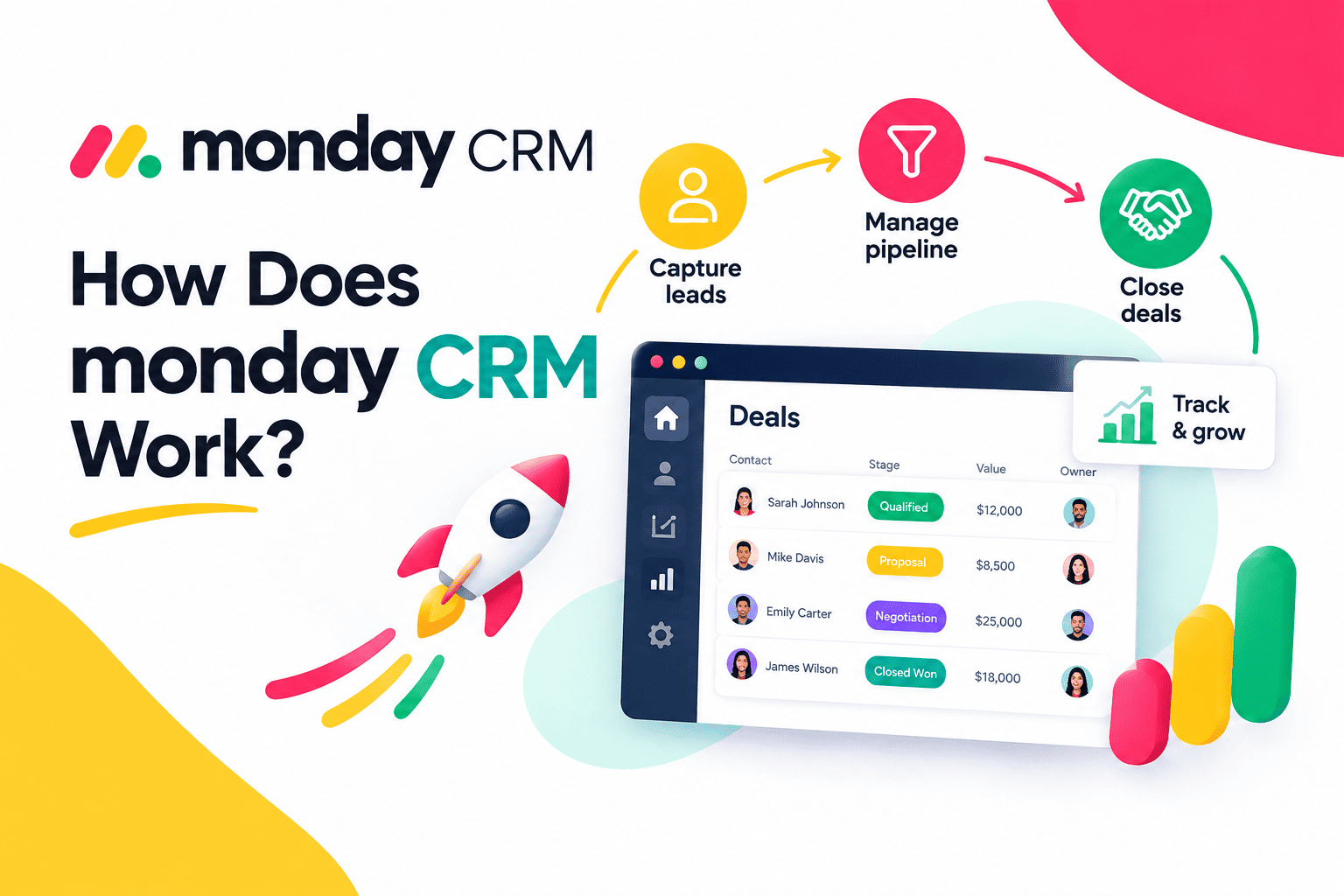
Most sales teams do not struggle because they lack effort. They struggle because their information lives in too many places. Leads sit in a spreadsheet, emails hide in personal inboxes, and deal updates travel through chat messages. A CRM should fix that, yet many tools feel rigid, expensive, or hard to learn. monday CRM takes a different approach. It lets teams build a visual, customizable sales system without writing code. This guide explains how monday CRM works, from boards and pipelines to automations, integrations, and reporting, so you can judge whether it fits your team.
Table of contents
What Is the Quick Summary?
- What it is: monday CRM is a customizable customer relationship management platform built on the monday.com Work OS.
- How it works: Teams organize leads, contacts, accounts, and deals on visual boards, and then automate repetitive steps.
- Key features: Pipelines, email sync, automations, integrations, dashboards, forms, and mobile access.
- Main benefits: Flexible setup, clear visibility, less manual work, and easy adoption.
- Next step: Map your sales process, build a simple pipeline, automate two or three tasks, and review the results after a month.
How Does monday.com CRM Relate to the Topic of This Article?

monday.com CRM is the central topic of this article. monday.com started as a work management platform, and it later added a dedicated CRM product that uses the same building blocks: boards, columns, views, automations, and dashboards. Because of that foundation, the CRM feels familiar to anyone who has managed projects visually.
In practice, monday CRM works like a set of connected spreadsheets that behave like a real sales system. Each lead becomes an item, each item carries fields such as owner, status, value, and next step, and each change can trigger actions elsewhere. Consequently, your team sees the whole sales process in one place and updates it in seconds.
This article answers six questions:
- What problem does a CRM solve?
- How does monday CRM structure data?
- How do pipelines, automations, and integrations work?
- How do reports and dashboards help?
- Who benefits most, and what are the limits?
- How can you set it up well?
We begin with the basics.
What Problem Does a CRM Solve for Sales Teams?

Why Does Scattered Information Slow Teams Down?
When customer data lives in several tools, people waste time searching and guessing. Salesforce’s State of Sales research has reported that sales reps spend only about a quarter to a third of their week actually selling, while administrative work and internal tasks fill the rest. A CRM aims to shrink that administrative share by keeping information organized and easy to update.
Why Does Follow-Up Speed Matter?
Speed influences results. A well-known Harvard Business Review study, “The Short Life of Online Sales Leads,” found that companies that contacted leads within an hour were much more likely to qualify them than companies that waited longer. A CRM supports that speed through instant lead capture, assignment, and reminders.
What Should You Expect From a Modern CRM?
A modern CRM should capture leads automatically, show where every deal stands, remind people to follow up, and report on performance. Moreover, it should adapt to your process instead of forcing you into a rigid template. monday CRM builds its value on that last point.
How Does monday CRM Structure Your Sales Data?
What Are Boards, Items, and Columns?
A board is the main workspace in monday CRM. Each row on a board is an item, such as a lead, contact, or deal. Columns store the details: status, owner, deal value, expected close date, phone number, email, and more. You add, rename, or remove columns freely, so the board matches how your team sells.
How Do Leads, Contacts, Accounts, and Deals Connect?
The platform separates records into related boards. A lead becomes a contact when qualified, a contact links to an account (the company), and a deal tracks the opportunity. Connected boards let you click from a deal to the contact and account behind it, so context stays one click away.
Which Views Can Teams Use?
Different people prefer different views. monday CRM offers several, including:
- Table view for spreadsheet-style editing.
- Kanban view for dragging deals between stages.
- Calendar view for meetings and deadlines.
- Timeline and Gantt-style views for longer projects.
- Dashboards for charts and summaries.
Because the same data powers every view, nobody needs to maintain separate versions.
How Do Sales Pipelines Work in monday CRM?
What Is a Pipeline in monday CRM?
A pipeline shows the stages that a deal moves through, such as New Lead, Qualified, Proposal, Negotiation, and Won or Lost. In monday CRM, you set these stages as status options and display them in a Kanban or table view. Your team drags a deal forward when something changes, and the system records the update.
How Should You Design Your Stages?
Keep stages clear and tied to buyer actions. For example, “Proposal Sent” describes something that happened, while “Thinking About It” does not. Aim for five to seven stages, because too many slow down updates and confuse reporting.
Can You Run More Than One Pipeline?
Yes. Teams often run separate pipelines for new business, renewals, and partnerships. Each pipeline can use its own stages, fields, and automations. As a result, every process gets the structure it needs.
| Pipeline Element | Purpose | Example |
|---|---|---|
| Stage | Shows deal progress | Qualified, Proposal, Won |
| Owner | Assigns responsibility | Sales rep name |
| Deal value | Supports forecasting | $12,000 |
| Close date | Tracks timing | End of quarter |
| Next step | Keeps momentum | Call on Thursday |
How Do Automations Save Time in monday CRM?

How Do Automations Work?
monday CRM uses simple “if this happens, then do that” logic. You choose a trigger, such as a status change or a new item, and then you choose an action, such as sending an email, creating a task, or notifying a colleague. You build these rules from ready-made recipes, so you do not need technical skills.
Which Automations Help Most?
Start with repeated, high-volume tasks. The table below lists common examples.
| Trigger | Automated Action | Benefit |
|---|---|---|
| New lead arrives | Assign it to the next available rep | Faster response |
| Deal moves to Proposal | Create a follow-up task | Fewer forgotten follow-ups |
| Deal stays in one stage too long | Notify the owner and manager | Fewer stalled deals |
| Deal marked Won | Notify finance or onboarding | Smoother handoff |
| Close date approaches | Send a reminder | Better forecast accuracy |
How Much Time Can Automation Recover?
Consider a simple calculation. If your team handles 200 leads per month and each manual assignment and notification takes two minutes, you spend more than six hours on that single chore. An automation does it instantly. Multiply that across several routine tasks, and you reclaim days each quarter. McKinsey Global Institute has estimated that a large share of work activities holds automation potential, so this opportunity applies broadly.
Does Automation Replace Salespeople?
No. Automation handles routine steps, while people build trust, negotiate, and solve problems. Therefore, use automation to free time for those human tasks.
How Does monday CRM Handle Email and Communication?

How Does Email Sync Work?
You can connect your mailbox, such as Gmail or Outlook, so email conversations appear on the related contact or deal. Team members then see the full message history without asking colleagues to forward anything. This shared context helps when you reassign a deal or cover for a teammate.
What Does Email Tracking Add?
Tracking can show whether a recipient opened an email or clicked a link, depending on your setup and plan. Reps use these signals to time follow-ups. For instance, a prospect who opens a proposal three times may deserve a quick call.
How Do Templates and Sequences Help?
Templates let reps send consistent messages quickly, and automated email steps support follow-up sequences. Features and limits vary by plan, so check monday.com’s current documentation before you design a communication strategy. Even so, the main idea stays the same: write once, reuse often, and personalize the details.
Which Email Habits Work Best?
- Keep messages short and focused on one request.
- Personalize the first line with real details.
- Test automated emails before you launch them.
- Review reply and open rates every month.
How Does Lead Capture Work in monday CRM?
How Do Web Forms Feed the CRM?
You can build forms and embed them on your website or share them by link. Each submission creates a new lead item automatically, with fields filled in. As a result, nobody retypes data from an inbox into a spreadsheet.
Which Other Sources Can Create Leads?
monday CRM connects with other tools through native integrations and automation platforms. Marketing tools, ad platforms, and scheduling apps can all send leads into your boards. Check the integration center for the current list, because it changes over time.
How Do You Keep Lead Data Clean?
Clean data supports every other feature. Agree on required fields, such as lead source, owner, and status. Likewise, use dropdowns instead of free text wherever possible, because consistent options make reports reliable.
Which Integrations Does monday CRM Offer?

Why Do Integrations Matter?
A CRM works best when it connects with the tools your team already uses. monday.com lists integrations with email and calendar apps, communication tools such as Slack, video platforms such as Zoom, marketing tools, and cloud storage. Integrations reduce copy-and-paste work and keep records aligned.
What Can You Connect?
| Category | Typical Examples | What It Does |
|---|---|---|
| Email and calendar | Gmail, Outlook, Google Calendar | Syncs messages and meetings |
| Communication | Slack, Microsoft Teams | Sends deal alerts to channels |
| Video | Zoom | Links meetings to deals |
| Marketing | Mailchimp and similar tools | Shares leads and campaign data |
| Automation platforms | Zapier and similar tools | Connects thousands of other apps |
What If Your Tool Has No Native Integration?
Use an automation platform or the monday.com API. Teams with technical resources can build custom connections, while others can hire a specialist. This flexibility keeps the system useful as your stack evolves.
How Do Dashboards and Reports Support Decisions?
What Can Dashboards Show?
Dashboards pull data from your boards and display it as charts, tables, and counters. Sales managers typically track pipeline value, deals by stage, win rate, revenue by source, and rep activity. Because the data updates as the team works, nobody needs to build a Friday report by hand.
Which Metrics Deserve Attention First?
Focus on a short list that reveals how healthy your sales process is.
| Metric | Why It Matters |
|---|---|
| Pipeline value by stage | Shows where revenue sits |
| Win rate | Measures sales effectiveness |
| Sales cycle length | Reveals speed and bottlenecks |
| Lead response time | Shows how quickly you engage prospects |
| Revenue by source | Guides marketing spend |
How Do Forecasts Improve Planning?
When reps keep deal values and close dates current, managers build forecasts from real data. Accurate forecasts help with hiring, budgeting, and goal setting. However, the numbers only help if the team updates records consistently, so make updates part of your weekly routine.
How Does monday CRM Support Collaboration and Mobile Work?
How Do Teams Collaborate Inside the CRM?
Team members comment on items, mention colleagues, attach files, and share updates in one place. This approach reduces long email threads and keeps decisions attached to the relevant deal. In addition, sales can work alongside marketing, customer success, and finance on the same platform, which smooths handoffs.
Why Does Mobile Access Matter?
Sales rarely happens at a desk. The monday.com mobile app lets reps update deals, check tasks, and log notes after a meeting. Consequently, data arrives while the conversation is fresh.
How Do Permissions Protect Data?
Admins control who sees and edits each board, column, or workspace. Use permissions to protect sensitive fields such as pricing or commission data, and review them whenever team members change roles.
What Are the Main Benefits of monday CRM?

Which Benefits Do Teams Notice First?
Teams usually notice the visual clarity. Everyone sees the same pipeline, so status meetings shrink. They also notice the flexibility, because they adapt the system without waiting for developers.
How Do the Benefits Add Up?
| Benefit | How monday CRM Delivers It |
|---|---|
| Flexibility | Custom boards, columns, and views |
| Time savings | Automations and templates |
| Visibility | Dashboards and shared pipelines |
| Easier adoption | Familiar, spreadsheet-like interface |
| Better collaboration | Comments, mentions, and shared workspaces |
| Scalability | Add users, boards, and integrations over time |
How Do You Measure the Return?
Track lead response time, win rate, sales cycle length, and hours spent on admin before and after adoption. Compare the numbers after thirty, sixty, and ninety days. If a metric does not improve, adjust your workflows rather than abandon the tool.
Which Businesses Benefit Most From monday CRM?

Does It Suit Small and Midsize Teams?
Yes. Small and midsize teams enjoy the quick setup and the visual design. They can start with a template and refine it as they learn.
Does It Suit Agencies and Service Firms?
Agencies and consultancies often manage both sales and delivery. Since monday.com handles projects too, these teams can connect a won deal to a delivery board without changing platforms.
Does It Suit Cross-Functional Teams?
Companies that want sales, marketing, and operations in one workspace gain a clear advantage. Everyone shares context, so handoffs run smoothly.
Who Might Need Something Different?
Very large enterprises with deep, specialized CRM requirements may prefer a platform built only for CRM at scale. Similarly, teams that want a lightweight tool with a very small feature set might find monday CRM more flexible than they need.
What Does monday CRM Cost, and What Limits Should You Check?
How Does Pricing Typically Work?
monday.com generally charges per user, with several plans that unlock more features, automations, and integrations. Plans may carry minimum seat counts, and pricing changes over time. Always review the current pricing page before you decide.
Which Limits Deserve a Closer Look?
Check automation and integration limits, storage, user permissions, and reporting depth on each plan. In addition, confirm whether advanced features, such as certain email tools or AI capabilities, require a higher tier.
Which Questions Should You Ask Before Buying?
- How many users need access, and at which permission levels?
- Which automations and integrations does my process require?
- How will we migrate existing data?
- Who will own the system and keep it organized?
- What support and training options exist?
How Can You Set Up monday CRM Step by Step?

Step 1: How Do You Map Your Sales Process?
Write down how a lead becomes a customer. Include every handoff and every decision point. This map guides your board design.
Step 2: How Do You Build Boards and Pipelines?
Start from a template, and then adjust columns and stages to match your map. Keep the structure simple at first.
Step 3: Which Automations Should You Add?
Choose two or three high-value automations, such as lead assignment, follow-up tasks, and stalled-deal alerts. Test each with sample data before you launch.
Step 4: How Do You Import Data and Train the Team?
Clean your existing contacts, import them, and run a short training session. Explain why the system matters, because people adopt tools they understand.
Step 5: How Do You Review and Improve?
Hold a monthly review of dashboards, automations, and user feedback. Remove clutter, fix friction, and add new automations gradually.
What Mistakes Should You Avoid With monday CRM?

Does Too Much Customization Hurt?
Flexibility tempts teams to add endless columns and boards. Over time, the system becomes confusing. Therefore, add only what supports a real decision or action.
Why Does Inconsistent Data Entry Cause Problems?
Reports fail when people skip fields or use different labels. Use required fields, dropdowns, and clear guidelines to keep data consistent.
Why Should You Not Skip Ownership?
Every CRM needs an owner who maintains structure, permissions, and automations. Without one, the system drifts.
| Mistake | Better Approach |
|---|---|
| Building too many columns | Keep only fields that drive action |
| Skipping training | Run short, practical sessions |
| Automating a broken process | Fix the process first |
| No system owner | Assign an admin |
| Never reviewing results | Hold monthly reviews |
What Does a Realistic Example Look Like?
How Does a Twelve-Person B2B Services Firm Use It?
Imagine a twelve-person consulting firm. Before monday CRM, leads arrive by email and web form, and the owner copies them into a spreadsheet. Reps update deals by chat, and the owner builds a monthly report by hand. Several leads slip through the cracks. (This example is illustrative, and results vary.)
After adopting monday CRM, the firm embeds a form on its website, and each submission creates a lead and assigns it to a rep automatically. Reps drag deals through the pipeline, and automations create follow-up tasks and alert the owner about stalled deals. A dashboard shows pipeline value and win rate in real time. The owner stops building reports, and the team responds to leads faster.
What Are the Main Conclusions About monday CRM?
monday CRM works by turning your sales process into connected, visual boards that your team can customize without code. It structures leads, contacts, accounts, and deals, moves them through pipelines, automates repetitive tasks, syncs email, connects to other tools, and reports on results. Consequently, teams gain clarity, save time, and respond to customers faster.
To recap:
- Boards, items, and columns give you a flexible data structure.
- Pipelines and views show exactly where every deal stands.
- Automations and templates remove repetitive work.
- Integrations and dashboards connect your tools and support better decisions.
- Success depends on a clear process, clean data, and regular reviews.
If your team wants a flexible, visual way to manage sales, explore monday.com CRM and test it with one pipeline and a few automations. Measure the results, and then expand with confidence.
What Are the Frequently Asked Questions About monday CRM?
No. Most users build boards, pipelines, and automations with point-and-click tools. Complex integrations or custom data models may need technical help, but everyday use does not.
In most cases, yes. The platform feels familiar to spreadsheet users, yet it adds automation, reporting, and collaboration. You can import your existing spreadsheet data and retire the old files once your team trusts the new system.
A basic setup can take a few hours to a few days, depending on your process and data. More complex projects with integrations and migrations take longer. A pilot with a small team shortens the learning curve and reduces risk.
Why Should You Work With Solution for Guru to Implement monday CRM?
Flexible tools reward careful planning. Without a clear design, teams can build messy boards that nobody trusts. An experienced partner such as Solution for Guru helps you design a clean, practical system from the start.

What Benefits Does Cooperation With Solution for Guru Bring?
- Faster launch. Specialists build boards, pipelines, and automations correctly the first time.
- Process expertise. A partner reviews your sales process and recommends practical improvements.
- Tailored configuration. You get fields, views, and workflows that match your team and customers.
- Data migration. Experts clean and import your existing contacts and deals without duplicates.
- Integration support. A partner connects monday CRM to your email, marketing, and finance tools.
- Team training. Your people learn best practices, which raises adoption.
- Ongoing optimization. As your business grows, the partner refines dashboards, automations, and permissions.
How Does a Partner Reduce Risk?
Self-built systems often grow messy, and weak adoption wastes the investment. An experienced partner anticipates these issues and sets guardrails early. As a result, you protect your budget, shorten your timeline, and keep your team focused on selling.
How Can You Get Started?
Contact Solution for Guru to discuss your sales goals, and pair that conversation with a hands-on look at monday.com CRM. With expert guidance, your team can build a CRM that people actually enjoy using.
Recommended:
- How Do Bigin’s Automation Features Save Time for Growing Teams?
- What Is monday CRM? A Complete Guide to monday.com CRM
- Bigin Mobile App Review: Managing Sales on the Go
- CRM Proficiency Is the New Digital Literacy: Do You Agree?
- Bigin by Zoho CRM Pricing Explained: Is It Worth It?
- Using Creatio to Standardize Business Processes Across Departments
- Best Pipedrive Reports for Sales Managers
- Pipedrive Insights Explained: How Sales Reporting Works
- Pipedrive Automation Examples for Sales Teams
- Pipedrive Sales KPIs: 15 Metrics Every Team Should Track
- How Pipedrive AI Helps Sales Teams Save Time
- CRM Roles 101: From CRM Administrator to CRM Developer
- Pipedrive MCP Explained: How AI Assistants Connect to Your CRM
- Sales Forecasting and Pipeline Management in Creatio CRM
- Pipedrive Sales Dashboard: How to Track Performance
- Pipedrive Automation Triggers and Actions Explained
- Pipedrive AI vs Traditional CRM Automation: What’s the Difference?
- ERP and ITSM Integration: Improving Operational Visibility Across Departments
- Integrating Endpoint Management Tools with Freshservice