
What Is Resource Capacity Planning?

Every team has a limit to how much work it can handle. Promise too much, and people burn out, deadlines slip, and clients lose trust. Promise too little, and talented staff sit idle while revenue goes unclaimed. Resource capacity planning helps you find the balance. This guide explains what it is, why it matters, which methods and metrics to use, and how modern software supports the process.
Table of contents
Quick Summary
- Definition: Resource capacity planning compares the work you expect with the people, time, and equipment you have available.
- Purpose: It helps you assign work realistically, prevent overload, and spot gaps before they hurt projects.
- Core inputs: Available hours, planned demand, skills, leave, and project priorities.
- Key metrics: Capacity, utilization, availability, and demand forecasts.
- Common methods: Spreadsheets for tiny teams, and dedicated scheduling software for growing ones.
- Helpful tool: Resource Guru offers visual scheduling, leave tracking, and utilization reporting.
- Expert support: A consulting partner such as Solution for Guru can help you choose and implement the right approach.
What Is Resource Guru and How Does It Relate to Capacity Planning?

What does Resource Guru do?
Resource Guru – Resource Management is a cloud-based scheduling and resource management tool. Teams use it to book people, equipment, and rooms onto projects, track leave, and view who is free or overbooked. Agencies, consultancies, IT teams, construction firms, and many other organizations rely on this type of tool to keep work moving.
Why does it matter for this topic?
Capacity planning needs two kinds of information: how much time people have, and how much work they must do. Resource Guru brings both into a single visual schedule. Managers see bookings, time off, and availability side by side, so they can judge capacity at a glance. Consequently, the tool turns the abstract idea of capacity planning into a practical daily routine.
Throughout this article, you will see how Resource Guru supports each stage of the planning process. Note that features and plans can change, so confirm the latest details on the official website before you decide.
What Is Resource Capacity Planning in Simple Terms?
How do you define it?
Resource capacity planning is the process of estimating the resources your organization needs to deliver upcoming work, and then comparing that need with the resources you actually have. Resources usually mean people, but they can also include machines, vehicles, rooms, and budgets. The comparison reveals surpluses and shortages early, so you can act before problems grow.
How does it differ from resource allocation?
Resource allocation assigns specific people to specific tasks. Capacity planning looks at the bigger picture: do we have enough total capacity to cover the demand over the coming weeks or months? In practice, the two activities work together. Capacity planning tells you whether the plan can succeed, and allocation puts the plan into action.
How does it differ from workforce planning?
Workforce planning usually covers long-term staffing strategy, such as hiring and succession. Capacity planning focuses on near-term and medium-term delivery, such as the next quarter. Both feed each other, but capacity planning responds faster to changes in project demand.
Which terms should you know?
| Term | Meaning | Example |
|---|---|---|
| Capacity | Total available working time | 5 people × 40 hours = 200 hours per week |
| Demand | Work that needs doing | Projects requiring 240 hours this week |
| Utilization | Share of capacity spent on planned work | 160 hours booked ÷ 200 hours available = 80% |
| Availability | Remaining unbooked time | 40 hours still open |
| Overbooking | Demand exceeding capacity | 240 hours of work vs. 200 hours capacity |
Why Does Resource Capacity Planning Matter?

Does it protect your team from burnout?
Yes. When managers pile work on the same people repeatedly, stress rises and quality falls. The World Health Organization (WHO) recognizes burnout as an occupational phenomenon linked to chronic workplace stress. Planning capacity honestly keeps workloads reasonable and helps you protect your team’s well-being.
Does it improve project delivery?
Absolutely. The Project Management Institute (PMI) highlights resource management as a core part of successful project delivery. When you know who has time and which skills you need, you start projects with realistic schedules. As a result, you meet more deadlines and reduce expensive last-minute scrambles.
Does it increase profitability?
Billable teams earn money when people work on paid projects. Low utilization signals lost revenue, while excessive utilization signals risk. Capacity planning helps you find the healthy middle, so you maximize income without exhausting your staff.
What other benefits should you expect?
- Better hiring decisions, because you see gaps before you recruit.
- Smarter project approvals, because you know whether you can deliver.
- Clear priorities when projects compete for the same people.
- More accurate client promises and timelines.
- Higher team morale from fair workload distribution.
What Are the Core Components of a Capacity Plan?

Available capacity starts with working hours, but you must subtract time that people cannot spend on project work. Holidays, annual leave, sick days, training, meetings, and administrative tasks all reduce effective capacity. A person who works 40 hours per week rarely has 40 productive project hours.
What is demand?
Demand includes confirmed projects, likely projects in your pipeline, and recurring work. Many teams also reserve time for unplanned requests, such as urgent client fixes. Estimating demand accurately takes experience, so review past projects and compare estimates with actual hours.
Why do skills matter?
Total hours tell only part of the story. If you need a senior designer and you have five available junior designers, the capacity does not match the demand. Therefore, track skills, roles, and seniority alongside hours. Matching the right person to the right work prevents quality problems and rework.
How do you handle uncertainty?
Projects change, clients delay approvals, and people fall ill. Build a buffer into your plan, often 10 to 20 percent depending on your industry. Additionally, review forecasts regularly and update them as new information arrives.
Which Capacity Planning Metrics Should You Track?
What is utilization rate?
Utilization rate divides the hours people spend on planned work by their available hours. Billable teams often aim for a target in the range of 70 to 85 percent, though the right figure depends on your business model and role mix. Consistently exceeding 100 percent means overload, while very low rates suggest unused capacity.
What is capacity versus demand gap?
Subtract demand from capacity for each week or month. A negative number reveals a shortage, and a positive number reveals spare time. Looking ahead several weeks lets you act early, whether you hire, reschedule, outsource, or decline work.
Which other metrics help?
| Metric | What it shows | Why it helps |
|---|---|---|
| Billable utilization | Share of time on paid work | Links capacity to revenue |
| Forecast accuracy | Planned vs. actual hours | Improves future estimates |
| Overbooked people | Staff above 100% load | Early burnout warning |
| Bench time | Unassigned hours | Spots idle capacity |
| Leave impact | Time lost to absence | Keeps plans realistic |
| Project profitability | Revenue vs. cost | Guides project selection |
How Do You Create a Resource Capacity Plan Step by Step?

1. How do you gather the inputs?
- List your resources. Include people, roles, skills, equipment, and rooms.
- Record working patterns. Capture part-time schedules, shift patterns, and time zones.
- Track leave and holidays. Add all planned absences.
- Collect project demand. Gather confirmed work, pipeline projects, and recurring tasks.
2. How do you analyze and decide?
- Calculate capacity. Add available hours and subtract non-project time.
- Compare with demand. Look for weeks with shortages and weeks with spare time.
- Test scenarios. Ask “what if” questions, such as winning a large project or losing a key employee.
- Choose actions. Options include rescheduling, hiring, contracting, training, or declining work.
3. How do you keep the plan alive?
- Share the schedule. Let team members see their assignments.
- Review weekly. Adjust bookings as reality changes.
- Compare plans with actuals. Learn from variances to improve future forecasts.
- Report to leadership. Show utilization and capacity trends regularly.
Which Methods and Tools Can You Use?
Can spreadsheets handle capacity planning?
For teams of a few people with simple projects, spreadsheets work fine. They cost little and offer flexibility. However, they become difficult as the team grows. Formulas break, multiple people overwrite each other’s edits, and nobody can see leave and bookings in one view.
When should you move to dedicated software?
Consider specialized software when you manage more than a handful of people, juggle many concurrent projects, or struggle to see conflicts. Dedicated tools provide live schedules, conflict alerts, reporting, and integrations. They also save time, since managers drag and drop instead of rewriting spreadsheet cells.
| Criteria | Spreadsheet | Resource scheduling software |
|---|---|---|
| Setup cost | Very low | Subscription fee |
| Visual schedule | Manual effort | Built in |
| Leave tracking | Separate or manual | Often integrated |
| Conflict detection | None | Automatic alerts |
| Reporting | Manual formulas | Ready-made reports |
| Scalability | Weak for large teams | Strong |
| Collaboration | Prone to version conflicts | Real-time sharing |
How Does Resource Guru Support Capacity Planning?
How does the visual schedule help?
Resource Guru displays a calendar-style schedule where each row represents a person, piece of equipment, or room. Managers create bookings by dragging across dates, and they can attach projects, clients, and notes. Because everyone sees the same live schedule, you spot gaps and overloads immediately.
How does it handle leave and conflicts?
The tool tracks holidays and time off alongside project bookings. Therefore, you never assign work to someone who is on vacation. When a booking would exceed a person’s available time, clash management features alert you, so you can resolve the issue before it affects delivery.
What about utilization reports?
Resource Guru offers reports that show how much time resources spend on projects and clients, along with utilization percentages. These reports help managers see who has spare capacity, who carries too much, and how workload changes over time. Managers can then rebalance work using real data instead of hunches.
Which other features support planning?
- Resource requests and approvals, where team members ask for bookings.
- Custom fields and filters to organize people by skill, department, or location.
- Calendar integrations that show bookings in existing calendars.
- Notifications that tell people about new or changed assignments.
- Options to share schedules with clients or contractors.
Available features vary by plan, so review the current pricing page before you subscribe.
How Can You Use Resource Guru in a Planning Cycle?

How do you set up the foundation?
Start by adding your people, equipment, and rooms. Next, enter working patterns and holidays. Then create your clients and projects. This groundwork gives the schedule an accurate base, so your capacity numbers make sense from the first day.
How do you run the weekly routine?
Each week, review the schedule for overbooked people and free capacity. Move bookings, assign available staff to urgent work, and confirm upcoming leave. Afterward, share changes with the team. A short, regular routine keeps the plan accurate and prevents surprises.
How do you plan ahead?
Look several weeks or months ahead and compare confirmed bookings with expected projects. If a gap appears, decide early whether to hire, hire a contractor, or adjust timelines. Moreover, use reports at month-end to compare planned and actual utilization and refine your estimates.
What routine works best?
| Frequency | Action | Outcome |
|---|---|---|
| Daily | Check clashes and urgent requests | Fast problem resolution |
| Weekly | Review next 2–4 weeks of bookings | Balanced workloads |
| Monthly | Review utilization reports | Insight into trends |
| Quarterly | Compare capacity with pipeline | Hiring and strategy decisions |
What Challenges Can Capacity Planning Create?
Why do estimates go wrong?
People often underestimate how long work takes. They forget meetings, revisions, and context switching. Compare estimates with actual hours after each project, and adjust your assumptions. Over time, your forecasts become more reliable.
How do you avoid planning too tightly?
A schedule that fills every hour leaves no room for illness, delays, or urgent requests. Leave a buffer, and avoid targeting 100 percent utilization. Healthy teams plan for slack, which actually speeds delivery in the long run.
How do you gain team buy-in?
Some staff worry that scheduling tools monitor them. Explain that the goal is fair workloads and realistic deadlines, not surveillance. Involve the team, invite feedback, and show how the schedule protects them from overload.
What other pitfalls should you watch for?
- Outdated data, because people forget to update bookings.
- Ignoring skills when assigning work.
- Treating all hours as equally productive.
- Skipping regular reviews.
Who Benefits Most from Capacity Planning?

Which industries rely on it?
Many sectors use capacity planning: creative and marketing agencies, software and IT teams, consultancies, construction and engineering firms, event companies, healthcare and education providers, and manufacturers. In each case, the organization sells time, skills, or access to limited resources.
Which roles use it daily?
Project managers, resource managers, operations leaders, and department heads use capacity plans most often. Finance teams also rely on utilization data to forecast revenue. Meanwhile, team members benefit from clear schedules and reasonable workloads.
Which growth stage needs it most?
Small businesses benefit because one overload can derail delivery. Growing companies need it to decide when to hire. Large organizations need it to coordinate many teams and avoid hidden bottlenecks. In short, every stage gains something.
What Are the Conclusions?
Resource capacity planning compares the work you expect with the people and assets you can use to deliver it. Done well, it prevents overload, improves project delivery, supports profitability, and informs smart hiring decisions. Done poorly or not at all, it leaves teams exhausted, deadlines missed, and revenue uncertain.
Successful planning rests on accurate inputs, realistic buffers, and regular reviews. Track capacity, demand, and utilization, and test scenarios before you commit to new work. As your organization grows, replace error-prone spreadsheets with a tool built for the job.
Resource Guru – Resource Management fits that role well. Its visual schedule, leave tracking, clash alerts, and utilization reports give managers a clear view of who can do what and when. With careful setup and a steady planning routine, and with expert help from Solution for Guru, you can build a capacity plan that keeps your team healthy and your projects on track.
What Are the Frequently Asked Questions?
Review your schedule at least weekly, and check clashes daily if your projects change quickly. Conduct deeper reviews monthly and quarterly to compare forecasts with actual results. Frequent updates keep the plan accurate and help you react before problems grow.
The right target depends on your industry and roles. Many billable teams aim for roughly 70 to 85 percent, which leaves room for meetings, training, leave, and unexpected work. Avoid planning at 100 percent, because it leaves no buffer and increases burnout risk.
Yes. Small teams feel the impact of a single overload or absence more strongly than large ones. A tool such as Resource Guru provides a clear, shared view of bookings and leave, so even a small team can plan realistically. Start with a free trial, if available, to test the fit.
How Can Solution for Guru Help with Capacity Planning?
Who is Solution for Guru?
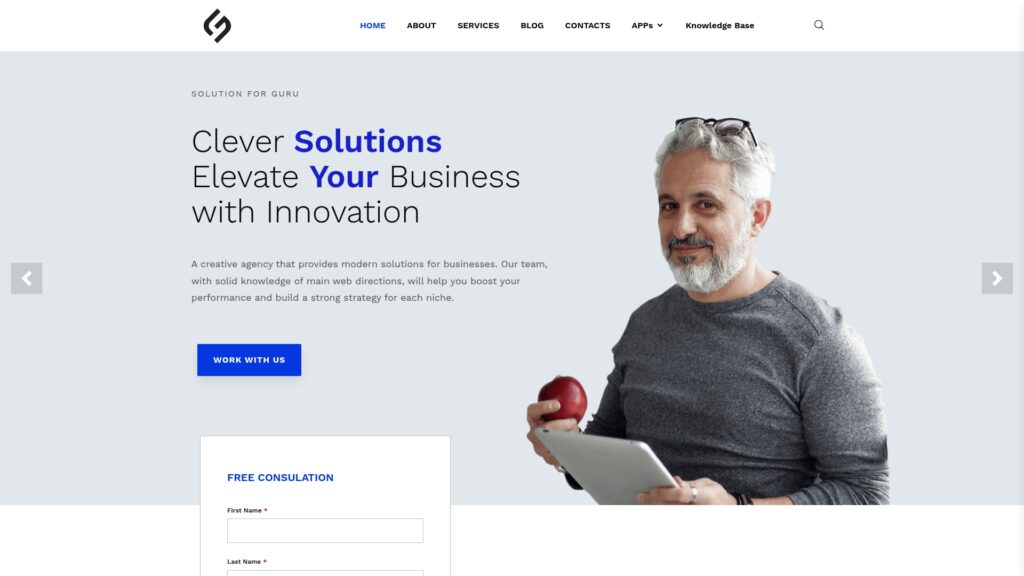
Solution for Guru is a technology consulting company that helps businesses select, implement, and optimize software solutions. Rather than leaving your team to experiment alone, the company provides structured guidance from analysis to ongoing support.
What are the benefits of cooperating with Solution for Guru?
- Process review: Experts examine how you plan work today and identify capacity blind spots.
- Tool selection: The team compares scheduling tools, including Resource Guru, and recommends the best fit for your needs.
- Smooth implementation: Specialists configure resources, projects, leave rules, and reports, so you start with a clean setup.
- Training and adoption: Your managers and staff learn practical routines, which speeds up results.
- Ongoing optimization: Regular check-ins keep your planning process aligned with business growth.
- Risk reduction: Careful planning avoids costly mistakes and tool-switching later.
If you want a reliable capacity planning process without the trial and error, contact Solution for Guru to discuss your goals and receive a practical action plan.