Automating Financial Workflows in Zoho Books
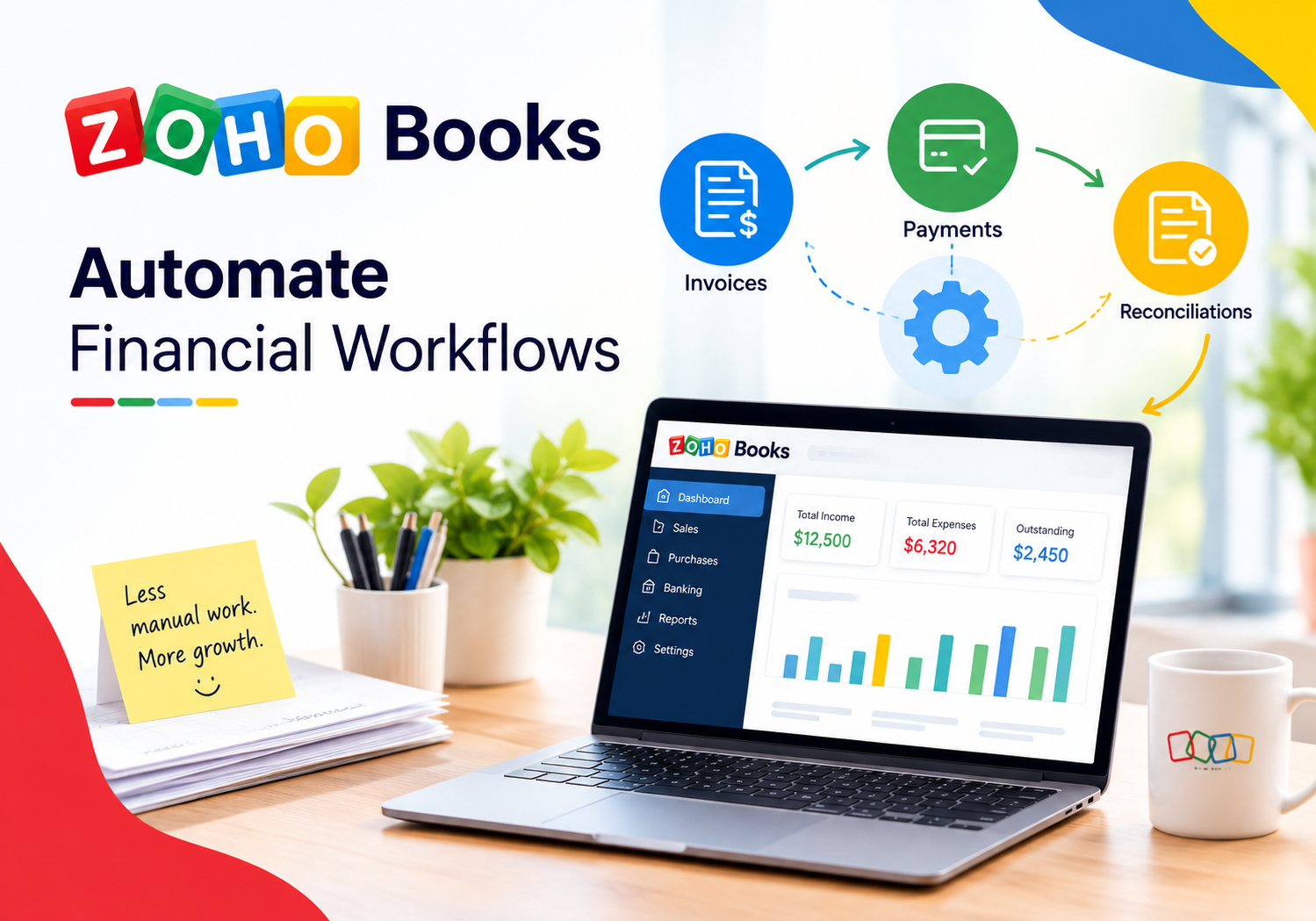
Manual bookkeeping eats hours that a growing business rarely has to spare. Someone has to remember to send each invoice, chase overdue payments, categorize expenses, and reconcile the bank feed, and every one of those tasks repeats itself month after month. Automation removes that repetition, letting the accounting software handle routine work while finance teams focus on decisions instead of data entry.
As transaction volume grows, the cost of manual work grows with it. A business processing a handful of invoices a month can survive on spreadsheets and reminders sent by hand, but the same approach collapses once a company scales to dozens of clients, recurring subscriptions, and daily expense entries. This article explains how financial workflow automation actually works inside a modern accounting platform, why it matters for growing businesses, and how a specialized implementation partner can help a company set it up correctly from the start.
Table of contents
What Will You Learn From This Quick Summary?
Before diving into the details, here is a quick overview of what this guide covers:
- Why manual financial processes slow businesses down and introduce errors
- How Zoho Books‘ built-in automation tools handle invoicing, expenses, and reconciliation
- A comparison table summarizing the main automation categories and who benefits most from each
- Common mistakes businesses make when setting up automated workflows
- Best practices for getting the most value from an automated accounting system
- How partnering with a certified implementation expert like Solution For Guru speeds up adoption and reduces setup errors
What Is Zoho Books, and How Does It Relate to Financial Workflow Automation?

Zoho Books is a cloud-based accounting platform built around automating the repetitive tasks that traditionally consume a bookkeeper’s day. Rather than treating automation as an add-on, Zoho Books builds workflow rules, recurring transactions, and bank reconciliation tools directly into its core structure, which means businesses gain automation capabilities without needing a separate integration tool.
This direct relationship between the platform and workflow automation matters because financial processes touch nearly every part of a business. Invoicing affects cash flow, expense tracking affects budgeting, and reconciliation affects the accuracy of every financial report a company relies on. Zoho Books connects these processes so that automating one task, such as sending an invoice, naturally feeds into the next step, such as recording the payment once it arrives.
Furthermore, Zoho Books scales its automation tools across business sizes, from microbusinesses automating their first recurring invoice to larger companies running custom workflow rules and scripted functions. As a result, a company can start with basic automation and expand into more advanced rules as its financial processes grow more complex, rather than switching platforms once its needs outgrow simple invoicing.
Zoho Books also extends its automation reach beyond the accounting module itself. The platform connects with digital assistants and other business tools, which means finance teams can trigger certain actions, pull reports, or check payment status without switching between multiple applications. This connected approach reinforces why Zoho Books sits at the center of financial workflow automation rather than functioning as a standalone bookkeeping tool.
Why Do Financial Teams Need Automation in the First Place?

Manual financial processes were manageable when businesses handled a handful of transactions each month. As transaction volume grows, however, manual work becomes both slower and riskier. A single missed step, such as forgetting to send an invoice or misclassifying an expense, can cascade into cash flow problems or inaccurate financial reports weeks later.
What Problems Arise From Manual Financial Processes?
Several recurring issues show up in finance teams that rely on manual workflows:
- Missed invoices: Someone forgets to send a bill on time, delaying payment and hurting cash flow.
- Late payment follow-ups: Overdue accounts go unnoticed until they become a serious collections problem.
- Data entry errors: Manually entered transactions introduce mistakes that later require time-consuming corrections.
- Reconciliation delays: Matching bank transactions to accounting records by hand takes hours every month.
Consequently, businesses that automate these processes typically see faster payment cycles, fewer errors, and significantly less time spent on routine bookkeeping tasks.
There is also a trust dimension worth considering. When financial data flows automatically from invoicing through to reconciliation, business owners and accountants stop questioning whether the numbers are accurate and start focusing on what those numbers mean for planning and growth. That shift alone often justifies the investment in automation, since it changes how confidently a business can make financial decisions.
How Does Zoho Books Automate Core Financial Workflows?
Zoho Books applies automation across several distinct areas of financial management. The sections below explain how each automation category works and why it matters for day-to-day operations.
How Does Recurring Invoicing Reduce Manual Billing Work?
Recurring invoices let businesses set up a billing schedule once, and Zoho Books then generates and sends each invoice automatically according to that schedule. This is particularly valuable for subscription businesses, retainer-based service providers, and any company that bills the same client on a regular basis.
Because each recurring invoice generates a “child invoice” tied to its original profile, finance teams can track the full billing history without recreating the invoice from scratch every cycle. Additionally, businesses can enable automatic charging so that a customer’s saved payment method gets billed the moment the recurring invoice generates, removing the need for manual payment collection altogether.
This setup also reduces the risk of billing disputes, since every generated invoice follows the same template and pricing logic established when the recurring profile was created. Clients receive consistent, predictable billing, which builds trust and reduces the number of clarifying emails that finance teams typically field around invoice questions.
How Do Automated Payment Reminders Improve Cash Flow?
Chasing overdue invoices manually is uncomfortable and easy to postpone, which often means payments slip further behind than necessary. Zoho Books automates this process by sending reminder emails at configured intervals before and after a due date, so customers receive consistent follow-ups without anyone on the finance team having to draft a single email.
As a result, businesses typically see overdue balances shrink, since automated reminders reach customers faster and more consistently than an overworked accounts receivable team manages on its own. This consistency also protects client relationships, since automated reminders read as routine rather than confrontational.
Beyond individual reminders, businesses can review aging reports that group overdue invoices by how long they have been outstanding. Pairing this visibility with automated reminders means finance teams catch payment delays early, rather than discovering a serious cash flow gap only when it becomes urgent.
How Does Expense Tracking Automation Simplify Bookkeeping?
Manually logging every business expense from paper receipts wastes time and invites errors. Zoho Books allows users to scan receipts digitally, then automatically extracts relevant details and categorizes the expense based on preset rules.
This automation reduces the administrative burden on employees who would otherwise need to manually itemize each purchase. Moreover, setting up recurring expenses for predictable costs, such as subscriptions or rent, ensures those transactions post automatically each period without requiring manual entry every single time.
Digital receipt capture also improves audit readiness considerably. Instead of digging through a shoebox of paper receipts at tax time, finance teams can pull a complete, categorized expense history in minutes, which saves time and reduces the stress that typically surrounds year-end reporting.
How Does Bank Feed Automation Streamline Reconciliation?
Reconciling a bank statement against accounting records by hand is one of the most time-consuming monthly tasks in any finance department. Zoho Books connects directly to thousands of financial institutions, pulling transaction data automatically so that bank feeds populate without manual downloads or uploads.
Bank rules then automatically categorize incoming transactions based on patterns the business defines, and the reconciliation screen highlights likely matches between bank transactions and existing records. Consequently, what once took hours of manual matching often becomes a quick review process, since most of the heavy lifting happens automatically in the background.
This automation also reduces the chance that a transaction slips through unnoticed. Because bank feeds update daily rather than in a single monthly batch, finance teams catch discrepancies, duplicate charges, or unexpected fees within days rather than discovering them weeks later during a full monthly reconciliation.
How Do Custom Workflow Rules Extend Automation Further?
Beyond the built-in automations, Zoho Books lets businesses build custom workflow rules that trigger specific actions when a condition is met. For example, a rule could automatically apply a late fee once an invoice becomes overdue, or send an internal alert when a large expense gets logged.
For more advanced needs, Zoho Books supports Deluge scripting through its Functions feature, allowing businesses to write custom logic tied to specific modules such as invoices, expenses, or purchase orders. This flexibility means finance teams are not limited to pre-built automation templates; they can design rules that match their exact operational needs.
For instance, a services company might build a rule that automatically flags any invoice above a certain value for manager approval before it goes out, while a retail business might trigger a low-stock alert whenever inventory tied to a sales order drops below a set threshold. These examples show how custom rules extend automation well beyond standard invoicing and reminders into whatever process a specific business needs to control.
How Do Scheduled Tasks Keep Recurring Processes on Track?
Some financial tasks need to run at a set time regardless of any specific trigger, such as generating a weekly summary report or archiving old records. Zoho Books’ Schedules feature lets businesses define these tasks with a chosen frequency, whether daily, weekly, monthly, or yearly.
This capability works well alongside workflow rules and recurring transactions, since it covers time-based automation that does not depend on a specific event occurring first. Together, these tools give finance teams a comprehensive automation toolkit that covers both event-driven and schedule-driven processes.
A finance manager might, for example, schedule a weekly summary of outstanding receivables to arrive every Monday morning, giving the team a consistent starting point for the week without anyone needing to pull the report manually. Combining scheduled reporting with the other automation categories creates a rhythm that keeps financial oversight consistent rather than dependent on someone remembering to check.
Which Zoho Books Automation Fits Each Financial Priority?
The table below summarizes the main automation categories so finance teams can quickly match a business priority to the right tool.
| Automation Type | What It Handles | Best Used For |
|---|---|---|
| Recurring Invoices | Automatic invoice generation and billing on a set schedule | Subscription billing and retainer-based services |
| Payment Reminders | Automated email follow-ups before and after due dates | Reducing overdue balances and late payments |
| Expense Automation | Receipt scanning, categorization, and recurring expense entries | Simplifying day-to-day bookkeeping |
| Bank Feed Automation | Automatic transaction imports and categorization rules | Faster, more accurate monthly reconciliation |
| Custom Workflow Rules | Triggered actions based on defined conditions | Late fees, internal alerts, and business-specific logic |
| Scheduled Tasks | Time-based automation independent of specific triggers | Recurring reports and periodic maintenance tasks |
What Mistakes Should Businesses Avoid When Automating Financial Workflows?

Automation delivers real value, but a poorly planned setup can create new problems instead of solving old ones. A few recurring mistakes tend to undermine automation efforts, often because they surface only after the automated process has been running quietly for weeks.
Why Does Automating a Broken Process Backfire?
Applying automation to a process that already has inconsistent rules or missing steps simply automates the inconsistency. Businesses should clean up and standardize a workflow, such as invoice numbering or approval steps, before building automation around it, since fixing problems after automation is live takes far more effort than fixing them beforehand. An inconsistent process running at scale produces inconsistent results at scale, which is often harder to untangle than the original manual mess.
Why Is Ignoring Exception Handling a Problem?
Not every transaction follows the standard pattern; some invoices need special discounts, and some expenses require manual review. Automation set up without accounting for these exceptions either fails silently or applies the wrong rule to an unusual case. Building in clear exception paths from the start prevents these edge cases from causing errors that go unnoticed for weeks, since automated systems rarely flag their own mistakes the way a human bookkeeper naturally would.
Why Does Skipping Regular Review Undermine the Setup?
Automated workflows can drift out of date as a business changes its pricing, payment terms, or vendor relationships. Finance teams that never revisit their automation rules risk running outdated logic that no longer matches current operations. Scheduling periodic reviews keeps every automated rule aligned with how the business actually runs today, rather than reflecting assumptions that were true only when the rule was first created.
What Best Practices Help Businesses Get the Most From Zoho Books Automation?

Setting up automation is only the first step; using it well over time is what actually produces lasting results. A few habits help finance teams extract maximum value from Zoho Books.
- Start with high-volume, repetitive tasks such as recurring invoices and payment reminders before moving to more complex custom workflows.
- Document every automation rule so the finance team understands exactly what triggers each action and why.
- Review bank rules periodically to make sure categorization stays accurate as vendors and spending patterns change.
- Test new workflow rules on a small sample before rolling them out across the entire customer or vendor base.
- Pair automation with regular financial review meetings so automated data actually informs decisions rather than sitting unused in reports.
Ultimately, automation only creates value when the resulting data and time savings translate into better decisions and stronger cash flow. Building that habit into regular financial operations turns Zoho Books from a simple bookkeeping tool into a genuine efficiency driver for the business.
It also helps to involve the people closest to daily operations in shaping these rules, not just senior finance leadership. Accounts receivable staff and bookkeepers often notice which reminders confuse customers or which categorization rules misfire first, since they interact with the day-to-day results directly, and giving them a voice in refining the automation speeds up the process of catching and fixing small issues.
How Do These Automation Benefits Add Up to Measurable Results?
Individually, each automation category saves time; together, they compound into a measurable financial impact. Faster invoicing and consistent reminders shorten the average time it takes to collect payment, which directly improves cash flow. Fewer manual data entry errors mean less time spent correcting mistakes after the fact, and cleaner bank reconciliation reduces the risk of financial reports that do not match reality.
Expense automation adds a further layer of savings by cutting the administrative hours spent processing receipts and categorizing transactions. When a finance team adds these time savings together across a full year, the total often justifies the setup investment well within the first several months, particularly for businesses that previously relied entirely on manual processes.
Because these gains reinforce one another, it becomes difficult to isolate a single “best” automation. A business that speeds up invoicing also improves cash flow and reduces the administrative burden on accounts receivable at the same time, while cleaner bank reconciliation strengthens the accuracy of every financial report built from that data. Viewing Zoho Books automation as a connected system, rather than a list of separate features, gives a more accurate picture of its overall value to the business.
Conclusion: Why Does Automating Financial Workflows in Zoho Books Matter?
Businesses that continue relying on manual invoicing, reminders, and reconciliation eventually fall behind those running automated financial workflows. Zoho Books brings recurring invoicing, payment reminders, expense tracking, bank feed automation, and custom workflow rules together into one connected platform, which means finance teams no longer have to manually repeat the same tasks every billing cycle.
By combining recurring invoices, automated reminders, expense automation, and bank reconciliation tools, businesses reduce administrative work, speed up payment cycles, and lower the risk of costly manual errors. These benefits reinforce one another over time; faster payments improve cash flow, which in turn gives a business more flexibility to invest in growth rather than chasing overdue accounts.
And when a company wants to set up that automation correctly without a long trial-and-error process, working with a partner such as Solution For Guru helps configure Zoho Books properly from day one, avoiding the setup mistakes that quietly undermine accuracy and adoption. Altogether, Zoho Books proves itself as one of the most practical platforms for finance teams that want to spend less time on repetitive bookkeeping and more time on decisions that actually grow the business.
Frequently Asked Questions
Most businesses see the fastest return by automating recurring invoices and payment reminders first, since these directly affect cash flow and require the least setup complexity. Once those workflows run smoothly, expanding into expense automation, bank feed rules, and custom workflow logic builds on that foundation without overwhelming the finance team during the initial rollout. Starting narrow also makes it easier to catch and fix any configuration issues before they affect a larger share of transactions.
Yes. Beyond its built-in automation features, Zoho Books supports custom workflow rules and Deluge-scripted functions that can enforce specific approval chains, conditional logic, and multi-step processes. Businesses with more complex requirements typically benefit from working with an implementation specialist to design these custom rules accurately from the start, since a poorly configured approval chain can either block legitimate transactions or let unauthorized ones through unnoticed.
Many businesses notice time savings within the first billing cycle, since recurring invoices and payment reminders start working immediately once configured. More substantial improvements, such as reduced overdue balances or fewer reconciliation errors, typically become measurable over the following few months as enough transaction history accumulates to reveal a clear trend. Businesses that work with an implementation partner during setup often reach these measurable improvements faster, since the automation runs correctly from the very first cycle rather than requiring several rounds of adjustment.
Why Should Businesses Partner With Solution For Guru for Zoho Books Automation?
Setting up financial automation correctly involves more than turning on default settings. Mapping out approval workflows, configuring bank rules, designing custom workflow logic, and training staff all require careful planning. This is where working with a specialized partner like Solution For Guru makes a measurable difference.

Cooperating with Solution For Guru offers several concrete benefits:
- Faster, accurate setup: Experienced consultants configure recurring invoices, bank rules, and workflow logic correctly from the start, avoiding the trial-and-error that wastes internal time.
- Workflows tailored to the business: Rather than relying on generic templates, Solution For Guru designs automation around a company’s actual billing cycles, approval chains, and reporting needs.
- Custom rule and function development: For businesses that need advanced logic beyond built-in automation, Solution4Guru can build custom workflow rules and scripted functions tailored to specific requirements.
- Ongoing optimization: As a business grows or its financial processes change, Solution For Guru helps update automation rules so they stay accurate and relevant rather than becoming outdated.
- Staff training and adoption support: Automation only delivers value when the finance team trusts and uses it correctly, so proper training ensures staff understand how each automated process works.
In short, partnering with a Zoho Books specialist turns a promising automation toolkit into a fully adopted, error-resistant part of daily financial operations, rather than a handful of underused settings buried in the software.
Many businesses underestimate how much internal time gets spent troubleshooting misconfigured rules, retraining staff after turnover, or figuring out why a recurring invoice generated incorrectly. Working with Solution For Guru shifts that burden to specialists who already understand Zoho Books’ automation engine in depth, which frees business owners and finance staff to focus on running the company rather than debugging accounting software. For businesses managing multiple entities, currencies, or complex approval chains, that expertise becomes even more valuable, since configuration decisions made early tend to shape financial accuracy for years afterward.
Recommended:
- Tax Compliance and Localization in Zoho Books
- Can FreshBooks Improve Cash Flow Management?
- FreshBooks for Remote Teams: Tracking Time, Expenses, and Project Costs
- Automated Bank Reconciliation in Zoho Books
- Zoho Books for SaaS Companies
- The Hidden Cost of Xero: Add-ons, Integrations, Implementation
- FreshBooks for SaaS Businesses: Managing Subscription Revenue and Expenses
- Using FreshBooks to Track Project Profitability
- FreshBooks for Startups: What Founders Need to Know Before Choosing an Accounting Platform
- FreshBooks for Expense Tracking: Financial Benefits for Growing Companies
- How FreshBooks Supports Better Budgeting and Financial Planning
- How FreshBooks Helps Business Owners Improve Financial Visibility
- Cash Flow Management and Reporting in Xero for Decision-Making
- What Financial Reports Should Every FreshBooks User Monitor?
- FreshBooks Time Tracking: Is It Accurate Enough for Client Billing?
- Zoho Books vs Xero: Cloud Accounting Platforms Compared
- Zoho Books vs QuickBooks: Technical Comparison
- Xero Pricing Plans: Early/Starter, Growing/Standard, Established/Premium
- Overview of the Xero App Marketplace (1,000+ Integrations): What Are the Most Popular Ones?
- FreshBooks vs Xero for Technology Companies: Which One Should You Choose?
- FreshBooks Reporting Features: What Financial Insights Can You Actually Get?