Smartsheet Compliance and Security: HIPAA, GDPR, and Enterprise Governance

Sensitive data doesn’t stay in one place anymore. It moves through sheets, dashboards, forms, and workflows shared across departments, vendors, and sometimes entire countries. For organizations bound by HIPAA, GDPR, or internal governance policies, that movement creates real risk if the underlying platform can’t enforce control. This article examines how well Smartsheet handles that responsibility, from encryption standards to enterprise-level admin controls, so you can determine whether it fits your compliance requirements.
Table of contents
What Does This Article Cover?
Before going further, here’s a quick overview of what you’ll find below:
| Topic | What You’ll Learn |
|---|---|
| Core certifications | ISO, SOC, GDPR, and HIPAA compliance status |
| Healthcare use | What HIPAA compliance actually requires in Smartsheet |
| Data privacy | How GDPR obligations and international transfers are handled |
| Governance tools | Admin controls, audit logs, and data egress protection |
| Enterprise tiers | Which features require Advance or Enterprise plans |
| Common pitfalls | Mistakes organizations make when relying on default settings |
| Implementation support | Why professional configuration matters |
With that groundwork in place, let’s connect this topic directly to the platform at the center of it.
How Does Smartsheet Project Management Relate to Compliance and Security?

Smartsheet Project Management sits at the heart of this discussion because compliance isn’t a separate add-on bolted onto the platform — it’s built into how the tool manages projects, data, and collaboration at scale. Since Smartsheet is used to plan, track, and automate work across teams that often include sensitive client records, financial data, or protected health information, its security architecture directly determines whether organizations in regulated industries can use it safely.
Moreover, this connection runs deeper than a single feature list. As organizations scale their use of Smartsheet from a single team’s project tracker into a company-wide operating layer, the compliance stakes rise accordingly. A sheet that once tracked marketing tasks can, over time, evolve into a system that holds employee records, contracts, or patient scheduling data. Therefore, understanding Smartsheet’s compliance posture is inseparable from understanding what the platform actually does: manage shared work while controlling who can see, edit, or export that work. This is exactly why compliance and security aren’t a footnote for Smartsheet users — they’re foundational to the product’s enterprise value.
What Security Certifications Does Smartsheet Hold?

Trust in a work management platform starts with independent verification, not marketing claims. Smartsheet backs its security posture with a stack of recognized certifications.
Which Standards Has Smartsheet Been Audited Against?
According to independent security assessments, Smartsheet holds several key security and compliance certifications, including ISO 27001, SOC 1 Type 2, SOC 2 Type 2, and SOC 3. Beyond these, Smartsheet has also earned ISO 27018:2019 and ISO 27701:2019, which specifically cover privacy protection for cloud services and personal data management. Consequently, these layered certifications give enterprise buyers a way to independently confirm that Smartsheet’s claims match actual audited practice, rather than relying on self-reported assurances alone.
How Does Smartsheet Handle Encryption and Authentication?
Encryption forms the backbone of any compliance story, and Smartsheet applies it consistently. Specifically, data is encrypted both in transit, using TLS 1.2 or higher, and at rest, using AES-256 encryption. On the authentication side, the platform supports various authentication methods, including single sign-on with SAML 2.0, multi-factor authentication, and traditional username and password. Together, these measures reduce the risk that intercepted or stolen credentials translate into an actual data breach.
Why Do These Certifications Matter for Procurement Decisions?
For enterprise buyers, certifications aren’t just a compliance checkbox — they shape vendor risk assessments long before a contract is signed. Security teams routinely request audit reports and penetration test reports as part of due diligence, and having ISO and SOC certifications already in place speeds up that process considerably. Without them, an otherwise capable platform can stall in procurement for months while legal and security teams request additional documentation.
Is Smartsheet HIPAA Compliant?
Healthcare organizations face some of the strictest data handling rules in existence, so this question deserves a direct answer.
What Does HIPAA Compliance Actually Require From Smartsheet?
Yes, Smartsheet supports HIPAA compliance, but the responsibility is shared. Smartsheet has stated that it enables HIPAA compliance and that it’s willing to sign a business associate agreement. This matters because a signed BAA is the legal mechanism that allows covered entities to store and share protected health information on a third-party platform in the first place. Additionally, Smartsheet enables covered entities to store, access, and share protected health information, and its security and privacy services appear to meet or exceed HIPAA’s regulatory requirements.
However, compliance isn’t automatic the moment an account is created. Customers can access the Smartsheet HIPAA Implementation Guide to learn how to properly configure Smartsheet for PHI, and covered entities should adjust specific features and security controls for HIPAA compliance. Therefore, healthcare organizations need to actively configure the platform rather than assume default settings satisfy regulatory requirements.
What Technical Safeguards Support PHI Protection?
Several specific mechanisms make HIPAA use possible in practice. Security and privacy measures used to meet HIPAA requirements include 256-bit AES encryption, audit trails, and role-based user access. Furthermore, security features include user access management, user auto-provisioning, activity monitoring, and sharing-control management, all of which give administrators granular oversight of who touches sensitive records. External auditors also verify Smartsheet’s security processes annually, adding a further layer of accountability beyond internal review.
Which Features Carry the Most PHI Risk?
Not every feature is automatically safe for PHI, and this is where many healthcare deployments run into trouble. Importing data and sending it through the attachment feature may put the security of PHI at risk, so users should rely on the share function to send a link to a cloud-based document instead. Consequently, IT teams must train staff on these distinctions, since a single misused feature can undermine an otherwise compliant setup.
It’s also worth noting that file attachments in Smartsheet are stored and managed through Amazon Web Services, and Smartsheet has a business associate agreement in place with AWS, extending the compliance chain to its infrastructure provider. Covered entities should therefore evaluate the security and privacy of each Smartsheet add-on before using it with PHI, since third-party integrations don’t automatically inherit the same compliance guarantees as the core platform.
How Does Smartsheet Support GDPR Compliance?
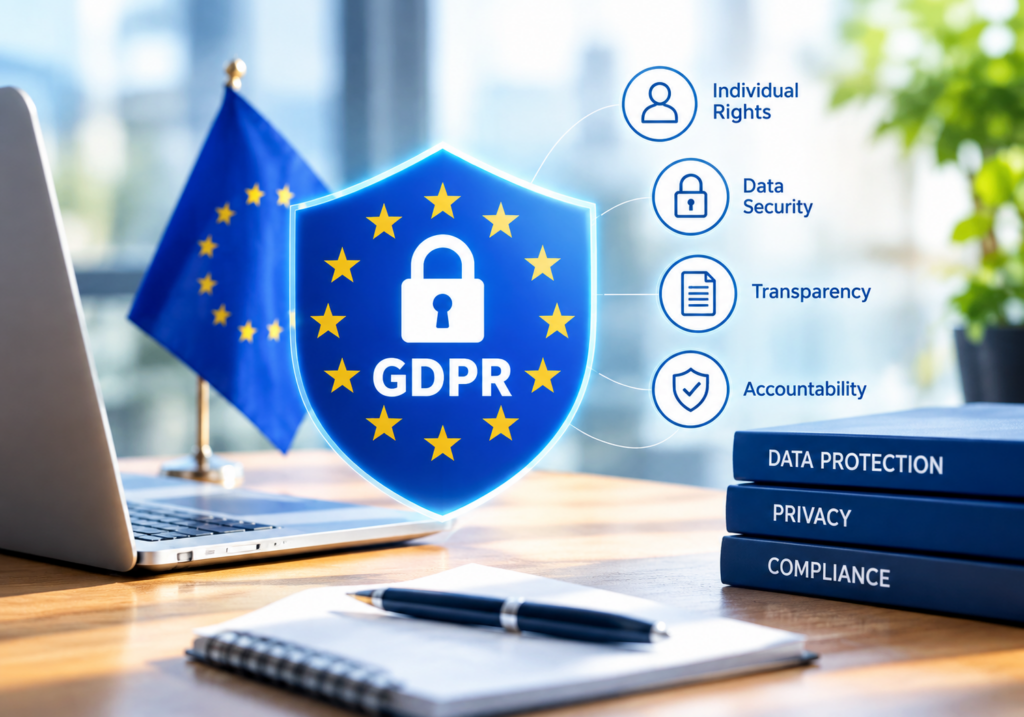
For organizations operating in or serving the European Union, GDPR introduces a different — though related — set of obligations centered on personal data rights.
What Privacy Commitments Has Smartsheet Made?
Smartsheet has publicly committed to GDPR compliance as part of its broader security certification program, alongside SOC 2, ISO 27001, and other frameworks. Beyond that baseline, the company describes a deliberate design philosophy: Smartsheet takes a global approach to privacy that adheres to international best practices for data handling, which focuses on facilitating an environment where customers can be confident their information is protected and their privacy rights are respected.
Notably, GDPR applies whenever an organization processes personal data belonging to EU residents, regardless of where that organization is physically located. Under the regulation’s framework, entities are classified as either “Controllers,” who determine why and how data is processed, or “Processors,” who process data on a Controller’s instructions. Smartsheet can act as a Controller and a Processor depending on the situation, and sometimes both roles apply simultaneously to the same dataset.
How Does “Privacy by Design” Apply in Practice?
Rather than treating privacy as a compliance checkbox, Smartsheet frames it as a development principle. Smartsheet focuses on privacy by design, which ensures privacy principles are contemplated and incorporated in every part of its services, from the development of new features to communication with customers. This approach matters for GDPR specifically because the regulation requires data protection to be considered from the earliest stages of system design, not retrofitted afterward.
On the security side supporting these privacy claims, Smartsheet’s security measures consist of technical and organizational safeguards to protect customer data, and the company engages independent auditors to ensure its security policy and procedures accurately reflect its practices. As a result, GDPR-bound organizations gain a documented, externally verified basis for their own data processing agreements with Smartsheet.
How Does Smartsheet Handle International Data Transfers?
International data transfer is one of the more technical, yet critical, pieces of GDPR compliance. An international transfer occurs whenever personal data becomes accessible outside the European Economic Area, whether through storage on foreign servers or through subprocessors located elsewhere. Since Smartsheet is a US-based company, EU customers need a lawful basis for moving personal data across that boundary.
To address this, Smartsheet relies on Standard Contractual Clauses, the European Commission’s approved legal mechanism for transferring data outside the EU. Following the Schrems II decision, the European Commission updated these clauses to strengthen protections, and Smartsheet’s data processing agreement incorporates the newer version. In addition, a UK International Data Transfer Addendum extends similar protections to UK-based customers. For organizations that prefer to avoid cross-border transfer questions entirely, some Smartsheet plans also offer EU-based data residency options, meaning newly uploaded content is stored within the region rather than transferred elsewhere.
Even so, it’s worth noting there’s no such thing as an official “GDPR certification,” since no such certification legally exists. Instead, an organization’s compliance posture rests on the strength of its Data Processing Agreement, its Standard Contractual Clauses, and the audited technical controls behind them — all of which Smartsheet provides through its published DPA and Annex documentation.
What Enterprise Governance Controls Does Smartsheet Offer?
Certifications establish a baseline, but day-to-day governance depends on the administrative tools available to system admins. This is where Smartsheet’s Enterprise and Advance plans add meaningful depth.
How Does the Safe Sharing Policy Restrict Data Exposure?
For System Admins on Enterprise plans, the Safe Sharing Policy lets administrators create a list of approved users and domains for sharing items, applied across sheets, forms, reports, workflows, WorkApps, and dashboards. In practical terms, this policy can prevent users from sharing, emailing, or executing workflows with anyone not on the approved list. It can also restrict unauthorized users from sharing sheets and workspaces, sending rows, or adding new users to groups and plans. Consequently, even well-meaning employees can’t accidentally send sensitive data outside the organization’s approved boundaries.
What Does Event Reporting Reveal About Platform Activity?
Visibility into user behavior is essential for any serious governance program, and Smartsheet’s Event Reporting feature addresses this directly. Administrators can use it to enforce their organization’s data usage policies and minimize data loss by retrieving an audit of events, such as creating and deleting items or downloading items, over the past six months. Specific trackable events include the following:
- Creation and deletion of sheets, reports, dashboards, and workspaces
- Editing of user groups
- Mobile app installations
- User removal or edits within the organization
- Item downloads and attachment usage
- Calls made to the Smartsheet API
Because this data streams as a running JSON feed that reflects a comprehensive list of tracked events, security teams can pipe it directly into their existing SIEM or CASB systems for centralized monitoring. That said, implementing this feature typically requires some knowledge of APIs, so Event Reporting is usually managed by a security engineer or system administrator rather than a general project manager.
How Do Data Egress Controls Prevent Leakage?
Perhaps the most direct governance mechanism is Smartsheet‘s data egress control set, available through Advance Platinum. With it enabled, administrators can prevent collaborators from saving a copy, saving as a template, sending as an attachment, publishing, printing, or exporting sheets, reports, and dashboards. This matters because external collaboration represents a prominent area of organizational vulnerability, and with these controls enabled, teams can collaborate with confidence that confidential data will stay confidential.
What Additional Administrative Safeguards Are Available?
Beyond sharing and export controls, Smartsheet’s governance suite extends into infrastructure-level protections that matter for larger, more regulated deployments.
| Governance Feature | What It Does | Who Can Use It |
|---|---|---|
| Customer-Managed Encryption Keys | Adds an extra encryption layer controlled by the customer | Enterprise, post-purchase provisioning |
| API token management | Sets expiration timelines for API access tokens | System Admins |
| Enterprise Plan Manager | Centralizes plan-wide policy settings and managed plans | System Admins |
| Data backup and recovery | Protects data integrity with restore options | System Admins |
| Access and publish reporting | Reviews permissions and published content | System Admins |
Notably, customer-managed encryption keys come with a caveat: Smartsheet does not support custom third-party key management systems such as Thales CipherTrust, only AWS key management, and this feature does not encrypt attachments and images on the row — only data directly in cells and sheets is managed by the customer’s key. Therefore, organizations with strict encryption-ownership requirements should review this limitation carefully before assuming full data coverage, and should consider a dedicated attachment provider if attachment-level encryption ownership is essential.
Can Smartsheet Integrate With External Security Monitoring Tools?

Enterprise security teams rarely rely on a single platform’s native tools alone; they typically fold everything into a broader monitoring ecosystem.
How Does Microsoft Defender for Cloud Apps Extend Smartsheet Security?
Smartsheet’s audit log data can feed directly into third-party threat detection systems. For instance, built-in anomaly detection policies can flag unusual file share activities, unusual file deletion activities, unusual administrative activities, and unusual multiple file download activities. Beyond detection, automated remediation becomes possible too: security teams can notify a user on alert, require the user to sign in again, or suspend the user through connected identity platforms.
However, some limitations exist. Login and logout activities are not supported by Smartsheet, and Smartsheet activities do not contain IP addresses. As a result, teams relying heavily on IP-based anomaly detection will need to supplement Smartsheet’s logs with data from other sources rather than expecting full parity with more security-native platforms.
How Does Smartsheet’s Governance Model Compare Across Plan Tiers?
Not every organization needs the full governance suite, so it helps to see how capabilities scale by plan.
| Capability | Business Plan | Enterprise Plan | Advance Platinum |
|---|---|---|---|
| Role-based permissions | Yes | Yes | Yes |
| Safe Sharing Policy | No | Yes | Yes |
| Event Reporting (audit logs) | No | Yes | Yes |
| Data egress controls | No | No | Yes |
| Customer-managed encryption keys | No | No | Yes |
| SSO / SAML 2.0 | Limited | Yes | Yes |
Given this structure, organizations handling regulated data — healthcare records under HIPAA or EU personal data under GDPR — generally need at least the Enterprise tier, and often Advance Platinum, to unlock the controls this article has described.
What Common Mistakes Do Organizations Make With Smartsheet Compliance?

Even strong platform controls can’t compensate for poor internal practices. A few recurring mistakes show up across organizations attempting compliance on their own.
- Assuming default settings are compliant. Many teams treat certifications as a substitute for configuration, when in fact HIPAA and GDPR both require active setup of sharing rules, encryption options, and access policies.
- Overlooking attachment risk. Because attachments route through AWS rather than the core sheet-sharing mechanism, teams that default to attaching PHI or personal data instead of linking to it introduce avoidable exposure.
- Ignoring third-party add-ons. Integrations and add-ons don’t automatically inherit Smartsheet‘s compliance posture, yet organizations frequently connect them to sensitive sheets without a separate risk review.
- Underusing audit logs. Event Reporting exists specifically to catch policy violations early, but many organizations never configure it, leaving them unable to reconstruct what happened after an incident.
- Delaying governance until after a breach. Safe Sharing Policies and data egress controls are far easier to implement proactively than retroactively, once sensitive information has already leaked externally.
Recognizing these patterns early can save organizations from costly remediation efforts later, particularly under GDPR, where breach notification timelines are strict.
Conclusion: Is Smartsheet Secure Enough for Regulated Industries?
Overall, Smartsheet Project Management provides a genuinely robust foundation for organizations that need to manage sensitive data responsibly. Its certifications, encryption standards, and enterprise governance tools — from Safe Sharing Policies to data egress controls and international transfer mechanisms — give System Admins real leverage over how information moves through the platform. That said, compliance is never fully automatic; HIPAA and GDPR obligations still require organizations to configure Smartsheet correctly and train users on safe practices, particularly around attachments, integrations, and data exports.
For teams in healthcare, finance, or any GDPR-affected industry, Smartsheet’s Enterprise and Advance Platinum tiers offer the depth needed to meet regulatory demands. And for organizations that want to avoid configuration mistakes altogether, working with a partner like Solution4Guru ensures those governance controls are implemented correctly from day one, reducing both compliance risk and the operational burden on internal IT teams.
Frequently Asked Questions
No. Smartsheet enables HIPAA compliance and offers a business associate agreement, but organizations must actively configure security settings using the HIPAA Implementation Guide. Compliance depends on proper setup and ongoing staff training, not just platform availability.
The Enterprise plan includes core governance tools like Safe Sharing Policies and Event Reporting. Advance Platinum adds deeper protections, including data egress controls and customer-managed encryption keys, which matter most for highly regulated data.
Smartsheet relies on Standard Contractual Clauses and, for some plans, EU-based data residency options to lawfully transfer or store personal data. There’s no official “GDPR certification,” so compliance rests on the Data Processing Agreement and audited technical safeguards behind it.
Why Should Enterprises Get Professional Help Configuring Smartsheet’s Security Settings?
Even with strong native tools, compliance failures often stem from misconfiguration rather than missing features. This is exactly the gap that experienced implementation partners fill.
Solution For Guru works specifically with organizations that need Smartsheet configured correctly from the start, particularly around governance and compliance. Partnering with a specialist like this offers several concrete advantages:
- Accurate compliance setup — Ensuring HIPAA and GDPR-relevant configurations, such as sharing restrictions and encryption settings, are applied correctly rather than left at default.
- Custom governance frameworks — Building Safe Sharing Policies and permission structures tailored to your organization’s actual risk profile.
- Audit readiness — Structuring Event Reporting and log retention so your team can respond quickly to compliance audits or security reviews.
- Ongoing policy maintenance — Keeping governance controls updated as regulations evolve and your organization scales.
- Cross-functional training — Helping staff understand which features, like attachments versus shared links, carry compliance risk in daily use.

In short, Solution For Guru’s expertise turns Smartsheet’s governance features from theoretical capabilities into a properly enforced, audit-ready system.
Recommended:
- Smartsheet Automations 101: Alerts, Approvals, and Reminders Explained
- Smartsheet Pricing Explained: Plans, Costs, and Hidden Add-Ons
- What Is Smartsheet? A Complete Overview of Features and Use Cases
- Zoho Projects API Integration Guide: How Can You Connect Your Business Tools Effectively?
- Security and Role Management in Zoho Projects
- How Do You Successfully Manage Large Enterprise Projects in Zoho Projects?
- How Can You Integrate Zoho Projects with Slack, Microsoft Teams, and Email to Maximize Team Productivity?
- PMP Certification: Is It Worth It in 2026?
- Project Performance Analytics: Driving Data-Backed Decisions in Project Management
- Zoho Projects Data Structure
- KPIs Every U.S. Project Manager Should Track
- How Can You Automate Task Assignments and Notifications in Project Management?
- How Does Time Tracking and Billing Automation Transform Project Management?
- Resource Allocation and Capacity Planning in Project Management: How Do You Build Teams That Consistently Deliver?
- How Project Management Improves ROI for U.S. Businesses
- Most In-Demand Project Management Skills in the U.S. Job Market
- Zoho Projects Implementation for Software Development Teams
- Zoho Projects + Zoho CRM: Managing Sales-to-Project Workflows