Best AI Software for Business in 2026: How to Choose

There is no single best AI software for business. The strongest choice is usually the platform that fits the software a company already runs, protects its data and connects to the systems where work happens. A Microsoft 365 company, a Google Workspace company and a HubSpot-centered sales team will each arrive at a different answer, and all three can be right.
This guide explains how to match AI platforms to an existing stack, what they cost, where pilots fail and how to govern the tools once they are deployed. It is written for business owners, marketing managers and IT leads who must justify a purchase.
TL;DR
- Match the platform to your ecosystem. Copilot suits Microsoft 365 environments, Gemini suits Google Workspace, and general-purpose assistants fit companies on neither.
- Budget for more than a seat license. Per-user plans commonly run roughly $18 to $30 per month, while agent platforms may charge per conversation or by credits.
- Build on your existing core systems. Connecting AI to the CRM, ERP and finance data you already hold lowers integration friction and governance overhead.
- Plan for governance from day one. Unmanaged agents create data leaks and redundant costs, and a supervised period of 2 to 4 weeks comes before unattended use.
- Start with one workflow. A narrow, measurable use case beats a company-wide rollout of a tool nobody owns.
Table of Contents
- Why “best” depends on the stack
- The main categories of business AI software
- Leading options and what they cost
- AI inside the systems you already own
- Why most AI projects stall
- Governance: the criteria that separate safe tools from risky ones
- A five-step selection process
- Our perspective
- Getting AI working inside your business
- FAQ
- Sources
Why “best” depends on the stack
Rankings of AI tools usually list assistants, writing tools, image generators and automation builders side by side. That is useful for browsing but weak for buying. A business does not need an AI tool in the abstract. It needs a result: faster lead follow-up, shorter month-end close, fewer support tickets, better reporting.
Research on the topic points the same way. One 2026 comparison states that the right platform is usually the one that matches the software the company already runs. The practical rule that follows:
- Microsoft 365 environments: Copilot is the default candidate because it works inside the apps staff already use.
- Google Workspace environments: Gemini integrates natively with Gmail, Docs and Drive.
- Neither ecosystem: a general-purpose assistant such as ChatGPT offers broad utility, and Claude is frequently cited for its data privacy position, since it does not train models on enterprise data.
The same source also cautions that roughly 95% of enterprise generative AI pilots fail to deliver measurable profit impact, often because organizations treat AI as a product to buy instead of a system to build. Treat that figure as an analyst estimate, not a law of nature. The lesson holds regardless: the purchase is the easy part.
The main categories of business AI software
Before comparing vendors, sort the options by the job they do. Most disappointing purchases come from buying a tool in the wrong category.
| Category | What it does | Typical fit |
|---|---|---|
| Workspace assistants | Drafts, summarizes and searches inside email, documents and meetings | Teams already standardized on Microsoft 365 or Google Workspace |
| General-purpose assistants | Research, analysis, writing, coding and company knowledge search | Mixed-tool teams, small businesses, analysts |
| CRM-embedded AI | Scores leads, drafts follow-ups, logs activity, forecasts pipeline | Sales and customer success teams |
| Automation platforms | Connects apps and runs multi-step workflows, increasingly with AI steps | Operations, finance, marketing operations |
| Document and data AI | Extracts fields from invoices, contracts and forms | Back-office teams with high document volume |
| Agent platforms | Autonomous agents acting on business systems | Larger organizations with IT oversight |
The G2 guide to automating tasks with AI recommends the same order of thinking: match the type of work to the tool layer first, then narrow by your team’s constraints.
Leading options and what they cost
Prices change often, and many vendors have several tiers. Treat the figures below as a snapshot and confirm them on the vendor’s page before budgeting.
Microsoft Copilot
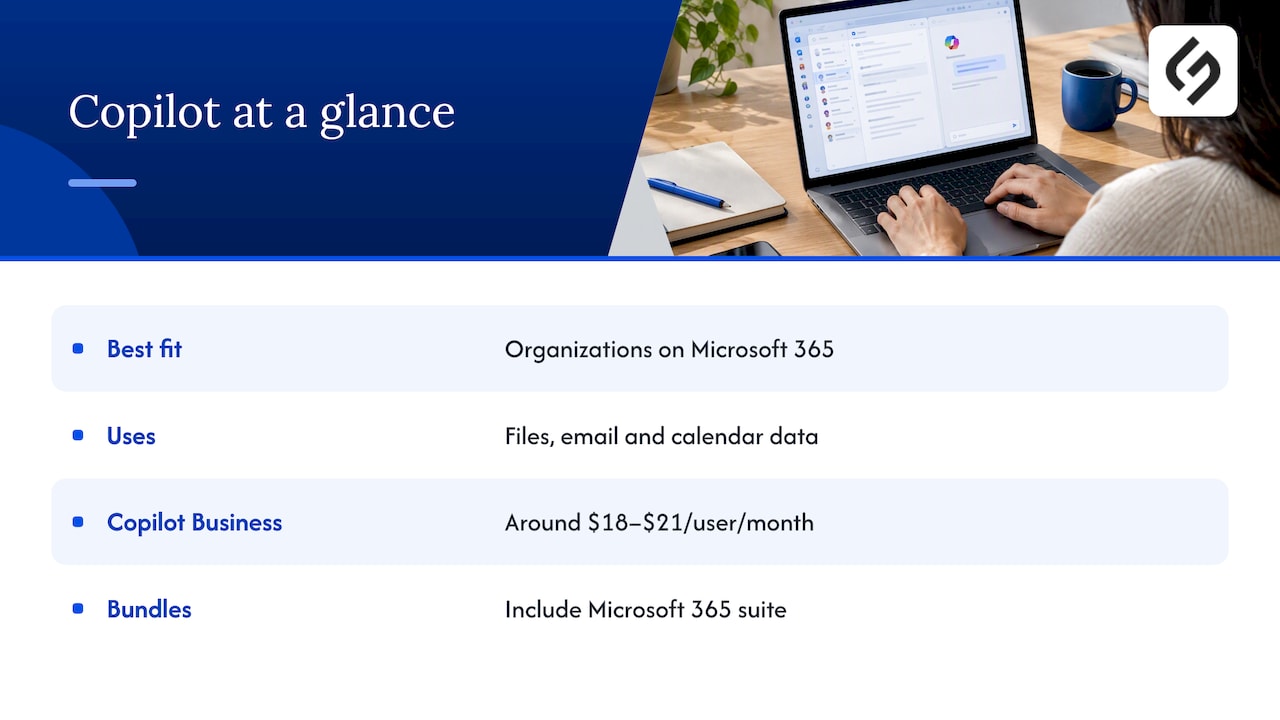
For organizations on Microsoft 365, Copilot is the standard choice. It works with the files, email and calendar data staff already store there, and Microsoft describes it as AI built for work with secure chat grounded in work data. eWeek’s 2026 roundup puts Copilot Business at around $18 to $21 per user per month. Microsoft’s own pricing page also lists bundles with Microsoft 365 plans at higher monthly figures, so compare like with like: a bundle includes the underlying productivity suite, not just the AI layer.
Google Gemini
Companies on Google Workspace benefit from Gemini’s native integration. Google states that its Gemini Enterprise Business edition starts at $21 per seat per month, generates insights grounded in company data, and does not train on that data.
ChatGPT and Claude
For businesses without a dominant suite, ChatGPT offers broad general-purpose utility, and ChatGPT Business is listed at about $20 to $30 per user per month. Claude for Work is often chosen where data privacy is the deciding factor. G2’s review of AI chatbots worth using in 2026 positions ChatGPT as the all-purpose pick and Notion as a strong fit for workspace Q&A and knowledge work.
Agent platforms
Enterprise agent platforms change the cost model. Instead of a flat seat fee, some move to consumption pricing. eWeek notes that Salesforce Agentforce may charge around $2 per conversation or use credit-based systems. A flat per-seat budget can therefore understate real spend when volume grows. Model the cost at your expected conversation volume, then at three times that volume.
AI inside the systems you already own
For many small and mid-sized companies, the most productive AI is not a new assistant. It is the AI already built into the CRM, helpdesk or project tool the team opens every day.
The recommended architecture is layered. Layer one is your existing core software: CRM, ERP and finance systems such as Salesforce, HubSpot or NetSuite. Layer two adds specialized AI agents or assistants that connect directly to that data. ITQlick describes this pattern as pairing software you already use with an AI tool that automates one specific task, such as following up on leads or closing the books. Building from the current stack rather than replacing it lowers integration friction and governance overhead.
Some practical examples from our own library:
- Sales: how Pipedrive AI helps sales teams save time and how it differs from traditional CRM automation.
- Back office: AI document processing compared with traditional OCR for invoices and forms.
- IT service: how AI is changing ITSM workflows in Freshservice.
- Operations: automation examples for SMBs, including lead routing and invoices, and Zapier workflow examples with AI governance tips.
Why most AI projects stall
The 95% pilot failure estimate deserves a closer look, because the causes are fixable.
- No named workflow. “Use AI to be more productive” cannot be measured. “Cut first-response time on inbound leads” can.
- Generic data. Success requires AI grounded in trusted internal data rather than generic web information. If your CRM records are inconsistent, the AI will be inconsistent too.
- No owner. Tools bought by one department and used by three others tend to drift.
- No supervised period. G2 advises expecting a 2 to 4 week supervised period before an agent runs unattended. Skipping it raises the risk of poor performance and hallucinations, especially in customer-facing work.
- Feature-list buying. A long checklist hides the real question of whether the tool changes how work gets done. Our piece on business transformation software covers why leaders should look past feature lists.
Governance: the criteria that separate safe tools from risky ones
Governance is no longer only a policy document. Gartner argues that AI governance needs technical controls, and recommends AI trust, risk and security management (AI TRiSM) so oversight, validation and enforcement continue across the AI lifecycle. A tool should satisfy five criteria before it reaches production:
- Safety
- Security
- Data privacy
- Accuracy thresholds
- Legal and compliance requirements
Gartner also reports that organizations using AI governance platforms are 3.4 times more likely to reach high governance effectiveness. Smaller companies rarely need a dedicated platform, but they can copy the principle: check what the tool does with your data, and enforce rules in settings rather than hoping staff read a memo.
Avoiding agent sprawl
As teams build their own assistants and automations, dozens of unmanaged, siloed agents can accumulate. Gartner’s guidance on six steps to manage AI agent sprawl includes setting rules for who can create, share and connect agents to core systems, plus a lifecycle model covering identity, permissions and retirement. In small-business terms:
- Keep a simple register of every AI tool and automation, with an owner for each.
- Grant each tool the minimum access it needs to your CRM, files and email.
- Review the register quarterly and retire tools nobody uses, just as you would an idle software license.
Industry-specific obligations add another layer. A healthcare or insurance business, for example, must check how a vendor handles regulated data. Our overview of Smartsheet compliance and security shows the kind of questions to put to any vendor on HIPAA and GDPR. Confirm specifics with your compliance counsel or privacy officer.
A five-step selection process
- Pick one workflow and one metric. Examples: hours spent on invoice entry per week, or days to follow up on a new lead.
- Inventory your stack. List your suite (Microsoft or Google), CRM, finance and support tools. The best candidates are the ones that plug into these.
- Shortlist by category. Choose one workspace assistant or general assistant, plus any AI already included in your CRM or helpdesk.
- Test with real data under supervision. Run a 2 to 4 week pilot with a named owner, set accuracy thresholds in advance and record errors.
- Decide on total cost. Include seats, usage-based fees, integration work, training and the time to maintain the setup. Our guide to Smartsheet pricing is a good example of how add-ons change a headline price.
Our perspective
We are a digital agency, and we are asked weekly which AI product to buy. Our answer is almost always a question: what does the team already use, and which result do you want in the next 90 days?
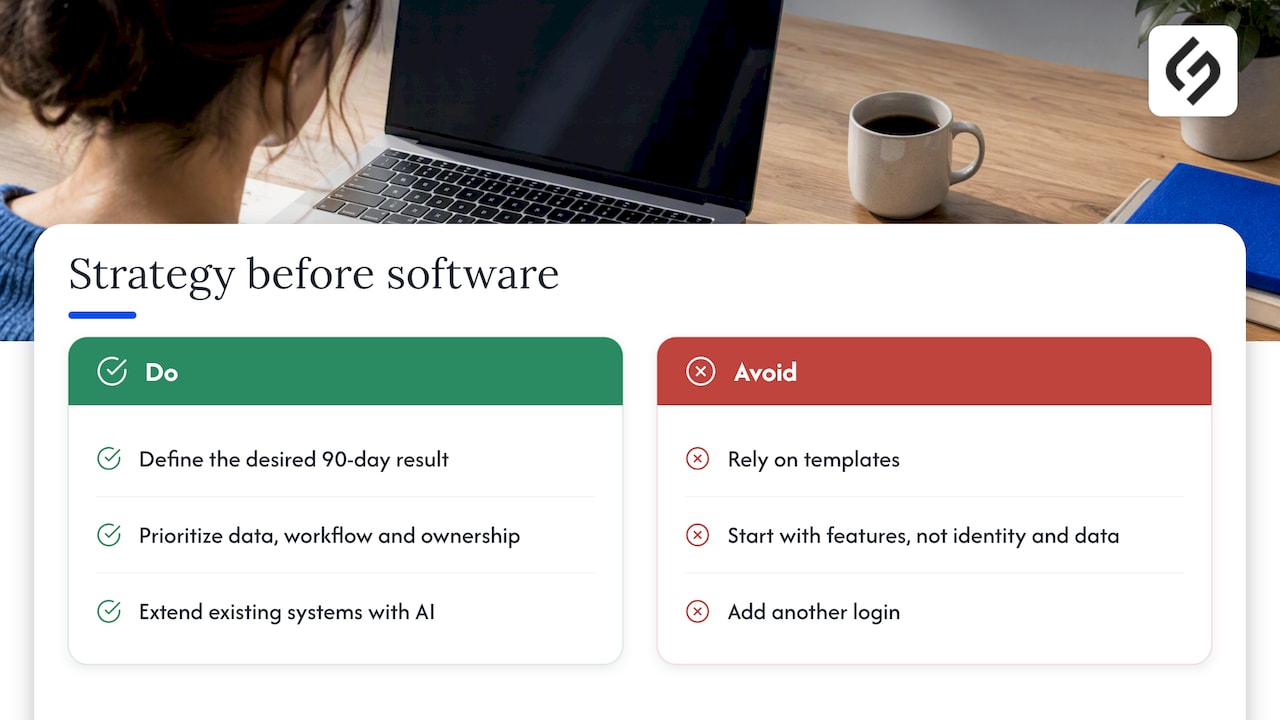
In our experience, the tool is rarely the limiting factor. Data quality, workflow design and ownership are. A CRM with clean records and well-defined stages gets more from a modest AI feature than a messy one gets from the most expensive assistant. That is why our projects are tailored to a client’s business model and workflows rather than built from templates, and why we favor a strategy-first approach with ongoing optimization after launch.
We also encourage clients to treat AI as an extension of their existing systems, whether that is a CRM, a website, or a marketing platform. Integration done well is invisible: leads arrive routed, records update themselves and staff spend time on judgment, not data entry. Done badly, it adds another login and another place for data to go wrong. For marketing leaders, our view on choosing a digital marketing platform starts from identity and data, not features.
Getting AI working inside your business
Choosing software is one stage. Connecting it to your CRM, website and marketing data, setting permissions and tuning the workflow is where results come from. Solution4Guru provides AI and automation solutions, CRM and SaaS integrations, cybersecurity and tech consulting, and our HubSpot services cover implementation, integration, administration, data migration and process automation. If your CRM and website feed your AI, our guide to integrating CRM with your website and SEO is a useful starting point.
FAQ
There is no universal winner. Start from the suite you already use: Copilot for Microsoft 365, Gemini for Google Workspace, or a general-purpose assistant if you use neither. Then add AI features inside your CRM or helpdesk for the one workflow you want to improve first.
Per-user assistants typically fall between about $18 and $30 per user per month, depending on vendor and tier. Agent platforms may bill per conversation or by credits, so total cost can rise with usage. Always confirm current prices on the vendor’s own page.
It depends on the vendor’s terms and your settings. Look for clear statements that your data is not used to train models, as Google states for its business edition. Regulated businesses should review requirements with their compliance or legal team before rollout.
A basic assistant can be switched on quickly, but agents that act on business systems need a supervised period of roughly 2 to 4 weeks before running unattended. Integration with your CRM or finance system adds time, depending on data quality.
Buy first for common tasks such as drafting and summarizing. Consider custom integration when the value depends on your own data, workflows or CRM logic. Most companies end up with a mix: off-the-shelf tools connected to existing systems.
Sources
- Best AI for Business in 2026: Platforms, Pricing & Security Compared, The AI Rankings
- Best AI Software for Business: 8 Tools for 2026, eWeek
- Microsoft Copilot for Business
- Microsoft Copilot Plans and Pricing
- Gemini Enterprise Business edition, Google Cloud
- I Reviewed the 10 Best AI Chatbots Worth Using in 2026, G2
- How to Automate Tasks with AI in 5 Steps, G2
- Compare Business Software & AI Tools, ITQlick
- AI Governance Requires More Than Policies, Gartner
- Global AI Regulations Fuel Billion-Dollar Market for AI Governance Platforms, Gartner
- Gartner Identifies Six Steps to Manage AI Agent Sprawl