BPM Automation: How It Works and Where to Start

BPM automation is the use of software to run, route and monitor the steps of a business process that has first been mapped, analyzed and improved under a business process management (BPM) program. BPM supplies the discipline: which process, which steps, which measures. Automation supplies the execution: approvals that route themselves, data that moves between systems and reports that build without manual effort. The sections below define the terms, separate BPM from BPA and RPA, list the processes best suited to automation and set out a phased rollout with the metrics that show whether it worked.
TL;DR
- BPM is a management discipline for improving processes; automation is one of the tools it uses to execute those improvements.
- BPA automates complex, multistep workflows across systems, while RPA automates narrow, repetitive, rules-based tasks. Both can sit inside a BPM program.
- Strong candidates are high-volume, repetitive, time-sensitive processes involving several people, such as onboarding, invoicing and purchase orders.
- A poorly designed process automated as is simply runs badly faster, so mapping and redesign come before any build.
- Success is measured with KPIs defined before launch, then reviewed continuously to find bottlenecks.
Table of Contents
- What BPM automation means
- BPM, BPA and RPA: how the terms differ
- How BPM automation works across the process lifecycle
- Which processes are good candidates
- Benefits of automating business processes
- A phased approach to implementing BPM automation
- Integration is where many projects succeed or stall
- How to measure the results
- Putting BPM automation to work
- FAQ
- Sources
What BPM automation means
The phrase combines two ideas that are often confused. Business process management is described by TechTarget’s guide to BPM as a structured approach to improving the processes used to get work done, serve customers and create business value. It uses methods to analyze, model, implement, monitor and continuously improve those processes, and its technologies can automate workflows.
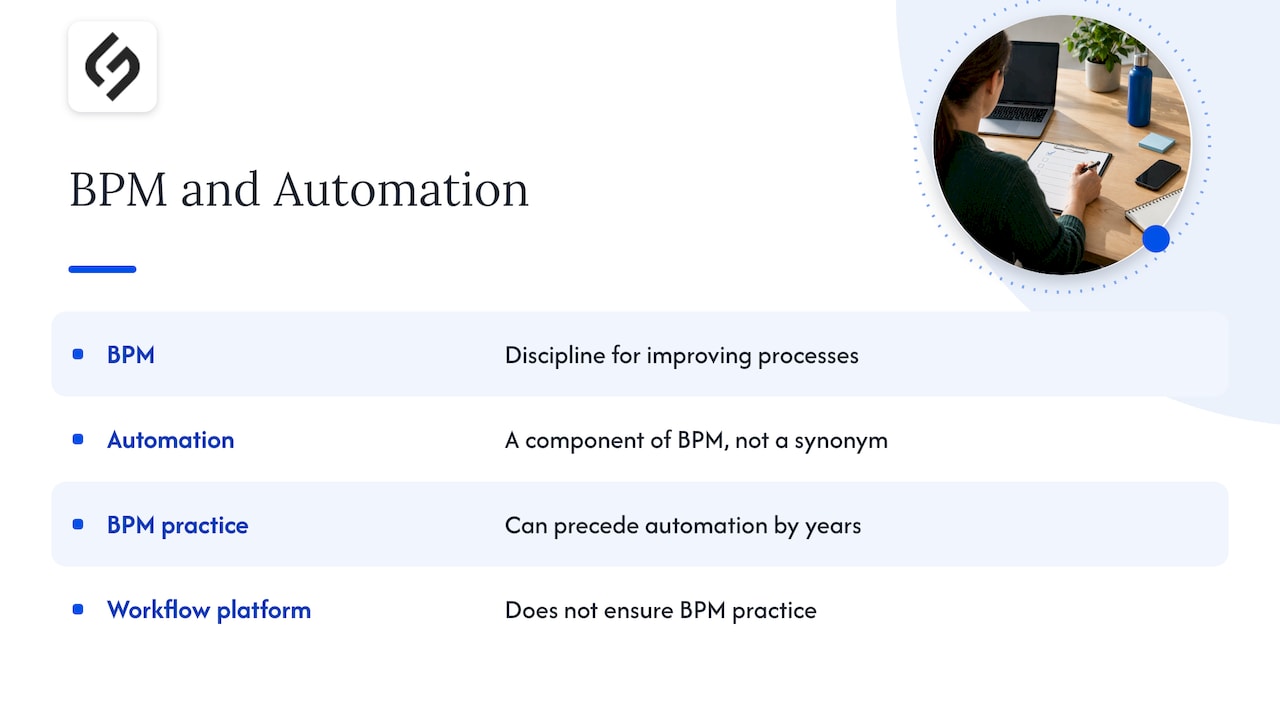
Automation is therefore a component of BPM, not a synonym for it. TechTarget’s best-practices guide stresses that BPM is a discipline for identifying, designing, analyzing, measuring, improving and monitoring processes, not merely a software tool. An organization can buy a workflow platform and still have no BPM practice. An organization can also practice BPM on paper for years before automating a single step.
In practice, BPM automation covers the work of turning a documented, improved process into a system-driven one. According to the same TechTarget guide, that can include data management, data flows, data entry approvals and report generation. Nucleus Research analyst Isaac Gould, quoted in that guide, frames the value as streamlining tedious workflows while preserving human attention for tasks that need expertise and intervention.
For teams starting from the process itself, a guide to mapping, building and improving a business process workflow covers the documentation stage that precedes any automation.
BPM, BPA and RPA: how the terms differ
Search results for this topic mix three acronyms, and vendors use them loosely. The distinctions below follow the definitions published by TechTarget and other industry references.
| Term | What it is | Typical scope | Role in a BPM program |
|---|---|---|---|
| BPM | Management discipline for analyzing, modeling, measuring and improving processes | End to end, across the organization | Sets strategy and decides what to automate |
| BPA | Software that automates complex, repetitive, multistep processes, often across systems | One process or a group of related processes | Implements the improved process |
| RPA | Software robots that mimic user actions in existing interfaces | Narrow, rules-based tasks | Handles repetitive steps such as data transfer |
TechTarget’s comparison of RPA, BPA and DPA explains that BPA automates multistep processes across enterprise systems, while RPA automates high-volume, repeatable tasks through user interfaces. It also reports that BPA commonly analyzes and improves a process before automating it, whereas RPA typically mimics the process as it exists today.
That last difference matters for planning. TechTarget’s RPA versus BPM article puts it this way: RPA automates a specific set of tasks, while BPM determines which tasks to automate and which steps to eliminate or consolidate. The two complement one another, with RPA performing work such as data formatting and information transfer and BPM supplying workflow design, monitoring and analytics.
A practical reading follows from this. BPM answers “what should this process look like?” BPA answers “how do systems run it end to end?” RPA answers “how do we remove the remaining manual keystrokes between systems that cannot be connected directly?” Integrations through APIs are generally preferable where they exist, and robots fill the gaps where they do not.
How BPM automation works across the process lifecycle
The lifecycle gives automation its place. As TechTarget describes it, an organization analyzes and designs the desired process, models scenarios, implements improvements (including automation), monitors performance and continuously optimizes. Each stage has a distinct output.
- Analyze and design. Document the current process: who does what, in which system, with what handoffs and delays. Define the target state.
- Model. Test scenarios on paper or in a simulation before building. Check volumes, exceptions and approval paths.
- Implement. Configure workflow rules, integrations, forms, notifications and, where needed, robots. This is the automation stage.
- Monitor. Track cycle time, error rates, volumes and exceptions through dashboards or embedded analytics.
- Optimize. Use the measurements to refine rules, remove steps and extend automation to the next process.
The cycle repeats. That is the main difference between BPM automation and a one-time automation project: the process is treated as an asset that is measured and tuned, not a build that is handed over and forgotten. Organizations rethinking processes more fundamentally may find business process reengineering and digital transformation a useful next step.
Which processes are good candidates
Not every process earns automation. The strongest candidates share four traits: high volume, repetition, time sensitivity and several people involved. Rules that are clear enough to write down matter as well, since an automated process cannot rely on judgment that nobody has documented.
Common examples of processes that fit include:
- Employee onboarding: welcome emails, system access setup, orientation scheduling and paperwork.
- Accounts payable and invoicing: invoice capture, routing for approval, purchase-order matching and payment processing.
- Purchase orders and procurement approvals.
- Contract management: drafting from templates, review routing, reminders for renewal.
- Marketing and sales operations: lead routing, follow-up sequences, handoffs between marketing and sales.
- Helpdesk support: ticket categorization, escalation and status notifications.
- Payroll and reporting: data collection, validation and scheduled report generation.
NetSuite’s guide to business process automation, published in 2020, notes that automation is most effective for mundane, repeatable work that does not require employees’ higher-value skills. The corollary is useful: work that depends on negotiation, creativity or judgment is usually better supported by automation than replaced by it.
Smaller organizations often ask where to begin. Examples such as lead routing and invoice workflows show how a single well-chosen process can deliver visible results, and a small business workflow automation plan describes how limited-scope projects can be scheduled in weeks rather than quarters.
Benefits of automating business processes
The benefits reported in TechTarget’s BPM guide fall into a few groups:
- Less waste and rework. Steps that add no value are removed during analysis, before anything is built.
- Fewer errors and lower cost. Rules-driven systems apply the same checks every time, and manual re-entry shrinks.
- Time saved. Routing, reminders and data transfer no longer depend on someone remembering to act.
- Better compliance. Each step leaves a record, which supports audits and consistent handling.
- Agility. Changing a rule in a workflow is faster than retraining a whole team on a new manual procedure.
- Support for digital transformation. Automated, measured processes give later initiatives, from analytics to AI, a clean base to build on.
Teams that want a broader view of why routine work is worth automating can read the benefits of automating routine work, which looks at the same logic in a library setting where repetitive tasks consume staff hours.
Designing around the risks
The same TechTarget guide gives a caution that shapes good practice: a poorly conceived process can be made worse if it is automated as is. BPM initiatives can also meet resistance across roles, systems and ways of working. These points are best treated as design requirements. Redesign before building, involve the people who perform the work, and keep an owner accountable for the process after launch.
A phased approach to implementing BPM automation
A workable rollout follows a sequence that most credible frameworks share. The steps below combine them into a plan suited to a small or mid-sized organization.
Step 1: assess readiness and pick candidates
List the processes that consume the most hours, generate the most errors or delay revenue. Score each on volume, repetition, time sensitivity and number of people involved. Choose one or two to start. Readiness also includes data quality, system access and whether leadership will support changes to how work is done.
Step 2: involve stakeholders and document the process
Interview the people who do the work, not only their managers. Capture each step, decision, handoff, exception and system used. Differences between the official procedure and the actual one are usually where the savings sit.
Step 3: set measurable goals
Decide in advance what success means: for example, reduced cycle time for invoice approval, fewer rejected purchase orders, or shorter lead response time. Record the baseline before changing anything, because a result without a baseline cannot be demonstrated.
Step 4: scope a small first project
Start small. A contained process with clear rules produces a result quickly and builds the internal confidence needed for larger programs. A guide to governing business automation workflows in the first 90 days sets out how operations leads can keep early projects controlled.
Step 5: build, train and release in phases
Implement in stages, perhaps one department or one document type at a time. Train affected employees before go-live, and give them a clear route to report problems. Phased release limits the damage of any design error.
Step 6: adapt based on performance
Review results against the baseline, fix exceptions the design missed and extend to the next process. At this point automation becomes BPM in the full sense: a continuing cycle.
Integration is where many projects succeed or stall
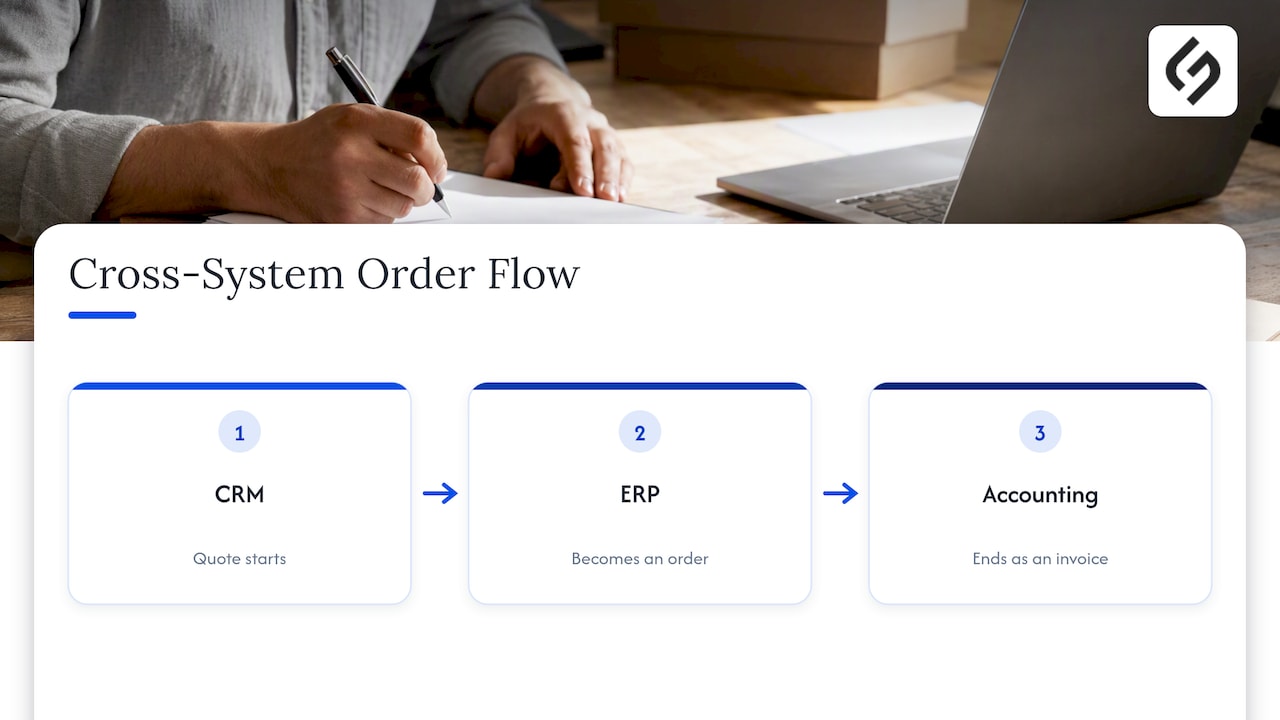
Most processes cross system boundaries: a quote starts in a CRM, becomes an order in an ERP and ends as an invoice in accounting. If those systems do not exchange data reliably, people fill the gaps by hand and the automation benefit disappears. For organizations with ERP at the center, material on ERP and business intelligence integration illustrates how connected data supports better decisions and reporting on top of the automated flow.
Tool choice follows the integration plan, not the reverse. Platform categories include workflow engines inside CRM suites, standalone orchestration tools, integration platforms and RPA for legacy interfaces. Where AI components such as document classification or data extraction are under consideration, guidance on choosing AI software for business helps match capability to the process.
How to measure the results
BPM automation is judged by KPIs defined at the start and tracked continuously. Per TechTarget’s BPM guide, embedded analytics help identify bottlenecks and opportunities for ongoing improvement. Useful indicators include:
- Cycle time: elapsed time from start to completion of the process.
- Touch time: hours of human effort per case.
- Error and rework rate: share of cases needing correction.
- Throughput: cases completed per week or month.
- Exception rate: share of cases that fall outside the automated path.
- Compliance adherence: share of cases that followed the required steps and approvals.
The exception rate is the most overlooked. A rising figure signals that the process has changed, the rules need revision or a new case type has appeared. Reviewing it monthly keeps the automation aligned with how the business actually operates.
Perspective
Projects that stall usually start with a tool and look for a process to fit it. The better sequence starts with the business model and the workflow as it actually runs, then selects the technology that serves it.
Solution4Guru builds implementation and integration around a client’s specific goals and workflows, not templates. That strategy-first approach also includes optimization after launch, because a process that is measured keeps improving, and one that is only configured tends to drift.
For many mid-sized organizations, the practical route is a CRM-centered platform where marketing, sales and service processes share one data model. Automation then connects those teams without manual exports, and reporting reflects a single version of the facts.
The aim is not the largest possible automation footprint. It is a small number of well-chosen processes, designed carefully, owned by named people and reviewed against agreed numbers.
Vadim
Putting BPM automation to work
Solution4Guru supports organizations at each stage described above, from process analysis and tool selection to integration, implementation and ongoing management. Services include CRM and SaaS integrations, AI and automation solutions, and HubSpot implementation, data migration, administration and process automation. Pricing is project-specific, and engagements can be scoped as one-time projects or retainers.
Organizations ready to move from mapping to building can review the HubSpot and integration services or start a conversation through the Solution4Guru website.

FAQ
What is BPM automation?
BPM automation is the use of software to execute and monitor business processes that have been analyzed and redesigned under a business process management program. It covers workflow routing, approvals, data transfer and reporting. The management discipline decides what the process should be, and automation carries it out.
What is the difference between BPM and RPA?
BPM is the end-to-end discipline for designing, measuring and improving processes. RPA is a technology that automates specific repetitive tasks by imitating user actions in existing interfaces. According to TechTarget, BPM determines what to automate, while RPA performs selected tasks, so the two complement each other.
Which processes should be automated first?
Processes with high volume, clear rules, repetition, time sensitivity and several participants are the best first choices. Onboarding, invoice routing, purchase-order approvals and lead handoffs are common examples. A small, contained process produces a measurable result quickly and builds support for larger projects.
Can automating a bad process make it worse?
Yes. TechTarget notes that a poorly conceived process can be worsened when automated as is. The remedy is to document and redesign the process first, removing unnecessary steps and unclear handoffs, and to automate only the improved version.
How is the success of BPM automation measured?
Through KPIs set before launch, such as cycle time, error rate, throughput and exception rate, compared against a recorded baseline. Dashboards or embedded analytics should be reviewed on a regular schedule so that bottlenecks are found and corrected.
Sources
- What is business process management? A guide to BPM, TechTarget
- 16 BPM best practices to ensure project success, TechTarget
- RPA vs. BPA vs. DPA: Compare process automation technologies, TechTarget
- RPA vs. BPM: How are they different?, TechTarget
- Business Process Automation: Ultimate Guide, NetSuite