How Zoho CRM Works: Data Model, Modules, and Relationships
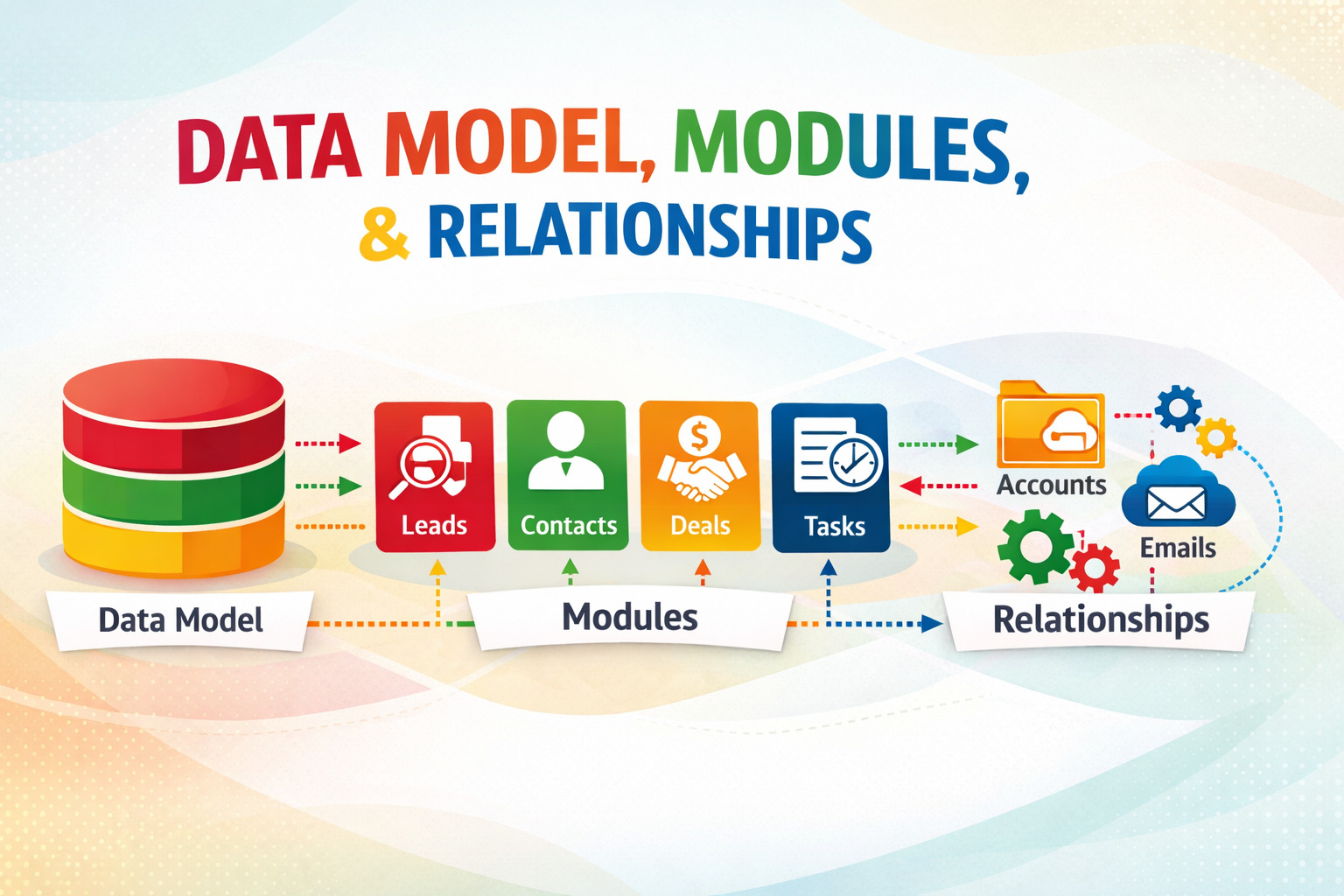
Every CRM platform stores customer data — but how a platform organizes, relates, and exposes that data determines whether it becomes a strategic business asset or a frustrating data silo. Zoho CRM takes a sophisticated, relational approach to data architecture that separates it from simpler contact-management tools. At its core, Zoho CRM structures information around interconnected Modules, a flexible Field system, and a rich set of Relationship types that mirror the complexity of real-world business interactions. For administrators, developers, and IT professionals who want to get the most out of the platform, understanding how these three elements work together is essential. This article walks you through the complete data model — from individual field types to multi-module relationship patterns — and explains how each layer contributes to a CRM that scales with your business.
Table of Contents
- Quick Summary
- What Are Zoho CRM’s Data Model, Modules, and Relationships?
- How Does Zoho CRM Connect to the Topic of Data Models and Modules?
- What Is the Zoho CRM Data Model and How Is It Structured?
- What Are the Standard Modules in Zoho CRM and What Do They Do?
- How Do Custom Modules Extend Zoho CRM Beyond the Defaults?
- What Field Types Does Zoho CRM Support and How Do They Shape Data?
- How Do Relationships Work Between Modules in Zoho CRM?
- How Does Zoho CRM Manage Layouts and Views Across Modules?
- How Do Blueprints and Workflows Interact With the Data Model?
- How Does the Zoho CRM Data Model Support Reporting and Analytics?
- What Are the Key Conclusions About Zoho CRM’s Data Model and Modules?
- Frequently Asked Questions
- What Are the Benefits of Partnering With Solution for Guru?
Quick Summary
| Concept | What It Is | Why It Matters |
|---|---|---|
| Modules | CRM equivalents of database tables — Leads, Contacts, Deals, etc. | Define what types of data your CRM tracks |
| Records | Individual entries within a module (e.g., a single contact) | The atomic unit of CRM data |
| Fields | Typed data attributes within each module (text, number, lookup, etc.) | Shape data quality and query performance |
| Standard Modules | Pre-built modules covering the core sales lifecycle | Provide ready-to-use structure with zero configuration |
| Custom Modules | User-created modules for any business object | Extend CRM beyond sales into operations, service, logistics |
| Lookup Relationships | Foreign-key-style links between two modules | Enable navigation and filtering across related records |
| Junction Modules | Many-to-many relationship modules (e.g., Contacts ↔ Deals) | Model complex stakeholder and multi-deal scenarios |
| Layouts | Field arrangements per profile or business unit | Tailor data entry forms without duplicating modules |
| Blueprint | Stage-gated workflow engine tied to module fields | Enforce data quality and process compliance at each step |
What Are Zoho CRM’s Data Model, Modules, and Relationships?
How do data models define the foundation of any CRM platform?
A data model describes how a software system organizes, stores, and relates information. In a CRM context, the data model determines what kinds of objects the system tracks (companies, people, deals, tasks), what attributes each object carries (name, email, revenue, close date), and how these objects connect to each other (a person belongs to a company; a deal links to multiple people). A well-designed data model makes data retrieval fast, data entry intuitive, and reporting accurate. A poorly designed one creates duplicates, broken relationships, and reports that nobody trusts.
Zoho CRM builds its data model on three foundational pillars: Modules, Fields, and Relationships. Modules serve as the structural containers — analogous to tables in a relational database. Fields act as typed columns within each module, defining what data each record stores and how the system validates that data. Relationships define the links between records across modules, enabling users and systems to navigate from a company to all its associated contacts, from a deal to all its related products, or from a support ticket back to the originating lead.
Why does understanding this structure matter for CRM users and administrators?
First, for everyday CRM users, understanding the data model makes them more effective at finding information quickly, entering data correctly, and generating reports that reflect business reality. Second, for administrators, this knowledge enables smarter module configuration, better validation rule design, and cleaner data migration planning.Thisrd, for developers and integration engineers, the data model directly informs API query design, webhook payload handling, and the field-mapping logic in every integration pipeline.
Moreover, organizations that invest time in understanding Zoho CRM’s data model before building custom modules avoid the technical debt of retrofitting poorly designed structures after thousands of records already populate them. Getting the model right from the start — or correcting it thoughtfully during a platform review — pays dividends in data quality, system performance, and user adoption for years.
How Does Zoho CRM Connect to the Topic of Data Models and Modules?
What makes Zoho CRM a strong example of relational CRM data architecture?
Among cloud CRM platforms, Zoho CRM stands out as one of the most technically rigorous implementations of a relational data model in the SaaS CRM space. While many CRM tools organize data around a single primary object — typically the contact or the deal — Zoho CRM treats all modules as architectural peers in a flexible relational schema. Standard modules come pre-built and production-ready, while custom modules allow teams to represent any business object — assets, subscriptions, projects, facilities, or anything else the business tracks — using the same powerful field system and relationship engine.
Furthermore, Zoho CRM’s data model connects directly to the platform’s automation, reporting, AI, and API layers. Workflow rules trigger on field-level conditions within specific modules. Zia AI analyzes patterns across module records to generate predictions and anomaly alerts. The REST API exposes every module and field through a consistent endpoint structure. This tight integration between the data model and every other platform capability means that designing the data model well multiplies the value of every other investment in the platform.
How does Zoho CRM’s approach differ from simpler CRM tools?
Simpler CRM tools typically offer a fixed set of objects — contacts, companies, and deals — with limited customization beyond adding extra fields. Zoho CRM goes considerably further. Teams can create up to 600 modules per org on Enterprise plans, define complex multi-level lookup relationships between any modules, and use junction modules to model genuine many-to-many relationships. Additionally, Zoho CRM supports formula fields that calculate values dynamically from other fields, rollup summary fields that aggregate child record data into parent records, and multi-lookup fields that link a single record to multiple records in another module simultaneously.
This architectural depth means that Zoho CRM can model genuinely complex business realities — a single product sold through multiple channel partners, a service contract linked to multiple contacts across different divisions, a project tied to both an account and an independent vendor — without resorting to workarounds or data duplication.
What Is the Zoho CRM Data Model and How Is It Structured?
How does Zoho CRM organize data at the highest level?
Zoho CRM organizes all data within a single Organization (org) — the top-level container that holds all modules, records, users, and configuration. Within the org, the data model consists of Modules at the structural level, Records at the instance level, and Fields at the attribute level. Each module functions like a database table: it defines a schema (a set of typed fields) and holds any number of records that conform to that schema.
Additionally, each org maintains a set of system-level structures that govern how the data model behaves: Profiles (which control which fields and modules each user type accesses), Roles (which control which records each user can see), Layouts (which arrange fields differently for different user groups within the same module), and Validation Rules (which enforce data quality at the point of entry). These governance structures sit above the data model and shape how users interact with every module and record in the system.
What is the record lifecycle and how does Zoho CRM manage it?
Every record in Zoho CRM follows a lifecycle that spans creation, active management, conversion (for Lead records), and archiving or deletion. The system automatically stamps every record with a Created Time, Last Modified Time, Created By user, and Modified By user — metadata that supports audit trails, time-based workflow triggers, and synchronization logic in integrations.
Leads occupy a special position in the lifecycle model. Zoho CRM treats Leads as unqualified prospect records that exist in their own module, separate from Contacts and Accounts. When a sales representative qualifies a lead, the conversion process creates linked Contact, Account, and Deal records simultaneously — transferring field data from the Lead into the appropriate fields in each new record. This explicit conversion event creates a clean architectural boundary between prospecting data and active pipeline data, which improves both data quality and reporting accuracy.
| Level | CRM Concept | Database Analogy | Example |
|---|---|---|---|
| Organization | Org | Database instance | Acme Corp’s entire CRM |
| Structure | Module | Table | Contacts module |
| Schema | Field | Column with data type | Email (text), Annual Revenue (currency) |
| Instance | Record | Row | John Smith’s contact record |
| Governance | Layout / Profile | View + row-level security | Sales Rep layout vs. Manager layout |
| Relationships | Lookup / Junction | Foreign key / junction table | Deal → Account (lookup) |
What Are the Standard Modules in Zoho CRM and What Do They Do?
Which standard modules cover the core sales lifecycle?
Zoho CRM ships with a comprehensive set of standard modules that cover every stage of the B2B and B2C sales lifecycle. The Leads module captures unqualified inbound prospects before qualification. The Contacts module holds individual people — qualified prospects, customers, partners, and vendors. The Accounts module stores company or organization records, serving as the parent entity for contacts and deals in B2B sales processes. The Deals (also called Potentials) module tracks active sales opportunities through a configurable pipeline with stages, probabilities, and expected close dates.
Beyond these core sales modules, Zoho CRM includes Activities — a unified module covering Tasks, Events (meetings), and Calls. The Products module stores your product catalog with pricing tiers. The Quotes, Sales Orders, and Invoices modules handle the commercial document lifecycle from proposal through fulfillment billing. The Vendors and Purchase Orders modules extend the platform into procurement workflows, while the Cases and Solutions modules provide lightweight customer support ticket management directly within CRM.
How do standard modules relate to each other out of the box?
Zoho CRM pre-configures a set of standard relationships between modules that reflect common sales process logic. Contacts link to Accounts through a lookup relationship — each contact belongs to one account, but an account holds many contacts. Deals link to both Accounts and Contacts — one account per deal, but multiple contacts per deal through the Contacts-to-Deals junction module. Activities associate with any primary module record — a call links to a lead, a contact, a deal, or an account depending on where it occurs in the sales process.
These pre-configured relationships make Zoho CRM immediately useful for standard sales workflows without any custom configuration. A new user can create a Lead, convert it to a Contact, Account, and Deal with one click, then log calls and meetings against the deal — all using the built-in relationship structure. Consequently, many organizations run effectively on standard modules alone and only begin introducing custom modules as their processes mature and differentiate from common sales patterns.
| Standard Module | Primary Purpose | Key Relationships | Typical Owner |
|---|---|---|---|
| Leads | Unqualified prospects before sales qualification | Converts to Contact + Account + Deal | Marketing / SDR team |
| Contacts | Qualified individual people (customers, prospects) | Belongs to Account; links to Deals | Sales team |
| Accounts | Companies, organizations, or client entities | Parent to Contacts, Deals, Cases | Account managers |
| Deals (Potentials) | Active sales opportunities with pipeline stages | Links to Account, Contacts, Products | Sales team |
| Activities | Tasks, Calls, Events (meetings) | Associated with any module record | All users |
| Products | Product/service catalog with pricing | Links to Deals, Quotes, Sales Orders | Sales ops / admin |
| Quotes | Formal pricing proposals for prospects | Links to Deal, Account, Products | Sales team |
| Cases | Customer support issues and requests | Links to Account and Contact | Support team |
How Do Custom Modules Extend Zoho CRM Beyond the Defaults?
When should an organization create a custom module?
Organizations should create a custom module whenever they need to track a distinct business object that the standard modules do not cover and that carries its own set of attributes, lifecycle, and relationships. Common examples include: an Equipment or Asset module for companies that manage physical equipment at customer sites; a Subscription module for SaaS businesses tracking recurring contracts independently of deals; a Partner or Reseller module for channel-driven sales teams; a Property module for real estate businesses; or a Training Session module for organizations selling professional services.
The critical architectural decision is whether the new object genuinely represents an independent entity type or whether it simply requires additional fields on an existing module. Adding extra fields to the Deals module works perfectly for deal-specific attributes like implementation complexity or renewal type. However, if the new concept requires its own records, its own lifecycle stages, its own relationships to multiple other modules, and its own reports — that signals a strong case for a dedicated custom module rather than field additions.
How do you build and configure a custom module in Zoho CRM?
Building a custom module in Zoho CRM requires no coding — administrators create custom modules through the Setup menu under Modules and Fields. The module creation wizard prompts for the module name (singular and plural), an optional description, and an icon. Once created, the module appears in the CRM navigation and gains all the standard CRM capabilities automatically: record creation, search, list views, custom fields, layouts, workflow rules, and API access through the standard REST endpoint pattern.
After creation, administrators add custom fields to define the module’s schema, configure layouts for different user profiles, set up lookup relationships to other modules, and optionally create a Blueprint to enforce a stage-based workflow. Because Zoho CRM treats custom modules as full architectural peers of standard modules, every platform feature — Zia AI, reports, dashboards, webhooks, API access, Canvas Builder UI customization — works identically on custom modules and standard modules alike.
What Field Types Does Zoho CRM Support and How Do They Shape Data?
What are the primary field categories and when should you use each?
Zoho CRM supports over 30 distinct field types, organized into several categories. Text fields include Single Line (short strings up to 255 characters), Multi Line (long-form text like notes or descriptions), Email (validates email format and enables one-click email actions), Phone (formats phone numbers and enables click-to-call), URL (validates web address format), and Rich Text (HTML-formatted content for detailed descriptions).
Numeric and date fields include Integer, Decimal, Currency (with multi-currency support), Percentage, Date, DateTime, and Time. Selection fields include Picklist (single selection from a predefined list), Multi-Select Picklist (multiple simultaneous selections), Checkbox (true/false), and Radio Button. The Formula field calculates values dynamically from other fields using Zoho’s expression syntax — for example, calculating gross margin from revenue and cost fields automatically. Rollup Summary fields aggregate numeric values from child records — summing all product line amounts into a deal total, for instance.
How do Lookup and Special field types enable relational data modeling?
Lookup fields create the relational connections between modules that make Zoho CRM‘s data model so powerful. A standard Lookup field links a record in one module to a single record in another — a Deal record carries a lookup to its parent Account, for example. The Multi-Lookup field extends this by linking a record to multiple records in another module simultaneously, enabling scenarios like assigning multiple team members to a single deal or linking a contact to multiple accounts.
Beyond lookups, several specialized field types address specific data scenarios. The User field links a record to a Zoho CRM user, enabling assignment and ownership tracking. The Image field stores a photo or logo associated with the record. The File Upload field handles document attachments at the field level (distinct from the general Notes and Attachments section). The Subform field embeds a mini-table within a record, allowing multiple rows of related data — product line items within a quote, for instance — without creating a separate junction module.
| Field Category | Field Types | Primary Use Case |
|---|---|---|
| Text | Single Line, Multi Line, Email, Phone, URL, Rich Text | Names, descriptions, contact details, web links |
| Numeric | Integer, Decimal, Currency, Percentage | Quantities, deal values, scores, revenue figures |
| Date / Time | Date, DateTime, Time | Close dates, timestamps, scheduled events |
| Selection | Picklist, Multi-Select Picklist, Checkbox, Radio Button | Status fields, categories, binary flags |
| Calculated | Formula, Rollup Summary | Derived values, child record aggregations |
| Relational | Lookup, Multi-Lookup, User, Owner | Cross-module links, ownership, assignment |
| Media / Files | Image, File Upload, Subform | Photos, documents, line-item tables |
How Do Relationships Work Between Modules in Zoho CRM?

What relationship types does Zoho CRM support?
Zoho CRM supports four primary relationship patterns that cover virtually every business data modeling scenario. One-to-Many relationships — the most common — use a Lookup field on the child module to point to a single parent record. For example, many Contact records each carry a lookup to one Account record, creating a standard one-account-to-many-contacts relationship. Zoho CRM automatically adds a related list panel on the parent record’s detail view, showing all child records linked through the lookup — so the Account record displays all associated Contacts in a Related Contacts list without any additional configuration.
Many-to-Many relationships use Junction Modules — dedicated modules that exist specifically to join two other modules. The Contacts-to-Deals junction module, for instance, allows one contact to link to many deals and one deal to link to many contacts simultaneously. Junction records can carry their own fields (such as a Role field describing a contact’s role in a specific deal), making them genuinely useful data entities rather than mere join tables.
How do sub-relationships and related lists enhance record navigation?
Beyond primary lookup and junction relationships, Zoho CRM supports several additional relationship mechanisms. Multi-Lookup fields let administrators create direct many-to-many relationships without a dedicated junction module — useful for simpler associations that do not require additional attributes on the relationship itself. Subforms embed structured table data directly within a record — a Quote record might contain a Subform listing product line items with quantity, unit price, and discount columns, all stored as child rows of the parent quote record without creating separate module records.
Related Lists, meanwhile, display associated records from linked modules on any record’s detail view. Zoho CRM generates these automatically based on configured relationships, and administrators can reorder, rename, or hide related lists using Layout Editor — giving different user profiles contextually relevant relationship panels on the record pages they use most often. Together, these relationship mechanisms allow Zoho CRM to represent multi-layered business realities — a key account with dozens of contacts, multiple active deals, open support cases, and a history of invoices — all navigable from a single Account record.
How Does Zoho CRM Manage Layouts and Views Across Modules?
What are Layouts and how do they customize the data entry experience?
Layouts control how fields arrange on the record creation and detail view screens within each module. Zoho CRM supports multiple layouts per module — for example, a Standard Layout for the main sales team, a Partner Layout for channel resellers, and a Support Layout for account managers — each showing different fields, in different orders, with different mandatory field requirements. Importantly, all layouts within a module share the same underlying data: a field value set by the sales team appears in the support team’s layout even if that layout displays the field in a different position or marks it as read-only.
Layouts also control Section visibility — grouping related fields into collapsible sections that keep complex record forms organized and scannable. Administrators can configure up to 50 fields per section and reorder sections by drag-and-drop in the Layout Editor. Conditional field visibility rules, called Business Card rules, can further show or hide specific sections based on the value of a controlling field — displaying contract-specific fields only when the deal stage reaches the proposal phase, for example.
What list views and search capabilities does Zoho CRM provide?
Beyond detail view layouts, Zoho CRM provides highly configurable list views for browsing and filtering module records. Each module supports multiple saved List Views — both system-defined views (All Records, My Records, Recently Created) and user-created custom views that filter records by any field condition. List view columns are configurable per view, allowing users to surface the most relevant fields for each specific context without modifying the underlying record structure.
For complex data retrieval, Zoho CRM provides three search mechanisms: Quick Search (searches a predefined set of key fields across all modules simultaneously), Advanced Search (multi-criteria filter builder within a single module), and COQL — the CRM Object Query Language — which exposes SQL-like query syntax through the API for programmatic data retrieval across related modules. COQL supports SELECT, WHERE, JOIN-equivalent syntax using relationship paths, and ORDER BY and LIMIT clauses, making it the most powerful option for integration engineers building data pipelines.
How Do Blueprints and Workflows Interact With the Data Model?
What is Blueprint and how does it enforce data quality through stage gates?
Blueprint is Zoho CRM‘s stage-gated workflow engine, and it integrates directly with the module data model. Administrators define a Blueprint on any module using a specific Picklist or Status field as the stage axis — typically the Deal Stage field on the Deals module or a custom Status field on a custom module. The Blueprint then specifies, for each transition between stages, which fields must contain valid values before the transition completes, which actions fire automatically on transition (field updates, emails, webhooks), and which user profiles have permission to execute each transition.
Consequently, Blueprint transforms the data model from a passive data store into an active process enforcement engine. A sales rep cannot move a deal to the Proposal stage without completing the Budget, Authority, Need, and Timeline fields. A support agent cannot close a case without setting a Resolution field. These data quality gates, built directly into the stage transition logic, produce cleaner data in every report and make the CRM a more reliable source of business truth.
How do Workflow Rules complement Blueprint automation?
While Blueprint governs stage transitions, Workflow Rules in Zoho CRM trigger automated actions on any field-level change, record creation, or time-based condition — regardless of whether a Blueprint applies to that module. Workflow Rules support four action types: Field Updates (changing one or more field values automatically), Email Alerts (sending notifications to specified recipients), Task Creation (adding follow-up activities to the record), and Webhooks (pushing data to external systems in real time).
Together, Blueprint and Workflow Rules create a layered automation architecture. Blueprint handles sequential, stage-dependent process logic while Workflow Rules handle event-triggered, field-condition-based logic. Organizations that combine both effectively — using Blueprint to enforce sales stage discipline and Workflow Rules to automate notifications and field calculations — achieve dramatically better data completeness and process consistency than those relying on manual data entry alone. Zoho CRM‘s Zia AI engine then benefits from this cleaner data, producing more accurate predictions and more relevant anomaly alerts.
How Does the Zoho CRM Data Model Support Reporting and Analytics?

What reporting capabilities does the native module structure enable?
Zoho CRM’s module and field structure feeds directly into its native Reports module, which supports four report types: Tabular Reports (flat row-by-row lists), Summary Reports (grouped and aggregated by one or more fields), Matrix Reports (cross-tabulated by two dimensions), and KPI Reports (single-metric scorecard displays). Every field in every module becomes a potential report column, filter criterion, or grouping dimension, meaning that investing in a well-structured data model directly multiplies reporting capability without requiring additional configuration.
Furthermore, Zoho CRM‘s native Dashboards assemble multiple report components into visual business intelligence views with charts, funnels, target meters, and activity feeds. For teams that need more analytical depth — cohort analysis, trend lines, statistical forecasting, or custom SQL queries across multiple modules — the native Zoho CRM to Zoho Analytics integration enables direct queries against live CRM data within a dedicated BI environment, without building a separate ETL pipeline.
How does Zia AI use the data model to generate insights?
Zia, Zoho CRM‘s built-in AI engine, analyzes patterns within the module data to generate several types of intelligence. Lead and Deal Scoring models evaluate records against historical conversion patterns and assign probability scores that sales reps can use to prioritize their pipeline. Anomaly Detection monitors key metrics — deal creation rate, activity volume, conversion rates — and alerts managers when values deviate significantly from historical baselines. Email Sentiment Analysis reads incoming customer emails and surfaces emotional tone signals on the associated contact or deal record, allowing reps to respond with appropriate urgency and tone.
Crucially, Zia’s accuracy depends entirely on the quality and completeness of the underlying module data. Organizations with consistent field usage, well-enforced Blueprints, and complete activity logging generate the clean, voluminous historical data that Zia needs to build reliable predictive models. This creates a powerful virtuous cycle: better data model discipline produces better Zia insights, which motivates further data model discipline. Zoho CRM administrators who prioritize data model integrity from the beginning unlock this AI value far earlier than those who treat data quality as a retrospective cleanup project.
What Are the Key Conclusions About Zoho CRM’s Data Model and Modules?
After exploring Zoho CRM‘s data model, modules, and relationship system in depth, several important conclusions stand out for administrators, developers, and business leaders alike.
First, Zoho CRM’s module-centric relational architecture gives organizations genuine flexibility to model complex business realities — not just simple contact lists and deal pipelines. The combination of standard modules covering the core sales lifecycle, custom modules for unique business objects, a rich field type system including formula and rollup fields, and four distinct relationship patterns covering one-to-many, many-to-many, sub-table, and multi-lookup scenarios means that virtually any business data structure finds a clean, native home in Zoho CRM without requiring workarounds or data duplication.
Second, the data model serves as the foundation for every other platform capability. Automation quality depends on field completeness. Report accuracy depends on consistent data entry. Zia AI prediction quality depends on historical record volume and integrity. API integration reliability depends on a stable, well-documented field schema. Investing in data model design, therefore, delivers compounding returns across every dimension of Zoho CRM value — not just data storage.
Third, Blueprint and Workflow Rules transform Zoho CRM from a passive data repository into an active process management engine. When administrators configure Blueprint stage gates to enforce data completeness, they simultaneously improve sales process discipline, data quality, and AI model accuracy — a three-way return from a single architectural decision.
Finally, realizing the full potential of Zoho CRM’s data model requires deliberate architectural thinking at every stage — initial design, custom module development, relationship configuration, and ongoing governance. For organizations that want to get this right without extensive trial and error, partnering with a specialized Zoho consultancy like Solution for Guru dramatically reduces the time and risk involved in building a robust, scalable Zoho CRM data architecture from the ground up.
Frequently Asked Questions
Zoho CRM Enterprise and Ultimate plans support up to 600 modules per org, spanning standard, custom, and extension module types. In terms of performance, Zoho CRM handles millions of records per module without degradation when queries use indexed fields. The platform automatically indexes primary keys, lookup fields, record owners, and timestamp fields. Custom text fields do not receive automatic indexing, so administrators should avoid designing high-frequency queries that filter exclusively on unindexed custom text fields in high-volume modules. For orgs with tens of millions of records per module, Zoho enterprise support can advise on custom indexing options and query optimization strategies.
Zoho CRM allows some field type changes after records exist, but imposes important restrictions. You can generally change between compatible text field types (Single Line to Multi Line, for example) or expand a Picklist without data loss. However, Zoho CRM prevents changes that would cause irreversible data loss — converting a text field to a date field, for example, fails if existing values do not parse as valid dates. The safest approach when a field type genuinely needs changing after population is to create a new field of the target type, migrate data via a scheduled report export and re-import or a Deluge function, validate the results, and then hide or delete the original field. Solution for Guru regularly assists clients with exactly these field migration scenarios as part of data model improvement projects.
What Are the Benefits of Partnering With Solution for Guru?
How does Solution for Guru help organizations design better Zoho CRM data models?
Designing an effective Zoho CRM data model requires both deep platform knowledge and strong business analysis skills — understanding not just what Zoho CRM can do, but which architectural choices best serve a specific organization’s sales process, reporting needs, and integration landscape. Solution for Guru brings exactly this combination of expertise, helping organizations across six critical service areas.
- Data Model Architecture — Designing module structures, field schemas, and relationship patterns that support current business needs while remaining extensible as the organization grows, avoiding the expensive rework that comes from reactive re-architecture
- Custom Module Development — Building, configuring, and testing custom modules for non-standard business objects, including field definition, layout design, and relationship configuration to standard modules
- Blueprint and Workflow Design — Creating stage-gated Blueprint processes and complementary Workflow Rules that enforce data quality, automate routine actions, and keep sales and operational teams aligned with process requirements
- Reporting and Dashboard Setup — Building the reports and dashboards that translate a well-structured data model into actionable business intelligence, including Zoho CRM — Zoho Analytics integration for advanced BI requirements
- Data Migration and Cleanup — Migrating records from legacy CRM platforms with validated field mapping, deduplication, and relationship reconstruction, ensuring that historical data integrates cleanly into the new Zoho CRM module structure
- Training and Long-Term Support — Building administrator and power-user capability so your team can maintain, extend, and optimize the data model independently over time

Why do IT teams trust Solution for Guru with complex Zoho CRM implementations?
Solution for Guru distinguishes itself through a consultative, architecture-first methodology. Rather than rushing into configuration, their team invests time upfront to understand the complete business context — existing data structures, integration dependencies, team workflows, and growth trajectory. This discovery investment prevents the most common and costly implementation mistakes: over-engineering a data model with unnecessary modules, under-engineering it with insufficient field types, or configuring relationships that perform poorly at scale.
Recommended:
- Advanced Filtering in Pipedrive: Tips and Tricks
- Pipedrive Web Chat and LeadBooster: Generate More Leads from Your Website
- CRM Ecosystem Explained: Business and Technical Roles You Need
- What is CRM System Proficiency?
- How Should You Structure Your CRM Team for Maximum Success?
- Using Salesforce to Build a 360° Customer View
- What Should Investors Know About Salesforce Stock?
- What KPIs Should Every Business Track in Their CRM System?
- What is CRM Database?
- How Can CRM Analytics Transform Your Salesforce Experience?
- CRM Management
- Getting Started With Pipedrive
- What is Pipedrive CRM?
- Choosing the best low-cost CRM
- Top Microsoft Dynamics Alternatives and Competitors
- CRM Cost Comparison of Top Platforms