What Is Expense Management Software and Why Do Companies Need It?

Managing business expenses has never been more complex. As organizations scale, the old way of collecting paper receipts, manually entering data into spreadsheets, and chasing down approvals simply cannot keep pace. Expense management software solves this by bringing automation, visibility, and control to one of the most repetitive tasks in finance: tracking and processing company spend.
Today, a new generation of platforms makes it faster than ever for employees to capture expenses on the go, for managers to approve them in seconds, and for finance teams to close the books without the usual end-of-month scramble. This article explains what expense management software actually is, why companies need it, and how three standout platforms — Moss, HoorayHR, and Whitevision B.V. — address this need in different but complementary ways.
Table of contents
Quick Summary
| Question | Answer |
|---|---|
| What is expense management software? | A digital system that automates the capture, approval, and reporting of business expenses |
| Who needs it? | Any company with employees who spend money on behalf of the business |
| Key capabilities | Receipt scanning, approval workflows, accounting integrations, real-time reporting |
| Top platforms covered | Moss, HoorayHR, Whitevision B.V. |
| Main benefit | Saves time, reduces errors, and gives finance teams real-time visibility into spend |
How Do Moss, HoorayHR, and Whitevision Relate to Expense Management?
Before diving deeper into the topic, it helps to understand where these three platforms sit in the expense management landscape — because each one approaches automation, receipt capture, approval workflows, accounting integrations, and centralized visibility from a slightly different angle.
What Does Moss Bring to Expense Management?

Moss is a comprehensive spend management platform built primarily for small and medium-sized businesses. It combines corporate card issuance (both virtual and physical), automated expense tracking, invoice processing, and accounting integrations into a single tool. Finance teams use Moss to issue employee cards with customizable spending limits, capture receipts through the mobile app or automatic email retrieval, and run multi-step approval workflows — all while syncing data in real time with major accounting systems. The result: finance managers gain full visibility into where money is going, often saving up to 16 hours of manual work per month.
What Role Does HoorayHR Play in Expense Claims?

HoorayHR takes an all-in-one HR approach. Rather than focusing exclusively on spend management, it wraps expense claims inside a broader HR platform that also handles leave management, contract management, document storage, and onboarding workflows. Employees scan receipts directly in the HoorayHR app, submit them to their team leader for approval, and the system processes everything automatically — including integration with accounting tools like Exact Online, AFAS, Moneybird, and Yuki. For SMEs that want to consolidate both HR and expense processes in one place, HoorayHR delivers an elegant, low-cost solution.
How Does Whitevision B.V. Automate Document and Invoice Processing?
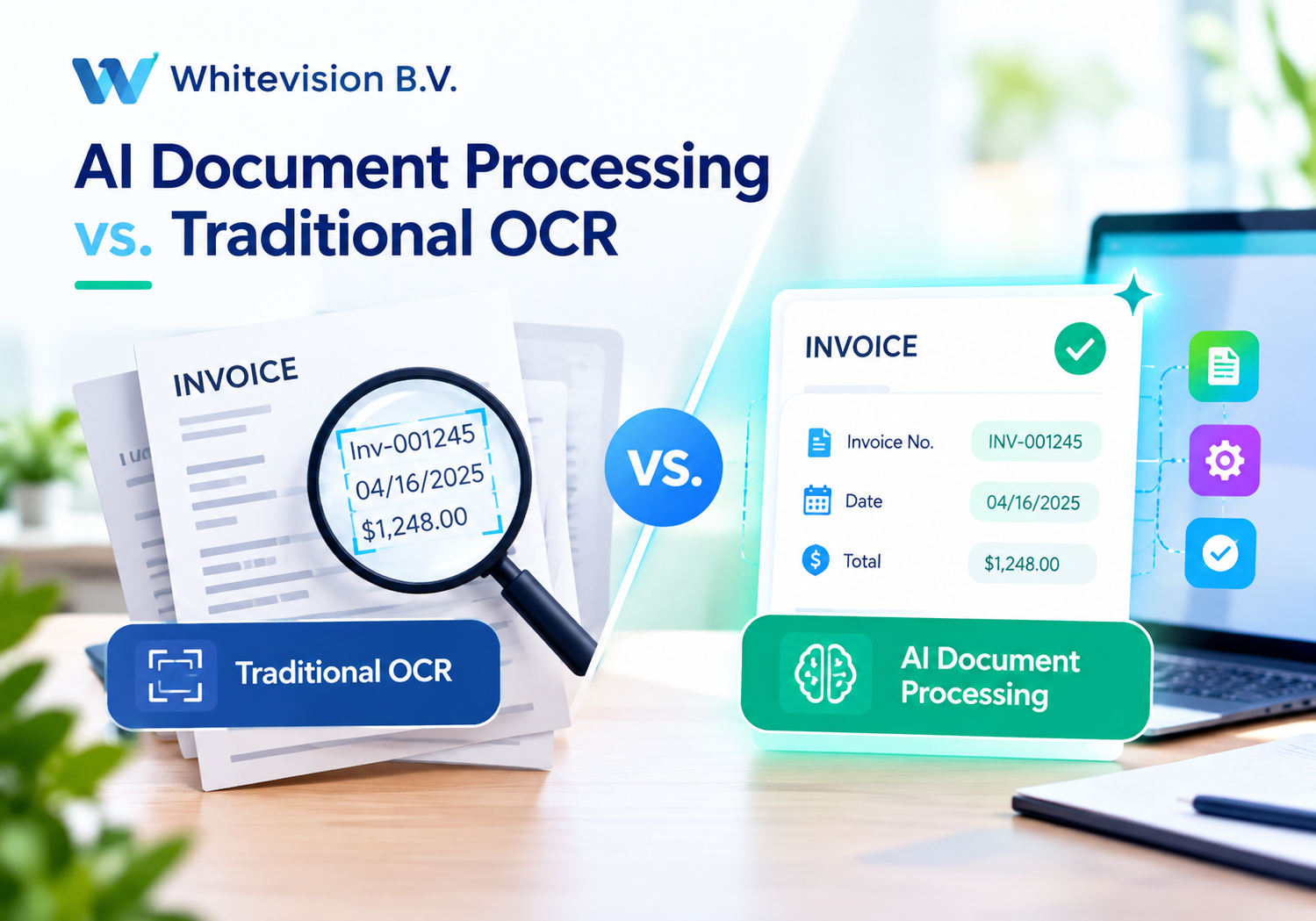
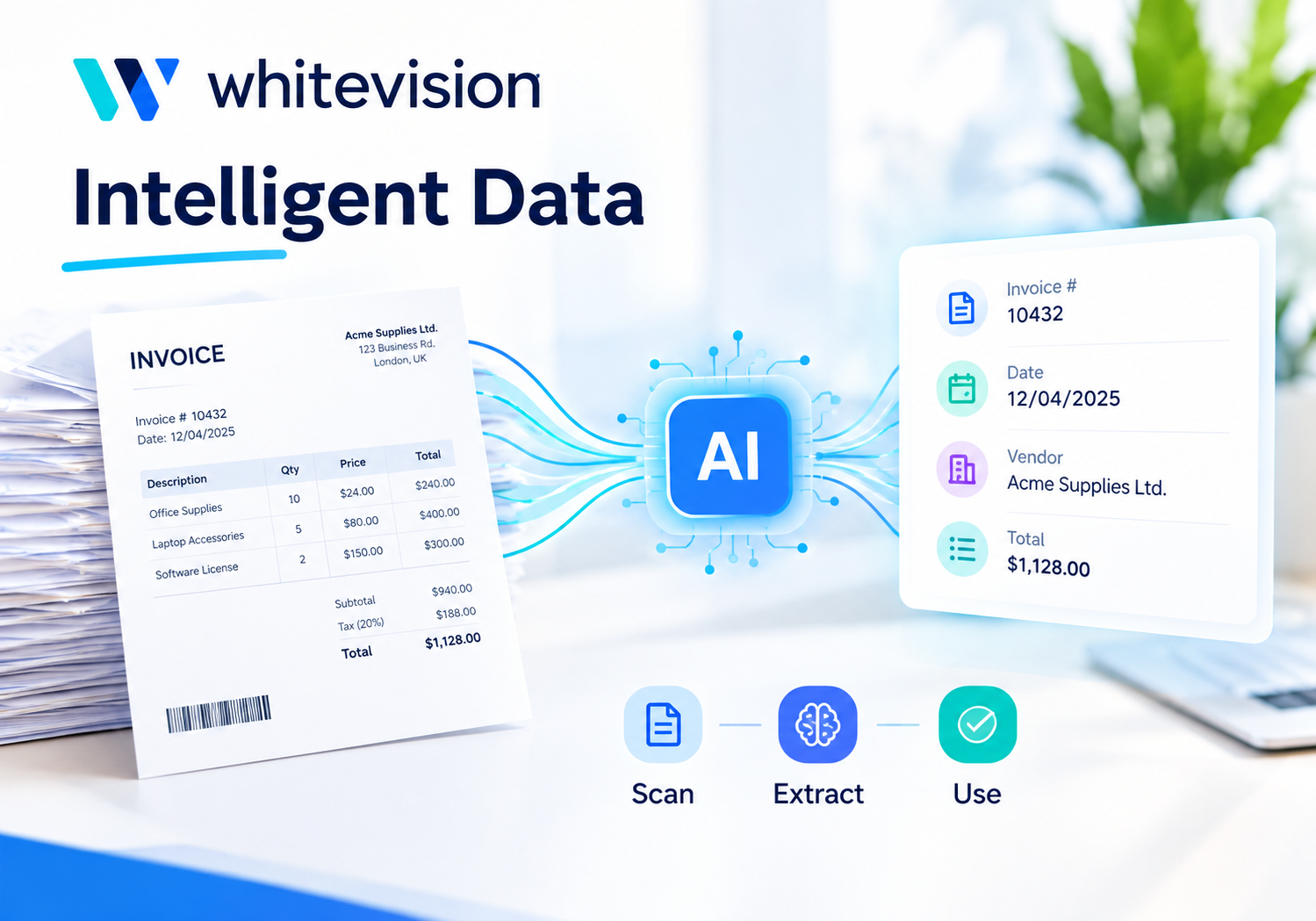
Whitevision B.V. specializes in AI-driven document processing, particularly OCR (Optical Character Recognition) technology that reads and interprets incoming documents — invoices, expense claims, delivery notes, and more — and converts them into smart booking proposals for ERP systems. The platform includes digital approval workflows, a mobile app for on-the-go approvals and receipt scanning, and deep integrations with ERP systems like Exact and AFAS. Whitevision is especially well-suited for mid-to-large companies that deal with high invoice volumes and need to reduce manual data entry at scale.
What Is Expense Management Software, Really?
What Problems Does Manual Expense Handling Create?
Manual expense management is expensive in ways that are often invisible until they compound. Finance teams spend hours each month hunting for missing receipts, reconciling mismatched transactions, and correcting data-entry errors. Employees submit claims late because filling out paper forms feels like a chore. Approvals get stuck in email threads. And when it is finally time to close the books, accountants must piece everything together across multiple spreadsheets, inboxes, and filing cabinets.
According to research cited by the Global Business Travel Association, the average cost to process a single expense report manually is $58 — and if an error occurs, that figure climbs to $52 more to correct it. Multiply that by hundreds or thousands of claims per month, and the inefficiency becomes a serious financial burden.
Beyond cost, manual processes also create compliance risk. Without a standardized system, it is difficult to enforce spending policies, detect duplicate claims, or produce audit-ready records. Companies that rely on spreadsheets face constant exposure to fraud, over-reimbursement, and regulatory issues.
What Core Features Make Expense Management Software Effective?
Expense management software solves these problems through a combination of automation and visibility. The best platforms share several core features that together eliminate most of the friction in the traditional process:
- Mobile receipt capture — Employees photograph receipts with their smartphones, and the software reads the data automatically using OCR technology. No more paper trails.
- Automated approval workflows — Claims route to the right manager automatically, with email or push-notification alerts. Approvers can act in seconds from any device.
- Policy enforcement — The system flags expenses that exceed limits or fall outside approved categories before they reach finance.
- Accounting integrations — Approved expenses sync automatically with accounting and ERP systems, eliminating re-entry.
- Real-time reporting — Finance teams see spend by employee, department, category, or project at any moment — not just at month-end.
- Centralized storage — All receipts, claims, and reports live in one searchable digital archive, making audits straightforward.
How Does Automation Change the Finance Team’s Role?
When automation handles data capture, routing, and posting, finance professionals stop being data-entry clerks and start functioning as strategic analysts. They spend less time chasing receipts and more time spotting spending patterns, renegotiating supplier contracts, and providing insights that drive better business decisions.
Furthermore, automation dramatically speeds up employee reimbursements. When claims are submitted digitally and routed automatically, payment can happen within days rather than weeks — improving staff satisfaction and reducing the administrative back-and-forth that frustrates employees and managers alike.
Why Do Companies Actually Need Expense Management Software?
Does Company Size Determine Whether You Need It?
A common misconception is that expense management software is only for large enterprises. In reality, SMEs often have the most to gain. Larger companies typically have dedicated finance teams to absorb manual workload. Smaller businesses, by contrast, rely on one or two people to handle all finance tasks — meaning every hour spent on manual processing directly takes away from higher-value work.
That said, the specific platform that fits best depends on size and complexity. A 15-person startup might choose HoorayHR for its simplicity and all-in-one HR functionality. A 200-person company with high invoice volumes might rely on Whitevision‘s OCR automation. A fast-growing scale-up that needs corporate cards and spend controls alongside expense tracking might lean toward Moss.
What Happens to Compliance When Expense Processes Go Digital?
Digital expense management strengthens compliance significantly. Instead of relying on employees to self-report accurately, the software enforces rules automatically. It flags policy violations at the point of submission, maintains an immutable audit trail, and stores every receipt and approval decision with a timestamp.
This matters not only for internal governance but also for tax authorities. In many jurisdictions, businesses must retain supporting documentation for business expenses for five to seven years. Digital archiving ensures that documentation remains accessible, organized, and tamper-evident — far more reliably than a filing cabinet of paper receipts.
Additionally, automated matching of receipts to transactions removes a common fraud vector: the inflated or duplicated claim. When every expense links to a specific card transaction or a scanned original receipt, the opportunity for abuse narrows considerably.
How Does Expense Software Improve Cash Flow Visibility?
Real-time dashboards give finance leaders something that monthly spreadsheets cannot: a live picture of where money is going right now. Instead of waiting for month-end to discover that a department overspent its travel budget, managers receive automated alerts the moment spending approaches its limit.
This shift from reactive to proactive financial management helps companies avoid budget surprises, plan more accurately, and make faster decisions. When finance can see spend as it happens, it can redirect resources before a problem grows, rather than scrambling to explain variances after the fact.
How Does Each Platform Handle the Core Expense Management Challenges?
How Does Moss Tackle Spend Control and Receipt Management?
Moss approaches expense management from the corporate card angle. Rather than asking employees to pay out of pocket and wait for reimbursement, Moss issues company cards — both virtual and physical — with pre-set spending limits and usage policies. This means control happens before the money leaves, not after.
For receipt management, Moss allows employees to capture receipts through its mobile app immediately after a purchase, or automatically retrieves them from Gmail and Outlook. The platform even sends automated reminders when receipts are missing and can block cards if an employee fails to submit documentation — a powerful deterrent for sloppy record-keeping.
On the accounting side, Moss offers two-way sync with major accounting software, enabling automatic categorization and pre-coded expense entries that make month-end closing faster and more reliable.
How Does HoorayHR Simplify the Expense Claim Process for SMEs?
HoorayHR keeps the expense claim process deliberately simple. Employees scan receipts in the app, submit them to their team leader with a single tap, and the claim routes to finance automatically once approved. The entire journey — from scan to accounting entry — happens digitally without any paper or manual re-entry.
What makes HoorayHR particularly attractive for SMEs is its pricing model. At a flat rate starting from €4.00 per employee per month (all-inclusive), companies access not only expense management but also leave registration, contract management, document storage, personnel files, and onboarding workflows. There are no implementation costs and no separate licensing fees for individual modules.
HoorayHR also integrates with Exact Online, AFAS, Moneybird, and Yuki, so expense data flows directly into the company’s accounting system without any manual intervention from the finance team.
How Does Whitevision Use OCR to Eliminate Manual Invoice Entry?
Whitevision targets a different pain point: the sheer volume of incoming documents that finance teams must process. Rather than focusing only on employee expense claims, Whitevision automates the entire incoming document workflow — from purchase invoices and delivery notes to order confirmations and expense statements.
Its OCR technology reads incoming documents regardless of format (PDF, XML, email, scanned paper) and generates smart booking proposals enriched with AI-driven data matching. The platform can automatically match invoices against existing purchase orders and flag discrepancies for human review — reducing errors without requiring manual line-by-line checking.
The Whitevision smartphone app allows approvers to review and sign off on invoices and expense claims from anywhere, at any time. And because Whitevision integrates deeply with ERP systems like Exact and AFAS — through formal partnerships with those vendors — the data transfer between document processing and financial records is seamless and reliable.
Platform Comparison: Moss vs. HoorayHR vs. Whitevision B.V.
| Feature | |  |  |
|---|---|---|---|
| Primary focus | Spend management & corporate cards | All-in-one HR + expense claims | OCR document processing & invoice automation |
| Best suited for | SMBs needing card + expense control | SMEs (10–100 employees) wanting HR + expense in one | Mid-to-large companies with high invoice volumes |
| Mobile receipt capture | ✔ Yes (app + email auto-fetch) | ✔ Yes (scan in app) | ✔ Yes (smartphone app) |
| Approval workflows | ✔ Multi-step, customizable | ✔ Team leader approval routing | ✔ Digital workflow for all document types |
| Corporate cards | ✔ Virtual + physical, with limits | ⨉ Not included | ⨉ Not included |
| Accounting integrations | ✔ Two-way sync with major tools | ✔ Exact, AFAS, Moneybird, Yuki | ✔ Deep ERP integration (Exact, AFAS) |
| Invoice/document automation | ✔ Invoice processing included | ⨉ Not a primary feature | ✔ Core strength (OCR, AI matching) |
| HR features | ⨉ Limited (HR system integrations) | ✔ Full HR suite included | ⨉ Not included |
| Pricing model | On request (tiered) | From €4.00/user/month (all-in) | On request (modular) |
| Implementation time | Fast (intuitive setup) | 1 day | 2–8 weeks (depending on ERP) |
| ERP integration depth | Accounting-level sync | Accounting software sync | Deep ERP partnership integrations |
| Free trial | Demo available | 14-day free trial | Demo available |
| Target market | SMBs, scale-ups | SMEs (Netherlands-focused) | Mid-market to enterprise |
What Should Companies Consider When Choosing an Expense Management Platform?
Does Your Team Work Mostly On-Site or Remotely?
The answer shapes which features matter most. Remote or field-based teams need strong mobile functionality — instant receipt capture, push notifications for approvals, and the ability to submit claims without internet access or later sync. Both Moss and HoorayHR handle this well through their dedicated apps. Whitevision also offers a capable mobile approval app, though its primary strength lies in back-office automation rather than employee-facing interfaces.
How Many Invoices and Expense Claims Does Your Organization Process Monthly?
Volume is a crucial factor. If your finance team processes dozens of expense claims per month, any modern platform handles it comfortably. However, if you deal with hundreds of purchase invoices from multiple suppliers in various formats, Whitevision’s AI-driven OCR and automatic matching capabilities offer a level of scalability that simpler expense tools cannot match.
Do You Need Expense Management Alone, or as Part of a Broader System?
Companies that already have a solid HR platform might only need Moss to fill the spend management gap. On the other hand, companies that currently manage HR in Excel and want to fix multiple processes in one move will find HoorayHR’s all-in-one approach compelling. Meanwhile, businesses that have an existing ERP system and want to automate the document intake layer should look seriously at Whitevision.
What Are the Measurable Benefits of Implementing Expense Management Software?

How Much Time Can Companies Actually Save?
The time savings are substantial and well-documented. Moss reports that finance teams save up to 47% in productivity time by eliminating manual expense management tasks, while employee reimbursements happen 27% faster after implementation. The platform estimates that users can achieve a 4.5x return on investment within three years.
HoorayHR eliminates what the company calls “the receipt scramble” — the end-of-month chaos of hunting for lost paper receipts and chasing employees for documentation. Because receipts are captured and submitted immediately after purchase, there is no scramble because everything is already in the system.
Whitevision similarly helps organizations process more documents with the same staff by removing the need for manual data entry, cross-checking, and re-keying into ERP systems.
What Is the ROI of Going Paperless?
Beyond time savings, the return on investment comes from several directions simultaneously:
- Fewer errors — Automated data capture reduces transposition mistakes and duplicate entries that cost time and money to correct.
- Faster closes — Month-end and year-end financial closes shrink from days to hours when expense data is already clean and categorized.
- Stronger compliance — Digital audit trails reduce exposure to penalties, disputed claims, and tax authority challenges.
- Better spending decisions — Real-time dashboards allow managers to redirect budget before it runs out, not after.
- Higher employee satisfaction — Faster reimbursements and simpler processes reduce friction and frustration for staff.
Conclusion
Expense management software is no longer a luxury reserved for large enterprises with dedicated IT teams. Today, platforms like Moss, HoorayHR, and Whitevision B.V. make it accessible, affordable, and fast for companies of every size to replace paper receipts and manual spreadsheets with automated, mobile-first, integrated processes.
Moss stands out for companies that want corporate card control combined with expense automation. HoorayHR delivers exceptional value for SMEs that want to handle both HR and expense management in one simple, affordable tool. Whitevision leads for organizations dealing with high document and invoice volumes that need AI-powered OCR and deep ERP integration.
Regardless of which platform fits best, the core case for expense management software remains the same: it saves time, reduces errors, strengthens compliance, and gives finance teams the real-time visibility they need to manage money confidently. Transitioning from manual processes to a modern expense platform is one of the highest-ROI investments a growing company can make — and with expert partners like Solution for Guru to guide the way, that transition becomes faster and smoother than ever.
Frequently Asked Questions
Accounting software handles the full scope of financial record-keeping — ledgers, financial statements, accounts payable, tax filings, and more. Expense management software focuses specifically on capturing, routing, approving, and reporting employee and operational expenses. The two systems complement each other: expense management handles the upstream capture and approval process, then feeds clean, categorized data into the accounting system. Most modern expense platforms — including Moss, HoorayHR, and Whitevision — integrate directly with accounting software so the two systems work as one seamless flow rather than two separate silos.
Implementation time varies significantly by platform and organizational complexity. HoorayHR is designed to be operational within a single day — employees log in and start using it immediately, with no formal training required. Moss similarly has a fast, intuitive setup process well-suited to SMBs that need to move quickly. Whitevision, by contrast, involves a more structured implementation that typically takes two to eight weeks, reflecting its deeper ERP integrations and the configuration work required to match complex approval workflows and document routing rules. As a general principle, cloud-based SaaS tools aimed at SMEs deploy faster, while enterprise-grade document automation platforms require more time to configure correctly.
Absolutely — and arguably, small businesses benefit most. With limited finance staff, every hour spent on manual expense processing represents a significant proportion of total finance capacity. Automating receipt capture, approval, and accounting sync frees those hours for higher-value work. HoorayHR, for instance, is specifically designed for companies between 10 and 100 employees and charges a flat all-inclusive fee with no implementation costs — making it financially accessible even for very small teams. Moss also serves small businesses effectively, particularly those that benefit from corporate card controls. The key question is not whether a small company can afford expense management software, but whether it can afford the inefficiency of doing without it.
Why Work with Solution for Guru for Your Expense Management Journey?
Choosing the right expense management platform is only the first step. Integrating it properly with your existing accounting software, ERP, and HR systems — and configuring it to match your company’s approval policies, cost centers, and reporting requirements — is where many implementations fall short.

Solution for Guru is a specialist advisory and integration partner focused on CRM, payroll, and business software ecosystems. Working with Solution for Guru offers several advantages for companies evaluating or implementing expense management platforms:
- Expert platform guidance — Rather than navigating vendor sales pitches alone, you get independent guidance on which platform genuinely matches your workflow, size, and budget.
- Seamless integrations — Solution for Guru specializes in connecting business software — meaning your expense management tool, accounting system, payroll provider, and CRM can share data without manual intervention.
- Faster time to value — With implementation expertise already in place, your team avoids the trial-and-error that delays ROI in self-managed rollouts.
- Ongoing support — As your business grows and your needs change, Solution for Guru provides continuous support, training, and optimization — not just a one-time setup.
- Objective best practices — Because Solution for Guru works across multiple platforms rather than being tied to a single vendor, the advice you receive centers on your business outcomes, not a vendor’s sales targets.
For companies that want to move quickly from manual chaos to automated clarity, partnering with an experienced integrator like Solution for Guru transforms what could be a months-long project into a streamlined deployment.