What Is Information Architecture: A Practical Guide

TL;DR:
- Information architecture organizes, structures, and labels digital content to help users find information efficiently. Proper IA is essential before design starts, as it impacts usability and user retention. Validation methods like card sorting and tree testing improve IA accuracy and reduce user frustration.
Information architecture (IA) is defined as the practice of organizing, structuring, and labeling content to ensure users can find and understand information quickly. The discipline traces its roots to library science and was formalized for digital contexts by Peter Morville and Louis Rosenfeld in their landmark 1998 book, Information Architecture for the World Wide Web. IA sits upstream of both user experience (UX) design and user interface (UI) design. It determines the skeleton of a digital product before any visual decisions are made. Teams that skip this step build websites and apps that look polished but leave users lost, frustrated, and gone.
What is information architecture made of?
Information architecture centers on four core components: organization schemes, labeling systems, navigation mechanisms, and search functionality. A fifth component, metadata systems, ties the others together by tagging content for retrieval and curation. Each system plays a distinct role, and weak integration between them creates navigation dead-ends that drive users away.
Here is how each component functions in practice:
- Organization systems group content by topic, task, audience, or chronology. An e-commerce site groups products by category; a hospital portal groups content by patient type.
- Labeling systems assign names to categories and links. The goal is user-centric language, not internal department names. A label like “Resources” means nothing; “How-To Guides” tells users exactly what they will find.
- Navigation systems give users the mechanisms to move through an information space. This includes global navigation bars, breadcrumbs, sidebars, and footer links.
- Search systems complement navigation by indexing content and returning relevant results. Strong search reduces the burden on navigation when content volume grows.
- Metadata systems apply structured tags to content so it can be filtered, sorted, and surfaced in the right contexts.
| Component | Primary Function | Failure Mode |
|---|---|---|
| Organization | Groups related content | Arbitrary groupings confuse users |
| Labeling | Names categories and links | Jargon causes abandonment |
| Navigation | Enables movement through content | Poor hierarchy traps users |
| Search | Retrieves specific content | Weak indexing returns irrelevant results |
| Metadata | Tags content for retrieval | Missing tags create dead-ends |
Poor metadata integration leads to navigation dead-ends that no amount of visual polish can fix. This is why IA decisions must be made before design begins, not after.

What principles guide effective information architecture design?
Dan Brown, a leading IA practitioner, codified eight principles that guide effective structure. These principles give teams a shared framework for making decisions when competing priorities arise.
- Objects. Treat content as living things with lifecycles, behaviors, and attributes. A product page and a blog post are different objects with different rules.
- Choices. Limit the number of options presented at any level. Too many choices paralyze users rather than helping them.
- Disclosure. Show only enough information to help users make the next decision. Reveal detail progressively, not all at once.
- Exemplars. Use examples to describe category contents. Showing three sample articles under a category label tells users more than the label alone.
- Front Doors. Assume users will arrive on any page, not just the homepage. Every page must orient users and give them a path forward.
- Multiple Classification. Offer more than one way to find the same content. Tags, categories, and search all serve different user mental models.
- Focused Navigation. Keep navigation systems separate and consistent. Do not mix global navigation with local navigation in the same menu.
- Growth. Design the structure to accommodate new content without breaking existing organization.
High-performing IA prioritizes user tasks over organizational convenience to keep complex systems navigable. The Growth principle is where most teams fail. They build a structure that works for 50 pages and then watch it collapse at 500.
Pro Tip: Apply the Front Doors principle by auditing your top landing pages in Google Search Console. If a user lands on a deep interior page and cannot tell where they are or how to find related content, your IA has a structural gap.
How do teams validate and test information architecture?
Building an IA based on internal assumptions is the most common and costly mistake in digital product development. Card sorting and tree testing are the two primary validation methods that align structure with actual user expectations.
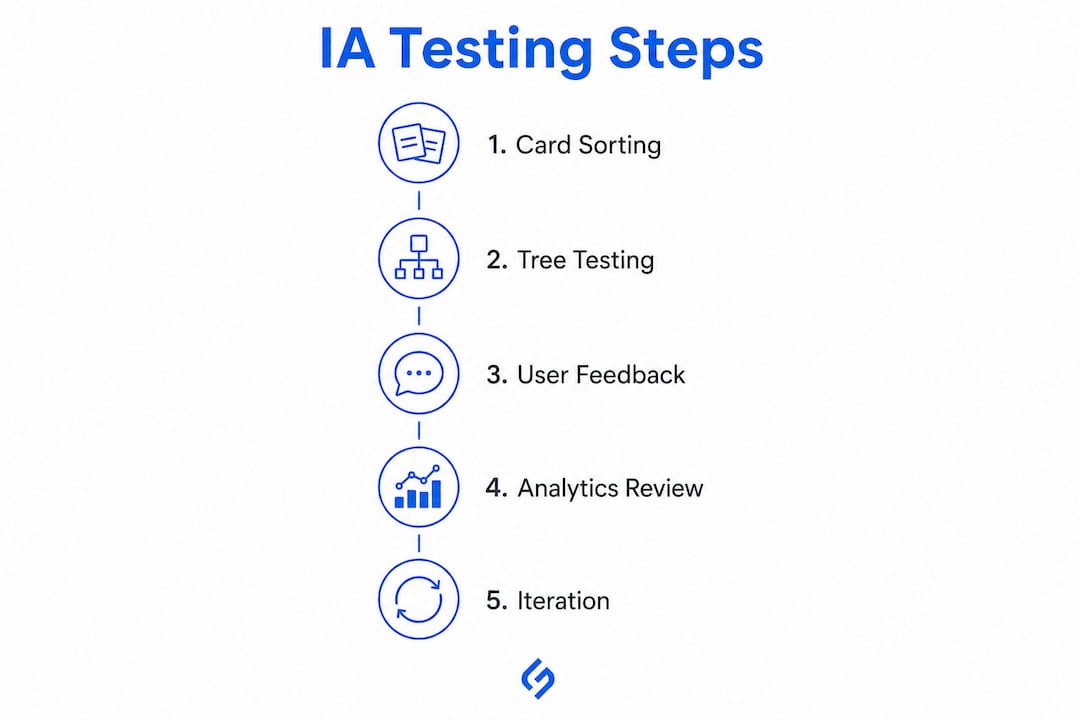
Card sorting asks users to group content items into categories that make sense to them. Open card sorting reveals how users naturally cluster information. Closed card sorting tests whether a proposed structure matches user mental models. The output directly informs organization and labeling decisions.
Tree testing evaluates a proposed navigation structure by asking users to find specific items without any visual design present. This isolates whether the hierarchy itself works, separate from any interface cues. The results show exactly where users get lost.
The benefits of running both methods before launch include:
- Higher task completion rates on live products
- Reduced user frustration and navigation abandonment
- Clearer evidence for resolving internal disagreements about structure
- A documented baseline for measuring future IA changes
IA validation improves KPIs like task completion rate and reduces abandonment in measurable ways. Teams that skip validation often discover structural problems only after launch, when fixing them costs significantly more time and money.
Pro Tip: Run a tree test with as few as 10–15 participants. You do not need a large sample to identify the most critical navigation failures. Patterns emerge quickly, and early findings are often decisive.
How does information architecture differ from UX and UI design?
The three disciplines are related but operate at different levels of abstraction. Confusing them leads to misaligned teams and products that fail users despite significant investment.
IA functions upstream of UI design, establishing the structure and hierarchy that every subsequent design decision depends on. Think of it this way: IA is the blueprint of a building, UX is the experience of living in it, and UI is the paint, furniture, and lighting.
| Discipline | Scope | Primary Output |
|---|---|---|
| Information Architecture | Structure and organization of content | Sitemaps, taxonomies, navigation models |
| User Experience (UX) | Overall quality of the user’s interaction | User flows, wireframes, usability tests |
| User Interface (UI) | Visual and interactive layer | Screen designs, component libraries, prototypes |
A strong IA makes good UX achievable. A weak IA makes good UX nearly impossible, regardless of how skilled the visual designers are. Teams that invest in UX design best practices consistently report that IA decisions made early in a project have the highest return on investment of any design activity.
The most common misconception is that IA is just a sitemap. A sitemap is one deliverable that IA produces. The discipline itself encompasses the full system of organization, labeling, navigation, and search that determines whether users succeed or fail.
What are best practices for creating effective information architecture?
Effective IA does not happen by accident. It requires deliberate research, documented decisions, and a commitment to testing assumptions before they become permanent structures.
The following practices separate teams that build durable IA from those that rebuild their sites every two years:
- Ground every decision in user research. Interviews, surveys, and analytics data reveal how users think about content, not how the organization thinks about it.
- Use controlled vocabularies. Labeling failures using internal jargon cause high navigation abandonment. A controlled vocabulary is a defined list of approved terms used consistently across labels, headings, and metadata.
- Structure content around user tasks, not departments. A user looking for “how to return a product” does not care that returns are handled by the logistics team. The IA must reflect the user’s goal.
- Plan for growth from day one. Every category and taxonomy should have room to expand without requiring a full restructure.
- Integrate SEO from the start. Semantic keyword research informs how users search for content, which directly shapes how content should be organized and labeled. IA and technical SEO share the same goal: making content findable.
- Document IA decisions and maintain governance. Without documentation, teams make inconsistent decisions as the product grows. A simple decision log prevents structural drift.
Pro Tip: Audit your current site’s navigation labels against your actual analytics search queries. If users are searching internally for terms that do not appear in your navigation, those are labeling failures you can fix immediately.
Key Takeaways
Strong information architecture is the single most important structural investment a digital team can make, because it determines whether users find what they need or leave.
| Point | Details |
|---|---|
| IA is a distinct discipline | It organizes content structure before UX or UI design begins, not alongside them. |
| Five systems work together | Organization, labeling, navigation, search, and metadata must integrate or users hit dead-ends. |
| Dan Brown’s eight principles apply | Principles like Disclosure, Front Doors, and Growth give teams a framework for structural decisions. |
| Validate before you launch | Card sorting and tree testing reveal structural failures before they cost real users and revenue. |
| Jargon kills navigation | Controlled vocabularies aligned to user language are a non-negotiable requirement for effective IA. |
Why IA is the most undervalued investment in digital products
Most teams I have worked with treat information architecture as a deliverable, not a discipline. They produce a sitemap, call it IA, and move straight to visual design. That is the equivalent of sketching a floor plan on a napkin and then hiring an architect to make it look good.
The projects that fail most visibly are rarely the ones with bad design. They are the ones with beautiful interfaces built on broken structure. Users cannot find the pricing page. The support section is buried three levels deep. The blog and the resource library use different labels for the same content type. These are IA failures, not design failures.
The other pattern I see consistently is teams that confuse user research with stakeholder input. Internal teams know their products deeply, but they use internal language, think in departmental silos, and optimize for how they organize information rather than how users seek it. Weak IA causes loss of confidence and user dropoff at a rate that no amount of marketing spend can offset.
The fix is not complicated. Run card sorting before you build. Test your tree before you design. Use the language your users use, not the language your org chart uses. IA done right is invisible to users. They just find what they need and complete their tasks. That invisibility is the goal.
How Solution For guru can help you build better digital products
Good information architecture is the foundation of every high-performing website, app, and digital platform. Without it, even the most polished product fails to deliver results.

Solution For guru works with businesses across industries to design digital products that users can actually navigate. From web development fundamentals to full UX strategy, the team brings structured thinking to every project. If your site is losing users before they convert, the problem is almost always structural. Solution4guru’s UX design services address IA, navigation, and content structure as a single integrated system, not as separate workstreams. The result is a digital product that works for users from day one.
FAQ
Information architecture is the practice of organizing and labeling content so users can find what they need. It defines the structure of websites, apps, and digital systems before any visual design begins.
IA defines the structure and organization of content. UX design covers the full quality of a user’s interaction with a product. IA is a component of UX, not a synonym for it.
The primary IA deliverables are sitemaps, taxonomies, navigation models, and content inventories. These documents guide UX and UI design decisions throughout a project.
Labeling failures using internal jargon cause high navigation abandonment. Labels must use the language users already know, not the terminology an organization uses internally.
Card sorting and tree testing are the two most effective methods. Card sorting reveals how users group content; tree testing evaluates whether a proposed navigation structure lets users find specific items efficiently.
Recommended
- Zoho CRM Architecture Explained for IT Professionals – Solution for Guru
- UX Design Best Practices for Designers and Product Managers – Solution for Guru
- AI for Customer Insights: A Practical SMB Guide – Solution for Guru
- What Is an ITSM Model? Structure, Frameworks, and Practical Insights – Solution for Guru