Best SEO Tips: 15 Quick Wins for Small Sites

The fastest way to improve organic visibility is to match search intent and fix the technical issues that are blocking Google from crawling your pages. Everything else, from link building to schema markup, only pays off once those two things are handled. If you want the best SEO tips without wading through theory, start with the list below and work top to bottom.
- Check your intent match first. Search whatever keyword you’re targeting and study what the top five results actually deliver, then rewrite your page to match that format.
- Fix crawlability in Google Search Console. Submit your sitemap and check the Page Indexing report for pages marked “Discovered, not indexed.”
- Run a speed check with PageSpeed Insights. Compress oversized images first. That single fix resolves most Core Web Vitals warnings.
- Rewrite thin title tags. Front-load the primary keyword and keep titles under 60 characters so they don’t get cut off in results.
- Write meta descriptions that earn the click. Include a concrete benefit or number, not a vague summary.
- Add one internal link per new page. Point it at a related page using descriptive anchor text instead of “click here.”
- Audit your keyword rankings in Semrush. Look for pages ranking positions 8 through 20. Those are your quickest wins.
- Add alt text to every image. Describe what’s actually in the image, not just the keyword you want to rank for.
- Consolidate duplicate or thin pages. Merge two weak pages into one strong one instead of letting both compete for the same query.
These nine moves alone will resolve the majority of issues holding back a small business site. The sections below go deeper on each one, plus the technical, content, and authority work that turns quick wins into a stable ranking position.
Key Takeaways
Matching search intent and fixing crawlability before anything else determines whether the rest of your SEO effort pays off at all.
| Point | Details |
|---|---|
| Match search intent | Study the top results for your keyword and mirror their format before writing anything new. |
| Fix crawlability first | Use Google Search Console to confirm your pages are indexed before optimizing content further. |
| Improve page speed | Run PageSpeed Insights and fix image compression as the highest-leverage speed win. |
| Earn links, don’t chase them | Focus outreach on useful resources and unlinked brand mentions rather than mass campaigns. |
| Get a prioritized audit | Solution4guru’s free consultation ranks your specific quick wins instead of a generic checklist. |
Table of Contents
- Best SEO Tips for Choosing Topics That Match Search Intent
- Best SEO Tips for On-Page Optimization
- Technical SEO Essentials Every Small Site Should Audit
- Authority and Link Building That Actually Earns Value
- Measuring SEO Results: Tools, KPIs, and Timelines
- Content Maintenance: When to Keep, Update, Merge, or Delete
- Featured Snippets, AI Overviews, and Structured Data
- A 30/90-Day SEO Plan for Small Sites and Local Businesses
- Voice Search Optimization Techniques
- Common SEO Mistakes to Avoid
- Why a Prioritized Approach Beats a Checklist Mentality
- Get a Free SEO Audit and a Clear 30/90-Day Plan
- Sources
- FAQ
Best SEO Tips for Choosing Topics That Match Search Intent
Search-intent mapping and a quick SERP analysis, done before you write a single word, matter more than keyword density ever will. Google can only rank a page that satisfies what the searcher actually wants, and no amount of on-page polish fixes a page built around the wrong intent.
How to run a lightweight SERP analysis
Type your target query into Google and look at three things: the content format (list, guide, comparison, tool), the depth (a 300-word answer or a 2,500-word breakdown), and the entities that show up repeatedly. If eight of the top ten results are numbered listicles, a single long-form essay is not going to outrank them no matter how well it’s written. This is the step HubSpot’s SEO guidance emphasizes: intent clustering and format-matching drive visibility in both classic search and AI-generated overviews.
Build pillar-and-cluster topic maps
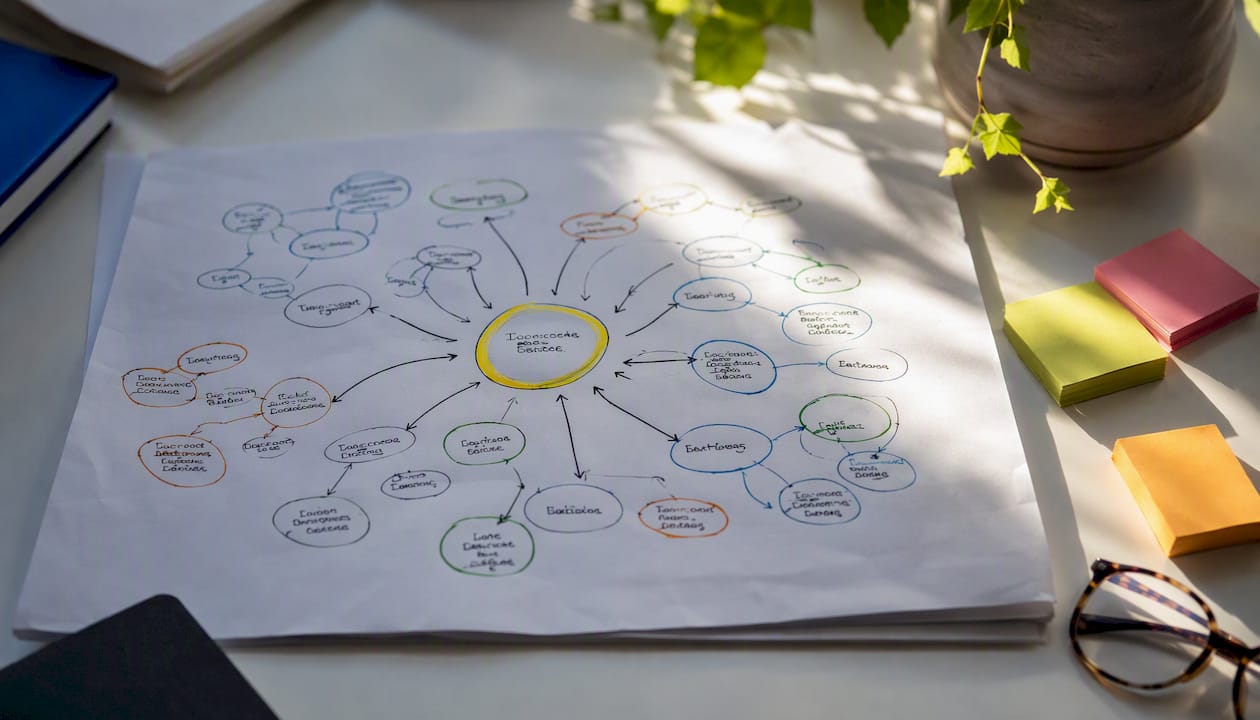
Once you understand intent, group your keywords into clusters around one central “pillar” topic. A local bakery might build a pillar page on “wedding cakes” with cluster pages on flavor guides, pricing, and delivery areas, each cross-linked back to the pillar. This structure signals topical depth to search engines and keeps you from publishing ten disconnected pages that all compete for scraps of traffic.
| Query | Likely Intent | Best Page Type |
|---|---|---|
| “what is technical SEO” | Informational | Educational guide or glossary page |
| “best CRM for small business” | Commercial investigation | Comparison or buyer’s guide |
| “seo agency near me” | Transactional | Local service page with contact form |
| “how long does seo take” | Informational | FAQ or blog post with a direct answer |
Pro Tip: Before writing anything new, search your own target keyword and note whether Google shows a “People Also Ask” box. Those questions are free content ideas that Google has already told you people want answered.
For tool support, Semrush handles keyword volume and competitive gap analysis, Google Search Console shows you what you’re already ranking for (often surprising you with terms you didn’t target), and a manual SERP scan catches intent mismatches no tool will flag automatically. If you’re building out a larger site architecture, our guide on SEO concepts for enterprises breaks down how pillar-and-cluster models scale beyond a handful of pages.
Best SEO Tips for On-Page Optimization
The biggest on-page wins come from five specific spots: the title tag, the H1, the first 100 words of body copy, the meta description, and image alt text. Get those five right, and you’ve captured most of the available on-page ranking signals. Everything past that point is fine-tuning.
Here’s a practical checklist to run through on any page you’re editing:
- Put the primary keyword in the title tag, ideally within the first half of it.
- Match the H1 to the searcher’s actual question, not a generic label like “Our Services.”
- Use the first 100 words to state the answer directly, before any throat-clearing.
- Write a meta description with a specific benefit or number, since Google often rewrites vague ones anyway.
- Keep URLs short and readable:
/wedding-cake-pricingbeats/page-id-4471. - Add descriptive alt text to every image, written for a person, not a bot.
- Use one H1 per page and a logical H2/H3 hierarchy underneath it.
A good meta description reads like: “Compare wedding cake pricing by size, tier, and design complexity, with sample quotes from three local bakeries.” A bad one reads like: “Welcome to our bakery, where we love to bake and create memories.” The first tells a searcher exactly what they’ll get. The second tells them nothing.
Alt text follows the same logic. “Three-tier white wedding cake with gold leaf accents and fresh peonies” beats “wedding cake image” every time, because it describes the actual content instead of stuffing a keyword.
Keyword stuffing, misleading meta descriptions, and duplicate title tags across multiple pages are the three fastest ways to undercut on-page work that’s otherwise solid. Google’s own SEO Starter Guide is explicit that content written for people, not algorithms, is the baseline requirement for ranking eligibility.
Duplicate titles are especially common on ecommerce and local business sites that spin up location pages from a template. If ten city pages all share the title “Best Plumber Services,” Google has no way to tell them apart, and neither does a searcher. For deeper formatting guidance, see how to write SEO content that ranks.
Technical SEO Essentials Every Small Site Should Audit
Your top priority, before anything else on this list, is making sure search engines can crawl and render your main pages. A perfectly written page that Google can’t reach or render properly might as well not exist.
- Check crawlability in Google Search Console. The Page Indexing report tells you exactly which pages are indexed, excluded, or blocked, and why.
- Verify rendering with the URL Inspection tool. This shows you what Googlebot actually sees, which sometimes differs from what a browser renders, especially on JavaScript-heavy sites.
- Confirm your sitemap and robots.txt are correct. A misconfigured robots.txt file can accidentally block your entire site from crawling, a mistake that happens more often than you’d think during a site redesign.
- Audit canonical tags and redirects. Duplicate content without a canonical tag splits ranking signals across multiple URLs instead of consolidating them.
- Run a Core Web Vitals check with PageSpeed Insights. Focus on Largest Contentful Paint first. It’s usually the metric hurting mobile scores the most.
Image compression is the single highest-leverage speed fix for most small sites, since unoptimized product photos and hero images routinely account for the majority of page weight. Server response time and CDN use come next; a shared hosting plan that takes 800 milliseconds to respond will drag down every other optimization you make.
Pro Tip: Run PageSpeed Insights on your homepage and your slowest product or service page separately. Site-wide averages hide the pages that are actually costing you rankings.
Mobile readiness goes beyond a responsive layout. Check that tap targets are large enough to hit accurately with a thumb, that navigation menus don’t require pinch-zooming, and that mobile users see the same content as desktop visitors. Google’s guidance in the SEO Starter Guide treats crawlable structure and mobile parity as baseline requirements, not bonus features. For a full walkthrough of audit steps, our technical SEO guide covers remediation in more depth than fits here.
Authority and Link Building That Actually Earns Value
Focus on earning links through genuinely useful resources and reputation signals rather than mass outreach campaigns, which tend to burn time and produce low-quality links that carry little weight. Links still matter for ranking, but the path to earning them has changed. Spray-and-pray outreach emails get ignored; useful, citable resources get linked naturally.
A basic outreach process looks like this:
- Identify realistic prospects. Search for sites that already link to competitors or that cover your topic without linking to anyone specific.
- Craft a short, specific pitch. Reference the exact page you’re following up on and explain in one sentence why your resource adds value to it.
- Follow up once, politely, after a week. Most replies come from the follow-up, not the first email.
- Track what worked. Note which pitch angles got responses so you can repeat them.
Internal linking deserves as much attention as external links, and it costs nothing. Use descriptive anchor text instead of “learn more,” and build hub pages that link out to every related cluster page you have, since this spreads authority across your site instead of concentrating it on one URL.
Small businesses have link opportunities that bigger companies don’t:
- Local business directories and chamber of commerce listings.
- Supplier or partner pages that already mention your business by name.
- Customer testimonials or case studies hosted on a client’s own site.
- Local news coverage of community events you’ve sponsored or participated in.
Pro Tip: Search your business name in Google without your URL attached. If you find unlinked mentions on news sites or directories, a polite email asking them to add a link is one of the easiest wins in link building, because they’ve already decided you’re worth mentioning.
Measuring SEO Results: Tools, KPIs, and Timelines
Track four things: indexation status, impressions and clicks, organic traffic and conversions, and page speed. Miss any one of these and you’re flying partially blind, since a page can rank well but still fail to convert, or convert well but be invisible in search.
| Tool Category | What It Measures | Best Used For |
|---|---|---|
| Search performance monitoring | Indexation, impressions, click-through rate, average position | Diagnosing why a page isn’t ranking or getting clicks |
| Page speed diagnostics | Core Web Vitals, load time, render-blocking resources | Prioritizing technical fixes before a redesign |
| Keyword and competitive research | Search volume, keyword difficulty, competitor gaps | Planning new content and finding quick-win keywords |
| Web analytics | Traffic sources, on-site behavior, conversion paths | Connecting rankings to actual business outcomes |
- Google Search Console tells you exactly which queries bring traffic and where impressions aren’t converting to clicks, which usually points to a title tag or meta description problem.
- PageSpeed Insights flags the specific technical issues slowing down a page, ranked by estimated impact.
- Semrush covers keyword tracking, competitor gap analysis, and site audits in one place, which is useful once you’re managing more than a handful of pages.
A 30/90-day plan that starts with audits and quick technical wins before moving into content and links tends to be the fastest realistic path to measurable gains for a small site. Expect early movement in impressions and average position within four to six weeks after fixing indexing issues, with meaningful traffic and conversion changes usually taking two to three months as content and authority signals compound.
Content Maintenance: When to Keep, Update, Merge, or Delete
Regular pruning and updating beats endless new content, since a site full of thin, outdated, or overlapping pages actively drags down its own quality signals. Publishing more without maintaining what you already have is one of the most common wastes of effort in small-business SEO.
Run this checklist on your existing pages at least twice a year:
- Pull traffic and conversion data for every page older than 12 months.
- Flag pages with zero organic traffic in the last six months.
- Check for topical overlap where two or more pages target the same query.
- Review backlink profiles to see which pages already carry earned authority worth preserving.
From there, sort every page into one of four buckets. Keep applies to pages performing well as-is, no changes needed. Improve applies to pages with decent traffic but outdated information, like a “2023 pricing guide” that just needs its numbers refreshed. Merge applies to two thin pages competing for the same keyword, such as separate posts on “SEO tips for beginners” and “basic SEO advice” that should become one stronger page. Delete applies to pages with no traffic, no backlinks, and no strategic purpose, often old blog posts from a defunct campaign.
This process, often called historical optimization, tends to produce steadier gains than publishing new content, because you’re reinforcing pages that already have some authority instead of starting from zero every time. For a rundown of the errors that create zombie pages in the first place, see common SEO mistakes that kill rankings.
| Point | Details |
|---|---|
| Audit twice yearly | Pull traffic, conversions, and backlink data for every page over 12 months old. |
| Merge overlapping pages | Combine pages competing for the same query into one stronger page. |
| Delete zombie pages | Remove pages with no traffic, no backlinks, and no strategic purpose. |
Featured Snippets, AI Overviews, and Structured Data
Answer-first formatting and structured content increase your chances of being quoted directly in featured snippets and AI-generated overviews. Google and AI systems both pull from pages that state the answer plainly near the top, then support it with structured detail underneath, which is exactly why this article opens every section the way it does.
Formatting choices that help:
- Open each section with a direct, one-sentence answer before adding context.
- Use numbered lists for processes and bullet lists for unordered items or features.
- Keep tables simple, with clear headers and short cell content, since both search engines and AI extraction tools parse tables more reliably than dense paragraphs.
- Break long paragraphs into shorter chunks so a single idea can be extracted cleanly.
Structured data reinforces this. Adding Article schema to blog posts, LocalBusiness schema to a contact or location page, and FAQPage schema to your FAQ section all help search engines understand what a page is and surface it in rich results. The Schema covers the full range of schema types if you want to go beyond the basics. Ecommerce sites have additional structured-data options worth exploring, and ecentic’s guide to ecommerce SEO walks through Product and Offer schema for shopping-focused pages.
| Schema Type | Page Type | Benefit |
|---|---|---|
| Article | Blog posts, guides | Improves eligibility for rich snippets and news carousels |
| LocalBusiness | Contact, location pages | Powers map packs and local knowledge panels |
| FAQPage | FAQ sections | Enables expandable question results directly in search |
| Product | Ecommerce listings | Shows price, availability, and reviews in results |
None of this should come at the cost of on-site conversion. A page can be answer-first for search engines and still guide a human reader toward a contact form or a purchase; the two goals aren’t in tension when the structure is built with both in mind.
A 30/90-Day SEO Plan for Small Sites and Local Businesses
Spend the first 30 days on audits and quick technical wins, then use the next 60 days for content development and authority-building moves. This sequencing matters because content and links built on top of a broken technical foundation waste effort; fix the plumbing first.
- Complete the technical audit checklist from weeks one through four before writing any new content.
- Prioritize your highest-traffic existing pages for historical optimization rather than starting new pages from scratch.
- Build two to three pillar pages in months two and three, each supported by three to five cluster pages.
- Reassess Search Console data monthly and adjust the content calendar based on what’s actually gaining impressions.
A small business without dedicated staff should budget roughly five to eight hours a week during the first month, dropping to three to four hours a week once the technical backlog clears. Michigan Tech’s guidance on setting an SEO strategy and publishing regularly reflects this same logic: consistency over the first quarter matters more than any single tactic.
Pro Tip: Rank your existing pages by traffic potential before deciding where to spend your limited hours. A page already getting 200 monthly visits that ranks position 12 is a better use of time than writing a brand-new page from zero.
If your business serves a specific city or region, pair this plan with our local SEO 90-day playbook for citation-building and map-pack tactics specific to local search.
Voice Search Optimization Techniques
Voice search results favor conversational, question-based phrasing over the clipped keyword strings typewritten searches often use. When someone types “best pizza NYC,” they often speak “what’s the best pizza place near me,” and your content needs to answer the second phrasing, not just the first.
Structuring content to answer natural-language questions directly, in a sentence or two right after the question itself, gives voice assistants a clean snippet to read aloud. FAQPage schema helps here too, since it explicitly labels question-and-answer pairs for machines to parse. Local businesses benefit especially, since a large share of voice queries carry local intent, such as “near me” searches for hours, directions, or availability. Keeping your business name, address, and phone number consistent across your site and directory listings supports both voice search and standard local SEO, since assistants pull heavily from structured local data when answering location-based questions.
Common SEO Mistakes to Avoid
The most damaging mistake small sites make is optimizing for the wrong search intent, since no amount of technical polish saves a page built around what you want to say instead of what the searcher wants to find. This single error undermines everything else on this list.
Beyond intent mismatches, a handful of recurring mistakes show up across nearly every small-business audit:
- Keyword stuffing. Repeating a phrase unnaturally throughout a page reads poorly to humans and gets flagged by search engines as manipulative.
- Ignoring mobile experience. A desktop-first site that’s technically “responsive” but slow or cluttered on mobile loses rankings and visitors simultaneously.
- Publishing without updating. Letting old, outdated pages sit unmaintained while chasing new content spreads authority thin across a growing pile of weak pages.
- Neglecting internal links. Orphaned pages with no internal links pointing to them are harder for both crawlers and users to find.
- Chasing rankings instead of conversions. A page that ranks well but doesn’t convert is a vanity metric, not a business outcome.
Semrush’s own tactical checklist makes a similar point: targeting the right keywords and meeting actual search intent consistently outperforms sheer volume of content or backlinks.
Why a Prioritized Approach Beats a Checklist Mentality
Most SEO advice gets published as an undifferentiated list, forty tips with no sense of which three actually move the needle. That framing wastes small business owners’ limited time. Fixing a broken canonical tag rarely matters if your title tags don’t match what people are searching for in the first place, and a flawless schema implementation means nothing on a page Google can’t crawl.
The order matters as much as the individual tactics. Audit and fix technical blockers first, because content and links built on a broken foundation get wasted. Match search intent second, because a perfectly optimized page targeting the wrong intent still won’t rank. Build authority and prune content third, because links and topical depth compound only once the first two are solid. This sequencing isn’t a stylistic preference; it reflects how search engines actually evaluate a site, from crawlability up through relevance and trust.
Small businesses tend to skip straight to link building or content volume because those feel like “real” marketing work, while technical audits feel tedious. That instinct is backward. A technical SEO audit usually surfaces more immediate ranking opportunity than a month of blog posts, simply because it removes barriers that were suppressing pages you’d already built. If you want a structured starting point for that kind of audit, along with a free consultation, the section below covers exactly that.
Get a Free SEO Audit and a Clear 30/90-Day Plan
Working through every item on this list takes real hours, and for a business owner already running the day-to-day, that time is often the scarcest resource. Solution4guru handles the audit and prioritization work directly, so instead of guessing which of these fifteen tips matters most for your specific site, you get a ranked list built from your actual data.
A free consultation includes a technical checklist covering crawlability, speed, and indexation status, the top three quick wins specific to your site, and a draft 30/90-day plan you can hand to a contractor or execute yourself. If your site needs deeper structural work, such as fixing a slow legacy build or a mobile experience that’s technically responsive but practically clunky, our web development services address the foundation issues that no amount of content or link building can fix on their own. Book a free consultation to get your prioritized audit and see exactly where your site stands before you spend another hour on new content.
Sources
- 13 SEO Tips to Boost Your Search Visibility
- How To Improve SEO: 21 Techniques for 2026 – DreamHost
- Five Ways to Improve Your Site’s Ranking (SEO) | Michigan Tech
Check each tool’s own documentation, particularly PageSpeed Insights and schema.org, before implementing changes on a live site, since implementation details shift as platforms update.
FAQ
Start with matching search intent, fixing crawl errors in Google Search Console, and improving page speed with PageSpeed Insights before touching anything else.
Impressions and average position often shift within about a month after fixing indexing issues, while meaningful traffic and conversion gains usually take a few months.
Not for the basics covered in this guide, but a technical audit from a service like Solution4guru can surface issues a non-specialist might miss on a complex or older site.
Optimizing a page for the wrong search intent, since even a technically flawless page won’t rank if it doesn’t match what searchers actually want.
Google Search Console for indexation and performance data, PageSpeed Insights for speed diagnostics, and Semrush for keyword research and competitive analysis.