Website Maintenance Checklist for Site Owners: Daily to Annual

A website maintenance checklist is a recurring set of tasks that keeps a site secure, fast, functional, and current. The core work is tested backups following the 3-2-1 rule, security patching, Core Web Vitals checks, uptime monitoring, and content and SEO reviews. Run each task on a fixed cadence, from daily to annual, and give every task a named owner.
TL;DR:
- Keep three copies across two media types, store one away from the site, and test restores that support at least seven days of rollback.
- Verify backup completion daily, restore a sample weekly, and apply high risk security updates only after they pass staging tests.
- Keep a software bill of materials and flag deprecated components or dependencies that block security fixes, since standard scanners may miss these maintenance risks.
- Run a timed full restore each quarter and treat its duration as your real recovery time; rehearse incident response twice a year.
Table of Contents
- What belongs on a daily, weekly, monthly, quarterly, and annual checklist?
- How do you track and fix Core Web Vitals?
- What does a tested backup and security routine look like?
- How do you keep themes, plugins, and packages from becoming a liability?
- What should you monitor, and how do you rehearse a failure?
- Which tools and templates make this routine easier?
- Who stands behind this checklist?
- Why a cadence beats a perfect plan
- Want us to run your website maintenance for you?
- FAQ
- Sources
What belongs on a daily, weekly, monthly, quarterly, and annual checklist?
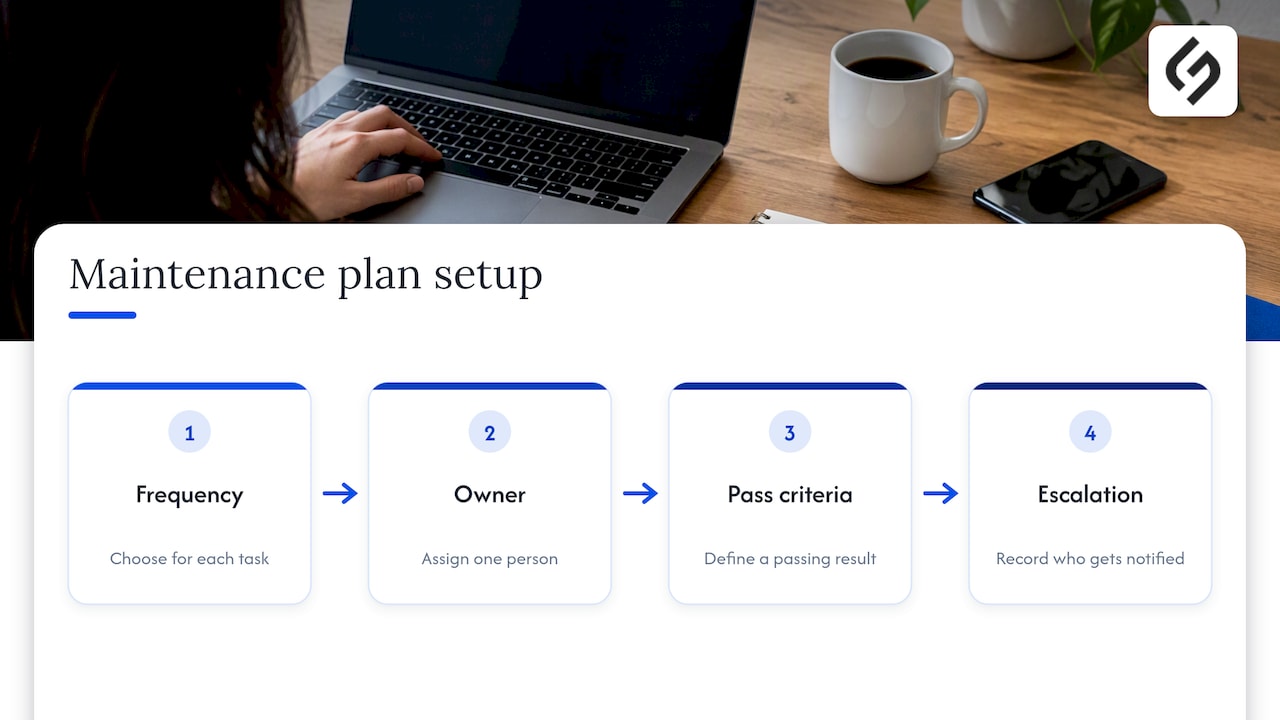
The most reliable maintenance plans are boring and shared. Pick a frequency for each task, name one owner, define what “pass” looks like, and write down who gets the escalation when a check fails. A simple plan that people follow beats a thick operation manual that nobody opens.
Daily checks (owner: site admin)
Daily work should take minutes. Its job is to catch breakage before customers do.
- Uptime and smoke test: load the home page, one key landing page, and one deep page. Pass: each returns a normal page in a few seconds. Fail: escalate to the platform owner immediately.
- Backup job status: confirm last night’s automated backup finished. Pass: a fresh, non-zero-size archive exists. Fail: rerun the job and flag the platform owner if it fails twice.
- Critical alert triage: read security, error, and monitoring alerts, and close or escalate each one the same day.
- Form and checkout test: submit the contact form and run a test purchase or signup. Pass: confirmation page and email both arrive.
Weekly checks (owner: devops or platform)
Weekly work protects against the problems that grow quietly.
- Verify backups and run a partial restore. Restore one folder or one database table to a scratch location. Pass: files open and data reads correctly.
- Apply security updates that passed staging. Test first, then push to production. Escalate any update that breaks staging to the developer.
- Check TLS certificate expiry. Anything approaching expiry goes on the renewal list today.
- Skim analytics for anomalies. A sudden traffic drop, a spike in 404 errors, or a collapse in conversions usually points to a technical fault.
Pro Tip: Put every weekly task on a shared calendar with the owner’s name in the event title. Tasks with no named owner are the ones that quietly stop happening.
Monthly checks (owners: developer and content owner)
Monthly work catches regressions, the slow decay that no single change causes.
- Performance audit against Core Web Vitals, covered in detail below.
- Broken-link scan with a crawler. Fix or redirect every internal 404, and replace dead external links.
- Full plugin, theme, and package updates in staging first, then production once the smoke tests pass.
- Image optimization: compress new uploads and resize anything larger than its display size.
- SEO content checks: confirm titles and meta descriptions on recently edited pages, look for pages dropped from the index, and refresh any statement that has gone out of date.
- Cross-device spot check: open key pages on a phone, a tablet, and different browsers. Pass: no layout breaks, no hidden buttons.
Quarterly checks (owner: security lead or platform)
Quarterly work is where preparedness gets proven rather than assumed.
- Full restore drill. Rebuild the site from backup on a clean environment, then verify the 3-2-1 setup: three copies, two media types, one off-site. Time the drill. The time it takes is your real recovery time.
- Dependency and SBOM review to find components that are deprecated or blocking security fixes.
- Access and permissions audit. Remove former staff and contractors, enforce multifactor authentication on admin accounts, and trim over-broad roles.
- Accessibility check: keyboard navigation, color contrast, and form labels on the main journeys. Our website redesign checklist walks through audit and accessibility considerations in more depth.
- Compliance review: confirm the cookie banner, privacy policy, and consent records still match what the site actually does, whether your obligations come from GDPR, ADA, or local rules.
Annual checks (owner: product or marketing lead)
Annual work is planning and money.
- Renewals: domain registration, certificates, hosting, and paid plugin licenses. Turn on auto-renew where possible, with a calendar reminder as a backstop.
- Major-version upgrade planning for the CMS, framework, and server runtime, scheduled with testing time rather than squeezed in.
- Full content audit: list every page, then merge, update, or retire it. Thin and outdated pages drag down the pages that matter.
- Budget and vendor review: compare what each tool and provider costs against what it delivered.
- Server and hosting review: confirm capacity, region, and plan still fit your traffic.
How do you track and fix Core Web Vitals?
Speed is a monthly discipline, not a one-time project. Google’s Core Web Vitals give you three targets, each measured at the 75th percentile of field data, meaning real visitors rather than lab runs.
Per Web, the good thresholds are Largest Contentful Paint at or under 2500 ms, Interaction to Next Paint at or under 200 ms, and Cumulative Layout Shift at or under 0.1. Values above 4000 ms, 500 ms, and 0.25 respectively count as poor, so treat anything near the line as a task for this month.
Use each kind of tool for what it does best:
- Real user monitoring (RUM) for continuous field data, because it reflects what your actual visitors experience.
- PageSpeed Insights and Lighthouse for diagnosis: they name the specific images, scripts, and layout shifts causing a poor score.
- Lab tests to verify a fix before and after it ships.
A solid monthly remediation pass looks like this:
- Compress and resize images, and serve modern formats.
- Defer noncritical JavaScript and remove scripts nobody uses.
- Reduce main-thread work from heavy third-party widgets, a frequent cause of slow INP.
- Reserve space for images, embeds, and ads so the layout stops jumping.
- Turn on caching and a CDN, and add Subresource Integrity (SRI) to third-party scripts you load.
Escalate when these steps stop moving the numbers. Server tuning, server-side or edge rendering, and a developer-led refactor belong on the roadmap once quick fixes are exhausted.
What does a tested backup and security routine look like?
A backup you have never restored is a hope, not a plan. CISA recommends the 3-2-1 rule: three total copies of important files, on two different types of media, with at least one copy off-site. CISA also says testing should confirm the team can roll data back at least seven days and perform both full and partial restores.
A common mistake is keeping every copy on the same server. A server-wide failure or ransomware infection then takes the site and its backups together.
Build the routine around these habits.
- Backups: automate them, encrypt sensitive copies, keep one off-site, and run the restore drills described above.
- Patching: apply high-risk security updates weekly after they pass staging, and use automated scanners to find what needs attention.
- Maintenance-risk triage: standard scanners can miss packages that are deprecated or that block a vulnerability fix, so specialized maintenance-risk tooling helps surface dead-end components that need manual replacement.
- Malware and integrity: schedule malware scans and file-integrity monitoring so unexpected file changes trigger an alert.
- Rehearsal: run a tabletop incident response exercise twice a year.
Ownership matters as much as tooling. Platform or devops owns backups and certificate checks. The security lead owns triage and decisions on vulnerabilities. Our guide to small business cybersecurity actions shows how to assign these roles in a single week.
Pro Tip: Time your quarterly restore drill and write the result in the runbook. If the number surprises you, that is the finding, and it is far cheaper to learn it on a Tuesday afternoon than during an outage.
How do you keep themes, plugins, and packages from becoming a liability?
Every third-party component is code you did not write and still have to maintain. Treat the inventory as a living document. OWASP’s vulnerable dependency guidance advises keeping a component inventory (a software bill of materials, or SBOM), checking continuously, and updating libraries as a recurring task rather than an emergency response.
- Keep an SBOM and run dependency scans on a schedule. Flag any direct dependency that is deprecated or blocking a fix.
- Gate production changes through staging and a release checklist: smoke tests pass, backups are fresh, and a rollback path is written down.
- Remove what you do not use. Unused plugins and themes still ship vulnerabilities. Clean the media library and trim bloated database tables while you are there.
- Log postponed upgrades with the blocker, the owner, and the date you will revisit it, so a delay does not become permanent.
What should you monitor, and how do you rehearse a failure?
Monitoring is only useful if the right person hears about the right problem quickly. OWASP’s operations guidance recommends a release gate checklist, explicit cadence and owners for recurring controls, and layered monitoring, including Content Security Policy reports, SBOM drift, and Certificate Transparency and domain monitoring.
- Run synthetic uptime checks against key pages and journeys, alongside RUM and automated dependency feeds.
- Watch Certificate Transparency logs and DNS records for unexpected certificates or CNAME drift.
- Tune alerts until each one deserves action, and write the escalation path for developers, security, and operations.
- Hold a tabletop exercise twice a year, then a blameless postmortem after any real incident.
- Feed every finding back into this checklist with an owner and a due date.
Pro Tip: If an alert fires more than a few times without requiring action, change the threshold or delete the alert. Noisy alerts train people to ignore the real one.
Which tools and templates make this routine easier?
Choose tools by category first, then by brand:
- Automated backups with off-site storage
- Uptime monitors and synthetic checks
- RUM and a lab tool for performance
- Dependency and maintenance-risk scanners
- Broken-link crawlers
- Image optimizers
- CMS plugin classes for repair, caching, and redirection management, such as Akismet for spam moderation
A minimal weekly template: backup verified, partial restore passed, updates applied, certificates checked, analytics skimmed, alerts cleared. For the restore test script, outline five steps: fetch the latest off-site backup, restore to a scratch environment, run a smoke test, compare record counts, and log the elapsed time. If you want routine reminders handled for you, our notes on workflow automation cover assigning and tracking owners automatically.
Who stands behind this checklist?
This checklist takes the perspective of an agency practitioner who works with website owners on maintenance and digital strategy. At Solution4guru, our work spans custom web development, UI/UX design, SEO and digital marketing, AI and automation, cybersecurity and data protection, and tech consulting. We offer free consultations and publish case studies and testimonials on our site. If you want an outside review of your own site, ask us about a maintenance audit.
Why a cadence beats a perfect plan
Most maintenance advice fails at the same point: it lists fifty tasks and assigns none of them. The research behind this checklist points to a different priority. Start with two things, a tested restore and a named owner for every recurring task. Everything else, from speed tuning to content audits, is easier once you know you can recover and you know who is responsible.
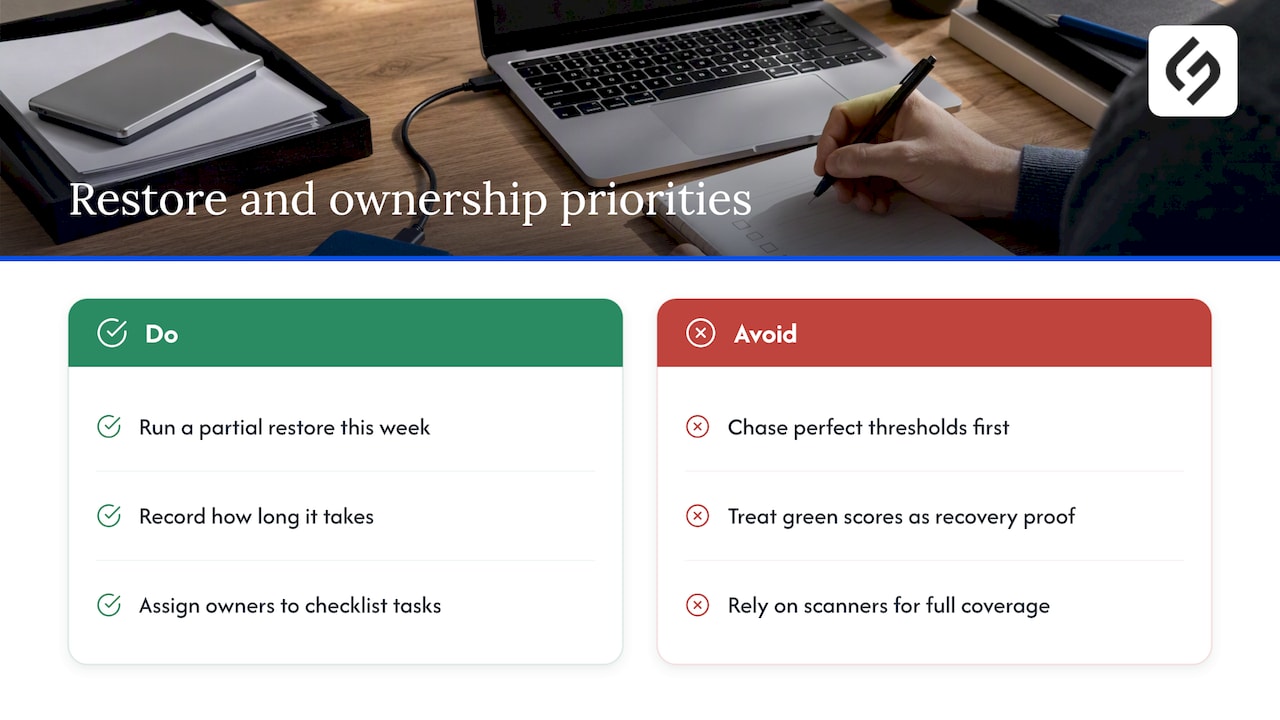
The conventional advice also overrates scores and underrates drills. A green performance report feels like progress, yet a site that cannot be restored from backup is one bad day from disaster, whatever its LCP. Likewise, automated scanners create a false sense of coverage when they miss abandoned packages that block fixes.
If you do one thing this week, run a partial restore and write down how long it took. If you do two, put owners next to your checklist. Chasing perfect thresholds can wait until the basics are boring.
— Vadim
Want us to run your website maintenance for you?
If you would rather not carry this checklist yourself, we offer a maintenance assessment. We review your backups and restore readiness, security and update status, performance against the Core Web Vitals thresholds, and your content and SEO health. You leave with a prioritized list of fixes and owners. Our relevant services include cybersecurity and data protection, SEO, custom web development, and tech consulting.

Ready to start? Book your maintenance assessment with us or browse our services.
FAQ
What maintenance is required for a website?
A website needs regular backups, security updates, performance checks, uptime monitoring, broken-link and form testing, and periodic content and SEO reviews. The exact frequency depends on the task: backup and uptime checks are daily or weekly, while audits and restore drills are quarterly or annual.
How do I maintain my website?
Set a cadence, assign an owner to each task, and track results in one shared checklist. Start with a tested backup and weekly security updates, then add monthly performance and link audits. CISA’s backup guidance is a strong baseline for the backup part.
How do you write a website maintenance checklist?
List every recurring task, group them by frequency from daily to annual, and give each a named owner, a pass or fail signal, and an escalation step. Review the list after every incident and add the lesson learned.
How often should I test my website backups?
Verify backup completion daily and run a partial restore weekly. Do a full restore drill each quarter so you know how long recovery actually takes.
Sources
- Web
- Back Up Business Data | CISA
- Owasp
- Part V: Mitigations and Operations – OWASP Smart Contract Security