How to Write Web Content That Readers Finish and Search Engines Trust

Web content is written well when it starts with a defined audience and purpose, answers one question per section, puts the most important point first, and is edited and checked before it goes live. The method below covers that process in order: planning, structure, drafting, search optimization and pre-publication review.
TL;DR
- Decide the audience, the purpose and the single message before writing a word; the National Institutes of Health treats this as step one of plain-language writing.
- Build a blueprint of reader questions, then write so each section answers one of them.
- Use short sentences, short paragraphs, meaningful headings and descriptive link text so the page can be scanned.
- Write for people first and add keywords where they fit naturally, not the reverse.
- Before publishing, test the page, name an owner and set a review date.
Table of Contents
- What web content includes
- Step 1: Define the audience, purpose and message
- Step 2: Build a blueprint from reader questions
- Step 3: Write for readers who scan
- Step 4: Draft, then edit in separate passes
- Step 5: Optimize for search without hurting readability
- Step 6: Check the page before it goes live
- Our perspective: strategy first, copy second
- When to bring in a specialist team
- Common mistakes to avoid
- FAQ
- Sources
What web content includes
Web content is anything a visitor encounters on a website. Wikipedia’s definition covers text, images, sound, audio and online video placed within web pages, and the information-architecture literature it cites extends the term to documents, data, applications and e-services.
For a business site, that translates into a practical inventory:
- Page copy: home, service, product, pricing, about and contact pages.
- Conversion elements: calls to action, form labels, button text, confirmation messages and error messages.
- Editorial content: blog posts, guides, case studies, FAQs and resource libraries.
- Media: images with alternative text, video with captions or transcripts, downloadable PDFs.
- Metadata: page titles, meta descriptions, URL slugs and structured headings.
The small items matter. A vague button label or an unhelpful error message is web content too, and it often decides whether a visitor completes a task. Specialist publishers show how far the format stretches; a content writing service for art, interiors and lifestyle brands is one example of how sector-specific the tone, imagery and product copy can become.
Step 1: Define the audience, purpose and message
The most common cause of weak web content is starting to write before these decisions are made. The NIH guidance advises deciding who the audience is and what the purpose is first, then defining a concrete message and its urgency. It also warns against assuming a generic public: literacy, language, intermediaries and urgency all change what a reader needs.
For a B2B page, put the decisions in writing:
- Audience: who reads this page, and what role do they hold (owner, marketing manager, IT lead)?
- Purpose: what should the reader know, feel or do afterward?
- Message: what is the one thing the page must say, in a sentence?
- Urgency: why would this reader act now rather than later?
A research-based persona makes the first answer concrete. Our guide to user persona development describes how to build one from interviews and analytics instead of assumptions.
Set a single purpose for the site and each page
The University of Minnesota’s content strategy guidance recommends establishing one primary purpose for the website, identifying stakeholders and narrowing the scope to what the team can realistically maintain. The same logic works at page level. A page that tries to sell, educate, recruit and reassure usually does none of them well.
The same guide lists further decisions worth settling early: audience needs, content requirements, page structure, roles, calls to action, findability and a maintenance plan. Settle them before drafting and the writing becomes faster, because every sentence has a job.
Step 2: Build a blueprint from reader questions
The NIH recommends listing the questions your audience will ask, organizing the content so each section answers one, and checking that the flow is logical. This is the most reliable way to structure a page, because it replaces “what do we want to say?” with “what does the reader need to know?”
A simple blueprint for a service page might look like this:
| Reader question | Section that answers it |
|---|---|
| What do you do? | Opening paragraph and one-line summary |
| Is it for a business like mine? | Who the service suits |
| How does it work? | Process in numbered steps |
| What will it change for me? | Outcomes and examples |
| Can I trust you? | Case study, testimonial, credentials |
| What do I do next? | Single clear call to action |
Cambridgeshire County Council’s content design playbook adds two useful rules: publish only what users need to complete their task, and keep asking what the user wants to know. Anything that does not answer a question on the blueprint is a candidate for deletion.
Gather the facts before you draft
Shopify’s content-writing guide recommends researching with trusted sources or internal subject experts, then outlining, writing and editing. For a technology company, the subject expert is usually an engineer or consultant. Interview that person first and write from the transcript; it is easier to simplify accurate material than to correct invented material.
Step 3: Write for readers who scan
Visitors rarely read a page line by line. Several university web teams give the same structural advice. Michigan Technological University’s writing-for-the-web guidance recommends presenting the most important information first and giving readers more detail as they scroll. That is the inverted pyramid: conclusion first, support after.
Front-load every section
Open each paragraph and each section with its main point. A reader who sees only the first sentence of each paragraph should still understand the page.
Use short sentences and short paragraphs
The W3C Web Accessibility Initiative’s writing tips recommend short, clear sentences and paragraphs, avoiding unnecessarily complex words, using lists where appropriate and considering a glossary for unfamiliar terms. Stanford’s Sites user guide recommends plain language because it helps readers with reading disabilities and non-native English speakers, and makes content easier to scan. It also advises chunking text with short paragraphs and headings, which it says can improve comprehension and memory.
A workable guideline is two to four sentences per paragraph and one idea per paragraph.
Write headings that carry information
A heading should tell the reader what the section contains. “Our approach” says little; “How a HubSpot data migration is scheduled” says a great deal. Semantic headings also help screen-reader users move through a page, according to the W3C guidance.
Prefer lists and tables where content is parallel
Steps belong in numbered lists, options in bulleted lists, and comparisons in tables. Prose is better for reasoning and explanation. Overusing bullets turns an argument into a pile of fragments.
Use active voice and plain words
The U.S. Centers for Medicare & Medicaid Services lists meaningful content, effective headings, pronouns, active voice, brevity, easy reading and useful links among its web-writing guidelines. Compare “A report will be sent by the system” with “The system sends a report.” The second is shorter and names the actor.
Make link text descriptive
Link text such as “click here” tells neither readers nor assistive technology where the link goes. Write anchors that name the destination, for example “website accessibility guidelines”. Accessibility is also a legal and quality matter for many US businesses; our overview of WCAG 2.2 and the ADA explains what it involves.
Step 4: Draft, then edit in separate passes
Search Engine Land’s people-first content process describes a workflow: choose the format, outline the sections, write a rough draft without stopping to edit, revise after a break, review against Google’s questions, obtain editorial review, then tweak and publish. It also sketches a four-day rhythm for a substantial article: planning and bullet points on day one, a rough draft on day two, a second draft on day three, and final drafting, editing and publication on day four.
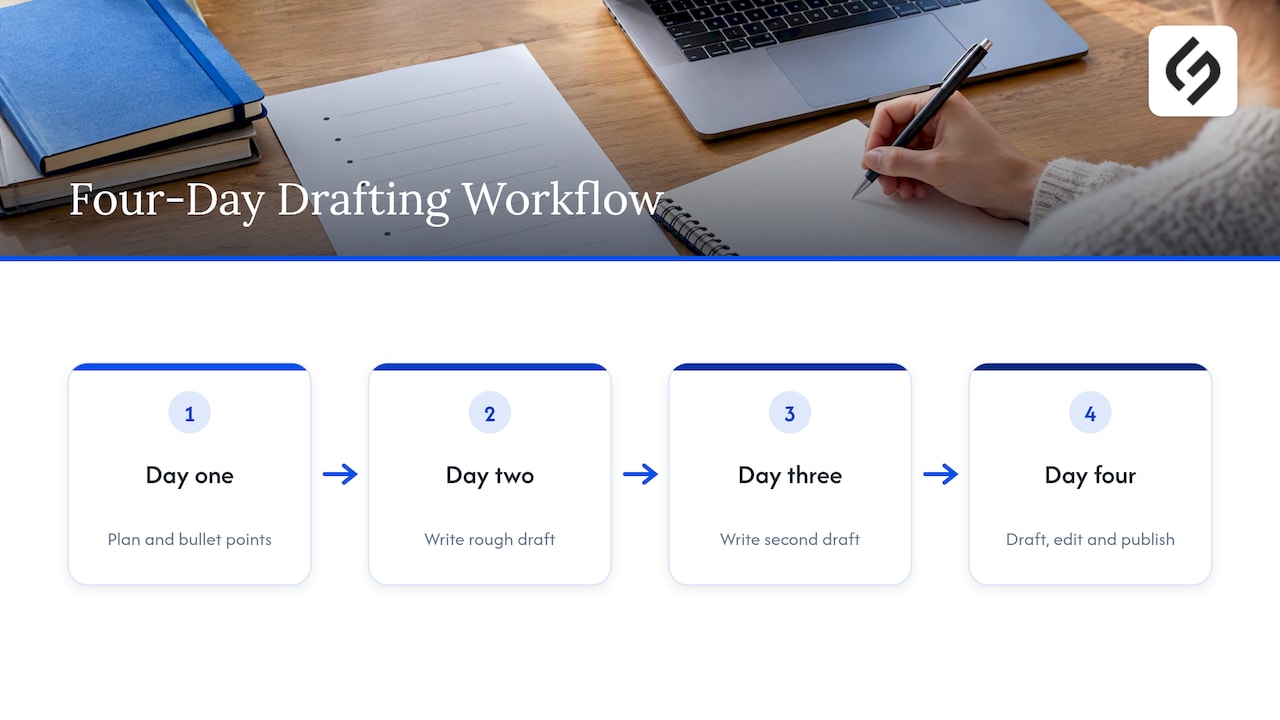
Separating drafting from editing prevents the most common slowdown, which is polishing a sentence that may later be cut.
An editing pass can use the checklist in Shopify’s guide: grammar, spelling, punctuation, formatting, headings, keyword use, clarity for first-time readers, brand alignment, flow and usefulness to customers. Read the page aloud once; awkward sentences are easier to hear than to see.
Step 5: Optimize for search without hurting readability
Search optimization works best as a layer on top of useful writing. Search Engine Land’s guidance is to create helpful, unique content for your audience, demonstrate experience and expertise, use accurate referenced facts, write clear titles, and apply editorial review. It also recommends fact-checking claims and publishing About and author pages that make credibility verifiable.
Grammarly’s website writing guide adds the mechanics: do keyword research before writing, then place keywords in titles, headings, URL slugs, meta descriptions and image alternative text without overusing them. It also recommends internal links and at least one strong call to action.
A practical order of operations:
- Identify the phrase the reader would type, and the questions around it.
- Write the page to answer those questions completely.
- Place the main phrase naturally in the title, the first paragraph and one heading.
- Write the meta description as a promise of what the page delivers.
- Link to related pages on the site with descriptive anchors.
For how organic search connects to revenue for business-to-business sites, see our article on SEO and lead generation. For the broader role of content in a marketing program, see what content marketing is and how small and mid-sized businesses use it.
Step 6: Check the page before it goes live
Publishing is not the end of the job. The UX Cookbook’s web content planning page recommends testing content with potential users or colleagues for usefulness, audience fit, answers, findability and clear calls to action. It also recommends assigning an owner, update dates and a retirement plan.
Use this pre-publication list:
- Purpose: can a colleague state the page’s purpose in one sentence after 10 seconds?
- Answers: does every question on the blueprint have an answer?
- Scanning: do headings, lists and short paragraphs carry a skimmer through?
- Accuracy: does every number, claim and name have a source or an internal owner who confirmed it?
- Action: is there one clear next step?
- Access: do images have alternative text, links have descriptive text and headings follow a logical order?
- Ownership: who updates this page, and when is the next review?
The ownership item is the one most often skipped. Outdated pages erode trust faster than thin ones. Our website maintenance checklist sets out what to review daily, monthly and annually.
Our perspective: strategy first, copy second
In our work with small and mid-sized businesses, we see the same pattern repeatedly: companies ask for copy when the real gap is a decision. Nobody has agreed who the page is for, what it must achieve or which action counts as success. Writers then produce fluent text that fits no one.
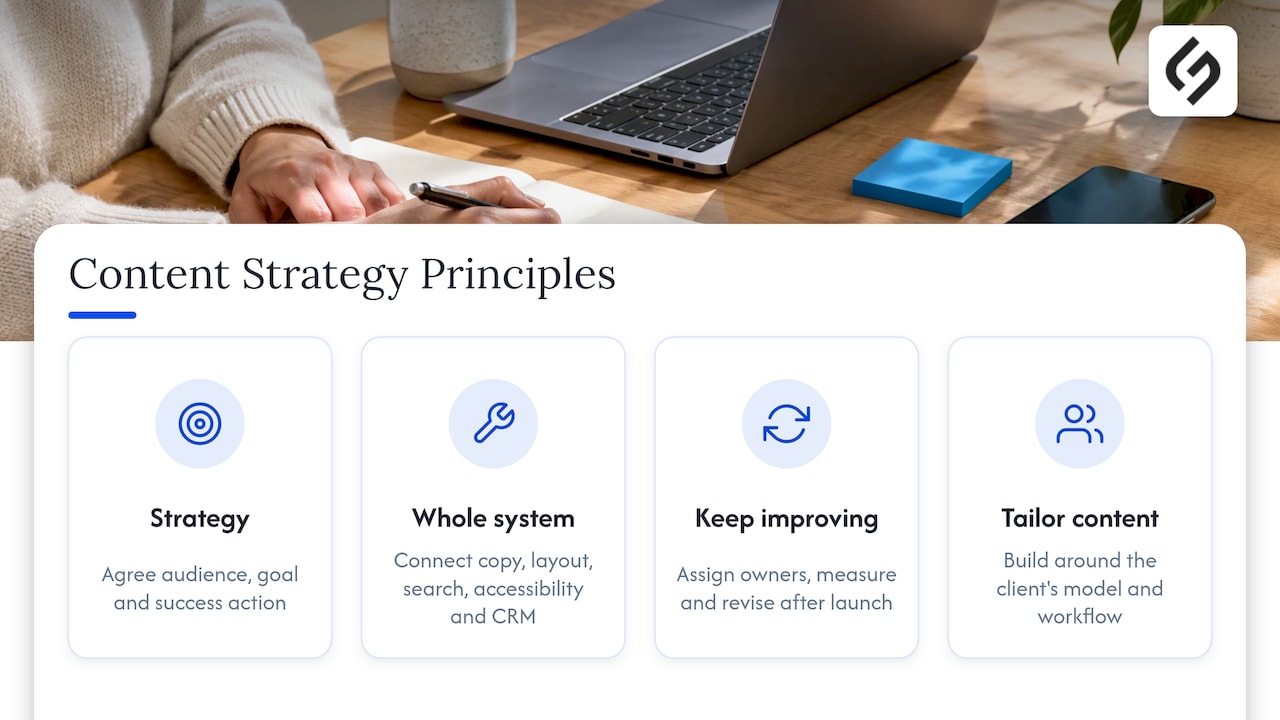
We approach web content as part of the whole system, not a separate task. Copy, layout, search structure, accessibility and the tools behind the site, such as a CRM, need to be designed together. A form headline is only as good as the follow-up process it feeds. A service page is only as good as the proof beside it.
We also disagree with the idea that content is finished at launch. Pages need owners, measurement and revision, and the best-performing ones usually improve through several rounds of optimization after publication. Tailoring matters here: templates produce pages that look complete but do not reflect how a particular business sells, so we build around the client’s model and workflow.
— Vadim
When to bring in a specialist team
Many teams can follow the steps above in-house. Outside help pays off when content must connect to other systems: a redesign, a CRM rollout, an e-commerce build or a search program tied to lead generation. Then the writing depends on information architecture, design and technical constraints that a writer alone cannot resolve.
Solution4Guru combines web development, UI/UX design, SEO and digital marketing, e-commerce development, CRM and SaaS integration, and HubSpot implementation and management under one strategy-first engagement. The engagements are tailored to each client’s business model, not drawn from templates.

To discuss a content or website project, see our full range of services or the HubSpot and CRM services. If a redesign is already planned, the audit-driven website redesign checklist shows where content decisions fit in each phase.
Common mistakes to avoid
- Writing about the company instead of the reader’s problem. Open with what the visitor can achieve.
- Burying the main point. If the answer sits in paragraph four, most readers will not reach it.
- Stuffing keywords. Repeating a phrase unnaturally harms readability and does not substitute for useful content.
- Using jargon without explanation. Define terms or replace them, as the W3C guidance suggests with its glossary idea.
- Stacking several calls to action. Choose the primary action and make it unmistakable.
- Skipping review dates. Pricing, features and policies change; pages should be re-read on a schedule.
FAQ
How do I start writing web content?
Start by defining the audience, the purpose, the concrete message and its urgency. Then list the questions your audience will ask and organize the page so each section answers one. Write only after that blueprint exists.
What is the first golden rule of writing web content?
Put the most important information first. Readers scan, so the main point belongs at the top of the page, the top of each section and the start of each paragraph. Supporting detail follows for those who want it.
How long should a web page be?
Long enough to answer the reader’s questions and no longer. A contact page may need 50 words; a detailed service guide may need 1,500. Cambridgeshire County Council’s advice to publish only what users need to complete their task is a useful test for every paragraph.
How do I create content for a web page that also ranks in search?
Write the page to help a specific audience first, then place the target phrase naturally in the title, headings, meta description and opening paragraph. Search Engine Land recommends demonstrating experience and expertise and fact-checking claims, which also makes the page more credible to readers.
What should I check before publishing?
Confirm that the page serves its purpose, answers the blueprint questions, scans easily, has accurate facts and one clear call to action, and meets basic accessibility practices. Assign an owner and a review date before it goes live.
Sources
- Before You Start Writing, National Institutes of Health
- Web content, Wikipedia
- Content Strategy: Plan & Maintain Website Content, IT@UMN
- Content design and creation, Cambridgeshire County Council
- Content Writing: What It Is and How to Start, Shopify
- Writing for the Web, Michigan Technological University
- Writing for Web Accessibility: Tips for Getting Started, W3C WAI
- Write for the Web, Stanford Sites User Guide
- Writing for the Web, Centers for Medicare & Medicaid Services
- Writing people-first content: A process and template, Search Engine Land
- Website Writing: 7 Tips for Effective Online Content, Grammarly
- Web content planning, The UX Cookbook