How Can You Improve CRM Proficiency Across Your Organization in 7 Ways?

Most companies buy a CRM to gain clarity: a clean view of leads, deals, customers and service requests. Yet many teams use only a fraction of what their system offers. Sales reps skip fields, marketers export data to spreadsheets, and managers ask for reports that nobody trusts. The software works fine. The proficiency around it lags behind.
This guide explains seven practical ways to raise CRM skills at every level of your company. It draws on change management research, vendor training resources and common sense from teams that made the shift. It also shows how seven popular platforms, from Pipedrive to monday.com, can support each step, and how Solution for Guru can help you carry the work through.
Table of contents
What Should You Know at a Glance?
Here is the short version.
- Proficiency means more than logins. A proficient team enters accurate data, uses automation and acts on reports.
- Seven levers drive it. Set clear goals, train by role, simplify your setup, name champions, embed the CRM in daily routines, automate and integrate, and measure and iterate.
- Your platform matters, but your process matters more. Pipedrive CRM, Bigin by Zoho CRM, Zoho CRM, Salesforce CRM, Creatio CRM, HubSpot CRM and monday.com CRM all offer different strengths for training and adoption.
- Start small. A focused pilot beats a company-wide launch that overwhelms people.
- Keep measuring. Track adoption, data quality and business outcomes, then adjust.
- Partner where it helps. Solution for Guru supports CRM integration, automation and strategy so your internal team can focus on people and process.
Why Does CRM Proficiency Matter So Much?
A CRM only pays off when people use it well. An unused or half-used system creates duplicate records, missing notes and forecasts that nobody believes. Proficient teams, in contrast, share one version of the truth and make faster decisions.
What Does Low Proficiency Cost Your Business?
Low proficiency shows up in several expensive ways:
- Sales reps chase leads that a colleague already closed.
- Support agents ask customers to repeat information.
- Marketing sends campaigns to outdated contacts.
- Leaders build forecasts from guesses.
- New hires take months to learn undocumented habits.
Each problem drains time, revenue and goodwill. Moreover, poor data compounds. Once people stop trusting the CRM, they stop updating it, and the quality falls further.
What Does a Proficient Organization Look Like?
A proficient organization behaves differently. Every team member knows which fields matter and why. Managers coach from CRM dashboards instead of gut feeling. Automation handles repetitive tasks, and departments share data without friction. Because people trust the system, they keep it current.
Which CRM Platforms Relate to This Topic and How?
Seven platforms appear throughout this article. Each one supports proficiency in a different way, so this overview helps you match tools to your situation. Always confirm current features and plans on each vendor’s website, since products change frequently.
How Do the Seven Platforms Support Proficiency?

Pipedrive CRM centres on a visual sales pipeline. Because reps see every deal stage at a glance, teams often learn it quickly. The vendor also runs a training resource, Pipedrive Academy.

Bigin by Zoho CRM targets small businesses that want a lighter system than a full CRM suite. Its simpler scope shortens the learning curve for small teams.

Zoho CRM offers deeper customisation, automation and analytics. It suits growing teams that want room to expand.
Salesforce CRM serves large and complex organisations. Its Trailhead learning platform gives admins, sales reps and developers structured learning paths.

Creatio CRM combines CRM with no-code process automation. It helps teams that want to model workflows without heavy programming.
HubSpot CRM links sales, marketing and service in one interface, and HubSpot Academy provides free courses and certifications.

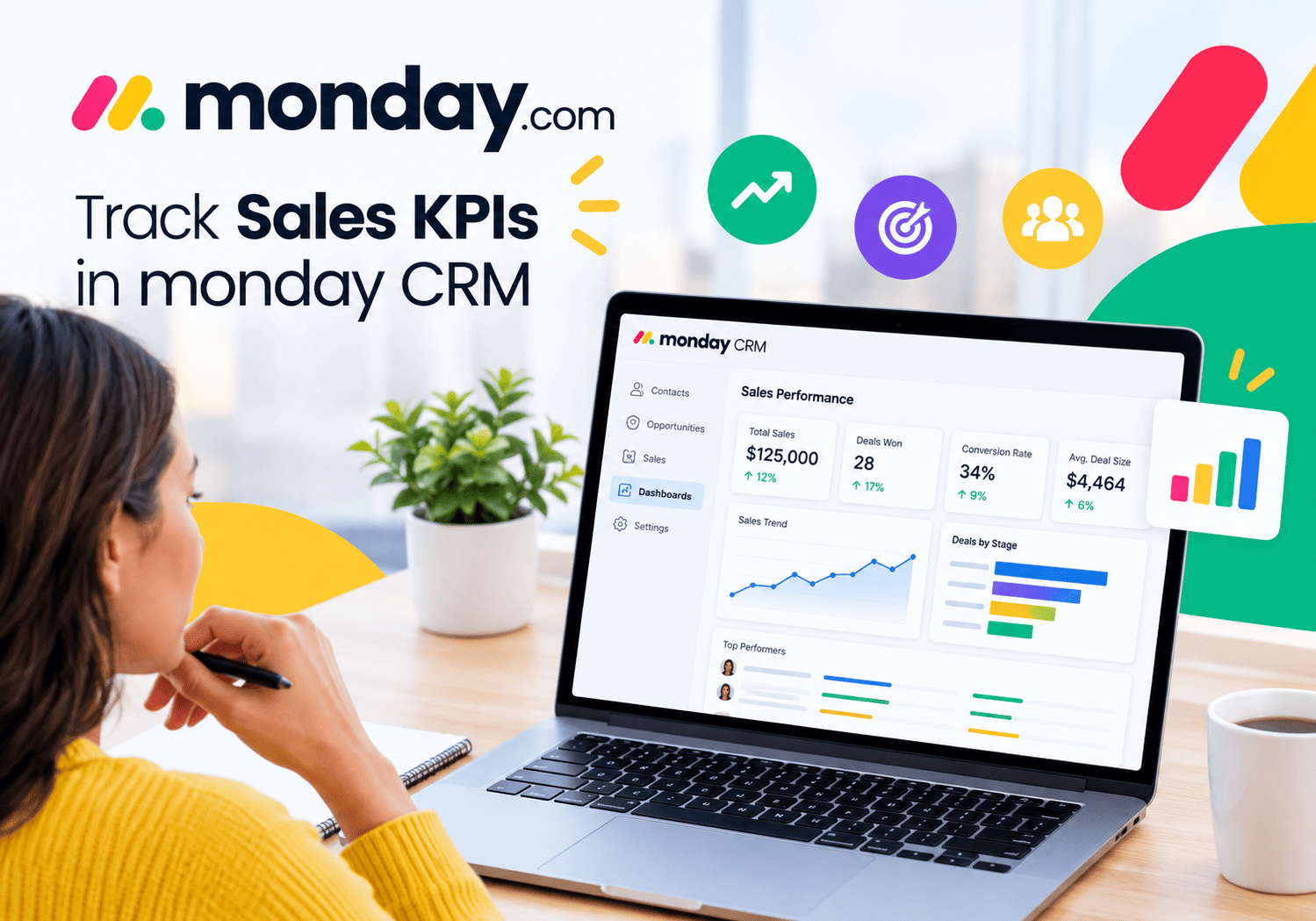
monday.com CRM builds on a flexible, board-based work management platform. Teams already familiar with monday.com boards often adapt quickly.
How Do the Seven Platforms Compare?
The table below offers a general comparison for proficiency planning. It reflects broad positioning, not exact feature lists.
| Platform | Best fit | Learning curve | Customisation | Built-in learning resources |
|---|---|---|---|---|
 | Sales-led teams that want pipeline clarity | Gentle | Moderate | Pipedrive Academy |
 | Small businesses and startups | Very gentle | Light | Zoho help and training material |
 | Growing teams needing flexibility | Moderate | High | Zoho training and documentation |
 | Large or complex organisations | Steeper | Very high | Trailhead |
 | Process-heavy teams wanting no-code workflows | Moderate | High | Creatio Academy |
 | Teams joining sales, marketing and service | Gentle to moderate | Moderate to high | HubSpot Academy |
| Teams that already manage work in boards | Gentle | High for layout and workflows | monday.com learning resources |
Use this table as a starting point, then test two or three platforms with real users before you decide.
How Does Setting Clear Goals Improve CRM Proficiency? (Way 1)

Proficiency needs a target. Without one, training drifts and people learn random features. Start by defining what “good” looks like in your organisation.
What Should Your CRM Goals Look Like?
Tie every goal to a business outcome. Vague aims such as “use the CRM more” do not motivate anyone. Sharper goals help:
- Log 100 percent of sales calls and meetings within one working day.
- Reduce duplicate contacts by a set percentage each quarter.
- Answer inbound leads within a defined time window.
- Base every weekly forecast meeting on CRM dashboards.
Choose numbers that fit your baseline, and share them openly.
How Do You Translate Goals into Role Expectations?
Each role contributes differently. A sales rep updates deals, a marketer segments contacts, and a support agent logs cases. Write a short “CRM standard” for each role that lists required fields, update timing and reports to review. Keep the document to one page, or nobody will read it.
Which Platforms Make Goal Tracking Easier?
Most modern CRMs let you build dashboards around goals. Pipedrive CRM offers visual pipelines and goal tracking for sales teams. Salesforce CRM and Zoho CRM provide detailed dashboards and reports. HubSpot CRM ties activity to marketing and service metrics, while monday.com CRM lets you build custom boards for targets. Pick the tool that shows your goals without extra work.
How Does Role-Based Training Raise CRM Skills? (Way 2)

Generic training bores everyone. A sales rep does not need the admin’s lesson on custom objects, and an admin does not need a pitch on cold calling. Tailor learning to each role.
Why Does One-Size-Fits-All Training Fail?
People retain what they use. When trainers cover every feature, learners forget most of it before they open the system again. Role-based sessions focus on daily tasks, so people practise what they will actually do on Monday morning.
What Should a Role-Based Training Plan Include?
A solid plan has four parts:
- Onboarding. New hires complete a short course and a practice exercise in a sandbox.
- Core skills. Each role learns its essential workflows, such as logging activities or managing deals.
- Advanced skills. Power users learn automation, reporting and integrations.
- Refreshers. Short monthly sessions cover new features and common mistakes.
Which Free Learning Resources Can You Use?
Vendors invest heavily in learning content. Salesforce offers Trailhead with role-based trails and badges. HubSpot provides HubSpot Academy with free certifications. Pipedrive, Zoho, Creatio and monday.com also publish tutorials, webinars and documentation. Combine these resources with short sessions built on your own data, because familiar examples make lessons stick.
How Do You Reinforce Learning After Training?
Follow up with practice. Assign small tasks, share quick video tips and hold short “office hours” where people can ask questions. Repetition matters more than a single long workshop.
How Does Simplifying Your CRM Setup Help Everyone? (Way 3)
Complexity kills adoption. When a record has fifty fields and only ten matter, people skip them all or fill them with junk. Simplify first, then train.
What Should You Remove or Fix?
Audit your current configuration with these questions:
- Which fields does nobody use?
- Which required fields cause frustration?
- Which stages in your pipeline overlap?
- Which duplicate records need merging?
- Which reports does nobody open?
Delete or hide what you do not need. Then standardise names, picklists and stages so everyone speaks the same language.
How Do You Protect Data Quality?
Data quality supports proficiency, because people trust clean data. Set validation rules, use dropdowns instead of free text and schedule regular duplicate checks. Assign a data owner for each object, such as contacts or deals, so somebody stays accountable.
Which Platforms Suit Simpler Setups?
Simplicity varies by platform. Bigin by Zoho CRM deliberately keeps the interface lean for small teams. Pipedrive CRM focuses on the pipeline and avoids clutter. HubSpot CRM offers a tidy starting point that grows as you add hubs. Zoho CRM, Salesforce CRM and Creatio CRM give you more power, so they demand stronger governance to prevent sprawl. monday.com CRM lets you add only the columns you need, which helps you keep boards clean.
How Do CRM Champions Boost Adoption Across Departments? (Way 4)

Peer influence beats top-down instructions. People trust a colleague who solves their problems more than an email from headquarters. Champions give you that influence.
Who Makes a Good CRM Champion?
Look for respected, curious people in each team, not only the most senior ones. A strong champion:
- Uses the CRM daily and enjoys helping others.
- Communicates clearly and patiently.
- Gives honest feedback about what works.
- Has enough credibility to persuade sceptical peers.
What Do Champions Actually Do?
Champions answer quick questions, share tips, collect feedback and test new features before rollout. They also act as a bridge between users and administrators. When a rep complains that a field wastes time, the champion carries that message to the admin.
How Do You Support Your Champions?
Give champions time and recognition. Carve out a few hours per week for the role, provide early access to training and celebrate their contributions publicly. Consider a small community channel where champions share wins. Prosci, a leading change management research firm, describes its ADKAR model as a way to move individuals through awareness, desire, knowledge, ability and reinforcement, and champions help at every one of those stages.
How Do You Embed the CRM in Daily Routines? (Way 5)
People use tools that their managers use. If leaders run meetings from spreadsheets, the team will keep spreadsheets alive. Make the CRM the default source of truth.
How Do Managers Model the Behaviour?
Managers set the tone. Run pipeline reviews directly from CRM dashboards. Coach reps using activity data and deal notes. Refuse to accept updates that live only in email or chat. Over a few weeks, the habit shifts.
Which Meetings and Rituals Should Rely on the CRM?
Build the CRM into recurring events:
| Ritual | How the CRM fits |
|---|---|
| Weekly sales meeting | Review pipeline and forecast dashboards |
| Marketing planning | Analyse lead source and conversion data |
| Support stand-up | Review open cases and response times |
| Monthly leadership review | Examine revenue, retention and customer health reports |
| Onboarding | Teach new hires through real CRM records |
How Do Mobile and Inbox Tools Help?
Reps rarely update the CRM if it takes ten clicks. Mobile apps and email integrations reduce friction. Pipedrive CRM, HubSpot CRM, Zoho CRM, Salesforce CRM and monday.com CRM all offer mobile access, and most connect with common email tools. Creatio CRM and Bigin by Zoho CRM also support mobile use. Test the mobile experience early, because field teams judge a CRM by how easily it fits their day.
How Do Automation and Integration Raise Proficiency? (Way 6)

Automation removes repetitive work and makes correct behaviour the easy path. Integration keeps data flowing between tools so nobody retypes information.
Which Tasks Should You Automate First?
Start with tasks that people dislike and often forget:
- Assign new leads to the right owner.
- Create follow-up tasks after a meeting.
- Send reminders for stalled deals.
- Update stages when a contract signs.
- Notify support when a key account opens a ticket.
Each automation saves minutes and prevents gaps in your process.
How Do the Platforms Compare on Automation?
Pipedrive CRM offers workflow automation aimed at sales tasks. Zoho CRM and Bigin by Zoho CRM include automation rules, with Zoho CRM offering more depth. Salesforce CRM provides powerful automation tools for complex needs. Creatio CRM stands out for no-code process automation. HubSpot CRM ties automation across marketing, sales and service. monday.com CRM lets teams build automations on boards with a visual approach. Choose based on how complex your processes become.
What Should You Integrate?
Connect the CRM with email, calendar, accounting, marketing, help desk and communication tools. Each connection removes a manual step and enriches your customer view. However, integrate deliberately. Too many connections create fragile setups that break without warning.
Why Does Governance Matter for Automation?
Document each automation, name an owner and review them quarterly. Old rules can conflict with new processes, and nobody wants a surprise email sent to the wrong customers.
How Do You Measure CRM Proficiency and Keep Improving? (Way 7)
You cannot improve what you do not measure. Proficiency needs metrics, feedback and regular adjustments.
Which Metrics Show Real Proficiency?
Track a mix of adoption, quality and outcome indicators.
| Category | Example metrics |
|---|---|
| Adoption | Active users, login frequency, activities logged per rep |
| Data quality | Completeness of key fields, duplicate rate, stale records |
| Process | Lead response time, stage conversion rates, forecast accuracy |
| Outcome | Win rate, sales cycle length, customer retention |
| Sentiment | User satisfaction scores, survey comments |
Logins alone mislead, because someone can log in and do nothing. Combine several measures for a fair picture.
How Do You Gather Feedback?
Ask users directly. Run short quarterly surveys, hold listening sessions and review support requests for patterns. Champions also collect informal feedback every day. Act on what you hear and tell people what changed, so they see that their input matters.
How Often Should You Review and Adjust?
Review adoption dashboards monthly and hold a deeper review each quarter. Update training when you change workflows. Retire unused fields and reports, and add new ones only when a clear need appears. The Kirkpatrick model of training evaluation, widely used in learning and development, reminds you to assess reaction, learning, behaviour and results, not just attendance.
Which Reporting Tools Help?
Salesforce CRM, Zoho CRM, HubSpot CRM and Creatio CRM offer robust reporting. Pipedrive CRM and monday.com CRM provide clear dashboards for everyday needs, and Bigin by Zoho CRM covers essentials for small teams. Pick the one that displays your chosen metrics without heavy custom work.
How Can You Roll Out These Seven Ways in Practice?
Knowing the seven ways helps, but sequencing them matters just as much. A staged plan prevents overload.
What Does a 90-Day Plan Look Like?
| Phase | Timeframe | Key actions |
|---|---|---|
| Foundation | Days 1 to 30 | Set goals, audit the setup, clean data, name champions |
| Enablement | Days 31 to 60 | Launch role-based training, publish role standards, start manager rituals |
| Acceleration | Days 61 to 90 | Add automation and integrations, launch dashboards, gather feedback |
| Ongoing | After day 90 | Review metrics monthly, refresh training, refine setup |
How Do You Handle Resistance?
Resistance often signals real problems. Listen first. Some users resist because the CRM adds work without benefit, and you can fix that with better design. Others fear extra scrutiny, so explain how the data will help them. Share early wins, such as saved hours or closed deals, to build momentum.
How Do You Pick the Right Platform for Your Situation?
Match the platform to your team’s size and complexity. Small teams often thrive with Bigin by Zoho CRM or Pipedrive CRM. Growing companies may prefer Zoho CRM or HubSpot CRM. Large or heavily regulated organisations often lean toward Salesforce CRM or Creatio CRM. Teams that already live in boards may find monday.com CRM natural. Run a pilot with real users before you commit.
What Are the Key Takeaways?
Improving CRM proficiency takes deliberate effort across seven areas. Set clear goals, train by role, simplify your setup, empower champions, embed the CRM in daily routines, automate and integrate, and measure your progress. Each step reinforces the others, and together they turn a passive database into an active business tool.
The platform you choose shapes the journey. Pipedrive CRM helps sales-led teams see their pipeline clearly. Bigin by Zoho CRM gives small businesses a lean start, while Zoho CRM adds depth for growing teams. Salesforce CRM supports large, complex organisations through structured learning and deep customisation. Creatio CRM brings no-code process automation, HubSpot CRM unites sales, marketing and service, and monday.com CRM offers flexible boards for teams that value visual work management. Whichever you pick, verify current features and plans on the vendor’s site.
Remember that tools alone do not create proficiency. People, habits and leadership do. Start with a small pilot, measure results and adjust. If you want experienced support with integration, automation and strategy, consider a consultation with Solution for Guru before you begin.
What Questions Do Teams Ask Most About CRM Proficiency?
Most organisations see early gains within one to three months, particularly in data quality and adoption. Deeper change, such as reliable forecasting and mature automation, often takes two to three quarters. The timeline depends on team size, platform complexity and leadership commitment.
It depends on your needs. Pipedrive CRM and Bigin by Zoho CRM have a reputation for gentle learning curves, and HubSpot CRM offers accessible onboarding and free courses. Salesforce CRM and Creatio CRM offer more power but usually require more training and governance. Pilot your shortlist with real users to see which fits your team best.
Not always. Small teams often share administration duties between a champion and a manager. As you add users, integrations and automation, a dedicated admin or an outside partner becomes more valuable. A clear owner prevents configuration drift and keeps training current.
How Can Solution for Guru Help You Improve CRM Proficiency?
Internal teams often lack the time to redesign processes, clean data and configure automation while they run daily operations. A specialist partner can fill that gap.
Solution for Guru is a technology solutions company. Its website lists services such as CRM and SaaS integrations, AI and automation, custom web development, UI/UX design, SEO and digital marketing, cybersecurity and data protection, and tech consulting and strategy. The company also lists many of the platforms in this article among the tools it works with, including Pipedrive, Zoho, Salesforce and monday.com.

What Are the Benefits of Working with Solution for Guru?
- Platform experience. The team works with several CRM and business platforms, so it can advise on fit instead of pushing one product.
- Integration support. It connects your CRM with other systems, which removes manual entry and improves data quality.
- Automation. Its automation focus helps you build workflows that make correct behaviour easy.
- Strategy and consulting. Tech consulting helps you set goals, sequence the rollout and avoid common traps.
- Security awareness. Cybersecurity and data protection services help you review permissions and protect customer data.
- Web and marketing alignment. If your CRM must connect with your website, forms or SEO campaigns, the same team can handle those pieces.
- Free consultation. The website offers a consultation form, so you can discuss your situation before committing.
When Should You Involve a Partner?
Bring in help when you migrate platforms, connect many systems or lack internal admin skills. Keep an internal owner for the programme, though. A partner accelerates the technical work, while your leaders drive the culture change.
Recommended:
- How to Track Sales KPIs in monday CRM: What Should You Measure and How Do You Set It Up?
- How can monday.com CRM Improve Sales Team Productivity?
- Email Integration in Bigin: Gmail and Outlook for Small Business Sales
- How Does monday CRM Work?
- How Do Bigin’s Automation Features Save Time for Growing Teams?
- What Is monday CRM? A Complete Guide to monday.com CRM
- Bigin Mobile App Review: Managing Sales on the Go
- CRM Proficiency Is the New Digital Literacy: Do You Agree?
- Bigin by Zoho CRM Pricing Explained: Is It Worth It?
- Using Creatio to Standardize Business Processes Across Departments
- Best Pipedrive Reports for Sales Managers
- Pipedrive Insights Explained: How Sales Reporting Works
- Pipedrive Automation Examples for Sales Teams
- Pipedrive Sales KPIs: 15 Metrics Every Team Should Track
- How Pipedrive AI Helps Sales Teams Save Time
- CRM Roles 101: From CRM Administrator to CRM Developer
- Pipedrive MCP Explained: How AI Assistants Connect to Your CRM
- Sales Forecasting and Pipeline Management in Creatio CRM
- Pipedrive Sales Dashboard: How to Track Performance
- Pipedrive Automation Triggers and Actions Explained
- Pipedrive AI vs Traditional CRM Automation: What’s the Difference?
- ERP and ITSM Integration: Improving Operational Visibility Across Departments
- Integrating Endpoint Management Tools with Freshservice