Multi-Currency Expense Management with Zoho Expense

For companies with employees who travel, remote teams spread across countries, or vendors billed in foreign currencies, expense management quickly becomes more complicated than it sounds. A simple business trip can generate receipts in three or four different currencies, and converting all of them accurately — by hand — is both time-consuming and error-prone. Fortunately, modern expense management platforms are built specifically to handle this complexity, and Zoho Expense is one of the most widely used tools for the job.
In this article, we’ll explore how multi-currency expense management works, why it matters for growing businesses, and how Zoho Expense addresses the challenges that come with international spending. We’ll also look at how partnering with Solution for Guru can help your business set up and get the most out of this kind of system.
Table of contents
Quick Summary
- What it is: Zoho Expense is a cloud-based expense management platform that automates expense tracking, reporting, and reimbursement.
- Multi-currency capability: Supports expenses submitted in different currencies, with automatic conversion based on exchange rates.
- Key features: Receipt scanning with OCR, automated categorization, multi-level approval workflows, and corporate card reconciliation.
- Integrations: Connects with accounting platforms like Xero and QuickBooks, plus the wider Zoho ecosystem.
- Best for: Businesses with international travel, remote or distributed teams, or vendors and partners billed in multiple currencies.
How Is Zoho Expense Related to Multi-Currency Expense Management?

Zoho Expense is an expense management platform built by Zoho Corporation, designed to automate how businesses record, approve, and reimburse employee expenses. While many expense tools focus primarily on domestic spending, Zoho Expense was built with international operations in mind from the start.
Specifically, Zoho Expense supports what’s known as “multiple reporting currency” functionality. This means an employee traveling abroad can submit an expense in the local currency they actually paid in — say, euros or Japanese yen — and Zoho Expense will automatically convert that amount into the company’s base currency using up-to-date exchange rates. As a result, finance teams don’t need to manually look up exchange rates or recalculate totals; the system handles the conversion as part of the expense submission process.
This connection between Zoho Expense and multi-currency management is central to the platform’s value proposition. Many businesses that operate internationally cite multi-currency support as one of the standout features that sets Zoho Expense apart, particularly for teams that travel frequently. In short, Zoho Expense addresses this challenge because the platform was designed to handle multiple currencies accurately and automatically.
What Does Multi-Currency Expense Management Actually Involve?
Before diving into how Zoho Expense handles things, it helps to understand what “multi-currency expense management” actually covers. At its core, it’s the process of recording, converting, approving, and reporting on expenses that occur in currencies other than your company’s home currency.
Why Does Currency Conversion Matter for Expense Reports?
When an employee pays for a hotel in British pounds but your company uses US dollars for accounting, the finance team must convert that expense before recording it in the books. If employees perform these conversions manually and rely on exchange rates they remember or estimate, they can create inconsistencies that make financial records more difficult to audit. Automated conversion, on the other hand, applies a consistent, traceable exchange rate to every transaction, which makes financial reporting far more reliable.
What Challenges Do Businesses Face Without Automation?
Without a system like Zoho Expense, finance teams often end up with spreadsheets full of manually converted figures, each based on a different exchange rate snapshot. This creates discrepancies between what an employee was actually reimbursed and what appears in financial reports. Additionally, manual processes reduce finance teams’ ability to spot duplicate submissions, policy violations, and fraudulent claims, especially when employees submit expenses in currencies the team does not regularly work with.
How Does Automation Change the Picture?
Automated multi-currency expense management — the kind Zoho Expense provides — removes much of this manual burden. The platform automatically applies exchange rates, categorizes expenses, matches them with receipts, and generates reports in the company’s base currency, allowing finance teams to avoid manual conversion calculations altogether. Consequently, finance teams gain accurate, real-time visibility into international spending, while employees get reimbursed faster and more accurately.
How Does Zoho Expense Handle Currency Conversion?

Understanding the mechanics behind Zoho Expense‘s currency handling helps clarify why it’s particularly useful for international teams.
How Are Exchange Rates Applied to Expenses?
When an employee submits an expense in a foreign currency, Zoho Expense converts it into the organization’s base currency using exchange rates tied to the transaction date. This matters because exchange rates fluctuate daily, and applying the rate from the actual purchase date rather than the expense report submission date creates more accurate financial records. Furthermore, this approach ensures consistency, since two employees submitting receipts from the same trip on the same day will see the same conversion applied.
Can Zoho Expense Detect Currencies Automatically?
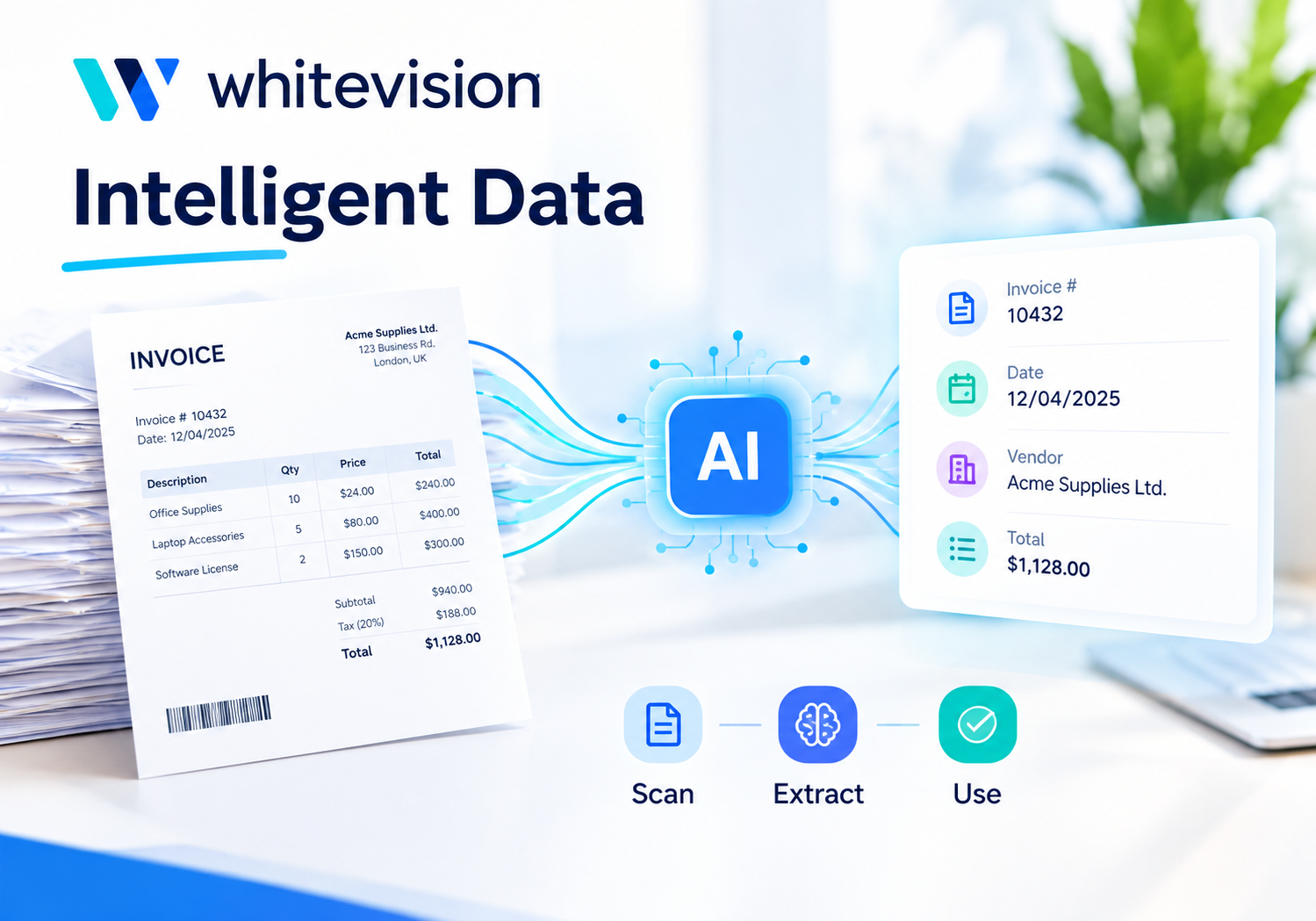
Yes. Through its receipt-scanning technology, often referred to as “Autoscan,” Zoho Expense can automatically detect the currency listed on a scanned receipt. This means an employee doesn’t need to manually select which currency they paid in — the system identifies it directly from the receipt image, reducing both data entry time and the risk of selecting the wrong currency by mistake.
How Does This Work Across Multiple Entities or Subsidiaries?
For larger organizations with multiple subsidiaries operating in different countries, Zoho Expense’s integration with the broader Zoho Finance suite allows for multi-entity currency handling. Each subsidiary can operate in its own local currency, while consolidated reporting at the parent company level reflects converted totals in the group’s base currency. This is particularly useful for businesses expanding into new markets, since it allows local teams to work in familiar currencies without complicating group-level reporting.
What Other Features Support International Expense Management in Zoho Expense?
While currency conversion is central, several other Zoho Expense features work alongside it to support businesses with international operations.
How Does Receipt Scanning Help With Foreign Receipts?
Zoho Expense’s OCR-based receipt scanning doesn’t just detect amounts — it also extracts key details like merchant names, dates, and line items, even from receipts in different languages and formats. For employees traveling abroad, this means they can simply photograph a receipt from a local restaurant or taxi, and Zoho Expense will extract the relevant information automatically, regardless of which currency or language appears on it.
How Do Approval Workflows Adapt to Multi-Currency Expenses?
Zoho Expense supports multi-level approval workflows, where expense reports move through different managerial tiers based on factors like amount or department. Importantly, organizations can base these approval rules on the converted base-currency amount rather than the original foreign-currency figure. As a result, a manager reviewing an expense report sees a consistent, comparable figure — regardless of which currency the underlying receipts were originally in — which makes approval decisions more straightforward.
How Does Corporate Card Reconciliation Work Internationally?
For businesses that issue corporate cards to traveling employees, Zoho Expense can sync and reconcile transactions directly from major card networks. When a card transaction occurs in a foreign currency, Zoho Expense matches it against the corresponding expense report and applies the appropriate conversion, helping ensure that what an employee reports lines up with what actually appears on the card statement. This reduces the back-and-forth often needed to reconcile foreign transactions manually.
How Does Zoho Expense Compare for Different Business Sizes?
Multi-currency needs vary significantly depending on the size and structure of a business. Here’s how Zoho Expense tends to serve different types of organizations.
| Business Type | Typical Multi-Currency Need | How Zoho Expense Helps |
|---|---|---|
| Small business with occasional travel | A handful of foreign-currency receipts per month | Automatic currency detection and conversion reduce manual entry |
| Growing company with remote international staff | Regular expenses across several currencies | Consistent exchange rates and consolidated reporting in base currency |
| Mid-size company with multiple departments | Need for approval workflows across currencies | Multi-level approvals based on converted amounts |
| Enterprise with international subsidiaries | Multi-entity currency reporting | Integration with Zoho Finance suite for consolidated, multi-entity reporting |
As the table suggests, Zoho Expense scales reasonably well across business sizes, though the specific configuration — particularly around multi-entity setups — tends to become more involved for larger organizations. This is one area where professional setup support can make a meaningful difference, which we’ll return to later in this article.
What Are the Benefits of Using Zoho Expense for Multi-Currency Management?
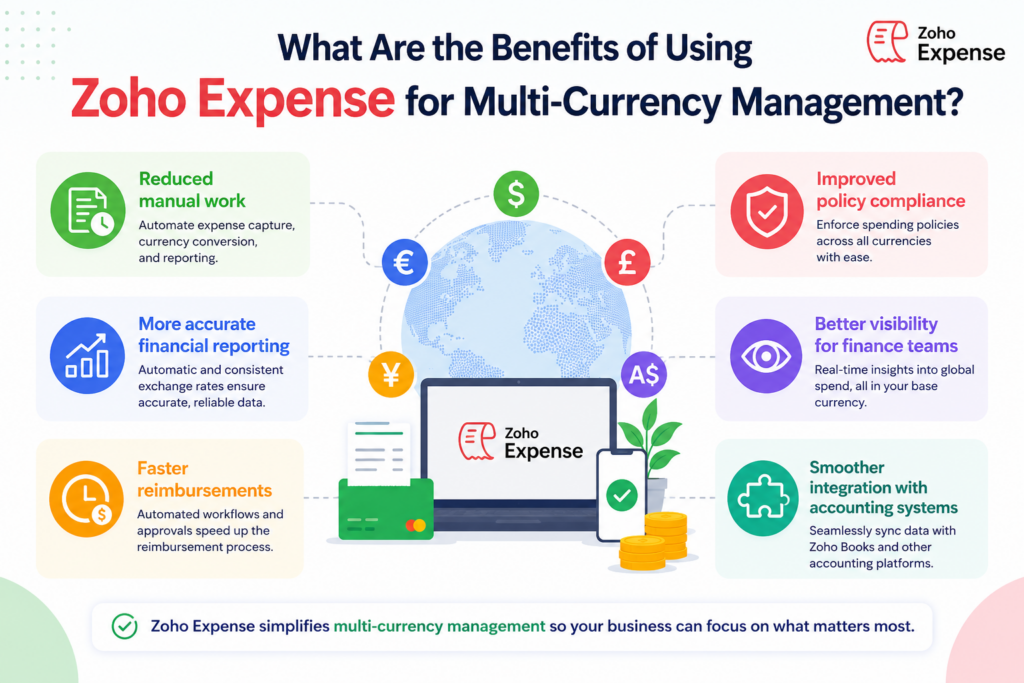
Bringing everything together, there are several concrete benefits businesses typically experience when adopting Zoho Expense for multi-currency expense management.
- Reduced manual work: Automatic currency detection and conversion eliminate most manual data entry and exchange rate lookups.
- More accurate financial reporting: Using transaction-date exchange rates produces consistent, auditable figures across all expense reports.
- Faster reimbursements: Employees don’t need to wait for finance teams to manually calculate conversions before approval.
- Improved policy compliance: Approval workflows based on converted amounts make it easier to apply consistent spending policies across currencies.
- Better visibility for finance teams: Consolidated reporting in the base currency gives leadership a clearer picture of total international spending.
- Smoother integration with accounting systems: Connections to platforms like Xero and QuickBooks mean converted expense data flows directly into financial records.
What Should Businesses Consider Before Setting Up Multi-Currency Expense Management?
While Zoho Expense offers strong multi-currency capabilities, a few practical considerations can help businesses get the most value from the platform.
How Should You Choose a Base Currency?
Your base currency is the currency in which all consolidated reports will appear, so it should reflect how your business actually manages its finances — typically the currency your headquarters or primary accounting records use. Changing a base currency after a system has been in use for some time can be disruptive, so it’s worth getting this decision right from the start.
How Do Approval Policies Need to Adapt?
If your current expense policies were written with only one currency in mind, they may need adjustments once multiple currencies come into play. For example, organizations should clearly define spending thresholds in the base currency to ensure that converted amounts — rather than original foreign-currency figures — determine the approval path for each expense.
How Important Is Initial Configuration?
Although Zoho Expense automates a great deal, the initial setup — including currency settings, approval hierarchies, integrations with accounting software, and (for larger businesses) multi-entity configurations — has a significant impact on how smoothly the system runs day to day. Getting this configuration right from the outset helps avoid the need for disruptive changes later, once employees and finance teams are already relying on the system.
Conclusion
Multi-currency expense management is one of those operational challenges that seems manageable at a small scale but quickly becomes overwhelming as a business grows internationally. Zoho Expense addresses this challenge directly, with automatic currency detection, transaction-date exchange rate conversion, multi-level approval workflows, and integrations that keep converted data flowing smoothly into accounting systems.
For businesses with employees who travel, remote international teams, or operations across multiple countries, Zoho Expense offers a practical way to bring consistency and accuracy to what would otherwise be a messy, manual process. And for businesses that want to ensure their setup is configured correctly from day one — and stays that way as the company grows — partnering with Solution for Guru provides the expertise needed to make Zoho Expense work exactly as intended, across every currency your business deals with.
Frequently Asked Questions
Yes. Through its OCR-based receipt scanning, Zoho Expense can automatically detect the currency shown on a scanned receipt, removing the need for employees to manually select it when submitting an expense.
Zoho Expense applies exchange rates based on the date of the original transaction, rather than the date the expense report is submitted. This approach produces more accurate and consistent financial records, since it reflects the actual rate in effect when the purchase was made.
For larger organizations, Zoho Expense’s integration with the broader Zoho Finance suite supports multi-entity currency handling, allowing each subsidiary to operate in its local currency while consolidated reports reflect converted totals in the group’s base currency.
How Can Solution for Guru Help With Zoho Expense Implementation?
Setting up a multi-currency expense management system involves more than just creating an account and inviting employees. This is where working with an experienced technology partner like Solution for Guru adds real value.
How Can Solution for Guru Help Configure Zoho Expense for Your Business?
Solution for Guru’s team can assess your specific multi-currency needs — whether that’s occasional foreign travel expenses, a fully remote international team, or multiple subsidiaries operating in different currencies — and configure Zoho Expense accordingly. This includes setting up base currencies, exchange rate handling, and approval hierarchies that reflect how your organization actually operates.

Can Solution for Guru Help Integrate Zoho Expense With Your Accounting Software?
Yes. Since Zoho Expense connects with platforms like Xero and QuickBooks, Solution for Guru can help ensure that converted expense data flows correctly into your accounting system, without duplicate entries or mismatched currency figures. This kind of integration work is especially important for businesses that rely on accurate financial reports for budgeting, forecasting, or investor reporting.
What Ongoing Support Does Solution for Guru Provide?
Beyond initial setup, Solution for Guru offers ongoing support as your business grows — whether that means adding new currencies as you expand into new markets, adjusting approval workflows as your team structure changes, or troubleshooting reconciliation issues with corporate cards. Having a knowledgeable partner available means your finance team spends less time managing the system itself, and more time using the data it produces.