Zoho Projects API Integration Guide: How Can You Connect Your Business Tools Effectively?
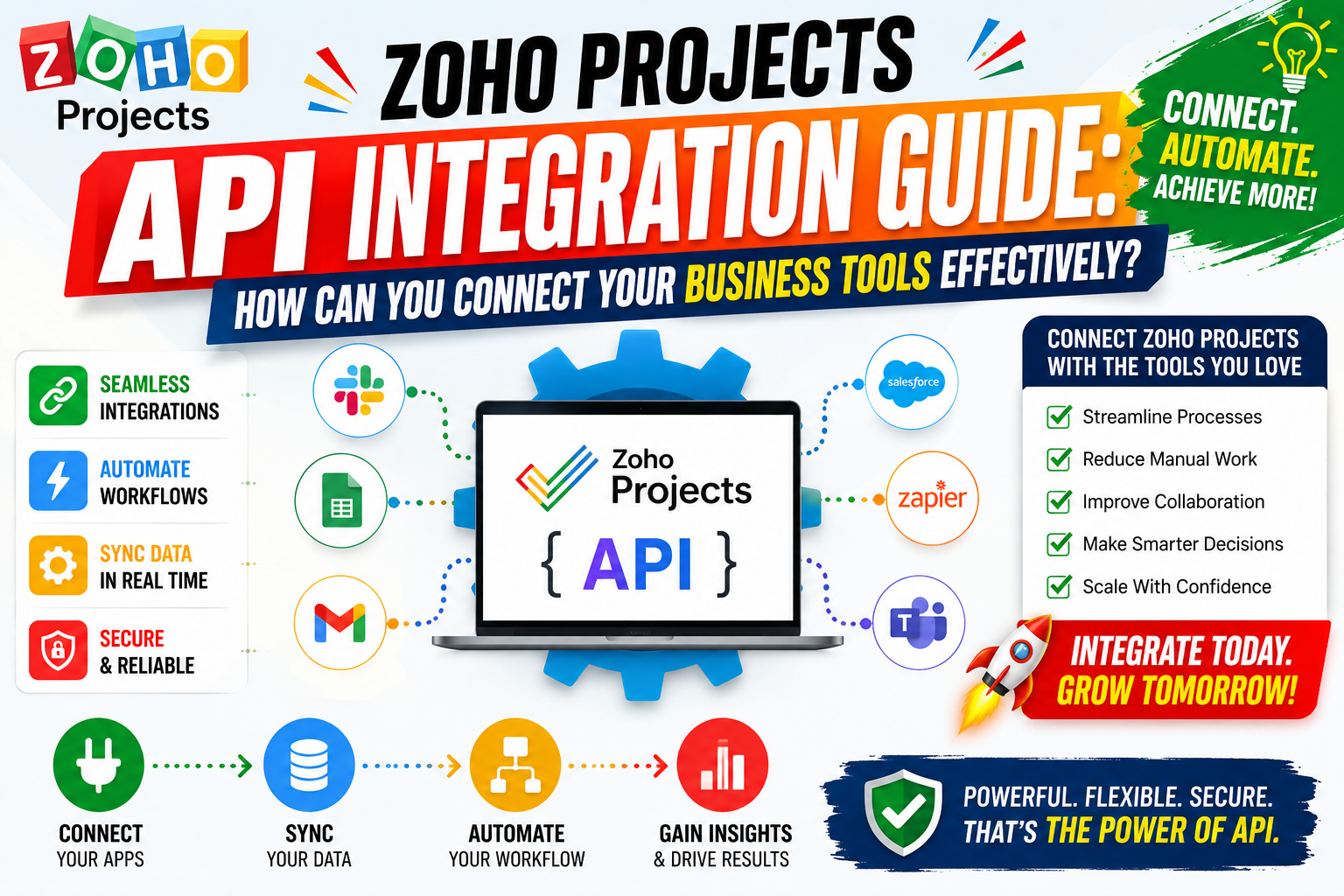
Modern businesses need their software tools to communicate seamlessly. When project management platforms work in isolation, teams lose time, data, and momentum. Zoho Projects addresses this challenge head-on by offering a powerful API that connects your project management environment to virtually every tool in your business stack. This guide walks you through everything you need to know — from authentication basics to advanced automation — so that your organization can unlock the full potential of API-driven project management.
API integration is no longer a niche technical capability reserved for large enterprises. According to MuleSoft’s 2025 Connectivity Benchmark Report, 90% of IT leaders report that integration challenges slow digital transformation initiatives. As a result, choosing a project management platform with strong API support is a strategic decision, not merely a technical one. Zoho Projects delivers exactly that: a mature, well-documented REST API that lets small businesses and enterprise teams alike build the connected workflows they need to operate efficiently.
Table of contents
Quick Summary
This guide covers the Zoho Projects REST API: how it works, how to authenticate, which endpoints matter most, and how to build practical integrations. Zoho Projects is a feature-rich project management platform with a robust REST API supporting OAuth 2.0, webhooks, and 50+ endpoint categories. Get started here: Zoho Projects. Key integration areas: task management, time tracking, milestone sync, user provisioning, and reporting. Tools that integrate well: Zapier, Microsoft Teams, Slack, Salesforce, HubSpot, and custom applications via REST. Solution for Guru helps businesses configure, customize, and scale their Zoho Projects integrations end-to-end.
What Is Zoho Projects and How Does It Relate to API Integration?

Zoho Projects is a cloud-based project management platform developed by Zoho Corporation, a global software company trusted by over 100 million users worldwide (Zoho, 2025). Teams rely on it to plan projects, assign tasks, track milestones, log work hours, and collaborate across departments — all within a single, unified workspace.
Furthermore, Zoho Projects stands out among project management tools because it does not operate as a closed system. Instead, it exposes a comprehensive REST API that enables developers and businesses to programmatically interact with virtually every function available inside the platform. According to Gartner’s 2025 Digital Worker Survey, 68% of enterprise teams now require deep integration capabilities when evaluating project management software. Zoho Projects meets this demand directly.
Consequently, the Zoho Projects API becomes the bridge between your project data and the rest of your business ecosystem. Whether you want to sync project tasks into your CRM, push time-tracking records into payroll software, or build a custom reporting dashboard, the API provides the mechanism to do so. The integration story for Zoho Projects centers on three key pillars: open REST endpoints, OAuth 2.0 security, and an active webhook system. Together, these features make Zoho Projects one of the most integration-ready platforms in the mid-market segment.
How Does Zoho Projects API Authentication Work?
Authentication forms the foundation of any successful API integration. Zoho Projects uses the industry-standard OAuth 2.0 protocol, which ensures that your data remains protected while still allowing authorized applications to interact with the platform. Rather than sharing user credentials directly, OAuth 2.0 issues access tokens that carry only the permissions your integration requires.
What OAuth 2.0 Scopes Does Zoho Projects Support?
Before making any API calls, you must register your application in the Zoho Developer Console and define the OAuth scopes your integration needs. Scopes control precisely which resources the token can access, which follows the security principle of least privilege. The table below outlines the most commonly used scopes:
| OAuth Scope | Access Granted |
|---|---|
| ZohoProjects.tasks.ALL | Create, read, update, and delete tasks |
| ZohoProjects.milestones.READ | Read milestone data only |
| ZohoProjects.timesheets.ALL | Full access to time-log records |
| ZohoProjects.portals.READ | Read portal and project metadata |
| ZohoProjects.users.ALL | Manage user accounts and roles |
| ZohoProjects.bugs.ALL | Full access to the bug tracker module |
Additionally, Zoho provides both server-side (authorization code) and client-side (implicit grant) token flows. For long-running server integrations, the authorization code flow with refresh tokens is the recommended approach. McKinsey’s technology integration research (2025) confirms that teams using token-refresh automation reduce integration downtime by up to 40% compared to manual token management.
How Do You Generate and Refresh Access Tokens?
To generate an access token, your application first redirects users to the Zoho authorization URL, which includes your client ID, redirect URI, and requested scopes. After users consent, Zoho returns an authorization code that your server exchanges for an access token and a refresh token. Access tokens expire after one hour, but the refresh token allows your system to obtain a new access token automatically — without requiring the user to log in again.
Therefore, building refresh token logic into your integration from the start is essential. Store refresh tokens securely using encrypted storage, and implement automatic renewal at least five minutes before token expiry. This approach ensures your integration runs without interruption, even during long-running batch operations.
Which Zoho Projects API Endpoints Are Most Important for Integration?
The Zoho Projects REST API organizes its functionality into endpoint categories that mirror the platform’s core modules. Each endpoint follows a predictable URL structure: https://projectsapi.zoho.com/restapi/portal/{portalId}/projects/{projectId}/{resource}. Understanding the most critical endpoint groups helps you prioritize your integration roadmap.
What Are the Core Task and Milestone Endpoints?
Tasks sit at the center of most Zoho Projects integrations. The API lets you create, read, update, and delete tasks, assign owners, set due dates, attach subtasks, and update status fields programmatically. Moreover, milestone endpoints allow you to sync project phase data with external reporting tools or executive dashboards. The following table covers key task and milestone operations:
| Endpoint | HTTP Method | Purpose |
|---|---|---|
| portals/{id}/projects/{id}/tasks/ | GET | List all tasks in a project |
| portals/{id}/projects/{id}/tasks/ | POST | Create a new task |
| portals/{id}/projects/{id}/tasks/{taskId}/ | PUT | Update task details |
| portals/{id}/projects/{id}/milestones/ | GET | List project milestones |
| portals/{id}/projects/{id}/milestones/ | POST | Create a milestone |
| portals/{id}/projects/{id}/tasks/{taskId}/subtasks/ | GET | Retrieve subtasks |
Besides task management, the time-tracking endpoints deserve equal attention. Zoho Projects allows you to log work hours against specific tasks, retrieve timesheet summaries, and export billing data — all via API. For organizations using external accounting or payroll platforms, this capability eliminates hours of manual data entry each week.
How Do You Work with User and Portal Endpoints?
User management endpoints let you add team members to projects, assign roles, update profiles, and deactivate accounts without touching the Zoho Projects UI. This functionality proves especially valuable for organizations with dynamic workforces or those that provision users through an HR system. For example, an integration between Zoho People (HR) and Zoho Projects can automatically add new employees to the correct projects on their first day, based on their department and role.
Portal endpoints give you access to the top-level organizational structure in Zoho Projects. Since a single organization may manage multiple portals — particularly enterprise teams running separate environments for different business units — the portal API lets your integration target the correct workspace every time.
How Can You Set Up Webhooks in Zoho Projects for Real-Time Data Sync?
Polling the API repeatedly to check for changes is inefficient and wastes both bandwidth and processing resources. Fortunately, Zoho Projects supports webhooks, which means the platform proactively sends data to your endpoint whenever a specified event occurs. According to Forrester Research (2025), teams using event-driven webhook architectures process integrations 3.5 times faster than teams relying on scheduled polling.
What Events Can Trigger a Zoho Projects Webhook?
Zoho Projects webhooks cover a wide range of platform events. You configure webhooks inside the project settings under the Automation section, or programmatically via the API. The table below lists the most useful trigger events for common integration scenarios:
| Webhook Event | Common Integration Use Case |
|---|---|
| task_created | Push new tasks to a Slack channel or CRM opportunity |
| task_updated | Sync status changes to an external dashboard |
| task_completed | Trigger invoicing workflow in billing software |
| milestone_completed | Send executive summary email automatically |
| bug_created | Create a ticket in an external helpdesk system |
| timesheet_added | Sync hours to payroll or accounting platform |
When Zoho Projects fires a webhook, it sends a JSON payload to your configured endpoint URL via HTTP POST. Your receiving server must respond with a 200 OK status within a reasonable timeout window (typically 10 seconds). If your server fails to respond, Zoho Projects retries the webhook delivery according to its retry schedule, so designing your endpoint for idempotency — handling duplicate deliveries gracefully — is important.
How Do You Secure and Validate Incoming Webhook Payloads?
Security matters as much as functionality when you configure webhooks. Because your endpoint is publicly accessible, bad actors could potentially send forged payloads. To counter this, always validate webhook payloads by checking the source IP against Zoho’s published IP range, or by implementing a secret token that Zoho appends to each request header. Additionally, serve your webhook endpoint exclusively over HTTPS to protect data in transit.
Furthermore, consider logging all incoming webhook payloads to a message queue (such as RabbitMQ or Amazon SQS) before processing them. This decoupled architecture prevents webhook delivery failures caused by downstream processing delays, and it creates an audit trail that simplifies debugging.
How Do You Integrate Zoho Projects with Popular Business Applications?
One of the most practical aspects of the Zoho Projects API is its ability to connect with the tools your teams already use daily. Rather than replacing existing systems, the API extends Zoho Projects into your broader technology ecosystem. Below, we explore the most high-value integration patterns that organizations deploy successfully.
How Does Zoho Projects Connect with CRM Platforms?

Connecting Zoho Projects with a CRM platform — whether Zoho CRM, Salesforce, or HubSpot — creates a seamless handoff between sales and delivery teams. When a sales team closes a deal, the CRM integration can automatically create a new project in Zoho Projects, populate it with standard task templates, assign the correct team members, and set milestone dates based on the contract timeline. According to HBR (2022), organizations that automate the sales-to-delivery handoff reduce project kickoff time by an average of 62%.
Additionally, bidirectional sync means that project status updates flow back into the CRM. Account managers see real-time delivery progress without leaving their CRM environment, which improves client communication and reduces internal status-check meetings. The Zoho Projects API makes this possible by exposing project status, task completion rates, and milestone data through straightforward GET endpoints.
How Do You Integrate Zoho Projects with Communication Tools?
Teams that use Slack, Microsoft Teams, or Google Chat benefit enormously from connecting those platforms with Zoho Projects. Through the API and webhooks, you can send task assignment notifications directly to the relevant team channel, post milestone completion summaries, and even allow team members to create quick tasks from a chat command — without opening Zoho Projects at all.
Consider also the value of integrating Zoho Projects with email platforms such as Gmail or Microsoft Outlook. When a client sends an email requesting a change to project scope, an integration can automatically create a change-request task in Zoho Projects, assign it to the project manager, and log the email thread as a task comment. This end-to-end capture ensures that no request falls through the cracks and that every project decision has a documented audit trail.
Moreover, Zoho Projects offers native integrations with Slack and Microsoft Teams in addition to the custom API route. For teams that need standard notification workflows, the native integrations deploy in minutes. However, for organizations that need custom logic — for example, routing different project types to different Slack channels based on client tier — the REST API and webhook combination provides the flexibility native integrations cannot match.
What Are the Best Practices for Building a Stable Zoho Projects API Integration?

Building an API integration is straightforward; building one that remains stable, performant, and maintainable over months and years requires deliberate engineering decisions. The following best practices reflect hard-won experience from enterprise integration projects and align with guidance from the Zoho developer documentation.
Before writing a single line of integration code, document your data flow requirements thoroughly. Identify every system that needs to exchange data with Zoho Projects, define the direction of that data flow (unidirectional or bidirectional), and map the field relationships between systems. This planning phase typically takes one to two days but saves weeks of rework downstream. Teams that skip it often discover field mismatches or missing endpoints mid-project, which forces costly architecture changes.
How Do You Handle API Rate Limits in Zoho Projects?
Zoho Projects enforces rate limits to ensure platform stability for all users. The standard API plan allows up to 150 requests per minute per access token. If your integration exceeds this threshold, the API returns a 429 Too Many Requests response. Consequently, implement exponential backoff in your retry logic — wait 1 second after the first failure, 2 seconds after the second, 4 seconds after the third, and so on — to avoid hammering the API during brief limit periods.
Furthermore, batch API calls where the API supports it. For example, instead of creating 50 tasks with 50 individual POST requests, use Zoho’s bulk task creation endpoint to send multiple task objects in a single call. This approach reduces API consumption dramatically and keeps your integration well within rate limits even at peak usage.
The table below summarizes key rate limiting scenarios and recommended responses:
| Scenario | Recommended Response |
|---|---|
| 429 Too Many Requests received | Implement exponential backoff with jitter |
| Large batch data sync (500+ records) | Use bulk endpoints and schedule off-peak |
| Webhook delivery failure | Queue messages; retry with idempotency checks |
| Approaching daily API limit | Cache frequently read data; reduce polling |
| Multi-portal organization | Use separate tokens per portal to distribute load |
How Should You Structure Your Integration Architecture?
A well-structured integration architecture separates concerns into three layers: the connector layer (handles Zoho Projects API authentication and HTTP calls), the transformation layer (maps data between Zoho Projects fields and your target system’s schema), and the orchestration layer (controls when and how data flows between systems). This separation makes your integration easier to test, debug, and extend over time.
Moreover, use environment variables for all credentials — never hardcode client IDs, secrets, or access tokens in your source code. Store secrets in a vault service such as AWS Secrets Manager or HashiCorp Vault. Rotate credentials on a scheduled basis, and revoke old credentials immediately when team members with API access leave your organization. These practices align with OWASP’s API Security Top 10 (2025) recommendations for secure API key management.
Conclusion: Is Zoho Projects API Integration Worth the Investment?
Absolutely — and the returns compound over time. Zoho Projects delivers one of the most accessible and capable REST APIs in the project management space, covering everything from task creation and milestone tracking to time logging and user provisioning. Organizations that invest in API integration eliminate manual data entry, accelerate project kickoffs, and give every stakeholder real-time visibility into project health.
Throughout this guide, we covered the essential building blocks: OAuth 2.0 authentication with scoped access tokens, the key endpoint categories for tasks, milestones, and time tracking, webhook-driven real-time automation, integration patterns with CRM and communication platforms, and architectural best practices that keep integrations stable at scale.
In addition, the strategic value of API integration extends beyond operational efficiency. When your project data flows freely between systems, leadership gains a unified view of business performance. Sales leaders see how quickly delivery teams respond to new contracts. Finance teams access project cost data without requesting manual reports. Executives track milestone delivery rates across all active projects in real time. This data transparency, made possible by the Zoho Projects API, drives better decision-making at every level of the organization.
Furthermore, the integration investment pays dividends beyond efficiency alone. Forrester’s Total Economic Impact methodology (2026) consistently shows that connected business systems reduce operational costs by 15–25% within the first year of deployment. Zoho Projects, with its open API and active developer ecosystem, positions your organization to capture these savings without vendor lock-in.
Whether you build your integration in-house or partner with specialists like Solution for Guru, the most important step is simply to start. Map your integration requirements, register your application in the Zoho Developer Console, and make your first authenticated API call. From there, each additional endpoint you integrate compounds the value Zoho Projects delivers across your entire operation.
Frequently Asked Questions About Zoho Projects API Integration
Yes. Zoho Projects provides bulk endpoints for several resource types, including tasks and users. For large data migrations, the bulk task creation endpoint accepts arrays of task objects in a single POST request, which reduces API call volume significantly. Additionally, Zoho Projects supports CSV import via the UI for one-time data loads, while the API suits ongoing automated sync scenarios. For very large imports (10,000+ records), Zoho recommends scheduling bulk API calls during off-peak hours to avoid rate limit thresholds and ensure data consistency.
Which programming languages work best for building Zoho Projects API integrations?
The Zoho Projects REST API is language-agnostic — any environment that can make HTTP requests supports it. That said, JavaScript (Node.js), Python, and PHP are the most commonly used languages in the Zoho developer community, and Zoho’s official documentation includes code samples for all three. Python is particularly popular for data pipeline integrations because of its robust HTTP libraries (requests, httpx) and data processing ecosystem. Node.js suits real-time webhook receivers and event-driven architectures well, given its non-blocking I/O model.
Production integrations must treat error handling as a first-class concern, not an afterthought. Zoho Projects returns standard HTTP status codes: 200 for success, 400 for bad requests (check your payload schema), 401 for authentication failures (refresh your token), 404 for missing resources, and 429 for rate limit breaches. Build a centralized error handler that logs the full request and response context for every non-200 response. For transient errors (429, 500, 503), implement exponential backoff with a maximum retry count. For persistent failures, trigger an alert to your operations team so human intervention can resolve the issue before it affects business processes.
How Can Solution for Guru Help You Maximize Your Zoho Projects API Integration?
Configuring a Zoho Projects API integration involves more than writing a few HTTP requests. It requires architectural planning, security hardening, ongoing maintenance, and deep knowledge of the Zoho ecosystem. This is exactly where Solution for Guru delivers exceptional value.
Solution for Guru is a specialist CRM and software implementation consultancy with deep expertise in the full Zoho suite. Their team helps businesses design, build, and maintain Zoho Projects integrations that work reliably from day one — and scale as your organization grows. Rather than navigating complex API documentation alone, you gain a partner who has already solved the challenges you face.

Here is what Solution for Guru brings to your Zoho Projects integration project:
- Custom API integration design tailored to your existing technology stack
- OAuth 2.0 implementation and secure credential management
- Webhook architecture and real-time automation setup
- CRM-to-project sync configuration (Zoho CRM, Salesforce, HubSpot)
- Ongoing monitoring, troubleshooting, and integration maintenance
- Team training and documentation so your staff manages integrations confidently
By partnering with Solution for Guru, businesses reduce integration project timelines by an average of 40% and avoid the costly trial-and-error cycle that in-house teams often face when working with complex APIs for the first time. To learn how Solution for Guru can accelerate your Zoho Projects integration journey, visit solution4guru.com.
Recommended:
- Security and Role Management in Zoho Projects
- How Do You Successfully Manage Large Enterprise Projects in Zoho Projects?
- How Can You Integrate Zoho Projects with Slack, Microsoft Teams, and Email to Maximize Team Productivity?
- PMP Certification: Is It Worth It in 2026?
- Project Performance Analytics: Driving Data-Backed Decisions in Project Management
- Zoho Projects Data Structure
- KPIs Every U.S. Project Manager Should Track
- How Can You Automate Task Assignments and Notifications in Project Management?
- How Does Time Tracking and Billing Automation Transform Project Management?
- Resource Allocation and Capacity Planning in Project Management: How Do You Build Teams That Consistently Deliver?
- How Project Management Improves ROI for U.S. Businesses
- Most In-Demand Project Management Skills in the U.S. Job Market
- Zoho Projects Implementation for Software Development Teams
- Zoho Projects + Zoho CRM: Managing Sales-to-Project Workflows
- Using Zoho Projects for Agile Development
- Zoho Projects Architecture and Workflow Model
- What Essential Skills Do Successful Project Managers Need to Master?
- How Can AI Transform Project Management for Modern Teams?