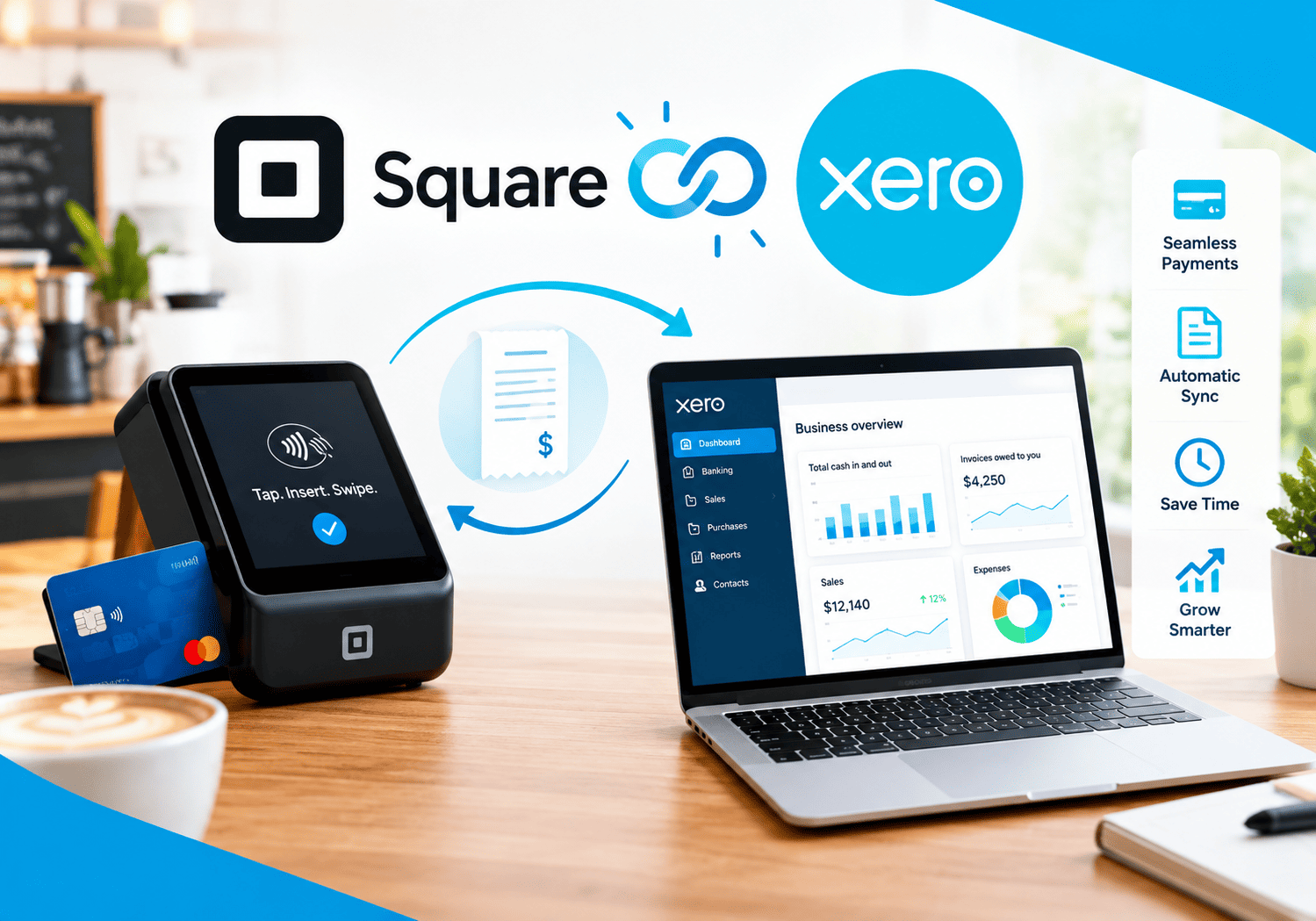
How Xero Automates Invoicing, Bills, and Bank Reconciliation

Manually chasing invoices, keying in bills, and matching bank statements line by line eats up hours that most small business owners simply don’t have. Every hour spent on data entry is an hour not spent serving customers or growing the business, and that’s exactly the problem Xero was built to solve.
This article breaks down exactly how Xero automates the three tasks that consume the most bookkeeping time: invoicing, bill payments, and bank reconciliation. Whether you’re a freelancer tired of chasing late payments or a growing business trying to close the books faster, this guide will show you what Xero automates, how it works, and where it still needs a human touch.
Table Of Contents
Quick Summary: What Should You Know About Xero Before You Read Further?
Xero is a cloud-based accounting platform built for small businesses, freelancers, and the accountants who support them. It automates recurring invoices, payment reminders, bill payments, and bank matching, and it recently introduced an AI-powered reconciliation assistant called JAX that handles the majority of transaction matching without manual review.
Here’s the quick-reference version:
| Category | Details |
|---|---|
| Best for | Small businesses, freelancers, accountants, growing SMEs |
| Pricing | Three tiers ranging from $13 to $70 per month in the US |
| Users included | Unlimited users on all plans, at no additional cost |
| Bank connections | Access to bank data from 21,000+ global institutions |
| AI reconciliation | JAX automatically handles more than 80% of transactions with high-confidence matching |
| Integrations | Over 1,000 third-party apps, including Hubdoc, Dext, Shopify, and Stripe |
Now, let’s look at what Xero actually is and how it fits into daily bookkeeping.
What Is Xero and How Does It Relate to Invoicing, Bills, and Reconciliation?
Xero is the cloud accounting platform underneath all three of these workflows. Rather than treating invoicing, bill payment, and bank reconciliation as separate tools, Xero unifies them inside a single ledger, so an invoice sent to a customer, a bill received from a supplier, and a bank transaction all connect to the same underlying financial record.
This matters because disconnected systems are exactly where small businesses lose time and accuracy. When invoicing lives in one app, bill payment in another, and bank statements get reconciled manually in a spreadsheet, someone has to manually reconcile all three sources against each other at month-end. Xero removes that extra step by keeping everything in one place from the start.
Xero eliminates tedious manual data entry by automating core tasks such as bank feeds, invoicing, bill payments, and reconciliation, and businesses can set up recurring transactions, invoice reminders, and bank rules that dramatically reduce human error and save valuable time. Understanding how each of these three pillars works individually helps explain why Xero has become such a popular choice for small business bookkeeping in 2026.
Why Has Xero Become a Trusted Name in Cloud Accounting?
Xero has emerged as a go-to cloud-based solution for small business owners, accountants, startups, and freelancers because of its intuitive design, robust features, and real-time financial visibility. Part of that trust comes from how the platform handles third-party connections. Xero integrates with over 1,000 third-party apps, including Hubdoc, Dext, Shopify, and Eats365, covering everything from payroll and inventory to CRM and eCommerce. This extensive integration ecosystem lets businesses keep their existing tools while taking advantage of Xero’s automation benefits. Instead, data from a point-of-sale system, an e-commerce store, or a payroll provider can flow directly into the same ledger that powers invoicing, bills, and reconciliation.
This ecosystem approach matters because automation is only as good as the data feeding it. A restaurant using a POS integration, for example, sees sales data land directly in Xero rather than requiring a bookkeeper to manually enter daily totals, which in turn makes the reconciliation process that follows far more accurate.
How Does Xero Automate Invoicing?
Late payments hurt cash flow more than almost any other bookkeeping problem, and much of that delay comes down to invoices that go out late, get forgotten, or lack a clear reminder system. Xero tackles this directly through several automation layers.
How Do Recurring Invoices Work in Xero?
For businesses that bill the same client on a regular schedule, such as retainer clients or subscription services, Xero lets owners set up recurring invoice templates once and then let the system handle the rest. The invoice generates and sends automatically on the scheduled date, with the correct amount, line items, and due date already filled in. This removes the risk of a business owner simply forgetting to send an invoice during a busy week, which is a surprisingly common cause of delayed payments.
How Do Automated Payment Reminders Reduce Late Payments?
Xero lets businesses send invoices and automate reminders from any device, which means a client who hasn’t paid by the due date receives a follow-up email without anyone on the accounting team having to remember to chase it manually. Because these reminders trigger automatically based on the invoice due date, they arrive consistently every time, rather than depending on whether someone happened to notice an overdue balance that day.
How Does Xero Help Track Outstanding Invoices?
Beyond sending the invoices themselves, Xero gives businesses visibility into which invoices remain unpaid and how overdue they are. The platform helps track outstanding customer payments, monitor aging receivables, and analyze the correlation between paid and unpaid invoices to improve cash flow management. As a result, business owners can spot a slow-paying client early and follow up proactively, rather than discovering a cash flow problem only once it’s already affecting the bank balance.
How Does Job and Project Invoicing Fit Into the Automation?
For businesses that bill based on projects rather than a flat recurring fee, Xero also supports job tracking tools tied directly into invoicing. Xero’s job tracking tools support project planning, budgeting, quoting, and invoicing, while also recording time and tracking costs. This means a contractor or agency can log hours or project milestones as work happens, then generate an accurate invoice straight from that recorded data instead of manually calculating totals at the end of a project. Because the invoice pulls directly from logged time and costs, the risk of underbilling or forgetting a billable expense drops significantly.
How Does Xero Automate Bill Payments?

On the flip side of invoicing, businesses also need to track and pay their own bills on time, without missing due dates or accidentally double-paying a supplier. Xero automates much of this accounts payable workflow as well.
How Does Xero Handle Accounts Payable Automation?
Accounts payable automation in Xero handles bills with minimal manual effort, letting businesses enter or import supplier bills, set payment terms, and track what’s due without maintaining a separate spreadsheet of outstanding payables. Once a bill is entered, Xero keeps a running record of what’s owed and when, giving business owners a clear accounts payable overview at any moment rather than only at month-end.
How Does Batch Bill Payment Save Time?
Paying suppliers one at a time is slow, especially for businesses with dozens of recurring bills each month. AP automation in Xero allows businesses to pay multiple bills in one go, exporting a payment file that uploads directly to online banking, with each supplier receiving a single payment and reference while the bills automatically get marked as paid. This batch approach turns what used to be a repetitive, error-prone task into a single export-and-upload action.
How Does Xero Give Businesses a Clear Accounts Payable Overview?
Beyond individual bill entries, Xero provides a clear overview of accounts payable and cash flow, helping businesses track and pay bills on time. This overview matters because cash flow problems often creep up gradually. A business owner who can see all upcoming bill due dates in one dashboard is far better positioned to plan ahead than one who discovers a large payment obligation only when the bank balance suddenly drops. Xero’s accounts payable dashboard essentially acts as an early warning system, flagging upcoming due dates before they become urgent.
What Does Free ACH Bill Payment Add to the Platform?
Free standard ACH bill payments are now included in Xero business plans, which lowers the cost of paying suppliers electronically compared to older methods like mailing paper checks. Because ACH payments settle directly between bank accounts, businesses also reduce the delays and lost-mail risk that come with traditional check payments, while keeping the entire payment trail inside the same Xero record used for reconciliation.
How Does Xero Automate Bank Reconciliation?
Bank reconciliation is often the most tedious part of bookkeeping, since it requires matching every bank transaction against the corresponding invoice, bill, or ledger entry. Xero has invested heavily in automating this specific task, and its approach has evolved significantly with the introduction of AI-powered matching.
How Do Bank Feeds and Bank Rules Work?
Xero connects directly to thousands of financial institutions, pulling transactions into the platform automatically instead of requiring a manual statement upload. Xero uses transaction details such as the date and amount to suggest matches between bank statement lines and existing transactions, and all a bookkeeper needs to do is review the details and accept the match. On top of this, businesses can create bank rules that automatically categorize recurring transactions, such as a monthly software subscription or a regular rent payment, without needing to manually code them every single time.
What Is JAX and How Does It Change Reconciliation?
Xero’s newest advancement is JAX, an AI-powered financial assistant that takes bank reconciliation automation a significant step further. JAX uses four reconciliation methods, Rule, Match, Memory, and Prediction, applying a sophisticated layered approach to each transaction. JAX combines a business’s existing bank rules, document matching against invoices and bills, reconciliation history, and anonymized patterns drawn from 4.5 million Xero subscribers globally to decide how confident it is in a given match.
Importantly, JAX doesn’t override existing workflows. JAX runs a business’s existing bank rules first, and only applies its own AI matching on top, so any rules already in place take priority over JAX’s automated suggestions. When confidence is high, JAX goes ahead and matches the transaction automatically, but when it isn’t sure, it suggests a match while leaving the final decision to the user. Xero reports accuracy above 97% on auto-reconciled transactions, with low-confidence matches flagged for human review rather than applied automatically.
How Was JAX Rolled Out and Who Can Use It Today?
Xero’s automatic bank reconciliation feature, powered by JAX, began rolling out globally in beta as part of the company’s broader vision for JAX as an AI business financial superagent. Auto bank reconciliation powered by JAX launched in global beta from November 2025 and is currently available to all Australian Xero users, with a conversational AI assistant for financial queries also live. Businesses outside the initial rollout region should check current availability directly with Xero, since AI features like this tend to expand region by region rather than launching everywhere simultaneously.
The broader goal behind this rollout is moving finance teams away from manual tasks like data entry and reconciliation, which take up valuable time and introduce the possibility of errors that can impact reporting and compliance, toward automated actions and workflows that stay under the user’s control. In practical terms, this means Xero’s roadmap points toward even less manual reconciliation work over time, though the pace of that expansion varies by country.
What Volume of Transactions Can Xero Reconcile Automatically?
Xero’s native reconciliation tools work best within certain volume ranges. Xero provides robust bank reconciliation capabilities for businesses with straightforward transaction patterns, working well when monthly transaction volume remains below 500 entries, most transactions match cleanly to invoices or bills, and the business operates primarily in one currency through one or two channels. Businesses that exceed this volume, such as high-frequency multi-channel sellers, may eventually need additional automation layered on top of Xero to keep pace with transaction growth.
What Does Xero’s Reconciliation Automation Look Like in a Table?
The table below summarizes how each reconciliation method inside JAX behaves, which helps clarify when Xero acts automatically versus when it waits for human input.
| Method | How It Works | Level of Automation |
|---|---|---|
| Rule | Applies existing bank rules the business has already set | Fully automatic, takes priority over AI |
| Match | Compares transaction details against invoices and bills | Automatic when confidence is high |
| Memory | Learns from the business’s own reconciliation history | Improves accuracy over time |
| Prediction | Uses anonymized patterns from millions of Xero users | Suggests matches, flags low-confidence ones for review |
What Do Xero’s Pricing Tiers Include?

Xero structures its plans around transaction volume rather than locking core automation features behind higher tiers, which means even the cheapest plan includes invoicing, bill payment, and reconciliation tools.
| Plan Tier | Monthly Cost (US) | What It’s Best For |
|---|---|---|
| Entry | $13/month | Freelancers and very small businesses with limited invoice volume |
| Mid-tier | Between entry and top tier | Growing small businesses needing higher invoice and bill limits |
| Top tier | $70/month | Established SMEs needing the highest transaction limits and advanced tools |
All plans include the same core features, with differences lying mainly in volume limits and advanced capabilities rather than feature gates, and unlimited users are included on every plan at no additional per-seat cost. This pricing structure stands out compared to competitors that charge per user, since a growing business can add accountants, bookkeepers, or staff without watching the monthly bill climb alongside headcount.
What Are the Benefits of Automating These Three Workflows Together?
When invoicing, bill payments, and bank reconciliation all run through the same platform, the benefits compound rather than simply adding up individually.
- Faster month-end closes, since transactions arrive pre-categorized and mostly pre-matched by the time reconciliation begins.
- Fewer manual errors, because data entered once for an invoice or bill doesn’t need to be re-typed elsewhere.
- Better cash flow visibility, since aging receivables and outstanding payables both live inside the same dashboard.
- Real-time collaboration, as Xero allows unlimited users and secure access permissions so business owners can collaborate with accountants and bookkeepers in real time, with everyone seeing the same data.
- Lower administrative cost, particularly with free ACH bill payments and AI reconciliation reducing the hours spent on repetitive admin work.
What Should Businesses Watch Out For With Xero’s Automation?

Automation isn’t a complete replacement for good bookkeeping habits, and a few limitations are worth understanding before relying on Xero fully.
| Limitation | Why It Matters |
|---|---|
| Data quality dependency | JAX doesn’t fix bad data, and a poorly structured chart of accounts or miscoded transactions will produce unreliable outputs |
| High transaction volume | Businesses processing thousands of monthly transactions may need supplementary automation tools |
| Plan-based limits | Invoice and bill limits are hard caps that vary by pricing tier |
| Feature rollout pace | Some AI features, such as payroll automation through JAX, remain on the roadmap and are not yet in production |
Consequently, businesses should still review flagged transactions regularly and keep their chart of accounts clean, since automation works best on top of a solid bookkeeping foundation rather than as a substitute for one.
Who Benefits Most From Xero’s Automated Workflows?
Xero’s combination of invoicing, bill payment, and reconciliation automation suits a wide range of business types, though some get more value than others.
- Freelancers and solo consultants who want recurring invoices and reminders to run in the background without manual follow-up.
- Small businesses with recurring suppliers that benefit from batch bill payments and free ACH processing.
- Growing SMEs that need real-time collaboration between internal staff and external accountants or bookkeepers.
- Businesses with moderate transaction volume, generally under 500 monthly bank transactions, where Xero’s native reconciliation tools perform at their best.
- Multi-currency operations that need reliable, automated handling of international transactions alongside domestic ones.
Meanwhile, high-volume, multi-channel sellers processing thousands of transactions monthly may want to pair Xero with a dedicated automation add-on to keep reconciliation manageable as order volume scales.
Conclusion: How Much Time Can Xero’s Automation Really Save?
Xero brings genuine, measurable automation to three of the most time-consuming bookkeeping tasks: invoicing, bill payments, and bank reconciliation. Recurring invoices and automated reminders reduce late payments, batch bill payments and free ACH transfers simplify accounts payable, and JAX’s AI-powered matching now handles the majority of bank reconciliation without manual review.
That said, automation performs best on a clean foundation. Businesses still need an accurate chart of accounts, properly connected bank feeds, and periodic review of flagged transactions to get full value from the platform. Therefore, treating Xero’s automation as a powerful assistant rather than a fully hands-off solution remains the smartest approach.
For freelancers, small businesses, and growing SMEs looking to cut down on manual bookkeeping admin, Xero offers one of the most comprehensive automation toolkits available today. And pairing that platform with an experienced implementation partner like Solution for Guru can help a business unlock that automation faster, with fewer setup mistakes along the way.
Frequently Asked Questions
Not entirely. JAX, Xero’s AI-powered reconciliation assistant, performs best when a business’s existing bank rules and chart of accounts are already well organized. It runs existing rules first, then applies AI matching on top, and flags any low-confidence matches for manual review rather than applying them automatically. Businesses with messy historical data should expect to spend some time cleaning up their setup before automation delivers its full benefit.
Xero’s native tools work well for businesses processing under roughly 500 monthly bank transactions in a single currency. Beyond that volume, particularly for multi-channel sellers processing thousands of orders monthly, reconciliation can become more cumbersome without additional automation layered on top. Businesses in this category should evaluate supplementary tools or work with an implementation partner to keep reconciliation efficient as they scale.
Yes, generally. Xero’s lowest pricing tier still includes recurring invoicing, automated reminders, and bank reconciliation tools, and every plan includes unlimited users at no extra cost. For a freelancer or solo business owner, the time saved on manual invoicing and reconciliation often outweighs the monthly subscription cost, especially once automated reminders start reducing late payments.
Why Partner with Solution for Guru for Your Xero Implementation?
Setting up Xero correctly from the start makes a significant difference in how much value a business gets from its automation features. A poorly configured chart of accounts or missing bank rules can quietly undermine even the most advanced AI matching tools.

Solution for Guru helps businesses configure Xero properly and connect it to the rest of their software stack, so the automation works the way it’s supposed to from day one. Partnering with Solution for Guru offers several concrete advantages:
- Clean initial setup, ensuring the chart of accounts, bank feeds, and reconciliation rules are structured correctly before automation kicks in.
- Custom integration support, connecting Xero to CRM, payroll, or e-commerce platforms a business already relies on.
- Ongoing optimization, refining bank rules and invoice workflows as transaction volume and business complexity grow.
- Vendor-neutral guidance, helping businesses confirm Xero remains the right long-term fit, or advising when supplementary tools make sense for higher transaction volumes.
In short, Solution for Guru helps businesses avoid the common setup mistakes that quietly limit how much time and money Xero’s automation can actually save.
Recommended:
- How Secure Is FreshBooks? A Look at Data Protection, Encryption, and Compliance
- FreshBooks ROI: Is the Subscription Cost Worth It?
- FreshBooks Time Tracking: Is It Accurate Enough for Client Billing?
- Zoho Books vs Xero: Cloud Accounting Platforms Compared
- Zoho Books vs QuickBooks: Technical Comparison
- Xero Pricing Plans: Early/Starter, Growing/Standard, Established/Premium
- Overview of the Xero App Marketplace (1,000+ Integrations): What Are the Most Popular Ones?
- FreshBooks vs Xero for Technology Companies: Which One Should You Choose?
- FreshBooks Reporting Features: What Financial Insights Can You Actually Get?
- Xero for Small Business: Is It the Right Accounting Software for You?
- What is Xero — Overview of the Cloud Accounting Platform’s Features
- How Does FreshBooks Integrate with CRM, Payroll, and Project Management Tools?
- Financial Reporting Architecture in Zoho Books
- Zoho Books Architecture: Cloud Accounting Explained — How Does It All Work?
- FreshBooks for IT Consulting Firms: Managing Projects, Invoices, and Client Billing