Financial Reporting Architecture in Zoho Books
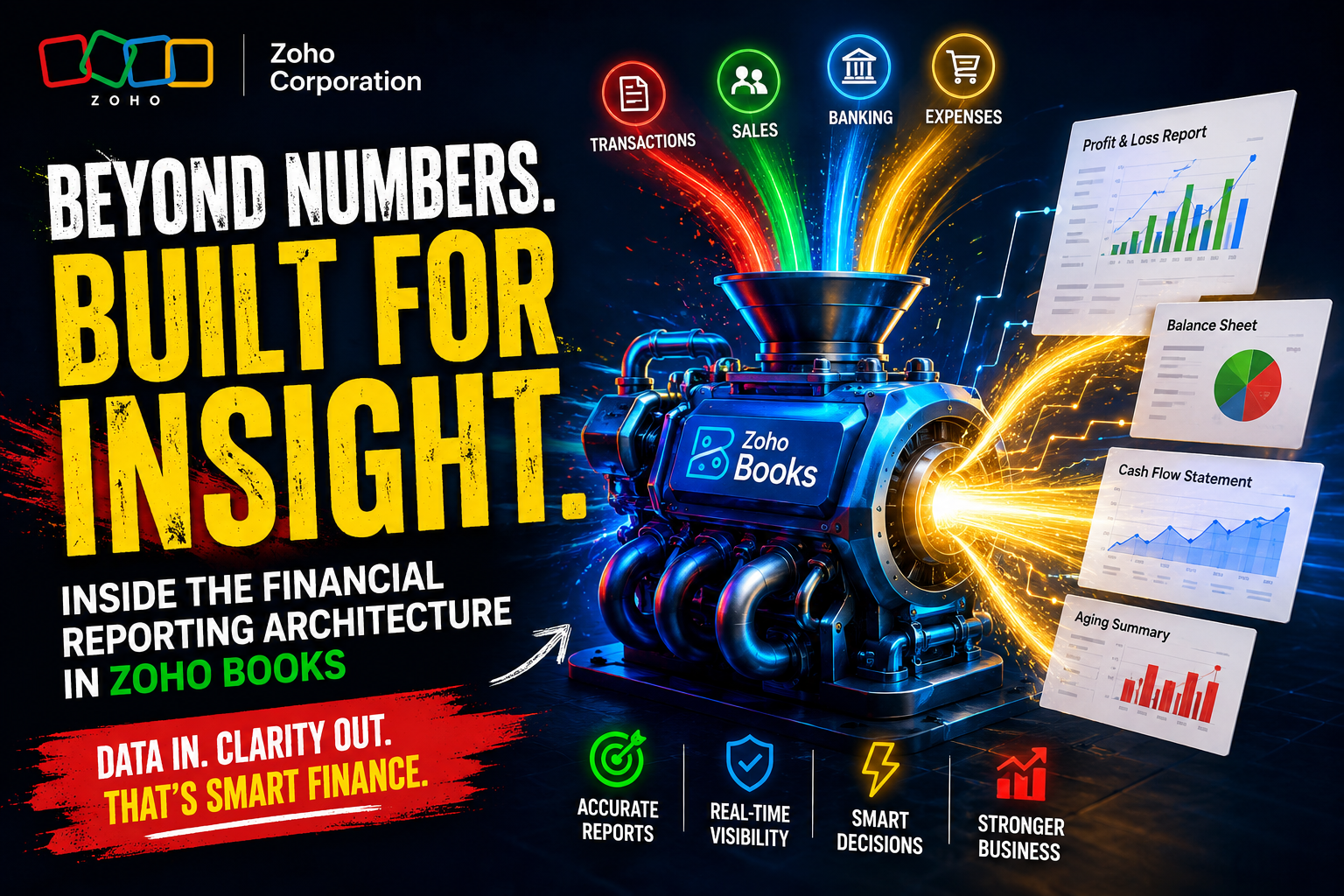
Every growing business eventually faces the same reckoning: the financial data sitting in spreadsheets, bank statements, and invoicing tools no longer paints a clear enough picture to support smart decisions. Founders, CFOs, and controllers need structured, real-time financial reports they can act on — not numbers they have to chase down manually each month. Zoho Books addresses this challenge head-on with a comprehensive financial reporting architecture that covers everything from basic profit-and-loss statements to multi-dimensional custom reports and automated compliance documents. This article unpacks how Zoho Books structures its reporting layer, what reports matter most for different business types, and how organizations can get the most value from the platform’s financial intelligence capabilities.
Table of contents
Quick Summary
Zoho Books delivers a multi-layered financial reporting architecture that includes core accounting statements, cash flow analysis, tax compliance reports, and fully customizable dashboards. The platform automates report generation, supports multi-currency and multi-branch consolidation, and integrates seamlessly with other Zoho applications and third-party tools. Businesses that implement Zoho Books correctly gain real-time financial visibility, faster audit preparation, and data-driven decision-making capabilities — all within a single cloud-based platform.
What Is Zoho Books and How Does It Relate to Financial Reporting Architecture?

Before exploring specific reporting capabilities, it helps to understand what Zoho Books is and why its architecture matters for financial reporting. Zoho Books is a cloud-based accounting and financial management platform designed for small to mid-sized businesses. It handles invoicing, expense tracking, bank reconciliation, inventory accounting, tax management, and — crucially — a deeply integrated suite of financial reports. You can explore the full platform at Zoho Books.
The term ‘financial reporting architecture’ refers to the structural framework through which a platform organizes, generates, and presents financial data. A well-designed architecture ensures that reports reflect accurate, real-time data, connect logically to underlying transactions, and adapt to different business needs without requiring manual data manipulation.
Zoho Books builds its reporting architecture on a double-entry accounting engine, which guarantees that every transaction simultaneously affects two or more ledger accounts. This foundation ensures that all reports — from a simple accounts receivable aging summary to a consolidated multi-entity balance sheet — derive from the same clean, consistent data source. Consequently, finance teams eliminate the reconciliation errors that plague businesses relying on disconnected tools.
Furthermore, Zoho Books organizes its reports into distinct functional categories: business overview reports, accountant reports, sales reports, purchase reports, inventory reports, tax reports, and activity logs. This categorization allows finance teams, business owners, and auditors to navigate directly to the data they need rather than filtering through irrelevant outputs.
What Core Financial Statements Does Zoho Books Generate Automatically?
The foundation of any financial reporting architecture rests on three core accounting statements: the profit and loss statement, the balance sheet, and the cash flow statement. Zoho Books generates all three automatically from transaction data, eliminating the manual compilation that previously consumed hours of accountant time each month.
How Does the Profit and Loss Statement in Zoho Books Work?
Zoho Books builds the profit and loss (P&L) statement — also called the income statement — directly from categorized income and expense transactions. Every invoice, bill, expense claim, and journal entry feeds into the appropriate income or expense category, and the P&L reflects these entries in real time.
Notably, Zoho Books allows users to filter the P&L by date range, branch, project, customer, or cost center. A business with multiple revenue streams can therefore generate a P&L for a specific product line or geographic region without running separate spreadsheet analyses. Additionally, the comparison view lets finance teams place current-period performance side by side with prior periods — a critical feature for identifying trends and seasonal patterns.
What Does the Balance Sheet Architecture Look Like in Zoho Books?
The balance sheet in Zoho Books presents assets, liabilities, and equity in a structured, always-balanced format that the double-entry engine enforces automatically. Users can generate balance sheets as of any date, making it straightforward to prepare month-end, quarter-end, or year-end snapshots for board presentations, loan applications, or investor due diligence.
Moreover, Zoho Books supports comparative balance sheets that display multiple periods in adjacent columns. This layout helps stakeholders see how the company’s financial position has changed over time. They can quickly determine whether current assets have increased compared to current liabilities. They can also evaluate whether retained earnings indicate consistent profitability. This makes it easier to assess the overall financial health of the business.
How Does Zoho Books Structure the Cash Flow Statement?
Cash flow remains the single most important indicator of business health for many operators. Zoho Books generates the cash flow statement using the indirect method, starting from net income and adjusting for non-cash items and working capital changes. The platform separates cash flows into three standard categories: operating activities, investing activities, and financing activities — in compliance with GAAP and IFRS frameworks.
As a result, business owners can quickly see whether positive net income is also generating positive operating cash flow. They can also identify situations where cash flow is weaker than profits suggest. This often happens when working capital issues reduce available cash. For example, customers may take a long time to pay invoices, or inventory may accumulate too quickly. In these cases, liquidity can decline even when the business reports strong profits.
| Financial Statement | Data Source in Zoho Books | Key Business Use |
|---|---|---|
| Profit & Loss Statement | Invoices, bills, expense records, journal entries | Profitability analysis, investor reporting |
| Balance Sheet | All asset, liability, and equity accounts | Financial position, loan applications |
| Cash Flow Statement | Operating, investing, financing transactions | Liquidity management, board reporting |
| Trial Balance | All debit/credit ledger entries | Period-end closing, audit preparation |
| General Ledger | Chronological transaction log per account | Detailed account review, reconciliation |
How Does Zoho Books Handle Advanced Accountant Reports and Ledger Analysis?
Beyond the three core statements, Zoho Books provides a rich layer of accountant-specific reports that support deeper analysis, period-end closing, and audit readiness. These reports give finance professionals the granular visibility they need to maintain accurate books and identify discrepancies before they become problems.
What Is the Role of the Trial Balance Report in Zoho Books?
The trial balance shows every account in the chart of accounts. It lists the debit and closing balance for each account during a selected period. Finance teams use this report as an initial check during the month-end closing process. The report should show that total debits equal total credits. If they do not match, there is an error somewhere in the transaction history. Zoho Books makes this verification instantaneous, displaying the trial balance in real time rather than requiring manual compilation.
Furthermore, clicking any account balance in the trial balance drills down directly into the general ledger for that account, showing every underlying transaction. This drill-down capability dramatically reduces the time auditors and controllers spend tracing figures back to source documents.
How Does the General Ledger Report Support Account Reconciliation in Zoho Books?
The general ledger report in Zoho Books lists every transaction affecting each account in chronological order, showing opening balance, transaction details, and running closing balance. Finance teams use this report extensively during bank reconciliation, audit preparation, and investigation of unexpected account balances.
Zoho Books enhances this report with filtering capabilities: users can narrow the ledger view by date range, account, transaction type, or reference number. As a result, finding a specific transaction among thousands of entries takes seconds rather than minutes. Additionally, the platform exports the general ledger directly to Excel or PDF, making it straightforward to share with external auditors or tax advisers.
How Does Zoho Books Structure Sales and Receivables Reporting?
Sales reporting in Zoho Books goes far beyond a simple revenue total. The platform provides a layered set of sales analysis reports that give finance and sales teams visibility into revenue composition, customer payment behavior, and outstanding receivable risk.
What Sales Reports Does Zoho Books Offer for Revenue Analysis?
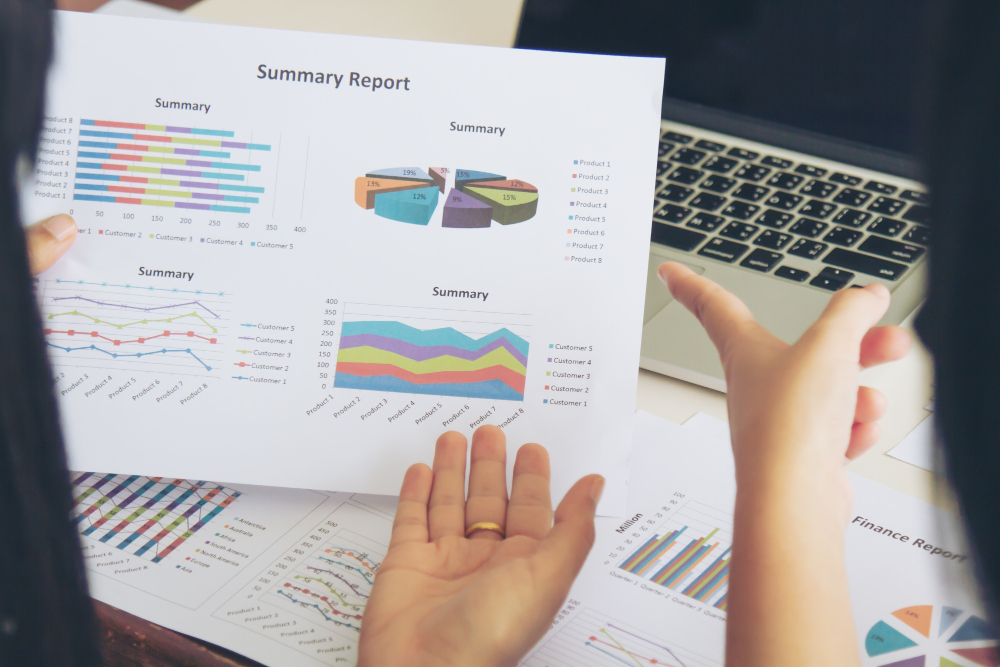
Zoho Books generates sales reports by customer, item, salesperson, and date range. The Sales by Customer report reveals which clients contribute the most revenue and how their purchasing behavior evolves over time. The Sales by Item report breaks revenue down by product or service SKU, helping businesses identify their most profitable offerings and discontinue underperformers.
Additionally, Zoho Books produces an Invoice Details report that logs every invoice with its date, amount, payment status, and due date. Finance teams use this report to monitor billing accuracy, track partially paid invoices, and generate revenue forecasts based on outstanding receivables.
How Does Accounts Receivable Aging Work in Zoho Books?
The accounts receivable (AR) aging report organizes outstanding customer balances into time buckets: current, 1–30 days overdue, 31–60 days overdue, 61–90 days overdue, and 90+ days overdue. This structure immediately reveals which customers are habitually late, where collection effort should focus, and what provision for doubtful debts the business might need to recognize.
Zoho Books updates this report in real time as invoices are paid or become more overdue. Consequently, credit managers can run the AR aging first thing every morning and prioritize collection calls without any manual preparation. The platform also allows users to set automated payment reminders that trigger based on invoice age, further reducing the manual follow-up burden.
| Report Category | Key Reports Included | Primary User |
|---|---|---|
| Sales & Revenue | Sales by Customer, Sales by Item, Invoice Details | Finance manager, sales director |
| Receivables | AR Aging Summary, AR Aging Detail, Customer Balances | Credit manager, CFO |
| Payables | AP Aging Summary, Vendor Balances, Bill Details | Accounts payable, controller |
| Tax Compliance | Tax Summary, GST/VAT Returns, Tax Liability | Tax accountant, finance team |
| Inventory | Inventory Valuation, Stock Movement, COGS Report | Inventory manager, CFO |
| Banking | Bank Reconciliation Summary, Transaction History | Bookkeeper, auditor |
How Does Zoho Books Manage Purchase and Payables Reporting?
On the expenditure side, Zoho Books mirrors its sales reporting architecture with an equally comprehensive set of purchase and payables reports. These reports give finance teams the visibility they need to manage vendor relationships, control costs, and ensure the business always pays its obligations on time.
What Purchase Reports Help Businesses Control Spending in Zoho Books?
Zoho Books generates a Purchases by Vendor report that shows total spending with each supplier over any selected period. This report helps procurement teams identify their largest vendors, negotiate better terms based on volume, and detect unusual spending spikes that might indicate errors or fraud.
The platform also produces a Bills Detail report showing every vendor bill with its status — draft, submitted, partially paid, or fully paid. Finance managers use this report to ensure no bills are inadvertently duplicated or overlooked, and to track the company’s outstanding payment commitments at any moment. Moreover, the Purchase Order Summary report monitors the gap between committed purchase orders and received goods, giving controllers early visibility into pending liabilities.
How Does Accounts Payable Aging Keep Vendor Relationships Healthy in Zoho Books?
Just as AR aging protects revenue, the accounts payable (AP) aging report protects vendor relationships and company credit. Zoho Books categorizes outstanding vendor balances using the same aging periods that are commonly used for accounts receivable. This gives finance teams a clear view of upcoming payment obligations. They can use this information to prioritize which bills should be paid first. It also helps businesses take advantage of early payment discounts when available. At the same time, it reduces the risk of missing due dates and incurring late payment penalties.
Beyond time management, the AP aging report directly informs cash flow planning. When a finance team knows exactly how much becomes due in the next 30, 60, and 90 days, they can align bank transfers, manage credit lines, and negotiate payment extensions with vendors before deadlines pass — rather than scrambling after the fact.
How Does Zoho Books Support Tax Reporting and Compliance Architecture?

Tax compliance is one of the most operationally demanding aspects of financial management. Zoho Books incorporates tax reporting directly into its transaction management system. Every invoice, bill, and expense is automatically assigned the appropriate tax treatment. This helps reduce manual work and minimizes the risk of tax errors. Because tax information is captured throughout the process, compliance reports can be generated automatically. As a result, tax reporting becomes a natural part of day-to-day financial operations.
What Tax Reports Does Zoho Books Generate for VAT and GST Compliance?
Zoho Books supports multi-jurisdiction tax frameworks including VAT (used across the EU, UK, UAE, and other regions), GST (India, Australia, Canada), and sales tax (USA). The platform generates jurisdiction-specific tax returns — including the UK VAT Return, India GST Returns (GSTR-1, GSTR-2A, GSTR-3B), UAE VAT Return, and US Sales Tax Report — directly from transaction data.
Finance teams no longer compile tax figures manually from invoices and purchase records. Instead, Zoho Books aggregates all taxable transactions for the period, categorizes them by tax rate and transaction type, and populates the return format automatically. As a result, businesses reduce both the time and the risk of error associated with tax filing — a critical advantage as tax authorities worldwide increase digital reporting requirements.
How Does Zoho Books Handle Withholding Tax and TDS Reporting?
For businesses operating in India and other markets with withholding tax or Tax Deducted at Source (TDS) obligations, Zoho Books tracks TDS deductions on vendor payments and generates Form 26Q-style summary reports. The platform records both the gross payment and the withheld amount, ensuring the vendor ledger and TDS liability accounts stay in sync. Consequently, quarterly TDS filings require only a report export rather than a manual ledger reconciliation — saving significant accountant time each quarter.
How Does Zoho Books Enable Custom Reports and Financial Dashboards?
Standard reports cover most accounting needs, but growing businesses often require custom financial views that reflect their unique operating structure. Zoho Books addresses this through a custom report builder and configurable dashboard system that lets finance teams design exactly the outputs they need.
What Customization Options Does Zoho Books Offer for Financial Reports?
Zoho Books’ custom report builder allows users to select specific fields, apply filters, group data by multiple dimensions, and set calculation rules. For example, a SaaS company might build a custom report grouping revenue by subscription tier, billing cycle, and geographic region — a view that no standard accounting template would produce. The platform saves these custom reports for repeated use and schedules automatic email delivery to specified recipients.
Furthermore, Zoho Books supports custom columns in its core reports. Finance teams can add calculated fields — such as gross margin percentage, revenue per customer, or days payable outstanding — directly into standard report templates without exporting to Excel. This capability keeps analysis inside the platform, reducing the risk of version control issues and data discrepancies that arise when multiple team members maintain separate spreadsheet models.
How Do Real-Time Dashboards in Zoho Books Improve Financial Decision-Making?
The Zoho Books home dashboard provides business owners and finance managers with a real-time view of key financial metrics. It displays total receivables, total payables, and current cash balances. Users can also see overdue invoices and bank account balances at a glance. This allows them to quickly understand the company’s financial position and take action when needed. Users configure which widgets appear and in what layout, ensuring the dashboard reflects their personal decision-making priorities.
Additionally, Zoho Books integrates with Zoho Analytics — a dedicated business intelligence platform — for even more sophisticated dashboard design. Zoho Analytics can pull live data directly from Zoho Books. It allows finance teams to create dashboards using information from multiple sources. These dashboards can combine accounting data with CRM pipeline metrics, inventory information, and project profitability figures. This gives organizations a more complete view of business performance. As a result, companies can build a unified financial intelligence layer across the entire Zoho ecosystem.
| Customization Feature | Capability | Business Benefit |
|---|---|---|
| Custom Report Builder | Field selection, filters, grouping, calculated columns | Reports tailored to unique business structure |
| Scheduled Report Delivery | Auto-email reports on daily/weekly/monthly schedule | Stakeholders always have current data |
| Dashboard Widgets | Configurable KPI tiles, charts, aging summaries | Instant financial overview without manual prep |
| Zoho Analytics Integration | Multi-source BI dashboards with live Zoho Books data | Cross-department financial intelligence |
| Export Options | PDF, Excel, CSV for all reports | Audit sharing, external analysis |
| Multi-Currency Reports | Functional and foreign currency views | Accurate global business reporting |
How Does Zoho Books Handle Multi-Currency and Multi-Branch Financial Reporting?
What Multi-Currency Reporting Capabilities Does Zoho Books Provide for Global Businesses?

Businesses that invoice in multiple currencies face a particular reporting challenge: exchange rate fluctuations create realized and unrealized gains or losses that must appear correctly in financial statements. Zoho Books automates foreign currency accounting tasks. It applies the appropriate exchange rate based on the transaction date for every foreign currency invoice and bill. This ensures that transactions are recorded accurately. At the end of the reporting period, Zoho Books also calculates unrealized currency gains and losses automatically. These adjustments are then included as part of the financial closing process.
The platform generates foreign exchange gain/loss reports that show exactly which transactions produced currency exposure, what rates applied, and how much the resulting gain or loss affected the P&L. Finance teams no longer need to track this manually in supplementary spreadsheets — Zoho Books captures and reports it all within the same unified ledger.
How Does Zoho Books Support Branch and Division Reporting for Multi-Location Businesses?
Zoho Books supports branch accounting, which allows businesses with multiple locations, divisions, or cost centers to record transactions against specific branches and generate branch-specific financial statements. Each branch maintains its own sub-ledger within the same organization account, and consolidated reports aggregate branch figures automatically.
Consequently, a retail chain with ten locations can generate both a consolidated P&L for investor reporting and individual branch P&Ls for operational management — all from the same platform, without any manual data aggregation. This scalability makes Zoho Books suitable not just for early-stage businesses but for organizations managing complex, multi-entity financial structures.
What Conclusions Can We Draw About the Financial Reporting Architecture in Zoho Books?
Zoho Books delivers a financial reporting architecture that serves businesses at every stage of growth. The platform’s foundation in double-entry accounting ensures data integrity across all reports, while its layered structure — from core statements to custom analytics — gives finance teams the flexibility to build exactly the financial visibility their organization needs.
The breadth of Zoho Books’ reporting library is genuinely impressive. Core accounting statements, AR and AP aging reports, tax compliance outputs, custom report builders, real-time dashboards, multi-currency adjustments, and branch-level consolidation all work together within a single, coherent platform. Finance teams eliminate the fragmented tools and manual compilation that characterize immature financial reporting setups.
Moreover, Zoho Books continues to evolve — adding AI-powered forecasting, deeper Zoho Analytics integration, and expanded multi-jurisdiction tax support with each platform update. Businesses that properly configure Zoho Books’ reporting architecture gain long-term benefits. As the company grows, its financial reporting capabilities can scale with it. The system also helps support regulatory compliance across multiple markets. Different stakeholders often need different types of financial information. This may include business owners, board members, and external auditors. A well-designed reporting structure ensures that each stakeholder can access the data they need when they need it.
Frequently Asked Questions
Zoho Books includes over 50 standard financial reports organized across business overview, accountant, sales, purchase, inventory, tax, and activity categories. These cover the full range of accounting needs for most small and mid-sized businesses without any customization. Additionally, the custom report builder lets finance teams create an unlimited number of additional reports tailored to specific business requirements — making the total reporting library virtually extensible.
Yes. Zoho Books generates financial statements — including the balance sheet, income statement, and cash flow statement — in formats aligned with both GAAP and IFRS requirements. The platform’s double-entry accounting engine enforces the accounting standards that both frameworks require. For jurisdiction-specific compliance differences — such as revenue recognition under IFRS 15 versus ASC 606 — Solution for Guru helps businesses configure the correct chart of accounts structure and reporting rules during implementation.
Within a single Zoho Books organization, branch accounting supports multi-location and multi-division consolidation. For businesses operating as truly separate legal entities, Zoho Books works in conjunction with Zoho Finance Plus — the broader financial suite — to support inter-company eliminations and consolidated group reporting. Solution for Guru specializes in designing these multi-entity architectures, ensuring the consolidated reports your board or holding company requires are available at the click of a button rather than requiring manual spreadsheet work each period.
Why Should Businesses Work With Solution for Guru for Zoho Books Implementation?
Implementing Zoho Books correctly — particularly its financial reporting architecture — requires both accounting expertise and platform-specific technical knowledge. Solution for Guru is a certified Zoho implementation partner that combines both disciplines, helping businesses configure Zoho Books to reflect their actual financial structure from day one.

Working with Solution for Guru delivers the following concrete advantages:
- Chart of Accounts Design: Solution for Guru builds a chart of accounts tailored to your industry and reporting requirements, ensuring every report category reflects how your business actually operates — not a generic template.
- Custom Report Configuration: The team designs and builds custom reports and dashboards that match your internal KPIs and stakeholder reporting needs — saving finance teams from building these from scratch.
- Tax Compliance Setup: Solution for Guru configures the correct tax rules for your jurisdiction — VAT, GST, TDS, or sales tax — ensuring compliance reports generate accurately from the moment you go live.
- Data Migration & Historical Reporting: The team migrates historical transaction data from previous accounting systems, preserving the reporting continuity that finance teams need for year-over-year analysis.
- Training & Ongoing Optimization: Beyond implementation, Solution for Guru trains finance teams on Zoho Books’ reporting tools and continues to optimize configurations as the business grows and reporting needs evolve.
Recommended:
- Zoho Books Architecture: Cloud Accounting Explained — How Does It All Work?
- FreshBooks for IT Consulting Firms: Managing Projects, Invoices, and Client Billing
- FreshBooks Review: Features, Pricing, Pros, and Cons
- Real-Time Financial Dashboards with Zoho Books
- How Can You Connect Zoho Books with Payment Gateways to Streamline Your Business Finances?
- Financial Data Migration to Zoho Books
- Zoho Books for Finance Teams: Automation and Financial Control
- How Zoho CRM Works: Data Model, Modules, and Relationships