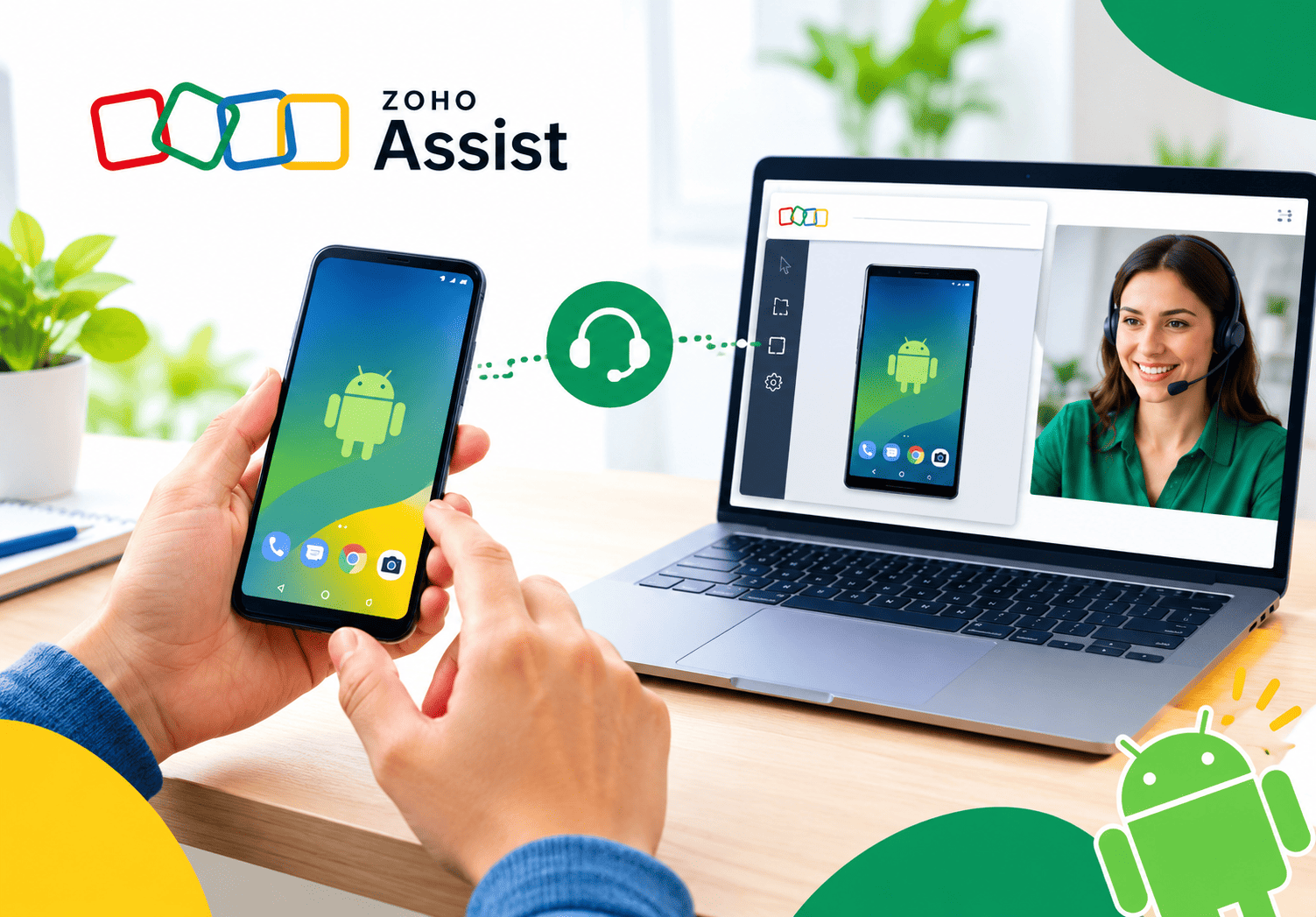
Supporting Hybrid Employees Using Zoho Assist

Hybrid work sounds simple in theory: employees split their time between home and office, and everything just works. In practice, IT teams know better. A forgotten VPN password, a frozen application, or a locked office workstation can derail an entire workday when nobody is physically present to fix it. This article explores how Zoho Assist helps organizations solve exactly that problem, keeping hybrid employees productive no matter where they’re working from.
Table of contents
What Does This Article Cover?
Before diving into the details, here’s a quick snapshot of what you’ll learn:
| Topic | What You’ll Learn |
|---|---|
| Core concept | What remote access software does and why hybrid teams need it |
| Key features | On-demand support, unattended access, and mobile functionality |
| Security | How encryption and session recording protect hybrid work |
| Helpdesk support | How IT teams manage large hybrid workforces efficiently |
| Pricing | What different plans cost and who they suit |
| Best practices | How to roll out remote access tools successfully |
| Implementation help | Why professional setup support matters |
With that overview in place, let’s look at what remote access software actually is and how it connects to hybrid work.
What Is Remote Access Software, and How Does Zoho Assist Fit This Topic?

Remote access software allows one device to connect to and control another device over the internet, regardless of physical distance. For IT teams, this typically means a technician can view, troubleshoot, or fully operate an employee’s computer without being in the same room — or even the same country. Zoho Assist is exactly this kind of tool, and it sits at the center of this article because it directly addresses the core challenge hybrid work creates: employees and their devices are no longer in one predictable location.
As a remote access software, Zoho Assist offers two connection modes that map perfectly onto hybrid work patterns. Technicians can initiate an on-demand remote support session for troubleshooting when an employee is actively working, or configure devices for unattended access, meaning IT staff can reach a machine even when nobody is sitting in front of it. This dual capability is precisely why Zoho Assist is relevant to supporting hybrid employees: it doesn’t just solve problems when someone calls in — it also lets office equipment stay maintained and accessible around the clock, no matter which days an employee happens to be remote.
Why Do Hybrid Work Models Create New IT Support Challenges?

Before exploring specific features, it helps to understand exactly what problems hybrid work introduces for IT departments.
What Changes When Employees Split Time Between Locations?
When employees alternate between home and office, their devices, network conditions, and even their access needs shift constantly. An employee might leave a specialized application open on their office desktop, then need to access it from home the next day. Without a reliable remote access solution, that simply isn’t possible, and productivity stalls until they physically return to the office.
Why Does Traditional IT Support Struggle With This Shift?
Traditional IT support models assume physical proximity: a technician walks over, diagnoses the issue, and fixes it on the spot. Hybrid work breaks that assumption entirely. Consequently, IT teams need tools that replicate hands-on troubleshooting remotely, without requiring the employee to understand technical jargon or perform complex fixes themselves. This is exactly the gap that remote access software like Zoho Assist was built to close.
What Core Features Does Zoho Assist Offer for Hybrid Teams?
Zoho Assist‘s feature set breaks down into a handful of practical capabilities that map directly onto hybrid work scenarios.
How Does On-Demand Remote Support Work?
On-demand remote support allows a technician to connect to a device only when the employee actively requests help. Whenever end users request assistance, support agents can connect with them instantly to resolve technical issues efficiently. This mode covers common hybrid scenarios such as troubleshooting software configurations, resolving connectivity issues, and guiding employees through unfamiliar applications while they work from home.
Beyond simple troubleshooting, on-demand sessions also support broader collaboration. Technicians can conduct remote training sessions, product demonstrations, and software walkthroughs for users in different locations, which proves especially useful when onboarding new hybrid employees who can’t attend an in-person orientation.
How Does Unattended Access Support Hybrid Employees Specifically?
Unattended access is arguably the feature most directly tied to hybrid work. It allows a technician to access, manage, and control devices remotely without the presence of a user at the other end. In practice, this means hybrid employees can leave their office desktop configured once, then access it securely from home whenever needed. As one industry review put it, unattended access provides an easy and seamless way for hybrid employees to access their office computers and related tools securely, so they never miss a beat wherever they happen to be working that day.
On the administrative side, unattended access also lets IT staff perform maintenance without disrupting anyone’s workday. Administrators can remotely access and update software, perform patch deployment, and even use wake-on-LAN to power on machines before starting maintenance work, all without requiring the employee’s device to be actively in use.
Does Zoho Assist Offer Mobile Access?
Yes, and this matters more than it might initially seem. Zoho Assist offers a user-friendly home dashboard along with mobile access, and the company provides apps for both technicians and customers, which frees everyone from their workstations. For hybrid employees who might need urgent support while away from any computer, or for IT staff who need to approve or monitor a session from their phone, mobile access closes an important gap that many competing tools leave open.
How Does Zoho Assist Keep Hybrid Employee Data Secure?

Granting remote access to devices naturally raises security questions, so it’s worth examining exactly how Zoho Assist protects hybrid work environments.
What Encryption Standards Does Zoho Assist Use?
Security is built into every session by default. All transmissions take place through SSL and 256-bit AES encryption, which matches standards used across other enterprise-grade remote access and collaboration tools. Therefore, even when an employee connects to a sensitive company system from an unfamiliar home network, the data traveling between devices remains protected against interception.
How Do Session Recording and Audit Logs Support Accountability?
Beyond encryption, Zoho Assist builds in tools specifically for oversight and compliance. Features like session recording, session reports, and the action log viewer help organizations monitor remote activity, and these tools prove crucial during internal audits. For hybrid organizations handling sensitive data, this level of visibility ensures that remote sessions remain accountable, even when no in-person supervisor is watching the interaction unfold.
How Does Zoho Assist Support IT Helpdesks Managing Large Hybrid Teams?
As hybrid workforces grow, individual troubleshooting sessions aren’t enough; IT departments need structure to manage support at scale.
How Does the Department Feature Organize Large Support Teams?
The department feature allows organizations to divide internally, managing a large number of technicians without confusion. Rather than every technician handling requests from every employee, departments can be organized by function, location, or specialty, which speeds up resolution times considerably as a hybrid workforce scales beyond a handful of remote workers.
Which Other Business Tools Does Zoho Assist Integrate With?
Zoho Assist works well with other popular business tools, including Zendesk, Jira, Google Workspace, Slack, Freshdesk, and ServiceNow. For businesses already using these platforms to manage tickets or communication, this integration eliminates the need to jump between disconnected systems every time a hybrid employee needs help. Additionally, Zoho Assist fits naturally alongside Zoho’s broader suite of applications, so organizations already using Zoho One gain a more unified support experience.
Can Zoho Assist Help With Onboarding and Training Remote Employees?

Supporting hybrid employees isn’t limited to fixing problems after they occur; proactive setup and training matter just as much.
How Does Remote Access Simplify New Employee Onboarding?
New hires working in a hybrid arrangement often need help setting up software, configuring accounts, and learning internal systems, all without a colleague sitting beside them. Remote support software enables seamless onboarding, allowing IT staff to walk a new employee through setup step by step, regardless of whether that employee is in the office or working from home on their first day.
What Role Does Screen Sharing Play in Training?
Screen sharing sessions let technicians and trainers demonstrate processes visually rather than describing them over a phone call. Employees can collaborate with colleagues or clients by sharing screens, transferring files, and communicating in real time to solve problems or work through new processes together. For distributed hybrid teams, this visual, hands-on approach often teaches new systems faster than written documentation ever could.
How Does Zoho Assist Compare to Other Remote Access Tools?
To put Zoho Assist‘s capabilities in context, here’s how it stacks up against a couple of well-known alternatives that hybrid organizations often consider.
| Feature | Zoho Assist | TeamViewer | AnyDesk |
|---|---|---|---|
| Free plan available | Yes (limited) | Limited trial only | Limited trial only |
| Unattended access on free tier | Yes, up to 5 computers | No | No |
| Mobile apps | Yes, for technicians and customers | Yes | Yes |
| Helpdesk integrations | Zendesk, Jira, Slack, ServiceNow, Freshdesk | Fewer native integrations | Limited |
| MSP multi-tenant support | Yes, via Service Desk plan | Yes, at higher tiers | Limited |
Notably, one standout advantage is accessibility for smaller hybrid teams: the free plan provides access to five unattended computers, which gives small businesses meaningful functionality before ever committing to a paid tier. This lower barrier to entry often makes Zoho Assist an appealing starting point for organizations just beginning to formalize their hybrid IT support strategy.
What Does Zoho Assist Cost for Hybrid Organizations?
Understanding pricing structure helps organizations plan their rollout appropriately as their hybrid workforce grows.
| Plan | Best For | Key Features |
|---|---|---|
| Free | Very small teams, solo IT support | One technician, limited unattended access, basic integrations |
| Remote Support | Growing hybrid teams | Unlimited unattended computers, session recording, custom branding |
| Service Desk | MSPs and larger IT departments | Ticketing, asset management, patch management, multi-tenant branding |
Given this tiered structure, small hybrid teams can start with minimal investment and scale up as their remote support needs grow more complex, without needing to switch platforms entirely. This flexibility is one reason Zoho Assist appeals across such a wide range of company sizes, from single-location small businesses to distributed enterprises and managed service providers.
What Are Best Practices for Rolling Out Zoho Assist Across a Hybrid Workforce?
Simply purchasing a remote access tool doesn’t guarantee smooth hybrid support; a thoughtful rollout matters just as much. Consider the following steps:
- Audit current pain points first. Identify which recurring IT issues most affect hybrid employees before configuring the tool, so setup addresses real problems rather than assumptions.
- Deploy unattended agents on office equipment early. This ensures employees can access their desks remotely from day one, rather than waiting until a problem forces a rushed setup.
- Organize technicians into departments. As the hybrid workforce grows, structured support teams prevent bottlenecks and confusion over who handles which requests.
- Enable session recording for sensitive environments. Particularly in regulated industries, recorded sessions create an audit trail that protects both the organization and its employees.
- Train employees on requesting support. Even the best tool fails if hybrid employees don’t know how to initiate a session or approve remote access when needed.
- Integrate with existing helpdesk tools. Connecting Zoho Assist to platforms like Zendesk or ServiceNow keeps support requests centralized rather than scattered across multiple systems.
Following these steps helps organizations avoid the common trap of installing a powerful tool but never fully leveraging its capabilities across a growing hybrid team.
What Challenges or Limitations Should Businesses Expect?

No solution is entirely without trade-offs, and hybrid organizations should go in with realistic expectations.
- Mobile limitations on lower tiers. The standard remote support plan does not have mobile functionality in every configuration, so businesses relying heavily on mobile troubleshooting should verify plan details carefully.
- Customer downloads for some sessions. Certain remote support features do require customer downloads, which can slow down urgent troubleshooting if an employee’s device restricts new installations.
- Learning curve for department structuring. Larger organizations may need time to properly configure technician groups and departments before support scales smoothly.
- Dependence on stable internet connections. Like all remote access tools, performance depends on network quality at both ends, which can occasionally frustrate hybrid employees working from unreliable home connections.
Even so, these limitations are manageable with proper planning, and they rarely outweigh the productivity gains hybrid teams see once the platform is fully configured.
Conclusion: Is Zoho Assist the Right Fit for Hybrid Support?
Ultimately, Zoho Assist addresses hybrid work’s core IT challenge directly: keeping employees connected to their tools and systems no matter where they happen to be working. Its combination of on-demand support, unattended access, strong encryption, and helpdesk integrations gives IT teams the flexibility they need to support a distributed workforce without constant physical presence.
For small businesses just formalizing hybrid policies, the free and entry-level plans offer a low-risk starting point. For larger organizations or MSPs managing many hybrid employees across departments, the Service Desk tier adds the structure needed to scale confidently. And for any organization that wants a smooth rollout from the start, partnering with Solution For Guru ensures Zoho Assist gets configured properly, adopted quickly, and maintained securely as hybrid work continues to evolve.
Frequently Asked Questions
Yes. Zoho Assist encrypts all transmissions using SSL and 256-bit AES encryption, and it offers session recording and audit logs for organizations that need extra accountability, particularly useful for hybrid teams handling sensitive information.
For on-demand support, yes — employees simply share a session code to let a technician connect. Unattended access, however, typically requires IT staff to configure the device beforehand, which is why proper initial setup matters.
Yes. Zoho Assist‘s free plan provides access to five unattended computers, making it a practical starting point for small hybrid teams before scaling up to paid plans as needs grow.
Why Should Businesses Partner With Solution For Guru for Zoho Assist Implementation?
Even well-designed remote access software benefits from expert setup, particularly when rolling it out across a growing hybrid workforce with varied technical needs.

Solution4Guru specializes in configuring Zoho tools, including Zoho Assist, so that remote support actually matches how a specific organization operates. Partnering with a team like this offers several clear benefits:
- Faster, structured deployment — Setting up unattended access, technician departments, and integrations correctly the first time, rather than through trial and error.
- Security-conscious configuration — Ensuring session recording, encryption settings, and access permissions align with your organization’s compliance requirements.
- Helpdesk integration expertise — Connecting Zoho Assist smoothly with existing tools like Zendesk, Slack, or ServiceNow so support workflows stay unified.
- Ongoing support and training — Helping hybrid employees and IT staff alike get comfortable with the platform, reducing resistance to adoption.
In short, working with Solution For Guru turns Zoho Assist from a capable standalone tool into a fully integrated part of your hybrid support strategy.
Recommended:
- What Are the Best Use Cases for ManageEngine Remote Access Plus in Enterprise IT?
- How Does Zoho Assist Support Android Endpoints Remotely for Mobile Device Support?
- How Does Zoho Assist Help Remote Customer Support Teams Run Attended Sessions Without Installations?
- What Are the Best Practices for MSPs Using ManageEngine Remote Access Plus?
- Why Businesses Choose ManageEngine Remote Access Plus Instead of Traditional Remote Desktop
- ManageEngine Remote Access Plus Review
- Why Businesses Choose Zoho Assist for Remote Support
- Zoho Assist – Review, Feedback, Price, Pros and Cons
- 12 Jobs You Wouldn’t Have Without Remote Access Software
- What Are the Use Cases of Remote Access Software Across Different Industries?
- ManageEngine Remote Access Plus: Is This the Best Enterprise Remote Support Tool in 2026?
- Remote Access Security Model: Encryption and Compliance — What Does Every Enterprise Need to Know?
- Remote Access Software for Enterprise IT Support
- Secure Remote Access for Corporate Networks
- Zero Trust and Remote Access: A Perfect Match?
- What Is the Role of Remote Access Software in IT Support and Help Desk Operations?
- Common Challenges in Implementing Remote Access Software — and How to Overcome Them
- Performance Optimization Tips for Remote Access Connections
- Remote Access in Secure Operations: Professions Where It’s Mission-Critical
- How AI and Automation Are Shaping the Future of Remote Access