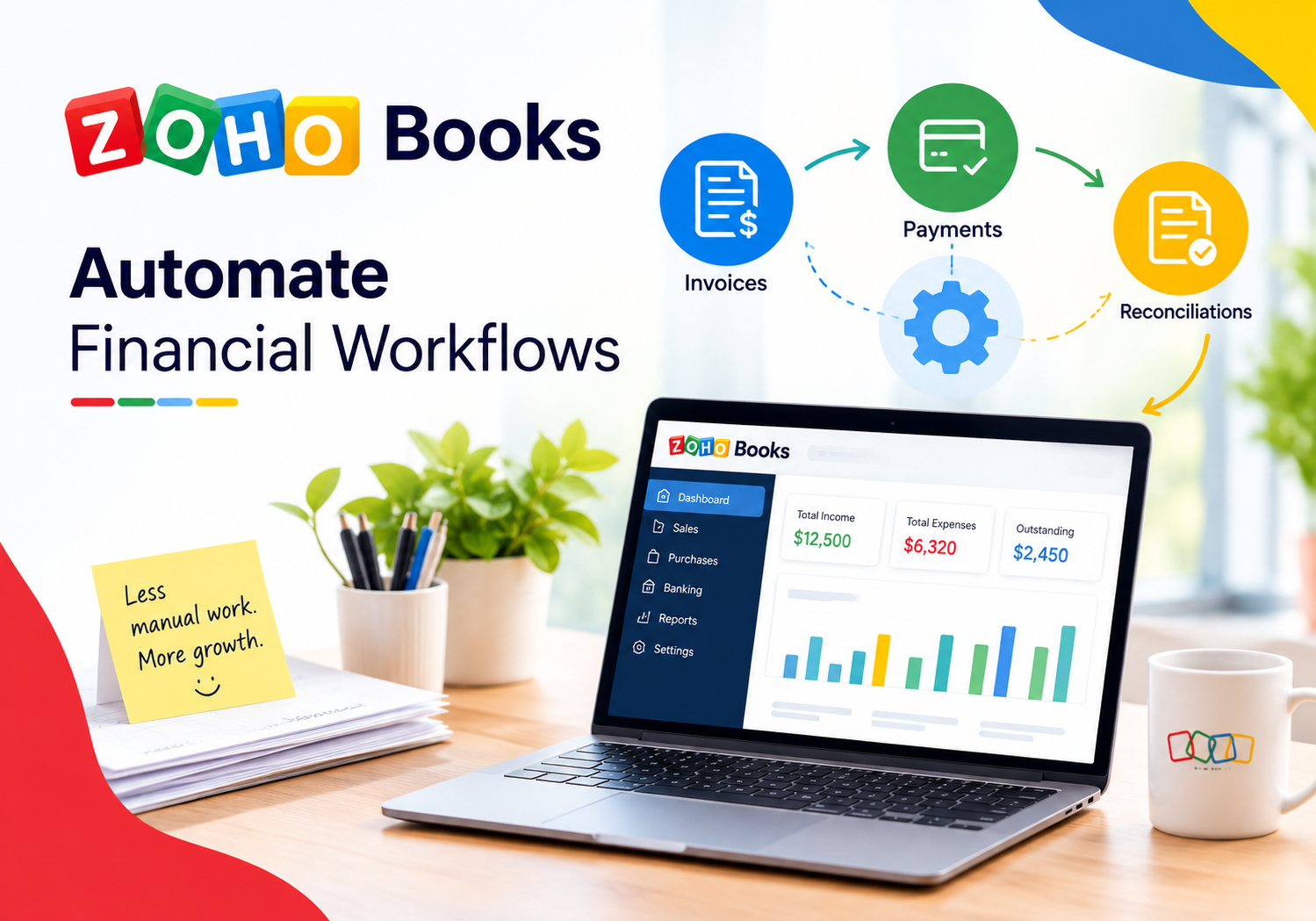
Real-Time Financial Dashboards with Zoho Books

Financial decision-making has always depended on the quality and timeliness of data. Yet for decades, most small and mid-sized businesses operated from financial reports that were days, weeks, or even months out of date — snapshots of a past that could no longer be changed rather than live intelligence that could guide immediate action. That gap between financial reality and financial awareness costs businesses real money: missed cash flow warnings, delayed invoice chasing, undetected budget overruns, and forecasts built on stale numbers. Real-time financial dashboards close this gap entirely. By connecting live transactional data to visual, always-current reporting interfaces, they give business owners and finance teams the situational awareness that was once the exclusive privilege of large enterprises with dedicated business intelligence departments. Zoho Books makes this capability accessible, practical, and powerful for organizations of every size. This article explores how.
Table of contents
What Will You Learn from This Article?
Here is a concise overview of the topics this article covers:
- What Zoho Books is and how it connects directly to real-time financial dashboards
- Why real-time financial visibility matters more than ever for growing businesses
- The key dashboard components that Zoho Books delivers natively
- How to configure and customize dashboards for maximum decision-making value
- A reference table comparing Zoho Books dashboard capabilities to common alternatives
- How Solution for Guru helps businesses unlock the full potential of Zoho Books
- Answers to the most frequently asked questions about real-time financial dashboards
What Is Zoho Books and How Does It Power Real-Time Financial Dashboards?

Zoho Books is a cloud-based accounting and financial management platform developed by ZOHO Corporation, one of the world’s largest privately held software companies. Designed primarily for small and mid-sized businesses, Zoho Books covers the full spectrum of financial operations: invoicing, expense tracking, bank reconciliation, accounts payable and receivable, project billing, tax compliance, and multi-currency transactions. Unlike desktop accounting software that stores data locally and requires manual export for analysis, Zoho Books operates entirely in the cloud — meaning every transaction updates the central data model instantly.
This cloud-native architecture is precisely what makes real-time financial dashboards possible. Because every invoice raised, payment received, expense logged, and bank transaction reconciled writes immediately to a shared data layer, Zoho Books can surface live financial metrics through its built-in dashboard and reporting engine without any manual data extraction, transformation, or loading. The dashboard a business owner opens at 9 AM reflects the exact financial state of the business at that moment — not the state it was in when someone last exported a spreadsheet.
Zoho Books connects the topic of real-time dashboards to practical business operations in three specific ways. First, it eliminates the data latency that makes traditional accounting reports reactive rather than proactive. Second, it provides a visual analytics layer — charts, trend lines, KPI cards, and drill-down reports — that translates raw financial data into actionable intelligence. Third, it integrates with the broader Zoho ecosystem and third-party tools, allowing financial data to flow into and out of the dashboard from multiple operational systems simultaneously.
Which Businesses Benefit Most from Zoho Books’ Real-Time Dashboard Features?
While virtually any business with active financial transactions benefits from real-time visibility, certain business profiles gain particularly acute value from Zoho Books‘ dashboard capabilities:
- Service businesses with project-based billing: Consulting firms, agencies, and professional services companies track project profitability, unbilled time, and client payment status in real time — catching revenue leakage before it compounds.
- Product businesses with inventory and cash flow sensitivity: Retailers, distributors, and manufacturers monitor stock turnover, supplier payment cycles, and gross margin per product category on a live basis.
- Multi-entity organizations: Companies operating across multiple subsidiaries or geographies use Zoho Books’ consolidated reporting to see group-level financial health without waiting for month-end consolidations.
- Fast-growing startups: Founders and CFOs at high-growth companies depend on real-time burn rate, runway, and revenue growth dashboards to manage investor reporting and fundraising conversations.
- Businesses with tight cash flow cycles: Any organization that operates with limited cash reserves — seasonal businesses, project-driven firms, early-stage companies — benefits most from the cash position and receivables aging dashboards that Zoho Books delivers.
Why Does Real-Time Financial Visibility Matter More Than Ever for Growing Businesses?
The business environment that most small and mid-sized companies navigate today moves faster than monthly financial reports can track. Customer payment behavior shifts week to week. Supplier costs change with little notice. Revenue concentration in a single client creates risk that only surfaces when that client delays payment. Currency fluctuations affect multi-national margins overnight. In each of these scenarios, the difference between a monthly report and a live dashboard is the difference between reacting to a problem and preventing it.
Research from Deloitte’s CFO Insights series consistently shows that finance teams spending the most time on manual data gathering and report production — rather than analysis and decision support — deliver measurably lower business value. The International Federation of Accountants (IFAC) similarly identifies real-time financial reporting as one of the top capability investments for finance functions targeting strategic relevance.
What Specific Business Risks Does Real-Time Dashboard Visibility Reduce?
Real-time financial dashboards do not just improve reporting aesthetics — they actively reduce identifiable business risks. The following risks diminish measurably when a business implements live financial visibility through Zoho Books:
- Cash flow crises: Live cash position dashboards and receivables aging reports surface payment delays before they create liquidity problems, giving finance teams time to chase overdue invoices proactively rather than reactively.
- Undetected expense overruns: Real-time budget vs. actual tracking across departments catches overspending in the current period — not after the period closes and the damage is done.
- Revenue recognition errors: Live invoicing dashboards flag unbilled work, stalled invoices, and disputed charges before they fall through the cracks at period end.
- Tax compliance failures: Real-time tax liability tracking in Zoho Books ensures businesses know their VAT, GST, or sales tax position at any point in the month, eliminating the scramble at filing deadlines.
- Profitability blind spots: Project-level and customer-level profitability dashboards reveal which revenue streams actually generate margin — knowledge that directly informs pricing, client retention, and resource allocation decisions.
What Core Financial Dashboard Components Does Zoho Books Deliver Natively?

Zoho Books includes a comprehensive suite of built-in dashboard and reporting components that cover the most critical dimensions of financial performance. Rather than requiring third-party business intelligence tools or custom development, these components activate immediately upon connecting live transaction data to the platform.
The following table summarizes the primary dashboard components available in Zoho Books, the metrics each one tracks, and the business decision each component supports:
| Dashboard Component | Key Metrics Tracked | Business Decision Supported |
| Cash Flow Summary | Opening balance, cash in, cash out, closing balance, projected cash position | Liquidity management, short-term funding decisions |
| Accounts Receivable Aging | Outstanding invoices by age bucket (0-30, 31-60, 61-90, 90+ days), customer-level drill-down | Collections prioritization, credit risk management |
| Accounts Payable Aging | Outstanding bills by age and supplier, upcoming payment commitments | Supplier relationship management, cash outflow planning |
| Income and Expense Overview | Revenue by category, expenses by type, period-over-period trend lines | Budget vs. actual tracking, cost control decisions |
| Profit and Loss Summary | Gross profit, operating profit, net profit, margin percentages by period | Pricing strategy, operational efficiency review |
| Revenue by Customer | Revenue concentration, top customers by period, YoY growth per customer | Customer portfolio risk, retention strategy |
| Expense by Vendor | Spend concentration, top vendors by period, category analysis | Procurement optimization, vendor negotiation |
| Tax Liability Summary | Tax collected, tax paid, net liability, filing period tracking | Tax planning, compliance management |
| Bank and Credit Card Reconciliation | Unreconciled transactions, reconciliation status per account | Audit readiness, fraud detection |
| Project Profitability | Budgeted vs. actual hours, revenue per project, margin per engagement | Project pricing, resource allocation decisions |
How Do You Configure Zoho Books Dashboards for Maximum Decision-Making Value?
Zoho Books provides meaningful financial visibility out of the box — but the organizations that extract the most decision-making value from its dashboards invest time in deliberate configuration. The difference between a default Zoho Books dashboard and a purpose-built one mirrors the difference between a general-purpose report and a bespoke management information pack: both contain data, but only one delivers the specific insights that drive faster, better decisions for a particular business.
Effective dashboard configuration in Zoho Books involves four interconnected activities: defining the metrics that matter most to your specific business model, structuring chart of accounts categories to support meaningful segment reporting, setting up custom fields and tags that enable multi-dimensional analysis, and configuring automated report delivery to ensure stakeholders receive current data without having to log in and pull it manually.
How Should You Structure Your Chart of Accounts for Better Dashboard Clarity?
The chart of accounts is the foundation of every financial dashboard. If your account categories are too broad, your dashboards will show aggregated numbers that hide the insights buried inside them. If they are too granular, your dashboards become cluttered with immaterial line items that distract from the signals that matter. The right level of detail depends on the decisions your business most frequently needs to make.
Follow these principles when structuring your Zoho Books chart of accounts for dashboard clarity:
- Separate revenue streams that carry different margin profiles into distinct income accounts — for example, separating product revenue from service revenue, or recurring revenue from project revenue.
- Create expense categories that align with your budget structure, so budget vs. actual comparisons in the dashboard reflect how your organization actually plans and manages costs.
- Use Zoho Books’ reporting tags feature to add a second dimension of classification — by project, department, location, or product line — without creating separate accounts for every combination.
- Review account structure quarterly and consolidate accounts that never carry material balances. Dashboard clarity improves when unused accounts are removed from active reports.
What Are Reporting Tags and How Do They Enhance Zoho Books Dashboards?
Reporting tags are one of Zoho Books’ most powerful and underused dashboard features. They allow businesses to classify every transaction with one or more custom dimensions — such as department, project, region, or cost center — without changing the underlying chart of accounts structure. This means a single revenue account can simultaneously generate breakdowns by business unit, geography, and product line through tag-filtered dashboard views.
For example, a consulting firm might tag every invoice with both a client name and a service type. Their Zoho Books dashboard can then show total revenue filtered by service type across all clients, or total revenue from a single client across all service types — providing two entirely different analytical views from the same transaction data. Furthermore, tags carry through to profit and loss reports, making it possible to produce a genuine multi-dimensional P&L without complex manual journal entries or spreadsheet manipulation.
How Does Zoho Books Handle Real-Time Cash Flow Visibility Specifically?
Cash flow management sits at the top of the financial priority list for most small and mid-sized businesses. McKinsey research consistently identifies cash flow visibility as the single financial capability most strongly correlated with small business survival and growth. Zoho Books addresses this priority directly through its Cash Flow Statement dashboard, which combines bank transaction data, outstanding invoice data, and upcoming bill payments into a forward-looking cash position view.
The Cash Flow dashboard in Zoho Books does more than report historical cash movements. It integrates with the platform’s bank feeds feature — which connects directly to thousands of banks worldwide through Plaid and direct bank API connections — to pull live bank balances into the dashboard automatically. As a result, the displayed cash position reflects actual cleared funds rather than accounting system balances, which can differ significantly when large payments are in transit.
What Makes Zoho Books’ Receivables Dashboard Particularly Valuable for Cash Flow Management?
The Accounts Receivable Aging dashboard in Zoho Books translates outstanding invoice data into immediate cash collection action. Rather than simply listing unpaid invoices, it sorts them into aging buckets — current, 1–30 days overdue, 31–60 days overdue, 61–90 days overdue, and over 90 days overdue — and calculates the weighted average days outstanding for each customer relationship.
This aging view enables finance teams and business owners to prioritize collections work systematically. Instead of chasing invoices alphabetically or by invoice number — approaches that waste effort on current invoices while genuinely overdue accounts age further — the Zoho Books receivables dashboard directs attention to the highest-risk, highest-value overdue balances first. Additionally, Zoho Books’ automated payment reminder feature connects directly to this dashboard: when an invoice crosses into an aging bucket, the system can automatically send a customizable reminder email to the customer, reducing the manual effort required to maintain collections momentum.
How Do Zoho Books Integrations Enrich Real-Time Financial Dashboards?

Zoho Books does not operate in isolation. Most businesses run their financial operations alongside a range of other software systems — CRM platforms, inventory management tools, payroll systems, e-commerce platforms, and project management applications. Each of these systems generates financially relevant data that, if left siloed, creates blind spots in the financial dashboard. Zoho Books addresses this through a rich ecosystem of native integrations and API connectivity.
Which Zoho Books Integrations Have the Greatest Dashboard Impact?
The following integrations deliver the most significant enrichment to Zoho Books‘ real-time financial dashboards:
- Zoho CRM: Connects the sales pipeline to financial actuals, allowing dashboards to show won deal revenue flowing directly into invoicing and comparing forecast revenue against invoiced revenue in real time.
- Zoho Inventory: Links stock movements, purchase orders, and fulfillment to the financial dashboard, enabling gross margin per product line to update automatically as inventory costs and sales prices change.
- Stripe and PayPal: Pulls payment gateway transactions directly into Zoho Books, ensuring that online revenue appears on financial dashboards without manual entry or batch upload delays.
- Zoho Payroll: Integrates salary and payroll tax data into the expense tracking and P&L dashboard, giving a complete picture of total personnel cost without separate payroll system reporting.
- Shopify and WooCommerce: Syncs e-commerce sales orders, returns, and fees to Zoho Books automatically, enabling live revenue and margin dashboards for online businesses without manual reconciliation.
- Zoho Analytics: Extends Zoho Books’ native reporting with advanced data visualization, cross-app reporting, and AI-powered analytics for organizations that need dashboard capabilities beyond what the built-in tools provide.
Each of these integrations feeds live data into the Zoho Books financial layer, ensuring that dashboards reflect the full operational picture rather than a partial view limited to manually entered accounting transactions.
Does Zoho Books Support Real-Time Multi-Currency Financial Dashboards?
Yes — and for businesses operating across multiple currencies, this capability is transformative. Zoho Books supports over 170 currencies with automatic exchange rate updates sourced from live market feeds. Every foreign currency transaction converts to the base reporting currency using the exchange rate prevailing at the transaction date, and Zoho Books calculates and tracks foreign exchange gains and losses automatically.
This multi-currency architecture means that financial dashboards for internationally active businesses always reflect economically accurate numbers rather than understated or overstated figures resulting from stale exchange rates. A business that invoices clients in USD, EUR, and GBP while reporting in EUR can view a live P&L, cash position, and receivables aging dashboard in EUR at any moment — with each foreign currency balance converted at the current market rate.
How Does Multi-Currency Reporting Affect Financial Dashboard Accuracy?
Multi-currency reporting introduces a layer of complexity that many accounting systems handle poorly: the separation of operational performance from currency translation effects. Zoho Books addresses this by maintaining transactions in both the original transaction currency and the reporting currency simultaneously. Dashboard metrics therefore accurately separate trading performance from currency volatility.
For instance, a UK business with significant USD-denominated revenue can use Zoho Books to see that its USD revenue grew 15% year-over-year in dollar terms, even while the USD/GBP rate movement reduced the GBP-equivalent revenue by 3%. Without this separation, financial dashboards report a blended 12% growth figure that conflates two entirely different phenomena — operational performance and currency risk — making it impossible to manage either one effectively.
Conclusions: Does Real-Time Financial Dashboard Capability Give Your Business a Genuine Edge?
The evidence is unambiguous: businesses that operate with real-time financial visibility make better decisions, catch problems earlier, and allocate resources more effectively than those dependent on monthly reports and spreadsheet exports. The financial intelligence gap between large enterprises with dedicated BI teams and small-to-mid-sized businesses has narrowed dramatically — and platforms like Zoho Books are the primary reason why.
Zoho Books delivers a genuinely comprehensive real-time financial dashboard capability that covers cash flow, receivables, payables, profitability, tax, and project performance without requiring separate BI tools, manual data extraction, or custom development. Its cloud-native architecture ensures that every transaction updates dashboard metrics instantly. Its integration ecosystem connects operational data from CRM, inventory, payroll, and e-commerce platforms into a unified financial picture. Also, its multi-currency support ensures that internationally active businesses see economically accurate numbers rather than exchange-rate-distorted approximations.
Nevertheless, the distance between a default Zoho Books installation and a purpose-built financial intelligence system depends entirely on the quality of configuration decisions made during setup. Chart of accounts design, reporting tag architecture, integration mapping, and dashboard layout choices collectively determine whether the platform delivers generic accounting reports or genuinely business-specific financial intelligence. Solution for Guru bridges this gap — combining deep Zoho Books platform expertise with financial reporting methodology and business analysis skills to produce dashboards that tell each client’s specific financial story with clarity, accuracy, and real-time currency. For businesses serious about using financial intelligence as a competitive advantage, that combination is not optional — it is essential.
Frequently Asked Questions: What Do Businesses Most Often Ask About Zoho Books Dashboards?
Zoho Books updates dashboard data in real time for all manually entered transactions: invoices, bills, expenses, journal entries, and payments update the relevant dashboard metrics immediately upon saving. For bank-connected data — balances and transactions pulled through Zoho Books’ bank feed feature — the update frequency depends on the bank connection method. Direct API connections to major banks typically refresh every four to eight hours automatically, though users can trigger a manual refresh at any time to pull the latest available bank data. Payment gateway integrations with Stripe, PayPal, and similar providers sync new transactions within minutes of processing. Consequently, for most practical purposes, Zoho Books dashboards reflect the current state of the business with a lag measured in minutes for payment data and hours for bank-sourced data — a dramatic improvement over the days or weeks typical of traditional accounting report cycles.
Yes — and this multi-user capability is one of Zoho Books’ most valuable enterprise features for growing businesses. Zoho Books supports role-based access controls that determine both which modules each user can access and which data they can see within those modules. For financial dashboards specifically, this means a business can create distinct dashboard experiences for different stakeholder groups: a business owner might see a top-level cash position, P&L, and receivables aging dashboard; a department manager might see only the P&L and expense breakdown for their cost center; a sales manager might see only the revenue and customer-level profitability dashboard; and the external accountant might access a full accounting view including bank reconciliation status and tax liability.
Why Does Partnering with Solution for Guru Maximize Your Zoho Books Dashboard Investment?
Zoho Books delivers genuinely powerful real-time financial dashboard capabilities — but unlocking their full potential requires more than installing the software and connecting a bank account. Chart of accounts design, reporting tag architecture, integration mapping, custom report configuration, and dashboard layout decisions all compound: good decisions at each stage produce dashboards that drive better business decisions; poor decisions produce dashboards that confuse rather than clarify.
Solution for Guru is a technology advisory and implementation firm that specializes in helping businesses implement and optimize Zoho Books and the broader Zoho ecosystem. Their consultative approach begins with understanding each client’s specific business model, reporting requirements, and decision-making processes — then translates that understanding into a Zoho Books configuration that produces dashboards genuinely aligned to how the business operates.

What Specific Benefits Does Solution for Guru Deliver to Zoho Books Clients?
Working with Solution for Guru on a Zoho Books implementation or optimization engagement delivers concrete advantages at every layer of the financial dashboard stack:
- Chart of accounts design: Their finance and accounting specialists structure account categories to support meaningful segment reporting from the outset, avoiding the costly restructuring that poorly designed charts of accounts require later.
- Reporting tag architecture: Solution for Guru designs a reporting tag framework that enables multi-dimensional dashboard analysis — by department, project, product line, and location — without cluttering the chart of accounts.
- Bank feed configuration: They connect all relevant bank accounts, credit cards, and payment gateways to Zoho Books’ bank feed system, ensuring the cash position dashboard reflects live actual balances rather than accounting-system estimates.
- Integration setup: Solution for Guru maps and configures all relevant integrations — CRM, inventory, payroll, e-commerce — so financial dashboards reflect the full operational picture from day one.
- Custom dashboard and report build: They configure the specific dashboard views, KPI cards, and scheduled reports that each stakeholder group needs, replacing generic defaults with purpose-built financial intelligence tools.
- Team training: Their role-specific training programs ensure finance teams, managers, and business owners know how to read, interpret, and act on the dashboard data Zoho Books provides.
Beyond the technical configuration, Solution for Guru brings a strategic perspective that purely technical implementation partners often miss. They help clients answer the more important question that precedes every dashboard configuration decision: what financial intelligence does this business actually need to grow faster and make fewer costly mistakes? Answering that question correctly — and then building Zoho Books dashboards that deliver it — is what distinguishes a genuinely valuable financial reporting system from a technically functional one that nobody uses.