Extending Creatio with Marketplace Apps: How Do You Unlock the Full Power of Your CRM?
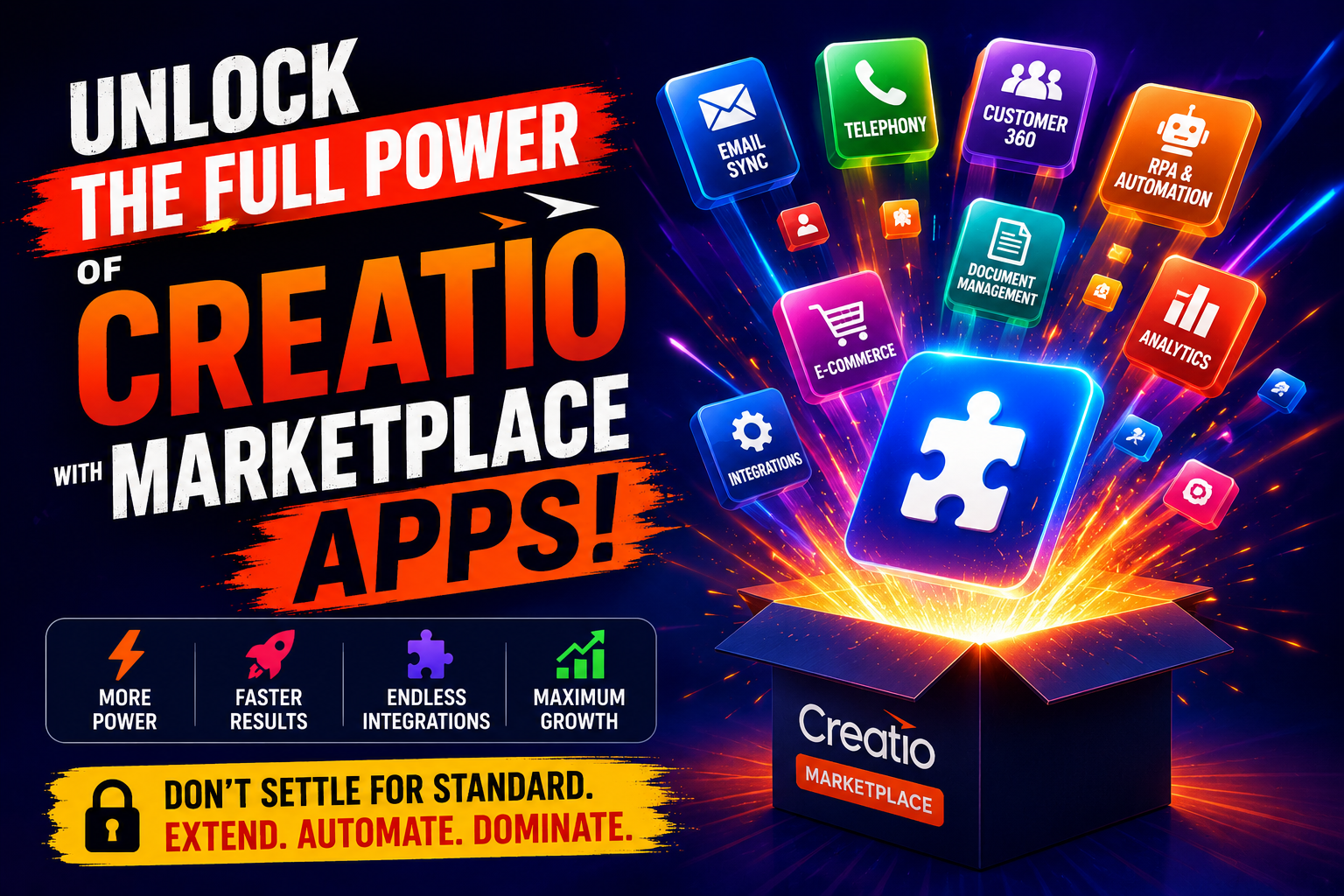
Businesses today demand more from their CRM platforms than ever before. Standard out-of-the-box features rarely cover every unique workflow, industry requirement, or integration need that modern teams face. Fortunately, Creatio CRM addresses this challenge head-on through its robust Marketplace ecosystem, which allows companies to extend, customize, and supercharge their platform without writing a single line of custom code. Whether you need advanced analytics, industry-specific modules, AI-driven tools, or seamless third-party integrations, the Creatio Marketplace delivers ready-to-install solutions that dramatically reduce implementation time and cost.
Table of contents
Quick Summary: What Will You Learn in This Article?
| Topic | What You Will Discover |
|---|---|
| What is the Creatio Marketplace? | Its purpose, scope, and how it connects to Creatio CRM |
| Types of Marketplace apps | Categories, use cases, and how to choose the right app |
| Installation & configuration | Step-by-step process for adding apps to your environment |
| ROI & business benefits | How Marketplace apps reduce costs and accelerate growth |
| Solution4Guru partnership | How experts help you get the most from Marketplace apps |
| FAQs | Answers to the most common questions about Creatio Marketplace |
How Does Creatio CRM Relate to the Topic of Marketplace Extensions?

Creatio CRM sits at the heart of this discussion because it is both the platform and the ecosystem. Unlike many CRMs that treat third-party apps as afterthoughts, Creatio built its Marketplace as a core pillar of its product strategy. The platform operates on a no-code/low-code philosophy, which means that Marketplace apps integrate seamlessly into the existing Creatio environment without disrupting core functionality or requiring expensive developer resources.
Creatio CRM — unifies sales, marketing, and service processes under one intelligent platform. The Marketplace extends this unified environment by giving businesses the tools to adapt Creatio to their specific industry, workflow, and technology stack. Consequently, instead of forcing organizations to change their processes to fit the software, Creatio and its Marketplace empower businesses to shape the software around their processes.
Moreover, the Marketplace ecosystem grows continuously. Hundreds of certified partners and independent software vendors publish new apps every month, ensuring that businesses always find solutions that match evolving market demands. This dynamic ecosystem transforms Creatio CRM from a static tool into a living, expandable business platform.
What Is the Creatio Marketplace and Why Does It Matter?
What Exactly Is the Creatio Marketplace?
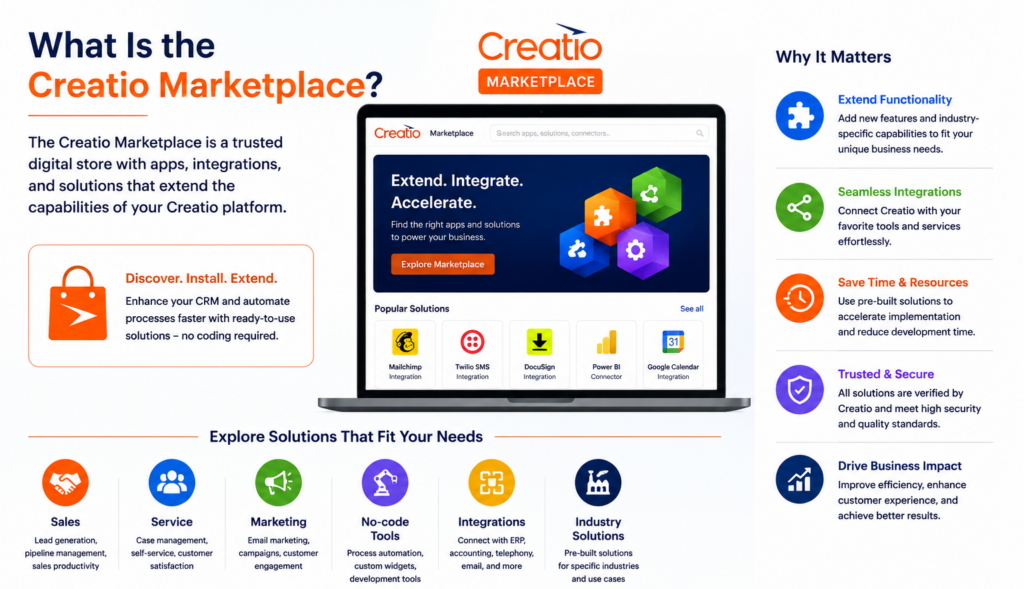
The Creatio Marketplace is an official online catalog of applications, connectors, templates, and solutions built specifically for the Creatio platform. It functions similarly to an app store, where certified developers and Creatio partners publish ready-to-use extensions that businesses install directly into their Creatio environment. Each listing undergoes a quality review process to ensure compatibility, security, and performance standards.
The Marketplace covers an impressive range of categories, including industry-specific solutions for banking, manufacturing, healthcare, real estate, and retail. Additionally, it offers functional extensions for document management, e-signature, telephony, ERP integration, marketing automation, and much more. As a result, businesses across virtually every vertical find relevant tools that accelerate their operations.
Furthermore, the Marketplace operates on a transparent model. Each app includes detailed descriptions, screenshots, user reviews, pricing information, and compatibility notes. This transparency allows decision-makers to evaluate options thoroughly before committing to an installation.
Why Do Businesses Choose Marketplace Apps Over Custom Development?
Custom software development is expensive, time-consuming, and carries significant risk. In contrast, Marketplace apps arrive pre-built, tested, and documented, which dramatically reduces implementation time. Businesses typically deploy a Marketplace app in hours or days rather than the weeks or months that custom development requires.
Additionally, Marketplace apps benefit from continuous updates maintained by their developers. When Creatio releases a new platform version, certified Marketplace solutions update accordingly, protecting businesses from compatibility issues. This ongoing maintenance removes a significant burden from internal IT teams.
| Factor | Custom Development | Marketplace App |
|---|---|---|
| Implementation time | Weeks to months | Hours to days |
| Upfront cost | High (development fees) | Low to moderate (subscription/license) |
| Maintenance responsibility | Internal IT team | App developer/publisher |
| Compatibility with updates | Manual testing required | Certified and maintained |
| Risk level | Higher (custom bugs) | Lower (pre-tested) |
| Scalability | Requires re-development | Built-in versioning |
What Categories of Apps Does the Creatio Marketplace Offer?
Which Industry-Specific Solutions Are Available?
Creatio’s Marketplace provides deep vertical solutions that address the unique compliance, workflow, and reporting needs of specific industries. Rather than building industry logic from scratch, businesses install pre-configured modules that already align with sector standards.
Here are some of the most popular industry verticals covered:
- Financial Services & Banking: Credit scoring tools, loan origination workflows, regulatory compliance dashboards, and KYC automation modules
- Healthcare: Patient relationship management, appointment scheduling, HIPAA-compliant data handling, and telehealth integration connectors
- Manufacturing: Supply chain visibility tools, production scheduling integrations, dealer management systems, and warranty claim management
- Real Estate: Property listing management, agent performance tracking, lease management workflows, and client portal integrations
- Retail & E-Commerce: Order management connectors, loyalty program management, omnichannel customer engagement tools, and inventory sync solutions
Each of these solutions plugs directly into Creatio CRM, immediately enriching the platform with industry-relevant data models, processes, and dashboards.
What Functional Extensions and Integrations Does the Marketplace Support?
Beyond industry-specific tools, the Creatio Marketplace hosts a rich library of horizontal functional extensions that benefit businesses regardless of their sector. These apps extend core CRM capabilities across communication, productivity, analytics, and integration.
Key functional categories include:
- Communication & Telephony: CTI integrations with providers like Twilio, RingCentral, and Asterisk, enabling click-to-call, call logging, and voicemail management directly within Creatio
- Document Management & E-Signature: Integrations with DocuSign, Adobe Sign, and PandaDoc for contract management, document generation, and digital signature workflows
- ERP & Accounting Integrations: Connectors for SAP, Microsoft Dynamics, QuickBooks, and Oracle that synchronize financial data bidirectionally with Creatio
- Marketing Automation Extensions: Advanced email marketing tools, landing page builders, and campaign analytics dashboards that extend Creatio Marketing capabilities
- Analytics & Business Intelligence: Power BI connectors, advanced reporting widgets, and AI-driven forecasting tools that transform Creatio data into actionable insights
- Productivity & Collaboration: Microsoft Teams and Slack integrations, Outlook connectors, and calendar synchronization tools that keep teams aligned
How Do You Install and Configure Creatio Marketplace Apps?
What Is the Step-by-Step Installation Process?
Installing a Marketplace app in Creatio follows a straightforward process that most administrators complete without technical assistance. The platform’s no-code architecture ensures that even non-technical users successfully deploy new applications.
Follow these steps to install a Marketplace app:
- Navigate to the Creatio Marketplace directly from your Creatio environment via the App Hub menu or visit the Marketplace website
- Browse or search for the desired app using filters for category, industry, rating, or price
- Review the app details page, including compatibility requirements, screenshots, user reviews, and pricing model
- Click ‘Try Free’ or ‘Buy’ depending on the licensing model, and authenticate with your Creatio account credentials
- Complete the purchase or trial registration, then click ‘Install’ to initiate the deployment to your Creatio environment
- Configure the app settings through the built-in setup wizard, which guides you through any required API keys, mapping, or workflow adjustments
- Test the installation in a sandbox environment before activating it in production
- Train relevant team members on the new features and monitor adoption through Creatio’s built-in analytics
What Should You Consider Before Choosing a Marketplace App?
Choosing the right Marketplace app requires careful evaluation of several factors. Making the wrong choice leads to underutilized tools, wasted budget, and frustrated users. Therefore, businesses benefit from a structured evaluation framework before committing to any solution.
| Evaluation Criteria | Questions to Ask | Importance Level |
|---|---|---|
| Compatibility | Does the app support your Creatio version? | Critical |
| User reviews & ratings | What do existing users say about reliability? | High |
| Publisher reputation | Is the publisher a certified Creatio partner? | High |
| Support & documentation | Does the publisher offer onboarding and technical support? | High |
| Pricing model | Is pricing per seat, flat fee, or usage-based? | Medium |
| Data privacy & security | Does the app handle data in compliance with GDPR or local laws? | Critical |
| Integration scope | How deeply does the app integrate with existing Creatio modules? | Medium |
| Scalability | Will the app perform as your data volume and user count grow? | High |
What Business Benefits Do Creatio Marketplace Apps Deliver?

How Do Marketplace Apps Accelerate Sales and Customer Engagement?
Sales teams using Creatio CRM experience a significant productivity boost when they combine the core platform with targeted Marketplace apps. For instance, AI-powered lead scoring apps automatically prioritize high-value prospects, allowing sales representatives to focus their energy on opportunities most likely to convert. Similarly, telephony integrations eliminate manual call logging by automatically capturing call data, outcomes, and follow-up tasks within Creatio.
Moreover, customer engagement improves dramatically when businesses deploy omnichannel communication apps. These solutions connect Creatio with WhatsApp, Telegram, Facebook Messenger, and other channels, centralizing all customer interactions in a single timeline. Consequently, sales and support teams gain complete conversation history without switching between platforms.
Additionally, e-signature integrations accelerate deal closure by enabling sales representatives to send contracts for signature directly from Creatio. Customers sign from any device, and signed documents automatically attach to the relevant opportunity record, maintaining a clean audit trail.
How Do Marketplace Apps Improve Operational Efficiency?
Beyond sales acceleration, Marketplace apps deliver substantial operational efficiency gains across service, marketing, and back-office functions. Businesses that integrate ERP systems with Creatio eliminate duplicate data entry by synchronizing customer records, purchase histories, and invoice data automatically. This synchronization reduces human error and saves administrative teams considerable time each week.
Service teams benefit from apps that connect Creatio with field service management platforms, enabling technician scheduling, GPS tracking, and real-time job status updates within the CRM. As a result, customer service representatives always know the current status of field operations and communicate accurate updates to customers.
Furthermore, document automation apps generate professional proposals, quotes, and contracts from Creatio data with a single click. Instead of manually assembling documents from multiple sources, sales and operations teams produce polished, branded materials in seconds, which accelerates approval cycles and reduces errors.
What Is the ROI of Investing in Marketplace Apps?
The return on investment from Creatio Marketplace apps consistently outpaces the cost of implementation for most businesses. Research from leading CRM analysts indicates that organizations integrating their CRM with complementary applications typically see measurable gains across multiple KPIs.
| Business Metric | Average Improvement | Source of Gain |
|---|---|---|
| Sales cycle length | 20-35% reduction | Automated follow-ups, e-signature, lead scoring |
| Data entry time | 40-60% reduction | ERP sync, telephony auto-logging, document automation |
| Customer response time | 30-50% faster | Omnichannel messaging, unified customer timeline |
| Lead conversion rate | 15-25% increase | AI scoring, behavioral tracking, automated nurture |
| Report generation time | 70-85% reduction | BI connectors, automated dashboards |
| Contract turnaround time | 50-70% reduction | E-signature and document generation apps |
These improvements compound over time. As teams adopt new workflows enabled by Marketplace apps, they continuously identify additional automation opportunities, creating a cycle of ongoing efficiency gains.
What Are the Key Takeaways About Extending Creatio with Marketplace Apps?
The Creatio Marketplace fundamentally changes the economics and speed of CRM customization. Instead of spending months and significant budgets on custom development, businesses install certified, tested, and supported apps in hours. This agility allows organizations to respond rapidly to competitive pressures, customer demands, and operational challenges.
Creatio CRM’s no-code architecture makes Marketplace integration seamless. Each app enriches the platform without disrupting existing workflows, and the continuous growth of the Marketplace ecosystem ensures businesses always find solutions that match their evolving needs. From industry-specific modules to cross-functional integrations, the Marketplace covers virtually every business scenario.
Furthermore, the quantifiable ROI from strategic Marketplace adoption — including shorter sales cycles, faster customer response times, and dramatic reductions in manual work — makes investment in the right apps a high-value business decision. The key word here is ‘strategic.’ Businesses that approach Marketplace adoption thoughtfully, with clear objectives and proper configuration, consistently outperform those that install apps without a plan.
This is precisely why partnering with Solution for Guru accelerates success. Their deep Creatio expertise, structured implementation methodology, and commitment to long-term client success transform Marketplace apps from interesting tools into measurable business results. When you combine the power of Creatio CRM with the right Marketplace apps and the guidance of experienced specialists, you unlock a CRM environment that truly fits your business — not the other way around.
Frequently Asked Questions
Not every Marketplace app supports every version of Creatio. Each app listing clearly specifies the minimum Creatio version required for compatibility. Before installing any app, review the compatibility section on its Marketplace page and compare it against your current platform version. If you run an older Creatio version, you may need to upgrade the platform first or choose an alternative app that supports your version. Solution4Guru can assess your environment and recommend apps that work seamlessly with your current setup, or advise on upgrade paths that unlock access to newer, more powerful solutions.
Yes, most Creatio Marketplace apps offer a free trial period, typically ranging from 14 to 30 days, which allows businesses to evaluate the solution in their actual environment before purchasing. During the trial, you access full app functionality, which gives you a realistic picture of how the tool performs with your specific data and workflows. However, trialing an app effectively requires proper configuration and realistic test scenarios. Solution4Guru helps businesses structure meaningful trial evaluations, ensuring that the testing period generates actionable insights rather than superficial impressions that lead to poor purchase decisions.
Data security is a critical consideration when adding any third-party app to your CRM environment. Certified Creatio Marketplace apps undergo a security review process before publication, but businesses must still evaluate each app’s data handling practices independently. Review the app publisher’s privacy policy, data residency commitments, and security certifications. For businesses operating under GDPR, ensure that any app processing personal data provides appropriate data processing agreements. Solution4Guru performs thorough security and compliance due diligence as part of their app selection service, helping businesses confidently adopt Marketplace solutions without exposing themselves to regulatory risk.
Why Is Choosing the Right Implementation Partner Critical for Marketplace Success?
What Challenges Do Businesses Face When Implementing Marketplace Apps Independently?
While Creatio Marketplace apps simplify deployment significantly compared to custom development, businesses still encounter implementation challenges when they attempt to configure complex solutions without expert guidance. The most common pitfalls include incorrect data mapping between integrated systems, misconfigured workflow automations that trigger duplicate actions, and insufficient user training that leads to poor adoption rates.
Additionally, selecting the wrong app from a crowded Marketplace wastes budget and time. Without deep platform knowledge, businesses sometimes choose solutions that technically work but fail to address their core requirements. Replacing a poorly chosen app after full deployment multiplies the cost and disruption significantly.
Furthermore, businesses with complex data environments — such as those migrating from legacy CRM systems — face particular risks when configuring Marketplace integrations. Data integrity issues during migration or integration setup can corrupt customer records and damage business relationships if not handled by experienced professionals.

How Does Solution for Guru Help Businesses Maximize Creatio Marketplace Value?
Solution for Guru — stands out as a specialized Creatio implementation and optimization partner that brings deep platform expertise to every engagement. Rather than offering generic CRM consulting, Solution for Guru focuses specifically on Creatio, which means their team understands every nuance of the platform, including the full depth of the Marketplace ecosystem.
Partnering with Solution for Guru delivers concrete advantages at every stage of your Creatio Marketplace journey:
- Expert App Selection: Solution for Guru analysts assess your specific business requirements and recommend the exact Marketplace apps that deliver the highest ROI for your use case, preventing costly trial-and-error selection
- Seamless Integration Configuration: Their certified specialists configure app integrations correctly from day one, ensuring data flows accurately between Creatio and connected systems without duplication or loss
- Custom Workflow Design: Beyond standard app configurations, Solution for Guru designs tailored automation workflows that combine multiple Marketplace apps and native Creatio features into cohesive business processes
- Data Migration Support: For businesses transitioning from other CRM platforms, Solution4Guru manages data cleaning, mapping, and migration, protecting data integrity throughout the process
- User Training & Adoption Programs: Their training specialists design role-based onboarding programs that accelerate user adoption, ensuring teams actually use new Marketplace tools effectively
- Ongoing Optimization & Support: Solution for Guru provides continuous support, monitoring platform updates and recommending new Marketplace apps as your business evolves
In short, Solution for Guru transforms the Creatio Marketplace from a catalog of tools into a strategic competitive advantage. Their expertise shortens implementation timelines, reduces risk, and maximizes the long-term value that businesses extract from their Creatio CRM investment.
| Service Area | Solution for Guru Offering | Business Outcome |
|---|---|---|
| App Selection | Needs analysis & Marketplace audit | Right tools chosen, budget protected |
| Implementation | Certified configuration & integration | Fast, error-free deployment |
| Workflow Design | Custom automation architecture | Processes fit your business exactly |
| Data Migration | Legacy CRM data cleaning & migration | Clean, complete data in Creatio |
| Training | Role-based user adoption programs | High adoption, faster ROI realization |
| Support | Ongoing optimization & update management | Platform stays current and effective |
Recommended:
- Zoho CRM API: Complete Guide for Developers
- How Do You Successfully Migrate Your CRM from Salesforce to Zoho CRM?
- How Does Pipedrive Smart Docs Transform Proposals and Contracts with Dynamic CRM Fields?
- Best CRM Mobile Apps in 2026
- CRM Functionality: Top CRM Features in 2026
- Pipedrive AI Sales Assistant
- Pipedrive Campaigns Add-on vs Dedicated Email Marketing Tools
- Pipedrive for B2B vs B2C
- Pipedrive CRM Onboarding and Staff Training: How to Achieve 90%+ Adoption Rates
- Calculating the ROI of Pipedrive CRM
- Connecting Creatio with Marketing Automation Tools
- Best Mortgage CRM Systems for Loan Officers
- Best Automotive CRM Systems in 2026: Top Solutions for Dealership Growth
- Traditional CRM vs Social CRM: Which Approach Wins in 2026?
- How Does Creatio Support Omnichannel Marketing Automation?
- What Are the Best Integrations for Creatio CRM in the U.S. Tech Stack?
- Troubleshooting and Common Issues in monday.com CRM