Blueprint Automation in Zoho CRM: Process Engineering Approach
Modern sales and operations teams face a fundamental challenge: how do you enforce complex, multi-step processes without slowing people down? The answer, increasingly, lies in structured workflow automation. Zoho CRM‘s Blueprint feature directly addresses this challenge by bringing a process engineering mindset into customer relationship management. Instead of relying on informal guidelines or manual supervision, Blueprint lets you define, enforce, and monitor every step of a business process — automatically.
This article explores how to apply a process engineering approach to Blueprint automation in Zoho CRM, covering design principles, practical configuration, performance measurement, and partnership benefits that amplify your results.
Table of contents
Quick Summary
| Topic | What You Will Learn |
|---|---|
| Blueprint Basics | How Zoho CRM Blueprint enforces process stages and transitions |
| Process Engineering Link | How to apply BPMN and lean principles inside Zoho CRM |
| Design Best Practices | How to map, configure, and validate Blueprints effectively |
| Performance Metrics | KPIs and analytics to measure Blueprint automation success |
How Does Zoho CRM Connect to Process Automation and Blueprint?

Zoho CRM is a cloud-based customer relationship management platform trusted by over 250,000 businesses worldwide (Zoho, 2024). Beyond contact management and pipeline tracking, it delivers a rich automation layer — and Blueprint sits at the center of that layer.
Blueprint transforms Zoho CRM from a passive data store into an active process engine. It lets administrators define exactly which steps a record must pass through, who performs each step, what conditions must be met, and what actions fire automatically on every transition. In this way, Zoho CRM becomes not just a CRM but a Business Process Management (BPM) platform embedded directly in your sales and service operations.
Furthermore, Zoho CRM integrates Blueprint with its broader automation ecosystem — Workflows, Macros, Deluge scripting, and AI-powered Zia — so Blueprint transitions can trigger complex downstream actions across the entire organization. This deep integration makes Zoho CRM uniquely positioned as the foundation for a process engineering approach to sales and customer operations.
What Is Zoho CRM Blueprint and How Does It Work?
How Do Blueprint Stages Define Your Process in Zoho CRM?
A Blueprint in Zoho CRM models any business process as a finite state machine: a record moves through a defined sequence of stages, and each transition from one stage to the next follows explicit rules. This design directly mirrors process engineering concepts from Business Process Model and Notation (BPMN), where process states and gateways govern flow.
Each stage represents a meaningful status in your process — for example, ‘Lead Qualified’, ‘Proposal Sent’, or ‘Contract Signed’ in a sales pipeline. Administrators define these stages by mapping them to a picklist field in any Zoho CRM module, including Leads, Deals, Contacts, or custom modules.
Importantly, Blueprint does not simply label stages — it enforces them. A record cannot skip a required stage or transition backwards unless the Blueprint explicitly permits it. This enforcement eliminates process leakage, which process engineers define as uncontrolled deviation from the intended workflow.
What Are Transitions and Why Do They Matter for Process Control?
Transitions are the connective tissue of every Blueprint. Each transition defines: (1) the source stage a record must currently occupy, (2) the destination stage the record will move to, (3) who has permission to execute that transition, (4) what conditions the record must satisfy before the transition is allowed, and (5) what automated actions fire during or after the transition.
From a process engineering standpoint, transitions act as control gates — they verify that upstream work is complete before the process advances downstream. For instance, a transition from ‘Proposal Sent’ to ‘Negotiation’ might require that the Proposal Amount field is populated and that a specific manager role approves the move.
| Transition Component | Process Engineering Equivalent | Business Example |
|---|---|---|
| Source Stage | Current process state | Deal at ‘Proposal Sent’ |
| Destination Stage | Next process state | Move to ‘Negotiation’ |
| Before Transition (Conditions) | Entry criteria / control gate | Proposal Amount > $5,000 |
| During Transition (Actions required) | Work instructions | Fill in Decision Maker field |
| After Transition (Automated actions) | Post-process triggers | Send email, create task, update field |
| Performer | Role / swim-lane assignment | Sales Manager only |
How Do You Apply a Process Engineering Approach to Blueprint Design?
How Should You Map Your Process Before Configuring Zoho CRM Blueprint?
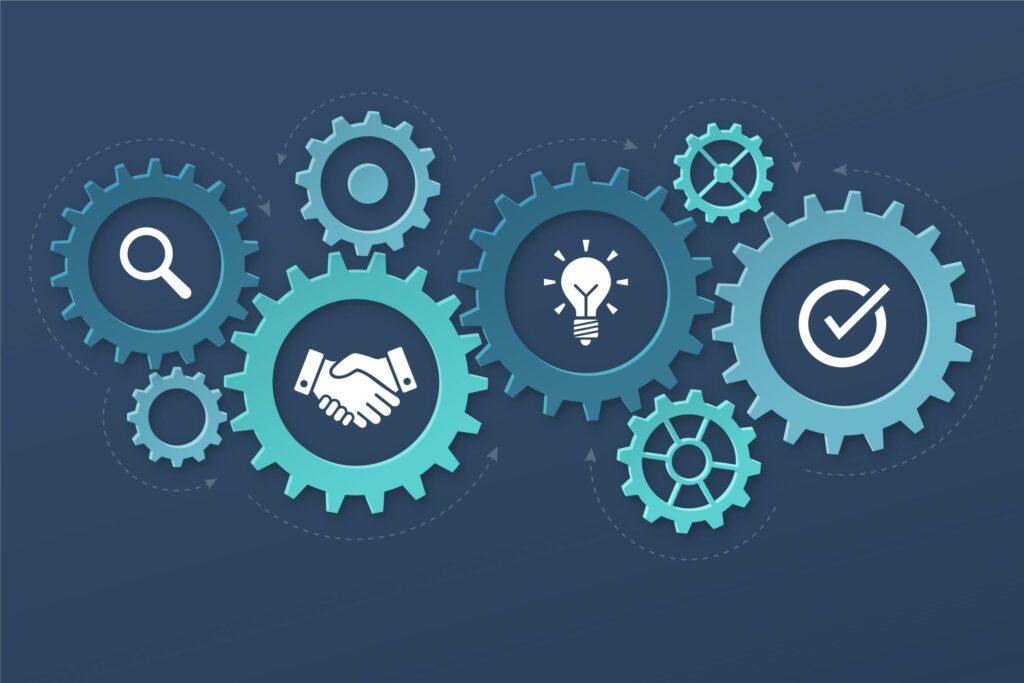
Process engineering teaches that you must understand a process before you automate it. Automating a flawed process simply produces flawed results faster. Therefore, the first step is thorough As-Is process mapping — documenting the current state of your workflow in detail.
Use BPMN 2.0 notation or a simple swimlane diagram to capture every stage, every decision point, every handoff, and every data requirement. Identify pain points: Where do records stall? Which steps generate the most errors? Where does process compliance break down? This analysis becomes the blueprint for your Blueprint.
Additionally, conduct stakeholder interviews with the people who actually perform each process step. Their on-the-ground knowledge reveals informal sub-steps and exceptions that never appear in official process documentation. Zoho CRM‘s Blueprint must account for real-world process behavior, not just the theoretical ideal.
Which Process Engineering Principles Should Guide Blueprint Configuration?
Several core process engineering principles apply directly to Blueprint design in Zoho CRM:
- Single Responsibility Principle: Each transition should represent one discrete business action. Avoid bundling multiple unrelated process steps into a single transition — it reduces visibility and complicates troubleshooting.
- Fail-Fast Validation: Use Before-Transition conditions to reject invalid data at the earliest possible point. Catching errors early in the process prevents costly rework downstream.
- Minimal Viable Constraint: Only enforce the fields and conditions that genuinely matter for process quality. Over-constraining a Blueprint creates user frustration and workarounds that undermine the entire system.
- Separation of Concerns: Use After-Transition automated actions to handle notifications, field updates, and task creation — keeping these separate from the human-performed transition actions preserves clarity.
- Auditability by Design: Blueprint automatically logs every transition with timestamps and performer identity in Zoho CRM. Design your stages and transitions so this audit trail tells a clear, complete story.
Moreover, apply the Lean principle of eliminating waste. Review each stage in your planned Blueprint and ask: Does this stage add value for the customer or the business? If a stage exists purely because of an internal inefficiency or legacy habit, redesign the process before building it into Zoho CRM.
How Do You Configure Blueprint Transitions for Maximum Process Enforcement?
When you build transitions in Zoho CRM Blueprint, configure all five components deliberately:
First, define Before-Transition conditions using Zoho CRM’s condition builder. These conditions act as your quality gates — they prevent advancement until the record meets your standards. For complex conditions involving multiple fields or cross-module data, use Deluge script-based custom functions for precise control.
Second, specify During-Transition mandatory fields. These are fields the performer must complete before the transition completes. Place only truly essential fields here — each required field adds friction, so prioritize ruthlessly.
Third, configure After-Transition actions to fire automatically: send emails, update related records, create follow-up tasks, trigger webhooks to external systems, or invoke Zia AI predictions. Zoho CRM executes these actions instantly upon transition completion, ensuring downstream processes start without delay.
| Configuration Layer | Purpose | Zoho CRM Tool |
|---|---|---|
| Before-Transition Conditions | Validate record quality before advancing | Condition Builder / Deluge |
| During-Transition Actions | Capture required data from performer | Mandatory fields, lookup fields |
| After-Transition Automation | Trigger downstream processes automatically | Workflows, Macros, Webhooks, Deluge |
| Performer Permissions | Control who can execute each transition | Role-based / profile-based rules |
| SLA Escalation | Alert managers when transitions stall | Blueprint SLA alerts |
How Do You Handle Complex Process Scenarios in Zoho CRM Blueprint?
How Do Parallel Processes and Conditional Branches Work in Blueprint?
Real business processes rarely follow a single linear path. Zoho CRM Blueprint supports conditional branching through multiple transitions leaving the same source stage. For example, after a ‘Proposal Sent’ stage, you might have one transition to ‘Won’ and another to ‘Revision Required’ — each with different conditions and automated actions.
For truly parallel workstreams — such as legal review happening simultaneously with financial approval — combine Blueprint with Zoho CRM’s Approval Process feature. Approvals can gate specific Blueprint transitions, ensuring all parallel streams complete before the process advances. This combination replicates the parallel gateway construct from BPMN directly inside Zoho CRM.
How Do You Manage Exceptions and Process Deviations?
No process engineering implementation is complete without an exception-handling strategy. In Zoho CRM Blueprint, handle exceptions through three mechanisms:
- Explicit exception paths: Create dedicated transitions for known exception scenarios (e.g., ‘Escalate to Director’) with their own conditions and automated actions.
- Override permissions: Grant senior roles the ability to execute otherwise-restricted transitions, enabling controlled bypasses with full audit logging.
- SLA breach alerts: Configure Blueprint SLA rules to notify managers when a record spends too long in any stage, enabling proactive intervention before the process breaks down entirely.
Additionally, review Zoho CRM’s Blueprint execution logs regularly. These logs reveal which transitions users struggle with, which conditions frequently block advancement, and where process deviations cluster. This data drives continuous process improvement — the cornerstone of any process engineering discipline.
How Do You Measure the Effectiveness of Blueprint Automation in Zoho CRM?

Which KPIs Should You Track for Blueprint Process Performance?
Process engineering demands measurement. Without metrics, you cannot distinguish a well-performing Blueprint from a poorly designed one. Zoho CRM provides native analytics and integrates with Zoho Analytics for deeper reporting. Track these KPIs consistently:
| KPI | Definition | Target Direction |
|---|---|---|
| Average Stage Duration | Mean time records spend in each Blueprint stage | Minimize for bottleneck stages |
| Transition Completion Rate | % of expected transitions completed on time (within SLA) | Maximize toward 100% |
| Process Compliance Rate | % of records that followed the defined Blueprint path without overrides | Maximize toward 100% |
| Exception Rate | % of records requiring override or exception transitions | Minimize; investigate spikes |
| First-Time Right Rate | % of transitions that pass Before-Transition conditions on first attempt | Maximize toward 100% |
| Cycle Time | Total time from first stage to final stage for a record | Minimize while maintaining quality |
How Do You Use Zoho CRM Analytics to Drive Blueprint Improvement?
Zoho CRM’s built-in reports let you filter deals, leads, or any module records by their current Blueprint stage. Consequently, you can instantly see how many records occupy each stage, spot accumulation in bottleneck stages, and identify patterns in exception rates.
Connect Zoho CRM to Zoho Analytics for advanced Blueprint performance dashboards. Build funnel reports showing stage-by-stage conversion rates, time-series charts tracking average stage duration over time, and heatmaps identifying which users or teams generate the most process deviations. These insights transform Blueprint from a one-time configuration into a continuously improving process system.
Furthermore, use Zia — Zoho CRM’s AI assistant — to surface anomaly alerts. Zia can detect unusual patterns in Blueprint stage transitions and proactively notify process owners, enabling faster response to emerging issues before they escalate.
What Are the Common Mistakes to Avoid When Implementing Blueprint in Zoho CRM?

Even experienced CRM administrators make predictable mistakes when deploying Blueprint automation. Avoiding these pitfalls saves significant rework time:
- Skipping process mapping: Building a Blueprint without first mapping the As-Is process almost always results in an automation that mirrors existing inefficiencies. Always map before you build.
- Over-constraining transitions: Requiring too many mandatory fields or overly strict conditions causes users to find workarounds — defeating the purpose of Blueprint entirely. Apply the Minimal Viable Constraint principle.
- Neglecting user training: A technically perfect Blueprint fails if users do not understand why each transition exists and what good looks like. Invest in clear documentation and hands-on training.
- Ignoring SLA configuration: Without SLA alerts, stalled records go unnoticed for days. Always configure stage-level SLAs matching your business service level requirements.
- Treating Blueprint as static: Business processes evolve. Schedule quarterly Blueprint reviews to update stages and transitions as your business changes. Zoho CRM makes Blueprint edits straightforward — use this flexibility actively.
Conclusion: Why Does a Process Engineering Approach to Blueprint Automation Make the Difference?
Blueprint automation in Zoho CRM represents one of the most powerful tools available to operations and sales leaders who want to enforce process discipline without sacrificing speed. When you apply a genuine process engineering approach — starting with rigorous As-Is mapping, designing transitions as control gates, measuring performance through dedicated KPIs, and iterating continuously — Blueprint transforms from a configuration feature into a strategic competitive advantage.
Specifically, Zoho CRM Blueprint delivers measurable results: reduced cycle times, higher process compliance rates, fewer errors from manual oversight, and full audit trails that satisfy compliance requirements. These outcomes compound over time as each Blueprint improvement feeds back into better process performance.
Partnering with Solution for Guru accelerates every phase of this journey. Their process expertise and Zoho CRM technical depth ensure that your Blueprint automation launches correctly, performs reliably, and evolves with your business. Together, Zoho CRM’s Blueprint engine and Solution for Guru’s implementation mastery give your organization the process automation foundation it needs to scale confidently.
Ultimately, the organizations that treat Blueprint automation as a process engineering discipline — not just a software feature — consistently outperform those that configure it ad hoc. Now is the time to build that discipline into your Zoho CRM environment.
Frequently Asked Questions
Zoho CRM Workflows trigger automated actions based on field changes or time conditions, but they do not enforce process stages or control how a record progresses through a defined sequence. Blueprint, by contrast, models the entire process as a state machine: it controls which stages a record occupies, who can move it forward, what conditions must be met at each step, and what actions fire on every transition. In short, Workflows react to events; Blueprint enforces process flow. For structured, multi-step business processes that require compliance and auditability, Blueprint is the appropriate tool — and it works best when combined with Workflow automation for downstream actions.
Implementation time depends heavily on process complexity and the number of modules involved. A single, well-defined process — such as a sales deal pipeline with eight stages — typically takes two to four weeks from process mapping through go-live when working with an experienced partner like Solution for Guru. Complex multi-module implementations involving custom Deluge scripting, third-party integrations, and advanced analytics dashboards commonly require eight to twelve weeks. The process mapping phase often takes longer than the technical configuration itself, which reinforces why thorough upfront discovery is essential before touching Zoho CRM’s Blueprint editor.
Yes — and cross-departmental processes are precisely where Blueprint delivers its greatest value. Zoho CRM Blueprint supports role-based and profile-based transition permissions, meaning you can assign specific transitions to specific departments or job functions. Additionally, Blueprint integrates with Zoho CRM’s Approval Process feature to manage multi-approver scenarios common in cross-departmental workflows. For processes spanning systems beyond Zoho CRM — such as ERP handoffs or HR platform notifications — After-Transition webhook actions and Deluge scripts connect Blueprint events to external systems in real time. With proper architecture, a single Blueprint can coordinate activities across sales, finance, legal, and operations simultaneously
How Does Solution for Guru Help You Maximize Blueprint Automation in Zoho CRM?
Implementing Blueprint automation correctly requires a combination of process engineering expertise and deep Zoho CRM technical knowledge. Solution for Guru — a certified Zoho partner — provides both, delivering end-to-end Blueprint implementation services that translate your business processes into powerful, reliable Zoho CRM automations.

What Specific Benefits Does Solution for Guru Deliver for Blueprint Projects?
| Service Area | What Solution for Guru Delivers | Business Benefit |
|---|---|---|
| Process Discovery & Mapping | Structured workshops to document As-Is processes and design optimized To-Be workflows | Ensures Blueprint reflects real process requirements, not assumptions |
| Blueprint Architecture | Expert design of stages, transitions, conditions, and automated actions aligned to BPMN best practices | Reduces rework; launches correctly from day one |
| Custom Automation Development | Deluge scripting for complex conditions, cross-module validations, and third-party integrations | Handles advanced process scenarios standard Blueprint configuration cannot address alone |
| Zoho Analytics Integration | Blueprint performance dashboards and KPI reports connected to Zoho Analytics | Gives management real-time process visibility for data-driven decisions |
| Training & Change Management | Role-specific training, user guides, and adoption support for all Blueprint stakeholders | Maximizes user adoption and process compliance rates |
| Ongoing Optimization | Regular Blueprint reviews, performance analysis, and iterative improvements | Keeps your Zoho CRM Blueprint aligned with evolving business needs |
Furthermore, Solution for Guru brings cross-industry experience from retail, financial services, manufacturing, and professional services — meaning they arrive with proven Blueprint templates and best practices rather than starting from zero. Their certified Zoho consultants understand both the technical platform and the business process discipline required to make Blueprint automation genuinely transformative.
In addition, Solution for Guru supports the full implementation lifecycle: from initial process discovery through go-live and post-launch optimization. This end-to-end engagement model means you have a single, accountable partner who understands your entire Blueprint architecture — not fragmented support across multiple vendors.
Recommended:
- Security & Compliance Considerations When Implementing Creatio
- BPM + CRM: Why Creatio Combines Both Worlds
- CRM Proficiency for Sales Teams: Turning Data into Deals
- Customer 360° View in Creatio: Benefits for Sales Teams
- The Pipedrive Gmail Add-On
- Creatio CRM Implementation Guide for U.S. Businesses
- How Does Zoho CRM Handle Multi-Pipeline Sales Architecture?
- How Does Creatio Improve Lead Management and Conversion Rates?
- Top CRM-Related Professions Every Modern Company Needs
- Using Zia AI for Predictive Sales Analytics: How Does It Transform Modern Sales Performance?
- Why Creatio CRM Is Gaining Popularity in the U.S. Market
- Can Pipedrive Scale with a Growing Sales Team?
- How Does Zoho CRM Reporting and Analytics Transform Sales Operations?