How Does Integrating Patriot Software with QuickBooks, CRMs, and ERP Systems Work?

Running payroll in one system, accounting in another, customer data in a third, and operations in a fourth creates exactly the kind of data fragmentation that costs businesses time, money, and accuracy. According to a 2025 MuleSoft Connectivity Benchmark Report, the average organization uses 1,061 individual applications — yet only 29% of those applications are integrated. The result is redundant data entry, reconciliation gaps, and reporting blind spots that slow decision-making and introduce costly errors. Patriot Software addresses this problem directly: through native accounting integration, API access, and automation platform connectivity, it functions as a connected payroll hub rather than an isolated processing tool. This article explains how businesses integrate Patriot Software with QuickBooks, CRMs, and ERP systems — and why getting those integrations right transforms payroll from an administrative cost center into a source of real-time business intelligence.
Table of contents
What Are the Most Important Things to Know About Patriot Software Integrations?
| Quick Summary • Patriot Software integrates natively with QuickBooks Online and QuickBooks Desktop, eliminating manual journal entry between payroll and accounting. • Through Zapier and open API access, Patriot Software connects with popular CRM platforms — including HubSpot, Salesforce, and Zoho — to sync employee and financial data across systems. • ERP integration with Patriot Software reduces data silos, automates payroll cost allocation, and brings labor data into broader financial and operational planning. • The biggest integration risk is configuration error at setup — incorrect account mapping between Patriot and connected systems causes reconciliation problems that compound over time. • Solution for Guru helps businesses design, configure, and maintain Patriot Software integrations that work accurately and scale with organizational growth. |
What Is Patriot Software and Why Does Integration Matter for It?
Patriot Software is a US-based payroll and accounting platform built for small and medium-sized businesses. It processes employee and contractor payroll, automates federal and state tax filings, manages direct deposits, and generates year-end W-2s and 1099s. For many small businesses, Patriot Software handles the complete payroll function accurately and affordably. However, payroll data doesn’t exist in a vacuum — it connects directly to accounting ledgers, HR records, project costs, and client billing systems that live in other platforms.
This is precisely why integration matters so much for Patriot Software users. When payroll data stays locked inside the payroll system, business owners must manually transfer journal entries to QuickBooks, manually update employee records in their CRM, and manually reconcile labor costs against ERP project budgets. Each manual transfer introduces error risk, consumes staff time, and delays the financial visibility that good business decisions require. Consequently, integrating Patriot Software with the broader technology stack transforms payroll from an isolated task into a connected, automated data flow that feeds accurate information across the organization in real time.
What Integration Methods Does Patriot Software Support?
Patriot Software provides integration capability through three primary mechanisms. First, it offers a native, built-in integration with QuickBooks — both QuickBooks Online and QuickBooks Desktop — that automatically posts payroll journal entries to the connected accounting system after each payroll run. Second, Patriot Software exposes a REST API that developers and integration specialists can use to build custom data connections with virtually any platform that accepts API input. Third, Patriot Software connects with Zapier — the most widely used no-code automation platform — which makes it accessible to businesses without development resources who want to sync payroll data with CRMs, HR systems, project management tools, and other applications. Together, these three methods cover the full spectrum from plug-and-play simplicity to fully custom enterprise integration.
What Types of Systems Can Patriot Software Integrate With?
The table below provides a comprehensive overview of the main integration categories, the specific systems Patriot Software connects with most commonly, the connection method for each, and the key business benefit each integration delivers.
| Integration Type | System Examples | Connection Method | Data Synced | Key Benefit |
| Accounting | QuickBooks Online, QuickBooks Desktop, Patriot Accounting | Native integration | Journal entries, payroll costs, tax liabilities | Eliminates manual bookkeeping |
| CRM | HubSpot, Salesforce, Zoho CRM | Zapier / API | Employee records, labor costs, client billing data | Unified contact and cost data |
| ERP | SAP, Oracle NetSuite, Microsoft Dynamics | API / middleware | Payroll cost allocation, GL entries, headcount | Cross-departmental financial visibility |
| HR & Benefits | BambooHR, Gusto HR, Rippling | Zapier / API | Employee onboarding data, benefits deductions | Reduces duplicate data entry |
| Time Tracking | Patriot Time & Attendance, TSheets, Homebase | Native / API | Approved hours, overtime, PTO balances | Eliminates manual hour entry errors |
As the table illustrates, Patriot Software‘s integration ecosystem spans accounting, CRM, ERP, HR, and time tracking — covering the full range of business systems that need access to accurate, timely payroll data. Furthermore, the availability of both native integrations and API access means the platform scales from simple QuickBooks connections for one-person businesses to complex multi-system integrations for growing mid-market companies.
How Does the Patriot Software and QuickBooks Integration Work?

The Patriot Software and QuickBooks integration represents the most widely used and most impactful connection in Patriot’s ecosystem. According to Intuit’s published data, QuickBooks serves over 7 million small businesses in the United States, making it by far the most common accounting platform among Patriot Software’s target customers. The native integration between the two systems eliminates the manual bookkeeping step that otherwise consumes significant time after every payroll run.
What Happens Automatically When Patriot Software Connects to QuickBooks?
Once a business links Patriot Software to QuickBooks, each completed payroll run automatically generates a journal entry in QuickBooks. This entry records payroll wages as expenses, tax withholdings as liabilities, employer tax contributions as expenses, and net pay as a reduction in the bank account — all posted to the correct general ledger accounts that the business specifies during the initial account mapping setup. The result is that QuickBooks stays current with payroll activity without any manual data entry, and the accounting records remain accurate for cash flow reporting, financial statement preparation, and tax filing.
The table below breaks down the specific integration points between Patriot Software and QuickBooks, showing what each connection does and what outcome it produces in the accounting system.
| Integration Point | What Patriot Software Does | QuickBooks Outcome |
| Payroll journal entries | Auto-generates a journal entry after each payroll run | Payroll costs post directly to correct GL accounts |
| Tax liability tracking | Maps employer and employee tax amounts to liability accounts | Accurate tax payable balances in QuickBooks at all times |
| Payroll expense accounts | Assigns wages, salaries, and contractor payments to mapped accounts | Departmental payroll cost reporting without manual allocation |
| Direct deposit reconciliation | Posts net pay amounts matching bank transactions | Bank reconciliation in QuickBooks requires no payroll adjustments |
| Year-end reconciliation | W-2 and 1099 totals align with QuickBooks payroll expense accounts | Clean year-end close with no payroll-accounting discrepancies |
| Account mapping setup | User maps Patriot expense categories to QuickBooks chart of accounts once | Ongoing automatic posting without repeat configuration |
Does Patriot Software Integrate With QuickBooks Desktop as Well as QuickBooks Online?
Yes — Patriot Software supports integration with both QuickBooks Online and QuickBooks Desktop. For QuickBooks Online, the integration operates in real time: journal entries post automatically after each payroll run without manual intervention. For QuickBooks Desktop, the process involves exporting a journal entry file from Patriot Software in a QuickBooks-compatible format (.IIF) and importing it into the Desktop application. While the Desktop process requires an additional import step compared to the fully automatic Online integration, it still eliminates all manual calculation and data re-entry — preserving accuracy while accommodating businesses that haven’t yet migrated to the cloud version of QuickBooks. Patriot Software also offers its own accounting solution, Patriot Accounting. This product integrates closely with the payroll module. The deep integration creates a more unified payroll and accounting environment. As a result, it can be an attractive choice for businesses that prefer to manage both functions through a single provider.
| Accounting Today Research According to a 2025 Accounting Today survey, small businesses that integrate their payroll and accounting platforms save an average of 4.5 hours per month on manual bookkeeping tasks and reduce accounting errors by 62% compared to those transferring data manually between systems. |
How Can Businesses Integrate Patriot Software With Their CRM Platform?
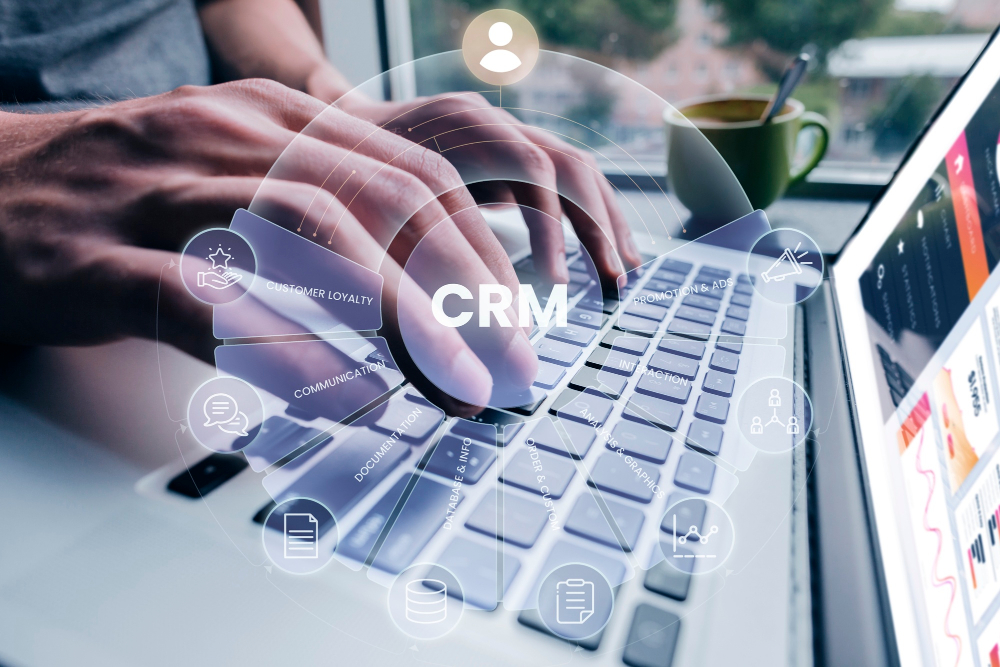
CRM integration with Patriot Software unlocks a dimension of business intelligence that neither system delivers alone: the connection between workforce costs and customer revenue. When businesses link payroll data to their CRM, they gain the ability to allocate employee labor costs to specific clients, projects, or deals — making true profitability analysis possible.HR-related processes, such as employee onboarding, can also benefit from CRM integration. When a new employee record is created in Patriot, the information can be automatically transferred to the CRM. This eliminates the need to enter the same employee data in multiple systems. As a result, businesses save time, reduce manual work, and minimize the risk of data entry errors.
What Is the Best Way to Connect Patriot Software to HubSpot or Salesforce?
For most small and mid-sized businesses, Zapier represents the most accessible path to connecting Patriot Software with CRM platforms like HubSpot, Salesforce, or Zoho CRM. Zapier’s no-code workflow builder allows users to define trigger-action pairs — for example, “When a new employee is added in Patriot Software, create a contact record in HubSpot” — without writing any code. For businesses with development resources or more complex data requirements, Patriot Software’s REST API provides direct programmatic access to payroll data, enabling custom integrations that support bidirectional data flow, complex field mapping, and real-time webhook triggers. The table below outlines the most common CRM integration scenarios, connection methods, and business use cases for Patriot Software.
| CRM Platform | Connection Method | Data Flow Direction | Business Use Case |
| HubSpot | Zapier automation | Patriot → HubSpot | Sync new hire data to HubSpot contacts for onboarding workflows |
| Salesforce | Zapier / REST API | Bidirectional | Link billable employee costs to client accounts and project records |
| Zoho CRM | Zapier / Zoho Flow | Patriot → Zoho | Auto-update employee records when payroll data changes |
| Pipedrive | Zapier | Patriot → Pipedrive | Associate labor costs with active deals for margin tracking |
| monday.com | Zapier / monday API | Bidirectional | Pull payroll run status into project management boards |
| Custom CRM | Patriot REST API | Configurable | Push payroll data into proprietary CRM via webhook triggers |
How Does CRM Integration With Patriot Software Improve Client Profitability Analysis?
One of the most strategically valuable applications of Patriot-CRM integration involves linking employee payroll costs to the CRM deals or accounts those employees support. Service businesses — consultancies, agencies, professional services firms — often struggle to accurately measure per-client profitability because labor costs stay siloed in payroll while revenue data lives in the CRM. By pushing payroll cost allocations into the CRM via API or Zapier, finance teams can attach real labor costs to specific client records. Consequently, account managers and finance teams see the full picture: revenue per client alongside the payroll cost of serving that client, making true margin analysis possible without complex manual reporting. This visibility directly supports better pricing decisions, staffing allocation, and client prioritization strategies.
How Does Patriot Software Integrate With ERP Systems?
ERP integration represents the most technically complex — and potentially most transformative — integration scenario for Patriot Software. Enterprise Resource Planning systems like SAP, Oracle NetSuite, and Microsoft Dynamics serve as the operational and financial backbone of mid-market and larger organizations, consolidating finance, procurement, inventory, HR, and reporting in a single platform. When Patriot Software connects to an ERP, payroll costs feed directly into the organization’s master financial system — enabling consolidated reporting, automated cost center allocation, and real-time labor cost visibility across departments.
What ERP Systems Can Patriot Software Connect With?
Patriot Software connects with ERP systems primarily through its REST API, which provides structured access to payroll run data, employee records, tax liability information, and payment history. Middleware integration platforms — including MuleSoft, Dell Boomi, Celigo, and Workato — further simplify ERP connections by providing pre-built connectors and visual workflow designers that route data between Patriot Software and ERP systems without custom coding. The table below outlines the primary ERP systems that businesses integrate with Patriot Software, along with the approach, data transferred, and financial outcome for each.
| ERP System | Integration Approach | Payroll Data Transferred | Financial Outcome |
| SAP S/4HANA | REST API + middleware (MuleSoft, Boomi) | GL journal entries, cost center allocations, headcount | Real-time labor cost visibility in SAP financial modules |
| Oracle NetSuite | SuiteConnect API / Celigo connector | Payroll expenses, tax accruals, department allocations | Automated payroll cost posting to NetSuite GL |
| Microsoft Dynamics 365 | Power Automate / REST API | Payroll journal entries, employee master data | Payroll costs visible in Dynamics financial reporting |
| Sage Intacct | Zapier / direct API | Payroll expense journal entries, contractor payments | Consolidated payroll and operations reporting |
| Odoo ERP | REST API / Zapier | Payroll totals, employee data, tax liabilities | Unified SMB financial and HR data in one system |
What Payroll Data Flows From Patriot Software Into an ERP System?
The most operationally valuable data that flows from Patriot Software into an ERP system covers four categories. First, payroll journal entries — the structured accounting records of gross wages, tax withholdings, employer contributions, and net pay — post to the ERP’s general ledger in real time or on a scheduled basis, keeping financial statements current without manual intervention. Second, cost center and departmental allocations distribute payroll expenses across the organizational structure defined in the ERP, enabling accurate department-level P&L reporting. Third, headcount and employee master data updates keep the ERP’s workforce records aligned with the payroll system’s source of truth. Fourth, tax accruals and liability balances feed into the ERP’s balance sheet, ensuring that tax obligations appear correctly in financial reporting even before deposit due dates arrive.
| Gartner Integration Research According to Gartner’s research on ERP integration, organizations that connect payroll systems with their ERP reduce month-end close time by an average of 25% and improve payroll cost reporting accuracy by 40% — directly attributable to eliminating manual journal entry between systems. |
What Are the Most Common Patriot Software Integration Mistakes — and How Do You Avoid Them?

Integration projects fail far more often from configuration errors than from technical incompatibility. A 2025 Gartner survey found that 60% of integration projects that fail do so because of poor data mapping, inadequate testing, or missing error handling — not because the underlying systems can’t communicate. The same pattern applies to Patriot Software integrations. The table below identifies the most common mistakes businesses make when connecting Patriot with QuickBooks, CRMs, or ERP systems, explains what goes wrong, and provides specific prevention strategies.
| Integration Mistake | What Goes Wrong | How to Prevent It |
| Incorrect GL account mapping | Payroll costs post to wrong expense accounts | Map accounts carefully during setup; review after first sync |
| Duplicate employee records | New hire syncs create duplicates in CRM or ERP | Define a master data source; use unique employee ID as sync key |
| Timezone and date mismatches | Payroll entries post to wrong accounting period | Confirm timezone settings match across all connected systems |
| Missing historical data migration | Pre-integration payroll history absent from ERP/CRM | Import YTD data manually before activating live sync |
| Unsupported field mapping | Custom payroll fields don’t map to ERP fields | Audit field compatibility before integration build |
| Over-permissioned API credentials | Integration accesses more data than necessary | Use minimum-permission API keys scoped to required data only |
| No error alerting configured | Failed syncs go unnoticed, causing data drift | Set up Zapier or API error notifications to alert admin |
What Should Businesses Test Before Going Live With a Patriot Software Integration?
Before activating any Patriot Software integration in a production environment, businesses should run through a structured pre-launch checklist to catch configuration errors before they affect real payroll data. Specifically, the checklist should cover the following areas:
- Account mapping verification: Confirm that every Patriot payroll expense category maps to the correct general ledger account in QuickBooks or the ERP. Run a test payroll and verify that the resulting journal entry posts to the intended accounts.
- Employee record sync accuracy: Add a test employee in Patriot Software and verify that the record appears correctly in the connected CRM or HR system, with all mapped fields populated accurately.
- Tax liability posting: Verify that employer and employee tax withholding amounts appear as liabilities in the connected accounting system after a test payroll run, not as expenses.
- Error notification setup: Confirm that failed sync events trigger an alert to the designated administrator — not just a silent failure logged in the integration platform.
- Reconciliation baseline: Run the first live payroll and immediately reconcile the payroll register in Patriot Software against the journal entry posted in QuickBooks or the ERP to confirm amounts match exactly.
How Should Businesses Handle the Patriot Software API for Custom Integrations?
Patriot Software’s REST API provides structured endpoints for employees, contractors, payroll runs, and tax information — accessible with standard JSON requests and authenticated via API key. For businesses building custom integrations, several practices ensure reliable, secure data flows. First, use a dedicated integration user account with minimum-necessary permissions rather than a primary admin account, to limit exposure if API credentials are ever compromised. Second, implement idempotency handling in the integration code — meaning the system should check whether a record already exists before creating a new one — to prevent duplicate employee records or journal entries from appearing in connected systems. Third, log all API responses and build retry logic for failed requests, since temporary network issues should not permanently lose payroll data that the connected system expects to receive.
How Does Patriot Software’s Time Tracking Integration Fit Into the Broader System Architecture?
Time and attendance data represents the upstream input that ultimately determines payroll accuracy — and consequently, the accuracy of everything that flows downstream to QuickBooks, CRMs, and ERP systems. Patriot Software‘s own time and attendance module integrates natively with the payroll system, allowing employees to clock in and out digitally and routing approved hours directly into the payroll run. This native integration eliminates the manual hour entry step where transcription errors most commonly occur.
For businesses using third-party time tracking systems — including Homebase, TSheets (now QuickBooks Time), or industry-specific scheduling tools — Patriot Software’s API enables time data to flow in from external systems, processed into payroll, and then passed downstream to accounting and ERP platforms. This positions Patriot Software as the central processing node in a three-stage data flow: time data flows in, payroll calculations occur, and financial data flows out to accounting and operations systems. Getting this flow right means that the entire financial reporting chain — from hour worked to P&L line — runs on accurate, automatically reconciled data.
What Should Businesses Conclude About Integrating Patriot Software With Other Systems?
Integrating Patriot Software with QuickBooks, CRMs, and ERP systems transforms payroll from an isolated administrative function into a connected data source that drives better decisions across finance, operations, and customer management. The native QuickBooks integration alone eliminates hours of manual bookkeeping per month and removes the reconciliation errors that plague businesses managing payroll and accounting separately. CRM integration creates the visibility needed for true per-client profitability analysis. ERP integration brings labor costs into the consolidated financial reporting that mid-market businesses need to plan, budget, and perform.
Furthermore, Patriot Software’s combination of native accounting integration, REST API, and Zapier connectivity means the platform adapts to businesses at every stage of growth — from a five-person company connecting payroll to QuickBooks Online for the first time, to a 200-person professional services firm building a multi-system integration that links payroll data to Salesforce, NetSuite, and a custom project management platform simultaneously. The integration capability scales with the business without requiring a platform change.
However, realizing the full value of Patriot Software integrations requires careful upfront configuration, thorough pre-launch testing, and ongoing monitoring to catch sync errors before they compound into significant data quality problems. Organizations that invest in proper integration architecture — correct account mapping, proper field alignment, error alerting, and documented reconciliation processes — consistently outperform those that connect systems quickly without validation. The potential ROI is substantial: reduced manual labor, fewer errors, faster financial close, and business intelligence that simply wasn’t accessible when payroll data lived in isolation.
Frequently Asked Questions About Patriot Software Integrations
For QuickBooks Online, the integration runs fully automatically: after the initial account mapping setup, Patriot Software posts the journal entry to QuickBooks Online automatically after each payroll run completes, with no additional steps required. For QuickBooks Desktop, the process requires one additional manual step per payroll run: exporting the journal entry file from Patriot and importing it into QuickBooks Desktop. This is because QuickBooks Desktop is a locally installed application that doesn’t support real-time cloud-to-desktop API connections in the same way QuickBooks Online does. In practice, this import takes approximately two minutes per payroll run and still eliminates all manual calculation and data re-entry. Businesses that want a fully automatic flow without any manual steps should consider migrating to QuickBooks Online or using Patriot’s own integrated accounting module, Patriot Accounting, which connects to the payroll system in real time with zero manual steps.
Changing your QuickBooks chart of accounts after setting up the Patriot Software integration requires re-mapping the affected accounts in Patriot’s integration settings. If you change or delete a QuickBooks account that Patriot currently maps to — for example, renaming your payroll expense account or restructuring your liability accounts — future journal entries from Patriot will either post to the old account (if it still exists) or fail to post entirely (if deleted). Neither outcome is desirable. Therefore, whenever you make changes to your QuickBooks chart of accounts, log into Patriot Software’s accounting integration settings and update the account mapping to reflect the new structure.
How Does Solution for Guru Help Businesses Build and Maintain Patriot Software Integrations?
Connecting Patriot Software to QuickBooks, CRMs, or ERP systems delivers its full value only when the integration is configured correctly, tested thoroughly, and maintained as business systems evolve. That’s precisely where Solution for Guru delivers expertise that most small and mid-sized businesses can’t build in-house.

Solution for Guru is a business consulting and software implementation firm specializing in technology integration, CRM implementation, and operational process automation. Their team brings hands-on experience connecting Patriot Software with accounting, CRM, and ERP systems across a range of industries and organizational sizes. Here’s how Solution for Guru supports businesses building Patriot Software integration infrastructure:
- QuickBooks integration setup and testing: Solution for Guru configures the Patriot-QuickBooks connection with careful attention to chart of accounts mapping, tax liability account structure, and departmental expense allocation — then validates the setup against live payroll data before signing off.
- CRM integration build: Whether connecting Patriot Software to HubSpot, Salesforce, Zoho CRM, or a custom platform, Solution for Guru builds the integration through Zapier or direct API, configures field mapping, and tests sync accuracy across all relevant data objects.
- Error monitoring and alerting: Solution for Guru configures integration monitoring so that failed syncs, mapping errors, and data mismatches trigger immediate alerts to the responsible administrator — preventing problems from silently accumulating into large reconciliation issues.
- Ongoing integration maintenance: As business systems evolve — new QuickBooks accounts, CRM platform changes, ERP upgrades — Solution for Guru adjusts integration configurations to maintain data accuracy without service disruption.
In short, Solution for Guru removes the technical complexity and configuration risk from Patriot Software integration projects, ensuring that businesses capture the full efficiency and accuracy benefits of connected payroll systems from day one. Visit solution4guru.com to learn how their team can build the integration infrastructure your business needs.
Recommended:
- How Do Businesses Use Patriot Software to Reduce Payroll Errors?
- How Patriot Software Helps Businesses Stay Tax Compliant
- How Does Patriot Software Help Business Owners Improve Financial Visibility?
- Patriot Software vs Manual Payroll Processing: Which One Actually Saves You Time and Money?
- Patriot Software for Retail, Construction, and Service Businesses: Industry Use Cases
- How Do Custom Reporting and Data Export Workflows Work in Patriot Software?
- What Is Patriot Software and Why Do Small Businesses Trust It for Payroll?
- How Does Patriot Software Handle Payroll Automation for Small Businesses?
- What Is the Best Payroll Software for Accountants in 2026?
- Payroll Taxes in US: A Comprehensive Guide for Employers and Businesses
- Online Payroll Systems
- The Future of HR and Payroll Systems: Adapting to Technological Advancements