Smartsheet for Professional Services: How Can Firms Manage Client Projects at Scale?

Professional services firms sell time, expertise, and trust. Every client project therefore tests how well a firm plans people, tracks budgets, and communicates progress. As the project count grows, spreadsheets and email threads stop working. This guide explains how Smartsheet helps consulting, accounting, advisory, and implementation firms standardize delivery, staff projects accurately, and keep clients informed without adding administrative overhead.
Table of contents
Quick Summary
The problem: Billable utilization fell to 66.4% in 2025, the lowest level in SPI Research history, while project overruns stayed above the 10% danger line.The approach: Firms centralize intake, scheduling, resourcing, and reporting in one work management platform instead of scattered files.The tool: Smartsheet Project Management combines sheets, Gantt views, dashboards, automation, Control Center, and Resource Management in one environment.The proof: Firms such as FGMK, Virtuos Digital, Caravel, and Rackspace report faster rollouts, clearer visibility, and fewer manual tasks.The caveat: Smartsheet is a work management platform, not a full billing system, so firms should plan their finance integrations early. The next step: A structured implementation, ideally with an experienced partner such as Solution for Guru, protects adoption and return on investment.
What Is Smartsheet Project Management?

Smartsheet Project Management gives professional services firms a flexible, spreadsheet-like workspace that scales into a full delivery platform. Project managers build plans in a familiar grid. Then they layer on Gantt charts, card views, forms, automated workflows, and dashboards without switching tools.
This flexibility matters because every firm delivers work differently. A tax advisory team follows a calendar of filing deadlines. A software implementation consultancy follows phases, milestones, and change requests. A management consulting group runs short, intense engagements with shifting teams. Smartsheet adapts to all three patterns, so firms don’t have to force every practice into one rigid template.
In addition, Smartsheet Project Management connects the project plan to the people who execute it. Resource Management extends the platform with capacity planning, time tracking, and skill-based assignments. As a result, delivery leaders see schedules, workloads, and budgets in a single view rather than reconciling three separate reports.
Why Do Professional Services Firms Struggle to Scale Client Projects?

Scaling a services business differs from scaling a product business. Revenue grows only when the firm adds billable people or raises rates, and both options carry risk. Therefore, operational efficiency becomes the main lever for protecting margins.
What Do the Latest Industry Benchmarks Show?
The 2026 SPI Professional Services Maturity Benchmark surveyed 509 firms and exposed clear pressure points. Revenue growth reached 5.2% in 2025, which is roughly half the 10% rate SPI considers healthy. Billable utilization dropped to 66.4%, well below the 75% target. Industry EBITDA stood at 9.9%, short of the expected 15%. Meanwhile, project overrun improved slightly to 10.7% but still exceeded the 10% threshold at which overruns start damaging client relationships.
| Metric (2025 results) | Industry result | Benchmark or target |
| Billable utilization | 66.4% | 75% (top performers reach 80%+) |
| Revenue growth | 5.2% | About 10% considered healthy |
| EBITDA | 9.9% | 15% expected |
| Project overrun | 10.7% | Below 10% to protect client trust |
Source: SPI Research, 2026 Professional Services Maturity Benchmark, as reported by Deltek and Certinia.
Which Operational Problems Cause These Results?
Most firms trace weak results back to the same root causes. Teams estimate projects inconsistently. Managers staff work from memory or from informal hallway conversations. Status reports take hours to compile, and clients wait for updates. Finally, leaders discover overruns only after the budget is gone.
- Fragmented tools: Plans live in spreadsheets, time lives in a separate app, and budgets live in finance software.
- Invisible capacity: Managers cannot see who has free hours next month, so they overbook stars and underuse everyone else.
- Manual reporting: Analysts copy data between files to build weekly status decks.
- Inconsistent delivery: Each project manager invents a new process, which makes quality uneven and onboarding slow.
- Weak client visibility: Clients rely on email chains instead of a live view of progress.
Smartsheet addresses each of these problems directly, as the next sections show.
How Does Smartsheet Standardize Project Delivery Across Many Clients?
Standardization is the foundation of scale. Firms that repeat a proven delivery model spend less time designing each engagement and more time serving the client. Smartsheet Project Management supports that repeatability through templates, intake forms, and automation.
How Do Templates and Intake Forms Speed Up Project Setup?
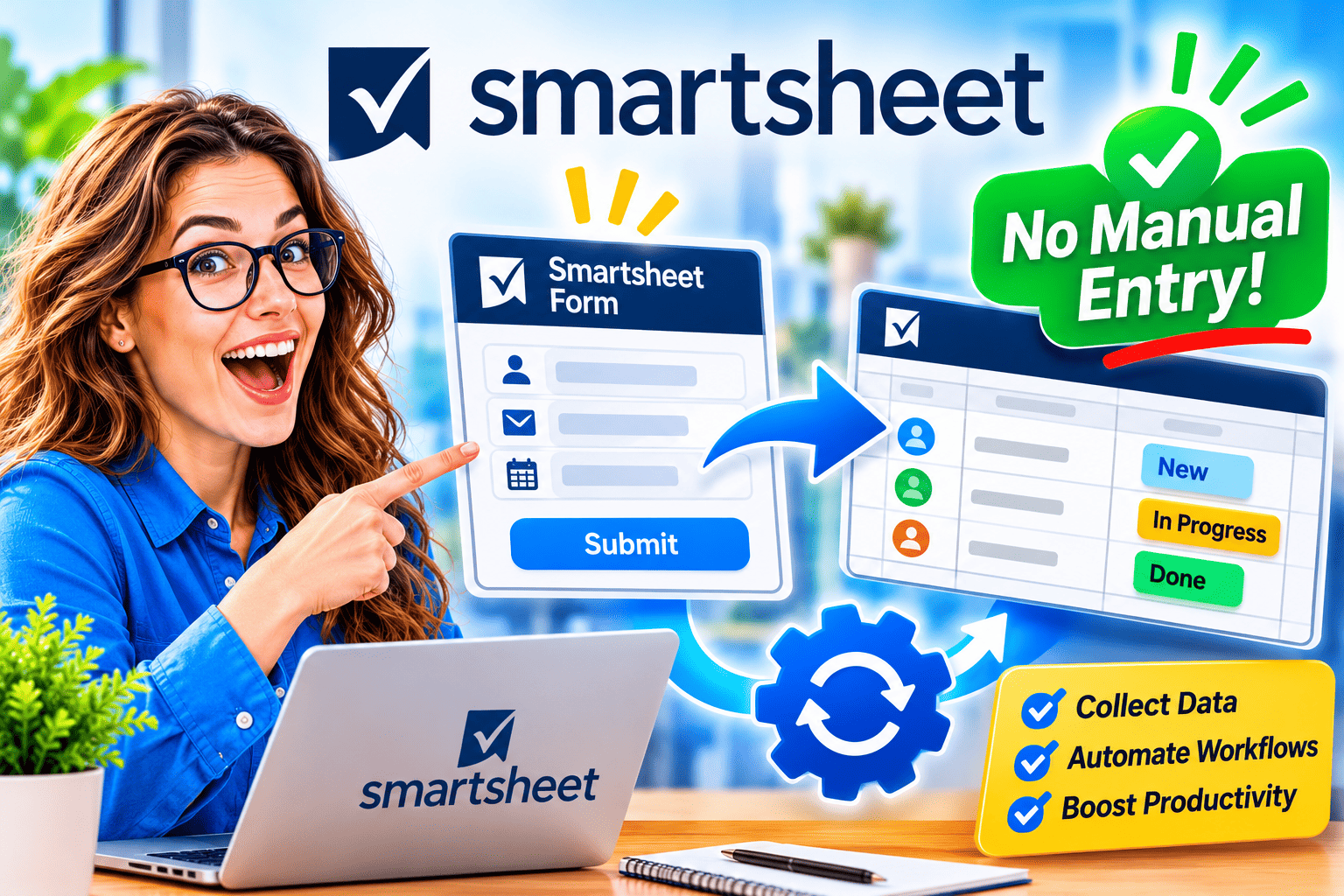
Project managers create a template once, with phases, tasks, dependencies, durations, and roles. Then they copy it for every new engagement and adjust only what the client needs. Intake forms capture scope, budget, and requirements at the start, so account teams stop chasing details by email. Each submission automatically populates a sheet, creating a clean record from day one.
How Does Automation Reduce Administrative Work?
Automated workflows handle the repetitive steps that consume project managers’ time. A workflow can send approval requests, update statuses, notify a partner when a milestone slips, or remind a consultant about an overdue task. Smartsheet’s Pro plan includes 250 automations per month, while the Business plan includes unlimited automations, according to a September 2026 pricing review by Softr. Because routine reminders run on their own, managers focus on client conversations instead of follow-up.
What Is Control Center, and Why Do Large Firms Use It?
Control Center lets a firm provision a complete set of project assets, such as plans, budgets, and dashboards, from a blueprint. Each new project follows the same structure, and rollup reports automatically pull data from every project. Large services organizations value this consistency because it removes the guesswork from portfolio reporting. Rackspace, for instance, credits Control Center with saving hundreds of hours per year while improving consistency and transparency.
How Do Gantt Charts and Dependencies Keep Timelines Realistic?
Gantt views turn a task list into a visual schedule. Dependencies link tasks, so a delay in one deliverable automatically shifts every downstream date. Project managers spot the critical path early, and they warn clients before a slip becomes a missed deadline. Baselines add another layer, because they let a manager compare the original plan against current progress and explain variances with evidence.
How Does Smartsheet Improve Resource Planning and Utilization?

Utilization is the profit engine of a services firm. SPI Research found that professional services automation adoption alone lifts billable utilization by about 8% in relative terms, from 65.0% to 70.2%. High-performance organizations reached 75.0% utilization, compared with 64.9% for their peers. Clearly, better resource visibility pays off.
What Can Resource Management by Smartsheet Do?
Resource Management by Smartsheet adds the people-planning layer. According to Smartsheet, it supports capacity planning, time tracking, demand management, role-based and skill-based assignments, and project budget tracking. Managers see an allocation heatmap and a workload schedule that flag overallocation in real time. They also use placeholders to plan for hires or contractors who haven’t joined yet, and build scenarios in a sandbox before committing changes to live plans.
- Capacity planning: Compare available hours against upcoming demand by team, role, or office.
- Skill-based staffing: Match consultants to engagements based on expertise, not only open calendar time.
- Time tracking: Capture actual hours so future estimates improve.
- Scenario planning: Test staffing options without disturbing live project data.
- Budget tracking: See how assignments affect project cost as plans change.
Which Smartsheet Plan Includes These Features?
Workload tracking comes with the Business and Enterprise plans. Capacity planning, time tracking, skill-based assignments, and reporting require the separate Resource Management upgrade, which Smartsheet prices by number of users. Recent reviews list Pro at $9 and Business at $19 per member per month when billed annually, with Enterprise priced custom. Prices change often, so confirm current figures on the official Smartsheet pricing page before you budget.
| Plan | Typical price (billed annually) | Best fit for professional services |
| Pro | $9 per member per month | Small teams of 1 to 10 members that need core project tracking |
| Business | $19 per member per month | Mid-sized firms that need unlimited automations and guest access for clients |
| Enterprise | Custom pricing | Larger firms that need SSO, governance, and enterprise-grade security |
| Advanced Work Management | Custom pricing | Firms that want every add-on, including portfolio and resource management |
How Can Different Service Lines Use Smartsheet?
Professional services is a broad category, and each service line leans on different features. The table below shows common patterns, while the paragraphs that follow explain why they work.
| Service line | Typical delivery challenge | How Smartsheet helps |
| Management consulting | Short engagements with shifting teams | Skill-based staffing, scenario planning, and live utilization views |
| Accounting and advisory | Deadline-driven recurring work across many clients | Recurring templates, automated reminders, and shared status reports |
| Software implementation | Phased projects with change requests | Gantt plans, intake forms, approval workflows, and customer dashboards |
| Marketing and creative agencies | Many parallel campaigns and tight budgets | Card views, proofing workflows, and budget tracking |
Consulting leaders benefit most from the resourcing tools, because short engagements demand fast, accurate staffing decisions. Accounting and advisory teams benefit from recurring templates and reminders, since the same deadlines return every quarter. Implementation consultancies, meanwhile, value shared dashboards, because customers want to see every phase and every open decision.
How Does Smartsheet Help Control Project Budgets and Risk?

Overruns hurt twice, because they erode margin and weaken client confidence. SPI Research flags a 10% overrun as the point where relationships start to suffer, and the industry average already sits slightly above it. Therefore, early warning matters more than perfect forecasting.
In Smartsheet Project Management, managers track planned versus actual hours, expenses, and milestones in the same sheet. Conditional formatting highlights tasks that run late or exceed budget. Automated alerts then notify the responsible partner, so the team acts while a fix is still cheap. Risk and issue logs follow the same pattern, because each entry carries an owner, a due date, and a status that rolls up into portfolio reports.
How Does Smartsheet Keep Clients Informed and Engaged?
Clients judge a firm by communication as much as by results. Poor visibility creates anxiety, even when the project runs on schedule. Smartsheet Project Management reduces that anxiety through shared dashboards, controlled access, and automated updates.
How Do Dashboards Replace Weekly Status Decks?
Dashboards pull live data from project sheets into charts, metrics, and task lists. A project manager builds the view once, and it updates itself as the team works. Executives then open the same dashboard to check budget burn, milestone progress, and risk levels. As a result, status meetings shift from reading numbers to making decisions.
How Can Firms Share Work Safely With Clients?
The Business plan supports unlimited guests and viewers, according to SaaSworthy’s plan breakdown. Firms therefore invite client stakeholders to view or comment on specific sheets, reports, or dashboards without exposing internal financials. Permissions control who sees what. This approach builds trust because clients see real progress, not a polished summary written after the fact.
Can Smartsheet Connect With Other Business Tools?
Yes. Smartsheet integrates with platforms such as Salesforce, Jira, Microsoft Teams, Slack, and Google Workspace, and it offers APIs for custom connections. Firms often link a CRM to trigger project creation when a deal closes. Others connect time and expense data from finance systems. Because Smartsheet focuses on work management, most firms still pair it with accounting or invoicing software for billing.
What Are the Limitations of Smartsheet for Professional Services?
An honest evaluation includes the trade-offs. First, Smartsheet is not a purpose-built professional services automation suite with native invoicing, revenue recognition, and complex billing rules. Firms with those needs should plan integrations or evaluate dedicated PSA tools alongside it. Second, Smartsheet’s documentation notes that Resource Management has no communication features tied to allocations or conflicts, and it offers only project- and account-level permissions. Third, pricing grows with the number of members, and add-ons increase the total cost.
Nevertheless, these limits rarely block adoption. Firms that scope their requirements carefully usually find that Smartsheet covers planning, resourcing, and reporting well, while a finance system handles billing.
How Should a Firm Roll Out Smartsheet Across Practice Groups?
Technology rarely fails on its own. Rollouts fail when teams skip planning, ignore change management, or customize too much too early. A phased approach reduces that risk.
- Map your delivery process. Document how each practice group sells, scopes, staffs, delivers, and closes projects.
- Define the data you need. Decide which fields, KPIs, and reports leaders require, then design sheets around them.
- Build templates and blueprints. Start with one or two repeatable engagement types.
- Pilot with one team. Run two or three live projects, collect feedback, and refine the setup.
- Add resource planning. Connect project plans to capacity, time tracking, and skills.
- Train and govern. Assign owners for templates, permissions, and reporting standards.
- Scale gradually. Expand practice by practice, and measure utilization, overruns, and reporting time at each step.
Smartsheet reports that its own professional services methodology draws on more than 15,000 engagements. Independent partners add further depth, especially when a firm needs integrations or complex automation.

Which Case Studies Show Smartsheet Working for Professional Services Firms?
Real examples show how firms apply these ideas. The following stories come from Smartsheet’s published customer library, so readers should treat them as vendor-reported results.
How Did FGMK Improve Transparency Across Practice Lines?
FGMK, a professional services firm that provides assurance, tax, and advisory services, rolled out Smartsheet across its audit and accounting, tax, and advisory teams. The firm wanted to cut manual administrative work such as planning and scheduling. Staff then spent more time on client services, and both the firm and its clients gained better visibility into progress.
How Did Virtuos Digital Speed Up Project Rollouts?
Virtuos Digital, a digital transformation firm founded in 2008, built an automated intake workflow in Smartsheet. After a project manager sets up a project, the workflow routes it to division heads for review, resource confirmation, and approval. The company reports a rollout speed that is 50% faster, and it uses the shared project views to build customer trust.
How Did Caravel Manage Customer Implementations?
Caravel, the BPM Technology Solutions group within accounting firm BPM LLP, helps companies deploy accounting software. The team uses Smartsheet project dashboards to manage each customer implementation. Consultants and customers therefore share one central place to check project status and reports, and Caravel highlights improved staffing and resource allocation as a driver of growth.
How Did Rackspace Standardize Reporting at Scale?
Rackspace adopted Smartsheet Control Center to bring consistent tracking to a large services operation. According to Smartsheet’s case study, the company saves hundreds of hours per year and delivers more consistent, transparent reporting to the right people. Likewise, Maritz, an event design company, reports that it now anticipates staffing needs more accurately because it bases its analysis on Smartsheet data.
| Firm | Challenge | Smartsheet capability used | Reported outcome |
| FGMK | Manual planning and scheduling | Firm-wide rollout across practice lines | More client time, better transparency |
| Virtuos Digital | Slow project approvals | Automated intake and approval workflow | Rollout speed 50% faster |
| Caravel | Tracking many implementations | Project dashboards and resource allocation | Shared status view for consultants and customers |
| Rackspace | Inconsistent project reporting | Control Center | Hundreds of hours saved per year |
Which Metrics Should Firms Track in Smartsheet Dashboards?
A dashboard only helps when it measures what drives profit. SPI Research found that firms managing a small set of linked KPIs together outperform firms that track metrics in isolation. Delivery leaders can mirror that approach in Smartsheet by building one portfolio dashboard around a handful of indicators.
- Billable utilization: Compare actual billable hours against the 75% benchmark for each team and role.
- Project overrun: Track budget and schedule variance against the 10% threshold.
- Backlog and capacity: Show committed demand against available hours for the next quarter.
- Milestone health: Highlight deliverables that run late, at risk, or on track.
- Reporting time: Measure the hours your managers still spend compiling status updates, and watch the number fall.
Consequently, partners review one page every week instead of opening ten files, and they intervene sooner when a number drifts.
What Return on Investment Can Firms Expect?

Vendor-commissioned studies offer a rough guide, although firms should apply their own numbers. A Forrester Total Economic Impact study commissioned by Smartsheet found that engaging Smartsheet Professional Services cut implementation time by 50% in its composite example, from eight months to four. A Futurum Group study from April 2025 reported a payback period of 2.7 months across interviewed customers. Both studies carry the sponsor’s influence, and Forrester explicitly advises readers to use their own estimates.
A simple internal calculation works better. Estimate the hours your managers spend on status reports each month. Add the revenue you lose when utilization sits a few points below target. Then compare that figure with the license and implementation cost. Most firms find the case compelling once they quantify even modest improvements.
Key Takeaways
Professional services firms face tighter utilization, slower growth, and rising client expectations. Consequently, delivery operations now decide which firms protect their margins. Smartsheet Project Management gives these firms a practical way to standardize projects, plan resources with real data, and share live progress with clients.
The platform works best when firms respect its boundaries. Use it for planning, resourcing, automation, and reporting. Connect it to finance and CRM systems for billing and pipeline data. Finally, invest in a structured rollout, because adoption determines results more than any feature list. Firms that follow this path build a delivery engine that scales with every new client rather than straining under it.
Frequently Asked Questions
Yes, in most cases. Smartsheet suits firms that need flexible project planning, resource visibility, and client-facing dashboards. Firms that need built-in invoicing and revenue recognition should pair it with a finance platform or compare it with dedicated PSA software.
Recent reviews list the Pro plan at about $9 and the Business plan at about $19 per member per month on annual billing, while Enterprise and Advanced Work Management use custom pricing. Resource Management costs extra and depends on user count. Always confirm current prices with Smartsheet.
Yes. Firms share sheets, reports, and dashboards with clients through permissions. The Business plan supports unlimited guests and viewers, which makes external collaboration practical. Firms should still review sharing settings carefully to protect internal financial data.
What Are the Benefits of Cooperation With Solution for Guru?
Solution for Guru is a CRM and software implementation consultancy that helps businesses select, configure, and adopt the tools that run their operations. For professional services firms, an experienced partner closes the gap between buying a platform and using it well.
How Does a Specialist Partner Reduce Implementation Risk?
A partner brings repeatable methods, lessons from earlier projects, and an outside view of your processes. As a result, your team avoids common traps such as over-customization, unclear ownership, and weak training. Moreover, a partner keeps the project moving while your consultants stay focused on billable client work.
| Common implementation gap | How a partner such as Solution for Guru helps |
| Unclear requirements | Facilitates discovery workshops and documents the target process before configuration begins |
| Inconsistent templates | Designs standard project templates and governance rules for every practice group |
| Disconnected systems | Plans integrations between work management, CRM, and finance tools |
| Low user adoption | Provides training, role-based guidance, and post-launch support |
| Unmeasured results | Defines KPIs and dashboards so leaders track utilization, overruns, and reporting time |
Why Should Firms Choose Solution for Guru?
- Software-neutral guidance: The team works across CRM and business platforms, so recommendations follow your needs.
- Practical implementation focus: The consultants configure, integrate, and train, not only advise.
- Faster time to value: A guided rollout shortens the path from kickoff to measurable results.
- Long-term support: The relationship continues after launch, so your setup evolves with your firm.
Contact Solution for Guru to discuss how a structured Smartsheet rollout can fit your client delivery model.
Recommended:
- Choosing Between Smartsheet Standard, Business, and Enterprise Plans: Which Tier Fits Your Team?
- How Do Smartsheet Forms Collect Data Without Manual Entry?
- Common Smartsheet Implementation Mistakes and How to Avoid Them
- Smartsheet ROI: How Much Time and Cost Can Automation Actually Save?
- How Does Smartsheet Support Portfolio and Resource Management for Growing Teams?
- Smartsheet Dashboards: How Do You Build Reports That Leaders Actually Use?
- How Do You Manage User Roles and Permissions in Smartsheet?
- Smartsheet Compliance and Security: HIPAA, GDPR, and Enterprise Governance
- Smartsheet Automations 101: Alerts, Approvals, and Reminders Explained
- Smartsheet Pricing Explained: Plans, Costs, and Hidden Add-Ons
- What Is Smartsheet? A Complete Overview of Features and Use Cases
- Zoho Projects API Integration Guide: How Can You Connect Your Business Tools Effectively?
- Security and Role Management in Zoho Projects
- How Do You Successfully Manage Large Enterprise Projects in Zoho Projects?
- How Can You Integrate Zoho Projects with Slack, Microsoft Teams, and Email to Maximize Team Productivity?
- PMP Certification: Is It Worth It in 2026?
- Project Performance Analytics: Driving Data-Backed Decisions in Project Management
- Zoho Projects Data Structure