Zoho Books vs Xero: Cloud Accounting Platforms Compared
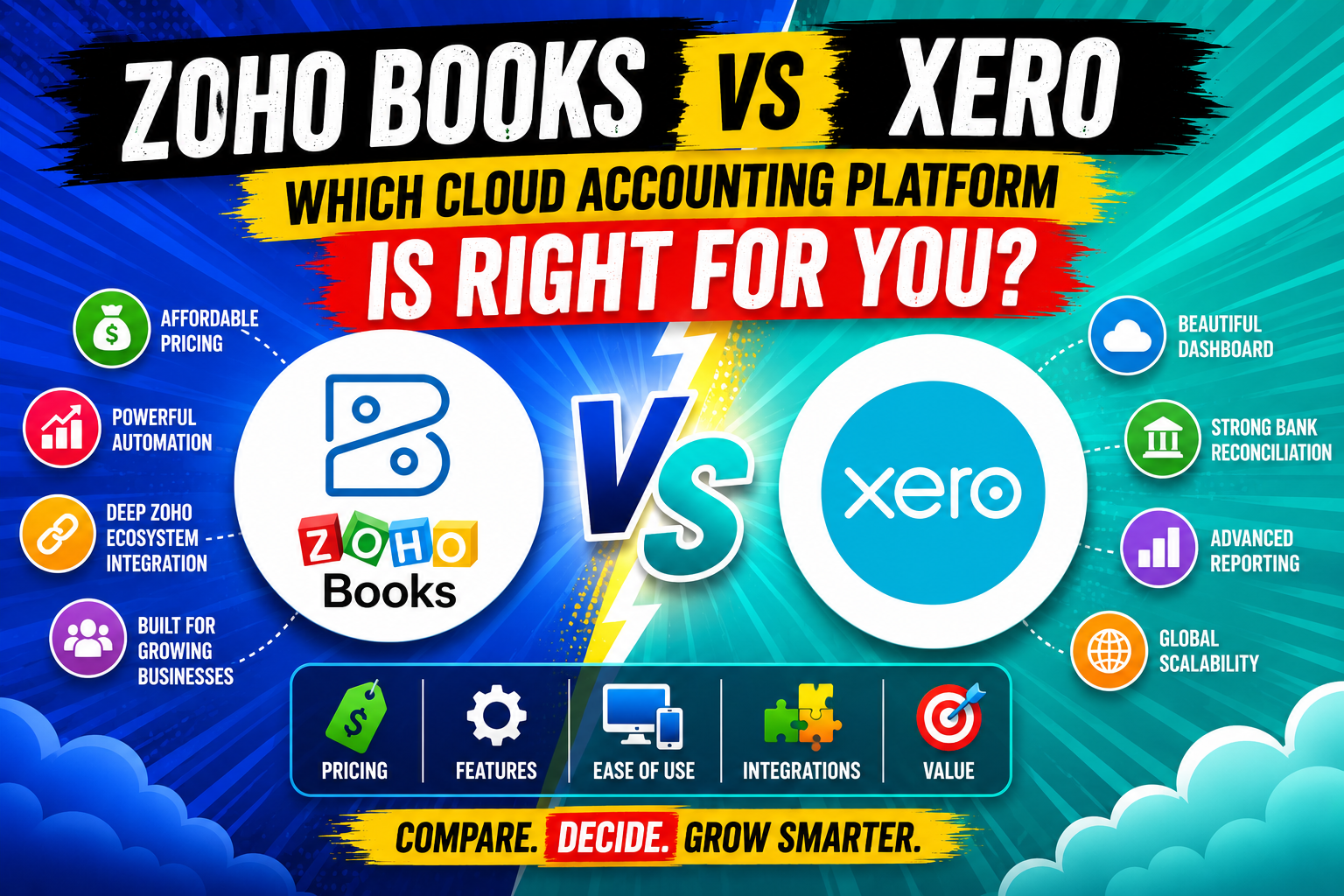
Choosing the right cloud accounting platform can make or break a small or mid-sized business’s financial operations. The software you select determines how efficiently you invoice clients, reconcile bank transactions, manage cash flow, and stay compliant with tax regulations — tasks that consume hours of staff time every week when handled incorrectly. Two platforms consistently rise to the top of comparison lists for growing businesses: Zoho Books and Xero.
Both Xero and Zoho Books deliver cloud-based accounting capabilities that modern businesses demand: real-time bank feeds, automated reconciliation, multi-currency support, and mobile access. However, the two platforms differ significantly in pricing philosophy, ecosystem depth, automation capabilities, and the types of businesses they serve best. This article delivers a thorough, side-by-side comparison — so you can select the platform that fits your business model, your team’s skill level, and your growth ambitions. Additionally, you will discover how partnering with Solution for Guru can accelerate your implementation and maximize the return on whichever platform you choose.
Table of contents
Quick Summary: What Does This Comparison Cover?
This article examines the following areas in depth:
- An overview of Xero and how it relates to cloud accounting for growing businesses
- An overview of Zoho Books and its position in the accounting software landscape
- Feature-by-feature comparison: invoicing, bank reconciliation, reporting, and automation
- Pricing structure comparison across all tiers
- Ecosystem and integrations: third-party apps vs. native suite depth
- Tax compliance and multi-currency capabilities
- Ease of use and onboarding experience
- A master comparison table covering all key dimensions
- How Solution for Guru helps businesses implement either platform successfully
- Frequently asked questions about choosing between Zoho Books and Xero
What Is Xero and How Does It Fit Into Cloud Accounting?
Xero is a New Zealand-based cloud accounting platform founded in 2006 by Rod Drury and now headquartered in Wellington, with regional offices across the U.S., U.K., Australia, and Canada. According to Xero’s 2025 Annual Report, the platform serves more than 4.2 million subscribers worldwide, making it one of the most widely adopted cloud accounting solutions globally. Xero built its reputation on three pillars: a clean, intuitive interface, seamless bank feed connectivity, and an expansive marketplace of over 1,000 third-party integrations.
At its core, Xero covers the full range of accounting functions that small and mid-sized businesses require: double-entry bookkeeping, invoicing, expense tracking, bank reconciliation, payroll (in supported countries), fixed asset management, and financial reporting. The platform particularly excels in environments where accountants and bookkeepers work alongside business owners — Xero offers a dedicated advisor dashboard that gives accounting professionals visibility into multiple client files from a single login, which explains why it holds strong adoption among bookkeeping firms and CPA practices.
Furthermore, Xero’s open API and marketplace depth mean that businesses can extend its core accounting functionality with specialized tools for inventory management, e-commerce, project costing, CRM, and payroll — making it a flexible hub that adapts to diverse industry needs. Consequently, Xero works particularly well for businesses that already use or plan to adopt best-of-breed software stacks and need an accounting platform that integrates cleanly across all of them.
What Is Zoho Books and What Makes It a Distinct Accounting Solution?

Zoho Books is the cloud accounting module within the broader Zoho ecosystem — a suite of over 50 integrated business applications developed by Zoho Corporation, an Indian multinational software company founded in 1996 and headquartered in Chennai. Zoho Books launched in 2011 specifically to give small and growing businesses an accounting tool that connects natively with other Zoho applications — including Zoho CRM, Zoho Inventory, Zoho Projects, Zoho Payroll, and Zoho Analytics — without requiring third-party integrations.
According to Zoho’s official product documentation, Zoho Books supports GST, VAT, and sales tax compliance across more than 40 countries, making it a genuinely international platform despite its origins in the Indian market. The platform delivers core accounting features — invoicing, expense management, bank reconciliation, project billing, and financial reporting — alongside workflow automation tools that allow businesses to automate routine accounting tasks without coding knowledge.
What truly differentiates Zoho Books from standalone accounting tools is its native integration with the Zoho suite. Businesses that already use Zoho CRM, for example, can convert CRM quotes directly into Zoho Books invoices without exporting or re-entering data. Similarly, Zoho Inventory syncs product quantities and costs with Zoho Books in real time, creating a unified operations and accounting view that most third-party integrations cannot replicate in terms of data fidelity.
How Do Xero and Zoho Books Compare on Core Accounting Features?
Which Platform Delivers Stronger Invoicing and Billing Capabilities?
Both Xero and Zoho Books provide professional invoicing with customizable templates, recurring invoice scheduling, and automated payment reminders. However, they differ in important ways.
Xero allows unlimited invoice creation across all pricing tiers, supports online payment collection via Stripe, GoCardless, and other payment processors, and provides a client portal where customers can view and pay invoices online. Xero also offers quote-to-invoice conversion and the ability to attach purchase orders and delivery notes directly to invoices — features that service-based businesses and product sellers both value.
Zoho Books goes further on automation. The platform allows businesses to build custom workflow rules that automatically send invoice reminders, escalate overdue accounts to a designated contact, or apply late fees based on configurable payment terms. Additionally, Zoho Books supports customer self-service portals where clients can view transaction history, download statements, and pay invoices — a feature available even on lower-tier plans. For businesses that send high invoice volumes and need granular automation, Zoho Books edges ahead in this category.
How Do Both Platforms Handle Bank Reconciliation and Bank Feeds?
Bank reconciliation is one of the most time-consuming accounting tasks, and both platforms automate the bulk of it through direct bank feed connections. Xero pioneered automated bank feeds in the cloud accounting space and maintains connections with thousands of financial institutions across the U.S., U.K., Australia, Canada, and beyond. The platform’s reconciliation interface presents suggested matches for every bank transaction, and users can create bank rules that automatically categorize recurring transactions — such as monthly subscription charges or payroll deposits — without manual review.
Zoho Books similarly offers direct bank feeds through integrations with major banks and through Plaid, the financial data network. Its reconciliation workflow is straightforward and includes auto-matching rules. However, Xero‘s broader bank connectivity — particularly outside the U.S. — gives it a meaningful advantage for businesses operating in multiple countries or banking with regional institutions that Zoho’s network does not yet support.
What Reporting and Analytics Capabilities Do Xero and Zoho Books Offer?
Financial reporting is where the two platforms show the clearest philosophical differences. Xero offers a comprehensive set of standard reports — profit and loss, balance sheet, cash flow statement, aged receivables, aged payables, and budget variance — and allows users to create custom report templates by adding, removing, and reordering line items. Xero’s reporting also supports tracking categories, which function like departments or cost centers and allow businesses to slice revenue and expense data by project, location, or product line.
Zoho Books provides similarly robust standard reports and adds a direct integration with Zoho Analytics — Zoho’s dedicated business intelligence platform — for businesses that need advanced dashboards, KPI tracking, and cross-application data analysis. This integration gives Zoho Books users access to a level of analytics depth that Xero cannot match natively. Nevertheless, Xero’s reporting suffices for the majority of small business needs, and its interface makes report generation accessible to non-accountants in a way that some users find more intuitive than Zoho’s approach.
How Do Xero and Zoho Books Compare on Pricing?

What Does Each Platform Charge Across Its Pricing Tiers?
Pricing represents one of the most significant differentiators between the two platforms. The table below summarizes current pricing structures based on publicly available information:
| Plan | Xero (USD/month) | Zoho Books (USD/month) | Key Inclusions |
| Entry / Free | N/A | Free (up to 1 user + accountant) | 1,000 invoices/yr, basic reports, bank reconciliation |
| Starter / Basic | $20 (Early) | $15 (Standard) | Limited transactions (Xero); unlimited invoices (Zoho) |
| Standard / Professional | $47 (Growing) | $40 (Professional) | Unlimited invoices, multi-currency (Xero +$9/month) |
| Premium / Ultimate | $80 (Established) | $60 (Premium) | Expenses, projects, multi-currency, advanced analytics |
| Additional Users | Unlimited (all tiers) | $3/user/month | Xero includes unlimited users; Zoho charges per user |
| Payroll Add-on | Included in select tiers | Zoho Payroll (separate pricing) | Both support payroll; native or integrated |
| Free Trial | 30 days | 14 days | No credit card required on either platform |
Several important nuances shape this pricing comparison. First, Xero’s Early plan limits users to 20 invoices and 5 bills per month — a restriction that makes it impractical for any active business and effectively pushes most users to the Growing plan at $47/month. By contrast, Zoho Books‘s free tier is genuinely functional for micro-businesses, and its $15 Standard plan includes unlimited invoices with no transaction caps.
Second, Xero includes unlimited users across all tiers — a major advantage for businesses with large finance teams. Zoho Books charges $3 per additional user per month beyond the included user count, which adds up meaningfully as teams grow. However, Zoho Books’s native integration with the broader Zoho ecosystem means that businesses already paying for Zoho One (the all-apps bundle) may access Zoho Books at no additional cost — a scenario where Zoho dramatically undercuts Xero on total cost of ownership.
How Do Xero and Zoho Books Compare on Integrations and Ecosystem?
Which Platform Offers a Deeper Integration Ecosystem?
Xero’s integration marketplace — called Xero App Store — lists over 1,000 third-party applications spanning payroll, inventory, e-commerce, CRM, point of sale, project management, and more. Notable integrations include Shopify, Stripe, HubSpot, Gusto, Deputy, Vend, and Unleashed. This breadth makes Xero the preferred accounting backbone for businesses that already operate a multi-tool technology stack and want an accounting platform that plugs into everything they use.
Zoho Books takes a different approach. Rather than relying on third-party integrations, it offers native connections with over 50 Zoho applications — including Zoho CRM, Zoho Inventory, Zoho Projects, Zoho Desk, Zoho Payroll, Zoho Sign, and Zoho Analytics. These native integrations provide tighter data synchronization and fewer failure points than API-based third-party connections. However, Zoho Books also connects with popular non-Zoho tools including Stripe, PayPal, Razorpay, Slack, and G Suite — so it does not operate as a closed ecosystem despite its Zoho-first orientation.
The right choice depends on the business’s existing technology landscape. Businesses deeply embedded in the Zoho ecosystem gain more value from Zoho Books’ native connections. Businesses running diverse best-of-breed tools will likely find Xero’s marketplace depth more useful.
How Do Both Platforms Support E-Commerce and Inventory Management?
For product-based businesses, inventory and e-commerce integration quality can be decisive. Xero does not include native inventory management — businesses need to connect a third-party tool such as Cin7, Unleashed, or DEAR Inventory through the Xero App Store. These integrations are mature and widely used, but they add cost and a separate interface for warehouse and stock management.
Zoho Books, by contrast, integrates natively with Zoho Inventory — a full-featured inventory management application that handles multi-warehouse tracking, purchase orders, serial number tracking, and e-commerce channel sync (Amazon, Etsy, Shopify, eBay). For businesses that manage physical products, this native pairing of Zoho Books and Zoho Inventory often delivers a more seamless experience than connecting Xero with a third-party inventory app — particularly for businesses already using other Zoho applications.
How Do Xero and Zoho Books Handle Tax Compliance and Multi-Currency?
Which Platform Provides Stronger Tax Compliance Features?

Tax compliance requirements vary dramatically by country, and both platforms have invested heavily to serve international markets. Xero offers deep tax compliance in its home markets of Australia, New Zealand, and the U.K. — including direct MTD (Making Tax Digital) VAT filing in the U.K. and BAS (Business Activity Statement) preparation in Australia. For U.S. businesses, Xero supports sales tax tracking but does not file state sales tax returns directly, typically requiring integration with tools like TaxJar or Avalara for automated sales tax compliance.
Zoho Books supports GST filing in India (where it holds market leadership), VAT compliance in the U.K., UAE, Saudi Arabia, and other jurisdictions, and sales tax management in the U.S. The platform includes an automated tax calculation engine that applies the correct tax rate based on customer location and product type. For businesses operating in India or the Middle East specifically, Zoho Books delivers compliance depth that Xero does not match in those geographies.
How Does Multi-Currency Support Differ Between the Two Platforms?

Multi-currency accounting is essential for businesses that invoice international clients or pay foreign suppliers. Both platforms support multi-currency transactions, but they differ in how they deliver it. Xero includes multi-currency support in its Established plan ($80/month) and as a $9/month add-on on the Growing plan. The platform supports over 160 currencies, applies daily exchange rates from XE.com, and automatically records currency revaluation gains and losses at period end.
Zoho Books includes multi-currency support in its Professional plan ($40/month) and above, covering over 170 currencies with automatic exchange rate updates. Additionally, Zoho Books allows businesses to set manual exchange rates when their bank offers rates that differ from the market rate — a flexibility particularly useful for businesses that negotiate forward currency contracts. Overall, Zoho Books delivers multi-currency at a lower price point, making it the more cost-effective choice for businesses with significant international transaction volumes.
Which Platform Is Easier to Use — Xero or Zoho Books?
How Does the User Experience Compare for Non-Accountant Business Owners?
User experience significantly influences adoption rates and reduces training costs — two factors that matter enormously for small businesses where the owner often doubles as the bookkeeper. Xero earns consistent praise for its clean, minimalist dashboard that makes core tasks — creating invoices, reconciling bank transactions, and running reports — accessible without accounting expertise. Independent reviews on G2 and Capterra consistently score Xero above 4.3 out of 5 for ease of use.
Zoho Books presents a slightly steeper initial learning curve, largely because it offers more configuration options and workflow automation settings than most users initially need. However, once configured, Zoho Books‘s automation reduces ongoing manual work more aggressively than Xero — meaning users who invest time in setup save more time in day-to-day operation. Zoho also offers an extensive library of video tutorials and a responsive support team, which helps flatten the learning curve significantly.
In terms of mobile experience, both platforms offer iOS and Android apps with solid feature coverage. Xero’s mobile app allows receipt capture, invoice creation, and bank reconciliation on the go. Zoho Books’ mobile app similarly supports invoicing, expense recording, and customer communication — and integrates with the broader Zoho mobile app ecosystem for users who manage CRM or project data on their phones.
Xero vs Zoho Books: What Does the Full Feature Comparison Look Like?
The following master comparison table covers all major dimensions of both platforms side by side:
| Feature / Category | |  | Winner |
| Starting price | $20/month (Early — limited) | Free / $15/month (Standard) | Zoho Books |
| Free plan | No | Yes (up to 1 user) | Zoho Books |
| Unlimited users | Yes (all tiers) | No ($3/user/month extra) | Xero |
| Invoicing | Unlimited; online payment; client portal | Unlimited; automation; self-service portal | Tie |
| Bank reconciliation | Best-in-class; 1,000+ bank connections | Strong; Plaid-connected | Xero |
| Multi-currency | 160+ currencies (higher tier or add-on) | 170+ currencies (Professional+) | Zoho Books |
| Inventory management | Third-party integration required | Native via Zoho Inventory | Zoho Books |
| Payroll | Integrated in select countries | Via Zoho Payroll (native) | Tie |
| Third-party integrations | 1,000+ apps in Xero App Store | 50+ Zoho native + key third parties | Xero |
| Native ecosystem | Accounting-focused; API-open | 50+ Zoho apps natively connected | Zoho Books |
| Tax compliance (US) | Sales tax tracking; no direct filing | Sales tax tracking; no direct filing | Tie |
| Tax compliance (UK/AU/NZ) | Deep MTD/BAS compliance | VAT support; less AU/NZ depth | Xero |
| Tax compliance (India/ME) | Limited | GST, VAT — market leader | Zoho Books |
| Reporting & analytics | Strong standard reports; tracking categories | Standard reports + Zoho Analytics integration | Zoho Books (advanced needs) |
| Automation & workflows | Bank rules; recurring invoices | Advanced workflow automation engine | Zoho Books |
| Ease of use | Very intuitive; minimal learning curve | Moderate curve; deep once configured | Xero |
| Customer support | Online; community; Xero Advisor network | Email, phone, chat; 24/5 support | Zoho Books |
| Mobile app | Strong iOS/Android | Strong iOS/Android + Zoho ecosystem | Tie |
| Accountant collaboration | Dedicated advisor dashboard | Accountant access available | Xero |
| Best for | SMBs, accountant-led businesses, global ops | Zoho ecosystem users, India/ME, product biz | Depends on use case |
What Are the Final Conclusions in the Xero vs Zoho Books Comparison?
After examining both platforms across pricing, features, integrations, tax compliance, ease of use, and ecosystem depth, one conclusion stands out clearly: neither Xero nor Zoho Books is universally superior — each wins in different scenarios depending on the business’s specific context.
Xero wins for businesses that prioritize ease of use, accountant collaboration, bank feed connectivity across many institutions, and access to a vast marketplace of third-party integrations. It particularly excels for businesses in Australia, New Zealand, and the U.K. where its tax compliance depth remains unmatched. Furthermore, Xero’s unlimited user model makes it the more cost-effective choice for businesses with growing finance teams.
Zoho Books wins for businesses that already operate within the Zoho ecosystem, need native inventory and CRM integration, want more aggressive workflow automation, or require strong GST and VAT compliance in India and the Middle East. Its lower starting price and genuinely functional free tier also make it the better entry point for micro-businesses and startups watching every dollar. Additionally, Zoho Books’s multi-currency support at a lower price point advantages internationally active businesses with tighter budgets.
Ultimately, the decision comes down to ecosystem fit, geography, and growth trajectory. Whichever platform you select, implementing it correctly from the start determines whether it delivers its full value. Partnering with Solution for Guru ensures you get the configuration, migration, training, and ongoing optimization support needed to make either Xero or Zoho Books perform at its best — from the very first transaction through your company’s long-term growth.
Frequently Asked Questions: Zoho Books vs Xero
Yes, but the migration process requires careful planning to avoid data loss or reconciliation errors. Both Xero and Zoho Books allow data export in standard formats (CSV, Excel), and both platforms accept data imports for customers, vendors, chart of accounts, and open transactions. However, historical transaction detail — particularly closed periods — does not transfer perfectly through standard import tools and often requires manual journal entries to establish correct opening balances in the new system. The most reliable approach involves running both systems in parallel for one to two months, verifying that opening balances, bank reconciliations, and tax liabilities match before decommissioning the old platform. Solution for Guru specializes in exactly this type of migration, providing a reconciliation-verified transition that preserves financial data integrity throughout the switch.
For businesses managing remote employees across multiple countries, the answer depends on which countries those employees work in. Xero leads in the U.K., Australia, New Zealand, and Canada, where it offers deep banking connectivity, local tax compliance, and payroll integrations specific to those markets. Zoho Books leads in India and the Middle East and provides strong multi-currency support at a lower price point for businesses paying international contractors or receiving revenue in multiple currencies. For U.S.-based businesses with global operations, Xero’s broader bank feed connectivity and more extensive integration ecosystem often give it the edge — particularly when combined with global payroll tools like Deel or Remote, both of which integrate with Xero through the App Store. However, Zoho Books’ native ecosystem advantages make it the stronger choice if the business also relies on Zoho CRM or Zoho Inventory for operations.
Why Should Businesses Partner With Solution for Guru to Implement Xero or Zoho Books?
What Implementation Challenges Do Businesses Face Without Expert Guidance?
Selecting an accounting platform is only the first step — implementing it correctly determines whether it delivers its promised value. Businesses that self-implement cloud accounting tools frequently encounter the same set of costly mistakes: incorrect chart of accounts setup, missing opening balances, improperly configured tax codes, broken bank feed connections, and inadequate user permissions that expose sensitive financial data.
These configuration errors do not always surface immediately. Instead, they often emerge at quarter-end or year-end when financial reports produce unexpected results, bank reconciliations refuse to close, or tax filings show discrepancies. Correcting these errors retroactively costs significantly more time and money than configuring the system correctly from the start.
This is precisely where Solution for Guru delivers its most immediate value. As a specialized technology consulting firm with deep expertise in both Xero and Zoho Books, Solution for Guru guides businesses through every implementation phase — from initial platform selection through data migration, configuration, training, and go-live support.

What Specific Benefits Does Solution for Guru Provide to Accounting Platform Clients?
Partnering with Solution for Guru delivers the following concrete benefits:
- Platform selection guidance: Solution for Guru evaluates the business’s industry, geography, existing technology stack, team size, and growth plans to recommend the platform that best fits — preventing costly platform switches later.
- Chart of accounts design: The firm builds a chart of accounts tailored to the business’s reporting needs, industry benchmarks, and tax compliance requirements — the foundation of accurate financial reporting.
- Data migration: Solution for Guru migrates historical financial data — customers, vendors, open invoices, unpaid bills, and opening balances — from legacy systems into Xero or Zoho Books with full reconciliation verification.
- Bank feed setup and rule configuration: The team connects all bank accounts and credit cards, then builds categorization rules that automate the bulk of monthly bank reconciliation work.
- Tax configuration: Solution for Guru configures sales tax, VAT, or GST rules appropriate to the business’s jurisdictions, preventing compliance errors from the first transaction.
- Integration setup: Whether connecting Xero to Gusto for payroll or linking Zoho Books with Zoho Inventory and Zoho CRM, Solution for Guru manages all integration configuration and testing.
- Team training: The firm delivers role-specific training for business owners, finance staff, and operations teams — ensuring every user operates the platform correctly from day one.
- Ongoing optimization: Post-go-live, Solution for Guru conducts periodic system reviews to ensure the platform’s configuration evolves with the business — adding new automation rules, integrations, and reports as needs grow.
Together, these services ensure that businesses capture the full return on their accounting platform investment — rather than using only a fraction of the features they are paying for. Moreover, Solution for Guru’s relationships with both Xero and Zoho allow the firm to escalate support issues faster than typical end-user channels, minimizing downtime during critical financial periods. To learn more, visit https://www.solution4guru.com/.
Recommended:
- Zoho Books vs QuickBooks: Technical Comparison
- Xero Pricing Plans: Early/Starter, Growing/Standard, Established/Premium
- Overview of the Xero App Marketplace (1,000+ Integrations): What Are the Most Popular Ones?
- FreshBooks vs Xero for Technology Companies: Which One Should You Choose?
- FreshBooks Reporting Features: What Financial Insights Can You Actually Get?
- Xero for Small Business: Is It the Right Accounting Software for You?
- What is Xero — Overview of the Cloud Accounting Platform’s Features
- How Does FreshBooks Integrate with CRM, Payroll, and Project Management Tools?
- Financial Reporting Architecture in Zoho Books
- Zoho Books Architecture: Cloud Accounting Explained — How Does It All Work?
- FreshBooks for IT Consulting Firms: Managing Projects, Invoices, and Client Billing
- FreshBooks Review: Features, Pricing, Pros, and Cons
- Real-Time Financial Dashboards with Zoho Books
- How Can You Connect Zoho Books with Payment Gateways to Streamline Your Business Finances?
- Financial Data Migration to Zoho Books
- Zoho Books for Finance Teams: Automation and Financial Control
- How Zoho CRM Works: Data Model, Modules, and Relationships